 Alawnely
- LR G.
- lr g.
- Asia/Shanghai
- Yes
- No
 MCPE-8317
 MC-79844
![[Mojang] Grum (Erik Broes)](../../../data/assets/gravatar/grum.png)
![[Mojang] Nathan Adams](../../../data/assets/gravatar/dinnerbone.png)
 WEB-257
![[Mojang] Mega_Spud (Jay Wells)](../../../data/avatars/users/92696.png)














 MCL-11073
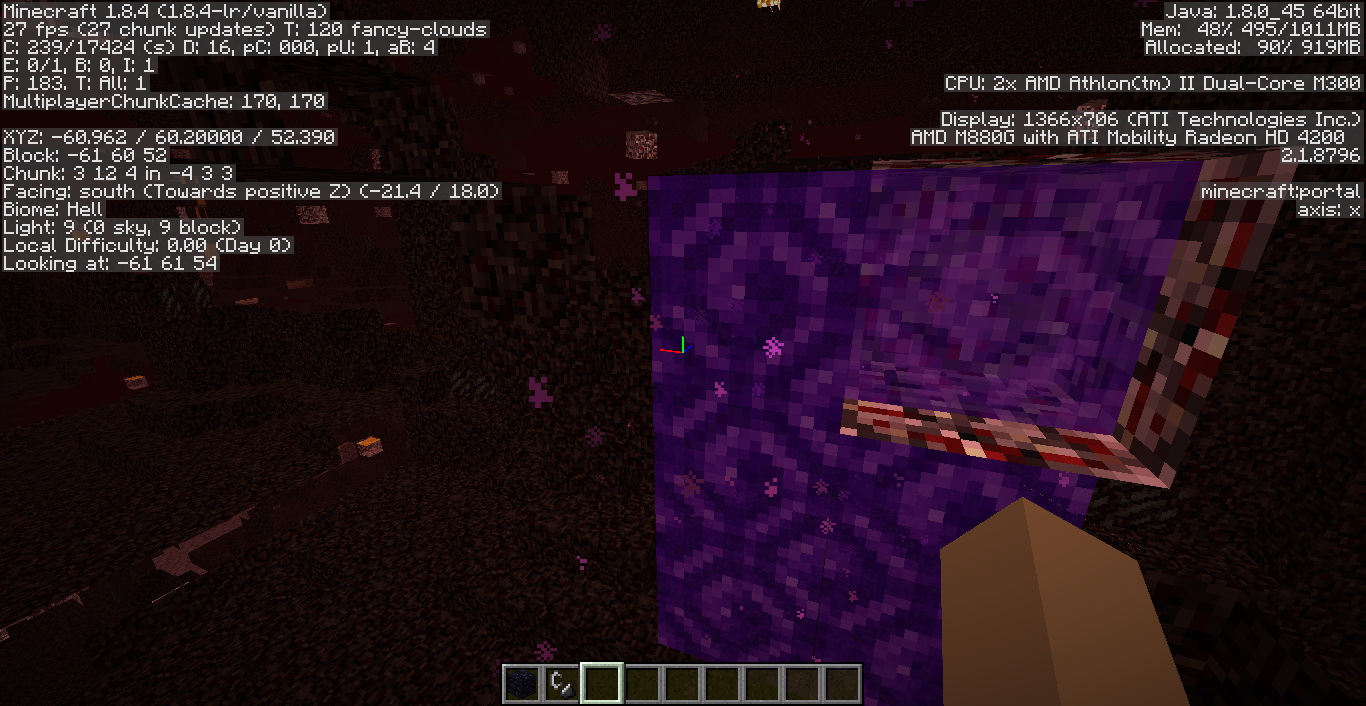
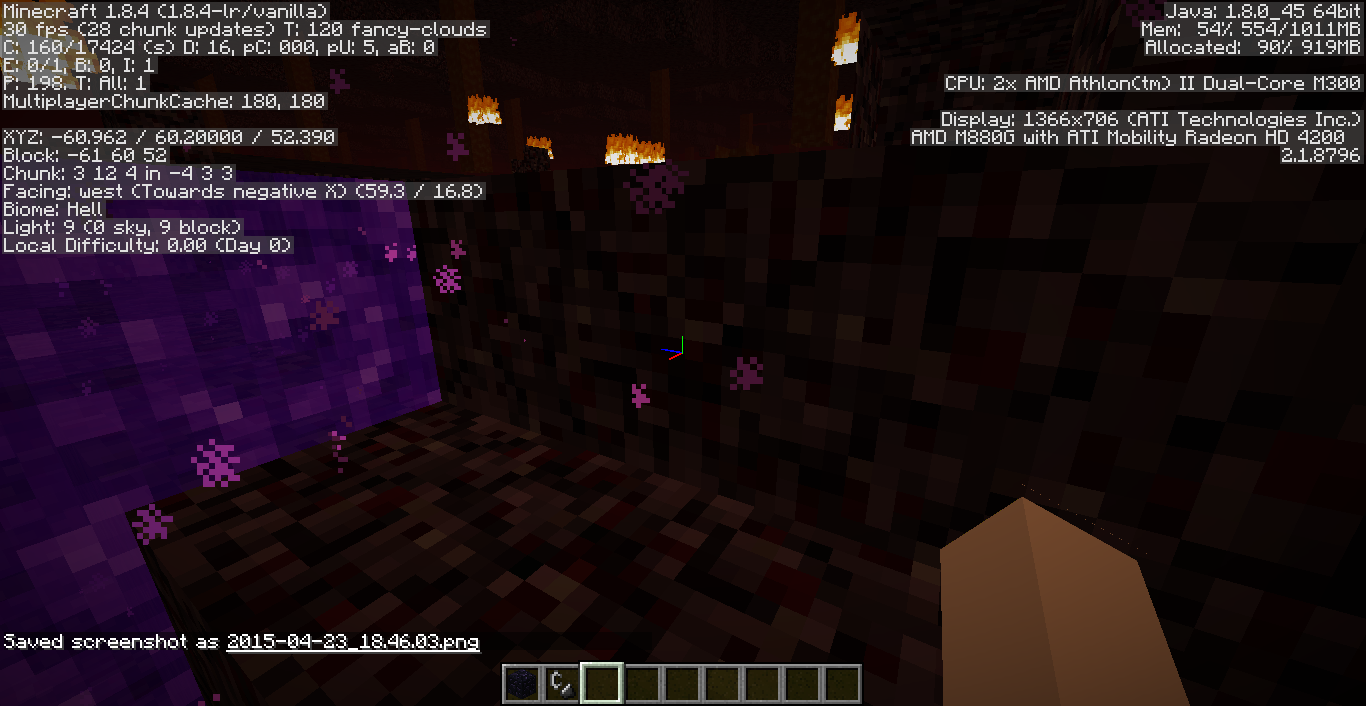
I entered the nether world using a 23x23 nether portal.
What I expected to happen
Will enter a normal nether world_,of course_.What happened
It just shows random maps continuously and I saw the portal without its frame and it became a 2x3 portal. It also continues even if the game is paused.I entered the nether world using a 23x23 nether portal.
What I expected to happen
Will enter a normal nether world, of course.What happened
It just shows random maps continuously and I saw the portal without its frame and it became a 2x3 portal. It also continues even if the game is paused.
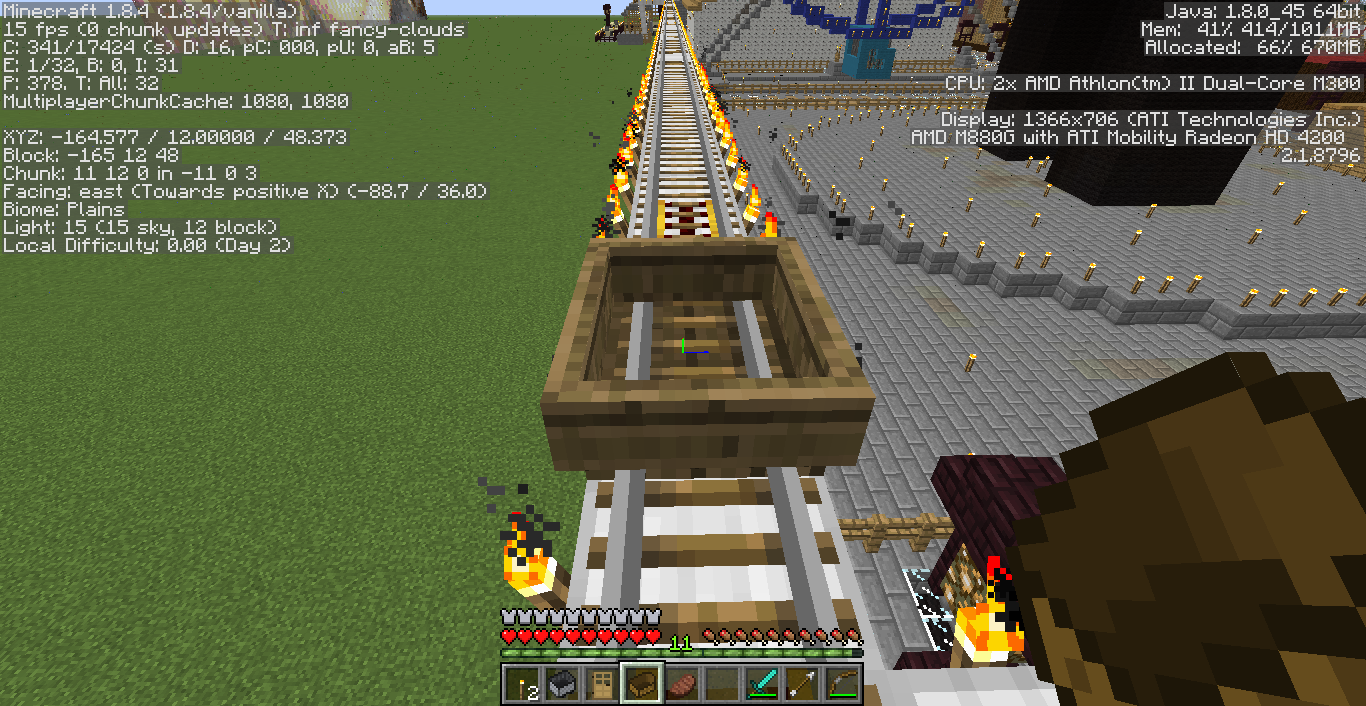
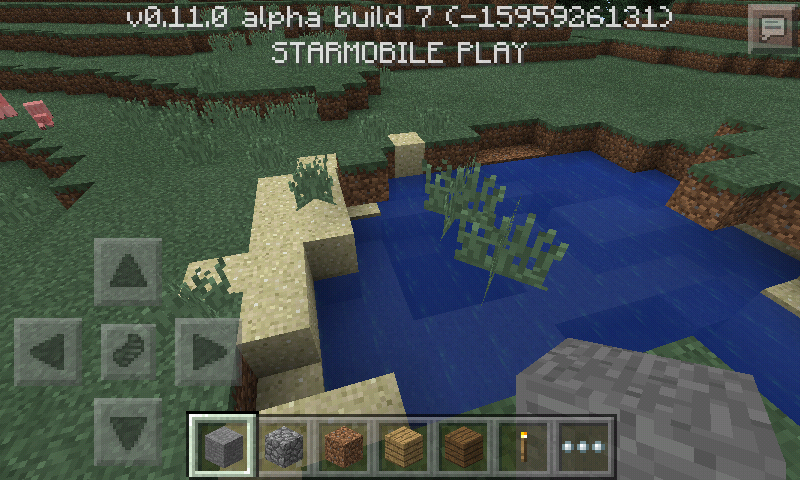
I always see this glitch in small ponds/near small ponds.
What I expected to happen:
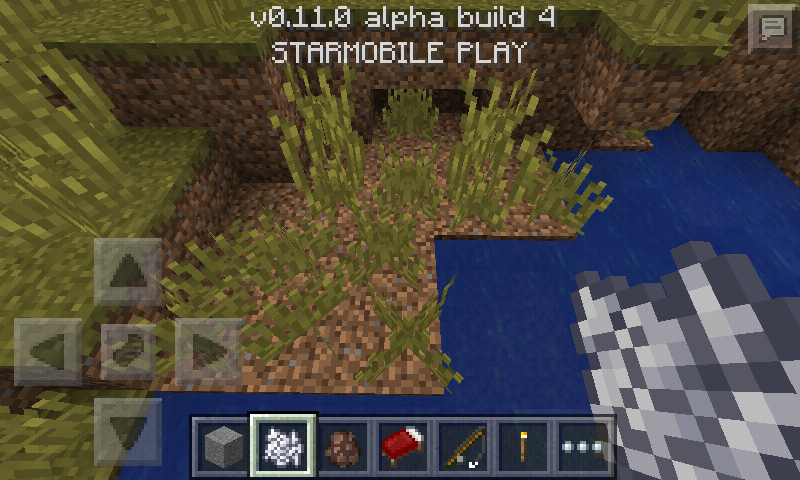
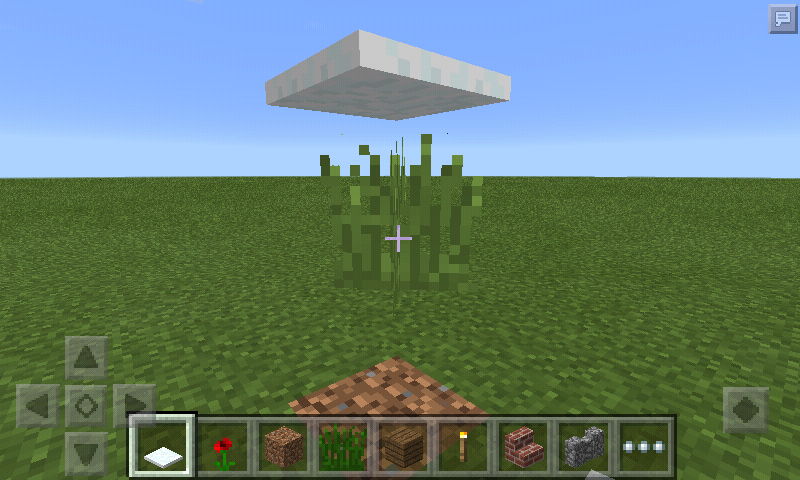
No grass on dirt/sand/air.What happened:
Grass everywhere.
Instead of copyright letter showing, I with dot
buttonabove is showingInstead of copyright letter showing, I with dot letter above is showing
Copyright letter showing as I with dotbuttonaboveCopyright letter showing as I with dot letter above
Instead of copyright letter showing, I with dot letter above is showing
I think this letter is showing up instead of the Copyright letter (©) because of wrong unicode used.
Instead of copyright letter showing, I with dot
letterabove is showingI think this letter is showing up instead of the Copyright letter (©) because of wrong unicode used.
Instead of copyright letter showing, letter I with dot above is showing.
I think this letter is showing up instead of the Copyright letter (©) because of wrong unicode used.
Copyright letter showing as I with dotletteraboveCopyright letter showing as letter I with dot above
Title explains.
What I expected to happen:
It cannot be obtained.What actually happened:
It was obtained with the "unknown block" icon.Steps to reproduce:
1. Open a world with cheats enabled.
2. Open the chat.
3. Type "/give <your username> minecraft:lit_furnace".
4. There we go! The bug is reproduced.
Title explains.
What I expected to happen:
It cannot be obtained.What actually happened:
It was obtained with the "unknown block" icon.Steps to reproduce:
1. Open a world with cheats enabled.
2. Open the chat.
3. Type "/give <your username> minecraft:lit_furnace".
4. There we go! The bug is reproduced.Title explains. Many bugs are created related to this issue like the "lit furnace has an april fools chest texture" and to fix that, please fix this issue.
What I expected to happen:
It cannot be obtained.What actually happened:
It was obtained with the "unknown block" icon.Steps to reproduce:
1. Open a world with cheats enabled.
2. Open the chat.
3. Type "/give <your username> minecraft:lit_furnace".
4. There we go! The bug is reproduced.
Title explains. Many bugs are created related to this issue like the "lit furnace has an april fools chest texture" and to fix that, please fix this issue.
What I expected to happen:
It cannot be obtained.What actually happened:
It was obtained with the "unknown block" icon.Steps to reproduce:
1. Open a world with cheats enabled.
2. Open the chat.
3. Type "/give <your username> minecraft:lit_furnace".
4. There we go! The bug is reproduced.Title explains. This block shouldn't be obtainable because this block is a technical block while the other redstone-related technical blocks aren't obtainable already and many bugs are created related to this issue like the "lit furnace has an april fools chest texture" and to fix that, please fix this issue.
What I expected to happen:
It cannot be obtained.What actually happened:
It was obtained with the "unknown block" icon.Steps to reproduce:
1. Open a world with cheats enabled.
2. Open the chat.
3. Type "/give <your username> minecraft:lit_furnace".
4. There we go! The bug is reproduced.
Title explains. This block shouldn't be obtainable because this block is a technical block while the other redstone-related technical blocks aren't obtainable already
and many bugs are created related to this issue like the "lit furnace has an april fools chest texture" and to fix that, please fix this issue.What I expected to happen:
It cannot be obtained.What actually happened:
It was obtained with the "unknown block" icon.Steps to reproduce:
1. Open a world with cheats enabled.
2. Open the chat.
3. Type "/give <your username> minecraft:lit_furnace".
4. There we go! The bug is reproduced.Title explains. This block shouldn't be obtainable because this block is a technical block while the other redstone-related technical blocks aren't obtainable already like the redstone wire, unlit redstone torch, etc.
What I expected to happen:
It cannot be obtained.What actually happened:
It was obtained with the "unknown block" icon.Steps to reproduce:
1. Open a world with cheats enabled.
2. Open the chat.
3. Type "/give <your username> minecraft:lit_furnace".
4. There we go! The bug is reproduced.
Title explains. Th
eseblocksshouldn't be obtainable because they are technical blocks while the other redstone-related technical blocks aren't obtainable already like the redstone wire, unlit redstone torch, etc.Steps to reproduce:
/give @p minecraft:lit_furnace
/give @p mob_spawnerTitle explains. This block shouldn't be obtainable because they are technical blocks while the other redstone-related technical blocks aren't obtainable already like the redstone wire, unlit redstone torch, etc.
Steps to reproduce:
/give @p minecraft:lit_furnace
Lit Furnace andmob spawnerstill obtainable using the /give command
Lit Furnaceandstill obtainable using the /give command
And your Windows version is really outdated. Maybe that is the reason why Minecraft crashes.
Breaking/Putting Blocks doesn't wave your hand/items when having effect Haste
Attached 2 more crash reports
Uploaded screenshots for repeater and comparator facing value bug
Repeaters.png
The bug
When trying to place a block where a closing shulker box is facing, the block is placed below the shulker box.
Steps to reproduce
- Place a shulker box in the air (so you can clearly see the bug)
- Open the shulker box
- Close it, but while closing, try to place a block on the side where the shulker box is facing _(e.g. when the shulker box is facing up, try to place a block above)
The bug
When trying to place a block where a closing shulker box is facing, the block is placed below the shulker box.
Steps to reproduce
- Place a shulker box in the air (so you can clearly see the bug)
- Open the shulker box
- Close it, but while closing, try to place a block on the side where the shulker box is facing (e.g. when the shulker box is facing up, try to place a block above)
The bug
When trying to place a block where a closing shulker box is facing, the block is placed below the shulker box.
Steps to reproduce
- Place a shulker box in the air (so you can clearly see the bug)
- Open the shulker box
- Close it, but while closing, try to place a block on the side where the shulker box is facing (e.g. when the shulker box is facing up, try to place a block above while facing the shulker box)

The bug
After clicking "Use Preset" with a custom preset with an invalid character, it crashes.
What I expect to happen
A message will appear showing that the preset is invalid.
Steps to reproduce
Try to create a new superflat world with the preset minecraft:piston[facing=up];1;
Note: This may be a duplicate of
MC-122441, but it doesn't seem to be fixed.
The bug
After clicking "Use Preset" with a custom preset with an invalid character, it crashes.
What I expect to happen
A message will appear showing that the preset is invalid.
Steps to reproduce
Try to create a new superflat world with the preset minecraft:piston[facing=up];1;
MC-122441, but it doesn't seem to be fixed.
Windows 10 64-bit
Java Runtime Environment 10.0.1
Windows 10 64-bit
Java Runtime Environment 10.0.1
I am unable to launch modded Minecraft using the latest Minecraft Launcher with Java 10. I am reporting this bug in the Mojang Bug Tracker because it has something to do with the Minecraft Launch Wrapper.
Here's the last line in the launcher_log.txt:
[0614/144307:INFO:GameCallbacks.cpp(178)] launcher/launcher (main) info Exception in thread "main" java.lang.ClassCastException: java.base/jdk.internal.loader.ClassLoaders$AppClassLoader cannot be cast to java.base/java.net.URLClassLoader[0614/144307:INFO:GameCallbacks.cpp(178)] launcher/launcher (main) info Exception in thread "main" java.lang.ClassCastException: java.base/jdk.internal.loader.ClassLoaders$AppClassLoader cannot be cast to java.base/java.net.URLClassLoader
at net.minecraft.launchwrapper.Launch.<init>(Launch.java:34)
at net.minecraft.launchwrapper.Launch.main(Launch.java:28)Steps to reproduce
Install any modification for Minecraft (OptiFine for example)
I am unable to launch modded Minecraft using the latest Minecraft Launcher with Java 10. I am reporting this bug in the Mojang Bug Tracker because it has something to do with the Minecraft Launch Wrapper.
Here's the last line in the launcher_log.txt:
[0614/144307:INFO:GameCallbacks.cpp(178)] launcher/launcher (main) info Exception in thread "main" java.lang.ClassCastException: java.base/jdk.internal.loader.ClassLoaders$AppClassLoader cannot be cast to java.base/java.net.URLClassLoader[0614/144307:INFO:GameCallbacks.cpp(178)] launcher/launcher (main) info Exception in thread "main" java.lang.ClassCastException: java.base/jdk.internal.loader.ClassLoaders$AppClassLoader cannot be cast to java.base/java.net.URLClassLoader
at net.minecraft.launchwrapper.Launch.<init>(Launch.java:34)
at net.minecraft.launchwrapper.Launch.main(Launch.java:28)Steps to reproduce
Install any modification for Minecraft (OptiFine for example)
Unable to launch modded Minecraft with Java 10 due to a bugged Library
[
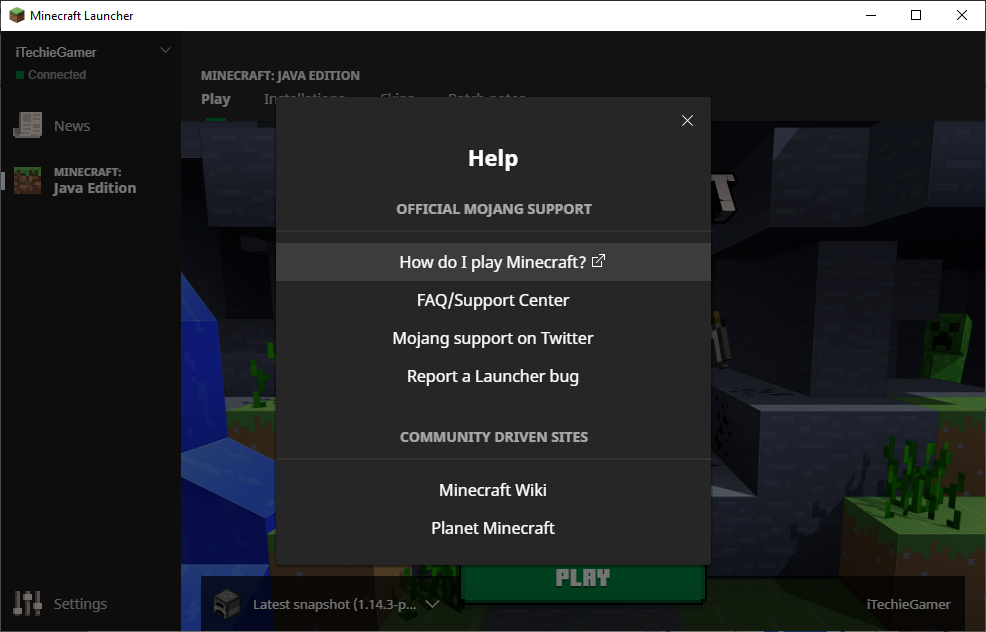
The "Minecraft Forum" link is missing in the Help menu, even though it has been announced that it would no longer be shut down.
Link to article: https://www.minecraftforum.net/news/60728


![[Mod] violine1101](../../../data/avatars/users/92858.png)
Maybe there is a unicode glitch.
Actually, this isn't a bug. To name a mob with right-click ability, hold Shift on your keyboard and right-click the mob. If it still doesn't work, rename the spawn egg of the mob you want to spawn on an anvil with the name you want then press right-click (Only works on CREATIVE game mode unless the game mode was set to Survival using cheats in game).
Also the "Always day" switch is not working on 0.11.0 beta 4 (not tested in other versions)
Yeah it sometimes happen but it's so funny
Wasn't fixed until the latest build.
Confirmed for 1.8.4
Confirmed for 1.8.4 singleplayer.
Confirmed on 0.11.0 beta 7
Confirmed for 1.8.4.
Even when you dismount, the hand still points that way.
Confirmed for MCPE 0.11.0b7
Still in 1.8.4
Maybe this is the opinion of Minecraft developers but this issue is not a quirk
This glitch is a rare glitch in Minecraft 1.8+
Also, when sheep eat grass block with flower above, the flower is still above while the grass block became dirt.
Yup
Yup, I have that version and it's fixed
The Realms server has a delay...
But it's fixed on 0.11.0
Confirmed until 0.10.5
It's fixed in 0.11.0
This issue is not a glitch. The icon is intended because lit furnace is a technical block and shouldn't be obtainable like the other technical blocks.
Try updating to Minecraft 1.8.4. Do not update to Minecraft 1.8.5 because there are lots of crash reportings in the latest version.
Still in 1.8.5 & 1.8.6
Found out how to fix the bug!!! Restart the whole game. Do not just reload the world, it will still appear.
Will be fixed in 0.11.0b14
This is a rare glitch. In my situation, I tamed a wolf, dyed it, and pressed the "Stand" button while holding the dye and it attacked the wolf.
This is a font bug.
Intended.
What's the coordinates of the stronghold?
Oops, wrong comment
Where's the stronghold?
Still in build 14
Fixed in 0.11.0b11
Do you have PocketInvEditor on your tablet?
Try updating to 0.11.0b14
Confirmed
Intended.
This site is for bug/glitch/crash reporting only, if you have questions, then search it on Google.
Cannot confirm
Confirmed on beta 13 & 14
Confirmed on multiplayer & singleplayer. In beta 11, 12 or 13 it was increased. And when you are in creative, and you are in the sky, you are teleported few blocks above the ground.
Confirmed on 0.11.0b1-14
Intended.
When you are in creative, and dig down to void, you don't die unless you are in survival.
Okay I'll try to find it
No I mean Pocket Editor from Google Play Store, do you have that app?
On beta 14, when you are flying and on the sky, you don't teleport down and when you are walking, reloaded the world, the teleportation was decreased.
Works fine on my phone
It is intended that when you press the home button, Minecraft still continues but when you lock the screen of your phone, Minecraft should go to the Game menu.
Nope. Android 4.4.2
Occurs on my phone at 0.11.1. This happens sometimes on my phone and what I did was I stopped the process of Minecraft on my phone and restarted the game.
One time I played Minecraft 1.0 and I entered the Nether and heard this sound. But when I played the latest version, it doesn't play anymore! This bug is still in 1.8.2, 1.8.3, 1.8.4, 1.8.5, and 1.8.6. I loved that sound!
I don't know how to reproduce it, but it's really a rare bug. I spawned many wolves then I tamed some of them, killed those untamed, and dyed all tamed wolves with cyan dye. After I dyed a tamed wolf, A "Stand" button appeared while I am still holding the dye. Then I tapped the button. Then the wolf was attacked by the "Stand" button.
On 0.11.1 alpha, it is intended because the bug is fixed and when you are in a 2-block high house, you teleport up.
No I mean PocketInvEditor app that is downloadable for free in Google Play, do you have that app?
Thank you for the video! This is still a bug because it is temporary, like you said.
That's why I don't want to turn on Split controls.
I don't know if this is intentional or not.
I just forgot to browse the Minecraft Wiki. This issue is closed!
It happened to me again for the second time.
Confirmed on 0.11.1 (I have Android 4.4.2)
Happens on paintings. Confirmed on 0.11.1
It is impossible to craft a furnace with 8 stones. So Confirmed for 1.8.5, 1.8.6 & 1.8.7.
Please disable your installed resource packs if any.
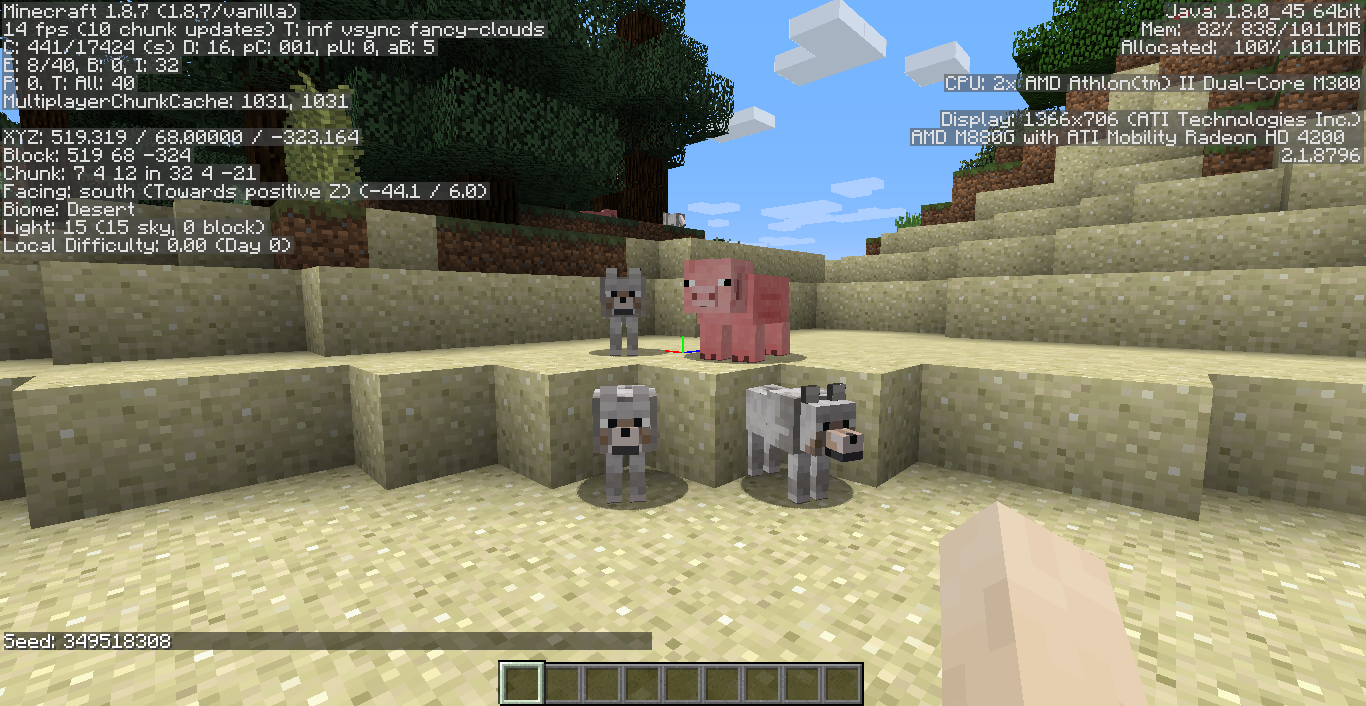
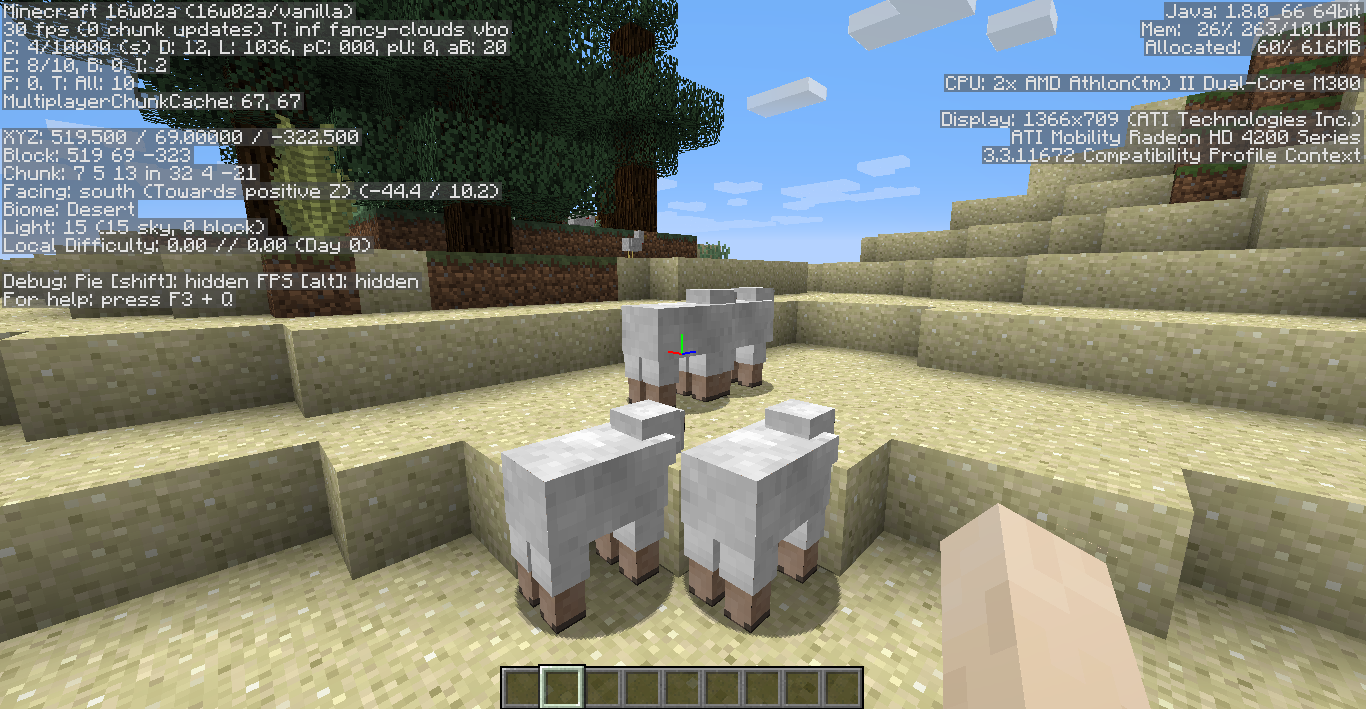
I saw pack of wolves and a pig spawned on the desert biome. Then I saw the taiga biome, which the mobs should spawn in. They are near the border of the two biomes.
This is NOT a bug, this is imtended.
Not fixed in 15w31a but did NOT happen in previous versions.
The coordinates don't show the strongholds in 15w31a, but you are below a mineshaft.
And yeah, I am talking about pack spawning.
spectral_arrow.png is the filename in the game but in the code the filename is tracer_arrow.png.
The arrows with potion effects show likely the original arrow icon.
Oh, I shouldn't have reported the same issue. Look at my issue: MCPE-9332
Yes you can
Use
Raw/Cooked Fish.Nothing went wrong.Confirmed for 0.13.1Confirmed on 0.12.1b1
Confirmed on 0.12.1b1
Why did you delete the last step? Confirmed on 0.12.1b1
Baby Zombies are really normally fast.
This site is ONLY for Minecraft bug reportings, not Galaxy Store reportings.
Yes they do
But you can tame the by long-pressing on them.
Cannot confirm.
Yeah. Confirmed.
On
MC-83766, I reported:Are you in survival? Cannot confirm on creative.
Confirmed.
Confirmed. Try 3-block deep water/lava.
Confirmed.
The bug is...Anvil doesn't work
This site is only for Minecraft PE bug reportings, not for Google Play bug reportings.
Yes you can
Confirmed.
Con confirm. Also on previous versions
Confirmed
Fixed on 0.12.1b1!!! YAY
Happens sometimes
confirmed
I think 15w31a update cannot read JSON
Related bug: Eye of Ender sometimes cannot be placed in Ender Portal
Confirmed. Applies to all items
/blocks. Another bug: The lead still connects to right hand even if the lead is used on the left handCannot reproduce. Please attach a video/picture so I can reproduce this bug.
It only doesn't reset the previous color, but bold/obfuscated/italic/underlined formatting can be reset by §r
But JSON formatting can't be read in 15w31a
try updating to 0.12.1b1
I know...
I am holding a grass block then I saw the block on my hand side texture rotated
Use Cooked fish then long press them
No he means attached on wall, not attached to other head
Confirmed
confirmed..
It is because {{Minecraft 15w31a cannot read JSON text (in some cases) }}
Only in survival but creative
build 2 is released?
Only in survival but creative
Confirmed
Maybe it has something to do with the specifications of the computer.
It is because 15w31 snapshots can't read JSON text in some cases
Not a bug
Actually, on my computer 15w31 snapshots are faster than previous versions
Worst Glitch on slow internet connections
Cannot reproduce.
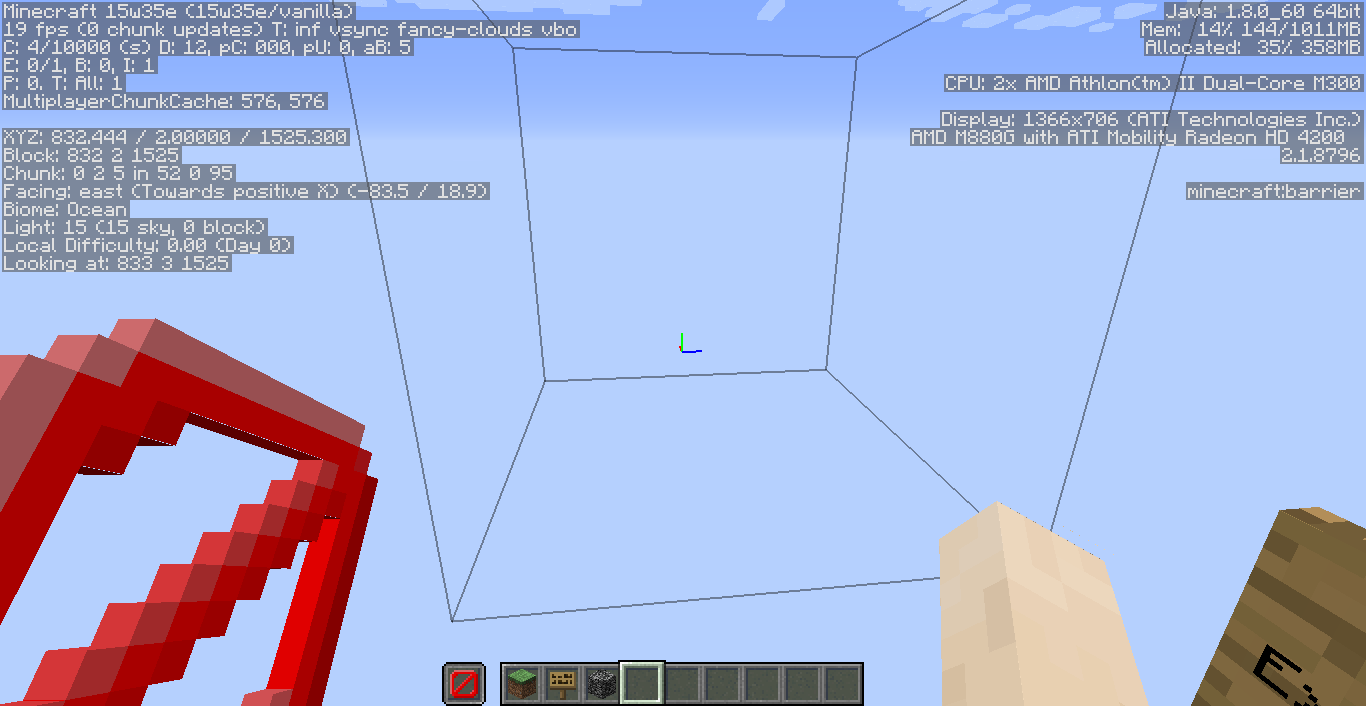
Its because the block around you are barrier
Looks like a Windows 10 bug
Cannot reproduce
Not a bug. It is normal. The redstone repeater is locked that's why there is bedrock in the repeater.
Works as Intended
Intended because water is considered as blocks even if you can go inside it
Did you open the world in 15w31a?
Because the dimension is loading
What is the seed of the world?
Its the shulker golem the one that is little
Confirmed also on 15w32b
Confirmed in 15w32a & 15w32b
Maybe you are in spectator gamemode.
Incomplete. Please add more details to be able to fix this bug.
Cannot confirm.
Works as Intended.
Doing that will cause a Minecraft crash.
Confirmed.
The y-coordinate is the height, not the z-coordinate.
Confirmed on 0.12.1 beta 3 to 9
Please reopen the issue!
@karlajean Do not spam.
Also includes Item, etc.
Confirmed.
Actually its fixed for 2 weeks
Confirmed from 15w34c until 15w35b
Confirmed until 15w35b
Happened to me again in snapshot 15w35b. What I did was I just paused the game for 10 mins., not changing the setting, then when I continued the game it happened. Happens also when opening a chest, pixels appear in the GUI of the chest. Also, when you place custom heads in the world then the bug happened, it doesn't show up the second layer of the skin (hat).
Cannot confirm
Works as Intended. The length of a sign depends on the text inside it and the font.
Cannot reproduce
Confirmed on 15w35c, 15w35d and 15w35e
Confirmed. Also happening to loaded chunks. The loaded chunks became unloaded
I think its fixed in 15w35e
confirmed
yess
actually its fixed in 36a
CoNfIrMeDConfirmed.Yes
confirmed for 15w39c
Still in 15w39c
Confirmed. It was not actually at spectator game mode, but on all game modes. I once opened the crafting table, but the GUI shows the armor stand skin. When I pressed F3 + T to reload textures, it made the armor stand texture to crafting GUI texture! It also has no steps to reproduce, it just occurs ocassionally
Can someone change the title to: Textures occasionally get replaced by another textures ?
Actually, it happened to me when connecting to a server at version 1.8.
Do not limit the FPS or put it in unlimited
Put /say test on your command block then activate it. It doesn't show up the previous output on the command block
And when Minecart with TNT falls, it also explode
It's not invisible rain, but a cause of an old glitch Far Lands.
Confirmed. I was gonna report that bug, but I saw this issue
Why is it duplicate? I have searched before reporting this issue, but nothing showed up.
Actually not yet fixed in 15w46a
Mob spawner should be in creative inventory, like Pocket Edition.
You should use Bucket, not Milk
Works as Intended. Use Bucket
Works as Intended. On alpha/beta versions of PC, the redstone texture is like the one in Pocket Edition.
Confirmed
A bug in PC too
I know that. Try downloading Beta 1.8.1 version on PC and place a single redstone
Confirmed on 0.13.1.
I think your device is out of memory.
Confirmed for 15w51b. Comparators also affect this bug. Also I uploaded screenshots for repeater and comparator facing value bug.
It still happens when mipmaping is turned off but only on clouds (not inside).
Confirmed and attached a screenshot.
A new world, and it's confirmed.
Crafting Table cannot be opened while inside the portal.
Pufferfish, raw salmon, and clownfish is not having the same ID as the raw fish.
It's because https://mojang.com/category does not exist.
daylight_sensor_inverted is named as missingno
Confirmed for 16w02a.
Can someone resolve this issue?
Hitboxes aren't showing up like the blocks are not solid.
It's because the chunks are "loading" because you sink slowly like on loading chunk
ilovetoeatcarrots You can't.
Confirmed and attached screenshots
Confirmed but this works as intended
Works as Intended
Kumasasa I think it works as intended because some programs also use the same line termination