Entities render slightly behind actual position
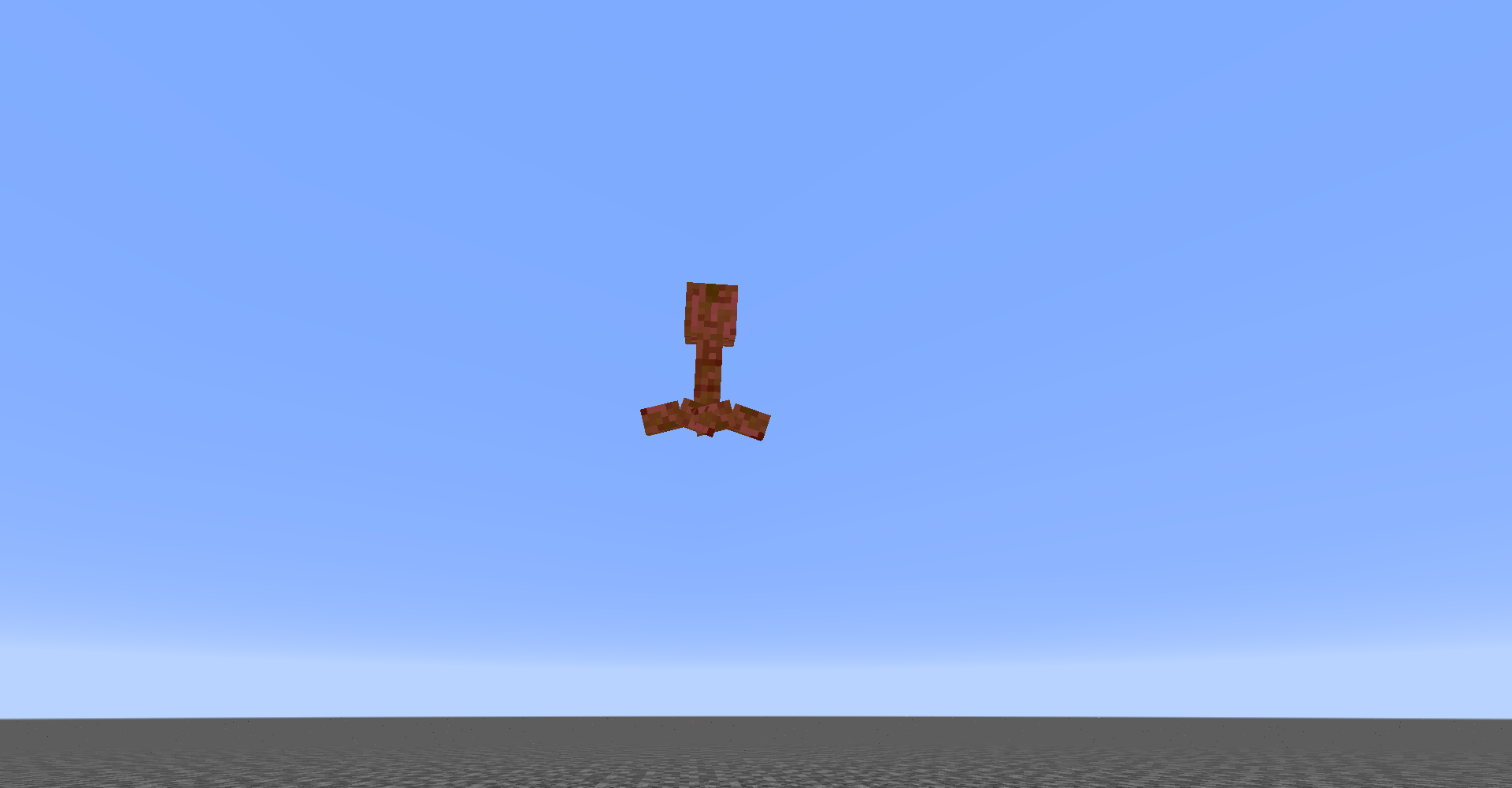
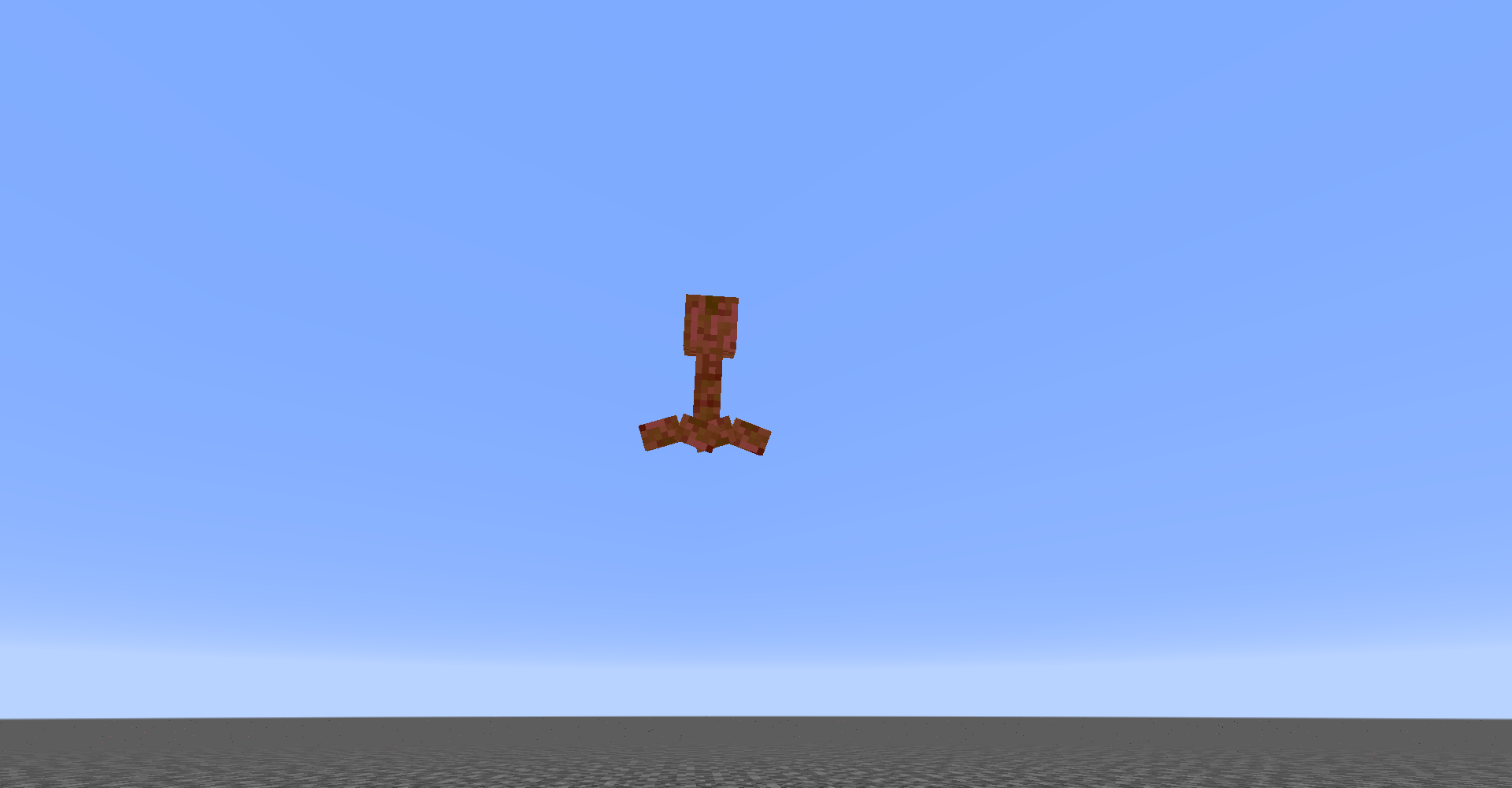
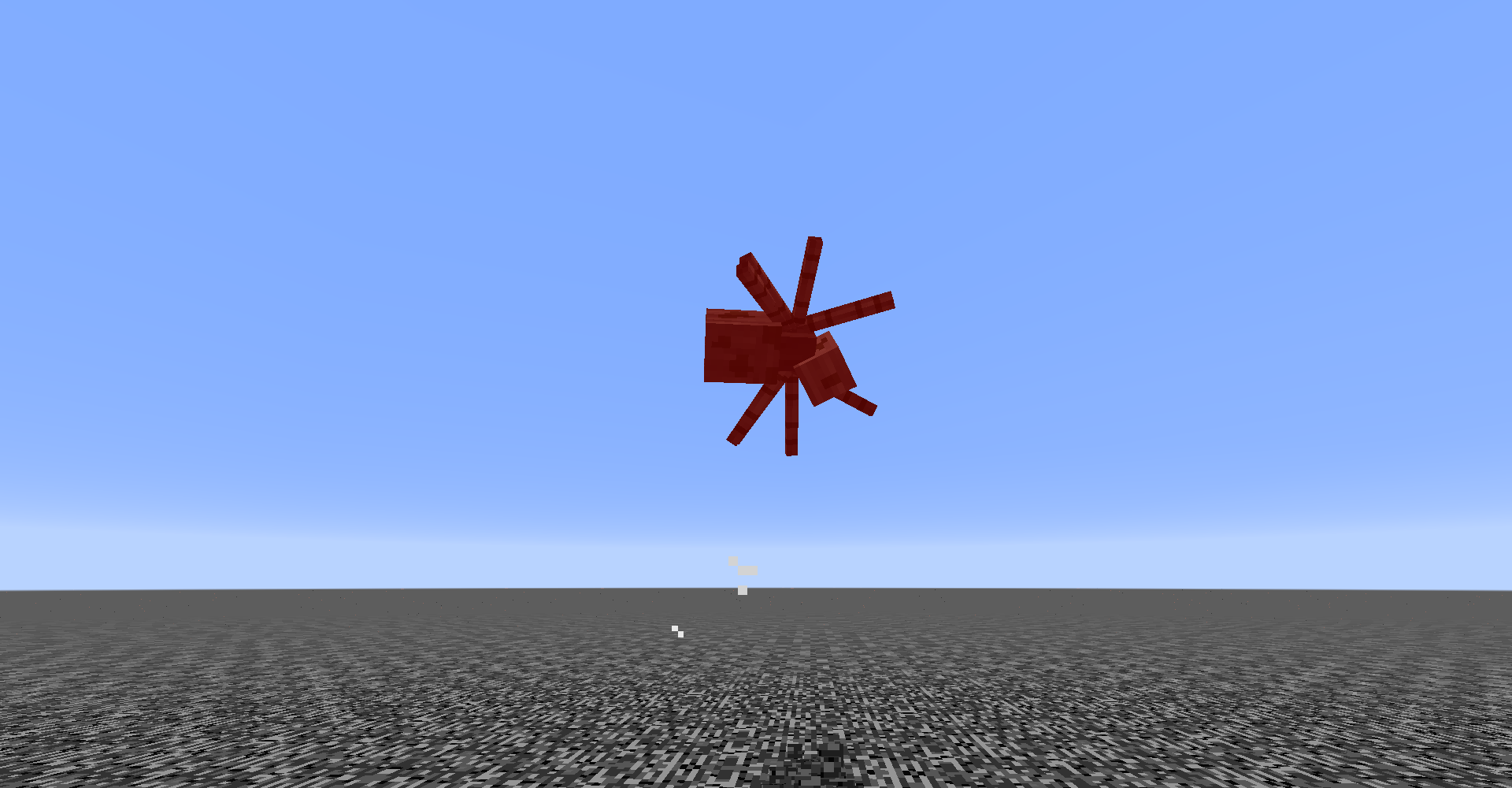
The visual model of entities appears delayed behind the actual position of the entity.
Steps to Reproduce:
- Slow down game ticks
/tick rate 5
- Summon a creeper in the air:
/summon creeper ~1 ~10 ~1
Expected & Observed results:
 → The creeper takes fall damage and shows landing particles before touching the ground.
 → No particles would be displayed and the entity would not take damage until it has hit the ground.
Videos:
Linked Issues
is duplicated by5
 MC-217517Entities and players are invulnerable/ hitbox is invisible and located several blocks below a falling entityDuplicateMC-237867Weird behavior with boats on ice with pistionsDuplicateMC-238379fall damage bugDuplicateMC-262333Minecarts and boats break from cactuses vertically earlier than they are supposed toDuplicateMC-264254Strange behavior of the boat when ascending on the water elevatorDuplicate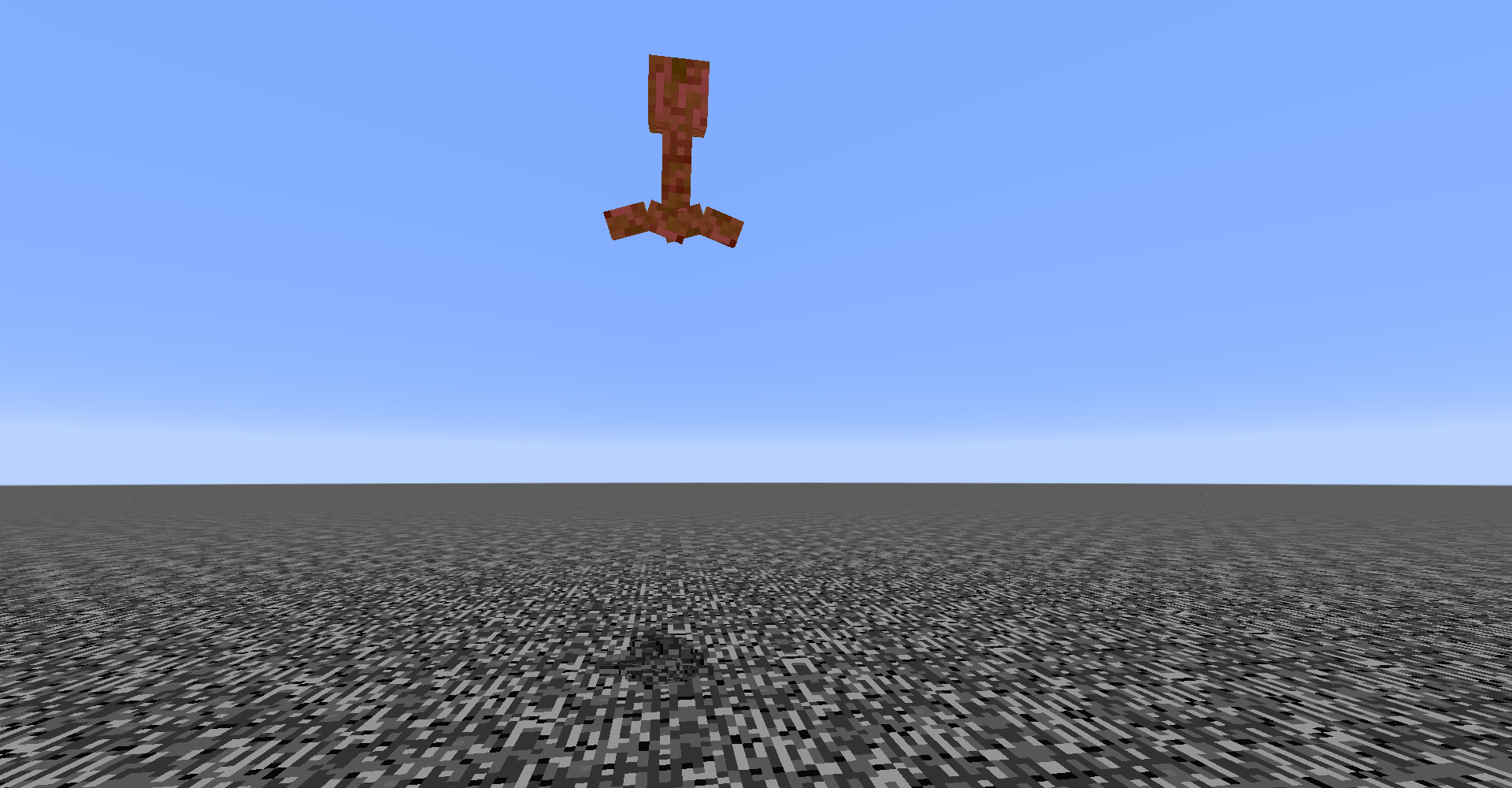



![[Mod] Avoma](../../../data/avatars/users/86198.png)
- Unresolved
![[Mod] Jiingy](../../../data/avatars/users/91802.png) [Mod] Jiingy
[Mod] Jiingy KingSupernova
- 11
- 6
- Confirmed
- Entities Player Rendering
1.8.1 - 25w02a
1.8.1 1.12 1.12.1 1.13.1 1.13.2 18w45a 18w46a 18w47a 18w47b 18w48a 18w48b 18w49a 18w50a 19w02a 19w03a 19w03b 19w03c 1.14.4 1.15-pre7 1.16.1 20w27a 1.16.2 1.16.4 20w48a 21w03a 1.16.5 21w05b 21w06a 21w07a 21w08b 21w17a 1.17.1 21w38a 21w39a 21w40a 21w42a 21w43a 21w44a 1.18-pre1 1.18-pre2 1.18-pre3 1.18-pre4 1.18-pre5 1.18-pre6 1.18-rc1 1.18 1.18.1 1.19.2 1.19.3 1.19.4 1.20-rc1 1.20 1.20.1 1.20.2 1.20.3-rc1 1.20.3 1.20.4 1.20.5 1.21.4 25w02a
Created Issue:
Death animation starts too early
When dropping a mob from a long height, the death animation will start *before * the mob actually hits the ground. What's probably happening is the mob is moving at a high enough speed that lag causes its body to render behind where the mob actually is. So when the mob hits the ground and dies, the game starts the death animation, even though its body still looks like it is in the air.
Environment
Operating system: OSX 10.9.5
Java Version: 1.6.0_65
Attachments5
When dropping a mob from a long height, the death animation will start *before * the mob actually hits the ground. What's probably happening is the mob is moving at a high enough speed that lag causes its body to render behind where the mob actually is. So when the mob hits the ground and dies, the game starts the death animation, even though its body still looks like it is in the air.
When dropping a mob from a long height, the death animation will start * before * the mob actually hits the ground. What's probably happening is the mob is moving at a high enough speed that lag causes its body to render behind where the mob actually is. So when the mob hits the ground and dies, the game starts the death animation, even though its body still looks like it is in the air.
When dropping a mob from a long height, the death animation will start
*before*the mob actually hits the ground. What's probably happening is the mob is moving at a high enough speed that lag causes its body to render behind where the mob actually is. So when the mob hits the ground and dies, the game starts the death animation, even though its body still looks like it is in the air.
When dropping a mob from a long height, the death animation will start before the mob actually hits the ground. What's probably happening is the mob is moving at a high enough speed that lag causes its body to render behind where game think the mob actually is. So when the mob hits the ground and dies, the game starts the death animation, even though its body still looks like it is in the air. The fall particles will also appear early.


Death animation starts too earlyMob body renders slightly behind actual position
When droppinga mob from a long height, the death animation will start before the mob actually hits the ground. What's probably happening is the mob is moving at a high enough speed that lag causes its body to render behind where game think the mob actually is. So when the mob hits the ground and dies, the game starts the death animation, even though its body still looks like it is in the air. The fall particles will also appear early.Two ways to see this:
1. Drop a mob from a long height, and the death animation will start before the mob actually hits the ground.
2. Drop a dead mob from 13 blocks above the ground. The body will disappear in midair, but it will still create particles and a sound when it hits the ground.
![[Mod] Michael Wobst](../../../data/avatars/users/37868.png)
![[Mod] violine1101](../../../data/avatars/users/92858.png)
![[Mod] Asteraoth](../../../data/avatars/users/92886.png)
Two ways to see this:
1. Drop a mob from a long height, and the death animation will startbeforethe mob actually hits the ground.2. Drop a dead mob from 13 blocks above the ground. The body will disappear in midair, but it will still create particles and a sound when it hits the ground.
The bug
The body of entities is slightly behind with the actual position of the entity.
It's very noticeable when slowing down footage, as seen here.How to reproduce
- Summon a creeper high up in the sky.
/summon creeper ~ ~100 ~→
Operating system: OSX 10.9.5
Java Version: 1.6.0_65
relates to
![[Mojang] Nathan Adams](../../../data/assets/gravatar/dinnerbone.png)
![[Mod] CubeTheThird](../../../data/assets/gravatar/cubethethird.jpeg)
relates to
![[Helper] Jack McKalling](../../../data/avatars/users/92859.png)
![[Mod] Chandler](../../../data/assets/gravatar/triwonder81.png)
![[Mod] bemoty](../../../data/avatars/users/50554.png)
![[Mod] tryashtar](../../../data/avatars/users/41963.png)
relates to
is duplicated by
![[Mod] ampolive](../../../data/avatars/users/18949.svg)
![[Mod] turbo](../../../data/avatars/users/92867.png)
![[Mod] Greymagic27](../../../data/avatars/users/92875.png)
![[Bot] Arisa](../../../data/avatars/users/43007.png)
Mob bodyrenders slightly behind actual positionEntities renders slightly behind actual position
![[Mod] markderickson](../../../data/avatars/users/18946.svg)
is duplicated by
is duplicated by
Entities rendersslightly behind actual position
The bug
The body of entities is slightly behind with the actual position of the entity.
It's very noticeable when slowing down footage, as seen here.
Howtoreproduce
- S
ummon a creeper high up in the sky./summon creeper ~ ~100 ~→
The visual model of entities appears delayed behind the actual position of the entity.
Steps to Reproduce:
- Slow down game ticks
/tick rate 5- Summon a creeper in the air:
/summon creeper ~1 ~10 ~1Expected & Observed results:
Videos:
Duplicate of MC-75398.
Thank you for your report!
We're tracking this issue in MC-75398, so this ticket is being resolved and linked as a duplicate.
If you would like to add a vote and any extra information to the main ticket it would be appreciated.
If you haven't already, you might like to make use of the search feature to see if the issue has already been mentioned.
Quick Links:
📓 Bug Tracker Guidelines – 💬 Community Support – 📧 Mojang Support
📓 Project Summary – ✍️ Feedback and Suggestions – 📖 Game Wiki
– I am a bot. This action was performed automatically! The ticket was resolved by one of our moderators, and I left this message to give more information to you.
This issue duplicates MC-75398
This duplicates MC-75398
Specifically; here is a showcase of how it duplicates MC-75398
2023-12-03_19-27-32.mp4
![[Mod] j_p_smith](../../../data/avatars/users/92851.png)
Does MC-75398 describe your issue?
Thank you for your report!
We're tracking this issue in MC-75398, so this ticket is being resolved and linked as a duplicate.
If you would like to add a vote and any extra information to the main ticket it would be appreciated.
If you haven't already, you might like to make use of the search feature to see if the issue has already been mentioned.
Quick Links:
📓 Bug Tracker Guidelines – 💬 Community Support – 📧 Mojang Support (Technical Issues) – 📧 Microsoft Support (Account Issues)
📓 Project Summary – ✍️ Feedback and Suggestions – 📖 Game Wiki
– I am a bot. This action was performed automatically! The ticket was resolved by one of our moderators, and I left this message to give more information to you.
Thank you for your report!
We're tracking this issue in MC-75398, so this ticket is being resolved and linked as a duplicate.
If you would like to add a vote and any extra information to the main ticket it would be appreciated.
If you haven't already, you might like to make use of the search feature to see if the issue has already been mentioned.
Quick Links:
📓 Bug Tracker Guidelines – 💬 Community Support – 📧 Mojang Support (Technical Issues) – 📧 Microsoft Support (Account Issues)
📓 Project Summary – ✍️ Feedback and Suggestions – 📖 Game Wiki
– I am a bot. This action was performed automatically! The ticket was resolved by one of our moderators, and I left this message to give more information to you.
As for the behavior of the behavior of the player "flying", that is only a visual issue because of MC-75398.

[Mod] j_p_smith yes this is a duplicate of MC-75398
Is this still an issue in the current Minecraft Snapshot 15w47c or later? If so, please update the affected versions in order to best aid Mojang ensuring bugs are still valid in the latest releases/pre-releases.
Looks like a client <--> server desync.
Ticket resolved as incomplete, because no answer in a reasonable amount of time (1+ year), if it still happens, please update the ticket.
Confirmed for 1.12.1
Confirmed for 1.13.1.
Confirmed in 1.16.1 and 20w27a.
Can confirm in 20w48a.
Can confirm in 21w03a.
Can confirm in 21w05b.
Can confirm in 21w06a.
Can confirm in 21w07a. Video attached.
Can confirm in 21w17a.
I am able to confirm this behavior in both 1.17.1 and 21w38a.
can confirm in 21w39a , actually i m more willing to make 1.19 as the "feature update" so mojang can have more time to fix these old bugs
Can confirm in 21w40a.
Can confirm in 1.19.2.
Can confirm in 23w46a:
2023-11-19_20-37-33.mp4
I'd like to request ownership of this issue as the original poster has been inactive since 2017.
Related to
MC-173789.Unsure of whether or not the status of
MC-173789affects this issue or not.