 Ceresjanin123
- Ceresjanin123
- ceresjanin123
- Europe/Warsaw
- Yes
- No
 MC-130899
![[Mojang] slicedlime](../../../data/assets/gravatar/slicedlime.jpeg)
 Normal
 Low
Low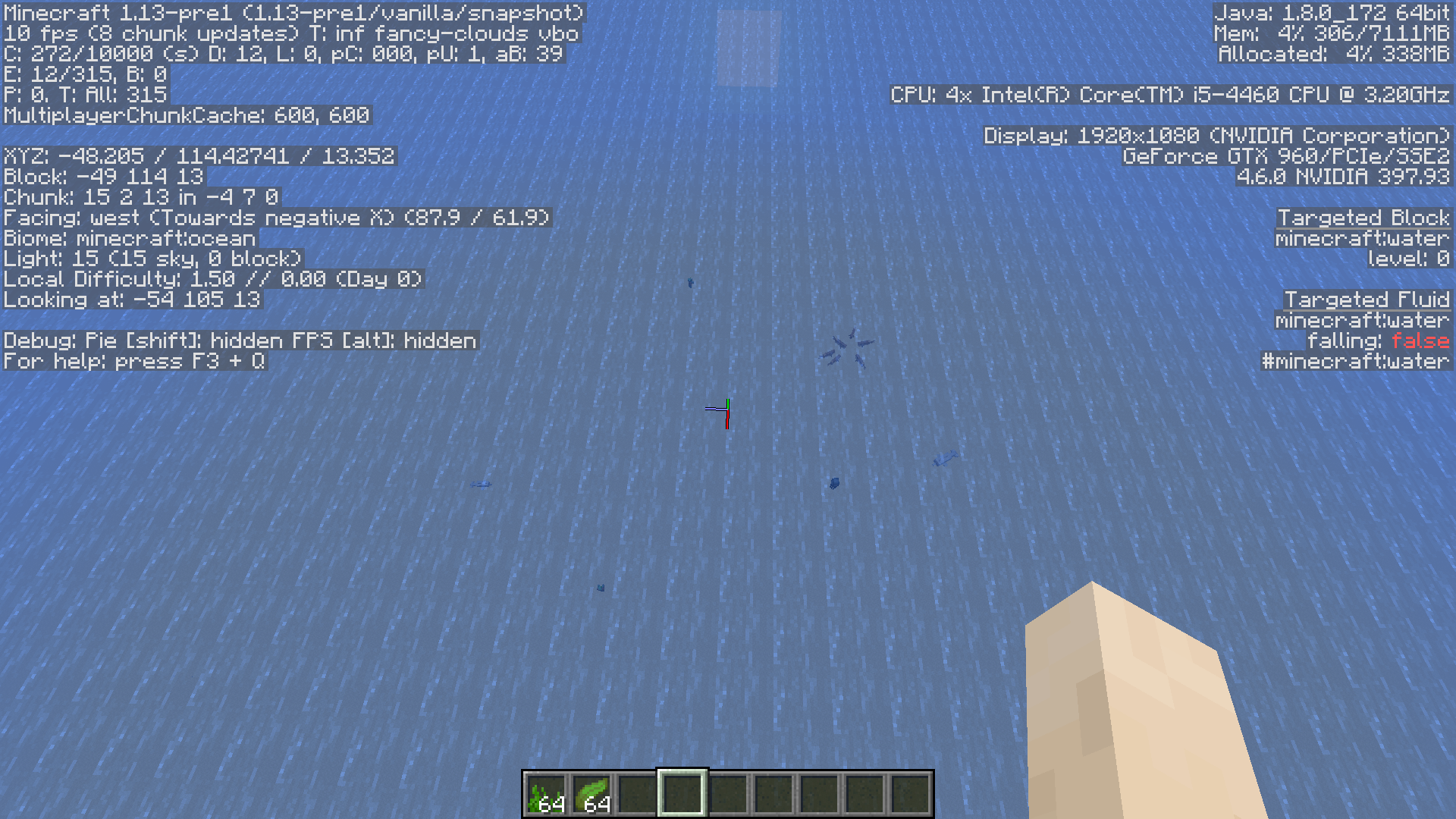
























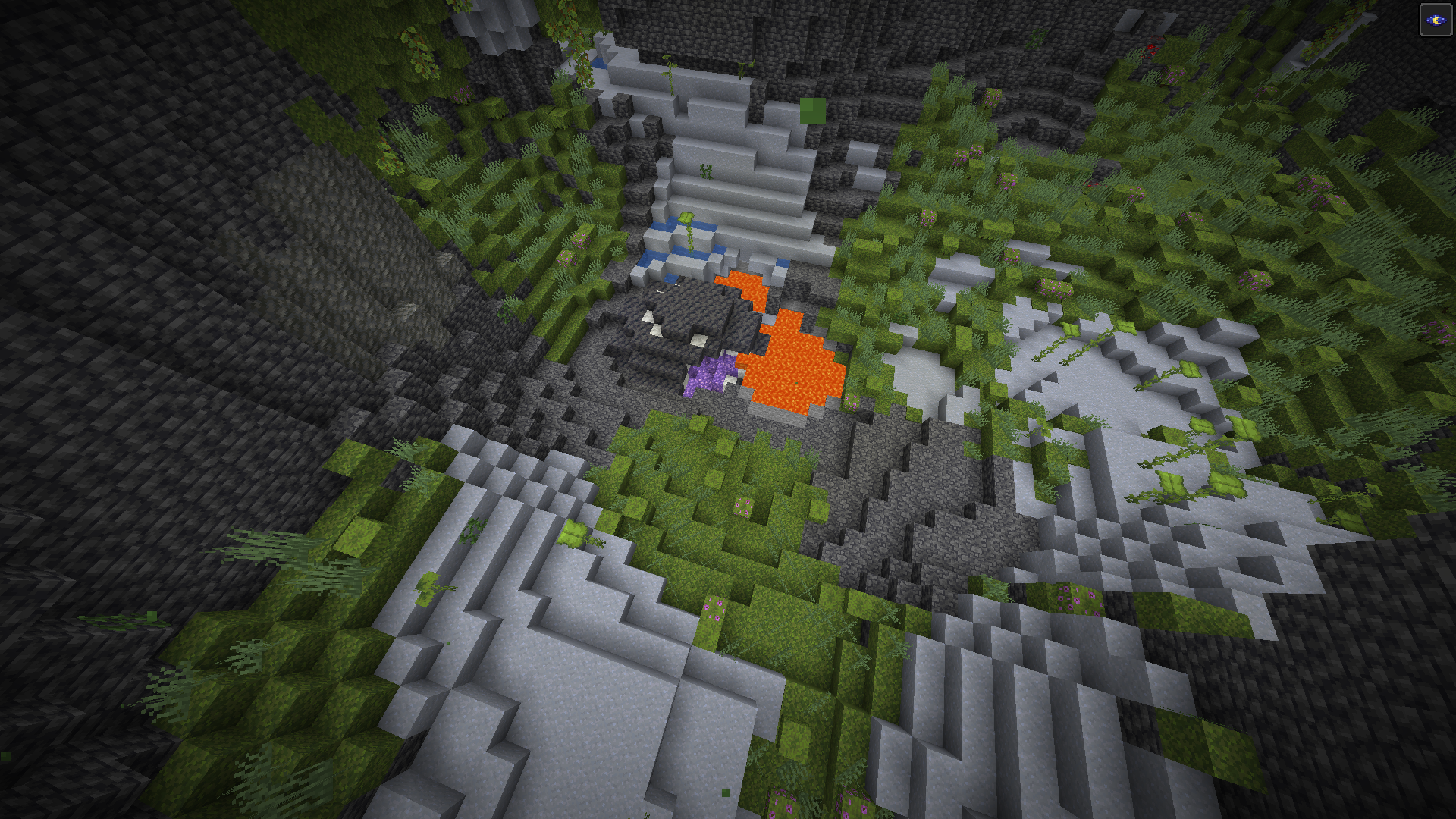


Generator issue
Generator issue
win10
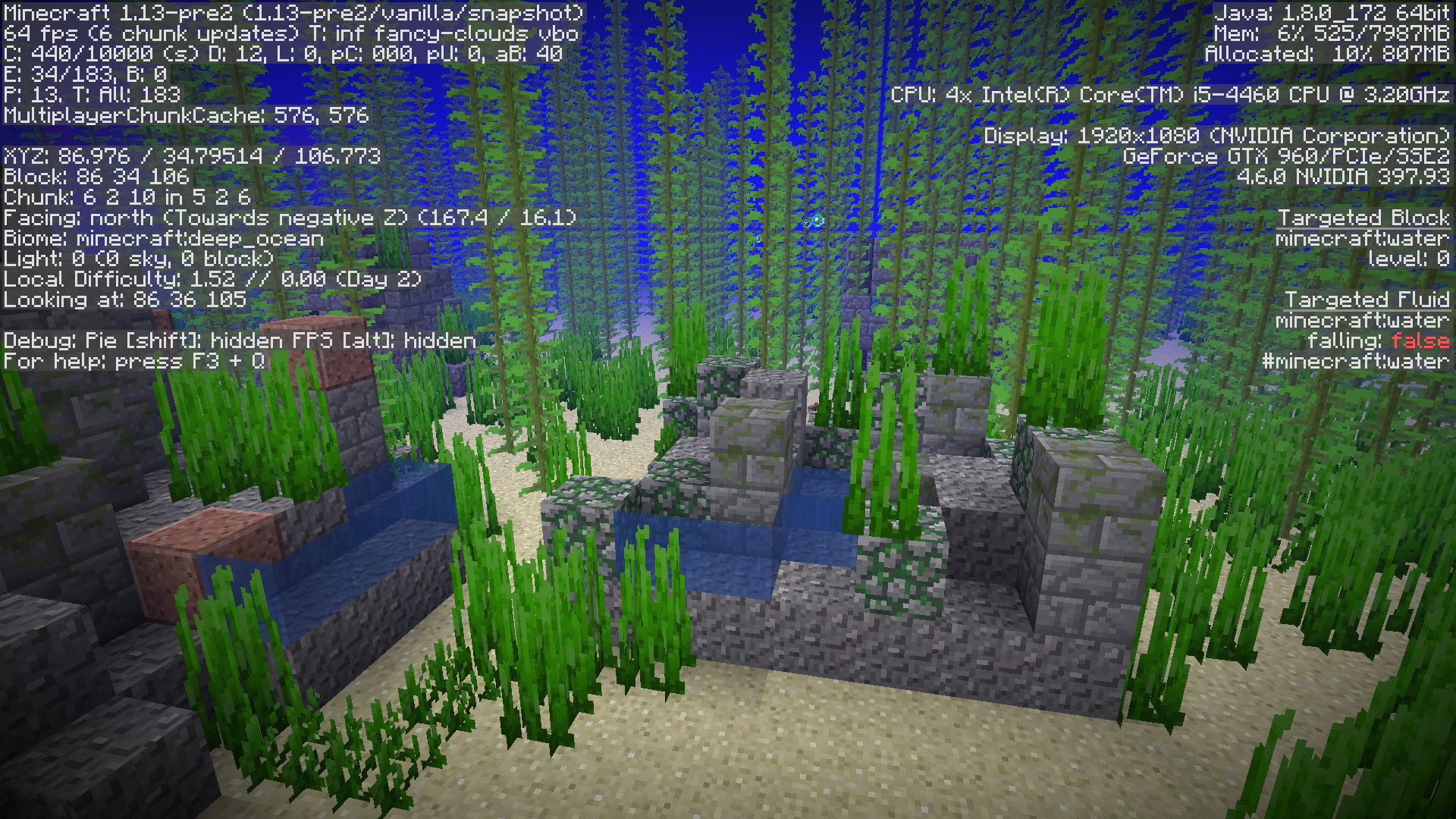
When I create a superflat ,,water world" with ocean biome none structure want to geneate even seagrass and seaweed.Only thing that spawn is fish.Don't worry i had generate structures on and still nothing.It look bad because on other types of flat worlds structures etc.villages,grass are gennerating normaly.Please fix that.
When I create a superflat ,,water world" with ocean biome none structure want to geneate even seagrass and seaweed.Only thing that spawn is fish.Don't worry i had generate structures on and still nothing.It look bad because on other types of flat worlds structures etc.villages,grass and cactus are gennerating normaly.Please fix that.
When I create a superflat ,,water world" with ocean biome none structure want to geneate no monuments no shipwrecks no ocean ruins even seagrass and seaweed.Only thing that spawn is fish.Don't worry i had generate structures on and still nothing.It look bad because on other types of flat worlds structures etc.villages,grass and cactus are gennerating normaly.Please fix that.
Superflat genaration bug
Seed:818489454178297260
Flat World: minecraft:bedrock,20*minecraft:stone,5*minecraft:dirt,5*minecraft:sand,90*minecraft:water;24;oceanmonument,cave,biome_1,mineshaft,decoration,ravine
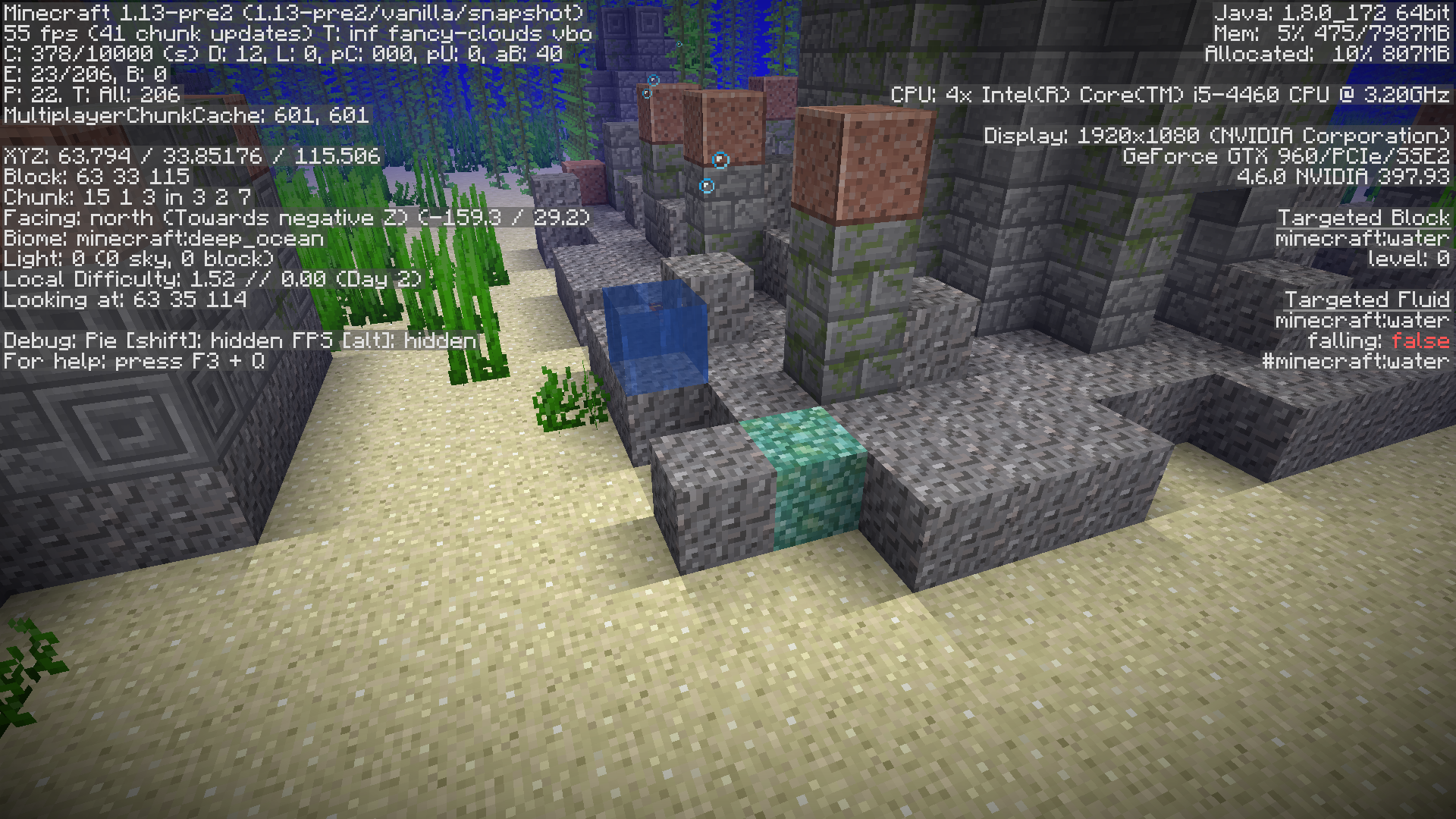
Water doesn't generate properly (blocks of air underwater) -Location : X-84 Y-33 Z-105
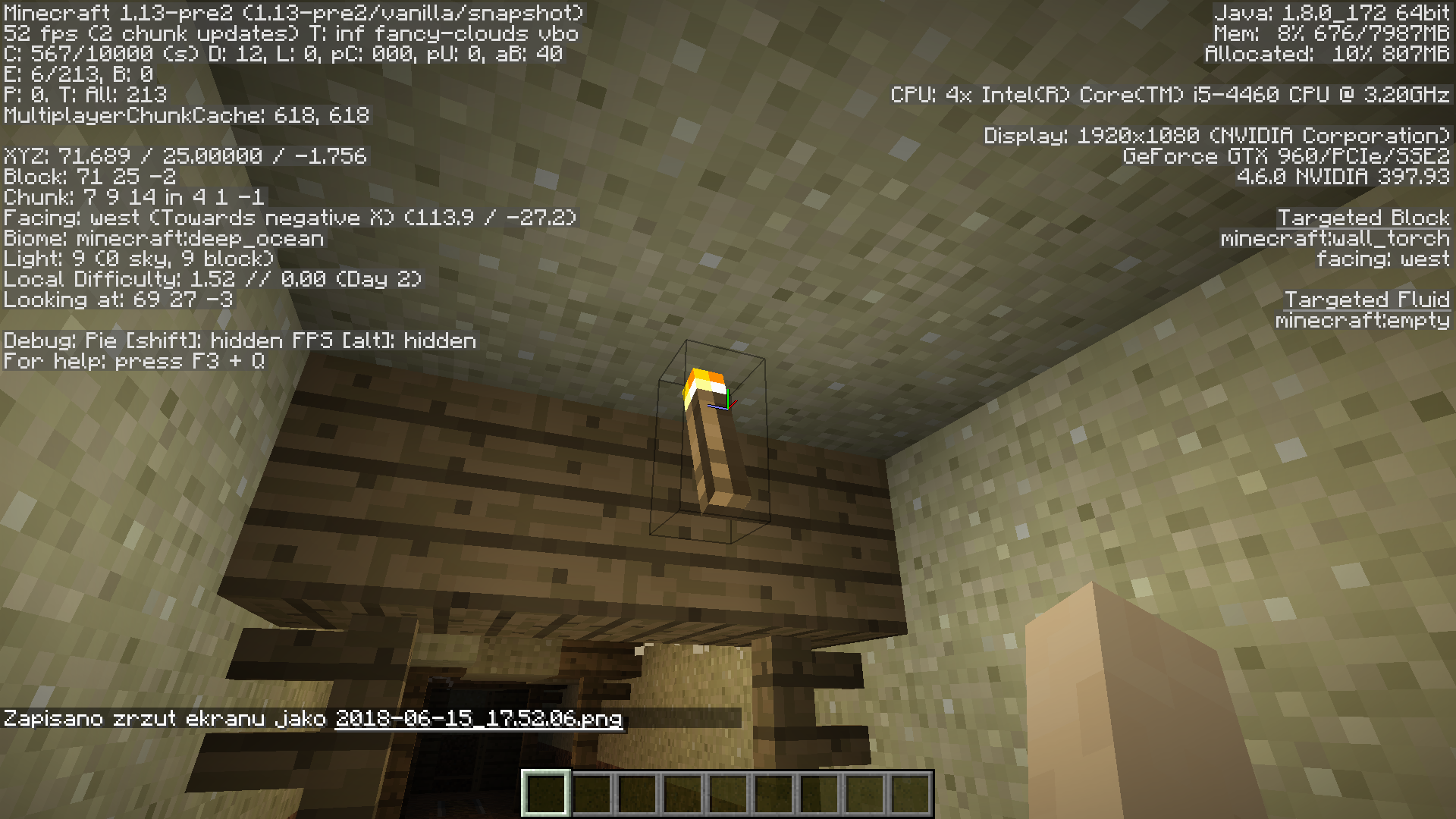
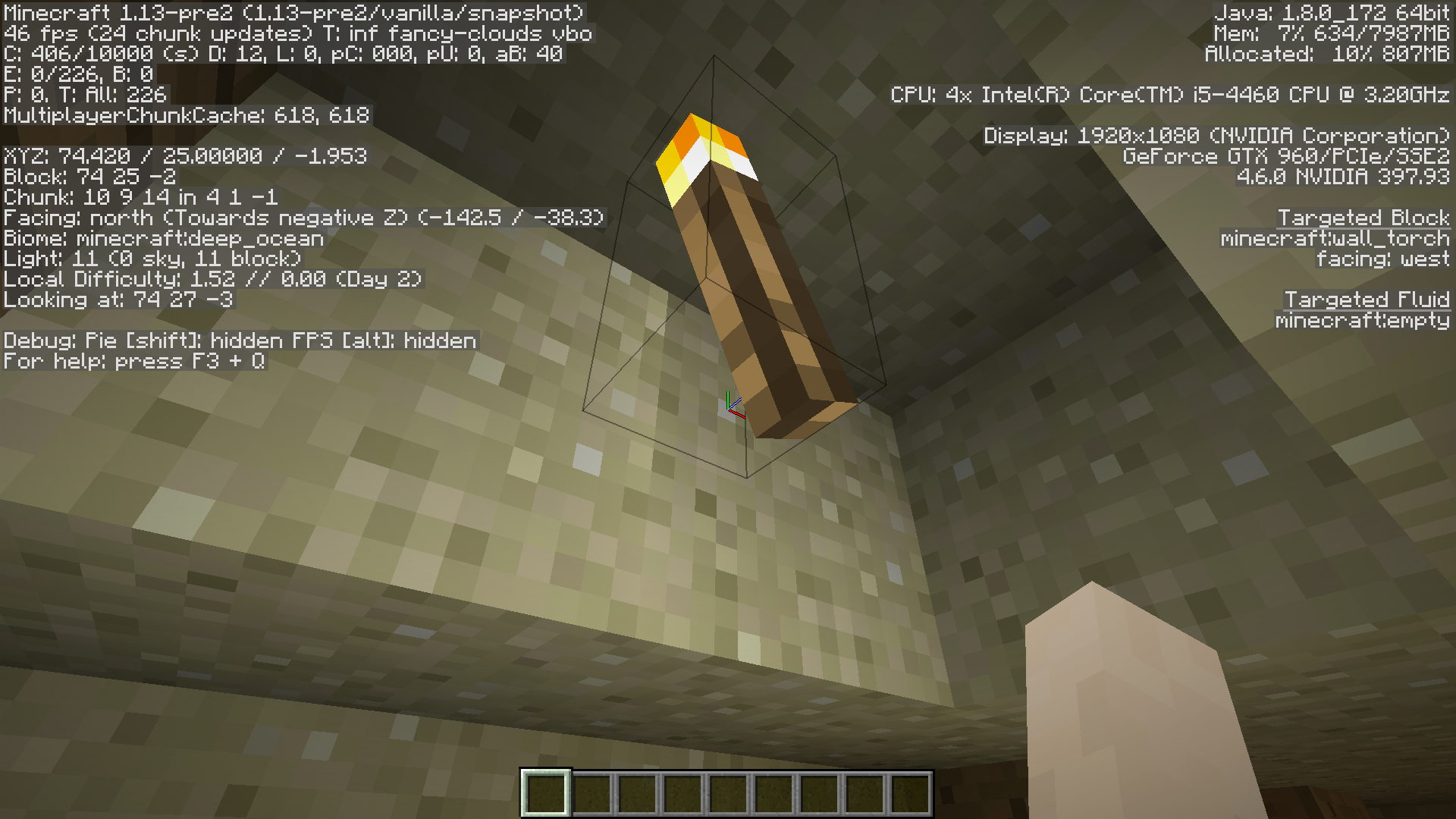
In mineshaft torches are flying in airLocation X75 Y- 25 Z- -1Seed:818489454178297260
Flat World: minecraft:bedrock,20*minecraft:stone,5*minecraft:dirt,5*minecraft:sand,90*minecraft:water;24;oceanmonument,cave,biome_1,mineshaft,decoration,ravine
Water doesn't generate properly (blocks of air underwater) - Location : X-84 Y-33 Z-105
In mineshaft torches are flying in air - Location X- 75 Y- 25 Z- -1
Seed:818489454178297260
Flat World: minecraft:bedrock,20*minecraft:stone,5*minecraft:dirt,5*minecraft:sand,90*minecraft:water;24;oceanmonument,cave,biome_1,mineshaft,decoration,ravine
Water doesn't generate properly (blocks of air underwater) - Location : X-84 Y-33 Z-105
In mineshaft torches are flying in air - Location: X- 75 Y- 25 Z- -1
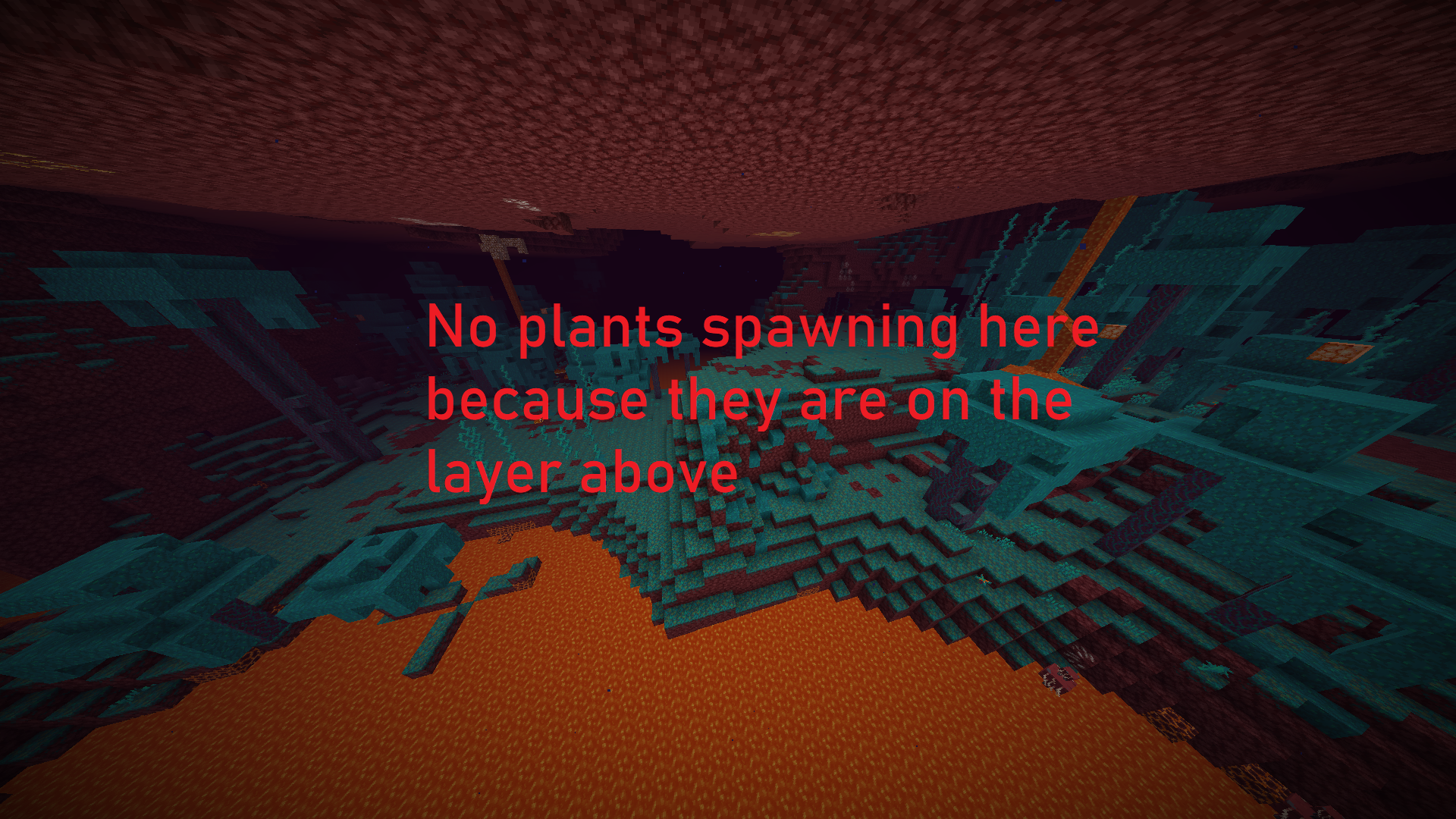
I went to the nether in the latest snapshot and I noticed no large fungi generates at all
I don't think related to
MC-171363as now now large fungi do not generate at allHow to recrate:
1- create a new world in 20w45a
2- go to the nether
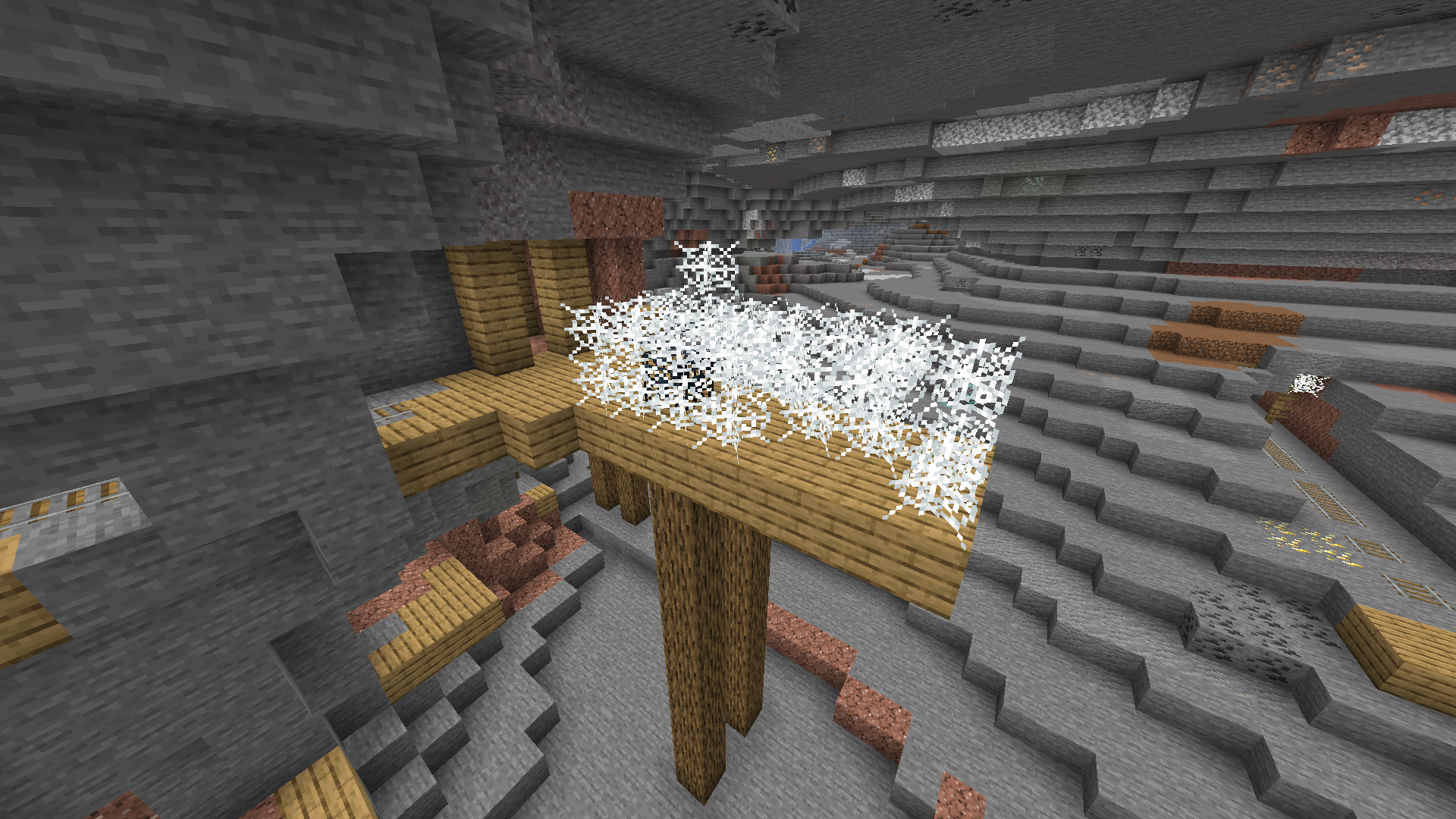
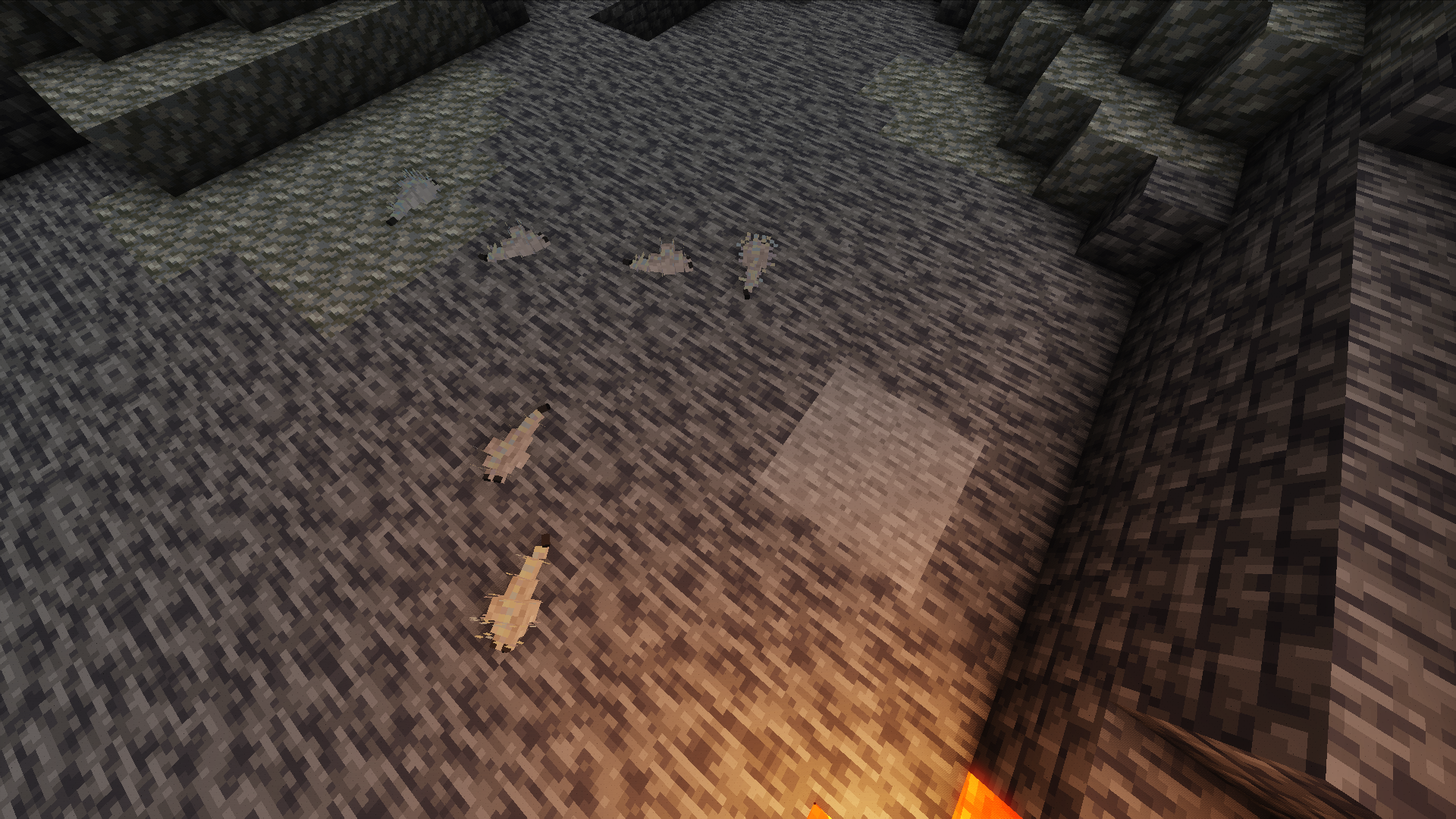
In this snapshot floating cobwebs (cobwebs not attached to other blocks) weren't supposed to generate yet they still do around cave spawners
Seed: -8508883206669806165
Location:
/execute in minecraft:overworld run tp @s 315.48 -28.14 -217.34 -740.08 31.97
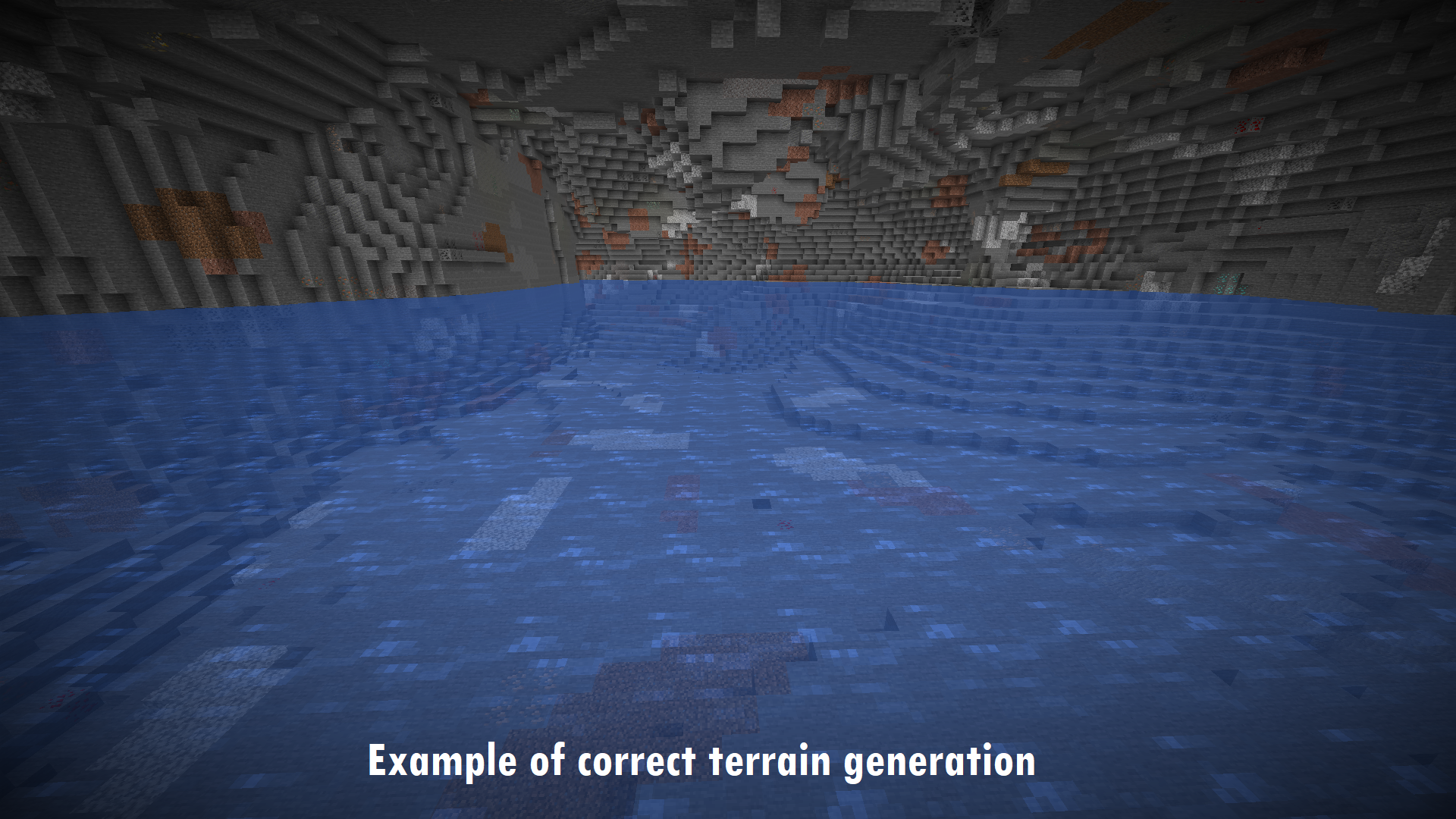
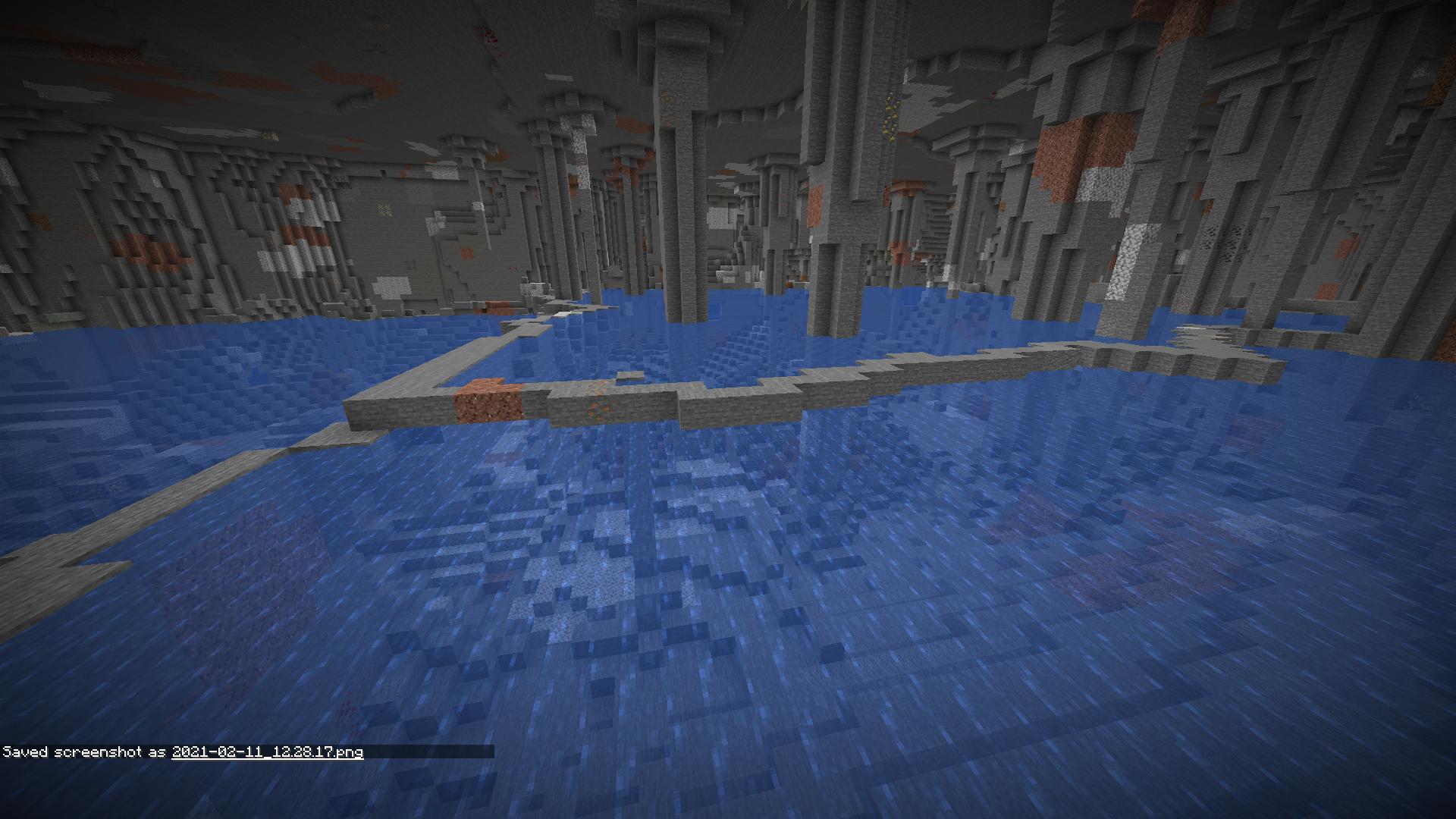
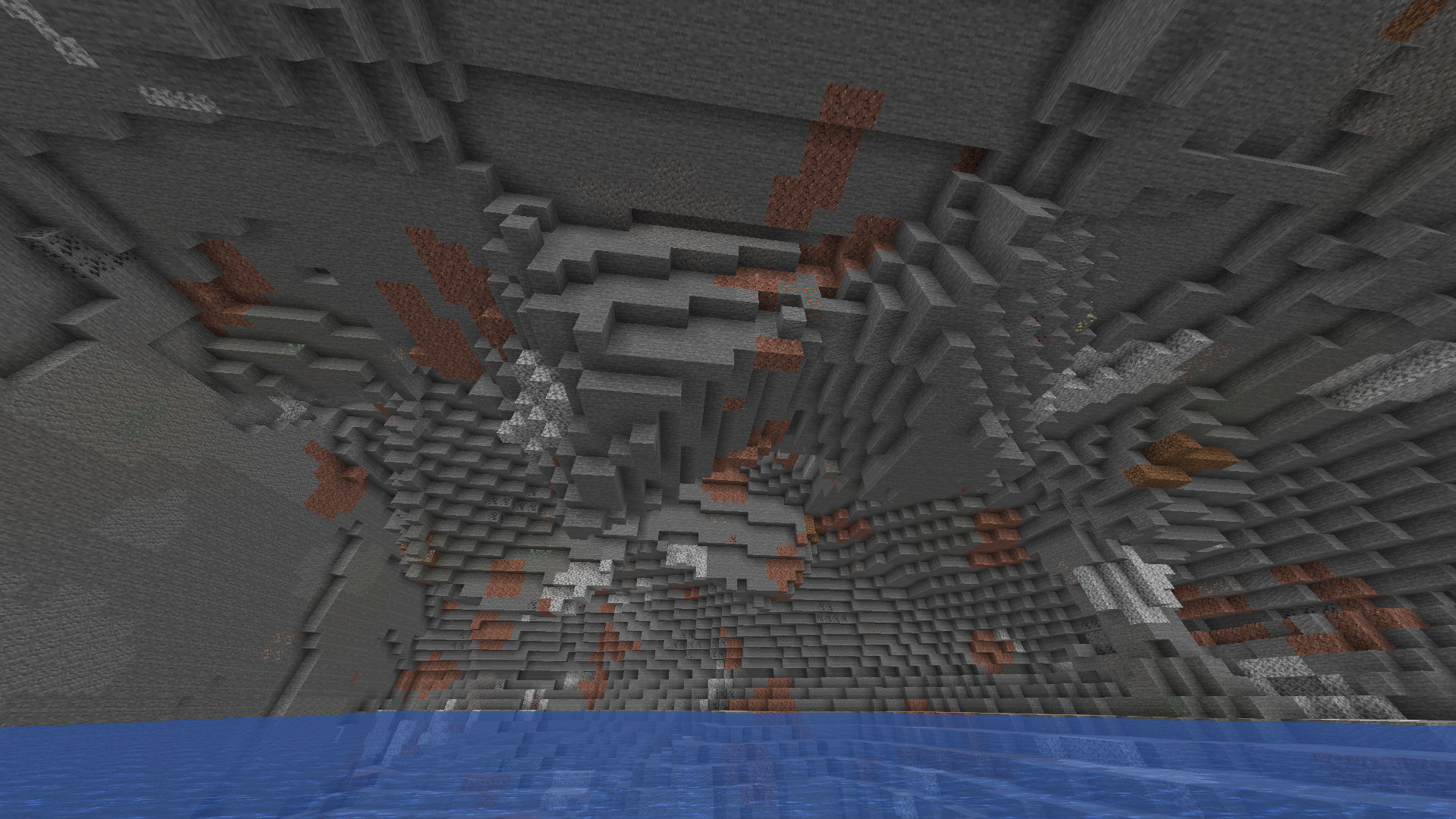
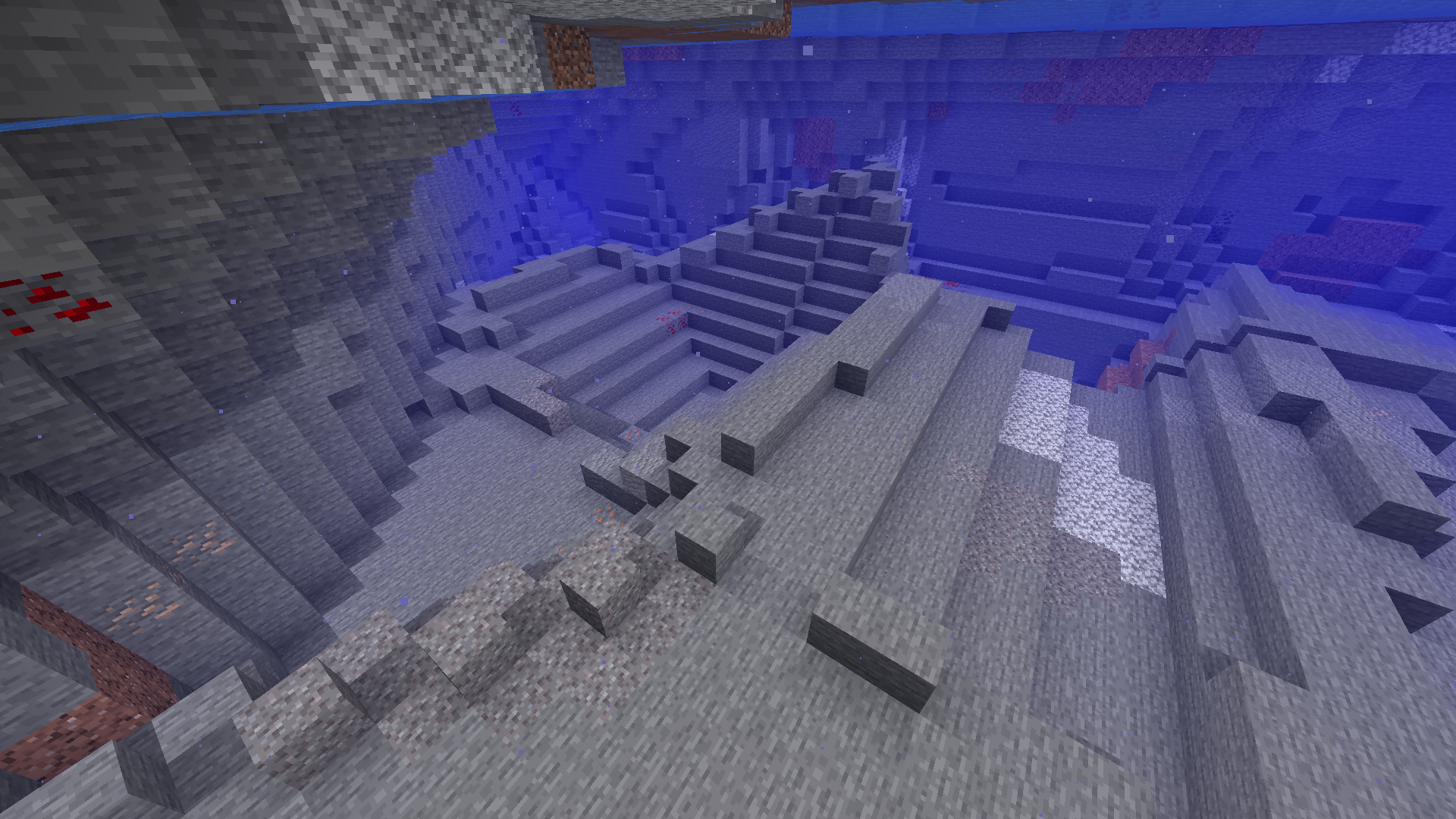
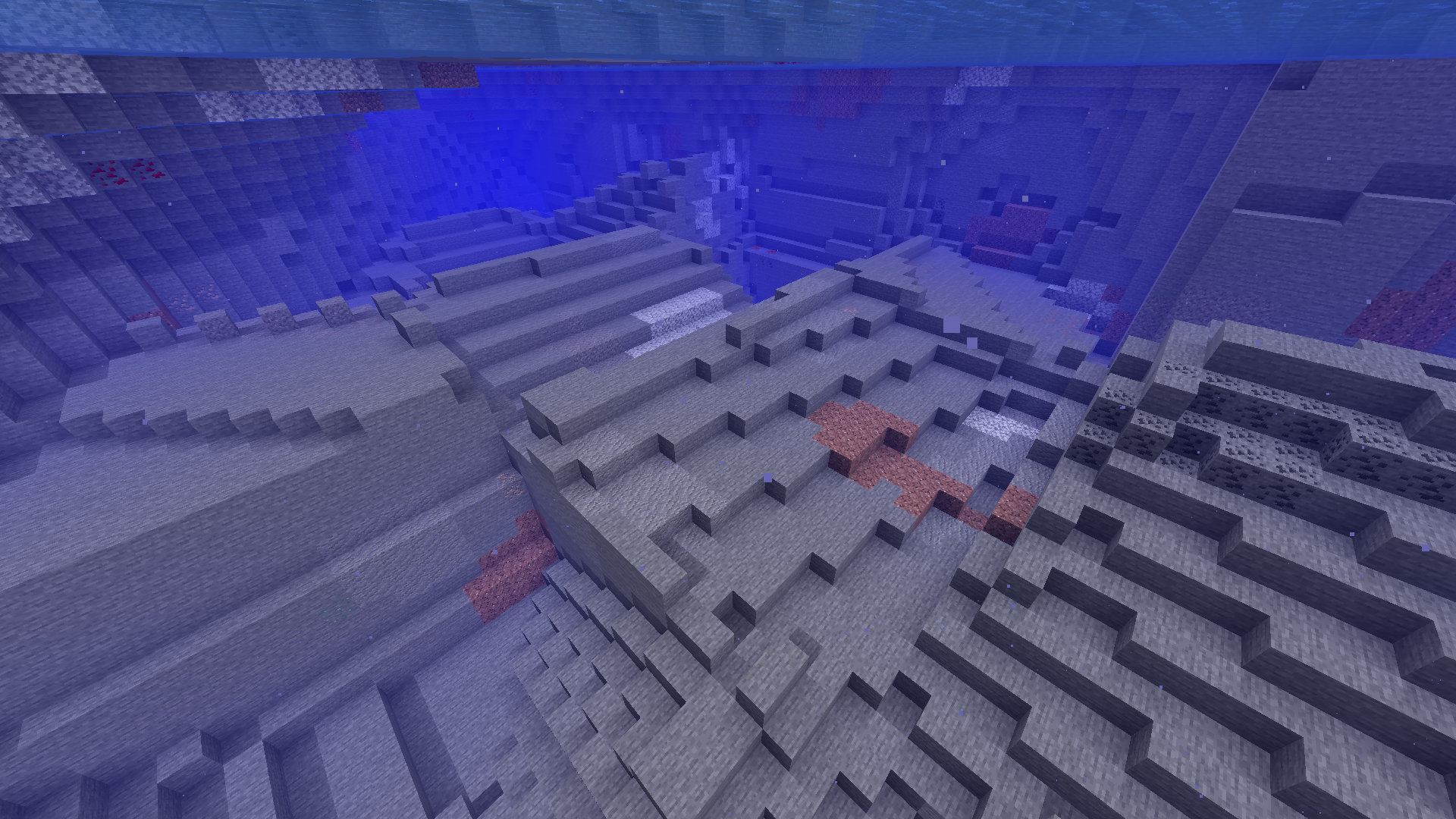
At the bottom of some underground lakes the terrain generator breaks down and generates broken down terrain with sharp edges and weird shapes
Edit: In the same cave you can see those unnatural patterns also generating on the cave ceiling (added more screenshots)
To reproduce
- Create a default world with seed -8508883206669806165
- /execute in minecraft:overworld run tp @s 784.70 -25.70 -83.58 -5440.63 37.76
Even if
It looks horrible and if multiple people tag it as a bug because of how bad it looks you should probably fix it
Even if
It looks horrible and if multiple people tag it as a bug because of how bad it looks you should probably fix it
As you can see in the video below the light level in this corner changes and stays different depending on where I put a block. I would expect the corner to be lit exacly the same way before and after placing and breaking a block near it.
videoI'm not really sure whats going on here so just download the world and do what I did in the video
20MB (too big to upload directly)
While trying to reproduce a b
ig for another bug report I haven't made yet I have discovered a wierd occuranceEvery time I generate this world with the same settings it looks slightly diffrient
How to reproduce:
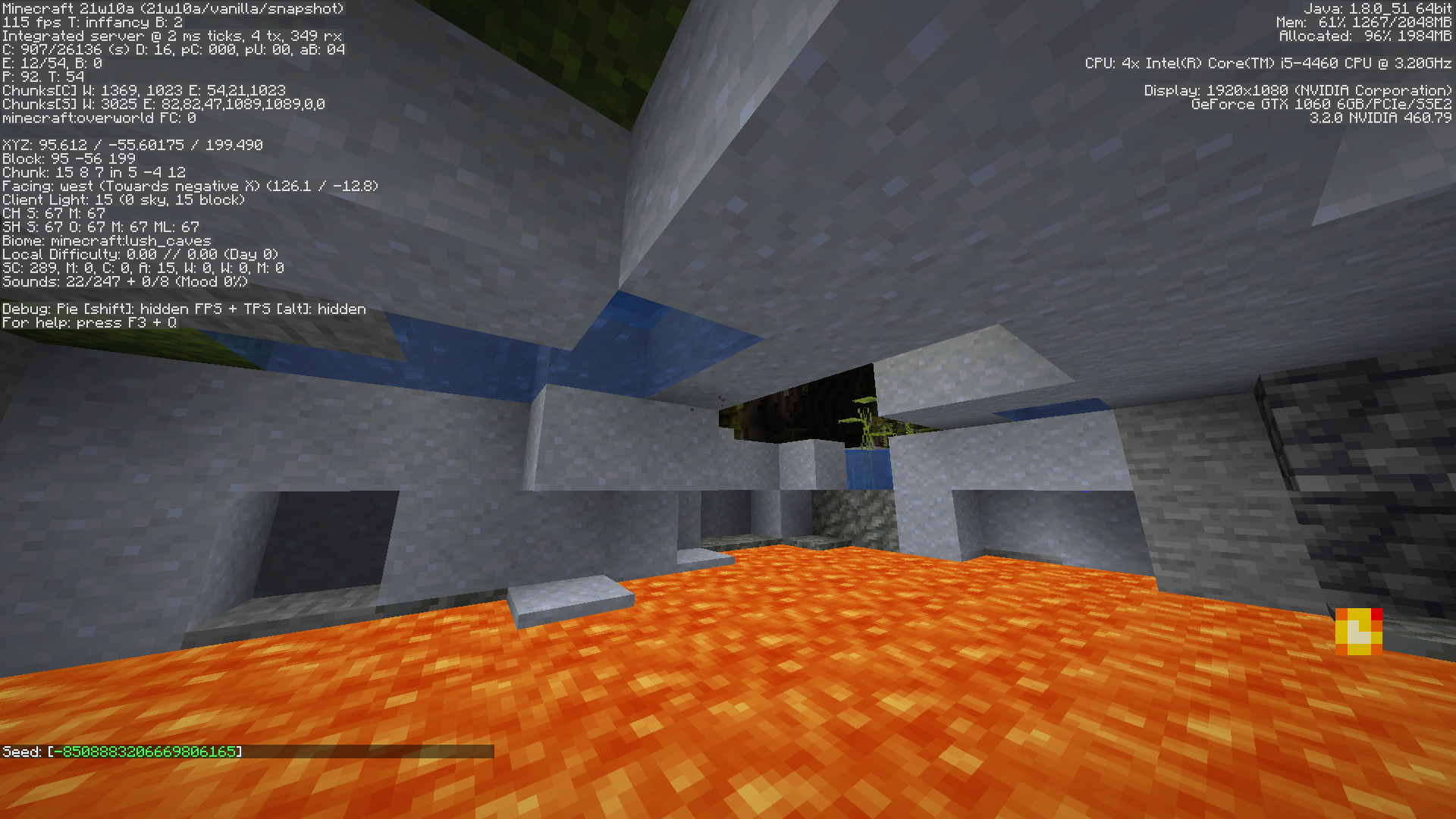
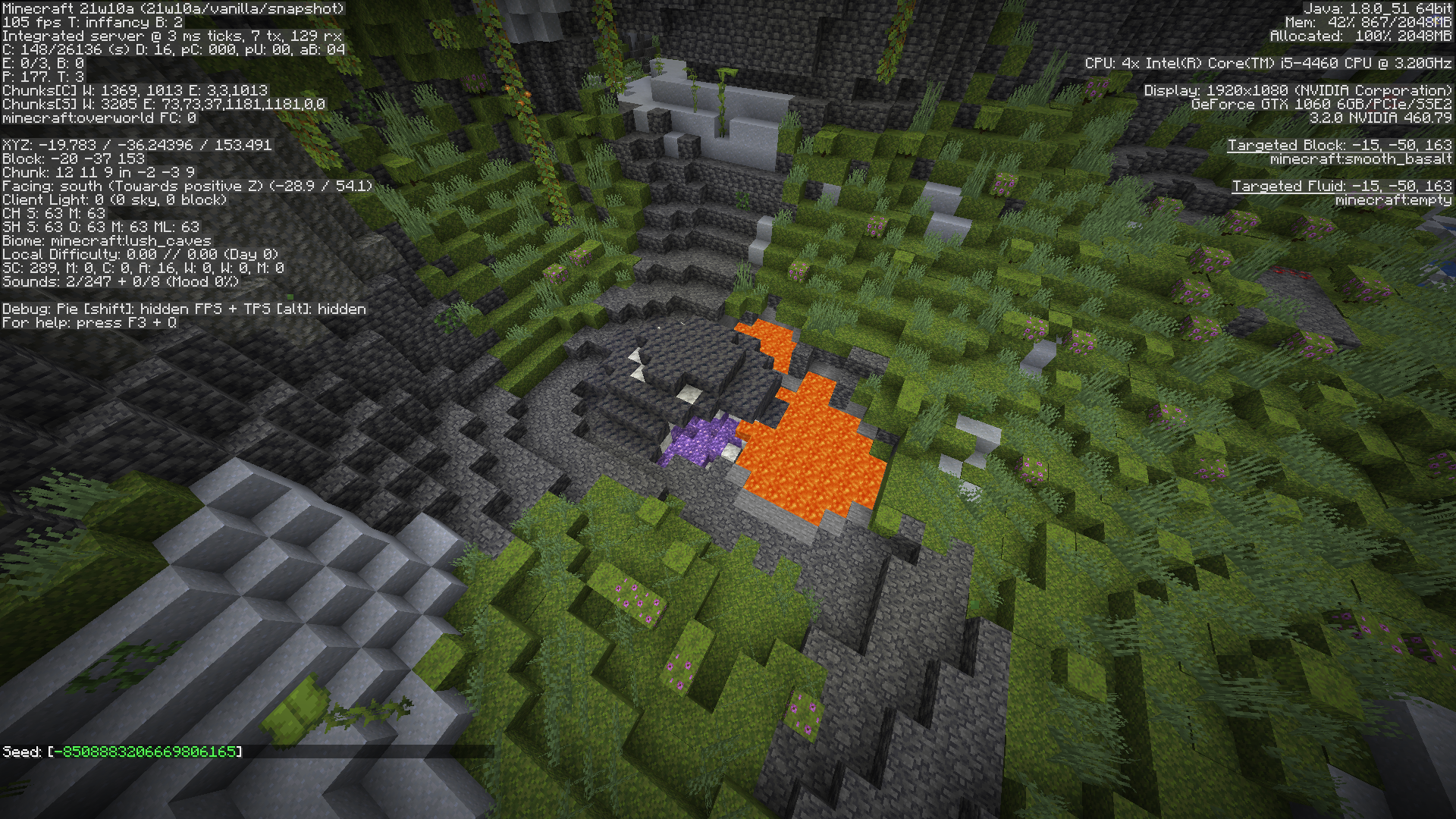
Create a singlebiome lush caves world with seed -8508883206669806165
Go to: /execute in minecraft:overworld run tp @s -26.34 -36.86 171.23 -482.09 41.75
The area looks like this:Now exit to menu and recreate the world without changing any settings
The area now looks like this:Repeat the step from Step 1 (create a new world with lush caves singlebiome and the same seed)
The area now looks like THIS:
Now recreate this world
This time the area looks like this:
As you can see each time this area looks very differentIt's so inconsistant I cannot predict if you will be able to reproduce exacly the same worlds I did
While trying to reproduce a bug for another bug report I haven't made yet I have discovered a wierd occurance
Every time I generate this world with the same settings it looks slightly diffrient
How to reproduce:
Create a singlebiome lush caves world with seed -8508883206669806165
Go to: /execute in minecraft:overworld run tp @s -26.34 -36.86 171.23 -482.09 41.75
The area looks like this:Now exit to menu and recreate the world without changing any settings
The area now looks like this:Repeat the step from Step 1 (create a new world with lush caves singlebiome and the same seed)
The area now looks like THIS:
This time the area looks like this:
As you can see each time this area looks very differentIt's so inconsistant I cannot predict if you will be able to reproduce exacly the same worlds I did


Very inconsistant world generationVery inconsistant world generation in the lush cave biome causes the entire world to be almost entirely different each time
While trying to reproduce a bug for another bug report I haven't made yet I have discovered a wierd occurance
Every time I generate this world with the same settings it looks slightly diffrient
How to reproduce:
Create a singlebiome lush caves world with seed -8508883206669806165
Go to: /execute in minecraft:overworld run tp @s -26.34 -36.86 171.23 -482.09 41.75
The area looks like this:Now exit to menu and recreate the world without changing any settings
The area now looks like this:Repeat the step from Step 1 (create a new world with lush caves singlebiome and the same seed)
The area now looks like THIS:
This time the area looks like this:
As you can see each time this area looks very differentIt's so inconsistant I cannot predict if you will be able to reproduce exacly the same worlds I did
Basically only the shape of the cave stays the same and the generation is entirely different each time
While trying to reproduce a bug for another bug report I haven't made yet I have discovered a wierd occurance
Every time I generate this world with the same settings it looks slightly diffrient
How to reproduce:
Create a singlebiome lush caves world with seed -8508883206669806165
Go to: /execute in minecraft:overworld run tp @s -26.34 -36.86 171.23 -482.09 41.75
The area looks like this:
Now exit to menu and recreate the world without changing any settings
The area now looks like this:
Repeat the step from Step 1 (create a new world with lush caves singlebiome and the same seed)
The area now looks like THIS:
Unable to render embedded object: File (image-2021-03-12-12-02-39-206.pngIthumbnail) not found.
Now recreate this world
This time the area looks like this:
As you can see each time this area looks very differentIt's so inconsistant I cannot predict if you will be able to reproduce exacly the same worlds I did
Basically only the shape of the cave stays the same and the generation is entirely different each time
While trying to reproduce a bug for another bug report I haven't made yet I have discovered a wierd occurance
Every time I generate this world with the same settings it looks slightly diffrient
How to reproduce:
Create a singlebiome lush caves world with seed -8508883206669806165
Go to: /execute in minecraft:overworld run tp @s -26.34 -36.86 171.23 -482.09 41.75
The area looks like this:
Now exit to menu and recreate the world without changing any settings
The area now looks like this:
Repeat the step from Step 1 (create a new world with lush caves singlebiome and the same seed)
The area now looks like THIS:
Now recreate this world
This time the area looks like this:
As you can see each time this area looks very differentIt's so inconsistant I cannot predict if you will be able to reproduce exacly the same worlds I did
Basically only the shape of the cave stays the same and the generation is entirely different each time
While trying to reproduce a bug for another bug report I haven't made yet I have discovered a wierd occurance
Every time I generate this world with the same settings it looks slightly diffrient
How to reproduce:
Create a singlebiome lush caves world with seed -8508883206669806165
Go to: /execute in minecraft:overworld run tp @s -26.34 -36.86 171.23 -482.09 41.75
The area looks like this:
Now exit to menu and recreate the world without changing any settings
The area now looks like this:
Repeat the step from Step 1 (create a new world with lush caves singlebiome and the same seed)
The area now looks like THIS:
Now recreate this world
This time the area looks like this:
As you can see each time this area looks very differentIt's so inconsistant I cannot predict if you will be able to reproduce exacly the same worlds I did
Basically only the shape of the cave stays the same and the generation is entirely different each time
While trying to reproduce a bug for another bug report I haven't made yet I have discovered a wierd occurance
Every time I generate this world with the same settings it looks slightly diffrient
How to reproduce:
Create a singlebiome lush caves world with seed -8508883206669806165
Go to: /execute in minecraft:overworld run tp @s -26.34 -36.86 171.23 -482.09 41.75
The area looks like this:
Now exit to menu and recreate the world without changing any settings
The area now looks like this:
Repeat the step from Step 1 (create a new world with lush caves singlebiome and the same seed)
The area now looks like THIS:
Now recreate this world
This time the area looks like this:
As you can see each time this area looks very differentIt's so inconsistant I cannot predict if you will be able to reproduce exacly the same worlds I did
Basically only the shape of the cave stays the same and the generation is entirely different each time
The bug
While trying to reproduce a bug for another bug report I haven't made yet I have discovered a weird occurrence. Every time I generate this world with the same settings it looks slightly different.
Edit: This doesn't only affect this world, this affects every world and it also affects every chunk of every world.
Basically the lush caves decorator isn't seed related resulting in you getting different world every time.How to reproduce
Create a singlebiome lush caves world with seed -8508883206669806165
Go to: /execute in minecraft:overworld run tp @s -26.34 -36.86 171.23 -482.09 41.75
The area looks like this:
Now exit to menu and recreate the world without changing any settings
The area now looks like this:
Repeat the step from Step 1 (create a new world with lush caves single biome and the same seed)
The area now looks like this:
Now recreate this world
This time the area looks like this:
As you can see each time this area looks very different.It's so inconsistent I cannot predict if you will be able to reproduce exactly the same worlds I did
Basically only the shape of the cave stays the same and the generation is entirely different each time.
The bug
While trying to reproduce a bug for another bug report I haven't made yet I have discovered a weird occurrence. Every time I generate this world with the same settings it looks slightly different.
Edit: This doesn't only affect this world, this affects every world and it also affects every chunk of every world.
Basically the lush caves decorator isn't seed related resulting in you getting different world every time.How to reproduce
Create a singlebiome lush caves world with seed -8508883206669806165
Go to: /execute in minecraft:overworld run tp @s -26.34 -36.86 171.23 -482.09 41.75
The area looks like this:
Now exit to menu and recreate the world without changing any settings
The area now looks like this:
Repeat the step from Step 1 (create a new world with lush caves single biome and the same seed)
The area now looks like this:
Now recreate this world
This time the area looks like this:
As you can see each time this area looks very different.It's so inconsistent I cannot predict if you will be able to reproduce exactly the same worlds I did
Basically only the shape of the cave stays the same and the decoration generation is entirely different each time.
Very inconsistent world generation in the lush cave biome causes the entireworld to be almost entirely different each timeLush Cave decorator is different each time ignoring the world seed
Okay IDK how noone noticed this before but thanks to
MC-238073it turns out all the decorators are random not just lush caves
The bug
While trying to reproduce a bug for another bug report I haven't made yet I have discovered a weird occurrence. Every time I generate this world with the same settings it looks slightly different.
Edit: This doesn't only affect this world, this affects every world and it also affects every chunk of every world.
Basically the lush caves decorator isn't seed related resulting in you getting different world every time.How to reproduce
Create a singlebiome lush caves world with seed -8508883206669806165
Go to: /execute in minecraft:overworld run tp @s -26.34 -36.86 171.23 -482.09 41.75
The area looks like this:
Now exit to menu and recreate the world without changing any settings
The area now looks like this:
Repeat the step from Step 1 (create a new world with lush caves single biome and the same seed)
The area now looks like this:
Now recreate this world
This time the area looks like this:
As you can see each time this area looks very different.It's so inconsistent I cannot predict if you will be able to reproduce exactly the same worlds I did
Basically only the shape of the cave stays the same and the decoration generation is entirely different each time.
The bug
While trying to reproduce a bug for another bug report I haven't made yet I have discovered a weird occurrence. Every time I generate this world with the same settings it looks slightly different.
Edit: This doesn't only affect this world, this affects every world and it also affects every chunk of every world.
Basically the lush caves decorator isn't seed related resulting in you getting different world every time.
Edit Edit: This also affects dripstone caves since 20w49a but to a lesser extentHow to reproduce
Create a singlebiome lush caves world with seed -8508883206669806165
Go to: /execute in minecraft:overworld run tp @s -26.34 -36.86 171.23 -482.09 41.75
The area looks like this:
Now exit to menu and recreate the world without changing any settings
The area now looks like this:
Repeat the step from Step 1 (create a new world with lush caves single biome and the same seed)
The area now looks like this:
Now recreate this world
This time the area looks like this:
As you can see each time this area looks very different.It's so inconsistent I cannot predict if you will be able to reproduce exactly the same worlds I did
Basically only the shape of the cave stays the same and the decoration generation is entirely different each time.
Lush Cave and Dripstone Cave decorator is different each time ignoring the world seed
2021-10-03_13.39.37.png
The bug
While trying to reproduce a bug for another bug report I haven't made yet I have discovered a weird occurrence. Every time I generate this world with the same settings it looks slightly different.
Edit: This doesn't only affect this world, this affects every world and it also affects every chunk of every world.
Basically the lush caves decorator isn't seed related resulting in you getting different world every time.
Edit Edit: This also affects dripstone caves since 20w49a but to a lesser extentHow to reproduce
Create a singlebiome lush caves world with seed -8508883206669806165
Go to: /execute in minecraft:overworld run tp @s -26.34 -36.86 171.23 -482.09 41.75
The area looks like this:
Now exit to menu and recreate the world without changing any settings
The area now looks like this:
Repeat the step from Step 1 (create a new world with lush caves single biome and the same seed)
The area now looks like this:
Now recreate this world
This time the area looks like this:
As you can see each time this area looks very different.It's so inconsistent I cannot predict if you will be able to reproduce exactly the same worlds I did
Basically only the shape of the cave stays the same and the decoration generation is entirely different each time.
Lush Caveand Dripstone Cavedecorator is different each time ignoring the world seed
After doing some experiments I have gathered this information: The bug MC-219200 was actually introduced in 20w49a (the same snapshot the first underground biome was added, dripstone caves) but I only noticed and reported it in 21w10a when lush caves were added. So MC-219200 doesn't affect just lush caves but dripstone ones too altough for some reason it appears to be much more noticable for lush caves compared to dirpstone caves as those keep some parts of the cave unchanged.
Also see my comment underMC-238073for more info about the other bug


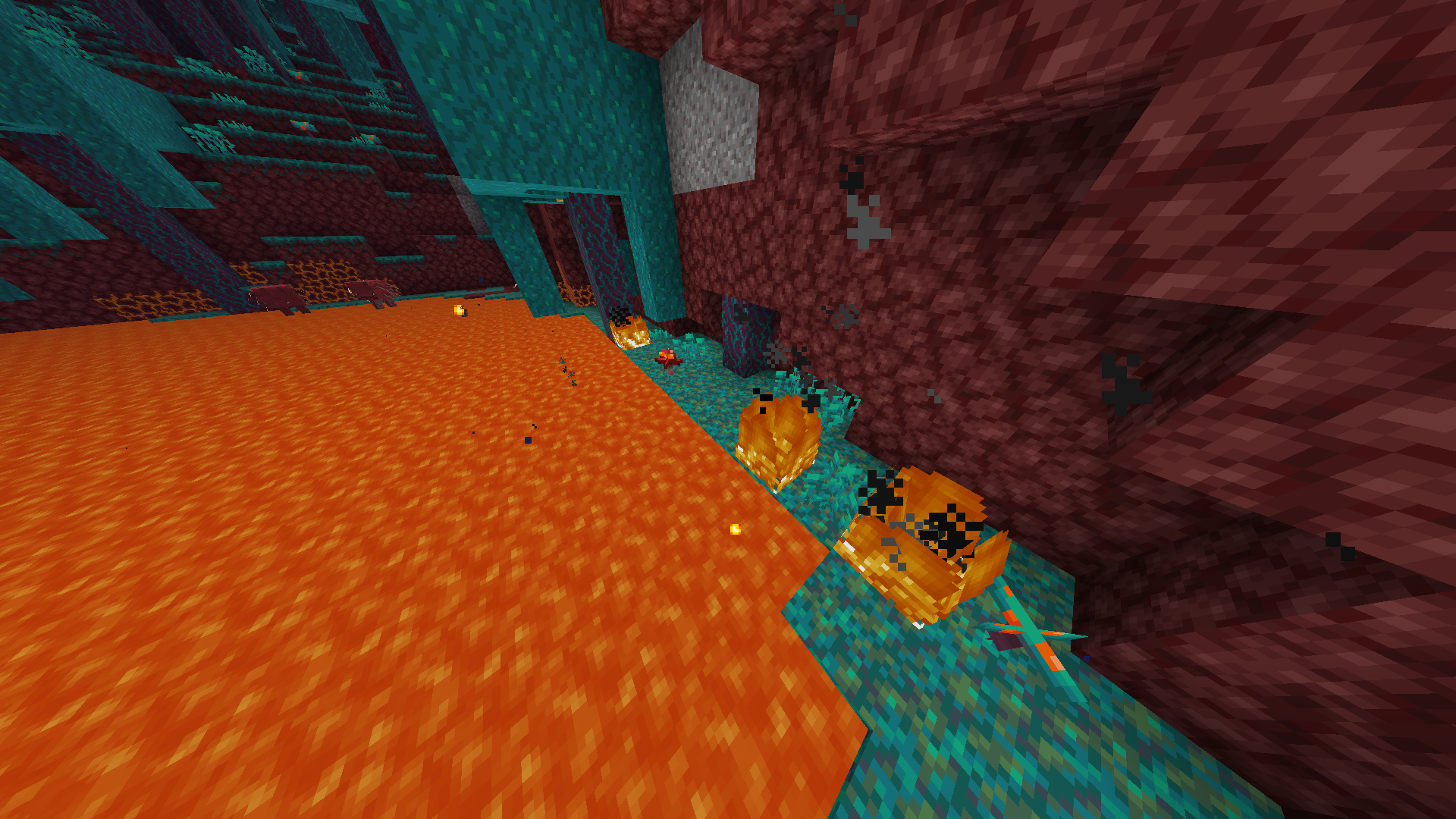
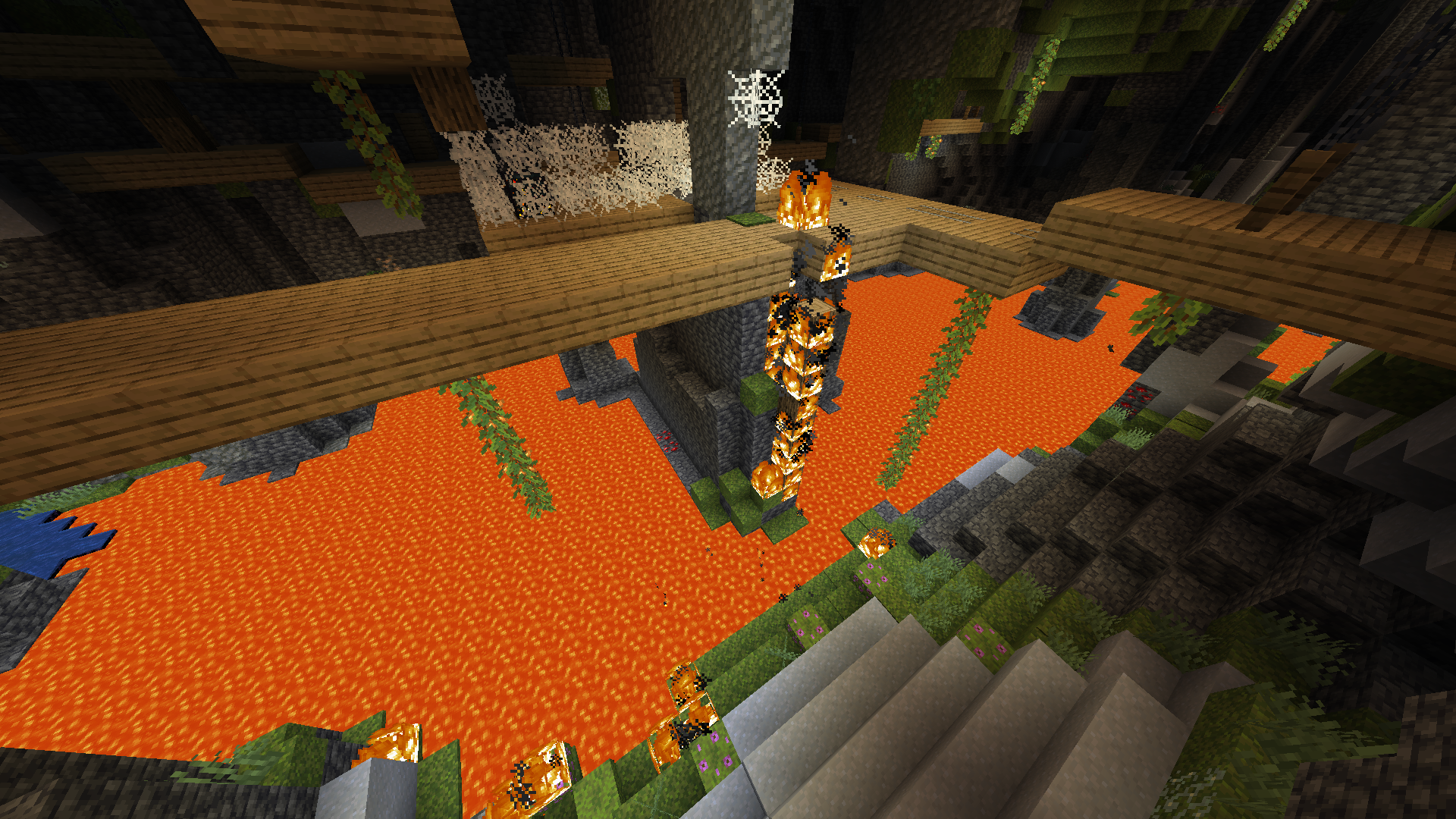
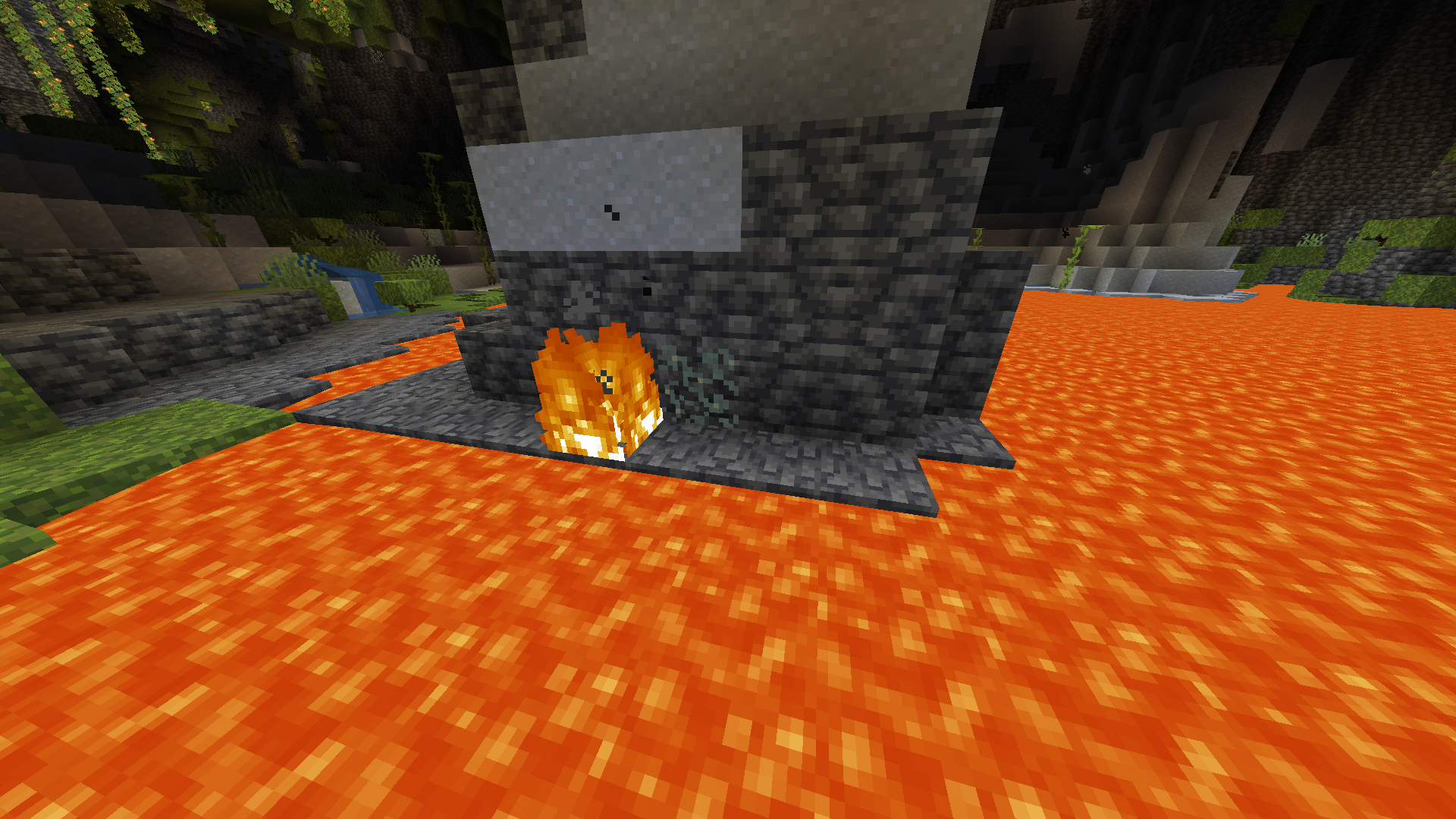
Near the new lava lakes I noticed that when glow lichen is near lava it will be set on fire but never burn down
How to reproduce:
1- Place a glow lichen near lava
2-Set a high randomTickSpeed
3- Observe it getting set on fire but never burning down.You can naturally observe this happening on the seed : -8508883206669806165 (lush caves singlebiome)
/execute in minecraft:overworld run tp @s 3.75 -54.71 238.58 -813.70 37.76I would expect glow lichen to either not be set on fire as it cannot burn, or be able to burn down if it can be set on fire.

It appears cave vines can generate attached to any block as long as it generated before it in the generation stage. This can lead to cave vines growing from cobwebs and potentially other transparent blocks.
Example:
Seed: -8508883206669806165 (lush caves simgle biome world)
/execute in minecraft:overworld run tp @s -39.93 -43.00 252.42 -812.72 25.59This might be hard to reproduce because of MC-219200
There are huge fires burning down mineshafts when near a lava lake
In the newest snapshot going under y0 removes the gradient effect from the fog and leaves only 100% or 0% fog
In the newest snapshot going under y0 removes the gradient effect from the fog and leaves only 100% or 0% fog
Edit: this also affects the nether

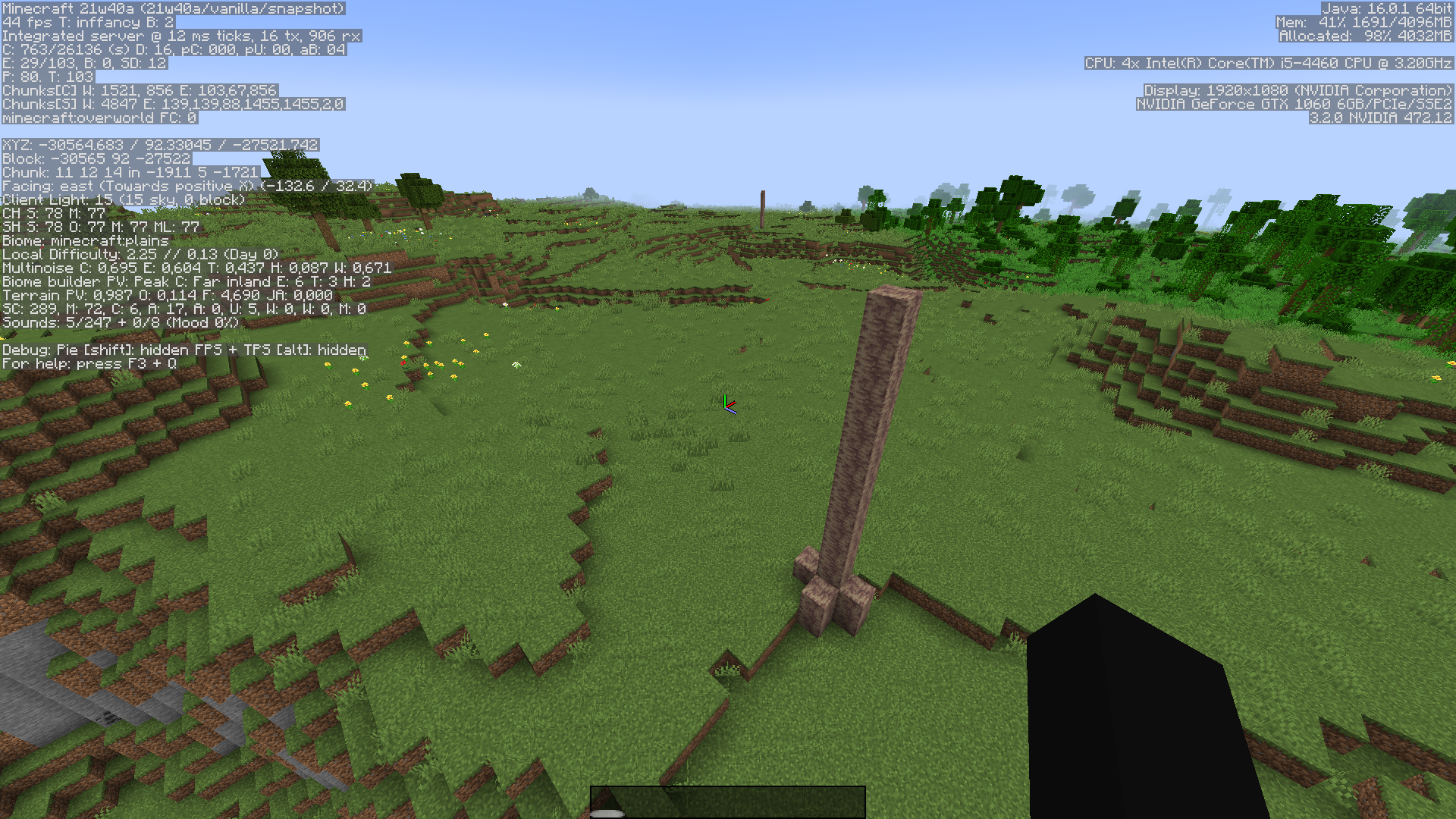


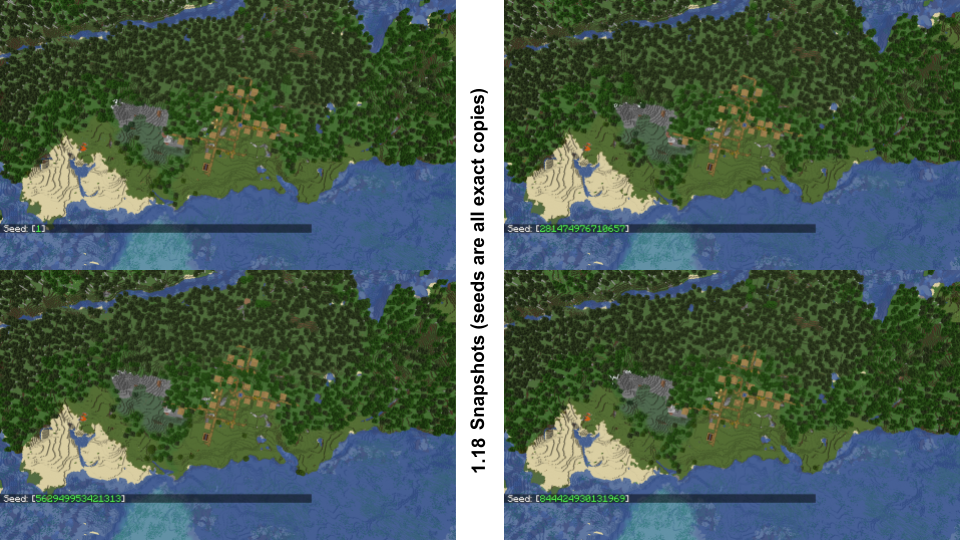

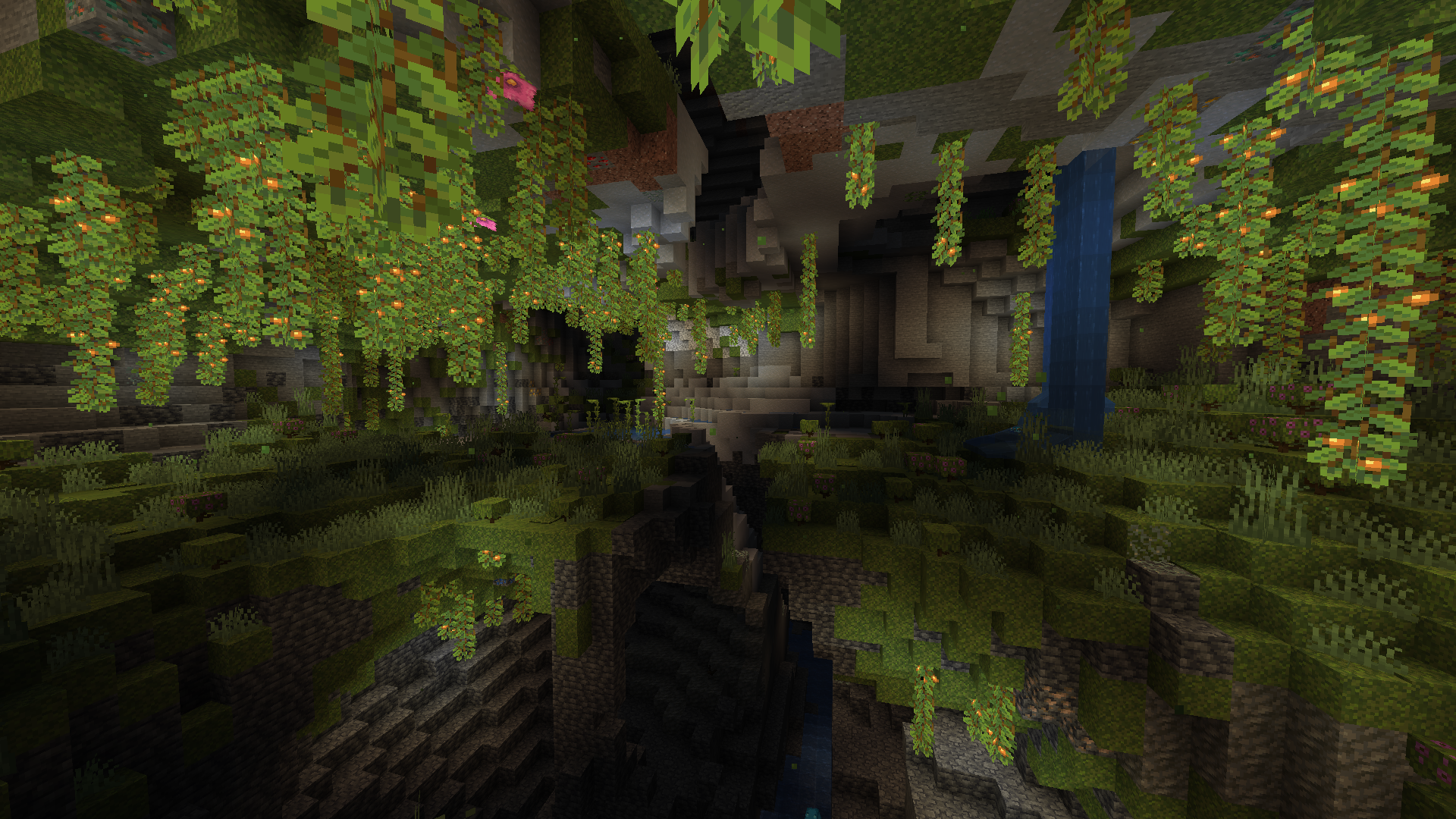
Lush caves sometimes generate without any cave vines (note this might be hard to reproduce because of MC-219200) , this makes them look pretty dark and it goes against the theme of the biome + it's pretty ugly
Expected behaviour: Lush caves would always generate with cave vines
Observed behaviour: Sometimes lush caves generate only on the ground without any vegetation hanging from the ceiling
How to reproduce 21w39a:
Create a large biome's world with seed: -240861352427657586
/execute in minecraft:overworld run tp @s 714.21 53.00 878.20 -1443.31 -2.55Updated for 21w40a:
Create a default world with seed: 1887162670055340815
/execute in minecraft:overworld run tp @s 1368.65 -18.86 -1027.16 -384.19 0.15Note: To create a large biome world you need to create it in 1.17 first then upgrade it in 21w39a


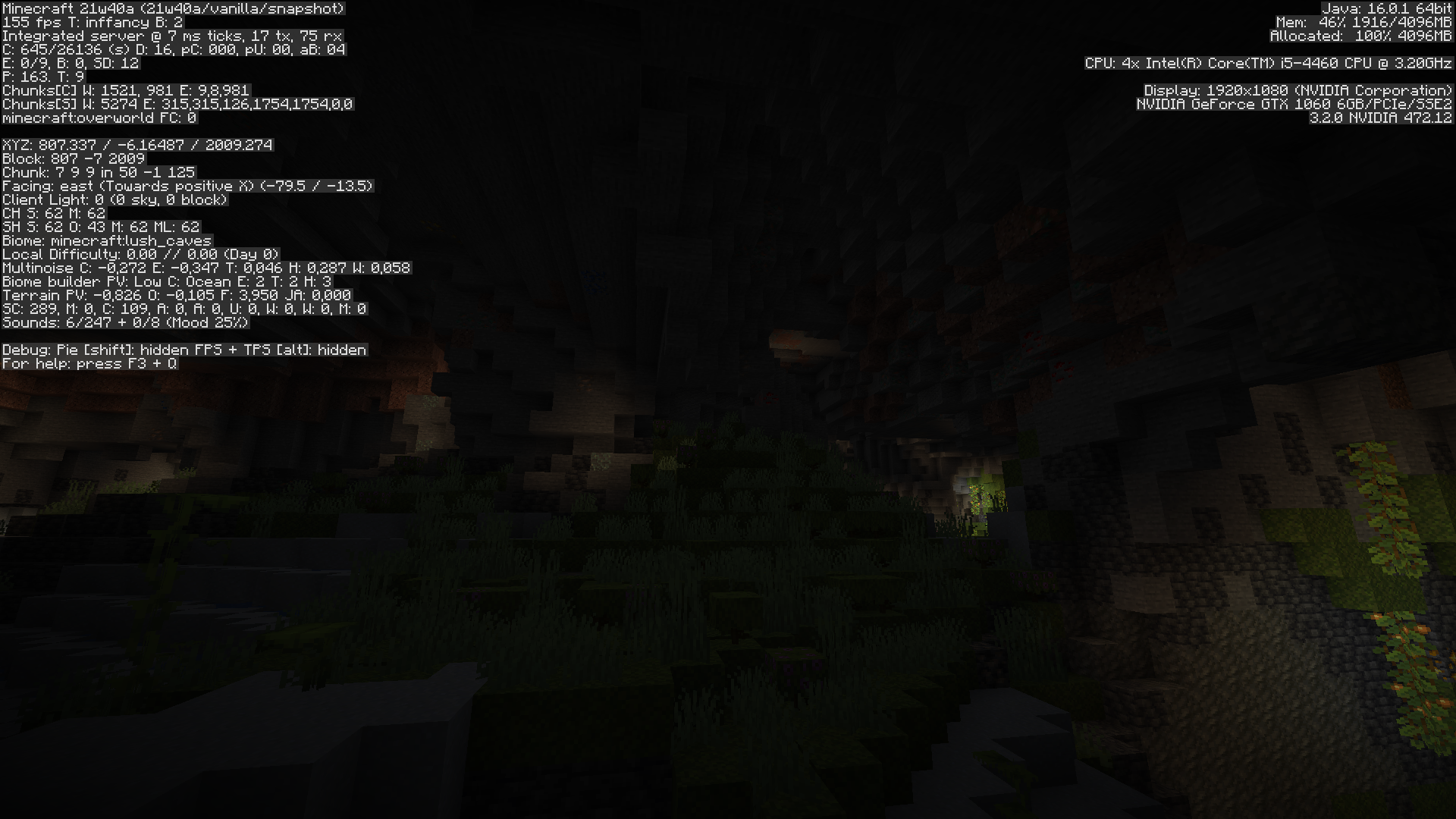
Can confirm in 21w40a it's not in the same spot anymore which is a bumer because it was a perfect example
Lush caves sometimes generate without any cave vines (note this might be hard to reproduce because of MC-219200) , this makes them look pretty dark and it goes against the theme of the biome + it's pretty ugly
Expected behaviour: Lush caves would always generate with cave vines
Observed behaviour: Sometimes lush caves generate only on the ground without any vegetation hanging from the ceiling
How to reproduce 21w39a:
Create a large biome's world with seed: -240861352427657586
/execute in minecraft:overworld run tp @s 714.21 53.00 878.20 -1443.31 -2.55Updated for 21w40a:
Create a default world with seed: 1887162670055340815
/execute in minecraft:overworld run tp @s 1368.65 -18.86 -1027.16 -384.19 0.15Note: To create a large biome world you need to create it in 1.17 first then upgrade it in 21w39a
Lush caves sometimes generate without any cave vines (note this might be hard to reproduce because of MC-219200) , this makes them look pretty dark and it goes against the theme of the biome + it's pretty ugly
Expected behaviour: Lush caves would always generate with cave vines
Observed behaviour: Sometimes lush caves generate only on the ground without any vegetation hanging from the ceiling
How to reproduce 21w41a:
Seed: -9235201
/execute in minecraft:overworld run tp @s 174.94 -16.91 -443.44 -1262.83 -2.10
You should see this unlessMC-238073happens
Lush caves sometimes generate without any cave vines (note this might be hard to reproduce because of MC-219200) , this makes them look pretty dark and it goes against the theme of the biome + it's pretty ugly
Expected behaviour: Lush caves would always generate with cave vines
Observed behaviour: Sometimes lush caves generate only on the ground without any vegetation hanging from the ceiling
How to reproduce 21w41a:
Seed: -9235201
/execute in minecraft:overworld run tp @s 174.94 -16.91 -443.44 -1262.83 -2.10
You should see this unlessMC-238073happens

Lush caves sometimes generate without any cave vines (note this might be hard to reproduce because of
MC-219200) , this makes them look pretty dark and it goes against the theme of the biome + it's pretty uglyExpected behaviour: Lush caves would always generate with cave vines
Observed behaviour: Sometimes lush caves generate only on the ground without any vegetation hanging from the ceiling
How to reproduce 21w41a:
Seed: -9235201
/execute in minecraft:overworld run tp @s 174.94 -16.91 -443.44 -1262.83 -2.10
You should see this unlessMC-238073happens
Lush caves sometimes generate without any cave vines (note this might be hard to reproduce because of
MC-238073) , this makes them look pretty dark and it goes against the theme of the biome + it's pretty uglyExpected behaviour: Lush caves would always generate with cave vines
Observed behaviour: Sometimes lush caves generate only on the ground without any vegetation hanging from the ceiling
How to reproduce 21w41a:
Seed: -9235201
/execute in minecraft:overworld run tp @s 174.94 -16.91 -443.44 -1262.83 -2.10
You should see this unlessMC-238073happens
Lush caves sometimes generate without any cave vines (note this might be hard to reproduce because of
MC-238073) , this makes them look pretty dark and it goes against the theme of the biome + it's pretty uglyExpected behaviour: Lush caves would always generate with cave vines
Observed behaviour: Sometimes lush caves generate only on the ground without any vegetation hanging from the ceiling
How to reproduce 21w41a:
Seed: -9235201
/execute in minecraft:overworld run tp @s 174.94 -16.91 -443.44 -1262.83 -2.10
You should see thisunlessMC-238073happens
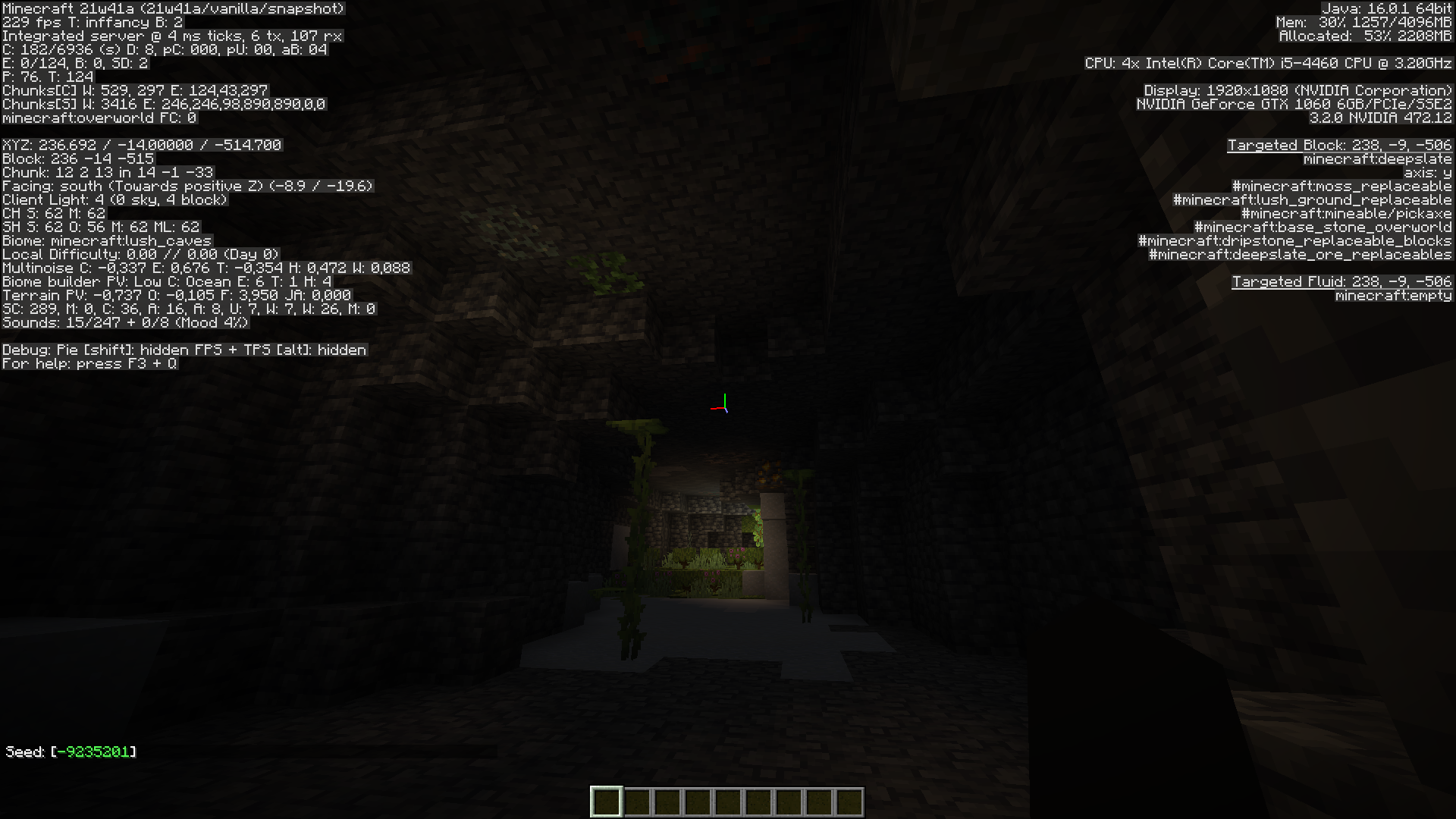

@ampolive can you confirm this
I have NO idea how to tag people

Lush caves sometimes generate without any cave vines (note this might be hard to reproduce because of
MC-238073) , this makes them look pretty dark and it goes against the theme of the biome + it's pretty uglyExpected behaviour: Lush caves would always generate with cave vines
Observed behaviour: Sometimes lush caves generate only on the ground without any vegetation hanging from the ceiling
How to reproduce 21w41a:
Seed: -9235201
/execute in minecraft:overworld run tp @s 174.94 -16.91 -443.44 -1262.83 -2.10
You should see this
Lush caves sometimes generate without any cave vines (note this might be hard to reproduce because of MC-219200) , this makes them look pretty dark and it goes against the theme of the biome + it's pretty ugly
This also happens when the entire cave is located within a lush cave biome so it's not caused by 3d biome ending
Expected behaviour: Lush caves would always generate with cave vinesObserved behaviour: Sometimes lush caves generate only on the ground without any vegetation hanging from the ceiling or the other way around or without any vegetation at all
How to reproduce 21w41a:
Seed: -9235201
/execute in minecraft:overworld run tp @s 174.94 -16.91 -443.44 -1262.83 -2.10
You should see this
Can confirm in 21w41a on seed -9235209
/execute in minecraft:overworld run tp @s -7604.82 21.12 9524.34 -1078.21 6.60
Lush caves sometimes generate without any cave vines
(notethis might be hard to reproduce because ofMC-219200) , this makes them look pretty dark and it goes against the theme of the biome + it's pretty ugly
This also happens when the entire cave is located within a lush cave biome so it's not caused by 3d biome ending
Expected behaviour: Lush caves would always generate with cave vinesObserved behaviour: Sometimes lush caves generate only on the ground without any vegetation hanging from the ceiling or the other way around or without any vegetation at all
How to reproduce 21w41a:
Seed:-9235201
/execute in minecraft:overworld run tp @s 174.94 -16.91 -443.44 -1262.83 -2.10
You should see this
Lush caves sometimes generate without any cave vines, this makes them look pretty dark and it goes against the theme of the biome + it's pretty ugly
This also happens when the entire cave is located within a lush cave biome so it's not caused by 3d biome ending
Expected behaviour: Lush caves would always generate with cave vinesObserved behaviour: Sometimes lush caves generate only on the ground without any vegetation hanging from the ceiling or the other way around or without any vegetation at all
(note this might be hard to reproduce because of MC-219200)
How to reproduce 21w41a: Seed: -9235201 /execute in minecraft:overworld run tp @s 174.94 -16.91 -443.44 -1262.83 -2.10 You should see this !2021-10-19_19.21.37.png|thumbnail!How to reproduce in 1.18 pre3:
Seed: 47636
Lush caves sometimes generate without any cave vines, this makes them look pretty dark and it goes against the theme of the biome + it's pretty ugly
This also happens when the entire cave is located within a lush cave biome so it's not caused by 3d biome ending
Expected behaviour: Lush caves would always generate with cave vinesObserved behaviour: Sometimes lush caves generate only on the ground without any vegetation hanging from the ceiling or the other way around or without any vegetation at all
(note this might be hard to reproduce because of MC-219200)
How to reproduce 21w41a: Seed: -9235201 /execute in minecraft:overworld run tp @s 174.94 -16.91 -443.44 -1262.83 -2.10 You should see this !2021-10-19_19.21.37.png|thumbnail!How to reproduce in 1.18 pre3:
Seed: 47636Lush caves sometimes generate without any cave vines, this makes them look pretty dark and it goes against the theme of the biome + it's pretty ugly
This also happens when the entire cave is located within a lush cave biome so it's not caused by 3d biome ending
Expected behaviour: Lush caves would always generate with cave vinesObserved behaviour: Sometimes lush caves generate only on the ground without any vegetation hanging from the ceiling or the other way around or without any vegetation at all
(note this might be hard to reproduce because of MC-219200)
How to reproduce 21w41a:
Seed: -9235201
/execute in minecraft:overworld run tp @s 174.94 -16.91 -443.44 -1262.83 -2.10
How to reproduce in 1.18 pre3:
Seed: 47636
Coordinates: 3068 -48 -1112, 3006 -34 -1211, 2951 -53 -1214, -4801 -24 -758 !2021-11-17_19.18.48.png|thumbnail!  !2021-11-17_19.23.11.png|thumbnail!  !2021-11-17_19.23.47.png|thumbnail!  !2021-11-17_19.24.55.png|thumbnail!
Lush caves sometimes generate without any cave vines, this makes them look pretty dark and it goes against the theme of the biome + it's pretty ugly
This also happens when the entire cave is located within a lush cave biome so it's not caused by 3d biome ending
Expected behaviour: Lush caves would always generate with cave vinesObserved behaviour: Sometimes lush caves generate only on the ground without any vegetation hanging from the ceiling or the other way around or without any vegetation at all
(note this might be hard to reproduce because of MC-219200)
How to reproduce 21w41a:
Seed: -9235201
/execute in minecraft:overworld run tp @s 174.94 -16.91 -443.44 -1262.83 -2.10
How to reproduce in 1.18 pre3: Seed: 47636 Coordinates: 3068 -48 -1112, 3006 -34 -1211, 2951 -53 -1214, -4801 -24 -758!2021-11-17_19.18.48.png|thumbnail! !2021-11-17_19.23.11.png|thumbnail! !2021-11-17_19.23.47.png|thumbnail! !2021-11-17_19.24.55.png|thumbnail!Lush caves sometimes generate without any cave vines, this makes them look pretty dark and it goes against the theme of the biome + it's pretty ugly
This also happens when the entire cave is located within a lush cave biome so it's not caused by 3d biome ending
Expected behaviour: Lush caves would always generate with cave vinesObserved behaviour: Sometimes lush caves generate only on the ground without any vegetation hanging from the ceiling or the other way around or without any vegetation at all
(note this might be hard to reproduce because of MC-219200)
How to reproduce 21w41a:
Seed: -9235201
/execute in minecraft:overworld run tp @s 174.94 -16.91 -443.44 -1262.83 -2.10
How to reproduce in 1.18 pre3:
Seed: 47636
Coordinates: 3068 -48 -1112, 3006 -34 -1211, 2951 -53 -1214, -4801 -24 -758
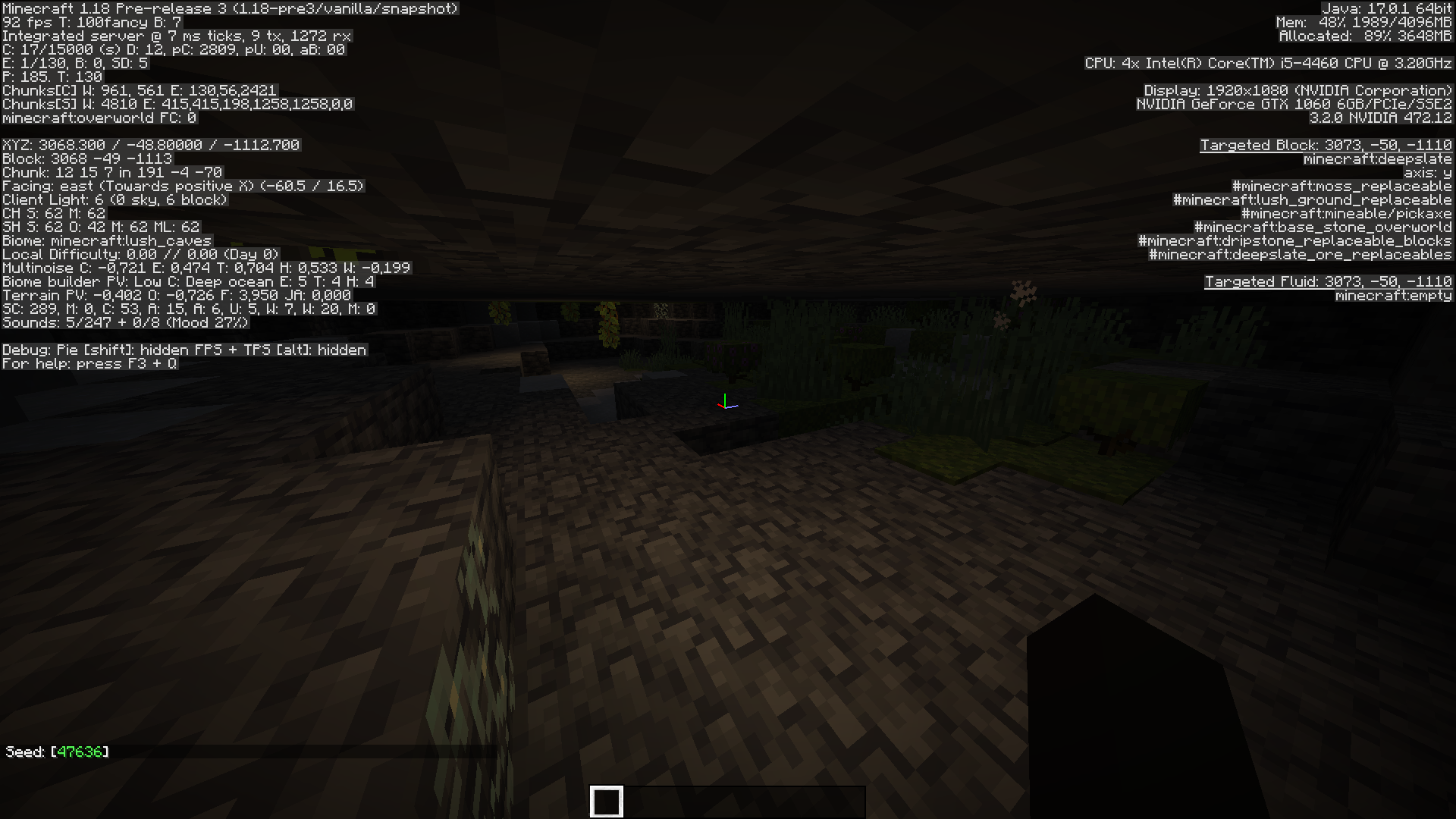
Lush caves sometimes generate without any cave vines, this makes them look pretty dark and it goes against the theme of the biome + it's pretty ugly
This also happens when the entire cave is located within a lush cave biome so it's not caused by 3d biome ending
Expected behaviour: Lush caves would always generate with cave vinesObserved behaviour: Sometimes lush caves generate only on the ground without any vegetation hanging from the ceiling or the other way around or without any vegetation at all
(note this might be hard to reproduce because of MC-219200)
How to reproduce 21w41a:
Seed: -9235201
/execute in minecraft:overworld run tp @s 174.94 -16.91 -443.44 -1262.83 -2.10
How to reproduce in 1.18 pre3:
Seed: 47636
Coordinates: 3068 -48 -1112, 3006 -34 -1211, 2951 -53 -1214, -4801 -24 -758
Lush caves sometimes generate without any cave vines, this makes them look pretty dark and it goes against the theme of the biome + it's pretty ugly
This also happens when the entire cave is located within a lush cave biome so it's not caused by 3d biome ending
Expected behaviour: Lush caves would always generate with cave vinesObserved behaviour: Sometimes lush caves generate only on the ground without any vegetation hanging from the ceiling or the other way around or without any vegetation at all
(note this might be hard to reproduce because of MC-219200)
How to reproduce 21w41a:
Seed: -9235201
/execute in minecraft:overworld run tp @s 174.94 -16.91 -443.44 -1262.83 -2.10
How to reproduce in 1.18 pre4+:
Seed: 47636
Coordinates: 3068 -48 -1112, 3006 -34 -1211, 2951 -53 -1214, -4801 -24 -758


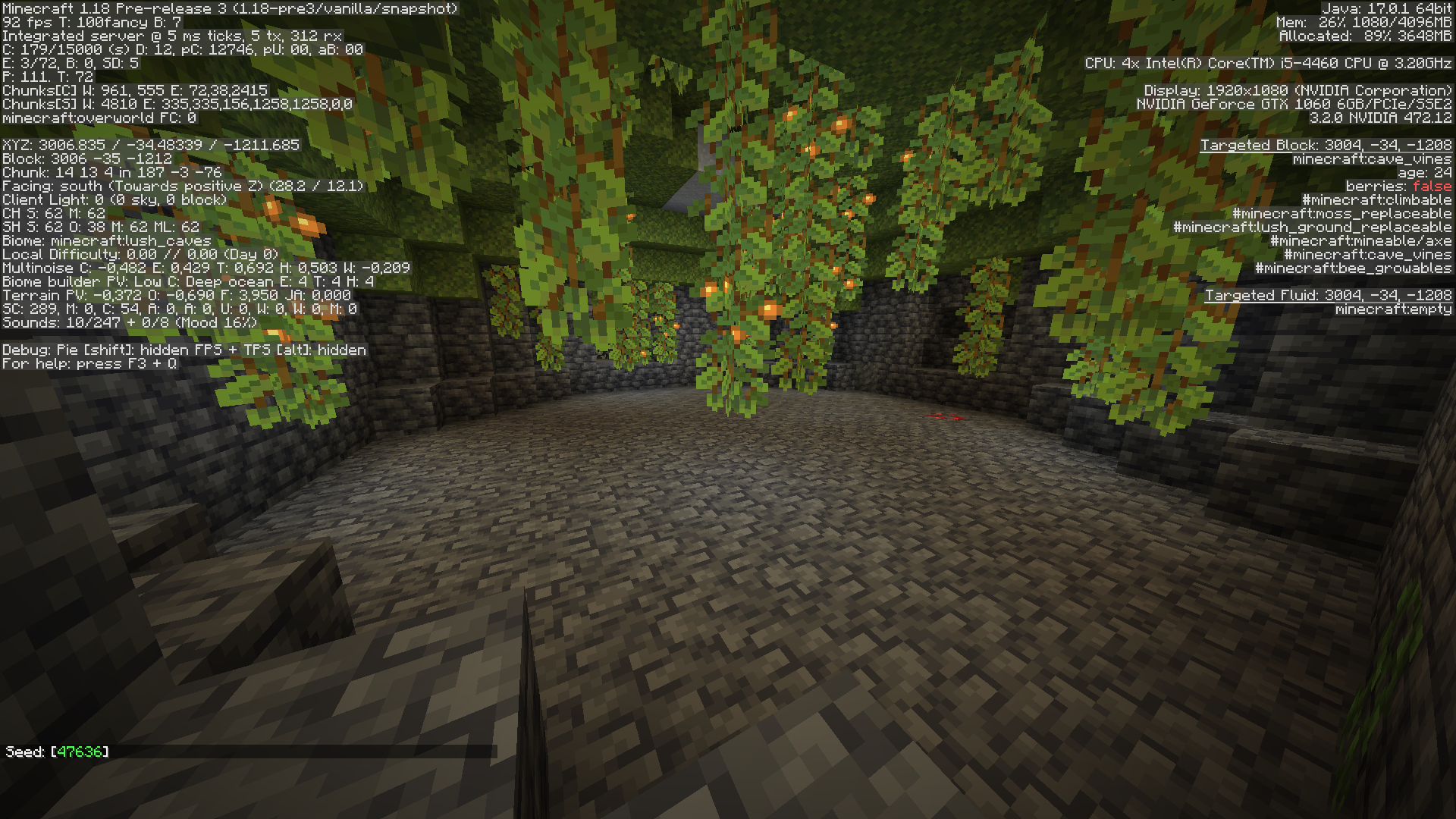
Lush caves sometimes generate without any cave vines, this makes them look pretty dark and it goes against the theme of the biome + it's pretty ugly
This also happens when the entire cave is located within a lush cave biome so it's not caused by 3d biome ending
Expected behaviour: Lush caves would always generate with cave vinesObserved behaviour: Sometimes lush caves generate only on the ground without any vegetation hanging from the ceiling or the other way around or without any vegetation at all
(note this might be hard to reproduce because of MC-219200)
How to reproduce 21w41a:
Seed: -9235201
/execute in minecraft:overworld run tp @s 174.94 -16.91 -443.44 -1262.83 -2.10
How to reproduce in 1.18 pre4+:
Seed: 47636
Coordinates: 3068 -48 -1112, 3006 -34 -1211, 2951 -53 -1214, -4801 -24 -758
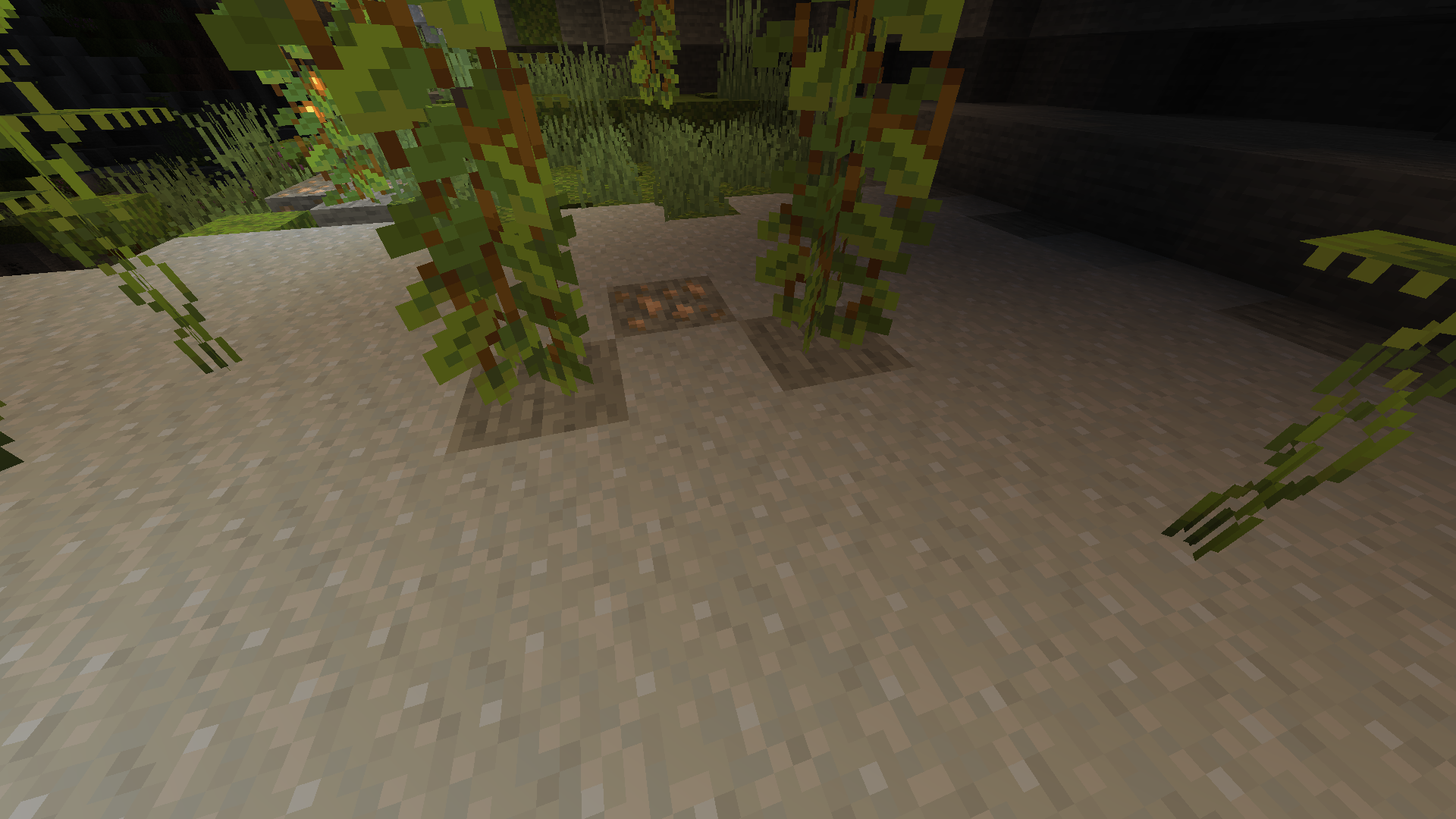
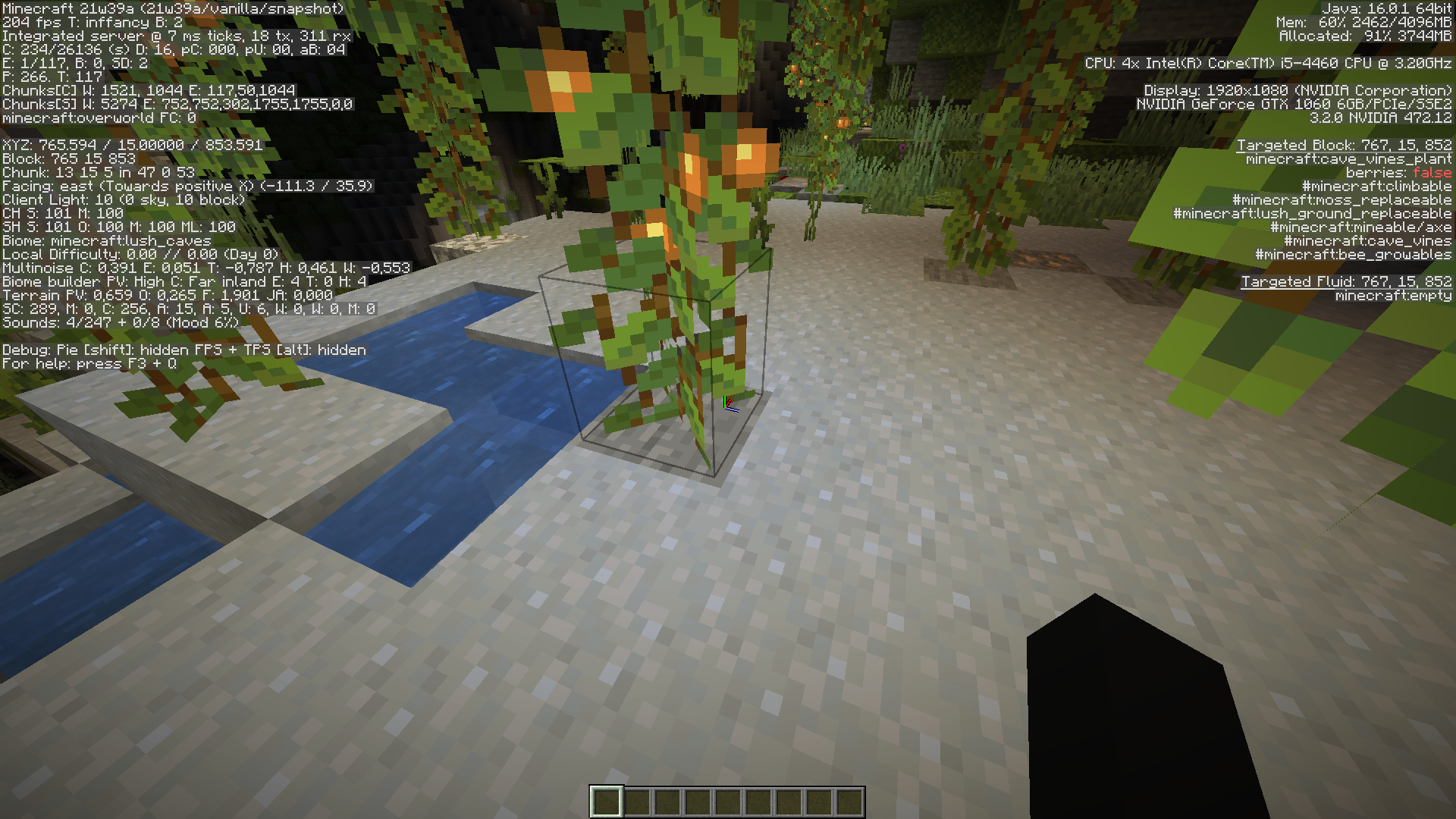
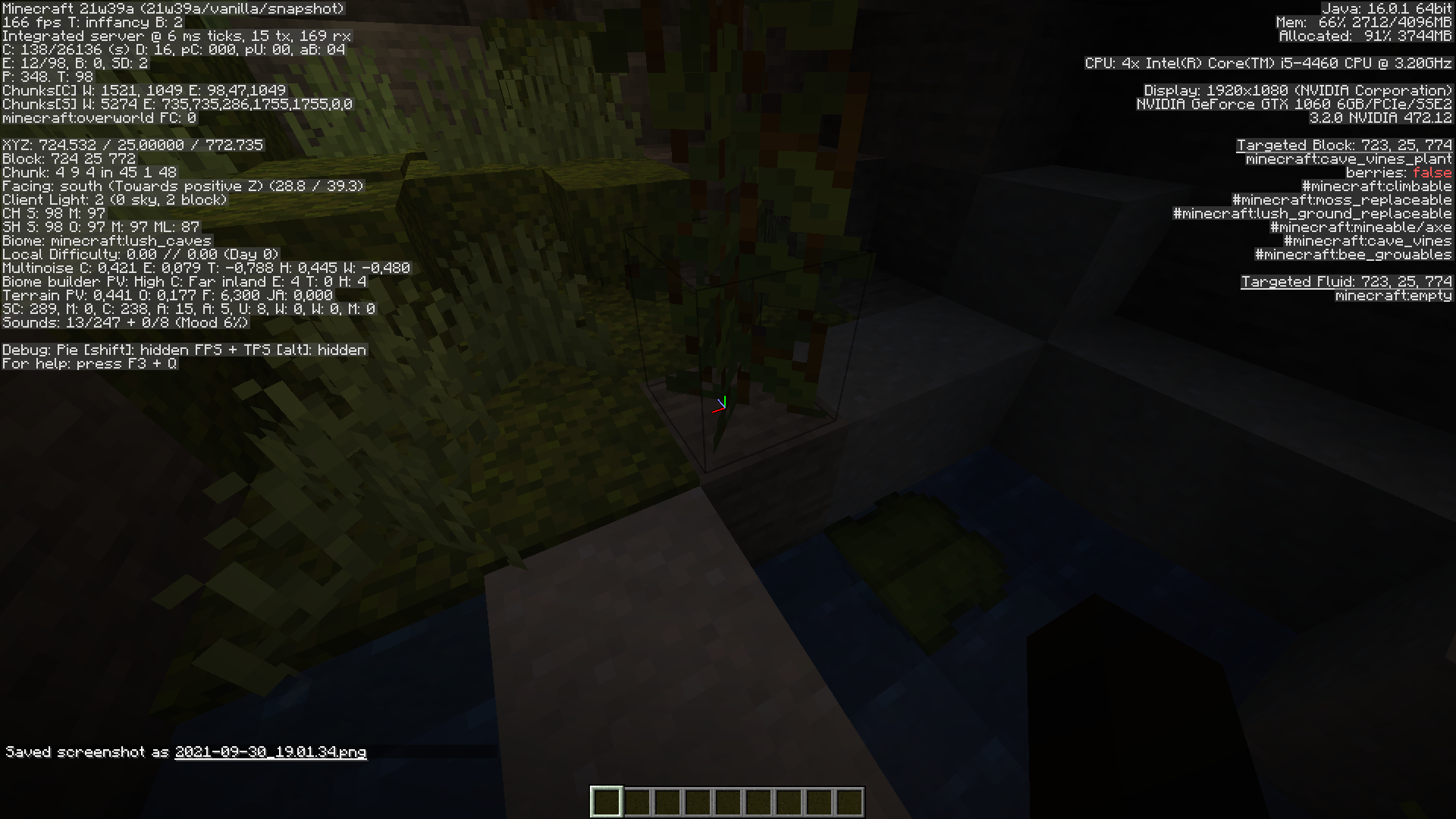
If a cave vine gets too close to the floor during generation it can be overwritten by the surface builders of lush caves. This causes the last block of the cave vine to be cave_vines_plant instead of cave_vines like it would be normaly
Also when this happens the overwritten blocks turns to stone/diorite etc. instead of being clay or moss like they should beHow to reproduce:
Create a large biome's world with seed: -240861352427657586
/execute in minecraft:overworld run tp @s 767.80 16.50 854.78 -487.20 47.25
/execute in minecraft:overworld run tp @s 724.50 25.00 772.50 -350.70 24.90
Might take a few attempts due to 219200Note: To create a large biome world you need to create it in 1.17 first then upgrade it in 21w39a
When cave vines generate too close to the ground the block below them gets replaced with stone/granite etc. while it should be clay or moss, this is likely unintended behaviour.
How to reproduce:
Create a large biome's world with seed: -240861352427657586
/execute in minecraft:overworld run tp @s 767.80 16.50 854.78 -487.20 47.25
/execute in minecraft:overworld run tp @s 724.50 25.00 772.50 -350.70 24.90
Might take a few attempts due to 219200Note: To create a large biome world you need to create it in 1.17 first then upgrade it in 21w39a
Thelast block of a cave vine can get overwritten causing illegal block statesWhen cave vines generate too close to the ground the block below them gets replaced with stone
@ampolive
It appears this mod didn't look closely and just closed this on a whim
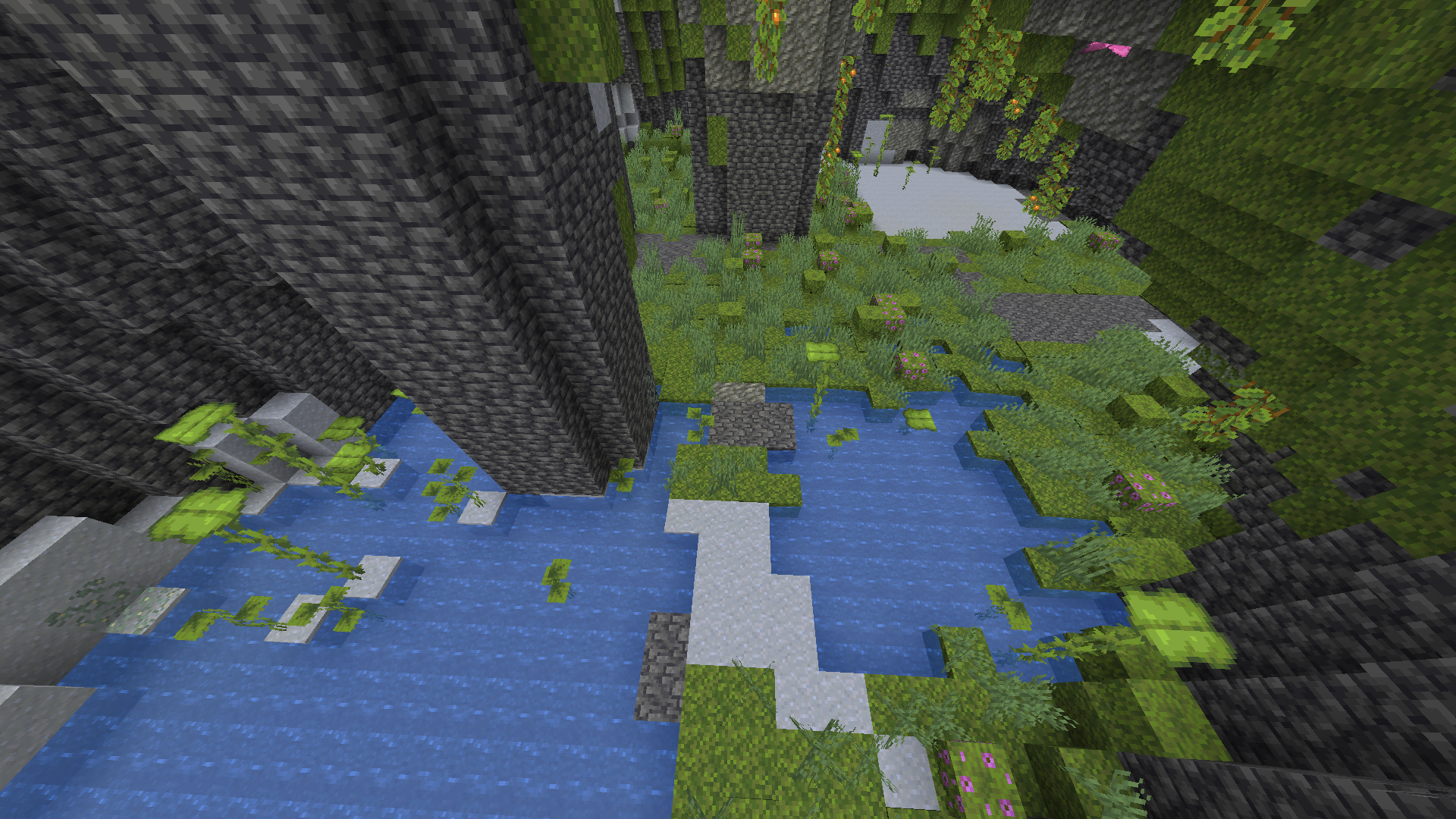

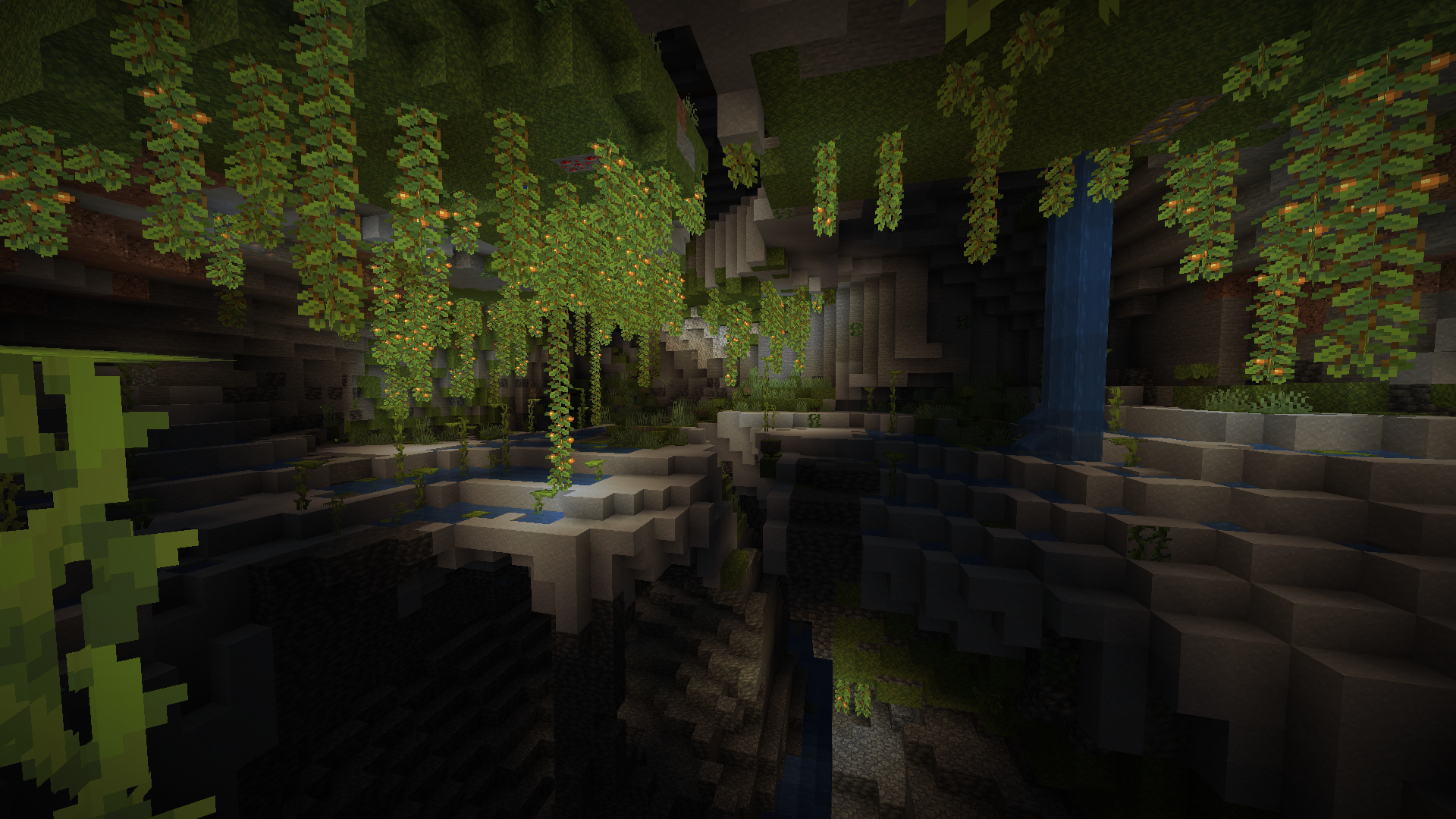
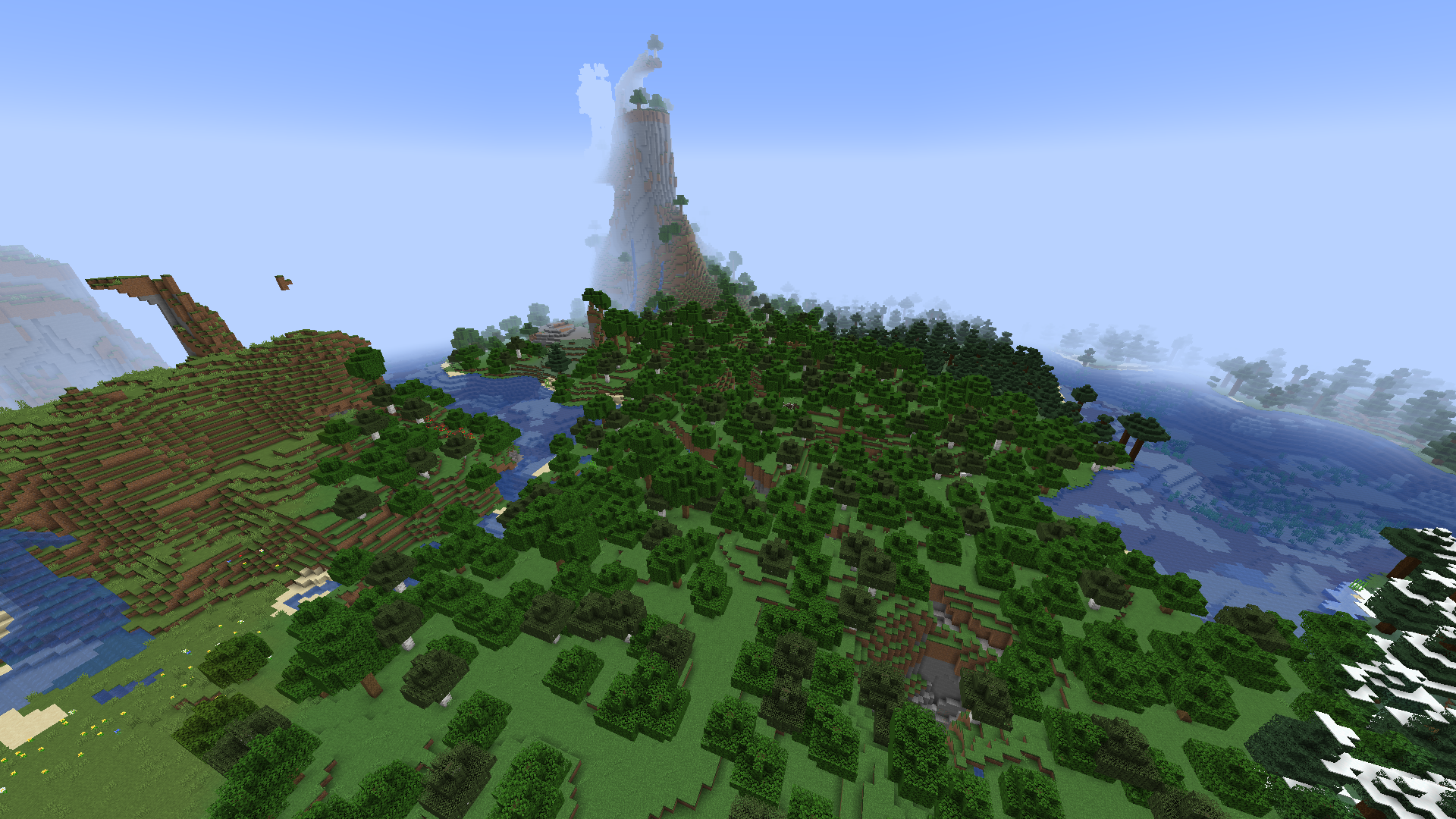



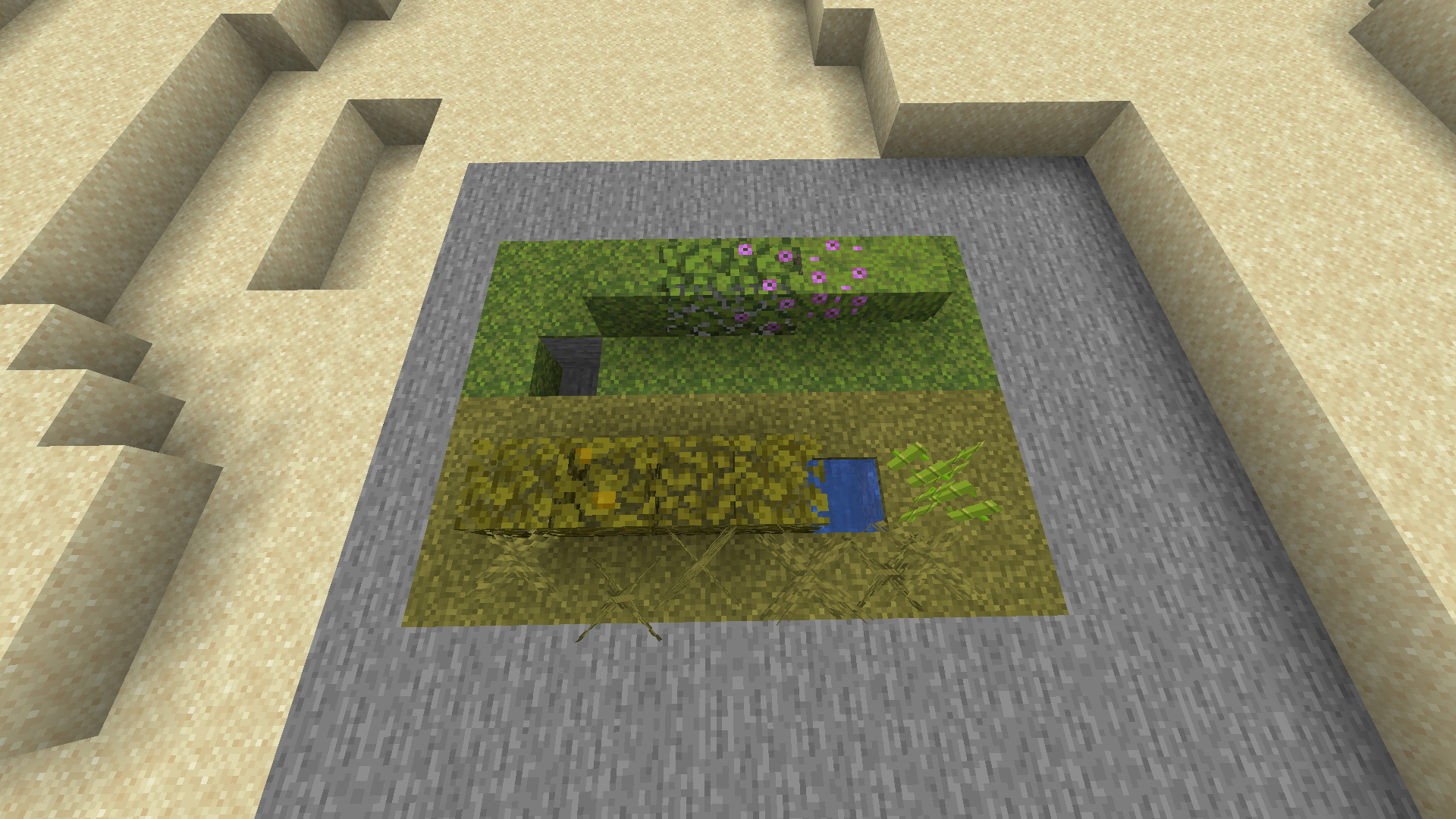
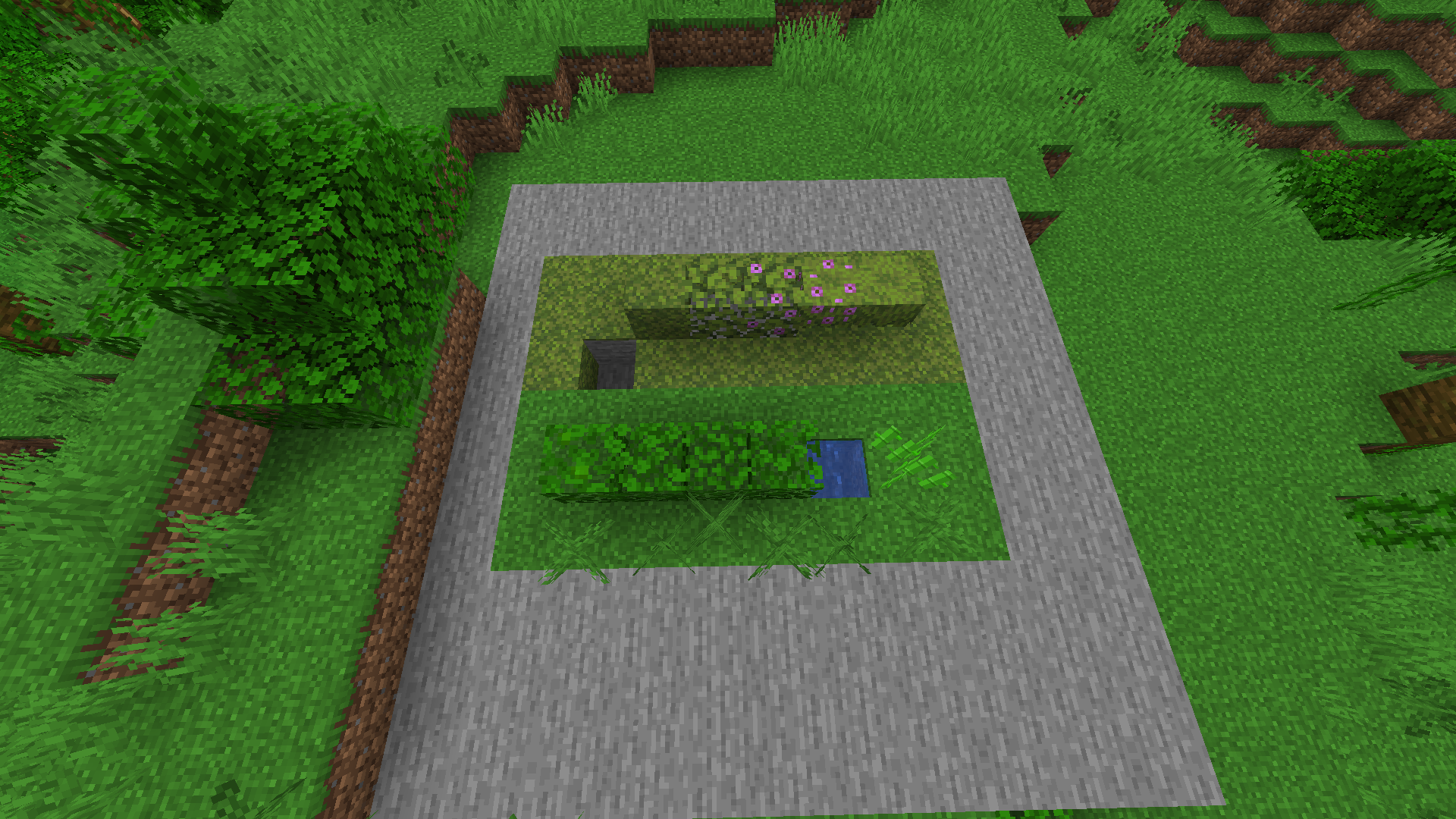
All the other jungle biomes have grass color of #59C93C and foliage color of #30BB0B
For some reason Sparse Jungle has different color values making it appear more yellowExpected behaviour:
All jungle biomes would have a uniform colormap
Observed behaviour
Sparse Jungle has different colormap from the other jungle biomes
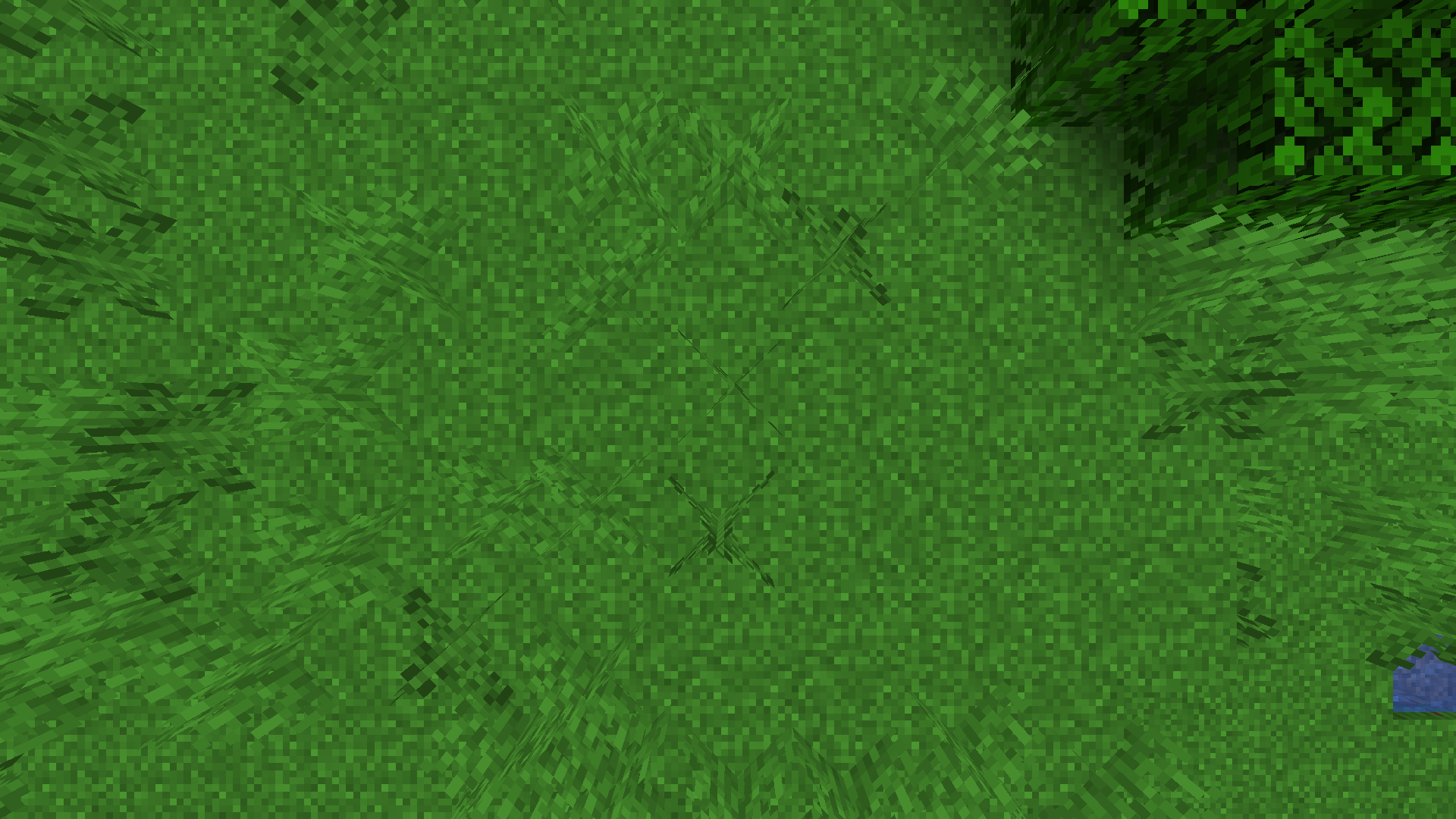

Sparse Jungle Vs Other Jungle Biomes
lmao I forgot
 Very Important
Rendering engine createsweirdfullbright spots ondripstone with custom texturepacksRendering engine creates fullbright spots on custom block models at low light levels
When using custom texturepacks for dripstone in very specific proximities to a light source white lines render on pointed dripstone.
I don't think this should be classified as invalid because even tough it only happens to pointed dripstone in custom texturepacks this is a problem with the rendering engine rather than the texturepack itselfTo Reproduce
- Download and enable the resource pack Enhanced Dripstone v1.1.zip
Expected Behavior
The side of the pointed dripstone should not be fully bright.
Observed Behavior
It is.
When using custom models for blocks (such as dripstone) the game will incorrectly render some faces of the model fully bright.
I don't think this should be classified as invalid because even tough it's only visible on non-vanilla block models this is a problem with the rendering engine itself rather than the texturepack
To Reproduce
- Download and enable the resource pack Enhanced Dripstone v1.1.zip
- Place down a torch
- Dig a 13 block long tunnel away from the torch
- Place a barrier on the 12th block and a dripstone on top
- Observe the bug
Expected Behavior
The side of the pointed dripstone should not be fully bright.
Observed Behavior
It is.
When using custom models for blocks (such as dripstone) the game will incorrectly render some faces of the model fully bright.
I don't think this should be classified as invalid because even tough it's only visible on non-vanilla block models this is a problem with the rendering engine itself rather than the texturepack
To Reproduce
- Download and enable the resource pack Enhanced Dripstone v1.1.zip
- Place down a torch
- Dig a 13 block long tunnel away from the torch
- Place a barrier on the 12th block and a dripstone on top
- Observe the bug
Expected Behavior
The side of the pointed dripstone should not be fully bright.
Observed Behavior
It is.
When using custom models for blocks (such as dripstone) the game will sometimes incorrectly render some faces of the model fully bright.
It happens when the block is on the edge between 1 and 0 block light.

I don't think this should be classified as invalid because even tough it's only visible on non-vanilla block models this is a problem with the rendering engine itself rather than the texturepack.
To Reproduce
- Download and enable the resource pack Enhanced Dripstone v1.1.zip
- Place down a torch
- Dig a 13 block long tunnel away from the torch (as shown in attachment below)
- Place a barrier block on the 12th block and a dripstone on top of it
- Observe the bug
Expected Behavior
The side of the pointed dripstone should not be fully bright.
Observed Behavior
It is.

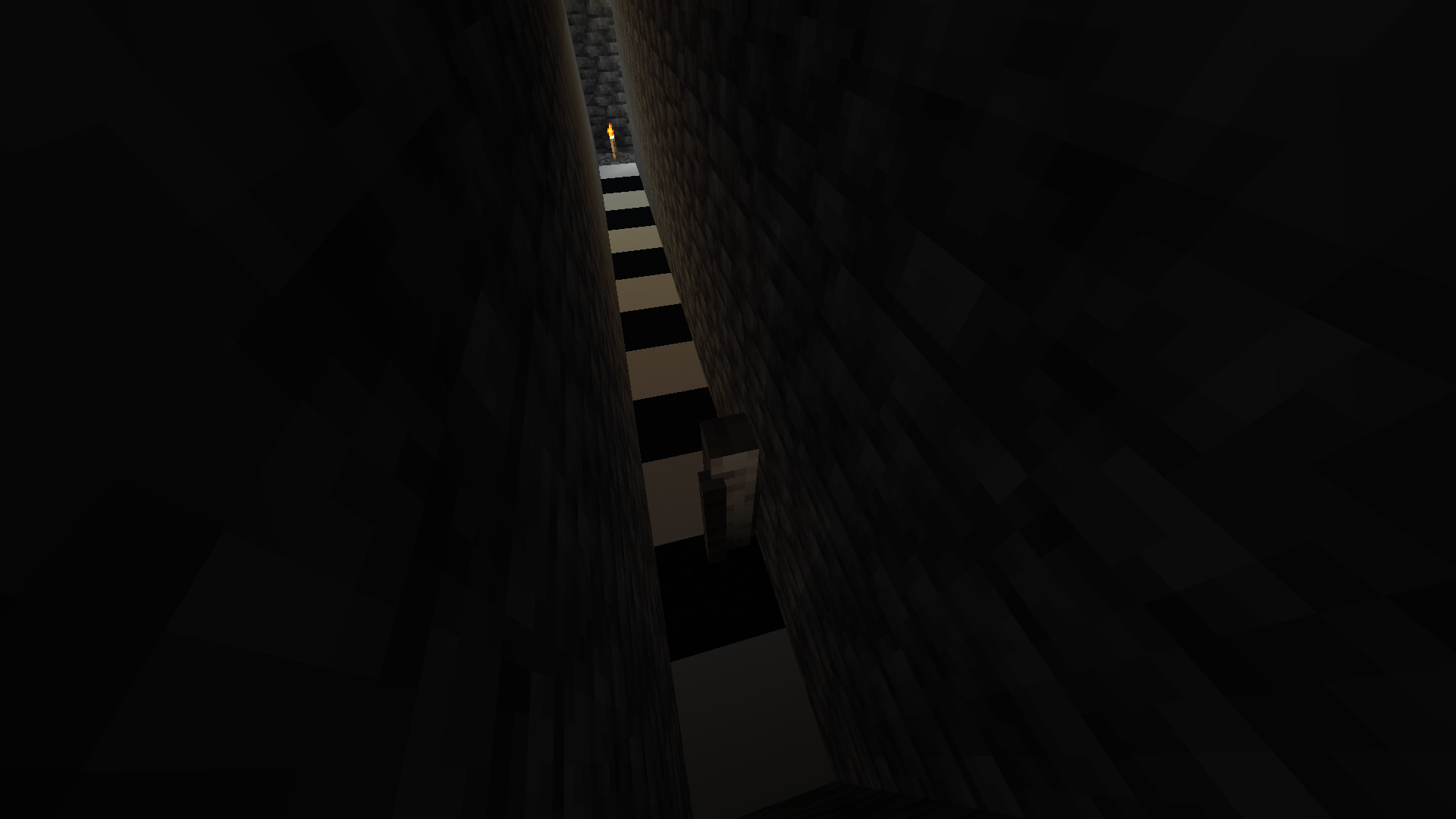
Rendering engine creates fullbright spots on custom block modelsat low light levelsCustom block models are incorrectly lit at low light levels
When using custom models for blocks (such as dripstone) the game will sometimes incorrectly render some faces of the model fully bright.
It happens when the block is on the edge between 1 and 0 block light.
I don't think this should be classified as invalid because even tough it's only visible on non-vanilla block models this is a problem with the rendering engine itself rather than the texturepack.
To Reproduce
- Download and enable the resource pack Enhanced Dripstone v1.1.zip
- Place down a torch
- Dig a 13 block long tunnel away from the torch (as shown in attachment below)
- Place a barrier block on the 12th block and a dripstone on top of it
- Observe the bug
Expected Behavior
The
side of the pointed dripstone shouldnot be fullybright.Observed Behavior
It is.
When using custom models for blocks (such as dripstone) the game will sometimes incorrectly render some faces of the model fully bright.
It happens when the block is on the edge between 1 and 0 block light.
I don't think this should be classified as invalid because even tough it's only visible on non-vanilla block models this is a problem with the rendering engine itself rather than the texturepack.
Steps To Reproduce
- Download and enable this resource pack bright_kelp.zip
- Go into the ocean
- Find kelp
- Observe the kelp becoming bright on the transition from 1 to 0 skylight
Alternatively
- Download and enable the resource pack Enhanced Dripstone v1.1.zip
- Place down a torch
- Dig a 13 block long tunnel away from the torch (as shown in attachment below)
- Place a barrier block on the 12th block and a dripstone on top of it
- Observe the bug
Expected Behavior
These blocks wouldn't be fully lit at very low light levels
Observed Behavior
They are.
When using custom models for blocks (such as dripstone) the game will sometimes incorrectly render some faces of the model fully bright.
It happens when the block is on the edge between 1 and 0 block/sky light.
I don't think this should be classified as invalid because even tough it's only visible on non-vanilla block models this is a problem with the rendering engine itself rather than the texturepack.
Steps To Reproduce
- Download and enable this resource pack bright_kelp.zip
- Go into the ocean
- Find kelp
- Observe the kelp becoming bright on the transition from 1 to 0 skylight
Alternatively
- Download and enable the resource pack Enhanced Dripstone v1.1.zip
- Place down a torch
- Dig a 13 block long tunnel away from the torch (as shown in attachment below)
- Place a barrier block on the 12th block and a dripstone on top of it
- Observe the bug
Expected Behavior
These blocks wouldn't be fully lit at very low light levels
Observed Behavior
They are.

Aquifer borders generate floatingfor no reason
In this cave aquifer borders generate floating in a cave despite not separating anything.
How to reproduce:
Seed: -8528979571675005699
/execute in minecraft:overworld run tp @s 1887.61 -30.48 -486.70 -3218.32 31.12The Bug:
Broken aquifer walls/borders commonly generate underwater.
As a result of this issue occurring, blocks can be seen floating underwater in bizarre and unnatural ways.
Steps to Reproduce:
- Create a world with the following seed and teleport to the following coordinates.
- Take note as to whether or not broken aquifer walls/borders commonly generate underwater.
Observed Behavior:
Broken aquifer walls/borders commonly generate underwater.
Expected Behavior:
Broken aquifer walls/borders would not generate underwater.
This is probably because large trees do not have a beehive variant, this could be fixed by adding such or not allowing large trees to generate in meadows
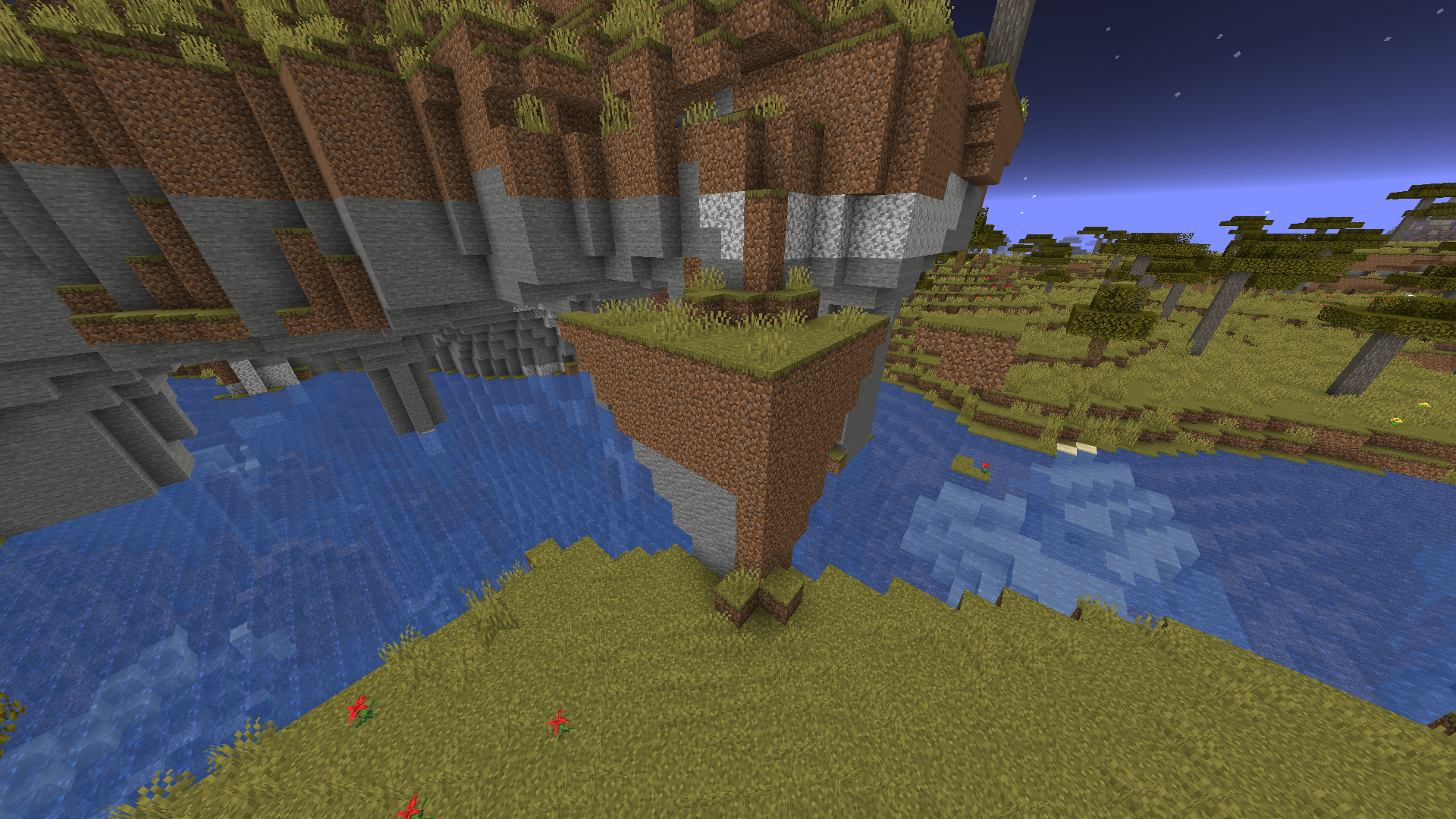
Mossy cobblestone boulders in pine taiga generate floating on steep cliffs
Seed: ddn
gavbk
/execute in minecraft:overworld run tp @s 1977.14 134.00 2917.82 -863.76 9.41Mossy cobblestone boulders in pine taiga generate floating on steep cliffs
Seed: ddnqavbk
/execute in minecraft:overworld run tp @s 1977.14 134.00 2917.82 -863.76 9.41


Note: This has been unreported for a long time and it's probably the real reason for
MC-216561as unless there happens to be a random block behind the torch it won't generate making torches rarer. Also could possibly be the reason forMC-216432Bug Description: This is probably a recurrence of
MC-124966, all torches in mineshafts are now facing the wrong way. This apart from being a bug in of itself probably makes torches rarer as those won't generate unless they happen to have a random supporting block generate. I also do not know the first version this started to occur in.Expected Behaviour:
All torches in mineshafts generate attached to the wooden support pillars
Observed Behaviour:
All torches generate rotated 180* in the other directionHow to reproduce:
Locate any mineshaft structure (it doesn't matter whether it's above or below y0) and find any torches you will find that all of them are rotatedNote: This has been unreported for a long time and it's probably the real reason for
MC-216561as unless there happens to be a random block behind the torch it won't generate making torches rarer. Also could possibly be the reason forMC-216432Bug Description: This is probably a recurrence of
MC-124966, all torches in mineshafts are now facing the wrong way. This apart from being a bug in of itself probably makes torches rarer as those won't generate unless they happen to have a random supporting block generate. I also do not know the first version this started to occur in.Expected Behaviour:
All torches in mineshafts generate attached to the wooden support pillars
Observed Behaviour:
All torches generate rotated 180* in the other direction
Unable to render embedded object: File (Unexpected lol) not found..png|thumbnail!How to reproduce:
Locate any mineshaft structure (it doesn't matter whether it's above or below y0) and find any torches you will find that all of them are rotated

Note: This has been unreported for a long time and it's probably the real reason for
MC-216561as unless there happens to be a random block behind the torch it won't generate making torches rarer. Also could possibly be the reason forMC-216432Bug Description: This is probably a recurrence of
MC-124966, all torches in mineshafts are now facing the wrong way. This apart from being a bug in of itself probably makes torches rarer as those won't generate unless they happen to have a random supporting block generate. I also do not know the first version this started to occur in.Expected Behaviour:
All torches in mineshafts generate attached to the wooden support pillars
Observed Behaviour:
All torches generate rotated 180* in the other direction
Unable to render embedded object: File (Unexpected lol) not found..png|thumbnail!How to reproduce:
Locate any mineshaft structure (it doesn't matter whether it's above or below y0) and find any torches you will find that all of them are rotated
Note: This has been unreported for a long time and it's probably the real reason for
MC-216561as unless there happens to be a random block behind the torch it won't generate making torches rarer. Also could possibly be the reason forMC-216432Bug Description: This is probably a recurrence of
MC-124966, all torches in mineshafts are now facing the wrong way. This apart from being a bug in of itself probably makes torches rarer as those won't generate unless they happen to have a random supporting block generate. I also do not know the first version this started to occur in.Expected Behaviour:
All torches in mineshafts generate attached to the wooden support pillars
Observed Behaviour:
All torches generate rotated 180* in the other direction
Unable to render embedded object: File (Unexpected lol) not found..png|thumbnail!How to reproduce:
Locate any mineshaft structure (it doesn't matter whether it's above or below y0) and find any torches you will find that all of them are rotated
Note: This has been unreported for a long time and it's probably the real reason for
MC-216561as unless there happens to be a random block behind the torch it won't generate making torches rarer. Also could possibly be the reason forMC-216432Bug Description: This is probably a recurrence of
MC-124966, all torches in mineshafts are now facing the wrong way. This apart from being a bug in of itself probably makes torches rarer as those won't generate unless they happen to have a random supporting block generate. I also do not know the first version this started to occur in.Expected Behaviour:
All torches in mineshafts generate attached to the wooden support pillars
Observed Behaviour:
All torches generate rotated 180* in the other direction
Unable to render embedded object: File (Unexpected lol) not found..png|thumbnail!How to reproduce:
Locate any mineshaft structure (it doesn't matter whether it's above or below y0) and find any torches you will find that all of them are rotatedNote: This has been unreported for a long time and it's probably the real reason for
MC-216561as unless there happens to be a random block behind the torch it won't generate making torches rarer. Also could possibly be the reason forMC-216432Bug Description: This is probably a recurrence of
MC-124966, all torches in mineshafts are now facing the wrong way. This apart from being a bug in of itself probably makes torches rarer as those won't generate unless they happen to have a random supporting block generate. I also do not know the first version this started to occur in.Expected Behaviour:
All torches in mineshafts generate attached to the wooden support pillars
Observed Behaviour:
All torches generate rotated 180* in the other direction
How to reproduce:
Locate any mineshaft structure (it doesn't matter whether it's above or below y0) and find any torches you will find that all of them are rotated

![[Helper] ZeNico13](../../../data/avatars/users/31913.png)
The bug
Various visual artifacts appear on translucent blocks after movement, because whatever handles sorting translucency layers does not update as you move around.
How to reproduce
- Create a superflat world with preset:
minecraft:bedrock,minecraft:green_stained_glass,minecraft:red_stained_glass,minecraft:blue_stained_glass;minecraft:the_void
- Fly up ~10 blocks (doesn't matter much)
- Use this command:
/tp @p 100 ~ 100 135 45
- Press F3 + T (then wait for chunks to load)
- Use this command:
/tp @p 0 ~ 0 -45 45
→
 You will notice you cannot see the green and red glass in multiple chunks

Expected behaviour
The block faces would be sorted on each frame, so that they always render in the correct order.
Analysis
Ceresjanin123 has done a good analysis in this comment.
douira has done a good analysis in this comment.
![[Mod] ampolive](../../../data/avatars/users/18949.svg)
Ceresjanin123 Thanks, but the 1.18 experimental snapshots are not supported in the bug tracker.
![[Mod] Anthony Cicinelli](../../../data/avatars/users/10122.svg)
Ceresjanin123 please do not remove affected versions set by mods/helpers.
Ceresjanin123 do not change the category on your reports. This is only meant to be changed by mods and employees.
Ceresjanin123 you own this report no need to add a comment of what it affects you can add it yourself
Many thanks to Ceresjanin123 for his very detailed comment!

Ceresjanin123 The reason I believe this duplicates MC-100180 is because MC-100180 already contains this information including the minecart rolls subtitle when a minecart is placed. MC-267910 which describes this report's issue was resolved as duplicate of MC-100180
If that isn't the case I still can confirm.
![[Mod] turbo](../../../data/avatars/users/92867.png)
@Ceresjanin123 My camera still rotates 180 degrees in 24w34a when I land on my minecart track, or is this a different issue? - Minecraft 24w34a - Multiplayer (Realms) 2024-08-23 23-09-07.mp4
Ceresjanin123 Thanks, I was able to reproduce this with a render distance of 20 chunks.
Ceresjanin123: Are you sure that you're following the steps of the workaround carefully? I am also affected by this issue, and I just used the workaround this morning to sign in with no problem.
Please note that your second comment has been removed because, as stated in our Mojang Bug Tracker Guidelines and FAQ, criticism of Mojang Studios or its employees is not acceptable on the bug tracker.
![[Mojang] Rebecca](../../../data/avatars/users/18936.svg)
Thank you for the information and for confirming this Ceresjanin123!
Still exists in 1.13pre2
Still in 1.13pre2
Can't belive this was reported 4 months ago and they still havent done a thing about it
They just set it to "Important" and forgot about it
Yet when there is a world gen bug in the Bedrock Edition (no basalt/sould sand on the ceiling) they are rushing to fix it asap
@Devu
Wait so the buffet caves actually have trees in the Bedrock Edition?
Neat
so this is still not fixed after 2 years huh?
HELL YEAH
finally fixed
This happened to me by accident
Basically I died on my friends server and a few minutes later the server crashed.
When the server restarted my items were still on the ground and in my inventory
you are in creative
this will not work in survival therefore it's useless
This is the result of multiple caves intersecting causing messy terrain generation. I have to agree that this happenes too often and looks unnatural
Awwww why is this marked as a bug
I really like how it looks
this is obviously a joke lmao
Get a better pc <3
Edit: Damn I was mad a few months ago
Ohhh im really looking forward to how they fixed this
Placing a block at y319 causes a few chunks around it to be restored to normal.
The tree issue has been marked as "unrelated and separate iusse MC-125007)
but I find it unsuall that most of the areas with bugged lighting also contain these cut off trees
Did you have any mods?
Could you compress the world file into a zip and add it to the attachments?
Even if
It looks horrible and if multiple people tag it as a bug because of how bad it looks you should probably fix it
Imo this should be fixed by generating coal blocks instead
May relate to
MC-214864I would expect that I mean moss is wet
Half, That bug report doesnt mention water not flowing
Post scriptum: this appears to have been fixed almost entirely in the experimental combat snapshots, yet still you are inconsistently unable to hit falling entities at certain angles so its not fixed completely
Can confirm (also happened to me)
Thi maybe be more of an isue with java 8 being unstable
you are in creative mode smart guy
Please provide the seed and coordinates
Nope that affect only certain chunks.
Here every single chunk is affected but only affects the lush caves biome and is much more noticable.
It also happens in all seeds.
I wouldn't say its a duplicate but it is related
This attack getting unintentionally removed def made the dragon fight 100 time easier and more boring.
Imo this should be fixed when the combat snapshots get implemented because it wouldnt make sense to fix it if not alongside a combat update
I found that depending on from which side I approach this area this cave spider spawner generates differently and its so inconsistant that after creating 20 worlds I wasn't able to reproduce this. I assume this is the result of MC-219200
do NOT remove this
it doesn't negatively impact the game in anyway but allows you to mess around in creative
This would imo most easily by fixed by making mineshaft wood and logs generate with a minecraft:non_flammable:true tag or something like that
after being broken by a player it would revert back to normal flammable wood
Even if i teleport as little as 200 blocks i can leave the computer on for 10 minutes and the chunks will not load untill i leave and rejoin the world
This was fixed in 21w13a btw for some reason isn't in the patch notes
Once again this appears to have been fixed in 21w14a but isn't in the patch notes.
This makes me very sad as I am a narcissist
Yeah I tried to do this in 1.17.1 and the light engine behaves exactly like expected, probably was fixed in some ealier snapshot
Can also confirm this still happens as of 1.18 Exp-snapshot 3
Can also be found in the newest 1.18 experimental snapshot
Well certainly not with the same seed and location as the generation was changed a couple of time.
I think it was fixed altough if by chance I find an instance of this occuring in the upcoming 1.18 snapshots I will create a new bug report or update this one if it's not closed by that time
Can confirm, was loading and leaving worlds to verify
MC-236650and after leaving and joining for a few times my fps absolutely tanked and ram usage was at 2gb and would not go back down after waiting for 2 minutesThis is a duplicate of
MC-236665added a screenshot to show why this is a problem
the lush caves are greener because I am using a texturepack but it's vanilla
oh I was looking forthis bug report
duplicate of
MC-217038can confirm in 21w37a
This is why we can't have nice things
this is merely code that causes the bug, it does not meant it should not be fixed
can confirm in 21w37a
Can confirm in 21w38a
still in 21w39a
No this was fixed in the same snapshot that the cave gen was changed to be the same as in bedrock
Can confirm in 21w39a
oops
can comfirm in 21w39a
can someone close this now?
can someone close this now?
This is not a duplicate of MC-55596 that bug occurs in rare cases and only affects a small area. The developers have probably made some change to the world generation that unintentionally made the surface builders use random seeds, this means this bug affects every seeds and every chunk.
I will see when this started happening
After doing some experiments I have gathered this information: The bug MC-219200 was actually introduced in 20w49a (the same snapshot the first underground biome was added, dripstone caves) but I only noticed and reported it in 21w10a when lush caves were added. So MC-219200 doesn't affect just lush caves but dripstone ones too altough for some reason it appears to be much more noticable for lush caves compared to dirpstone caves as those keep some parts of the cave unchanged.
But
MC-238073bug did not occur above ground from the first 1.17 snapshot up untill the first 1.18 experimental snapshot ,the first snapshot 3d biomes were introduced (I also tested 1.17.1 with C&C preview), meaning the random surface builders are probably caused by 3D Biomes added in 1.18 Exp Snapshot 1.My theory is that MC-219200 and
MC-238073are caused by different bugs since 219200 is a problem with underground biomes in general and 238073 is (probably) caused by 3D BiomesCan confirm also this has nothing to do with biome blending
This is NOT a dupe of MC-55596, this is caused by something different also this causes the entire lush caves to be different not just a few select chunks
I think this isn't a duplicate of either because MC-219200 started happening way before
MC-238073so they prob have different causes and have to be fixed separatelyGood thing this bug report was reopened
Cannot reproduce anymore
I heard some rumors about amplified terrain getting removed, this imo would make no sense as all you would need to do to keep the amplified like terrain in 1.18 is to keep the "Facor" value very low as stated in 51:20 in henriks video about the new generation
still in 21w39a
still in 21w39a
still in 21w40a it appears the torches spawn connected to the opposite block of the wood
Can confirm in 21w40a
Still in 21w40a
Affects 21w40a, altough small water lakes were completely removed this can still occur with the small lava lakes

This appears to have recurred in 21w40a
cannot reproduce in 21w40a
Can confirm in 21w40a
true Chava
this is a wai
Can confirm in 21w40a

Can confirm in 21w40a
whoops sorry
no,no tropical fish do spawn I saw a few
Can confirm in 21w40a
It's a problem. It's just trivial
Can confirm in 21w40a
"I think the fix could be that axolotl spawning coded in 1.17.1 needs to be changed and that they can spawn at any light level instead of light level 0 and let them spawn at any blocks generated in the lush caves instead of just stone."
This would mean this report is invalid as of 21w40a because axolotl spawning rules were changed from the 1.17 ones
Can you add the seed and location to your bug report
fixed in 21w37a
fixed in 21w37a
Can confirm in 21w41a
Affects 21w41a
Affects 21w41a
affects 21w41a
Related/duplicate of
MC-238360Cannot reproduce in 21w41a altough it was probably fixed earlier
Cannot reproduce in 21w41a altough it was probably fixed earlier
Cannot reproduce in 21w41a altough it was probably fixed earlier
This is not invalid as it really is just a single issue that affects many biomes. This is the same type of bug report as
MC-108636Also this first appeared in Exp 1.18 snapshot 1 but affected only lush caves since 21w10a
Can confirm
Can confirm
those did exist in early public snapshots but this image from minecraft live is a perfect example
they actually go down to y24
djl This is not caused by the lush cave biome ending for example here the entire cave is located within a lush cave biome and it's still missing vegetation
This was fixed in 21w40a as it was caused by
MC-237950Well no this is about all torches being rotated 180 degrees but because of
MC-200494they can attach to other blocks after they're rotatedwell because of the fix to
MC-124966they can'tCan confirm in 21w42a
Can confirm in 21w42a
This no longer occurs. Some people mistake chunks loading slowly for chunk errors and "confirm" this bug is still present while it is not.
I actually haven't been able to find any of those dark chunk errors that caused
MC-4061for quite some time[Mod] Michael Wobst
You are mistaking a WAI behavior for this bug
In 21w13a the end for would loose it gradient when under Y0 no matter if the dragon was dead or alive,this no longer occurs
What you're seeing now is when you get too far from the island while the dragon is still alive you loose the dense fog effect but the fog still behaves as intended
This doesn't mean the issue itself may be invalid. The reporter should report this bug again but in a vanilla server or singleplayer
MC-239247is a duplicate but I encourage the devs to give it a read as it contains some usefull information even though most of it is already in the comment above by MrSpikeCan confirm, all entities freeze for me until the autosave is done
Can confirm in 21w42a
This is probably caused by reccurence of
MC-184740Can confirm in 21w42a. Also this appears to be related to chunk borders. As you can see in this screenshot these square patterns align perfectly with chunk borders

This was fixed in 21w41a (for real this time)
Can confirm in 21w42a
This is actually caused by
MC-239344Can confirm in 21w42a
Can confirm in 21w42a
Can confirm
This is working as intented but if im wrong I can confirm
MC-238073was fixed and MC-219200 still occurs, as I expected this is a different issue please reopenCan confirm in 21w43a
Can confirm in 21w43a
can confirm
I don't think so the discrepancies now are much more severe than before this bug was introduced
Can confirm in 21w43a
Can confirm
Can confirm on 21w43a
Can confirm
Can confirm
Can confirm
can confirm
This could easily be fixed without annoying everyone by letting us select whether the world was created in minecraft alpha. If we select yes the world would be upgraded with this fix enabled if no then it would use the pre1 system. This choice doesn't even need to appear when upgrading every world since only the veterans and more technical players are gonna have worlds that old, just hide it somewhere in the settings
can confirm in 1.18 pre4
Can confirm in 1.18 pre4
Can confirm in 1.18 pre4
Can confirm over lava ponds on 1.18 pre4
Can confirm in 1.18 pre4
can confirm in 1.18 pre4
Can confirm in 1.18 Pre5 on seed 3257840388504953787
/execute in minecraft:overworld run tp @s -4.30 30.53 102.52 -675.74 9.00
Can confirm in 1.18 Pre5
Can confirm in 1.18 pre 5
Can confirm in 1.18 Pre 5
Seed: -4542431585794183865
Location X Z: 2140 1995
This is actually pretty important because it causes
MC-241539even after the fixCan confirm
can you show some evidence?
then report it and stop being cryptic
I assume this was a side effect of the fix for
MC-241941which was supposed to only happen in the nether.Anyway good this is fixed now
Can confirm in 1.18 RC3
Can confirm in 1.18
Can confirm in 1.18
Can confirm in 1.18
Can confirm in 1.18
Can confirm in 1.18
Can confirm in 1.18
Can confirm in 1.18
I don't think the summary change was necessary since ponds can still kind of be reenabled with datapacks
Incorrect resolution, this is definitely a different issue. MC-239701 causes a false hole to appear at chunk coordinate 15/X/15 (south east corner) after a block update (for example after breaking a block) and only on a specific chunk builder setting.
This however happens on every chunk builder setting and no block updates are required (happens on any chunk border after crossing)
This bug is not "related" to
MC-38022it's an exact duplicate of it.In Snapshot 19w39a
MC-9553was fixed and the order of rendering was changed. This affected how the bug looks, because withMC-9553fixed, the water no longer renders through the ice. However it's still the same bug just withMC-9553no longer present. This issue should be closed[Mod] violine1101
I don't think so.MC-38022is about translucency breaking at certain angles/distance. This has something to do with crossing chunk borders. They may be related but I'm not sure, someone with technical knowledge would need to investigate.I just did a deep dive into
MC-38022to determine what it's about and there's very little chance it's the same issue.[Mod] j_p_smith yes this is a duplicate of MC-75398
There is a lot of issues with this issue
Some are due to people confusing this bug with
MC-9553. For example the "render like water" part from the title was caused in part byMC-9553and hasn't been reproducible since it's been fixed. It's also specific to the ice + water setup, and isn't representative of the bug. The title also suggests "elevation and angle" has something to do with this but it doesn't, it happens at any angle. You can check that by pressing F3 + T and the bug will go away until you start moving again. Also the bug desc is really meagre, there's a lot more information that's missing.I request the following be done:
1. Attachments 2015-06-09_15.51.45.png 2018-08-21_12.50.01.png Screenshot-Slime-Light-Bad.png are showing
MC-9553and not relevant and should be removed2. Attachments crash-2014-05-13_10.54.01-client.txt crash-2014-07-02_19.22.27-client.txt 2014-05-13_11.03.30.png are not relevant and should be removed
2.5 All other attachments could be removed tbh since they're redundant. But idk your policy on that.
3. Update the title to "Order of rendering translucent block faces fails to update with camera position"
4. Update the description:
The Bug:
Various visual artifacts appear on translucent blocks after movement, because whatever handles sorting translucency layers does not update as you move around.
How to reproduce:
1. Create a superflat world with preset
2. Fly up ~10 blocks (doesn't matter much)

3. Use command /tp @p 100 ~ 100 135 45
4. Press F3 + T (then wait for chunks to load)
5. Use command /tp @p 0 ~ 0 -45 45
6. You will notice you cannot see the green and red glass in multiple chunks
Analysis:
There's probably some kind of mechanism that calculates which translucent block faces are closest to the camera, and then sorts them into the correct rendering order, so that blocks render in front of each other as would be expected. However this ordering task seems to only run sporadically (once when a chunk loads, and again if you're close enough to the chunk). This obviously leads to issues where after your position changes blocks are "in front" of blocks that are now in front of them.
As of reproduction step 4 the top face of a red glass block is in front of (closer to the camera) two side faces of the blue glass block above it.


As we teleport behind it the order should switch (the top face of the red glass block is now behind those two blue faces) however the rendering thingy doesn't realize this and still thinks the top face of the red glass is in front of the two blue faces. Because of this mismatch the red glass block doesn't render properly behind those two block faces.
Note: The "two faces" I'm talking about are invisible because the block faces are culled when two of the same translucent block are next to each other. However you can see it's indeed the side faces trying to render behind the red glass, by making a hole in the glass thus making them visible.
Corroborating evidence:
What I just described with the glass world is also what's going on with the ice (the water is ordered "in front" of the two inside faces of ice, while it's actually behind them) and before the fix to
MC-9553was implemented the water would actually follow this incorrect order and render in front of the ice.And indeed if we load up our glass world before

MC-9553was fixed and repeat the steps we'll notice the red glass blocks are actually rendering in front of the blue glass (and the green renders in front of both). This confirms my analysis I thinkHowever after that fix, when such mismatch occurs the pixels that are incorrectly "in front" of something don't render at all which is why it looks different now. However it's still the same issue!
Expected behaviour
The block faces would be sorted on each frame, so that they always render in the correct order.
Requesting ownership (reporter hasn't had any activity in 3 years)
Can confirm in 1.20.4

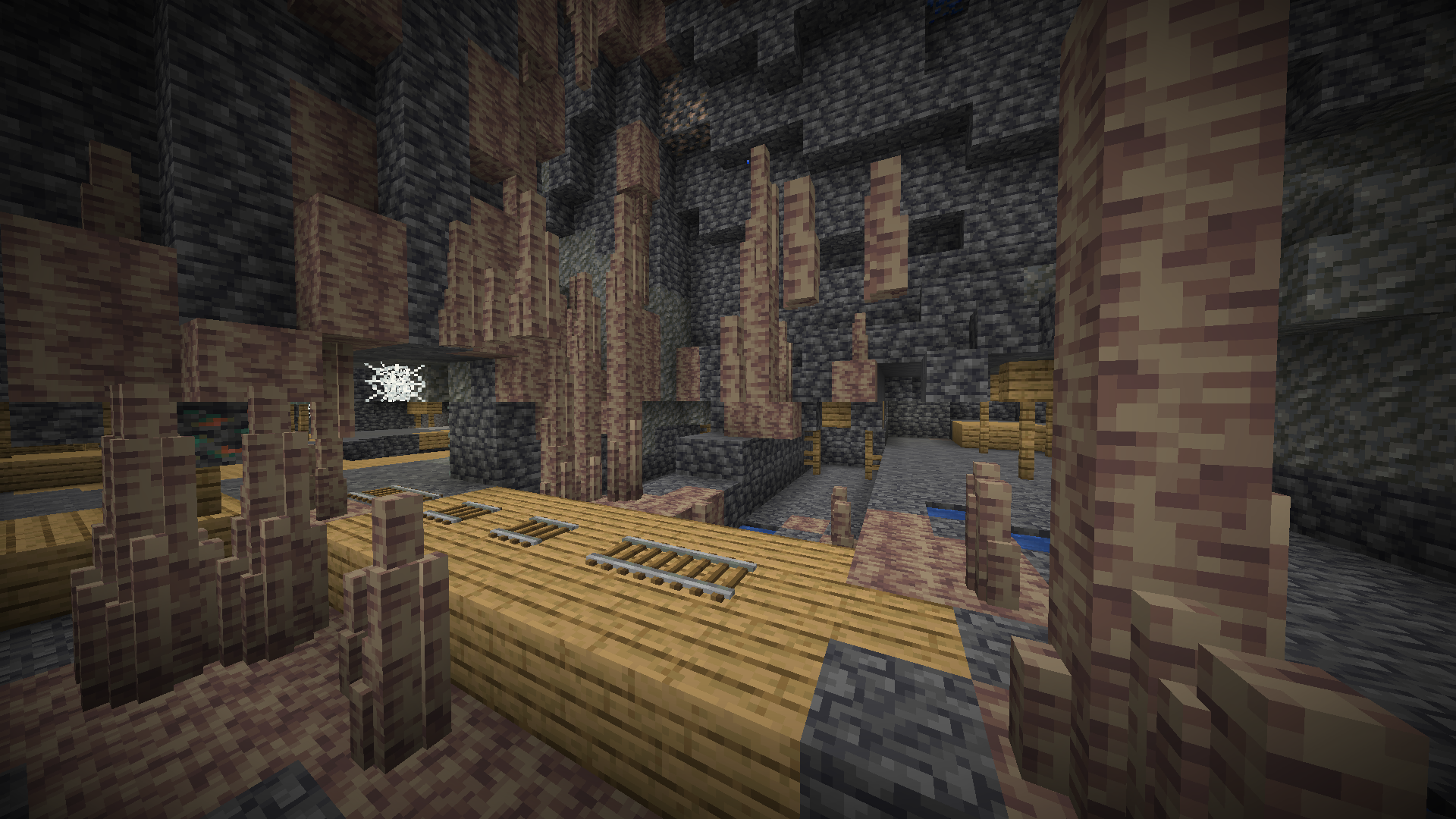
I cannot reproduce this in 1.20.4
Spend 30 minutes flying in a lush cave world on seed 107038380838084 and didn't find a single instance
The boss bar doesn't return even after relogging now. (yes in the end dimension)
Change the title to "Ender Dragon summoned via command doesn't have a boss bar"
Since related bugs
MC-249845andMC-266446were marked as won't fix this should/will probably be as wellOn 1.21 pre1 using seed -349142053501600750 will spawn you at the bottom of a ravine (exactly at 0.0)
I am sure such extraordinary spawn locations weren't so common in the past (this was literally first try)
This only happens with graphics set to "Fabulous!"
It behaves as intended on Fast and Fancy graphics
Quick code analysis by IMS

I can confirm it does happen. Sometimes the ender pearl will just go through the gateway.
Minecraft 2024.05.30 - 19.25.20.07.DVR - Trim(1).mp4
Seems to happen most consistently by using the second gateway created by
MC-272583Though I haven't been able to record it I can say that I have also notice huge lagspikes after some teleports.
I cannot reproduce this on 1.21 pre1. It was likely fixed in this version as a side effect of fixing
MC-272014Can you still reproduce this issue on the latest version?
I (well not I, quoting IMS again) don't see how Mojang can fix this without A: adding another framebuffer or B: adding back depth
And depth test/writes are exactly what caused
MC-272014so B can't (or shouldn't) be done as that would cause it to get unfixed. And that issue was honestly worse than this one.Fixing this would be easy actually. Just cull the blockface that's next to another block. This already occurs when a spawner/trail spawner is placed next to a solid block so idk why it's not the case with translucents.
Vaults don't have their blockfaces culled at all so this z-fighting also happens on solid blocks btw
Then the only way to fix it that I can think of is copying leaves block behavior where the inside faces aren't visible at all
This affects any blocks whose outline doesn't follow the block model. (ie. grass, lectern, chain)
Can confirm.
Above y0 they shoot straight up
Below y0 they shoot straight down
At y0 they shoot "normally" but still miss because the snowballs have extremely high velocity
You need to enable it in accessibility settings
Not sure why this report isn't marked as fixed though
I mean yeah it's off by default but it has a resolution now
This seems different? It's about stationary minecarts making a sound, not about displaying a subtitle after being placed
No because the log doesn't report any errors about reaching the sound pool size.
Also as stated in the report the minecarts aren't actually producing any sounds, so they must bug out the sound engine via a different mechanism.
Mojang has already triaged the issue, no need to confirm it further
I did it by changing the level.dat so I assume it's invalid them
I would like to add that the speed at which the furnace minecart can push other minecarts doesn't scale with minecartMaxSpeed
This can also be seen by the player in first person mode

I am also unable to reproduce this. I assume the reporter had a third party texture pack which was conflicting with the model (invalid)
Were you pressing a movement key? (W,A,S,D)
With that you can push minecarts on unpowered rails
[~Awesoman3000] Not necessarily you can get away with using a 16x16 texture but that forces you to split the model in two and update every model using the texture (you'll notice all repeaters and comparators are broken)
This doesn't inhibit texture pack creators as they can modify the model directly.
Also since that part is of uniform color I see no reason why it would need a higher resolution (pixel consistency isn't violated)
But yeah looking at your proposed fix, it looks good.
This issue was fixed in 24w33a
Reopen, not fixed.
Reproduction steps in 24w33a.
You will see it rain while the chunks load
Confirmed in the overworld as well. The reproduction steps are slightly different than in the report tho
Terrain generation was changed in 24w33a and a trail chamber no longer generates in that location. Can someone provide updated reproduction steps?
No that report is completely unrelated (it's about sky background being visible)
This report is about the fog incorrectly changing color
I'm pretty sure this is WAI for the end dimension since you can actually fall into the void in survival.
It would be weird if you suddenly weren't able to see the end sky below Y0
Stacked minecarts are highly valuable to the tech community, it allows you to quickly and efficiently transfer a large quantity of items over long distances.
I urge mojang to reconsider patching this behavior
Relates to MC-275552
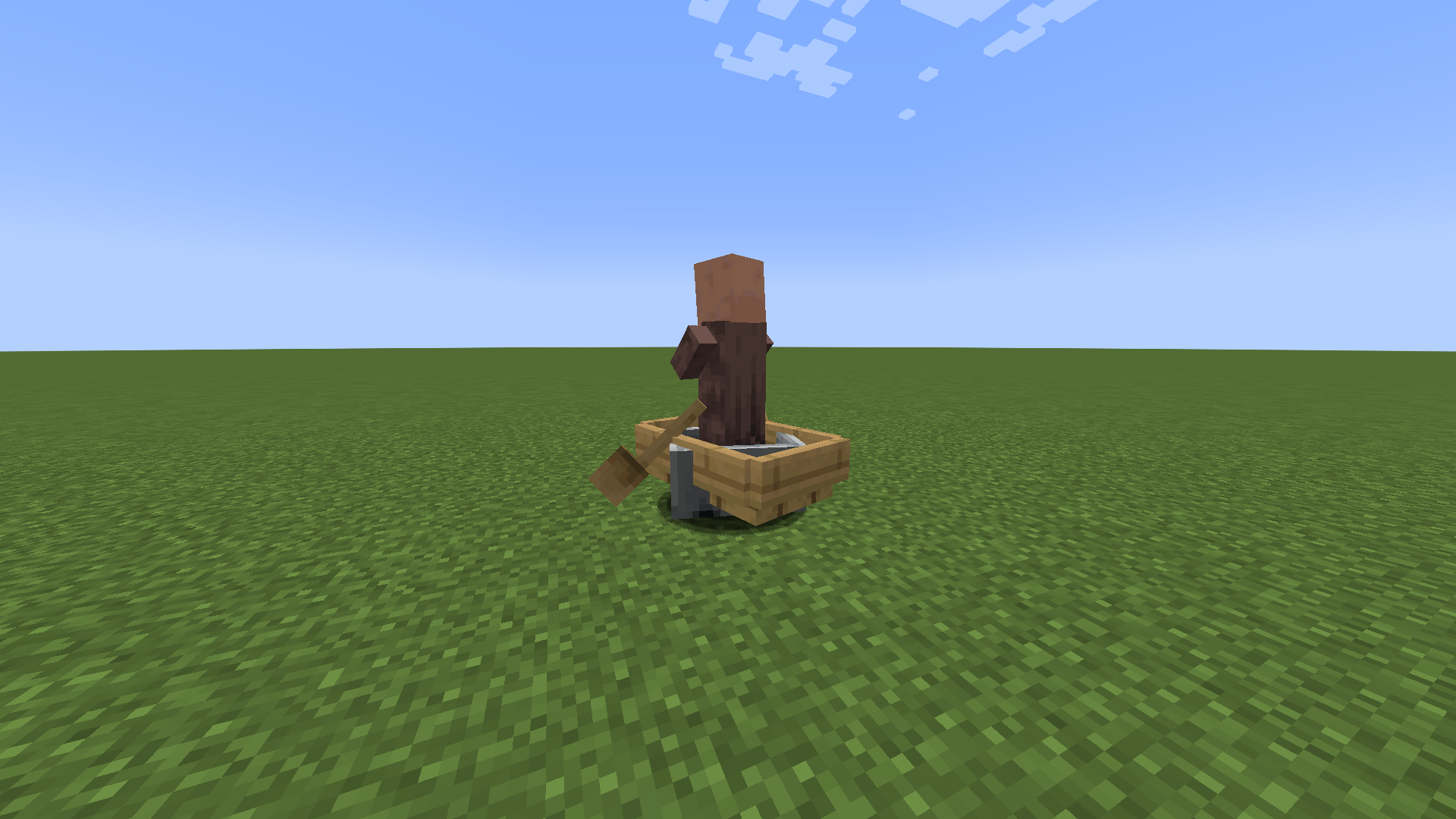
It doesn't need to be a chest boat. It can also be a regular boat with a single passanger (it can't be the player tho)
I can confirm
Relates to MC-275373
Relates to MC-275564 and MC-275563
Tip: Use a furnace minecart to reproduce since it can move on its own