 Daniel "Glampkoo"
- dude
- dude
- Europe/Stockholm
- Yes
- No
 MC-18956
 MCL-1275
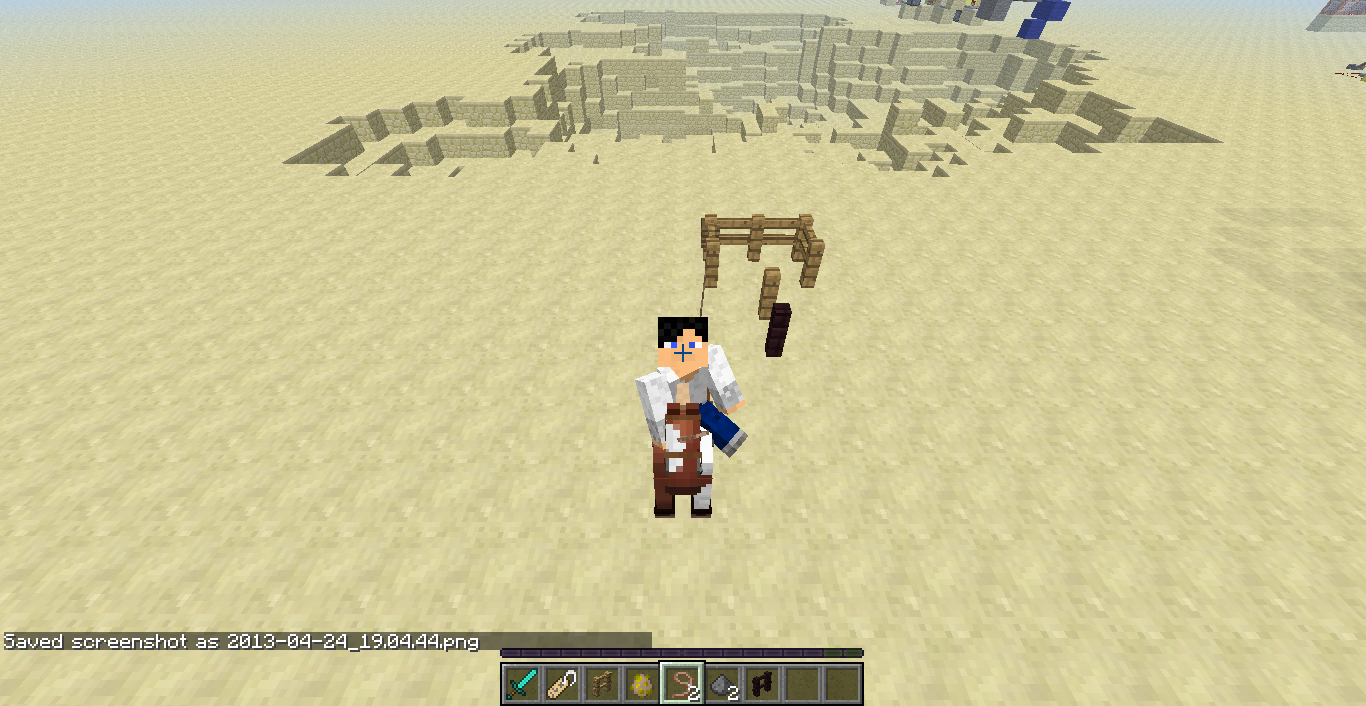
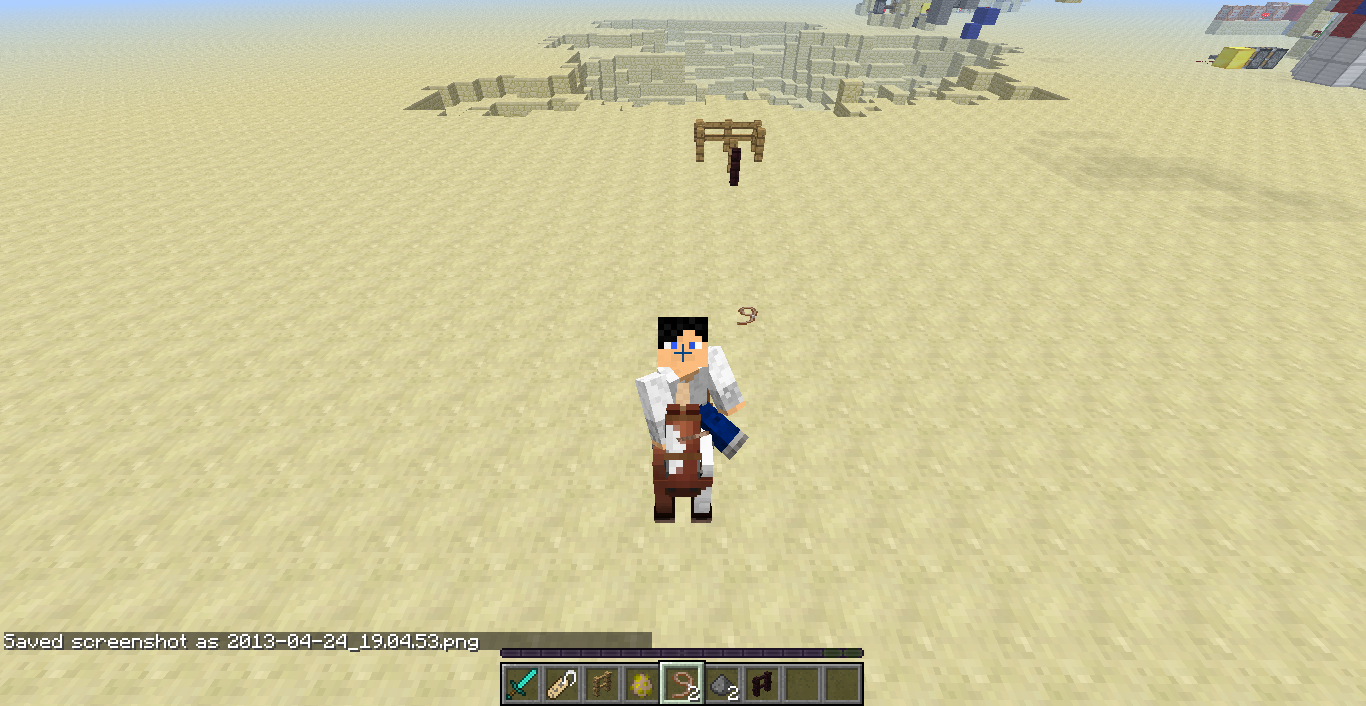
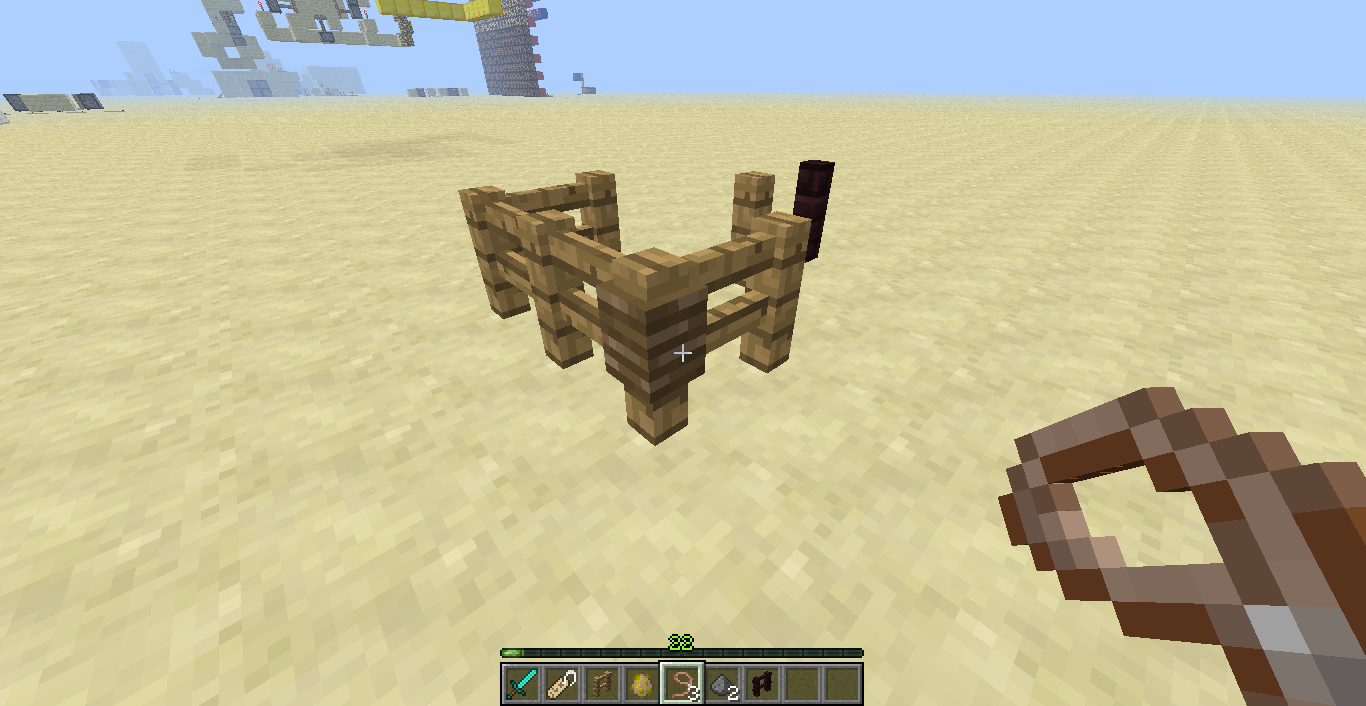
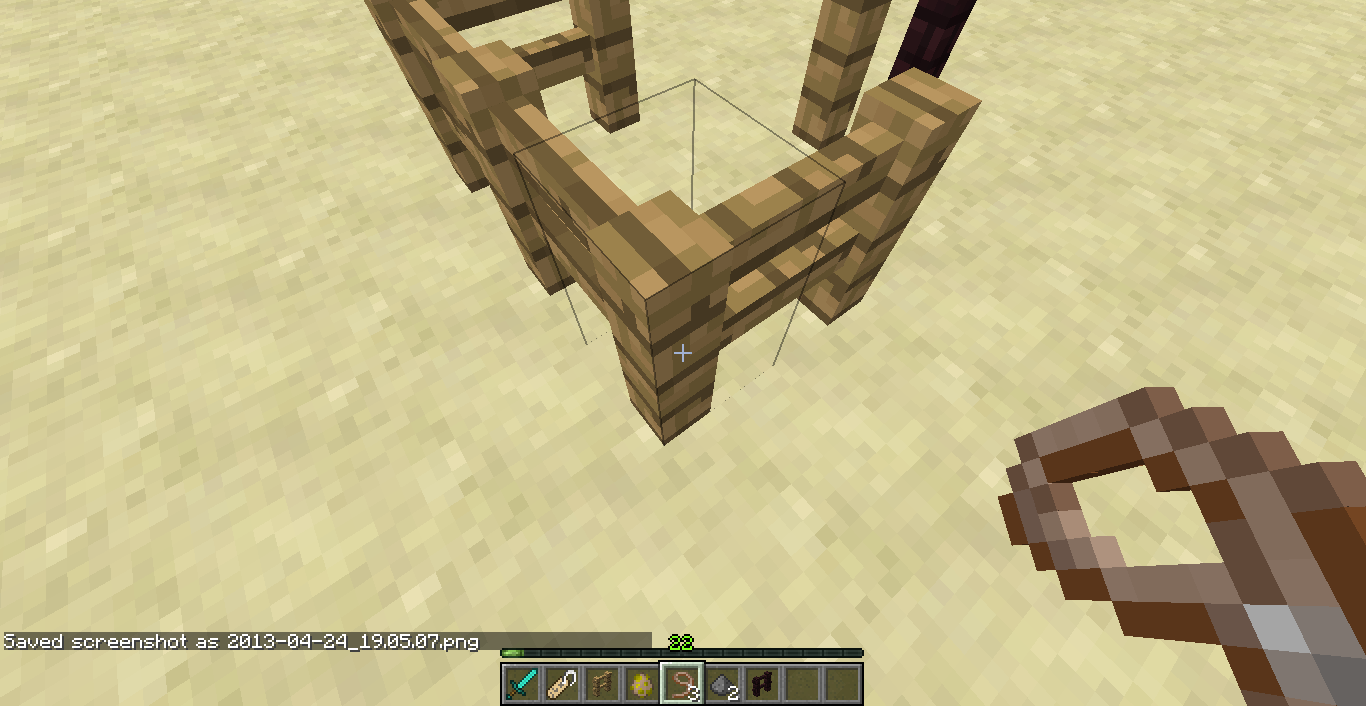
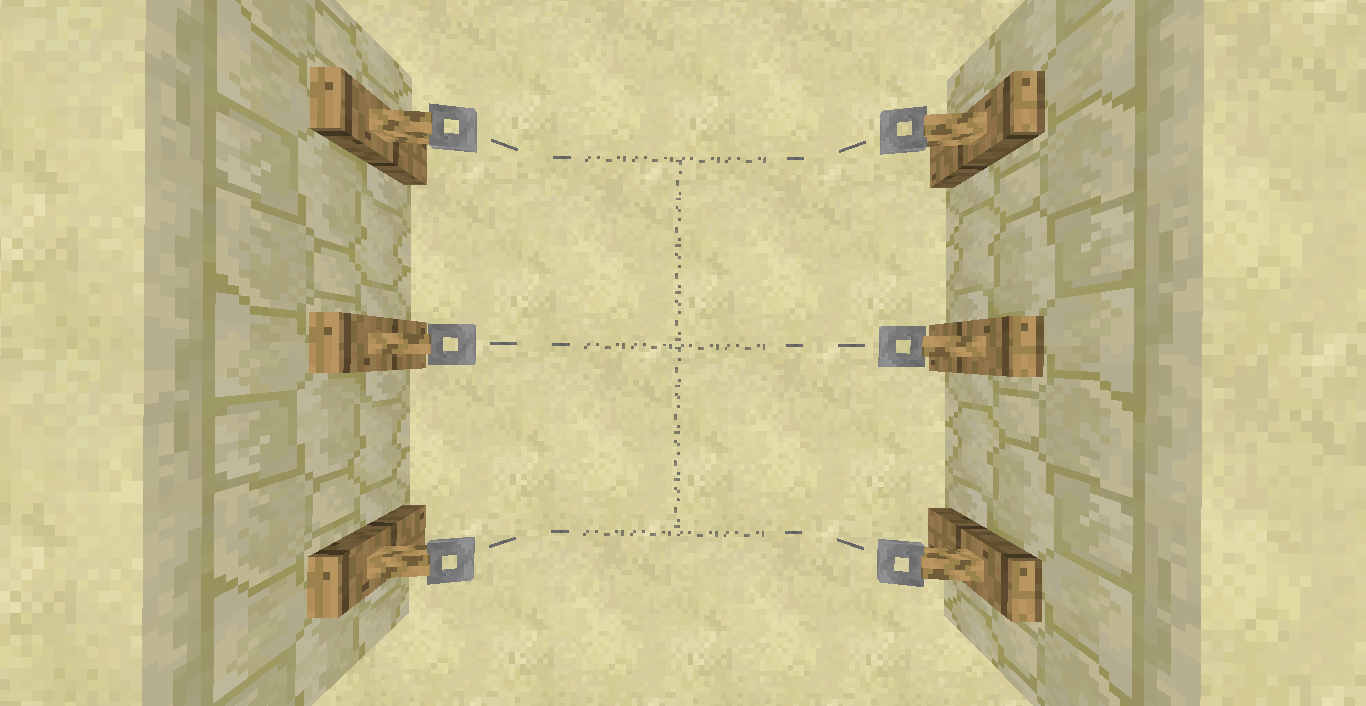
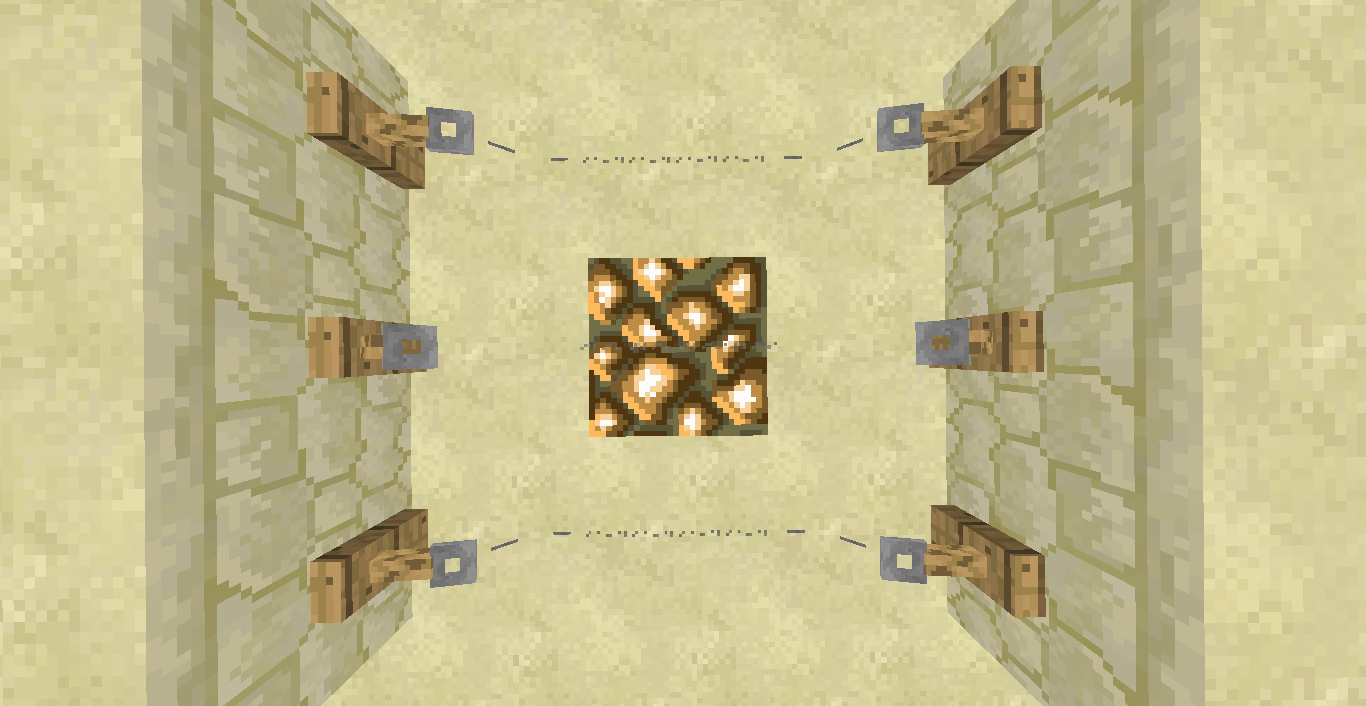
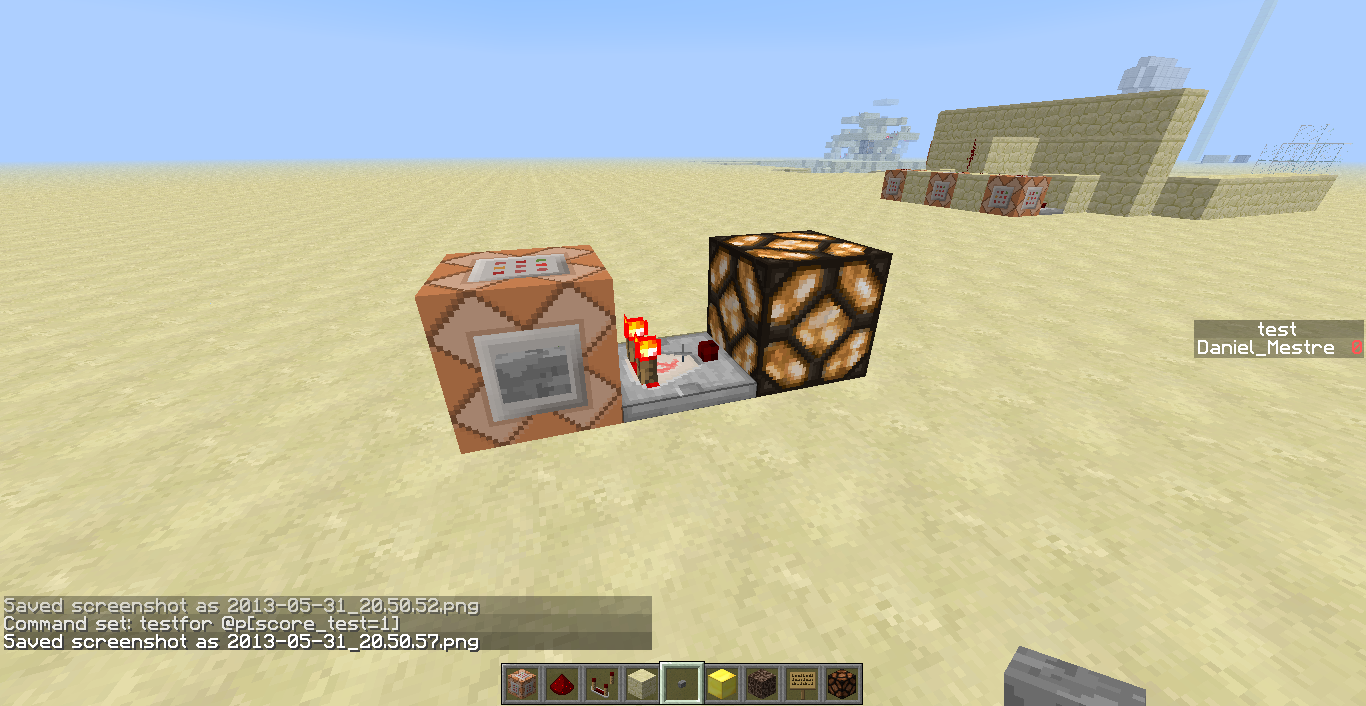



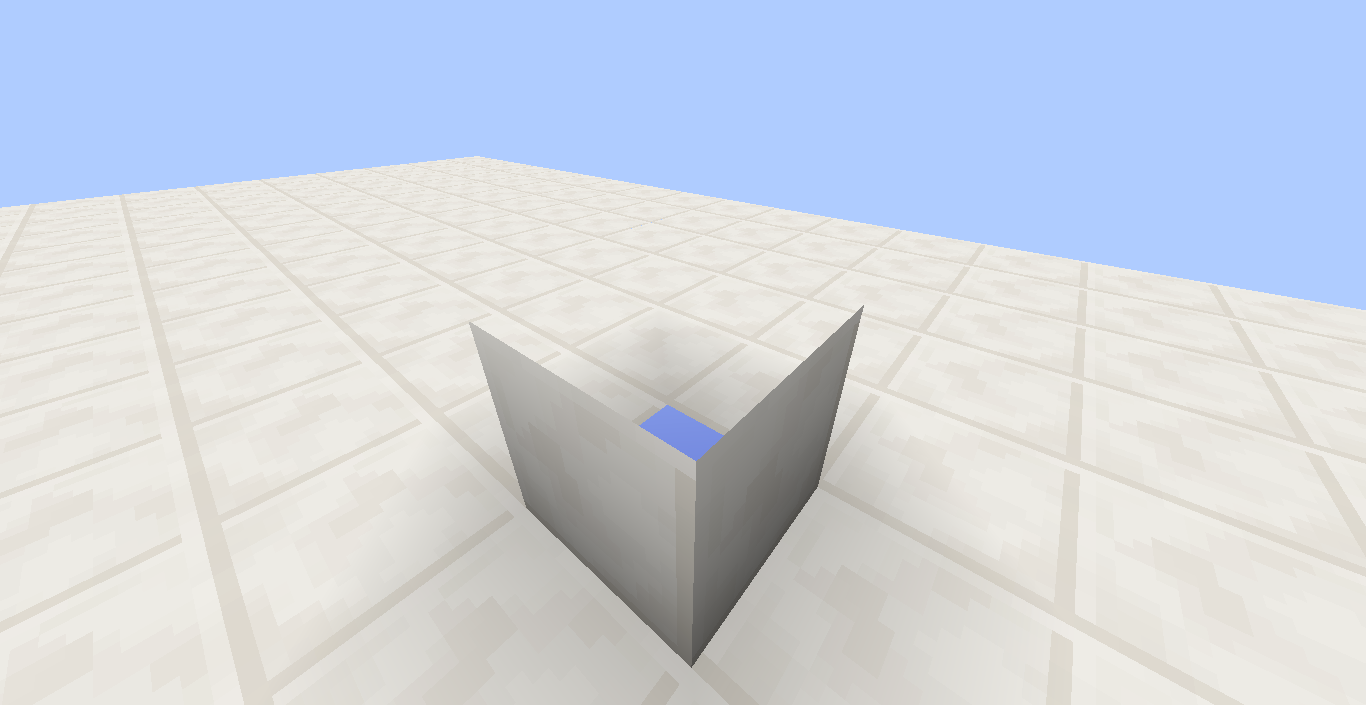
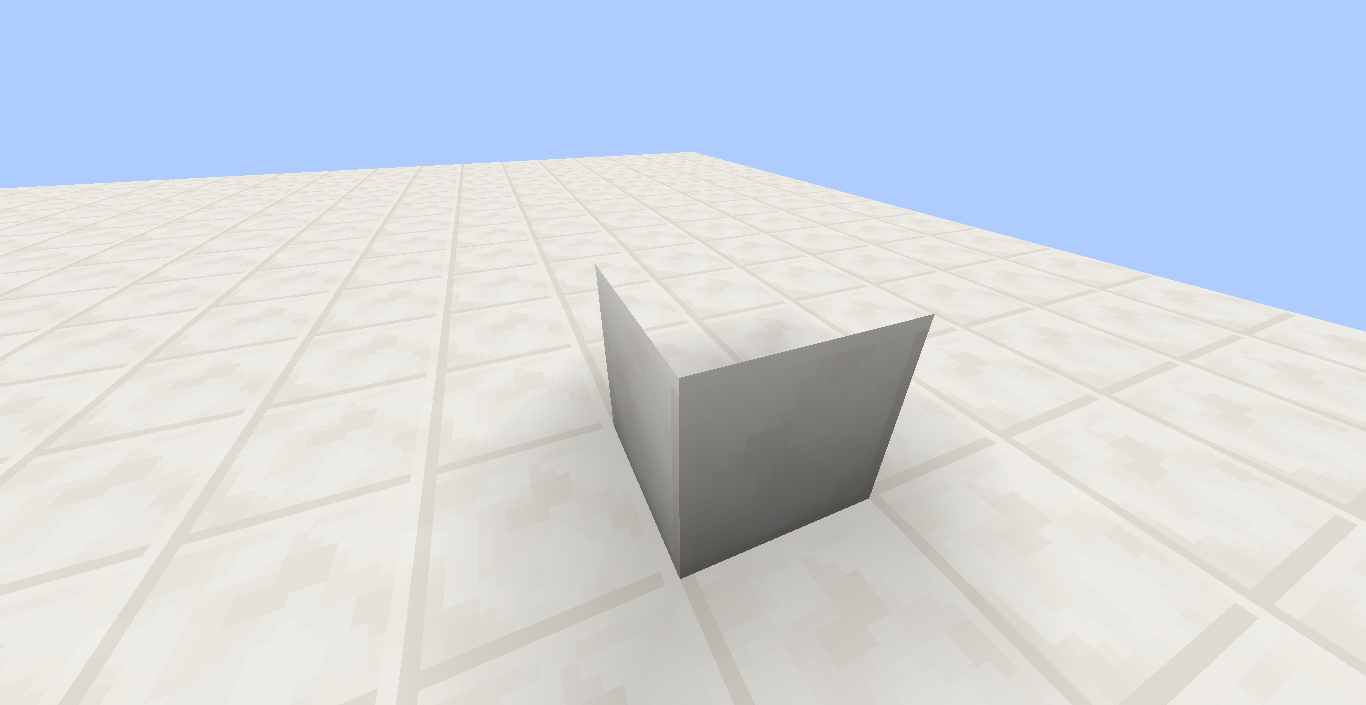


Tripwire doesn't connect on Glowstone and Ice
What should happen: The tripwire connects on a glowstone block.
What actually happened: The tripwire connected but for a really short time (1 tick) then disconnected.
Steps to reproduce:
1-Put a glowstone/ice block.
2-Place string arround the glowstone/ice.
3-Put a string on the glowstone/ice.Examples attached.
I got a crash when a minecart was spawning a cow.
What I expected to happen was
...:
This crash didn't happen in 1.5.2.What actually happened was
...:
I got a crash in 13w22a.Steps to Reproduce:
Note: I'm going to leave you with the map to reproduce the bug (make sure you use 13w22a) . I'm not going to send the link to it as this is only for bug reproducing purposes.
1. Load the map.
2. Go to choose map.A crash should appear.
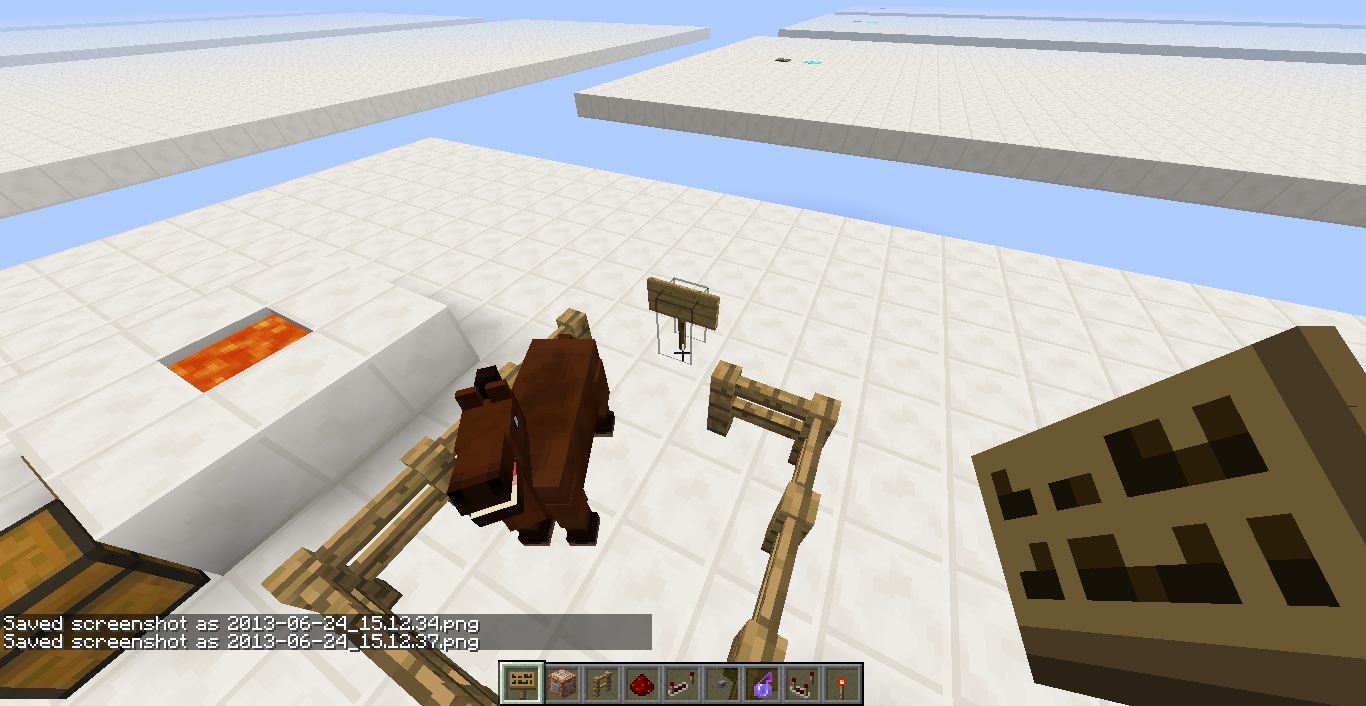
When shift-right-clicking a tamed horse with a block it will place the block and not open the inventory of the horse
What should happen:
Shift-right-clicking the horse will open its inventory.What actually happened:
It placed a block then it quickly disappeared (if it was beneath the horse).Steps to reproduce:
1-Spawn a horse.
2-Shift-right-click the horse with a block.
Note that it didn't open the horse's inventory.What should happen:
Shift-right-clicking the horse will open its inventory.What actually happened:
It placed a block then it quickly disappeared (if it was beneath the horse).Steps to reproduce:
1-Spawn a horse.
2-Tame the horse.
3-Shift-right-click the horse with a block.
Note that it didn't open the horse's inventory.
Confirmed.
hey? confirmed!
Mods? Confirmed!
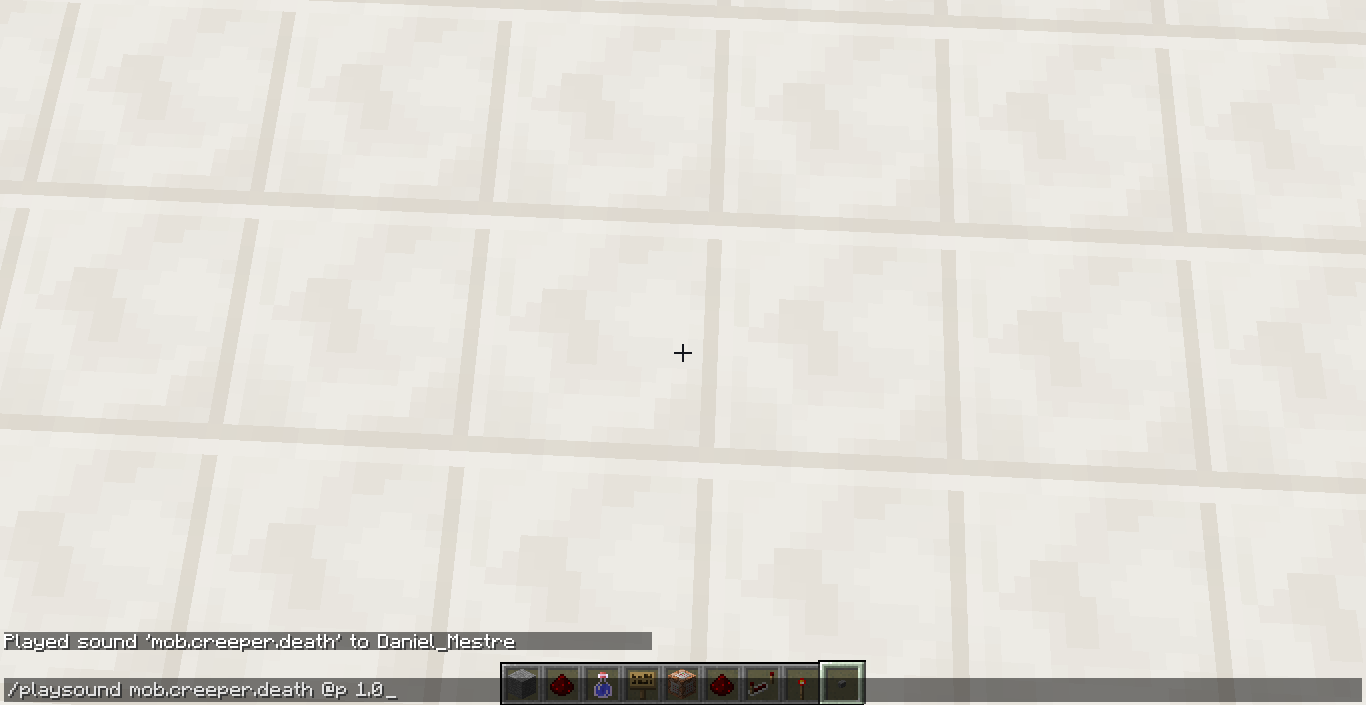
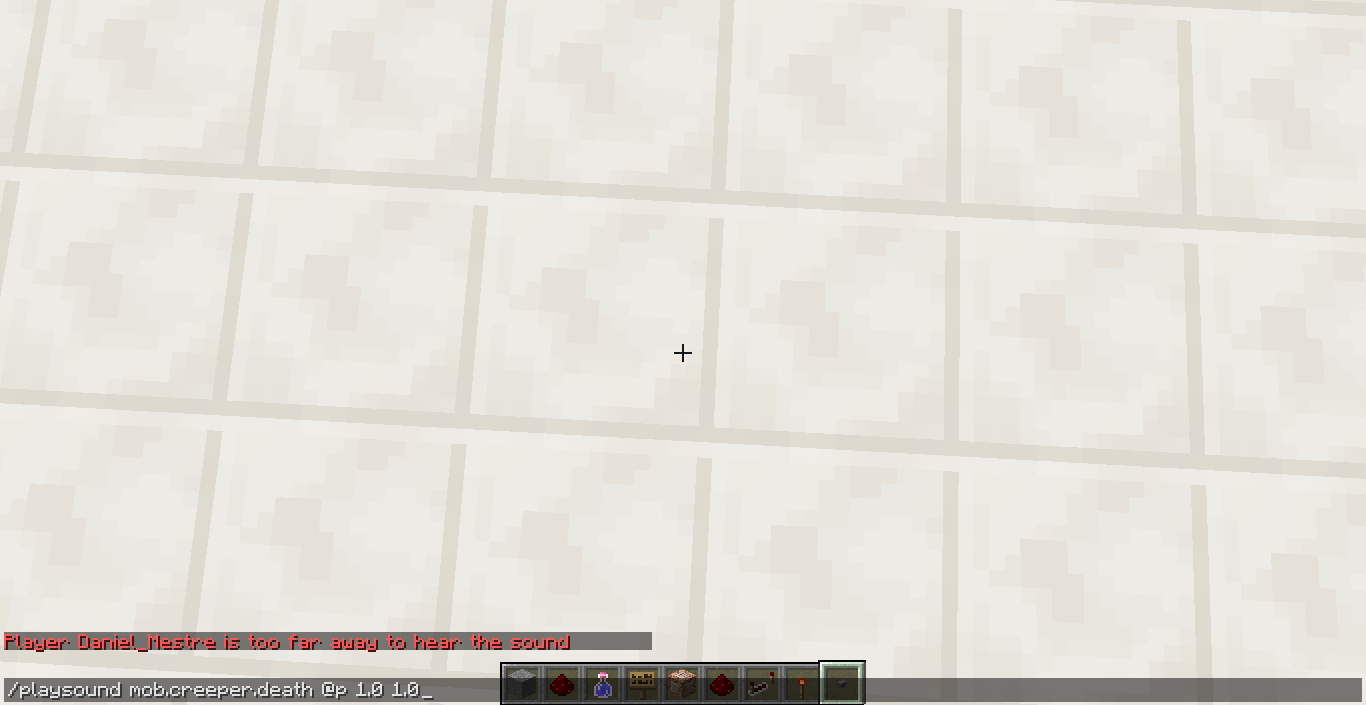
When I specify the pitch of a sound in /playsound command it gets this error:
Player <player> is too far away to hear the soundSteps to reproduce:
1-Type this in console: /playsound mob.creeper.death @p 1.0 1.0
2-Click enter.
Note that it made an error.When I specify the pitch of a sound in /playsound command it gets this error:
Player <player> is too far away to hear the soundSteps to reproduce:
1-Type this in console: /playsound mob.creeper.death @p 1.0 1.0
2-Click enter.
Note that it made an error.
Transparentblocks leave a hole on the block beneath itInvisible blocks leave a hole on the block beneath it
Invisible blocksleave aholeon the block beneath itInvisible blocks create a visual bug on the block beneath it
bump
bump.
bump.
bump
bump???
bump.
bump.
bump.
bump.
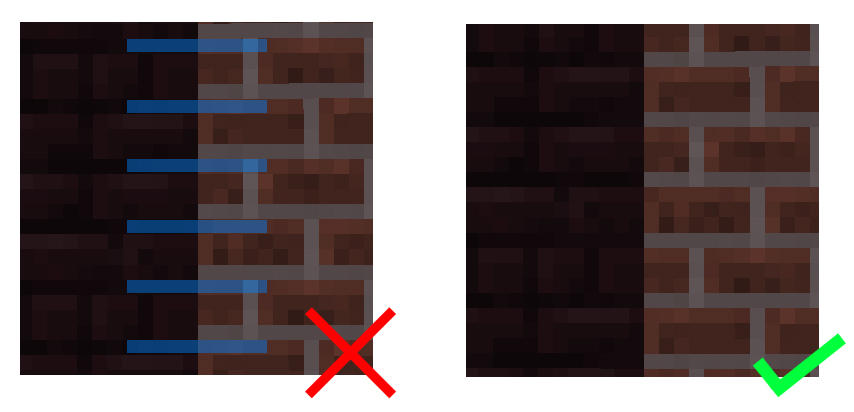
It's a texture bug. Nether brick should align with the normal clay brick because it will look more appealing. test
It's a texture bug. Nether brick should align with the normal clay brick because it will look more appealing.
test
bump.
bump.
bump.
bump.
What I was expected to happen was:
The window would adjust itself.What actually happened:
The window created grey and transparent bars.Steps to reproduce.
1-Resize to a small dimension.
2-Resize out.
You can see what it creates.Notes:
Try to do that to the launcher and compare to the game itself. You see that the launcher adjusts itself (not fast but it does) while the game doesn't until I stop dragging.
What I was expected to happen was:
The window would adjust itself.What actually happened:
The window created grey and transparent bars.Steps to reproduce.
1-Resize to a small dimension.
2-Resize out.
You can see what it creates.Notes:
Try to do that to the launcher and compare to the game itself. You see that the launcher adjusts itself (not fast but it does) while the game doesn't until I stop dragging.What I was expected to happen was:
The window would adjust itself.What actually happened:
The window created grey and transparent bars.Steps to reproduce.
1-Resize to a small dimension.
2-Resize out.
You can see what it creates.Notes:
- Try to do that to the launcher and compare to the game itself. You see that the launcher adjusts itself (not fast but it does) while the game doesn't until I stop dragging.
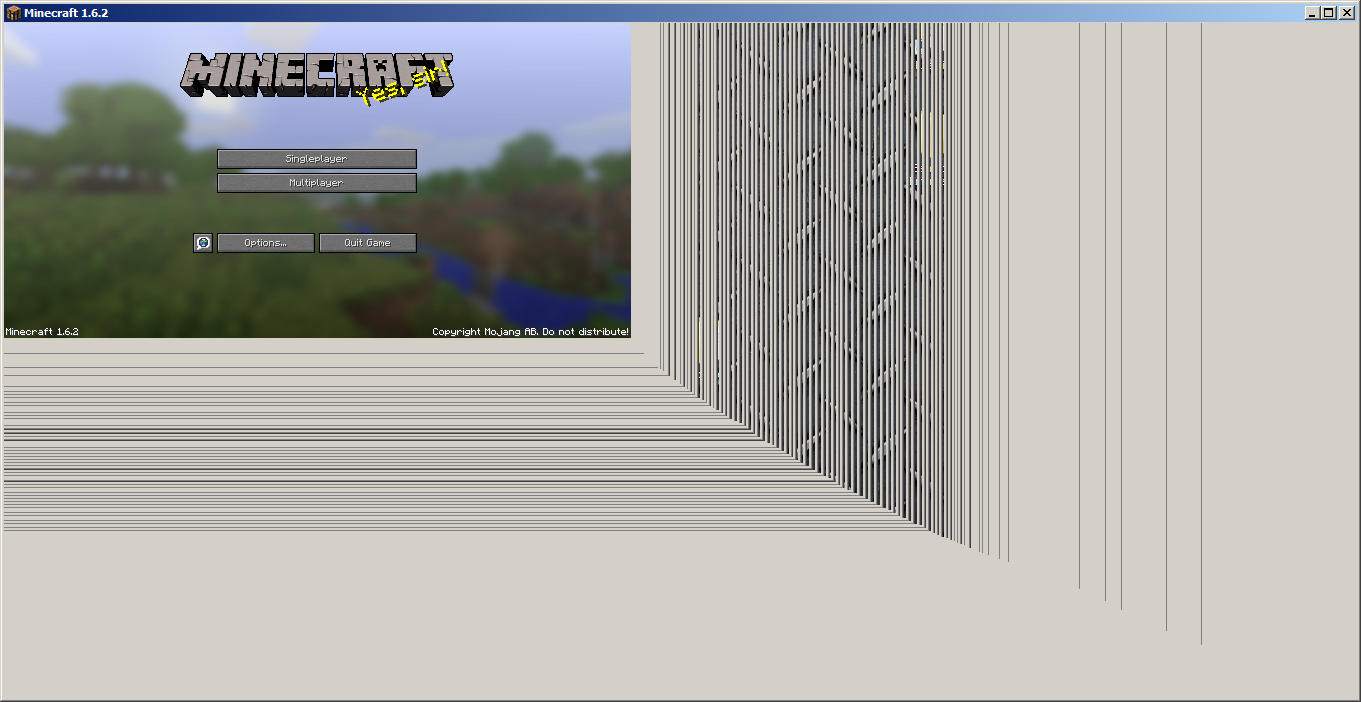
Resizing the minecraft windowout, causes to appear grey and transparent bars whiledragging.The minecraft window doesn't adjusts itself when dragging
What I was expected to happen was:
The window would adjust itself.What actually happened:
The windowcreated grey and transparent bars.Steps to reproduce.
1-Resize to a small dimension.
2-Resize out.
You can see what itcreates.Notes:
- Try to do that to the launcher and compare to the game itself. You see that the launcher adjusts itself (not fast but it does) while the game doesn't until I stop dragging.
What I was expected to happen was:
The window would adjust itself.What actually happened:
The window doesnt'..Steps to reproduce.
1-Resize to a small dimension.
2-Resize out.
You can see what it doesn't do.Notes:
- Try to do that to the launcher and compare to the game itself. You see that the launcher adjusts itself (not fast but it does) while the game doesn't until I stop dragging.
Steps to reproduce:
1-Get the appropriate tool for the right block.
2-Mine the block.
3-Right after destroying it, throw the tool. (Timing is very important!)
4-After that you see the block disappear but it's not a ghost block instead a normal one. If you pick the tool it will reappear.Example shown in the attachment
(I
Steps to reproduce:
1-Get the appropriate tool for the right block.
2-Mine the block.
3-Right after destroying it, throw the tool. (Timing is very important!)
4-After that you see the block disappear but it's not a ghost block instead a normal one. If you pick the tool it will reappear.Example shown in the attachment
(ISteps to reproduce:
1-Get the appropriate tool for the right block.
2-Mine the block.
3-Right after destroying it, throw the tool. (Timing is very important!)
4-After that you see the block disappear but it's not a ghost block instead a normal one. If you pick the tool it will reappear.Example shown in the attachment
(If the gif takes too long to load, right-click the gif,
Steps to reproduce:
1-Get the appropriate tool for the right block.
2-Mine the block.
3-Right after destroying it, throw the tool. (Timing is very important!)
4-After that you see the block disappear but it's not a ghost block instead a normal one. If you pick the tool it will reappear.Example shown in the attachment
(If the gif takes too long to load, right-click the gif, save link as... and load it with a media player.
Steps to reproduce:
1-Get the appropriate tool for the right block.
2-Mine the block.
3-Right after destroying it, throw the tool. (Timing is very important!)
4-After that you see the block disappear but it's not a ghost block instead a normal one. If you pick the tool it will reappear.Example shown in the attachment
(If the gif takes too long to load, right-click the gif, save link as... and load it with a media player.)
Steps to reproduce:
1-Get the appropriate tool for the right block.
2-Mine the block.
3-Right after destroying it, throw the tool. (Timing is very important!)
4-After that you see the block disappear but it's not a ghost block instead a normal one. If you pick the tool it will reappear.Example shown in the attachment
(If the gif takes too long to load, right-click the gif, save link as... and load it with a media player.)Steps to reproduce:
1-Get the appropriate tool for the right block.
2-Mine the block.
3-Right after destroying it, throw the tool. (Timing is very important!)
4-After that you see the block disappear but it's not a ghost block instead a normal one. If you pick the tool it will reappear.Example shown in the attachment.
(If the gif takes too long to load, right-click the gif, save link as... and load it with a media player.)
Steps to reproduce:
1-Get the appropriate tool for the right block.
2-Mine the block.
3-Right after destroying it, throw the tool. (Timing is very important!)
4-After that you see the block disappear but it's not a ghost block instead a normal one. If you pick the tool it will reappear.Example shown in the attachment.
(If the gif takes too long to load, right-click the gif, save link as... and load it with a media player.)Steps to reproduce:
1-Get the appropriate tool for the right block.
2-Mine the block.
3-Right after destroying it, throw the tool. (Timing is very important!)
4-After that you see the block disappear but it's not a ghost block instead a normal one. If you pick the tool it will reappear.Example shown in the attachment.
(If the gif takes too long to load, right-click the gif, save link as... and load it with a media player).
When throwing a tool right after destroying a block, it willdisappear, and it willreappear after picking up the tool.When throwing a tool right after destroying a block, it will reappear, and it will disappear after picking up the tool.
Steps to reproduce:
1-Get the appropriate tool for the right block.
2-Mine the block.
3-Right after destroying it, throw the tool. (Timing is very important!)
4-After that you see the blockdisappear but it's not a ghost block instead a normal one. If you pick the tool it willreappear.Example shown in the attachment.
(If the gif takes too long to load, right-click the gif, save link as... and load it with a media player).Steps to reproduce:
1-Get the appropriate tool for the right block.
2-Mine the block.
3-Right after destroying it, throw the tool. (Timing is very important!)
4-After that you see the block reappear but it's not a ghost block instead a normal one. If you pick the tool it will disappear.Example shown in the attachment.
(If the gif takes too long to load, right-click the gif, save link as... and load it with a media player).
Steps to reproduce:
1-Get the appropriate tool for the right block.
2-Mine the block.
3-Right after destroying it, throw the tool. (Timing is very important!)
4-After that you see the block reappear but it's not a ghost block instead a normal one. If you pick the tool it will disappear.Example shown in the attachment.
(If the gif takes too long to load, right-click the gif, save link as... and load it with a media player).
Steps to reproduce:
1-Get the appropriate tool for the right block.
2-Mine the block.
3-Right after destroying it, throw the tool. (Timing is very important!)
4-After that you see the block reappear but it's not a ghost block instead a normal one. If you pick the tool it will disappear.Example shown in the attachment.
(If the gif takes too long to load, right-click the gif, save link as... and load it with a media player).
When throwing atoolright after destroying a block,it willreappear, and it will disappear after picking up thetool.Throwing an item right after destroying a block, makes it reappear, and it will disappear after picking up the item.
Steps to reproduce:
1-Get the appropriate tool for the rightblock.
2-Mine the block.
3-Right after destroying it, throw thetool. (Timing is very important!)
4-After that you see the block reappear but it's not a ghost block instead a normal one. If you pick thetool itwill disappear.Example shown in the attachment.
(If the gif takes too long to load, right-click the gif, save link as... and load it with a media player).Steps to reproduce:
1-Mine a block.
2-Right after destroying it, throw the holding item. (Timing is very important!)
3-After that you see the block reappear but it's not a ghost block instead a normal one. If you pick the item, the block will disappear.Example shown in the attachment.
(If the gif takes too long to load, right-click the gif, save link as... and load it with a media player).
Steps to reproduce:
1-Mine a block.
2-Right after destroying it, throw the holding item. (Timing is very important!)
3-After that you see the block reappear but it's not a ghost block instead a normal one. If you pick the item, the block will disappear.Update: I found out that if you wait 8-9 seconds after the block reappeared, it would disappear.
Example shown in the attachment.
(If the gif takes too long to load, right-click the gif, save link as... and load it with a media player).
Yes, I reproduced it and it is indeed a bug.
@Alexander That's very annoying.
Confirmed in 1.5pre1 mojang fix this, this is a major problem!
Lol I thought this was work as intended.
Great job dinnerbone! You squashed this big bug!
@Jelmer Why it won't be fixed in 1.5? Why not? All of the bugs can be fixed in the official launch! (13/3/13)
Can you give me an example when sites use ports? If yes then I can confirm this issue.
Confirmed for 1.5pre
Confirmed in 1.5pre. Also the skin is reverted back to default skin when you wait long enough.
Can't reproduce in 1.5
Confirmed in 1.5pre
Confirmed in 1.5pre
Confirmed in 1.5pre
Confirmed in 1.5pre
Confirmed in 1.5pre Your torch goes very dark.
Couldn't reproduce in 1.5pre
Confirmed in 1.5pre
Confirmed in 1.5pre
Duplicate of
MC-2555.Confirmed in 1.5pre Uff! This was difficult to reproduce.
Confirmed in 1.5pre.
Cannot reproduce in 1.5pre
This ticket was formatted incorrectly. Please follow the Guidelines.
Cannot reproduce.
Add labels to avoid more duplicates.
The problem is fixed why are you complaining?
Change the title. 13w01b is history now.
Ymus, do you know what is the issue of when the health objective is used it represents as 0 before the health of the player isn't changed?
Oh my god so many dups!
I know but can you tell me before I can make a duplicate?
Cannot reproduce.
Confirmed.
http://i.imgur.com/SY83XWe.png
http://i.imgur.com/0rEZhz8.png
Confirmed. When they move they sound very weird.
Confirmed, but I honestly think that this shouldn't be consider this a bug. It is but a very, very minor one. Doesn't affect the game.
Confirmed. This issue started in 13w11+
Cannot reproduce.
Confirmed.
Items display description after cursor not behind it.
Work as intended. Also this is a bug tracker for unmodified minecraft.jar.
Successfully reproduced this bug but not with baby wolf. I'm not sure how, but this relates to
MC-119.Successfully reproduced this bug by making a water current and spawning some mobs inside it.
Unable to reproduce.
If you place a minecart in a powered rail nothing happens. If you touched it somehow or you rid it and you press forward and nothing happened, then that's a bug. I should say that this is work as intended.
Cannot reproduce. Did exactly as shown in the screenshot.
Cannot reproduce in 1.5.1 this should be marked as fixed in 1.5.1
Cannot reproduce. Maybe mojang servers where down when you were trying to log in to the servers?
Also vote up if you confirm any bugs.
Duplicate of
MC-596, please use search function before reporting a bug.Creepers don't despawn during mid-day.
Confirmed.
Ymus, how does one becomes a mod?
@Jeb he removed it to support map makers. (I think)
Then close this ticket as Cannot reproduce then reopen when thuring'll have a screenshot.
No it isn't
Tails can you explain me how you find duplicates so easily?
@TAILS how do you find duplicates so easily?!
If we all want a BUD block like they promised us someone(me) should make a petition: •insert ad here• http://www.change.org/petitions/mojang-ab-minecraft-developers-add-bud-block-to-minecraft
Confirmed and vote up.
Confirmed and vote up. Reproducible if you delete or move your .minecraft folder, initialize minecraftdev.exe download the snapshot and this happens.
Search function doesn't get me the bug. Period.
Can you please add more labels to avoid duplicates?
The entity doesn't have enough time to realize that it isn't attached. Confirmed but the description should be changed for "doesn't remove the leash for 3-4 seconds.
And somebody can make the description and title better?
lead, fence, post. i don't know something.
Duplicate of
MC-15416Confirmed. very annoying specially in my parkour map ruins it all.
I don't think that has something to do with that bug.
Remember to vote if this issue happens to you!
How to reproduce:
1-Have 5 hearts of hunger not replenished.
2-Eat a meat item.
3-Profit??
@Lasse I know there's no profit from the bug. I mean profit that you can reproduce the bug!
Well that should be score_name_max maximum while score_name should be the exact number that it says. Very weird intended feature.
Well the launcher didn't say to me to use the search function it only redirectioned me to make a bug report.
How is this a community consensus? This should be confirmed!
Duplicate of
MC-17222They could just added custom name tag just like in tile entities.
Confirmed.
Yes this has been fixed good job dinny!
Confirmed.
Confirmed for all versions until 13w25b
Video explaining how to reproduce it: http://youtu.be/SRWUra8PvVo
Still confirmed for all versions until the most recent.
Confirmed.
Works as intended just as Th3F4114n0n3 said.
This happens because spawn eggs use different damage value and unexisting ID will automatically give you a plain spawn egg.
Incomplete.
Please describe the bug and how you managed to get it.
Duplicate. Mods please close this as duplicate.
Cannot reproduce.
My brain can't compute how is this a feature.
You need to right-shift-click the horse with a sign (f.e.) and point to a place where you can place block.
Ok, edited. You need it with a tamed horse.
Yeah. I got that too. I don't know what happened on that time.
No this isn't invalid this is works as intended.
Dinnerbone why can't you fix it?
Confirmed.
Minecraft can lack realism but this!
"This not a bug, it's a feature!" = Nonsense.
You can't reproduce custom sounds. That feature isn't in game. (yet)
It should be called cobblestone stairs.
Confirmed.
*insert grum's: this feature is work as intended.
why is this work as intended? GRUM I'm going to call you now grumtended!
@Pedro Are you telling me that I'm an inanimate object?
It's ok!
Duplicate of
MC-19082Duplicate of
MC-19223Incomplete. Please see the how to write helpful bugs before posting one.
Post a crash report. It's in the .minecraft/crash-reports or something like that. Then just attach it here and we will see it!
Duplicate of MC-1794
Please post a crash report.
Duplicate of
MC-13632I think.Yes it actually is a duplicate of
MC-20165. I compared both crash reports and they are very similar.Do you have any idea to how reproduce it? Or this will close as Cannot reproduce
"Suspicious classes: FML and Forge are installed" This is for unmodded vanilla only bug reports. Invalid
Yes it is a duplicate of
MC-19082Incomplete. Please see how to write helpful bugs before posting one.
Possibily a duplicate of
MC-15173Duplicate of
MC-15072.Works as Intended. This was made to balance the game so you don't have super tools.
It shows for me the team name not the colour name. Maybe your team is called green?
FIXED??? But there are no assignees?
What do you mean by say something to your friend? Are you using /msg or just normal chat?
can you please close this as cannot reproduce please?
Confirmed.
Confirmed.
Confirmed.
Duplicate of
MC-15072Duplicate of MC-20163
Also you exit or crash?
Incomplete.
Please attach a full crash-report.
Yup, duplicate of
MC-20394Yes it is a duplicate of
MC-17493I don't think baby zombies burn in the sun.
How much memory do you allocate?
Offline Lan?
Duplicate of
MC-20394Incomplete. Please provide a crash report.
Incomplete. Please provide a crash report.
Duplicate of
MC-18627@Michael I think your problem is
MC-15072Can you tell me where did you get that crash-report?
Maybe the servers went down when you tried to log in with your account.
@crazyman You should discuss this on
MC-15072It means yes or true
Works as Intended.
That doesn't look like a minecraft error. It's a Java Error.
Failed to write core dump. Minidumps are not enabled by default on client versions of WindowsIs that the error?
I think this might help you http://kb.acronis.com/content/2191
Incomplete.
Affects 1.6.1 and 1.6.2
"This is a new map made by hypixel! Let's see the lobby. Oh look there's a glowstone! Oh wait we can break the glowstone because in adventure mode you can break transparent block! *breaks *
Glampkoo fell out of the world."
@Alijah Yes it is.
That's true @Manuel
My laptop has a nvidia geforce graphic card and still slow. (from 1.5.2 to 1.6.x)
70 votes. No, no, not work as intended. Or they will disappoint a lot of people.
Confirmed for 1.6.2
Nope it isn't. Mark as work as intended because there is one gamerule to prevent this.
/gamerule doTileDrops false"What? There is a feature that I consider a bug and I want my money back" Calm the heck down.
@Kenzie The feel free to report it! That's another issue!
But there must be an exception!
Wait "he had minecraft 2"?
I have another laptop which is pretty good amd graphics with intel core i5 and these lines don't appear!
I think this relates to
MC-22395If you would close the main one it would close the launcher. But closing the launcher on the main bar doesn't work.
ok. But nobody confirms or marks as something.
Added.
EDIT: I don't think the crash report can help because it only says what's in the game, the information about the machine, operating system and the Java version.
Also try to do that to the launcher and compare to the game itself. You see that the launcher adjusts itself while the game doesn't until I stop dragging.
Ok so the issue here is different. The minecraft window doesn't adjusts itself when dragging.
What if I cannot close the game, isn't that a bug?
Because it's a function for every window.
ALLELUIA! Results! So LWGJL is the guilty one.
Thank you EvilSeph for fixing this!
That's because you used a version that isn't even yet available.
Don't use future versions.
That's a very annoying "feature". +1 for not WAI
Indeed. I discovered this when I was mining and I accidentally throw my pickaxe and this happened.
Made some changes in the summary and the description.
Confirmed and happens on all tools and weapons. Not only pickaxes. BTW hi from reddit!
I was building some stuff then it crashed the game now I can't access the world!
+1 Confirmed
Still in 1.7.4
Still in the most recent version!
To fix this issue in game you could try this.
When you finished sleeping, throw your compass, then type /setworldspawn.
Save the world and then re-enter it. Receive back the compass and now it works.
Well that's completely stupid.
No I'm fine with the rest of the enchantment mechanics. What it should do is show the hints for the amount of the lapis lazulli you are inputting.
I put the book in the enchantment table and I see Knockback II. Oops I'm going to have a useless enchantment. I prefer the randomness instead of knowing the bad.
Note that I'm calling completely stupid the part that it shows the hints for the bad enchantments.
So I need to waste an enchantment, gain a level and do it again.
It surely is better than wasting whole 30 levels and gaining a bad OR good enchantment but it's still sometimes an impractical use.
Still present in the most recent version of the launcher.
Confirmed.