 RedCMD
- RedCMD
- redcmd
- Pacific/Auckland
- Yes
- No
 MC-134002
 Low
Low MCL-12149
![[Mojang] slicedlime](../../../data/assets/gravatar/slicedlime.jpeg)
![[Mojang] Bartosz Bok](../../../data/avatars/users/10122.svg)
![[Mojang] Chi Wong](../../../data/avatars/users/18941.svg)
![[Mojang] Billy Sjöberg](../../../data/avatars/users/42806.png)
 Normal
![[Mojang] Gnembon](../../../data/avatars/users/93709.png)
![[Mojang] Matthew Gatland](../../../data/avatars/users/43046.png)
![[Mojang] Felix Jones](../../../data/avatars/users/40484.png)
![[Mod] Jiingy](../../../data/avatars/users/91802.png)


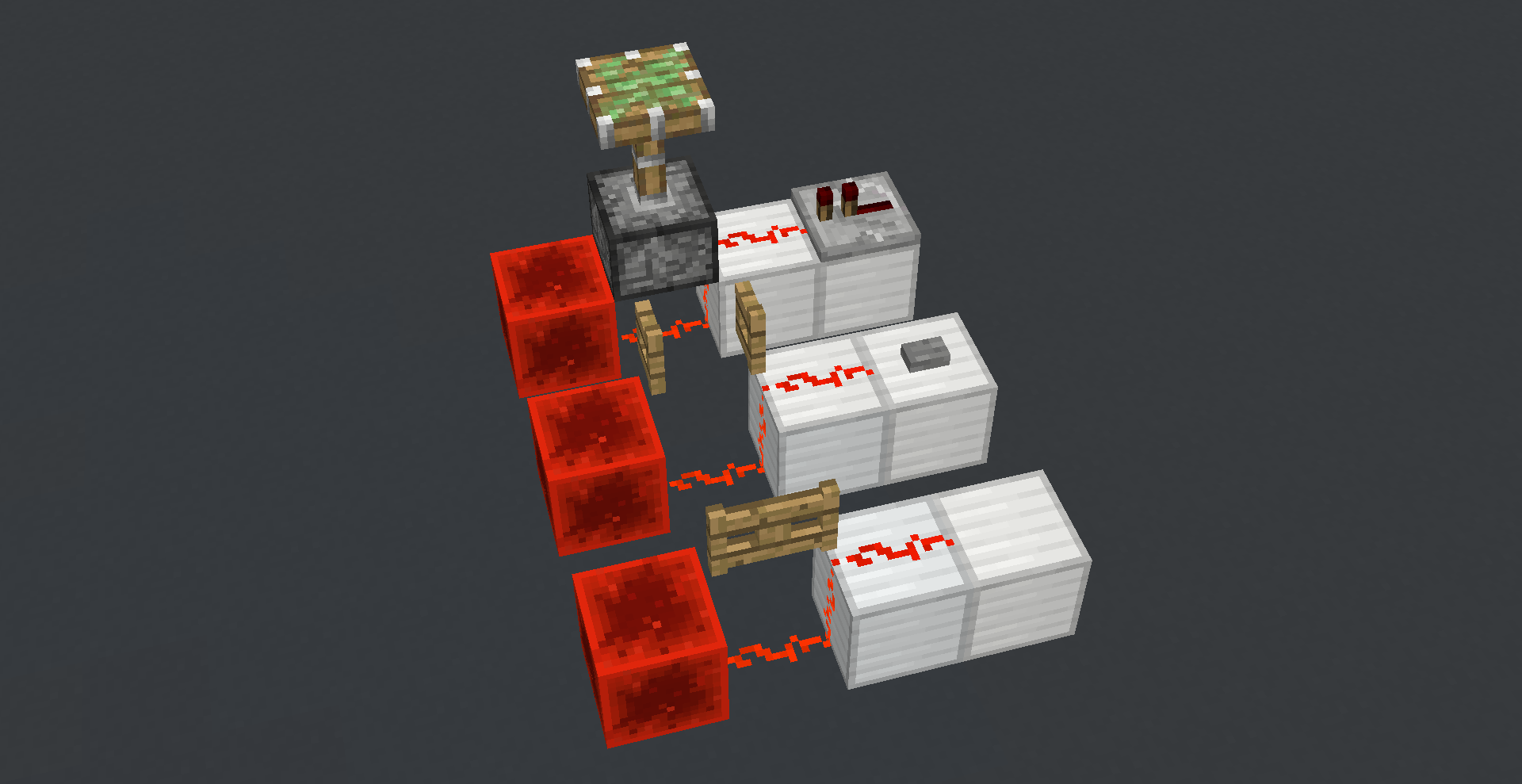
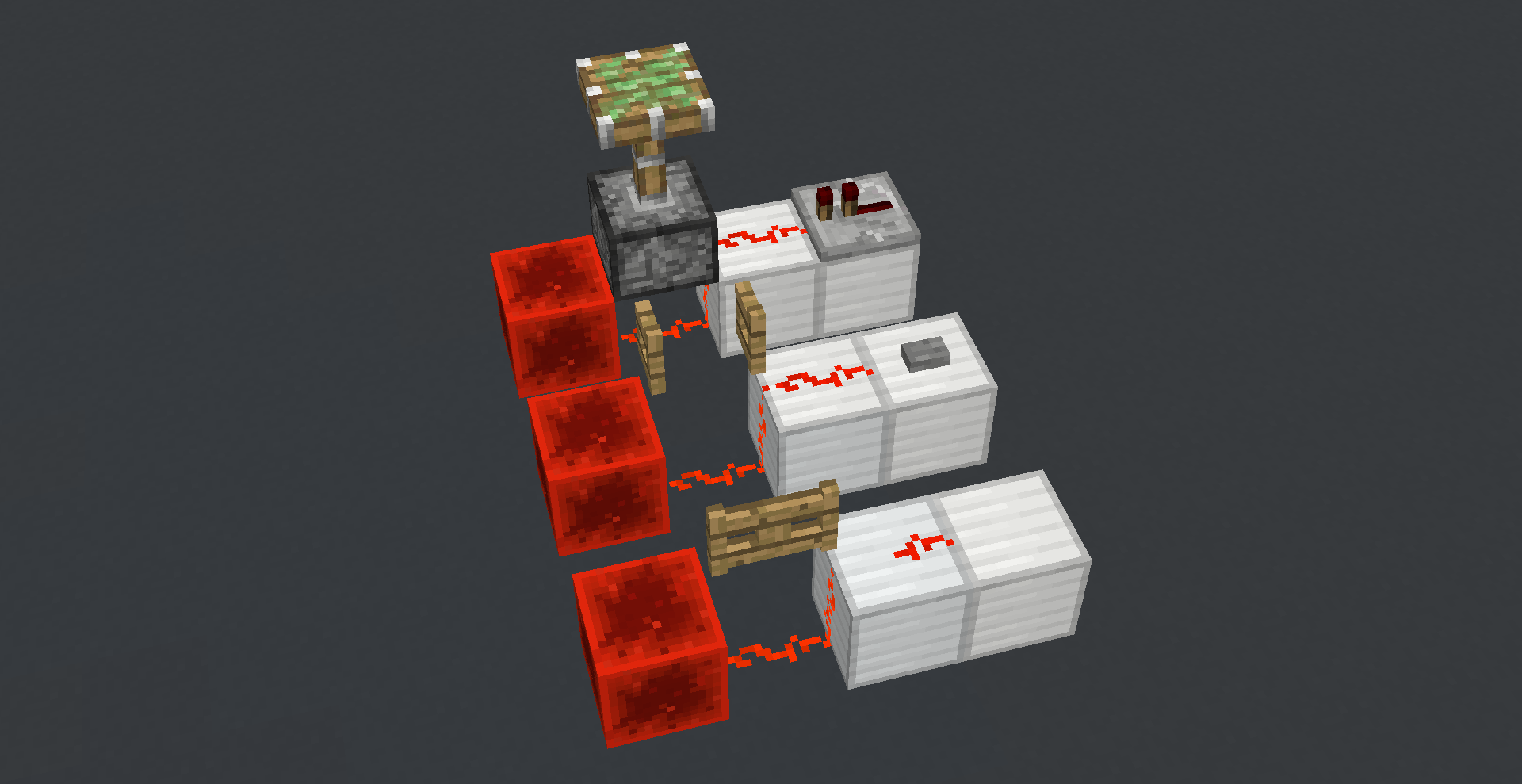
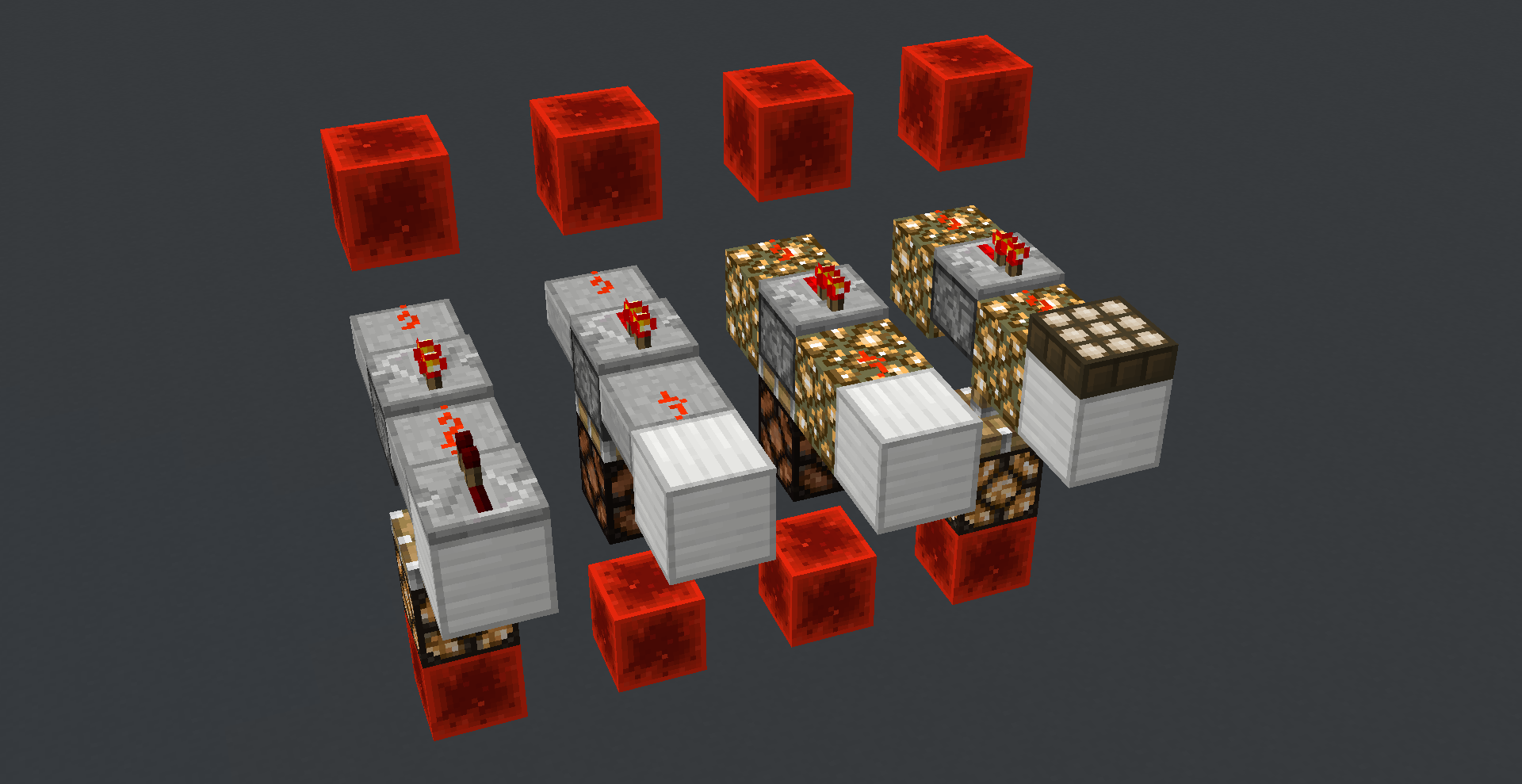
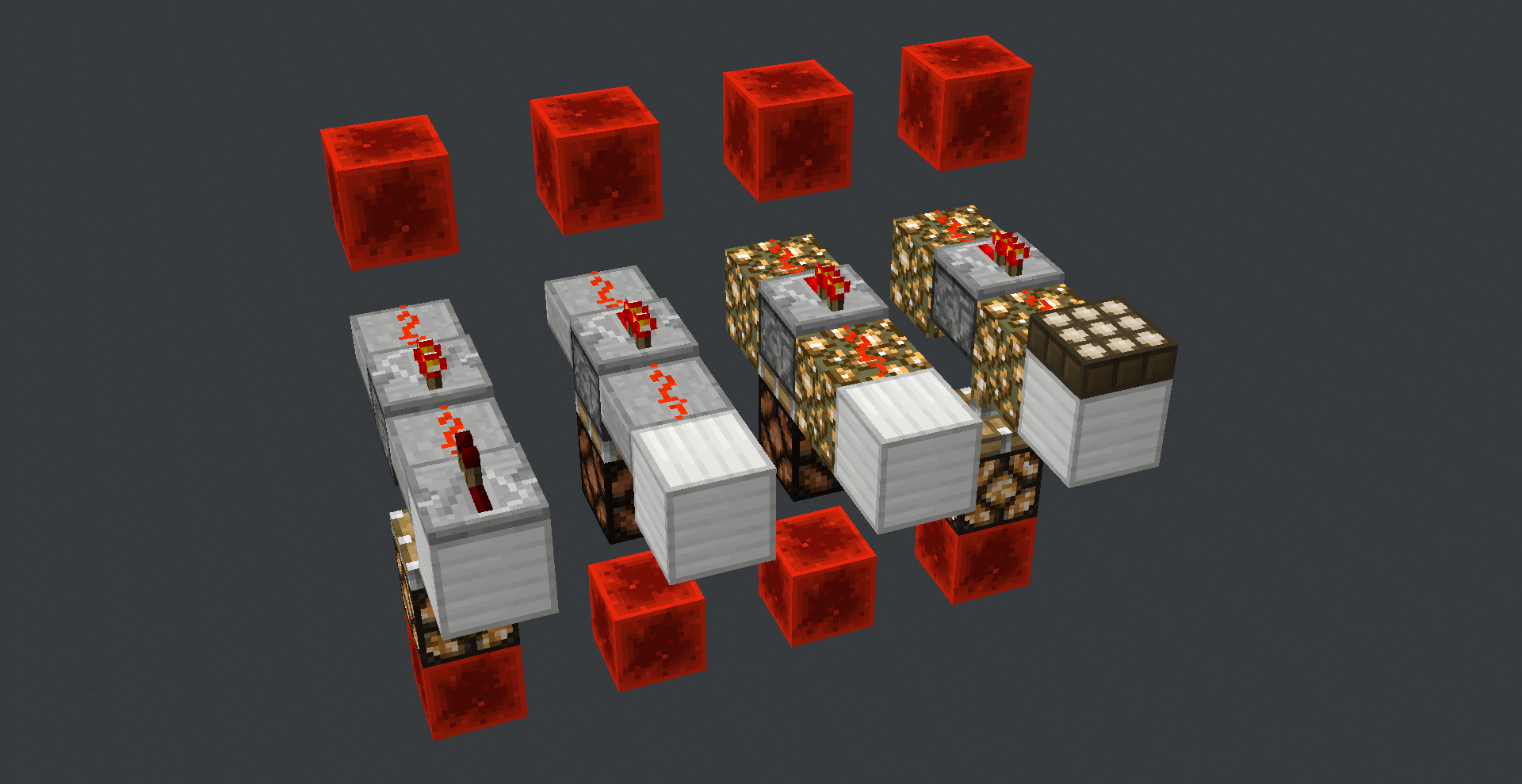


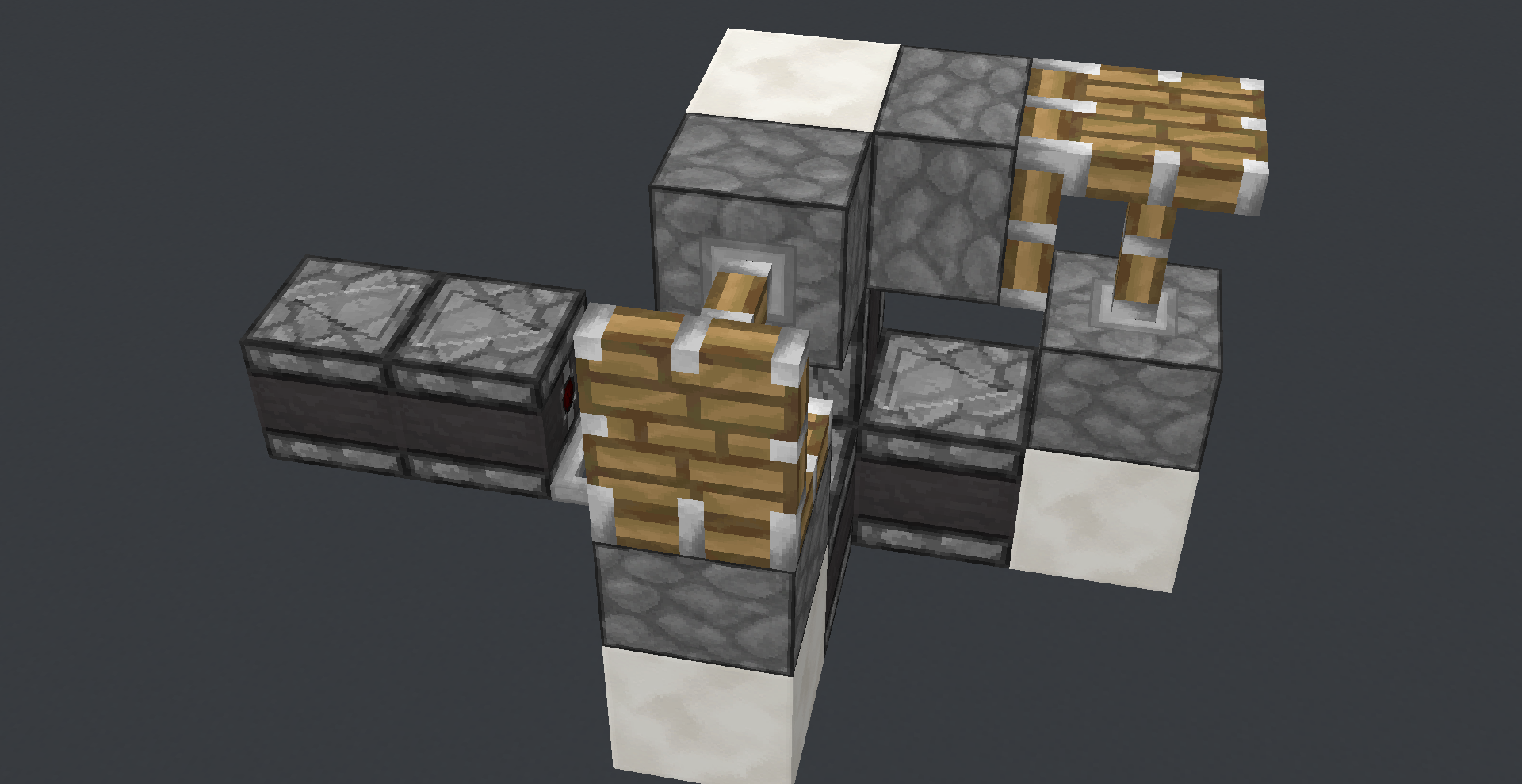
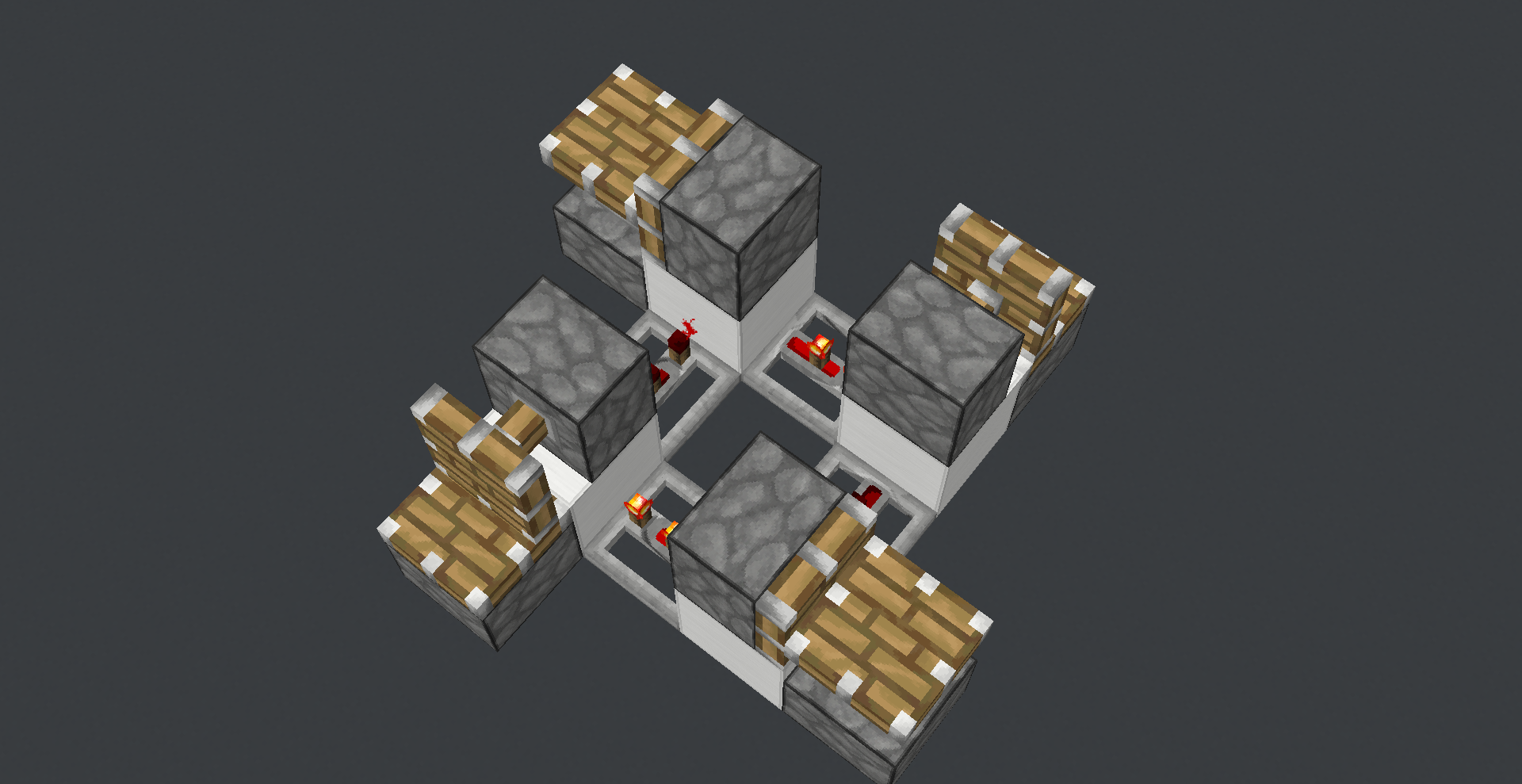
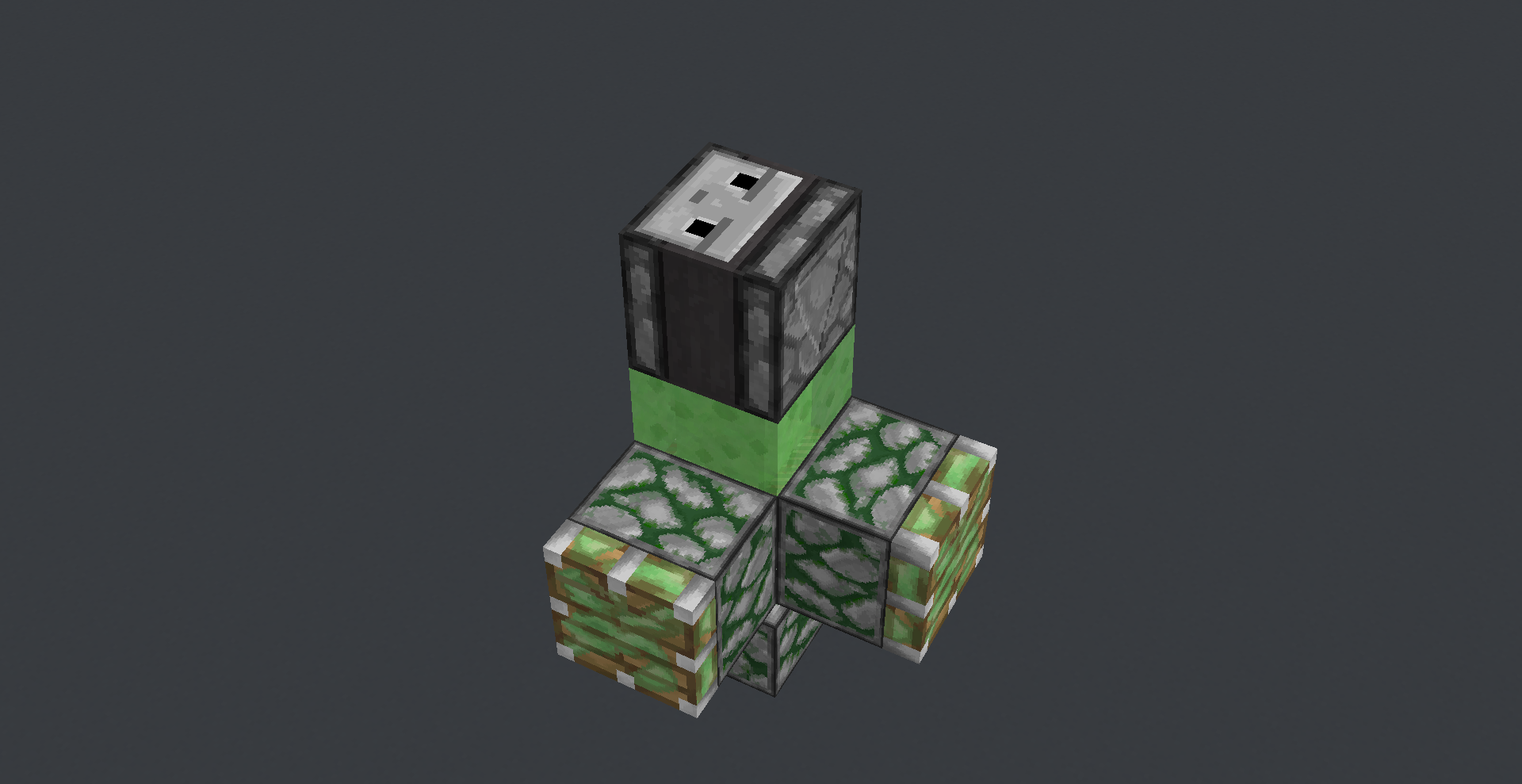
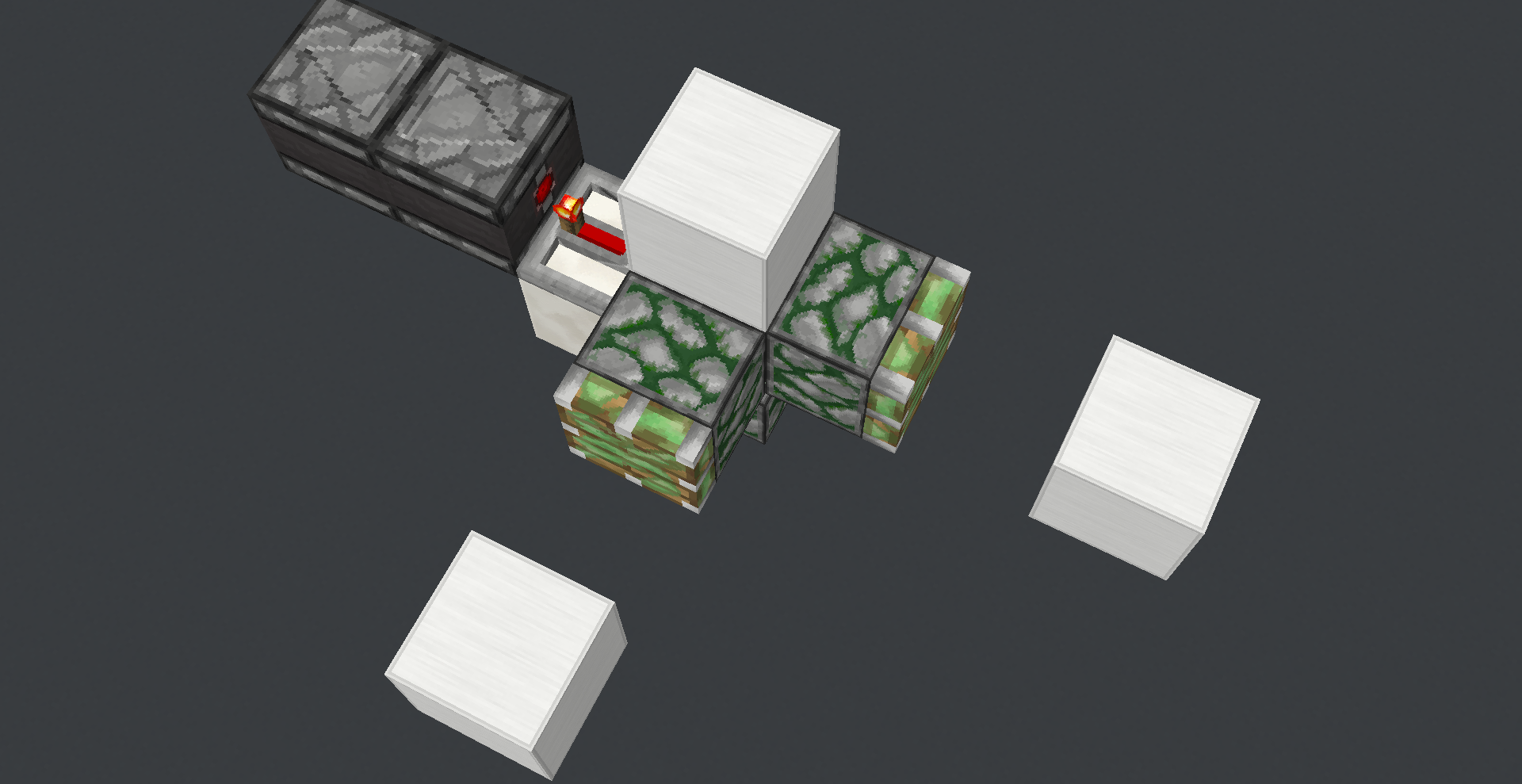





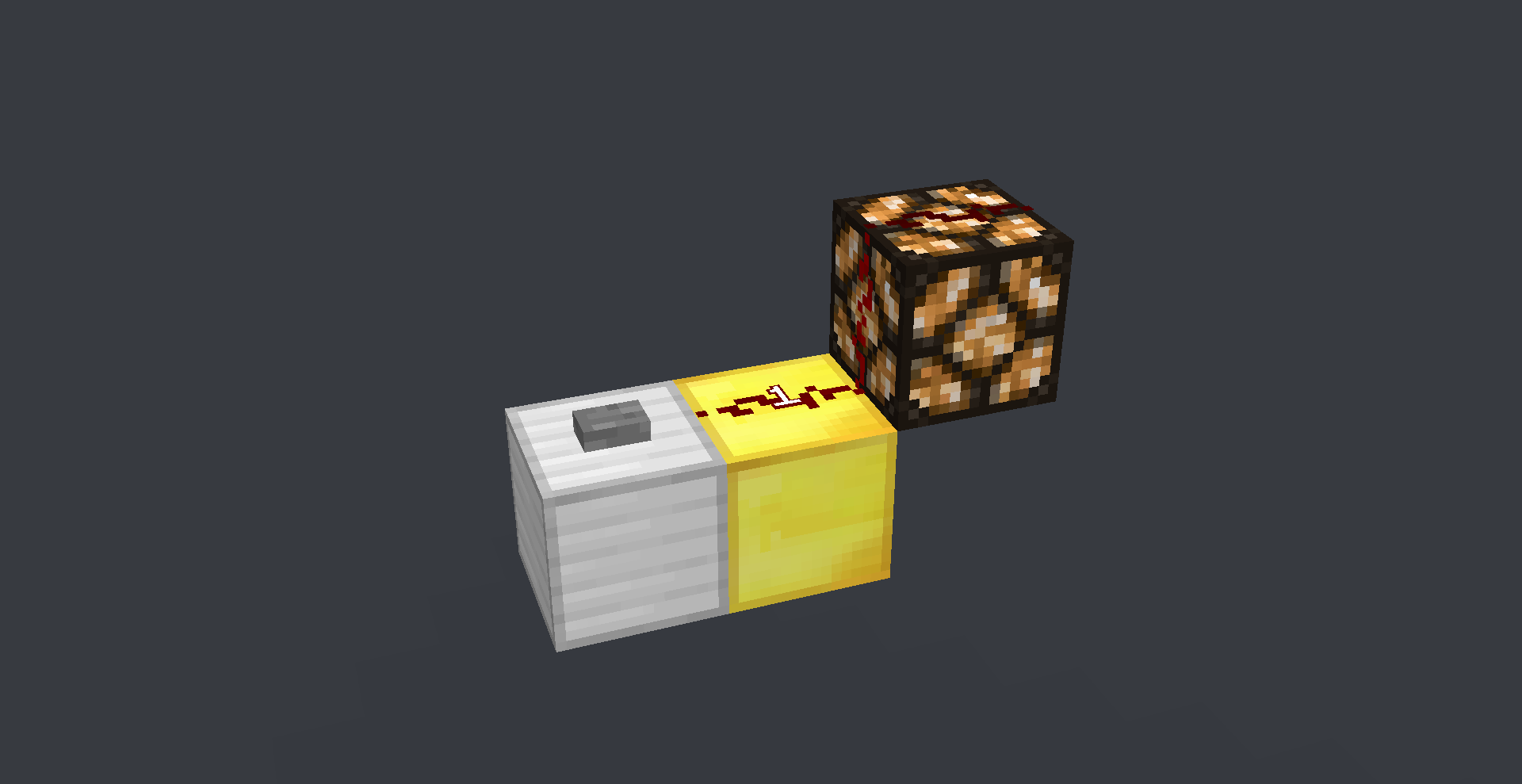
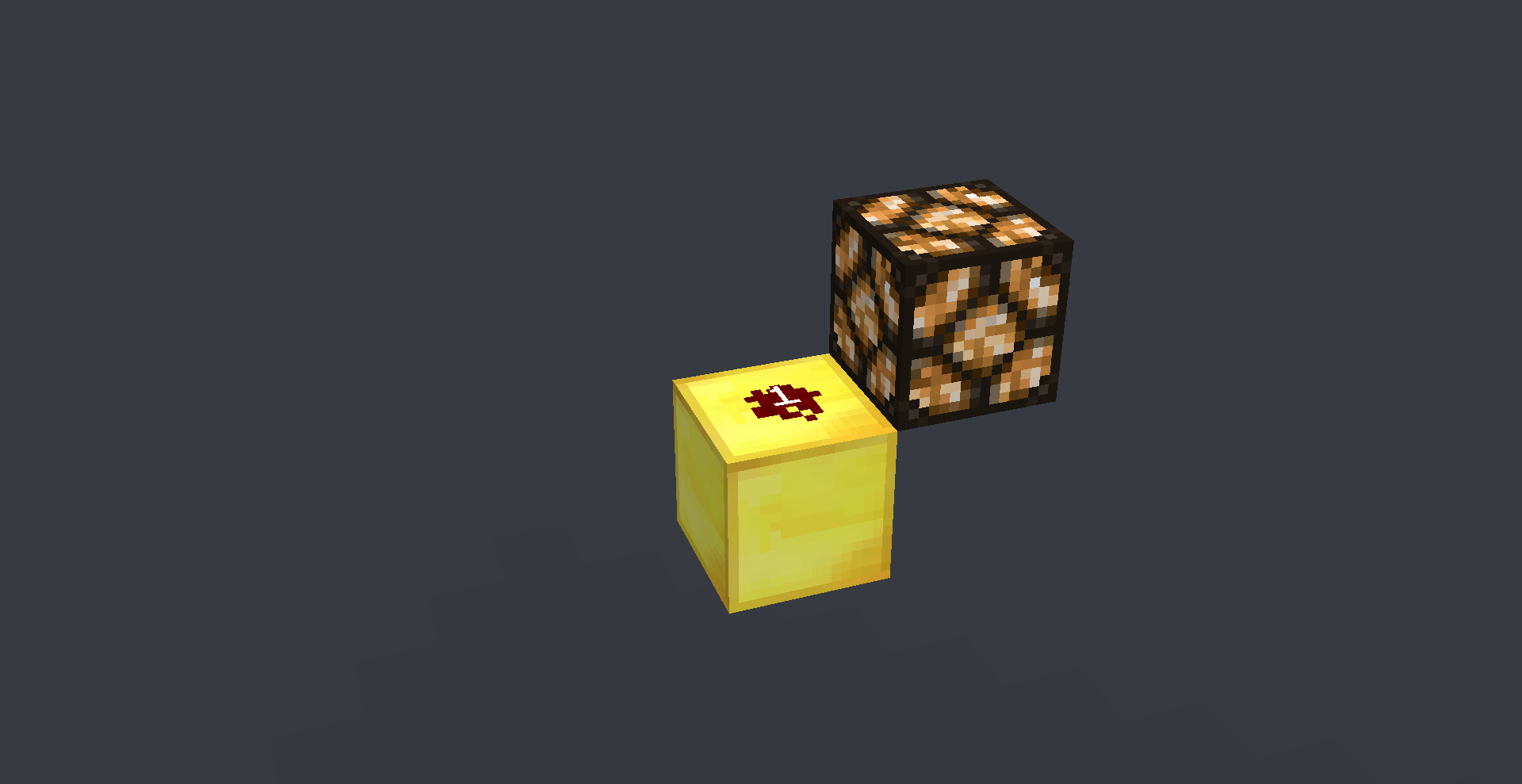
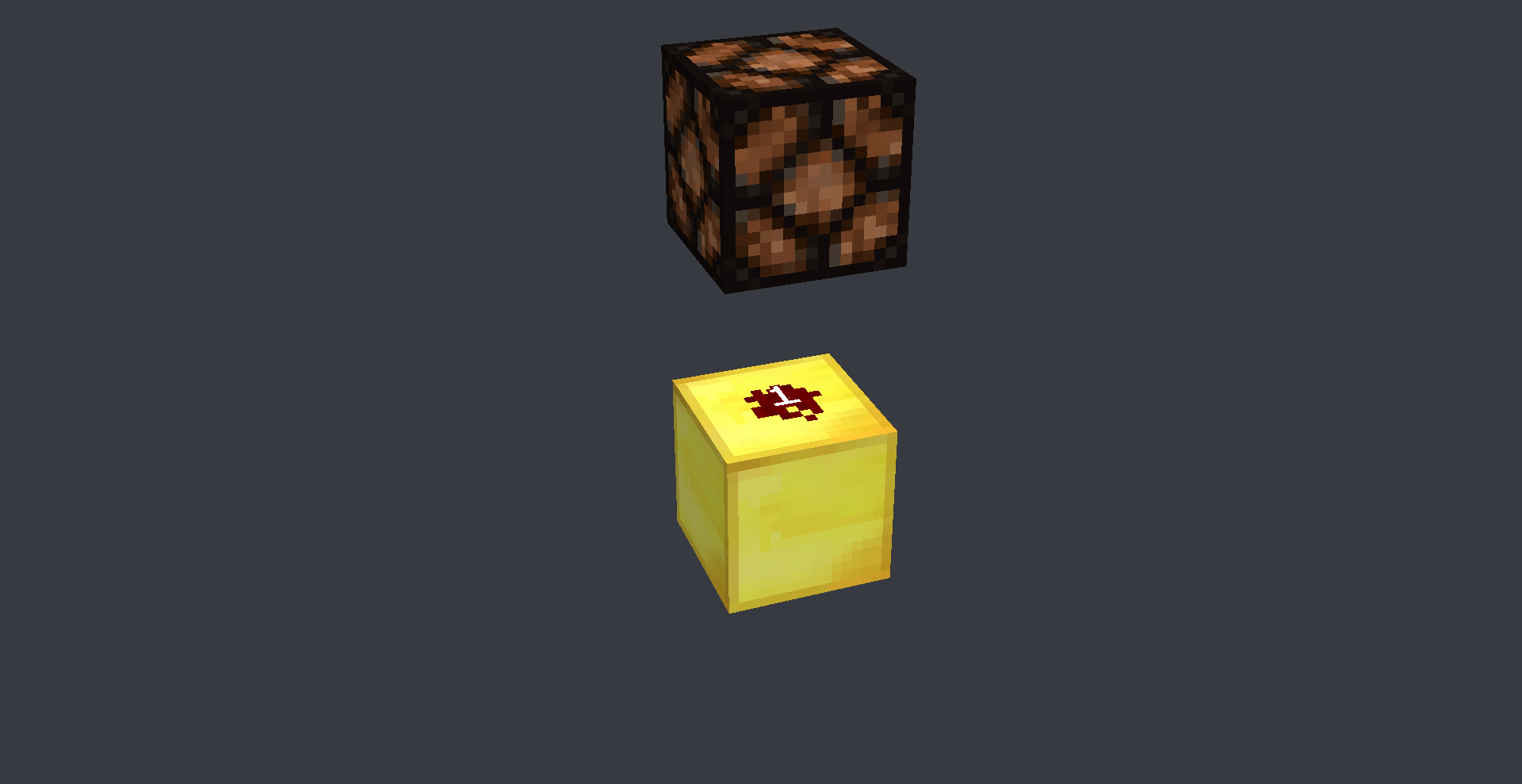
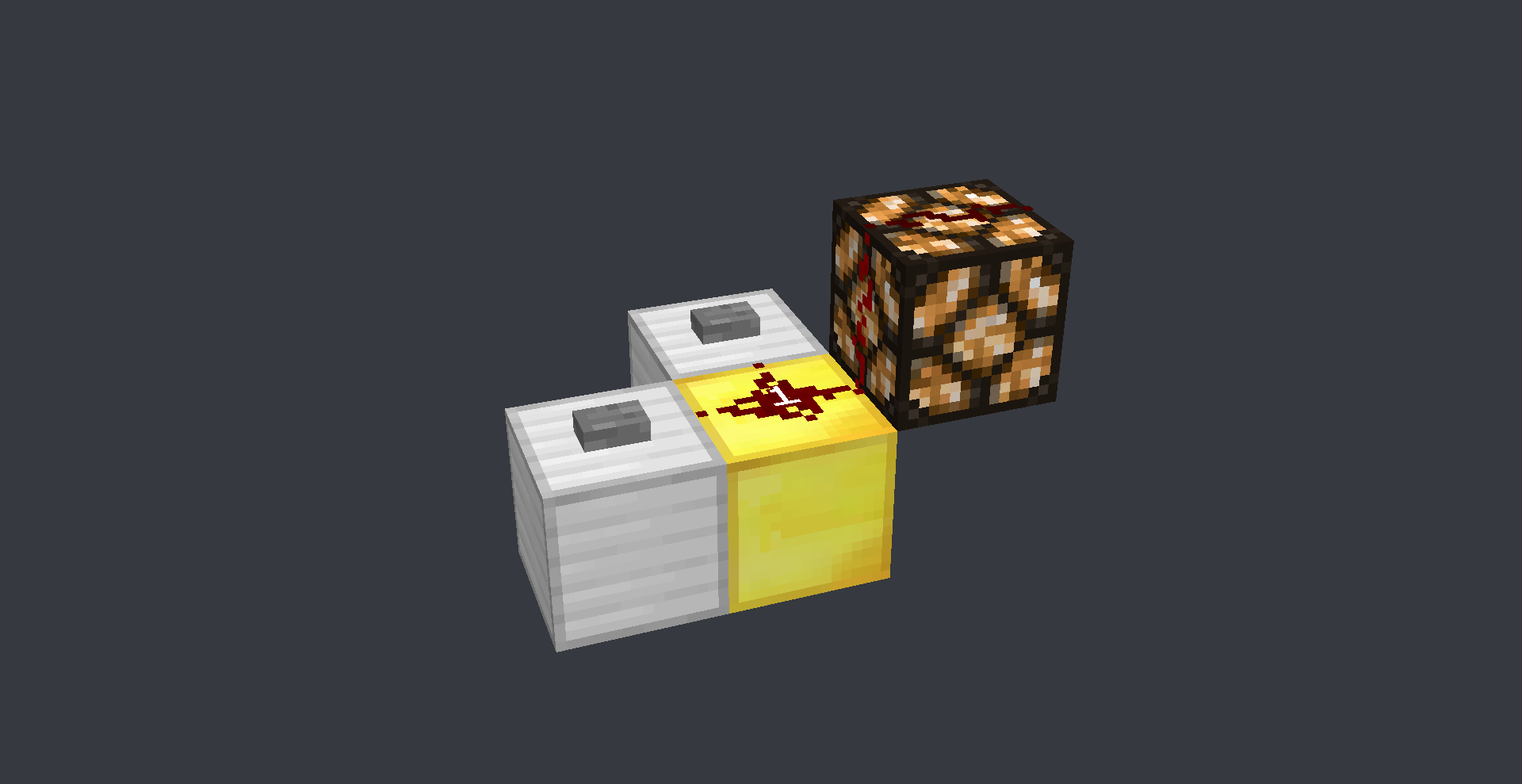


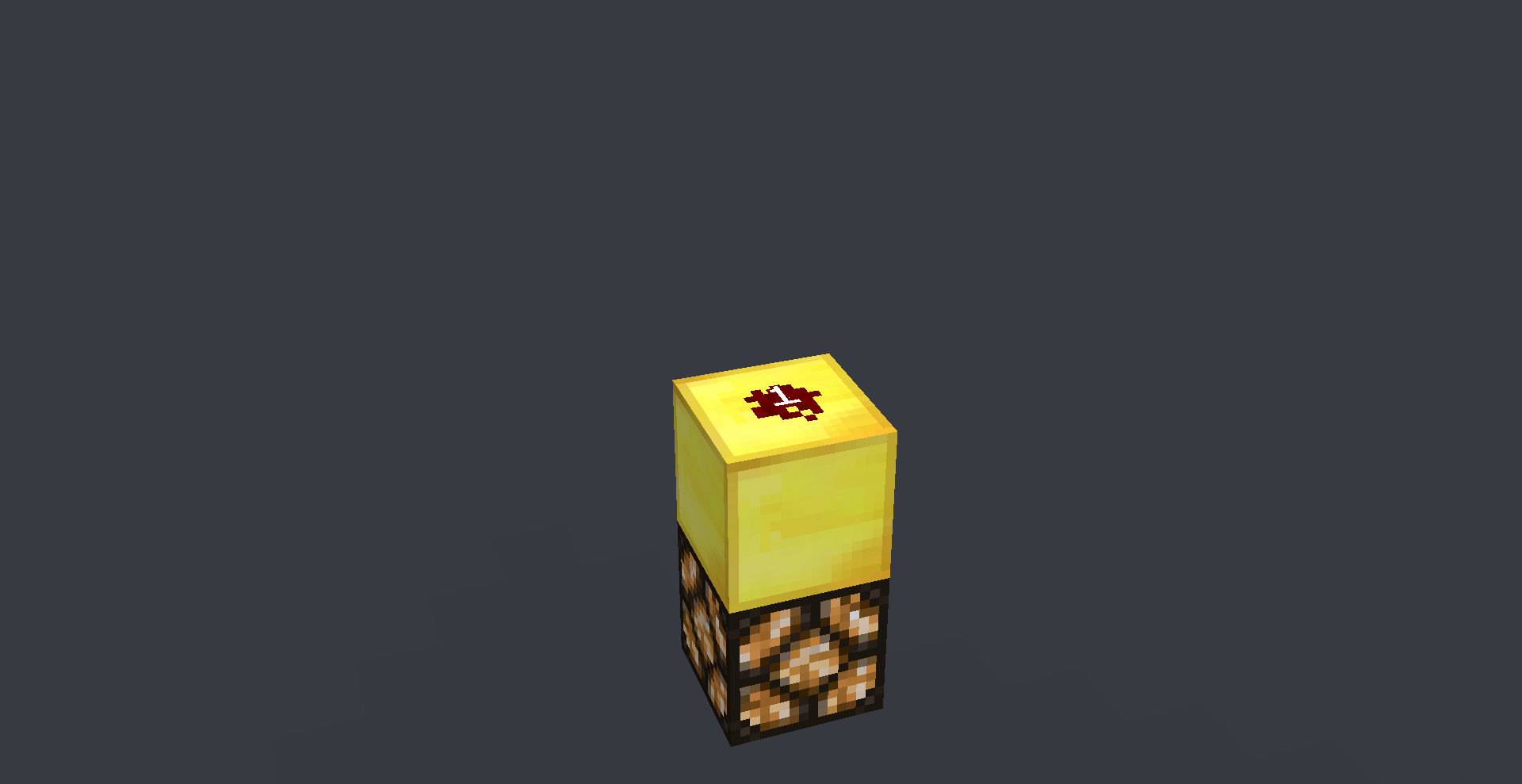
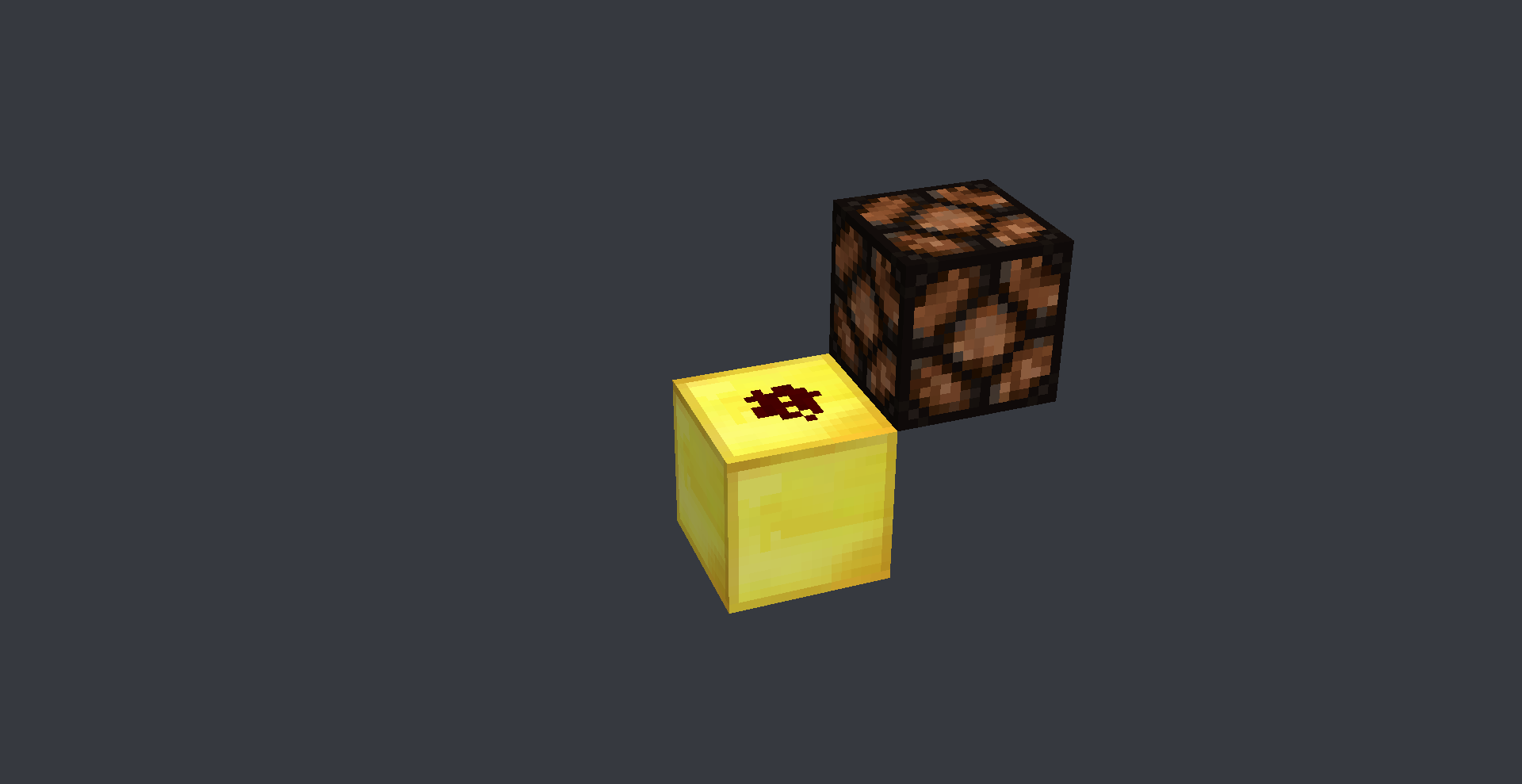

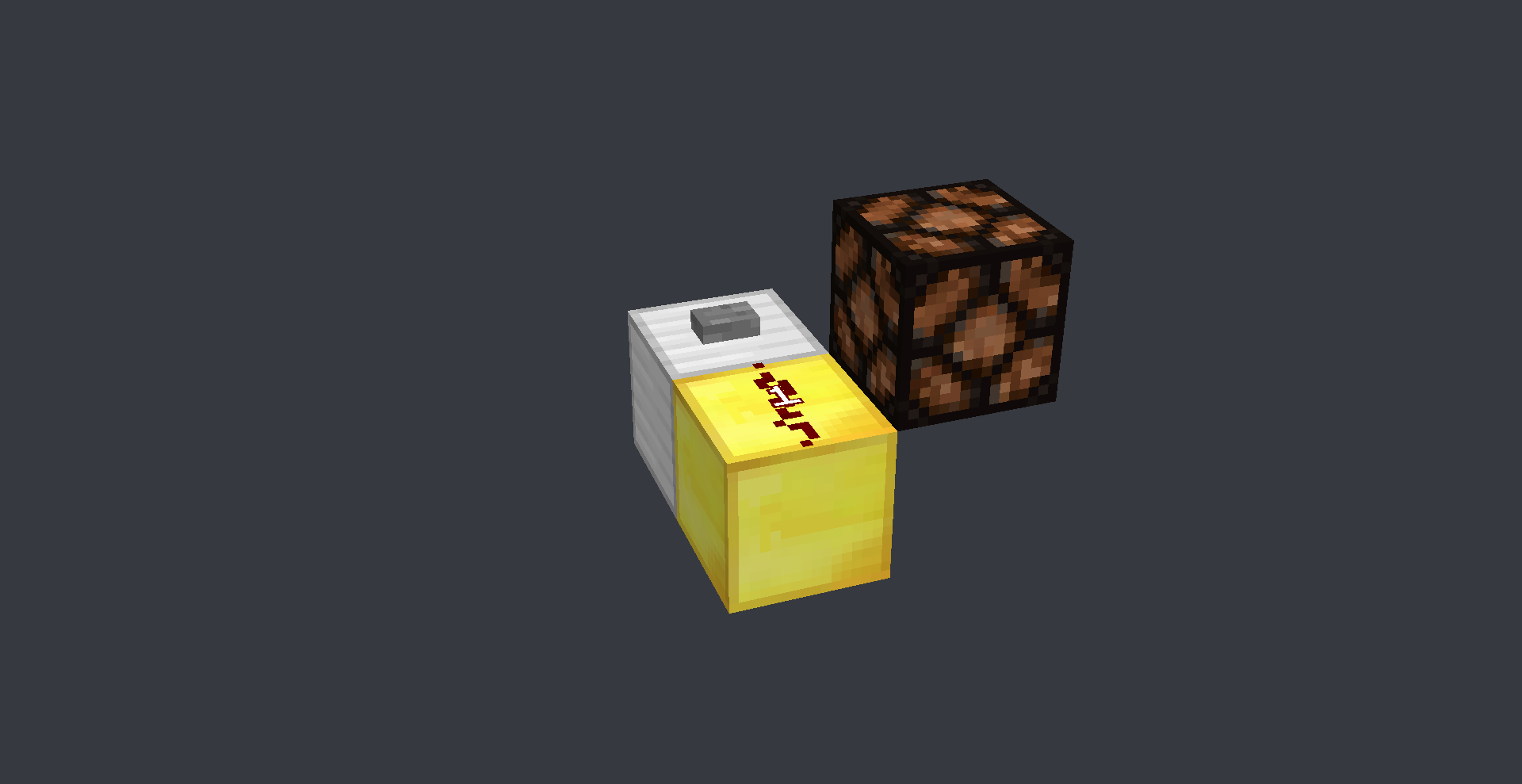





2018-07-19_07.53.19.png
Blocks at y=0 don'tshowon a mapBlocks at y=0 don't render on a map
Blocks at y=0don't render on a mapBlocks at y=-64 don't render on a map
The bug
Blocks at y=-64 don't show on a map (item), but their shadows still do.
!
MC-134002Y=0 Y=-63 Y=-64.png|width=762,height=476
The bug
Blocks at y=-64 don't show on a map (item), but their shadows still do.
!
MC-134002Y=0 Y=-63 Y=-64.png|width=762,height=476
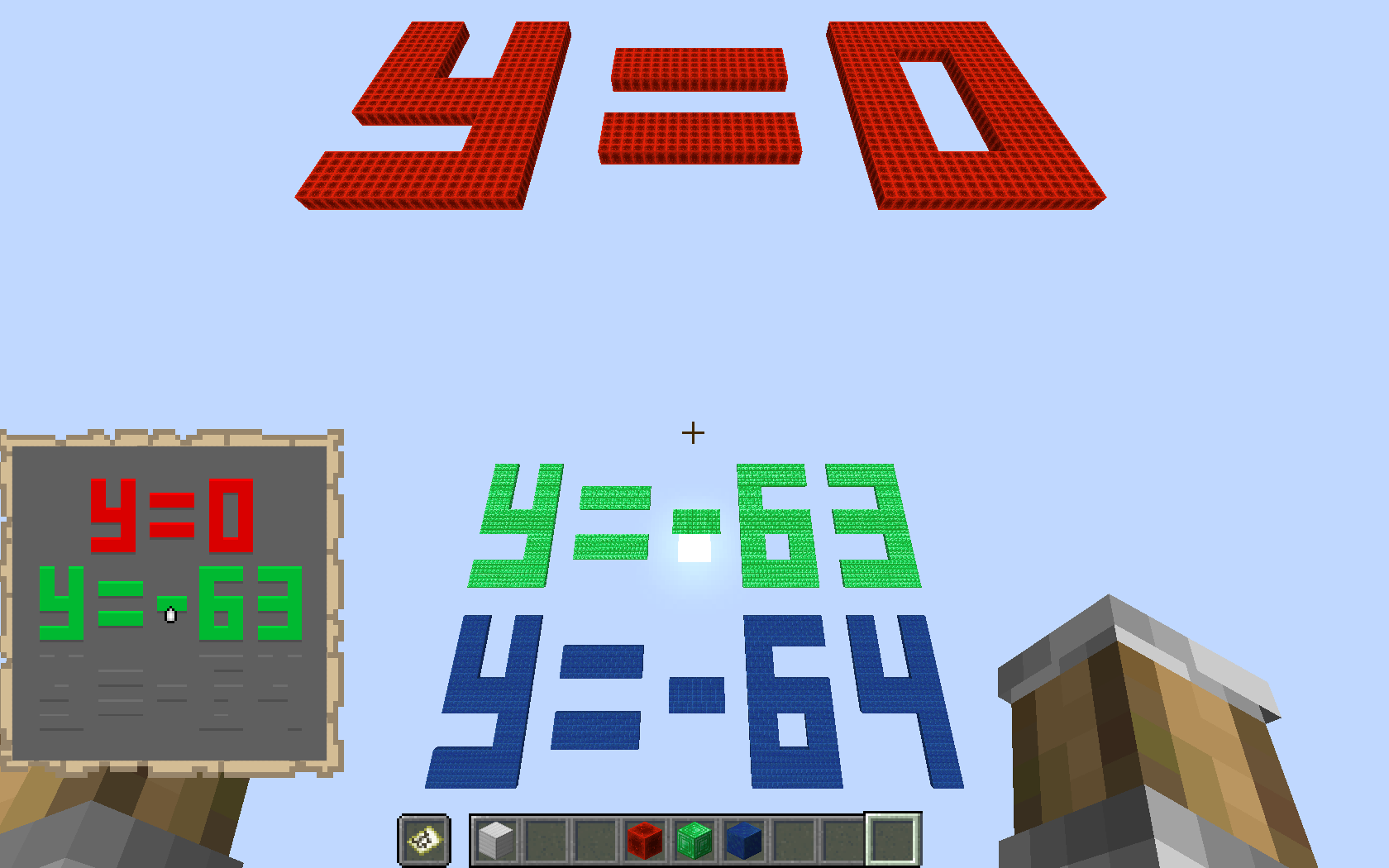

The bug
Blocks at y=-64 don't show on a map (item), but their shadows still do.
Work around
Place transparent blocks (barrier blocks, glass etc) above the affected area. (Warning: This can cause a huge amount of lag if done all at once (another bug?))
This however has the side affect of removing the void background colour (gray). (another bug?)
The bug
Blocks at y=-64 don't show on a map (item), but their shadows still do.
Work around
Place transparent blocks (barrier blocks, glass etc) above the affected area. (Warning: This can cause a huge amount of lag if done all at once (another bug?))
This however has the side affect of removing the void background colour (gray). (another bug?)
Work around shown by Alex Eade
Comment: https://bugs.mojang.com/browse/MC-134002?focusedCommentId=933604&page=com.atlassian.jira.plugin.system.issuetabpanels:comment-tabpanel#comment-933604
The bug
Blocks at y=-64 don't show on a map (item), but their shadows (and highlights) still do.
Work around
Place transparent blocks (barrier blocks, glass etc) above the affected area. (Warning: This can cause a huge amount of lag if done all at once (another bug?))
This however has the side affect of removing the void background colour (gray). (another bug?)
Work around shown by Alex Eade
Comment: https://bugs.mojang.com/browse/MC-134002?focusedCommentId=933604&page=com.atlassian.jira.plugin.system.issuetabpanels:comment-tabpanel#comment-933604
The bug
Blocks at y=-64 don't show on a map (item), but their shadows (and highlights) still do.
Work around
Place transparent blocks (barrier blocks, glass etc) above the affected area. (Warning: This can cause a huge amount of lag if done all at once (another bug?))
This however has the side affect of removing the void background colour (gray).(another bug?)
Work around shown by Alex Eade
Comment: https://bugs.mojang.com/browse/MC-134002?focusedCommentId=933604&page=com.atlassian.jira.plugin.system.issuetabpanels:comment-tabpanel#comment-933604The bug
Blocks at y=-64 don't show on a map (item), but their shadows (and highlights) still do.
Work around
Place transparent blocks (barrier blocks, glass etc) above the affected area. (Warning: This can cause a huge amount of lag if done all at once (another bug?))
This however has the side affect of removing the void background colour (gray) (another bug?) and removing their shadows and highlights
Work around shown by Alex Eade
Comment: https://bugs.mojang.com/browse/MC-134002?focusedCommentId=933604&page=com.atlassian.jira.plugin.system.issuetabpanels:comment-tabpanel#comment-933604
The order in which block updates are send from the source is directional
The current system updates the blocks on the X axis, then the Y and last the Z
-X +X -Y +Y -Z +Z, West East Down Up North South
This causes problems when rotating around the Y axis
As Y updates between X and Z
In one rotationthe side (X) will update before the top (Y)
But once rotated 90° the top (Y) will update first, then side (Z)If the update order was changed to -X +X -Z +Z -Y +Y, West East North South Down Up
Almost nothing breaks and it helps reduce the directional redstone that minecraft has
I tested a bunch of flying machines, including a few 4 ways and they all work perfectly fine
Flying machines will heavily profit from this changeThe change can be done by moving the If statements around inside the class World and method updateNeighborsExcept(), updateNeighborsAlways()
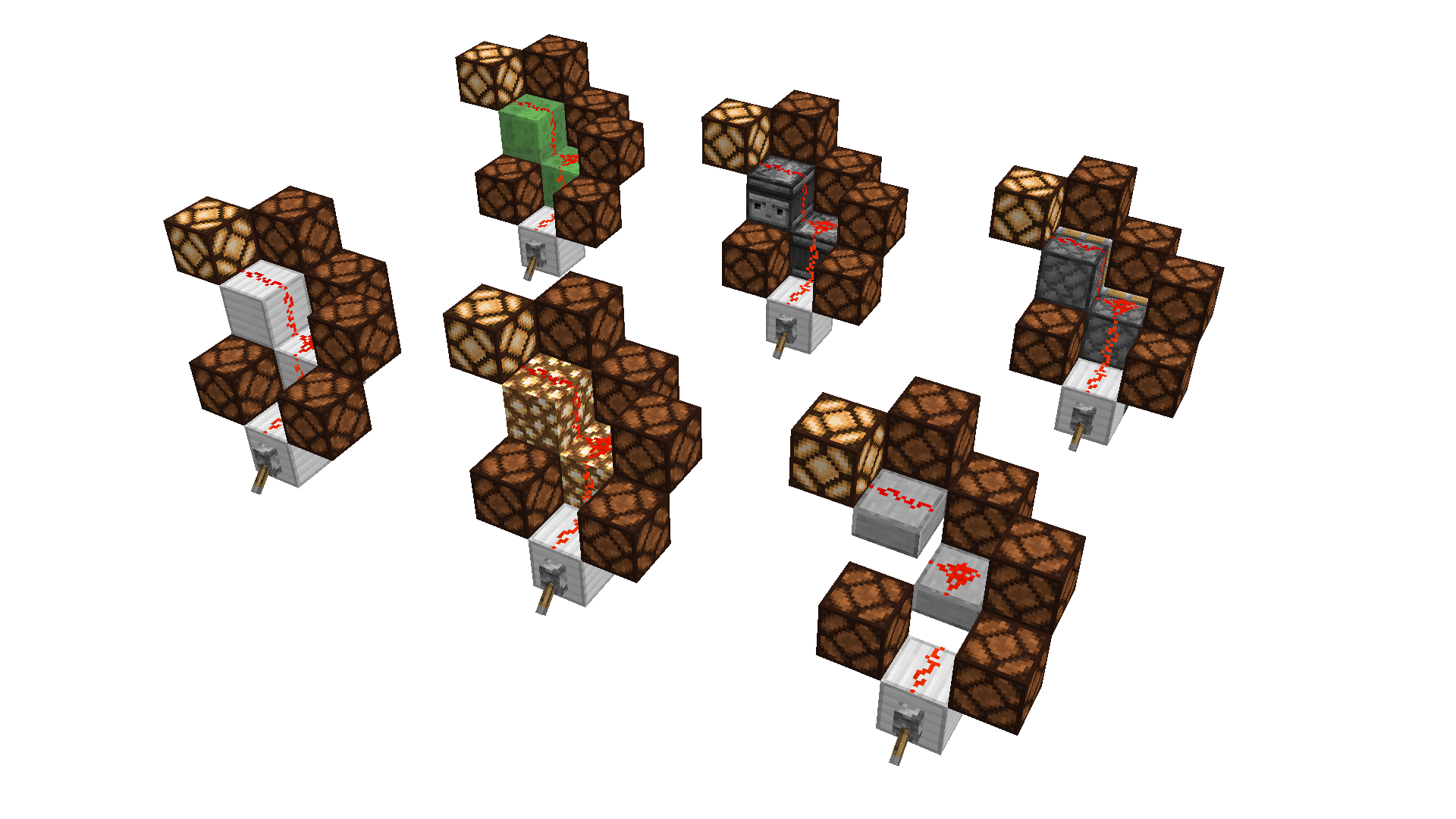
Also would need to be updated for observers in class World, method updateObservingBlocksAt()public void updateNeighborsExcept(BlockPos blockPos_1, Block block_1, Direction direction_1) { if (direction_1 != Direction.WEST) { this.updateNeighbor(blockPos_1.west(), block_1, blockPos_1); } if (direction_1 != Direction.EAST) { this.updateNeighbor(blockPos_1.east(), block_1, blockPos_1); } if (direction_1 != Direction.DOWN) { this.updateNeighbor(blockPos_1.down(), block_1, blockPos_1); } if (direction_1 != Direction.UP) { this.updateNeighbor(blockPos_1.up(), block_1, blockPos_1); } if (direction_1 != Direction.NORTH) { this.updateNeighbor(blockPos_1.north(), block_1, blockPos_1); } if (direction_1 != Direction.SOUTH) { this.updateNeighbor(blockPos_1.south(), block_1, blockPos_1); } }With the image of the dispensers:
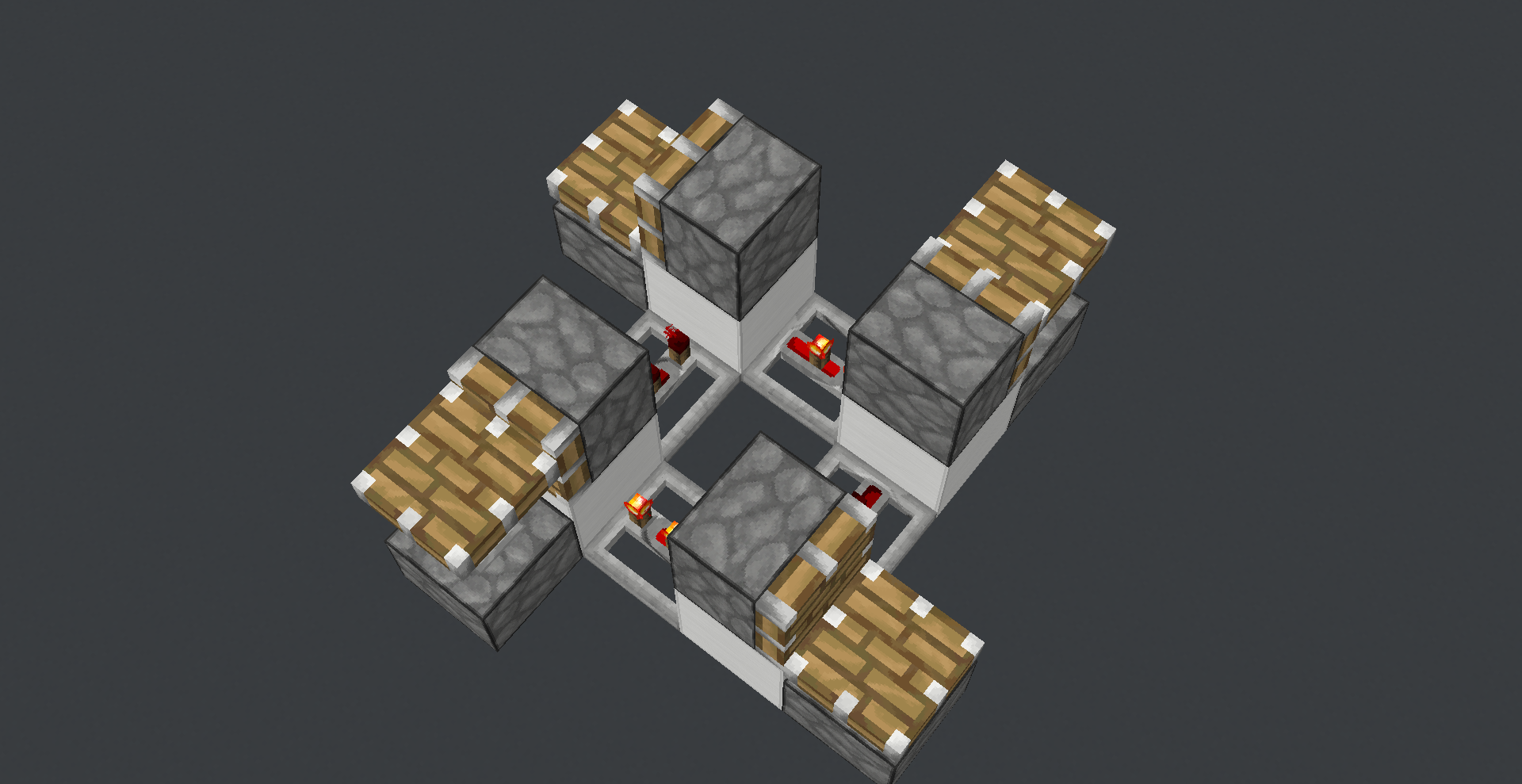
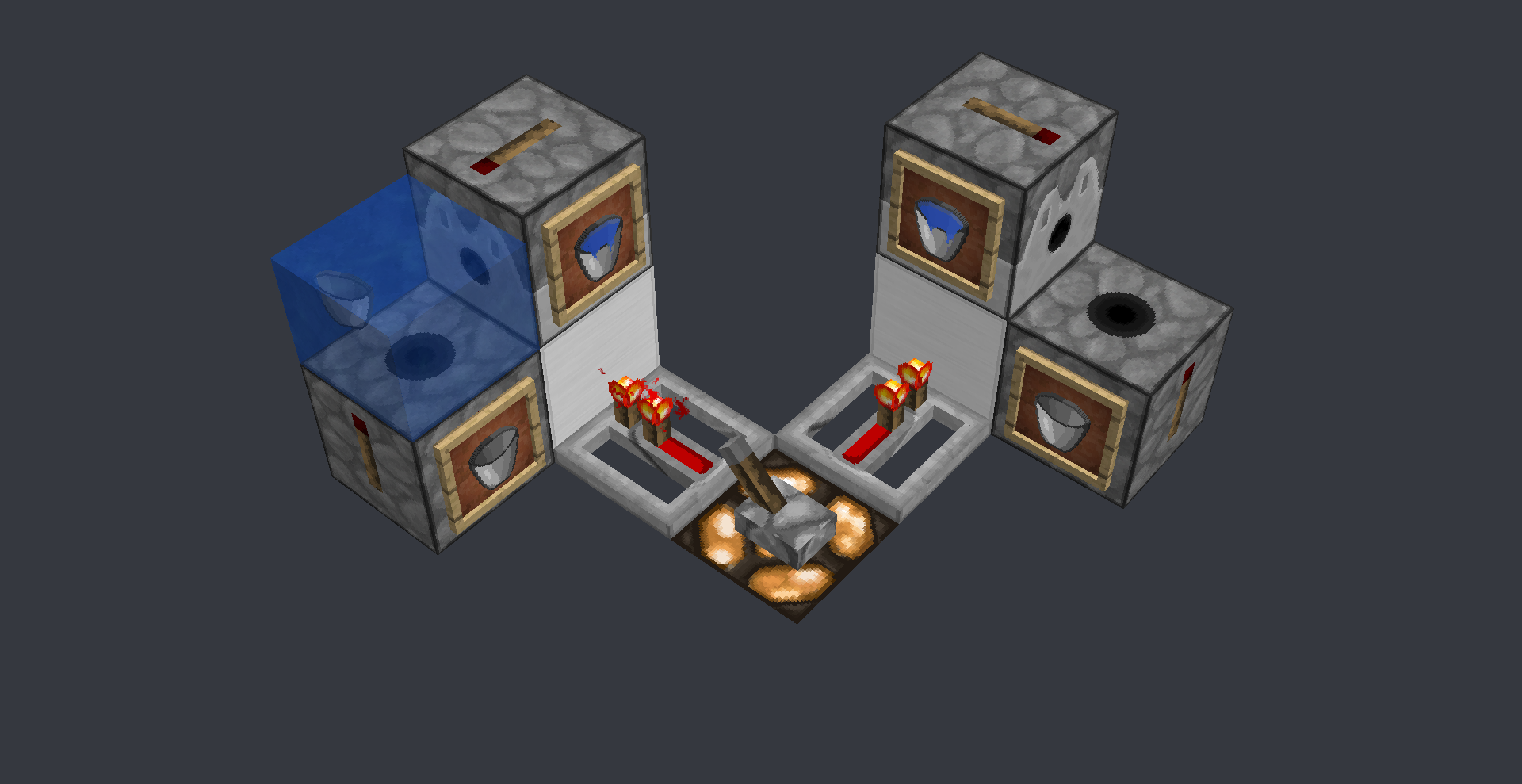
On theright handside: Thetopdispenserplaces the water, then theleftdispenser picks it up instantly
On the left side: The right dispenser drops an empty bucket, then the top dispenser places the waterPanda4994 has a video on this issue
https://www.youtube.com/watch?v=aRr3NpmQiCgThis bug has nothing to do with
MC-108or MC-11193
Nor is it a piston bug, its just that its most easily seen with pistonsThe order in which block updates are send from the source is directional
The current system updates the blocks on the X axis, then the Y and last the Z
-X +X -Y +Y -Z +Z, West East Down Up North South
This causes problems when rotating around the Y axis
As Y updates between X and Z
Lets say its facing West so the side (X) will update before the top (Y)
But once rotated 90° the top (Y) will update first, then side (Z)If the update order was changed to -X +X -Z +Z -Y +Y, West East North South Down Up
Almost nothing breaks and it helps reduce the directional redstone that minecraft has
I tested a bunch of flying machines, including a few 4 ways and they all work perfectly fine
Flying machines will heavily profit from this changeThe change can be done by moving the If statements around inside the class World and method updateNeighborsExcept(), updateNeighborsAlways()
Also would need to be updated for observers in class World, method updateObservingBlocksAt()public void updateNeighborsExcept(BlockPos blockPos_1, Block block_1, Direction direction_1) { if (direction_1 != Direction.WEST) { this.updateNeighbor(blockPos_1.west(), block_1, blockPos_1); } if (direction_1 != Direction.EAST) { this.updateNeighbor(blockPos_1.east(), block_1, blockPos_1); } if (direction_1 != Direction.DOWN) { this.updateNeighbor(blockPos_1.down(), block_1, blockPos_1); } if (direction_1 != Direction.UP) { this.updateNeighbor(blockPos_1.up(), block_1, blockPos_1); } if (direction_1 != Direction.NORTH) { this.updateNeighbor(blockPos_1.north(), block_1, blockPos_1); } if (direction_1 != Direction.SOUTH) { this.updateNeighbor(blockPos_1.south(), block_1, blockPos_1); } }With the image of the dispensers:
On the right hand side: The top dispenser places the water, then the left dispenser picks it up instantly
On the left side: The right dispenser drops an empty bucket, then the top dispenser places the water
Each pair of pictures shows the current directional system and the non-directional fixed versionPanda4994 has a video on this issue
https://www.youtube.com/watch?v=aRr3NpmQiCgThis bug has nothing to do with
MC-108or MC-11193
Nor is it a piston bug, its just that its most easily seen with pistons
The order in which block updates are send from the source is directional
The current system updates the blocks on the X axis, then the Y and last the Z
-X +X -Y +Y -Z +Z, West East Down Up North South
This causes problems when rotating around the Y axis
As Y updates between X and Z
Lets say its facing West so the side (X) will update before the top (Y)
But once rotated 90° the top (Y) will update first, then side (Z)
(Its almost impossible to rotate on X or Z axis, as repeaters dont go on the side of walls)If the update order was changed to -X +X -Z +Z -Y +Y, West East North South Down Up
Almost nothing breaks and it helps reduce the directional redstone that minecraft has
I tested a bunch of flying machines, including a few 4 ways and they all work perfectly fine
Flying machines will heavily profit from this changeThe change can be done by moving the If statements around inside the class World and method updateNeighborsExcept(), updateNeighborsAlways()
Also would need to be updated for observers in class World, method updateObservingBlocksAt()public void updateNeighborsExcept(BlockPos blockPos_1, Block block_1, Direction direction_1) { if (direction_1 != Direction.WEST) { this.updateNeighbor(blockPos_1.west(), block_1, blockPos_1); } if (direction_1 != Direction.EAST) { this.updateNeighbor(blockPos_1.east(), block_1, blockPos_1); } if (direction_1 != Direction.DOWN) { this.updateNeighbor(blockPos_1.down(), block_1, blockPos_1); } if (direction_1 != Direction.UP) { this.updateNeighbor(blockPos_1.up(), block_1, blockPos_1); } if (direction_1 != Direction.NORTH) { this.updateNeighbor(blockPos_1.north(), block_1, blockPos_1); } if (direction_1 != Direction.SOUTH) { this.updateNeighbor(blockPos_1.south(), block_1, blockPos_1); } }With the image of the dispensers:
On the right hand side: The top dispenser places the water, then the left dispenser picks it up instantly
On the left side: The right dispenser drops an empty bucket, then the top dispenser places the water
Each pair of pictures shows the current directional system and the non-directional fixed versionPanda4994 has a video on this issue
https://www.youtube.com/watch?v=aRr3NpmQiCgThis bug has nothing to do with
MC-108or MC-11193
Nor is it a piston bug, its just that its most easily seen with pistons
The order in which block updates are send from the source is directional
The current system updates the blocks on the X axis, then the Y and last the Z
-X +X -Y +Y -Z +Z, West East Down Up North South
This causes problems when rotating around the Y axis
As Y updates between X and Z
Lets say its facing West so the side (X) will update before the top (Y)
But once rotated 90° the top (Y) will update first, then side (Z)
(Its almost impossible to rotate on X or Z axis, as repeaters dont go on the side of walls)If the update order was changed to -X +X -Z +Z -Y +Y, West East North South Down Up
Almost nothing breaks and it helps reduce the directional redstone that minecraft has
I tested a bunch of flying machines, including a few 4 ways and they all work perfectly fine
Flying machines will heavily profit from this changeThe change can be done by moving the If statements around inside the class World and method updateNeighborsExcept(), updateNeighborsAlways()
Also would need to be updated for observers in class World, method updateObservingBlocksAt()public void updateNeighborsExcept(BlockPos blockPos_1, Block block_1, Direction direction_1) { if (direction_1 != Direction.WEST) { this.updateNeighbor(blockPos_1.west(), block_1, blockPos_1); } if (direction_1 != Direction.EAST) { this.updateNeighbor(blockPos_1.east(), block_1, blockPos_1); } if (direction_1 != Direction.DOWN) { this.updateNeighbor(blockPos_1.down(), block_1, blockPos_1); } if (direction_1 != Direction.UP) { this.updateNeighbor(blockPos_1.up(), block_1, blockPos_1); } if (direction_1 != Direction.NORTH) { this.updateNeighbor(blockPos_1.north(), block_1, blockPos_1); } if (direction_1 != Direction.SOUTH) { this.updateNeighbor(blockPos_1.south(), block_1, blockPos_1); } }With the image of the dispensers:
On the right hand side: The top dispenser places the water, then the left dispenser picks it up instantly
On the left side: The right dispenser drops an empty bucket, then the top dispenser places the water
Each pair of pictures shows the current directional system and the non-directional fixed versionPanda4994 has a video on this issue
https://www.youtube.com/watch?v=aRr3NpmQiCgThis bug has nothing to do with
MC-108or MC-11193
Nor is it a piston bug, its just that its most easily seen with pistons
The order in which block updates are send from the source is directional
The current system updates the blocks on the X axis, then the Y and last the Z
-X +X -Y +Y -Z +Z, West East Down Up North South
This causes problems when rotating around the Y axis
AsYupdates between X and Z
Lets say its facing West so the side (X) will update before the top (Y)
But once rotated 90° the top (Y) will update first, then side (Z)
(Its almost impossible to rotate on X or Z axis, as repeaters dont go on the side of walls)If the update order was changed to -X +X -Z +Z -Y +Y, West East North South Down Up
Almost nothing breaks and it helps reduce the directional redstone that minecraft has
I tested a bunch of flying machines, including a few 4 ways and they all work perfectly fine
Flying machines will heavily profit from this changeThe change can be done by moving the If statements around inside the class World and method updateNeighborsExcept(), updateNeighborsAlways()
Also would need to be updated for observers in class World, method updateObservingBlocksAt()public void updateNeighborsExcept(BlockPos blockPos_1, Block block_1, Direction direction_1) {if (direction_1!= Direction.WEST) {this.updateNeighbor(blockPos_1.west(), block_1, blockPos_1); }if (direction_1!= Direction.EAST) {this.updateNeighbor(blockPos_1.east(), block_1, blockPos_1); }if (direction_1!= Direction.DOWN) {this.updateNeighbor(blockPos_1.down(), block_1, blockPos_1); }if (direction_1!= Direction.UP) {this.updateNeighbor(blockPos_1.up(), block_1, blockPos_1); }if (direction_1!= Direction.NORTH) {this.updateNeighbor(blockPos_1.north(), block_1, blockPos_1); }if (direction_1!= Direction.SOUTH) {this.updateNeighbor(blockPos_1.south(), block_1, blockPos_1); }}With the image of the dispensers:
On the right hand side: The top dispenser places the water, then the left dispenser picks it up instantly
On the left side: The right dispenser drops an empty bucket, then the top dispenser places the water
Each pair of pictures shows the current directional system and the non-directional fixed versionPanda4994 has a video on this issue
https://www.youtube.com/watch?v=aRr3NpmQiCgThis bug has nothing to do with
MC-108or MC-11193
Nor is it a piston bug, its just that its most easily seen with pistonsThe order in which block updates are send from the source is directional
The current system updates the blocks on the X axis, then the Y and last the Z
-X +X -Y +Y -Z +Z, West East Down Up North South
This causes problems when rotating around the Y axis
As the Y axis updates between the X and Z axis
Lets say its facing West so the side (X) will update before the top (Y)
But once rotated 90° the top (Y) will update first, then side (Z)
(Its almost impossible to rotate on X or Z axis, as repeaters dont go on the side of walls)If the update order was changed to -X +X -Z +Z -Y +Y, West East North South Down Up
Almost nothing breaks and it helps reduce the directional redstone that minecraft has
I tested a bunch of flying machines, including a few 4 ways and they all work perfectly fine
Flying machines will heavily profit from this changeThe change can be done by moving the .below() and .above() If statements around inside the class level.java (located at minecraft/world/level/), method updateNeighborsAt() and updateNeighborsAtExceptFromFacing()
EDIT: Updated to Mojang mappings
public void updateNeighborsAt(BlockPos blockPos, Block block) { this.neighborChanged(blockPos.west(), block, blockPos); this.neighborChanged(blockPos.east(), block, blockPos); this.neighborChanged(blockPos.below(), block, blockPos); this.neighborChanged(blockPos.above(), block, blockPos); this.neighborChanged(blockPos.north(), block, blockPos); this.neighborChanged(blockPos.south(), block, blockPos); } public void updateNeighborsAtExceptFromFacing(BlockPos blockPos, Block block, Direction direction) { if (direction != Direction.WEST) { this.neighborChanged(blockPos.west(), block, blockPos); } if (direction != Direction.EAST) { this.neighborChanged(blockPos.east(), block, blockPos); } if (direction != Direction.DOWN) { this.neighborChanged(blockPos.below(), block, blockPos); } if (direction != Direction.UP) { this.neighborChanged(blockPos.above(), block, blockPos); } if (direction != Direction.NORTH) { this.neighborChanged(blockPos.north(), block, blockPos); } if (direction != Direction.SOUTH) { this.neighborChanged(blockPos.south(), block, blockPos); } }With the image of the dispensers:
On the right hand side: The top dispenser places the water, then the left dispenser picks it up instantly
On the left side: The right dispenser drops an empty bucket, then the top dispenser places the water
Each pair of pictures shows the current directional system and the non-directional fixed versionPanda4994 has a video on this issue
https://www.youtube.com/watch?v=aRr3NpmQiCgThis bug has nothing to do with
MC-108or MC-11193
Nor is it a piston bug, its just that its most easily seen with pistons
The order in which block updates are sen
dfrom the source is directionalThe current system updates the blocks on the X axis, then the Y and last the Z
-X +X -Y +Y -Z +Z, West East Down Up North South
This causes problems when rotating around the Y axis
As the Y axis updates between the X and Z axis
Lets say its facing West so the side (X) will update before the top (Y)
But once rotated 90° the top (Y) will update first, then side (Z)
(Its almost impossible to rotate on X or Z axis, as repeaters dont go on the side of walls)If the update order was changed to -X +X -Z +Z -Y +Y, West East North South Down Up
Almost nothing breaks and it helps reduce the directional redstone that minecraft has
I tested a bunch of flying machines, including a few 4 ways and they all work perfectly fine
Flying machines will heavily profit from this changeThe change can be done by moving the .below() and .above() If statements around inside the class level.java (located at minecraft/world/level/), method updateNeighborsAt() and updateNeighborsAtExceptFromFacing()
EDIT: Updated to Mojang mappings
public void updateNeighborsAt(BlockPos blockPos, Block block) { this.neighborChanged(blockPos.west(), block, blockPos); this.neighborChanged(blockPos.east(), block, blockPos); this.neighborChanged(blockPos.below(), block, blockPos); this.neighborChanged(blockPos.above(), block, blockPos); this.neighborChanged(blockPos.north(), block, blockPos); this.neighborChanged(blockPos.south(), block, blockPos); } public void updateNeighborsAtExceptFromFacing(BlockPos blockPos, Block block, Direction direction) { if (direction != Direction.WEST) { this.neighborChanged(blockPos.west(), block, blockPos); } if (direction != Direction.EAST) { this.neighborChanged(blockPos.east(), block, blockPos); } if (direction != Direction.DOWN) { this.neighborChanged(blockPos.below(), block, blockPos); } if (direction != Direction.UP) { this.neighborChanged(blockPos.above(), block, blockPos); } if (direction != Direction.NORTH) { this.neighborChanged(blockPos.north(), block, blockPos); } if (direction != Direction.SOUTH) { this.neighborChanged(blockPos.south(), block, blockPos); } }With the image of the dispensers:
On the right hand side: The top dispenser places the water, then the left dispenser picks it up instantly
On the left side: The right dispenser drops an empty bucket, then the top dispenser places the water
Each pair of pictures shows the current directional system and the non-directional fixed versionPanda4994 has a video on this issue
https://www.youtube.com/watch?v=aRr3NpmQiCgThis bug has nothing to do with
MC-108or MC-11193
Nor is it a piston bug, its just that its most easily seen with pistonsThe order in which block updates are sent from the source is directional
The current system updates the blocks on the X axis, then the Y and last the Z
-X +X -Y +Y -Z +Z, West East Down Up North South
This causes problems when rotating around the Y axis
As the Y axis updates between the X and Z axis
Lets say its facing West so the side (X) will update before the top (Y)
But once rotated 90° the top (Y) will update first, then side (Z)
(Its almost impossible to rotate on X or Z axis, as repeaters dont go on the side of walls)If the update order was changed to -X +X -Z +Z -Y +Y, West East North South Down Up
Almost nothing breaks and it helps reduce the directional redstone that minecraft has
I tested a bunch of flying machines, including a few 4 ways and they all work perfectly fine
Flying machines will heavily profit from this changeThe change can be done by moving the .below() and .above() If statements around inside the class level.java (located at minecraft/world/level/), method updateNeighborsAt() and updateNeighborsAtExceptFromFacing()
EDIT: Updated to Mojang mappings
public void updateNeighborsAt(BlockPos blockPos, Block block) { this.neighborChanged(blockPos.west(), block, blockPos); this.neighborChanged(blockPos.east(), block, blockPos); this.neighborChanged(blockPos.below(), block, blockPos); this.neighborChanged(blockPos.above(), block, blockPos); this.neighborChanged(blockPos.north(), block, blockPos); this.neighborChanged(blockPos.south(), block, blockPos); } public void updateNeighborsAtExceptFromFacing(BlockPos blockPos, Block block, Direction direction) { if (direction != Direction.WEST) { this.neighborChanged(blockPos.west(), block, blockPos); } if (direction != Direction.EAST) { this.neighborChanged(blockPos.east(), block, blockPos); } if (direction != Direction.DOWN) { this.neighborChanged(blockPos.below(), block, blockPos); } if (direction != Direction.UP) { this.neighborChanged(blockPos.above(), block, blockPos); } if (direction != Direction.NORTH) { this.neighborChanged(blockPos.north(), block, blockPos); } if (direction != Direction.SOUTH) { this.neighborChanged(blockPos.south(), block, blockPos); } }With the image of the dispensers:
On the right hand side: The top dispenser places the water, then the left dispenser picks it up instantly
On the left side: The right dispenser drops an empty bucket, then the top dispenser places the water
Each pair of pictures shows the current directional system and the non-directional fixed versionPanda4994 has a video on this issue
https://www.youtube.com/watch?v=aRr3NpmQiCgThis bug has nothing to do with
MC-108or MC-11193
Nor is it a piston bug, its just that its most easily seen with pistons
The order in which block updates are sent from the source is directional
The current system updates the blocks on the X axis, then the Y and last the Z
-X +X -Y +Y -Z +Z, West East Down Up North South
This causes problems when rotating around the Y axis
As the Y axis updates between the X and Z axis
Lets say its facing West so the side (X) will update before the top (Y)
But once rotated 90° the top (Y) will update first, then side (Z)
(Its almost impossible to rotate on X or Z axis, as repeaters dont go on the side of walls)If the update order was changed to -X +X -Z +Z -Y +Y, West East North South Down Up
Almost nothing breaks and ithelpsreduce the directional redstone that minecraft has
I tested a bunch of flying machines, including a few 4 ways and they all work perfectly fine
Flying machines will heavily profit from this changeThe change can be done by
movingthe.below() and .above()If statements aroundinside the class level.java (located at minecraft/world/level/), method updateNeighborsAt() and updateNeighborsAtExceptFromFacing()EDIT: Updated to Mojang mappings
public void updateNeighborsAt(BlockPos blockPos, Block block) { this.neighborChanged(blockPos.west(), block, blockPos); this.neighborChanged(blockPos.east(), block, blockPos); this.neighborChanged(blockPos.below(), block, blockPos); this.neighborChanged(blockPos.above(), block, blockPos); this.neighborChanged(blockPos.north(), block, blockPos); this.neighborChanged(blockPos.south(), block, blockPos); } public void updateNeighborsAtExceptFromFacing(BlockPos blockPos, Block block, Direction direction) { if (direction != Direction.WEST) { this.neighborChanged(blockPos.west(), block, blockPos); } if (direction != Direction.EAST) { this.neighborChanged(blockPos.east(), block, blockPos); } if (direction != Direction.DOWN) { this.neighborChanged(blockPos.below(), block, blockPos); } if (direction != Direction.UP) { this.neighborChanged(blockPos.above(), block, blockPos); } if (direction != Direction.NORTH) { this.neighborChanged(blockPos.north(), block, blockPos); } if (direction != Direction.SOUTH) { this.neighborChanged(blockPos.south(), block, blockPos); } }With the image of the dispensers:
On the right hand side: The top dispenser places the water, then the left dispenser picks it up instantly
On the left side: The right dispenser drops an empty bucket, then the top dispenser places the water
Each pair of pictures shows the current directional system and the non-directional fixed versionPanda4994 has a video on this issue
https://www.youtube.com/watch?v=aRr3NpmQiCgThis bug has nothing to do with
MC-108or MC-11193
Nor is it a piston bug, its just that its most easily seen with pistonsThe order in which block updates are sent from the source is directional
The current system updates the blocks on the X axis, then the Y and last the Z
-X +X -Y +Y -Z +Z, West East Down Up North South
This causes problems when rotating around the Y axis
As the Y axis updates between the X and Z axis
Lets say its facing West so the side (X) will update before the top (Y)
But once rotated 90° the top (Y) will update first, then side (Z)
(Its almost impossible to rotate on X or Z axis, as repeaters dont go on the side of walls)If the update order was changed to -X +X -Z +Z -Y +Y, West East North South Down Up
This will help reduce the directional redstone that minecraft has
I tested a bunch of flying machines, including a few 4 ways and they all work perfectly fine
Flying machines will heavily profit from this changeThe change can be done by having .below() and .above() update after .north() and .south(), inside the class level.java (located at minecraft/world/level/), method updateNeighborsAt() and updateNeighborsAtExceptFromFacing()
EDIT: Updated to Mojang mappings
public void updateNeighborsAt(BlockPos blockPos, Block block) { this.neighborChanged(blockPos.west(), block, blockPos); this.neighborChanged(blockPos.east(), block, blockPos); this.neighborChanged(blockPos.below(), block, blockPos); this.neighborChanged(blockPos.above(), block, blockPos); this.neighborChanged(blockPos.north(), block, blockPos); this.neighborChanged(blockPos.south(), block, blockPos); } public void updateNeighborsAtExceptFromFacing(BlockPos blockPos, Block block, Direction direction) { if (direction != Direction.WEST) { this.neighborChanged(blockPos.west(), block, blockPos); } if (direction != Direction.EAST) { this.neighborChanged(blockPos.east(), block, blockPos); } if (direction != Direction.DOWN) { this.neighborChanged(blockPos.below(), block, blockPos); } if (direction != Direction.UP) { this.neighborChanged(blockPos.above(), block, blockPos); } if (direction != Direction.NORTH) { this.neighborChanged(blockPos.north(), block, blockPos); } if (direction != Direction.SOUTH) { this.neighborChanged(blockPos.south(), block, blockPos); } }With the image of the dispensers:
On the right hand side: The top dispenser places the water, then the left dispenser picks it up instantly
On the left side: The right dispenser drops an empty bucket, then the top dispenser places the water
Each pair of pictures shows the current directional system and the non-directional fixed versionPanda4994 has a video on this issue
https://www.youtube.com/watch?v=aRr3NpmQiCgThis bug has nothing to do with
MC-108or MC-11193
Nor is it a piston bug, its just that its most easily seen with pistons
The order in which block updates are sent from the source is directional
The current system updates the blocks on the X axis, then the Y and last the Z
-X +X -Y +Y -Z +Z, West East Down Up North South
This causes problems when rotating around the Y axis
As the Y axis updates between the X and Z axis
Lets say its facing West so the side (X) will update before the top (Y)
But once rotated 90° the top (Y) will update first, then side (Z)
(Its almost impossible to rotate on X or Z axis, as repeaters dont go on the side of walls)If the update order was changed to -X +X -Z +Z -Y +Y, West East North South Down Up
This will help reduce the directional redstone that minecraft has
I tested a bunch of flying machines, including a few 4 ways and they all work perfectly fine
Flying machines will heavily profit from this changeThe change can be done by having .below() and .above() update after .north() and .south(), inside the class level.java (located at minecraft/world/level/), method updateNeighborsAt() and updateNeighborsAtExceptFromFacing()
EDIT: Updated to Mojang mappings
public void updateNeighborsAt(BlockPos blockPos, Block block) { this.neighborChanged(blockPos.west(), block, blockPos); this.neighborChanged(blockPos.east(), block, blockPos); this.neighborChanged(blockPos.below(), block, blockPos); this.neighborChanged(blockPos.above(), block, blockPos); this.neighborChanged(blockPos.north(), block, blockPos); this.neighborChanged(blockPos.south(), block, blockPos); } public void updateNeighborsAtExceptFromFacing(BlockPos blockPos, Block block, Direction direction) { if (direction != Direction.WEST) { this.neighborChanged(blockPos.west(), block, blockPos); } if (direction != Direction.EAST) { this.neighborChanged(blockPos.east(), block, blockPos); } if (direction != Direction.DOWN) { this.neighborChanged(blockPos.below(), block, blockPos); } if (direction != Direction.UP) { this.neighborChanged(blockPos.above(), block, blockPos); } if (direction != Direction.NORTH) { this.neighborChanged(blockPos.north(), block, blockPos); } if (direction != Direction.SOUTH) { this.neighborChanged(blockPos.south(), block, blockPos); } }With the image of the dispensers:
On the right hand side: The top dispenser places the water, then the left dispenser picks it up instantly
On the left side: The right dispenser drops an empty bucket, then the top dispenser places the water
Each pair of pictures shows the current directional system and the non-directional fixed versionPanda4994 has a video on this issue
https://www.youtube.com/watch?v=aRr3NpmQiCgThis bug has nothing to do with
MC-108or MC-11193
Nor is it a piston bug, its just that its most easily seen with pistonsThe order in which block updates are sent from the source is directional
The current system updates the blocks on the X axis, then the Y and last the Z
-X +X -Y +Y -Z +Z, West East Down Up North South
This causes problems when rotating around the Y axis
As the Y axis updates between the X and Z axis
Lets say its facing West so the side (X) will update before the top (Y)
But once rotated 90° the top (Y) will update first, then side (Z)
(Its almost impossible to rotate on X or Z axis, as repeaters dont go on the side of walls)If the update order was changed to -X +X -Z +Z -Y +Y, West East North South Down Up
This will help reduce the directional redstone that minecraft has
I tested a bunch of flying machines, including a few 4 ways and they all work perfectly fine
Flying machines will heavily profit from this changeThe change can be done by having .below() and .above() update after .north() and .south(), inside the class level.java (located at minecraft/world/level/), method updateNeighborsAt() and updateNeighborsAtExceptFromFacing()
EDIT: Updated to Mojang mappings
public void updateNeighborsAt(BlockPos blockPos, Block block) { this.neighborChanged(blockPos.west(), block, blockPos); this.neighborChanged(blockPos.east(), block, blockPos); this.neighborChanged(blockPos.below(), block, blockPos); this.neighborChanged(blockPos.above(), block, blockPos); this.neighborChanged(blockPos.north(), block, blockPos); this.neighborChanged(blockPos.south(), block, blockPos); } public void updateNeighborsAtExceptFromFacing(BlockPos blockPos, Block block, Direction direction) { if (direction != Direction.WEST) { this.neighborChanged(blockPos.west(), block, blockPos); } if (direction != Direction.EAST) { this.neighborChanged(blockPos.east(), block, blockPos); } if (direction != Direction.DOWN) { this.neighborChanged(blockPos.below(), block, blockPos); } if (direction != Direction.UP) { this.neighborChanged(blockPos.above(), block, blockPos); } if (direction != Direction.NORTH) { this.neighborChanged(blockPos.north(), block, blockPos); } if (direction != Direction.SOUTH) { this.neighborChanged(blockPos.south(), block, blockPos); } }With the image of the dispensers:
On the right hand side: The top dispenser places the water, then the left dispenser picks it up instantly
On the left side: The right dispenser drops an empty bucket, then the top dispenser places the water
Each pair of pictures shows the current directional system and the non-directional fixed versionPanda4994 has a video and mod on this issue
[https://www.youtube.com/watch?v=aRr3NpmQiCg
http://www.mediafire.com/download/b9mjwuimu2ei7wg/1.9_UpdateOrder.zip
https://www.youtube.com/watch?v=aRr3NpmQiCg] Some other videos showing the bug
https://youtu.be/jBeF3aFxqpM
[^Base Profile 2019.08.18 - 22.36.22.03.DVR.mp4]This bug has nothing to do with
MC-108or MC-11193
Nor is it a piston bug, its just that its most easily seen with pistons
The order in which block updates are sent from the source is directional
The current system updates the blocks on the X axis, then the Y and last the Z
-X +X -Y +Y -Z +Z, West East Down Up North South
This causes problems when rotating around the Y axis
As the Y axis updates between the X and Z axis
Lets say its facing West so the side (X) will update before the top (Y)
But once rotated 90° the top (Y) will update first, then side (Z)
(Its almost impossible to rotate on X or Z axis, as repeaters dont go on the side of walls)If the update order was changed to -X +X -Z +Z -Y +Y, West East North South Down Up
This will help reduce the directional redstone that minecraft has
I tested a bunch of flying machines, including a few 4 ways and they all work perfectly fine
Flying machines will heavily profit from this changeThe change can be done by having .below() and .above() update after .north() and .south(), inside the class level.java (located at minecraft/world/level/), method updateNeighborsAt() and updateNeighborsAtExceptFromFacing()
EDIT: Updated to Mojang mappings
public void updateNeighborsAt(BlockPos blockPos, Block block) { this.neighborChanged(blockPos.west(), block, blockPos); this.neighborChanged(blockPos.east(), block, blockPos); this.neighborChanged(blockPos.below(), block, blockPos); this.neighborChanged(blockPos.above(), block, blockPos); this.neighborChanged(blockPos.north(), block, blockPos); this.neighborChanged(blockPos.south(), block, blockPos); } public void updateNeighborsAtExceptFromFacing(BlockPos blockPos, Block block, Direction direction) { if (direction != Direction.WEST) { this.neighborChanged(blockPos.west(), block, blockPos); } if (direction != Direction.EAST) { this.neighborChanged(blockPos.east(), block, blockPos); } if (direction != Direction.DOWN) { this.neighborChanged(blockPos.below(), block, blockPos); } if (direction != Direction.UP) { this.neighborChanged(blockPos.above(), block, blockPos); } if (direction != Direction.NORTH) { this.neighborChanged(blockPos.north(), block, blockPos); } if (direction != Direction.SOUTH) { this.neighborChanged(blockPos.south(), block, blockPos); } }With the image of the dispensers:
On the right hand side: The top dispenser places the water, then the left dispenser picks it up instantly
On the left side: The right dispenser drops an empty bucket, then the top dispenser places the water
Each pair of pictures shows the current directional system and the non-directional fixed versionPanda4994 has a video and mod on this issue
[https://www.youtube.com/watch?v=aRr3NpmQiCg
http://www.mediafire.com/download/b9mjwuimu2ei7wg/1.9_UpdateOrder.zip
https://www.youtube.com/watch?v=aRr3NpmQiCg] Some other videos showing the bug
https://youtu.be/jBeF3aFxqpM
[^Base Profile 2019.08.18 - 22.36.22.03.DVR.mp4]This bug has nothing to do with
MC-108or MC-11193
Nor is it a piston bug, its just that its most easily seen with pistonsThe order in which block updates are sent from the source is directional
The current system updates the blocks on the X axis, then the Y and last the Z
-X +X -Y +Y -Z +Z, West East Down Up North South
This causes problems when rotating around the Y axis
As the Y axis updates between the X and Z axis
Lets say its facing West so the side (X) will update before the top (Y)
But once rotated 90° the top (Y) will update first, then side (Z)
(Its almost impossible to rotate on X or Z axis, as repeaters dont go on the side of walls)If the update order was changed to -X +X -Z +Z -Y +Y, West East North South Down Up
This will help reduce the directional redstone that minecraft has
I tested a bunch of flying machines, including a few 4 ways and they all work perfectly fine
Flying machines will heavily profit from this changeThe change can be done by having .below() and .above() update after .north() and .south(), inside the class level.java (located at minecraft/world/level/), method updateNeighborsAt() and updateNeighborsAtExceptFromFacing()
EDIT: Updated to Mojang mappings
public void updateNeighborsAt(BlockPos blockPos, Block block) { this.neighborChanged(blockPos.west(), block, blockPos); this.neighborChanged(blockPos.east(), block, blockPos); this.neighborChanged(blockPos.below(), block, blockPos); this.neighborChanged(blockPos.above(), block, blockPos); this.neighborChanged(blockPos.north(), block, blockPos); this.neighborChanged(blockPos.south(), block, blockPos); } public void updateNeighborsAtExceptFromFacing(BlockPos blockPos, Block block, Direction direction) { if (direction != Direction.WEST) { this.neighborChanged(blockPos.west(), block, blockPos); } if (direction != Direction.EAST) { this.neighborChanged(blockPos.east(), block, blockPos); } if (direction != Direction.DOWN) { this.neighborChanged(blockPos.below(), block, blockPos); } if (direction != Direction.UP) { this.neighborChanged(blockPos.above(), block, blockPos); } if (direction != Direction.NORTH) { this.neighborChanged(blockPos.north(), block, blockPos); } if (direction != Direction.SOUTH) { this.neighborChanged(blockPos.south(), block, blockPos); } }With the image of the dispensers:
On the right hand side: The top dispenser places the water, then the left dispenser picks it up instantly
On the left side: The right dispenser drops an empty bucket, then the top dispenser places the water
Each pair of pictures shows the current directional system and the non-directional fixed versionPanda4994 has a video and mod on this issue
https://www.youtube.com/watch?v=aRr3NpmQiCg
http://www.mediafire.com/download/b9mjwuimu2ei7wg/1.9_UpdateOrder.zipThis bug has nothing to do with
MC-108or MC-11193
Nor is it a piston bug, its just that its most easily seen with pistons
The order in which block updates are sent from the source is directional
The current system updates the blocks on the X axis, then the Y and last the Z
-X +X -Y +Y -Z +Z, West East Down Up North South
This causes problems when rotating around the Y axis
As the Y axis updates between the X and Z axis
Lets say its facing West so the side (X) will update before the top (Y)
But once rotated 90° the top (Y) will update first, then side (Z)
(Its almost impossible to rotate on X or Z axis, as repeaters dont go on the side of walls)
If the update order was changed to -X +X -Z +Z -Y +Y, West East North South Down Up
This will help reduce the directional redstone that minecraft has
I tested a bunch of flying machines, including a few 4 ways and they all work perfectly fine
Flying machines will heavily profit from this changeThe change can be done by having .below() and .above() update after .north() and .south(), inside the class level.java (located at minecraft/world/level/), method updateNeighborsAt() and updateNeighborsAtExceptFromFacing()
EDIT: Updated to Mojang mappings
public void updateNeighborsAt(BlockPos blockPos, Block block) { this.neighborChanged(blockPos.west(), block, blockPos); this.neighborChanged(blockPos.east(), block, blockPos); this.neighborChanged(blockPos.below(), block, blockPos); this.neighborChanged(blockPos.above(), block, blockPos); this.neighborChanged(blockPos.north(), block, blockPos); this.neighborChanged(blockPos.south(), block, blockPos); } public void updateNeighborsAtExceptFromFacing(BlockPos blockPos, Block block, Direction direction) { if (direction != Direction.WEST) { this.neighborChanged(blockPos.west(), block, blockPos); } if (direction != Direction.EAST) { this.neighborChanged(blockPos.east(), block, blockPos); } if (direction != Direction.DOWN) { this.neighborChanged(blockPos.below(), block, blockPos); } if (direction != Direction.UP) { this.neighborChanged(blockPos.above(), block, blockPos); } if (direction != Direction.NORTH) { this.neighborChanged(blockPos.north(), block, blockPos); } if (direction != Direction.SOUTH) { this.neighborChanged(blockPos.south(), block, blockPos); } }With the image of the dispensers:
On the righthand side: The top dispenser places the water, then the left dispenser picks it up instantly
On the left side: The right dispenser drops an empty bucket, then the top dispenser places the water
Each pair of pictures shows the current directional system and the non-directional fixed versionPanda4994 has a video and mod on this issue
https://www.youtube.com/watch?v=aRr3NpmQiCg
http://www.mediafire.com/download/b9mjwuimu2ei7wg/1.9_UpdateOrder.zipThis bug has nothing to do with
MC-108or MC-11193
Nor is it a piston bug, its just that its most easily seen with pistonsThe Bug
The order in which block updates are sent from the source is directional when rotating around the Y Axis
The current system updates the blocks on the X axis, then the Y and last the Z
-+XYZ, -X +X -Y +Y -Z +Z, West East Down Up North South
This causes problems when rotating around the Y axis, as depending on the rotation, the X axis could update before or after Y
This means you can currently rotate around the Z axis without this problem
But you can't rotate most things around the X axis because repeaters don't go on walls
Changing the non-directional axis from Z to Y makes a lot more sense
Potential Fix
If the update order was changed to -+XZY, -X +X -Z +Z -Y +Y, West East North South Down Up
It would mean that X (and Z) will always update before Y, no matter the Y rotationObserver notification updates already have this fix
They update -+XZY rather than block update's -+XYZ
Block updates should be changed from -+XYZ to -+XZY to be made consistent with observers
Observers were Y axis directional in 1.12.2, but they are no longer in 1.14+The change can be done by having .below() and .above() update after .north() and .south(), inside the class level.java (located at minecraft/world/level/), method updateNeighborsAt() and updateNeighborsAtExceptFromFacing()
public void updateNeighborsAt(BlockPos blockPos, Block block) { this.neighborChanged(blockPos.west(), block, blockPos); this.neighborChanged(blockPos.east(), block, blockPos); this.neighborChanged(blockPos.below(), block, blockPos); this.neighborChanged(blockPos.above(), block, blockPos); this.neighborChanged(blockPos.north(), block, blockPos); this.neighborChanged(blockPos.south(), block, blockPos); } public void updateNeighborsAtExceptFromFacing(BlockPos blockPos, Block block, Direction direction) { if (direction != Direction.WEST) { this.neighborChanged(blockPos.west(), block, blockPos); } if (direction != Direction.EAST) { this.neighborChanged(blockPos.east(), block, blockPos); } if (direction != Direction.DOWN) { this.neighborChanged(blockPos.below(), block, blockPos); } if (direction != Direction.UP) { this.neighborChanged(blockPos.above(), block, blockPos); } if (direction != Direction.NORTH) { this.neighborChanged(blockPos.north(), block, blockPos); } if (direction != Direction.SOUTH) { this.neighborChanged(blockPos.south(), block, blockPos); } }
Additional information
With the image of the dispensers:
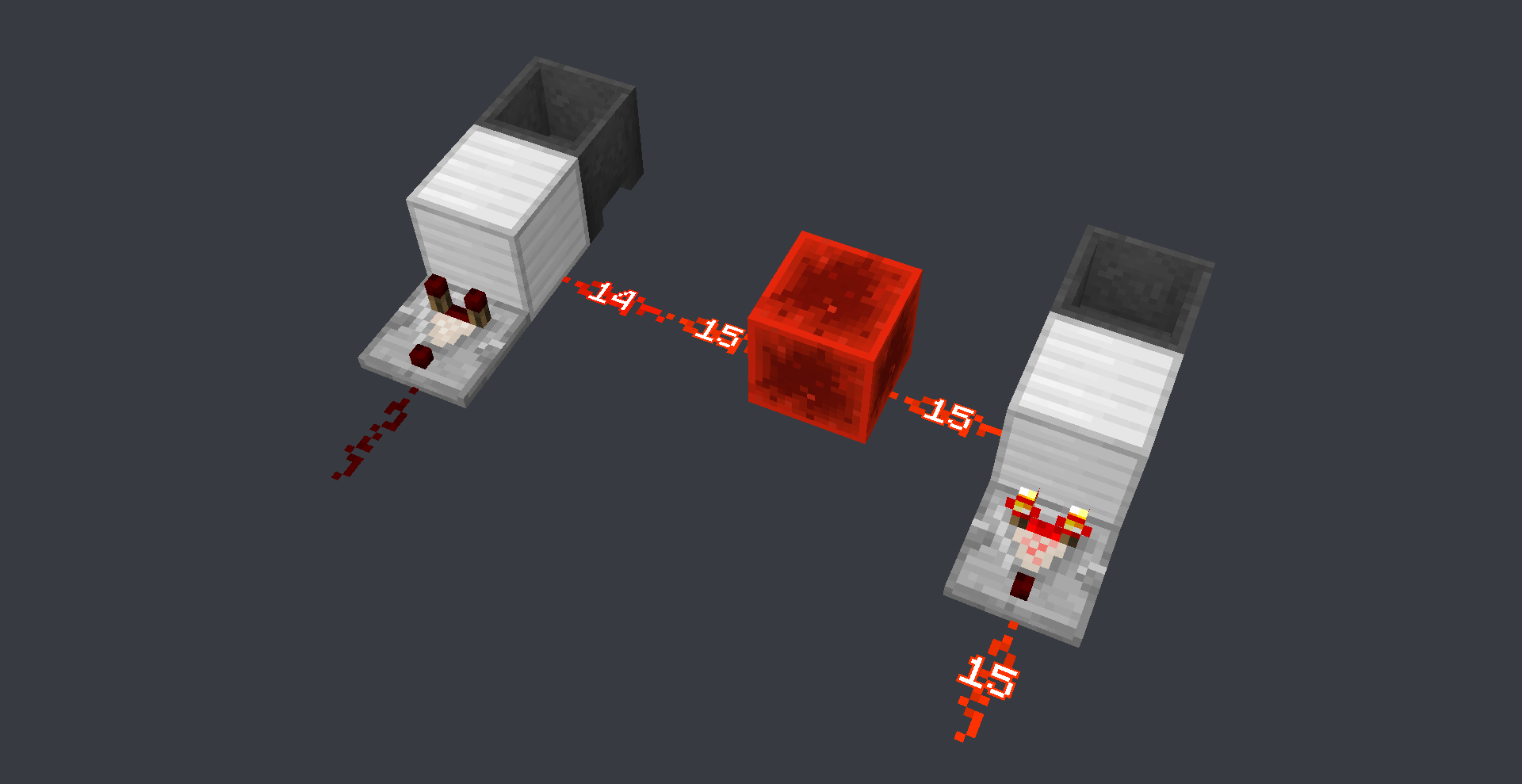
On the right-hand side: The top dispenser places the water, then the left dispenser picks it up instantly
On the left side: The right dispenser drops an empty bucket, then the top dispenser places the waterEach pair of pictures shows the current directional system and the non-directional fixed version
Panda4994 has a video and mod on this issue
https://www.youtube.com/watch?v=aRr3NpmQiCg
http://www.mediafire.com/download/b9mjwuimu2ei7wg/1.9_UpdateOrder.zipThis bug has nothing to do with
MC-108
MC-11193 does not cause this, but the other way round, this bug contributes to MC-11193
Nor is it a piston bug, it's just that its most easily seen with pistons
When a version is being downloaded
At the bottom left corner it shows how much is downloaded andwhatthe total
The period "." in the middle of the currently downloaded amount is missing
kinda funny that it says I've download 2.8GB of 40MBWhen a version is being downloaded
At the bottom left corner it shows how much is downloaded and the total amount
The period "." in the middle of the currently downloaded amount is missingkinda funny that it says I've download 2.8GB of 40MB
You need high pin (280ms) to see the second set of particles easily
When breaking extended sticky/normal pistons, iron/wooden doors or double tall grass/flowers/ferns, particles are created client side at the block being broken and the 2nd connected block
The server then sends block break particles to the client on the block that was broken first
This creates particles twice at the location of the first half of the block being broken
In single player its almost unnoitcedbecause of the super low ping lag, while on a server with normal ping the 2nd breaking particles is rather annoyingYou need high ping (280ms) to see the second set of particles easily
When breaking extended sticky/normal pistons, iron/wooden doors or double tall grass/flowers/ferns, particles are created client side at the block being broken and the 2nd connected block
The server then sends block break particles to the client on the block that was broken first
This creates particles twice at the location of the first half of the block being broken
In single player its almost unnoticeable because of the super low ping lag, while on a server with normal ping the 2nd breaking particles is rather annoyingAlso related is breaking the extension of a extended doesn't create any block breaking particles at the base, but instead creates particles at the extension twice
You need high ping (280ms) to see the second set of particles easily
When breaking extended sticky/normal pistons, iron/wooden doors or double tall grass/flowers/ferns, particles are created client side at the block being broken and the 2nd connected block
The server then sends block break particles to the client on the block that was broken first
This creates particles twice at the location of the first half of the block being broken
Insingle player its almost unnoticeable because of the super low ping lag, while on a server with normal ping the 2nd breaking particles is rather annoyingAlso related is breaking the extension of a extended doesn't create any block breaking particles at the base, but instead creates particles at the extension twice
You need high ping (280ms) to see the second set of particles easily
When breaking extended sticky/normal pistons, iron/wooden doors or double tall grass/flowers/ferns, particles are created client side at the block being broken and the 2nd connected block
The server then sends block break particles to the client on the block that was broken first
This creates particles twice at the location of the first half of the block being broken
In total there will be 3 block breaking particles in total, when there should only be 2
In single player its almost unnoticeable because of the super low ping lag, while on a server with normal ping the 2nd breaking particles is rather annoyingAlso related is breaking the extension of a extended doesn't create any block breaking particles at the base, but instead creates particles at the extension twice
You need high ping (280ms) to see the second set of particles easily
When breaking extended sticky/normal pistons, iron/wooden doors or double tall grass/flowers/ferns, particles are created client side at the block being broken and the 2nd connected block
The server then sends block break particles to the client on the block that was broken first
This creates particles twice at the location of the first half of the block being broken
In total there will be 3 block breaking particlesin total, when there should only be 2
In single player its almost unnoticeable because of the super low ping lag, while on a server with normal ping the 2nd breaking particles is rather annoyingAlso related is breaking the extension of a extended doesn't create any block breaking particles at the base, but instead creates particles at the extension twice
You need high ping (280ms) to see the second set of particles easily
When breaking extended sticky/normal pistons, iron/wooden doors or double tall grass/flowers/ferns, particles are created client side at the block being broken and the 2nd connected block
The server then sends block break particles to the client on the block that was broken first
This creates particles twice at the location of the first half of the block being broken
In total there will be 3 block breaking particles, when there should only be 2
Insingle player its almost unnoticeable because of the super low ping lag, while on a server with normal ping the 2nd breaking particles is rather annoyingAlso related is breaking the extension of a extended doesn't create any block breaking particles at the base, but instead creates particles at the extension twice
You need high ping (280ms) to see the second set of particles easily
When breaking extended sticky/normal pistons, iron/wooden doors or double tall grass/flowers/ferns, particles are created client side at the block being broken and the 2nd connected block
The server then sends block break particles to the client on the block that was broken first
This creates particles twice at the location of the first half of the block being broken
And particles at the 2nd connected block
In total there will be 3 block breaking particles, when there should only be 2 (the last particle will be delayed via ping)
In single player its almost unnoticeable because of the super low ping lag, while on a server with normal ping the 2nd breaking particles is rather annoyingAlso related is breaking the extension of an extended piston doesn't create any block breaking particles at the base, but instead creates particles at the extension twice
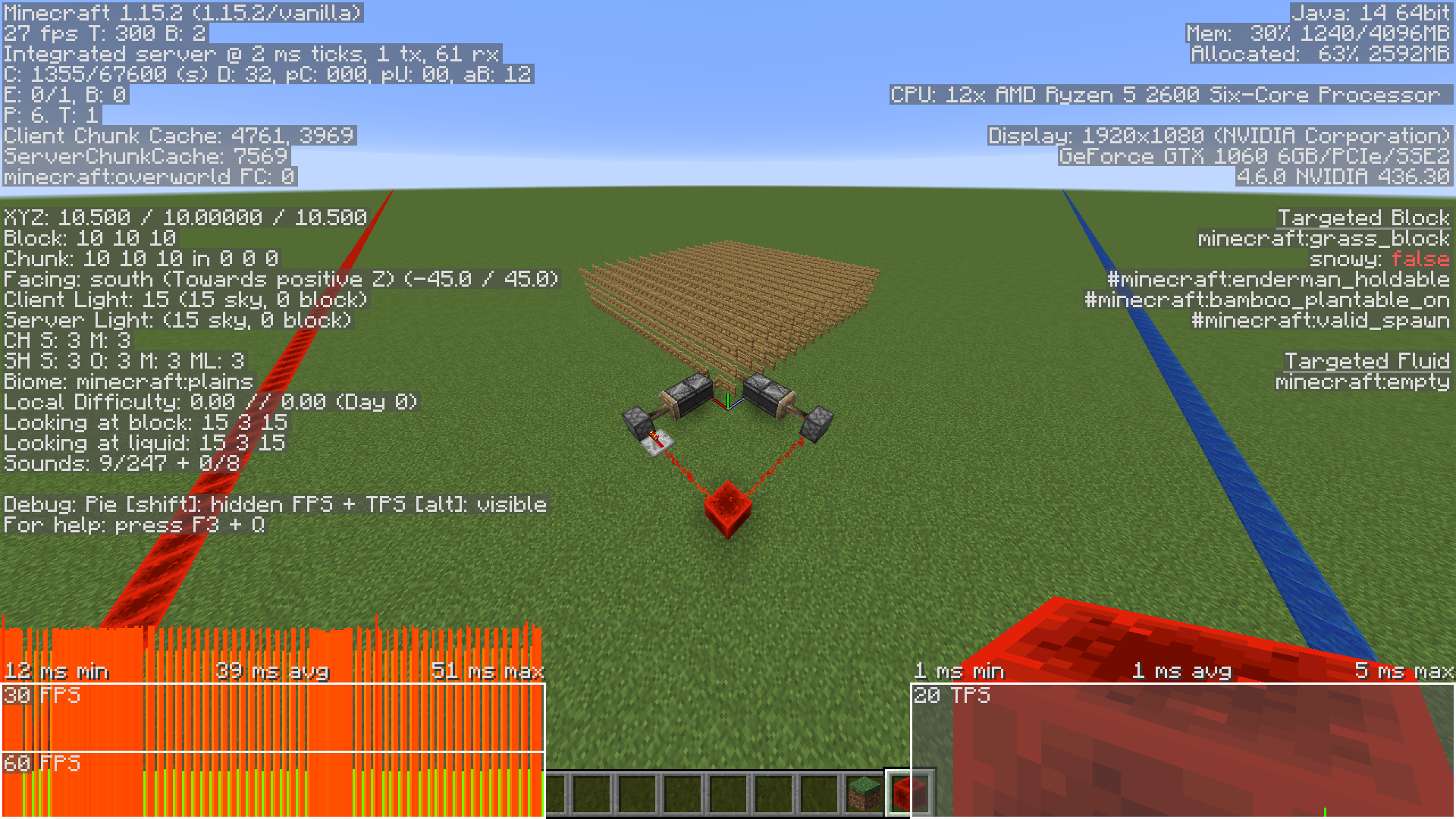
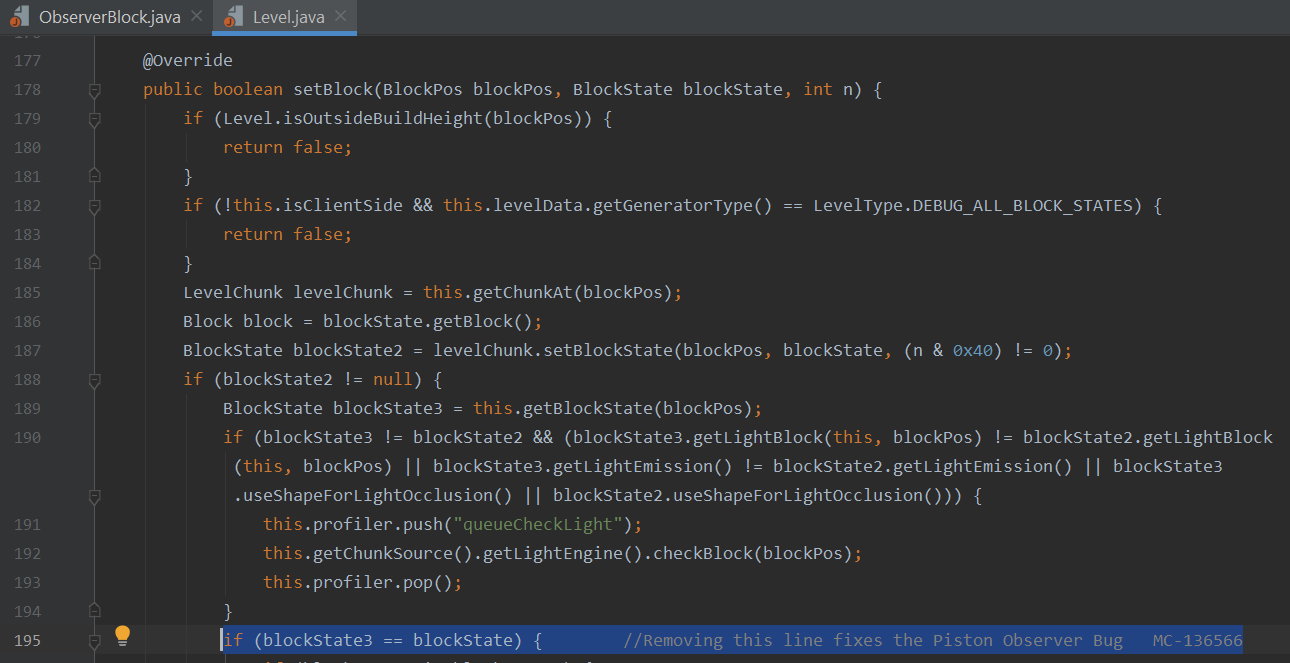
A possible fix to this bug is to revert a line in the Level.java class, method setBlock() back to how it was in 1.12.2 (before 1.13).
The line is if (blockState3 == blockState) {}
The distance from a bed you have to be, to be able to sleep in it is off centre from the bed position
Standing 3 blocks away from the bed in the north/west direction allows you to sleep
While standing 3 blocks away in the south/east directoin gives you the message "You may not sleep now; the bed is too far away"
The distance in south/east should be increased from 2 to 3 blocksStanding 3 blocks away from the bed in the north/west direction allows you to sleep
While standing 3 blocks away in the south/east direction gives you the message "You may not sleep now; the bed is too far away"
The distance in south/east direction should be increased from 2 to 3 blocks
Same exact issue happens with the distance a hostile mob is from the bed

The Bug
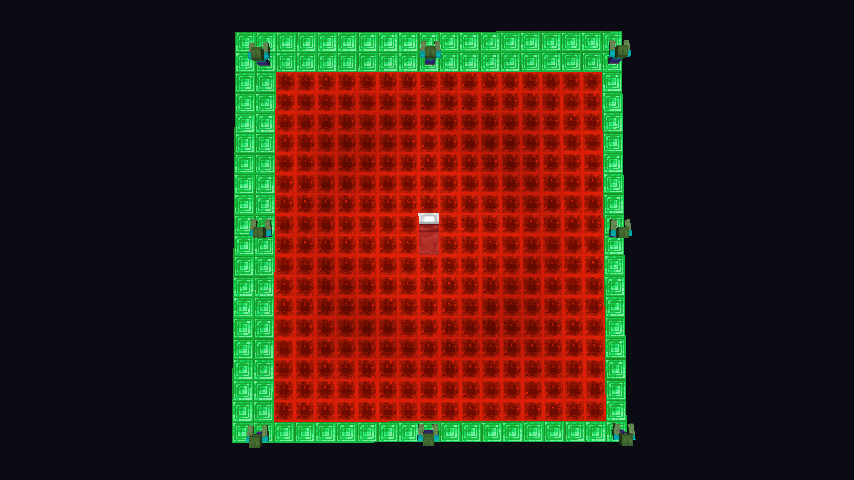
A hostile mob standing 8 blocks away from a bed (square radius) in the North/West direction (negative coordinates) will stop you from sleeping in a bed, but in the South/East direction (positive coordinates) the distance is 7 blocks
The distance in the
North/West direction (negativecoordinates) should be increased to 8 blocks(same as South/East (positive coordinates))The Bug
A hostile mob standing 8 blocks away from a bed (square radius) in the North/West direction (negative coordinates) will stop you from sleeping in a bed, but in the South/East direction (positive coordinates) the distance is 7 blocks
The Fix
The distance in the South/East direction (positive coordinates) should be increased to 8 blocks to be made consistent with the North/West distance
The Bug
A hostile mob standing 8 blocks away from a bed (square radius) in the North/West direction (negative coordinates) will stop you from sleeping in a bed, but in the South/East direction (positive coordinates) the distance is 7 blocks
If any zombie moves forward from the green Emerald block to any red Redstone block, the player will not be able to sleep and will receive the message "You may not rest now; there are monsters nearby"
The Fix
The distance in the South/East direction (positive coordinates) should be increased to 8 blocks to be made consistent with the North/West distance
When a [Tile
Tick|https://minecraft.gamepedia.com/Chunk_format/Tile_Tick]is loaded from disk.
If it is an odd gametick it will gain an extra +1 gametick of delay (making it even)This causes problems when reloading redstone circuits that contain redstone lines that are offset by odd gameticks
ExtendedTileTickDetector.mp4
: This circuit detects when a tile tick is extended by +1 gameticks of delay
Reloading the chunk or overflowing the tile tick limit will cause a tile tick to gain +1 gt of delay and will be detected by this contraption
(The detector doesn't work at all in 1.14.1 because of another bug)The bug was added in 1.14.2
1.14.0 and below is unaffectedWhen a [Tile_Tick|https://minecraft.gamepedia.com/Chunk_format/Tile_Tick] is loaded from disk.
If it is an odd gametick it will gain an extra +1 gametick of delay (making it even)This causes problems when reloading redstone circuits that contain redstone lines that are offset by odd gameticks
ExtendedTileTickDetector.mp4
Reloading the chunk or overflowing the tile tick limit will cause a tile tick to gain +1 gt of delay and will be detected by this contraption
(The detector doesn't work at all in 1.14.1 because of another bug)The bug was added in 1.14.2
1.14.0 and below is unaffected
When a
[Tile_Tick|https://minecraft.gamepedia.com/Chunk_format/Tile_Tick]is loaded from disk.
If it is an odd gametick it will gain an extra +1 gametick of delay (making it even)This causes problems when reloading redstone circuits th
at containredstone linesthat areoffset by odd gameticks
ExtendedTileTickDetector.mp4
Reloading the chunk or overflowing the tile tick limit will cause a tile tick to gain +1 gt of delay and will be detected by this contraption
(The detector doesn't work at all in 1.14.1 because of another bug)The bug was added in 1.14.2
1.14.0 and below is unaffectedWhen a Tile Tick https://minecraft.gamepedia.com/Chunk_format/Tile_Tick is loaded from disk.
If it is an odd gametick it will gain an extra +1 gametick of delay (making it even)This causes problems when reloading chunks that contain redstone circuits with redstone lines offset by odd gameticks
ExtendedTileTickDetector.mp4
Reloading the chunk or overflowing the tile tick limit will cause a tile tick to gain +1 gt of delay and will be detected by this contraption
(The detector doesn't work at all in 1.14.1 because of another bug)The bug was added in 1.14.2
1.14.0 and below is unaffected
Tile Ticks with odd gameticks gain +1 gameticks when loaded from diskAll loaded tileticks instantly run in the first tick after loading the chunk
When a Tile Tick https://minecraft.gamepedia.com/Chunk_format/Tile_Tick is loaded from disk.
If it is an odd gametick it will gain an extra +1 gametick of delay (making it even)This causes problems when reloading chunks that contain redstone circuits with redstone lines offset by odd gameticks
ExtendedTileTickDetector.mp4
is extended by +1 gameticksof delay
Reloading the chunk or overflowing the tile tick limit will cause a tile tick togain+1 gt of delay and will be detectedbythis contraption
(The detector doesn't workat allin 1.14.1 because of another bug)
The bug was added in 1.14.2
1.14.0 and below is unaffectedThe Bug.
When a chunk containing tile ticks gets loaded, all the tile ticks will run instantly in the first tick
This causes problems when reloading chunks with redstone circuits containing
ExtendedTileTickDetector.mp4
Overflowing the tile tick limit will cause all other active tile ticks that were going to be processed in the tick, to be moved to the next tick
Reloading the chunk will instantly activate all tile ticks being loadedThe bug was added in 1.14.2
1.14.0 and below is unaffected
(The detector doesn't work at all in 1.14.1 because of another bug)
The Bug.
When a chunk containing tile ticks gets loaded, all the tile ticks will run instantly in the first tick
This causes problems when reloading chunks with redstone circuits
containingExtendedTileTickDetector.mp4
a tile tick changes its amount of delay
Overflowing the tile tick limit will cause all other active tile ticks that were going to be processed in thetick, to be moved to the next tick
Reloadingthechunk will instantlyactivate all tile ticks being loadedThe bug was added in 1.14.2
1.14.0 and below is unaffected
(The detector doesn't work at all in 1.14.1 because of another bug)The Bug.
When a chunk containing tile ticks gets loaded, all the tile ticks will run instantly in the first tick
This causes huge problems when reloading chunks with precise (or even imprecise) redstone circuits
ExtendedTileTickDetector.mp4
Overflowing the tile tick limit will cause all other active tile ticks that were going to be processed in that tick, to be moved to the next tick
Reloading a chunk will instantly run all active tile ticksThe bug was added in 1.14.2
1.14.0 and below is unaffected
(The detector doesn't work at all in 1.14.1 because of another bug)
Rail updates are 3-4x times laggierthan1.12.2Updating Rails are 3-4x times laggier since 1.13
Powering and depowering rails are 3 to 4 times laggier since 1.13+ than 1.12.2-
"The primary bottleneck lies in shape comparison which is performed to determine whether the block beneath the rail is solid on top and can support it." - JellySquid
1.12.2- used a simple boolean check while 1.13+ recalculates the hitbox of the block below the rail every time
Below are some testing results
I have a void world with 10,000 rails running on a 2gt observer clock
5000 rails update every gametick (half turning on, half turning off)
16 chunk render distance
4gb of ram for the jvm
The world ran at less than half an mspt when idle which was consistent across all versions
Each test was done a few times to remove outliers
Version Variant TPS MSPT Thumbnail 1.1 2.2Vanilla 16. 26621.1 3.0Vanilla 5.391851.13. 1Vanilla 13.19761.13. 2Vanilla 1 2.637 91.1 4.4Vanilla 4.612161.1 5.2Vanilla 4. 5921 320w10aVanilla 52 0020w1 1aVanilla 4.192 281.15.2Lithium16.76020w10aLithium 205020w1 1aLithium 19.35 2Lithium heavily optimizes the shape comparison check (It does not revert the code back to 1.12) and adds block ticking optimizations
World Download: Rail Update Lag 1.12.zipPowering and depowering rails are 3 to 4 times laggier since 1.13+ than 1.12.2-
"The primary bottleneck lies in shape comparison which is performed to determine whether the block beneath the rail is solid on top and can support it." - JellySquid
1.12.2- used a simple boolean check while 1.13+ recalculates the hitbox of the block below the rail every time
Below are some testing results
I have a void world with 10,000 rails running on a 2gt observer clock
5000 rails update every gametick (half turning on, half turning off)
16 chunk render distance
4gb of ram for the jvm
The world ran at less than half an mspt when idle which was consistent across all versions
Each test was done a few times to remove outliers
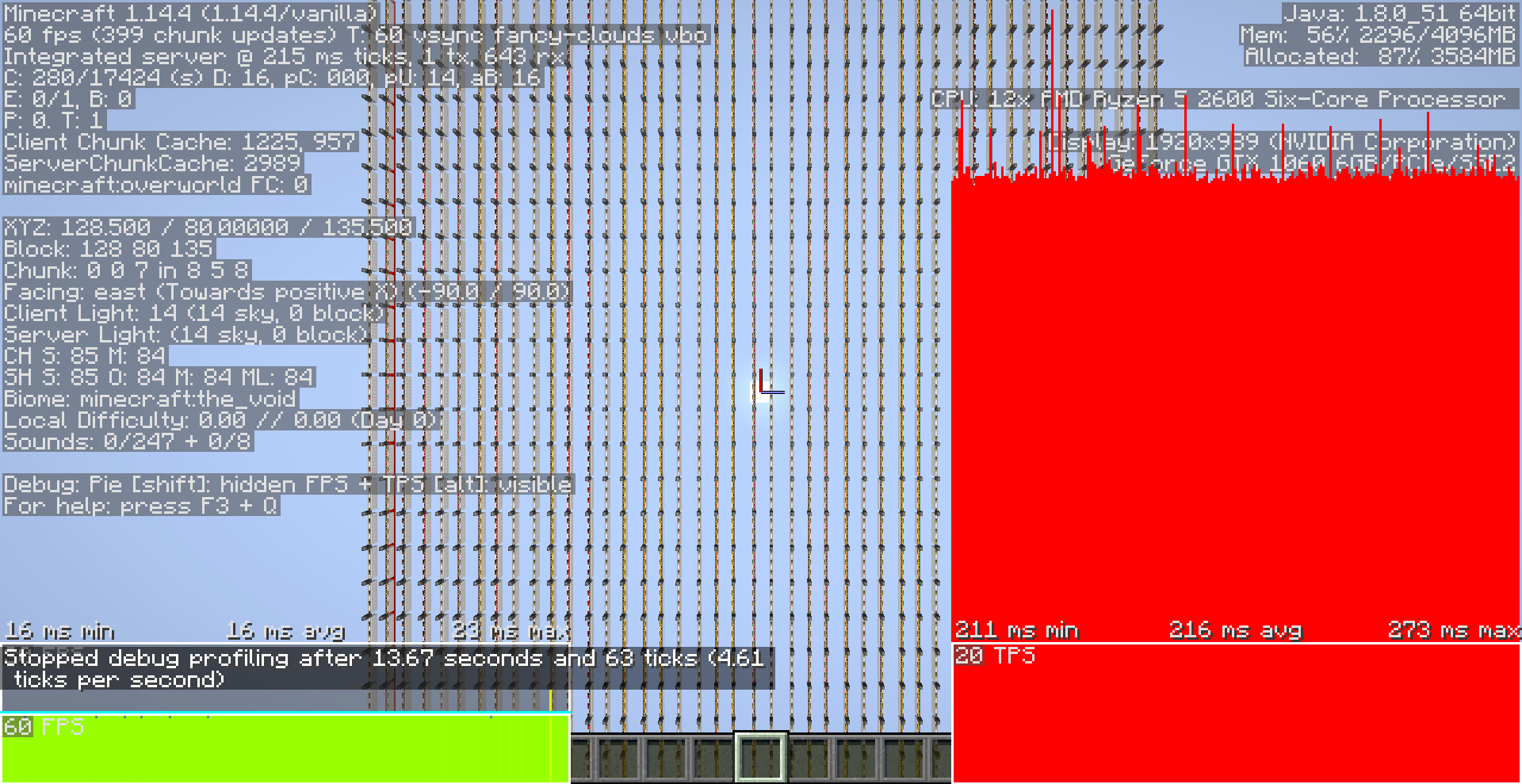
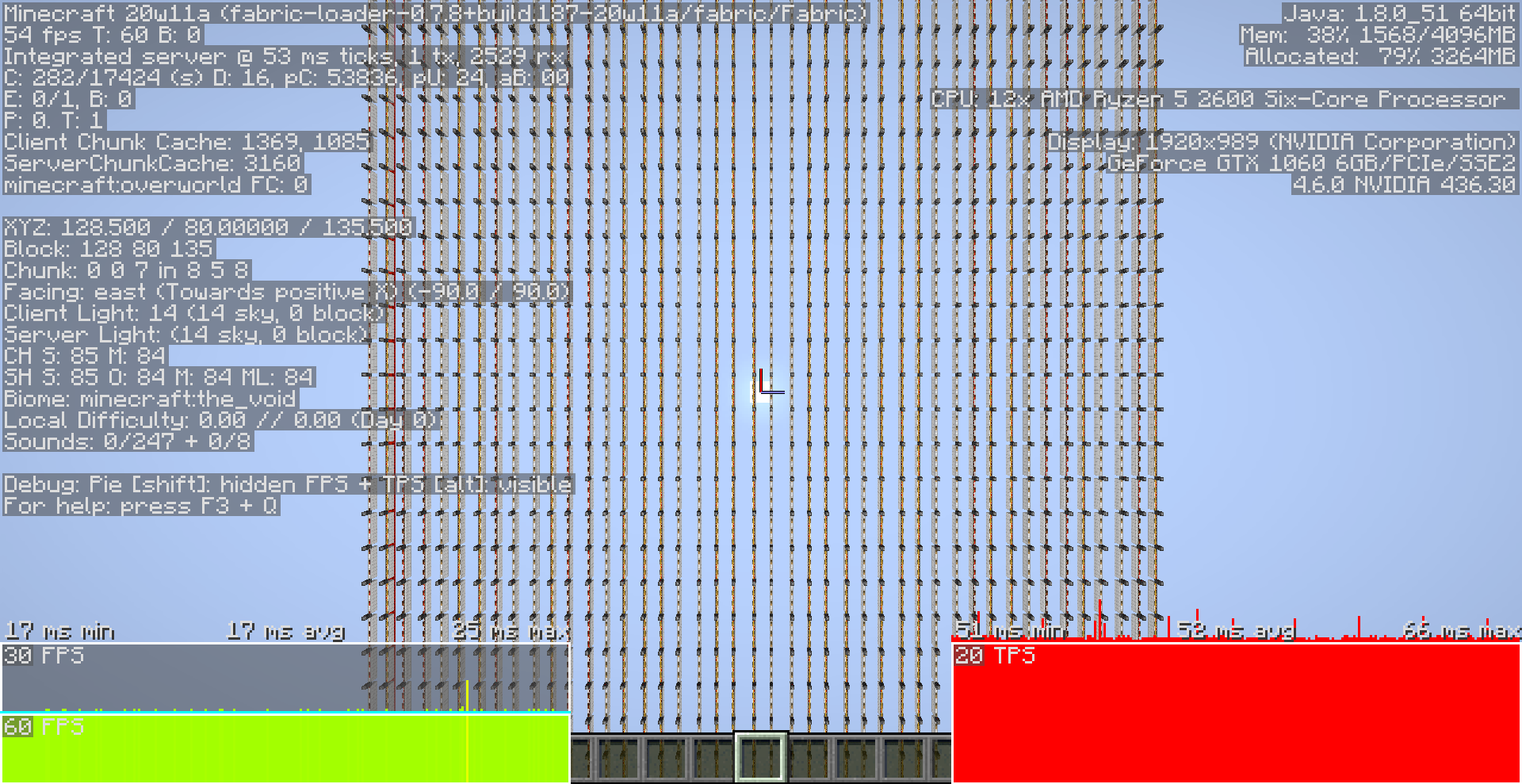
Version Variant TPS MSPT Thumbnail 1.11.2 Vanilla 16.96 58.9 1.12.2 Vanilla 16.26 62 1.13.0 Vanilla 5.39 185 1.13.1 Vanilla 13.19 76 1.13.2 Vanilla 12.63 79 1.14.4 Vanilla 4.61 216 1.15.2 Vanilla 4.59 213 20w10a Vanilla 5 200 20w11a Vanilla 4.19 228 1.15.2 Lithium 16.7 60 20w10a Lithium 20 50 20w11a Lithium 19.3 52 Lithium heavily optimizes the shape comparison check (It does not revert the code back to 1.12) and adds block ticking optimizations
World Download: Rail Update Lag 1.12.zip

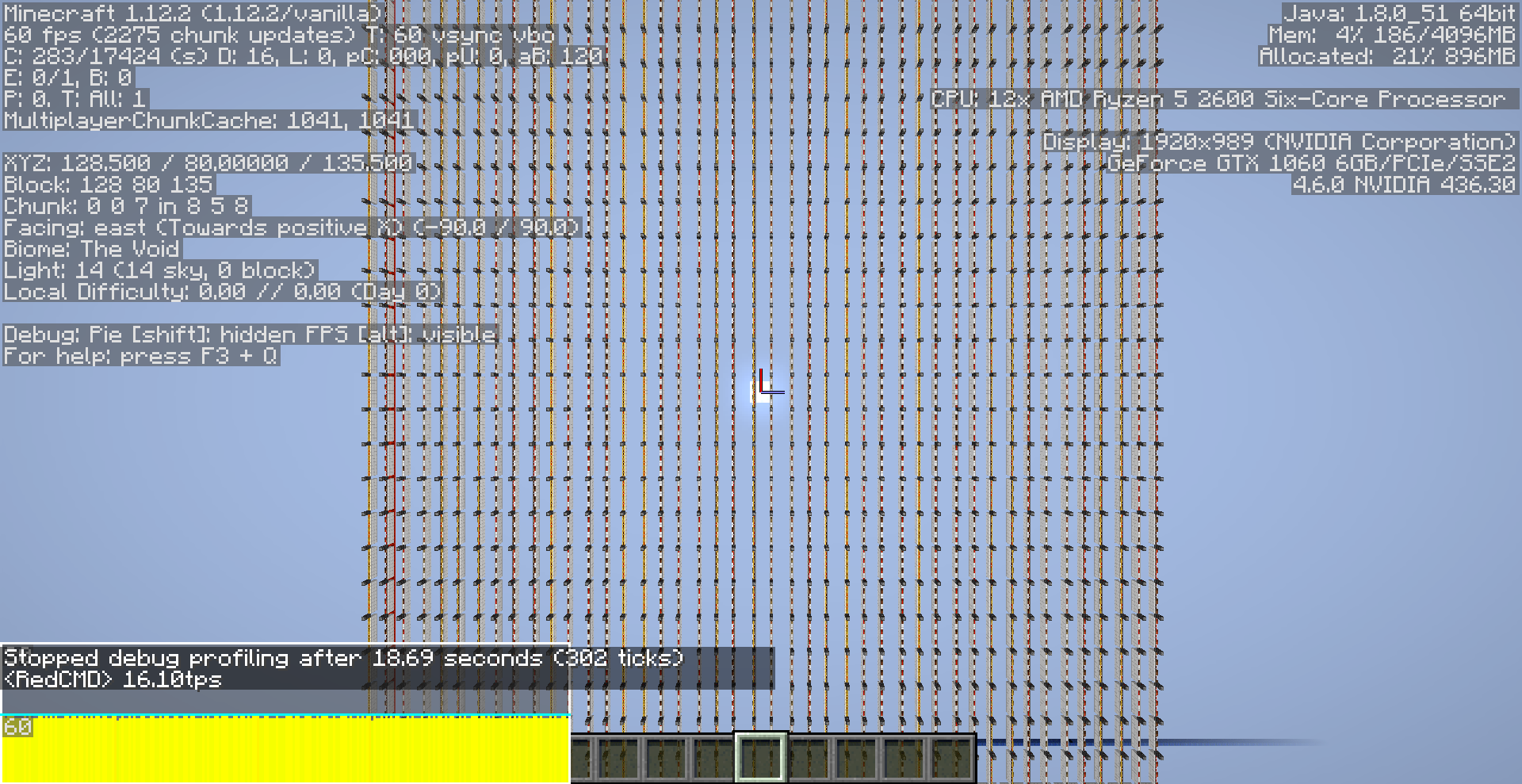

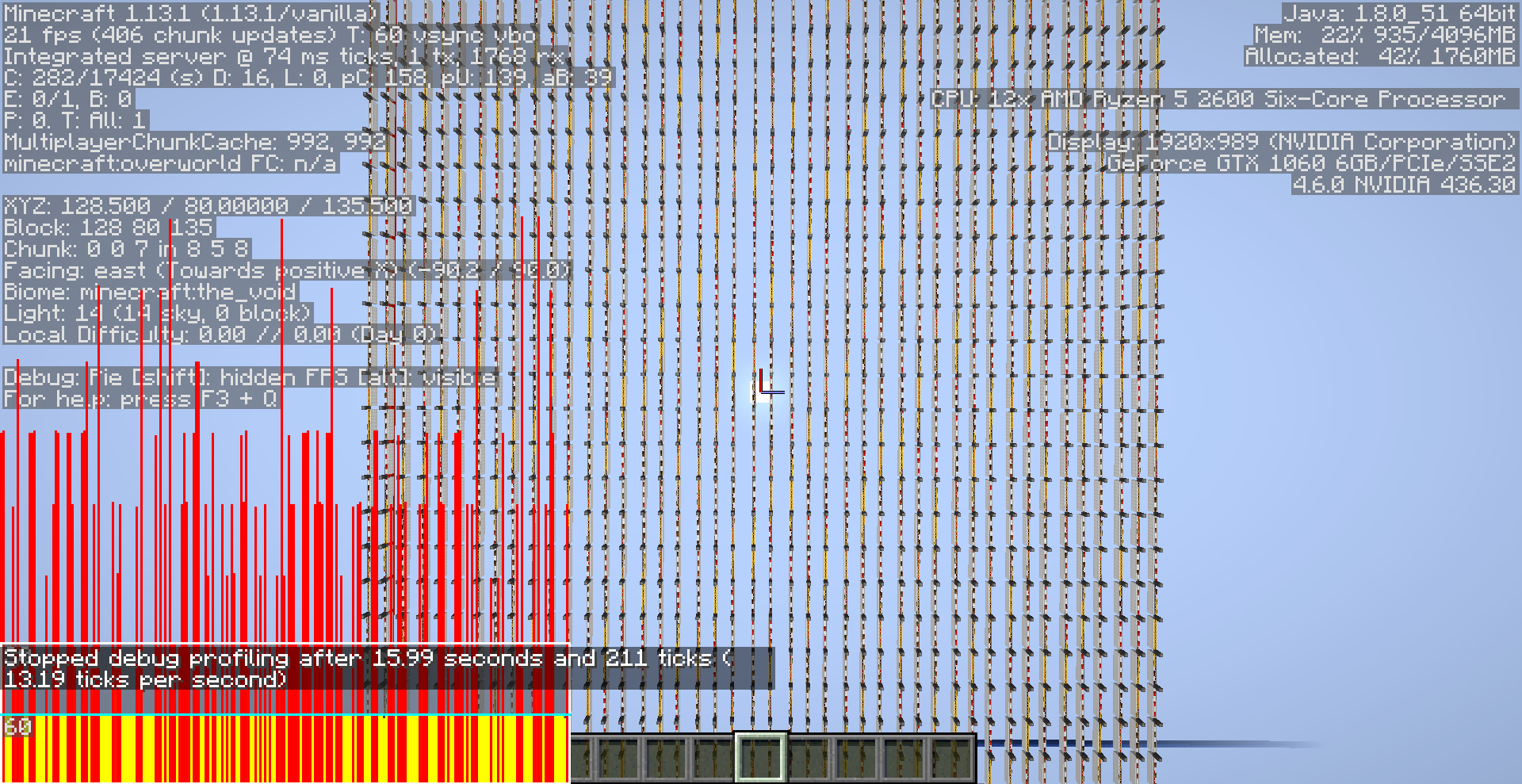



Powering and depowering rails are 3 to 4 times laggier since 1.13+ than 1.12.2-
"The primary bottleneck lies in shape comparison which is performed to determine whether the block beneath the rail is solid on top and can support it." - JellySquid
1.12.2- used a simple boolean check while 1.13+ recalculates the hitbox of the block below the rail every time
Below are some testing results
I have a void world with 10,000 rails running on a 2gt observer clock
5000 rails update every gametick (half turning on, half turning off)
16 chunk render distance
4gb of ram for the jvm
The world ran at less than half an mspt when idle which was consistent across all versions
Each test was done a few times to remove outliers
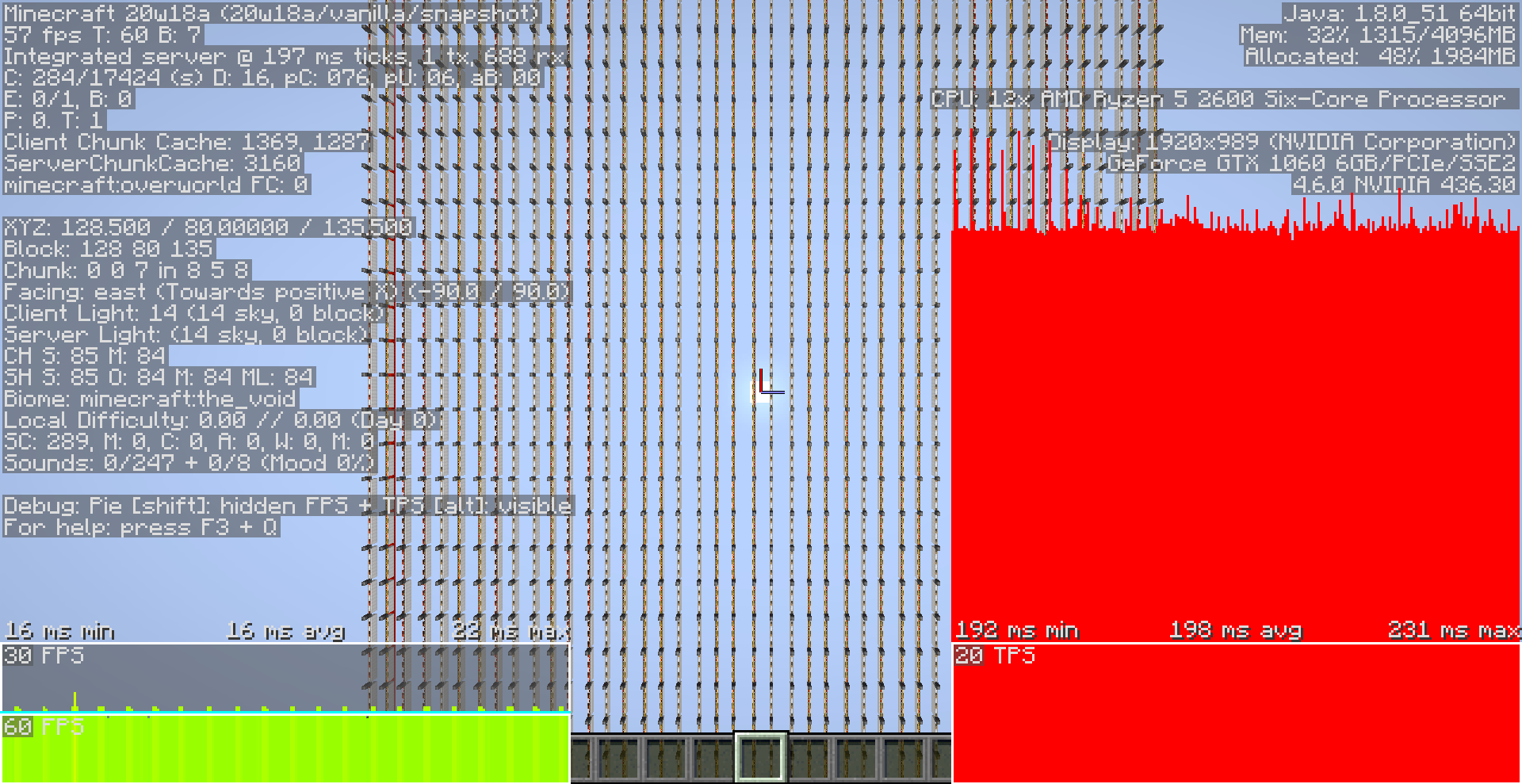
Version Variant TPS MSPT Thumbnail 1.11.2 Vanilla 16.96 58.9 1.12.2 Vanilla 16.26 62 1.13.0 Vanilla 5.39 185 1.13.1 Vanilla 13.19 76 1.13.2 Vanilla 12.63 79 1.14.4 Vanilla 4.61 216 1.15.2 Vanilla 4.59 213 20w10a Vanilla 5 200 20w11a Vanilla 4.19 228 1.15.2 Lithium 16.7 60 20w10a Lithium 20 50 20w11a Lithium 19.3 52 20w18a Vanilla 5 197 20w19a Vanilla 20 50 Lithium heavily optimizes the shape comparison check (It does not revert the code back to 1.12) and adds block ticking optimizations
World Download: Rail Update Lag 1.12.zip
Powering and depowering rails are 3 to 4 times laggier since 1.13+ than 1.12.2-
"The primary bottleneck lies in shape comparison which is performed to determine whether the block beneath the rail is solid on top and can support it." - JellySquid
1.12.2- used a simple boolean check while 1.13+ recalculates the hitbox of the block below the rail every time
Below are some testing results
I have a void world with 10,000 rails running on a 2gt observer clock
5000 rails update every gametick (half turning on, half turning off)
16 chunk render distance
4gb of ram for the jvm
The world ran at less than half an mspt when idle which was consistent across all versions
Each test was done a few times to remove outliers
Version Variant TPS MSPT Thumbnail 1.11.2 Vanilla 16.96 58.9 1.12.2 Vanilla 16.26 62 1.13.0 Vanilla 5.39 185 1.13.1 Vanilla 13.19 76 1.13.2 Vanilla 12.63 79 1.14.4 Vanilla 4.61 216 1.15.2 Vanilla 4.59 213 20w10a Vanilla 5 200 20w11a Vanilla 4.19 228 1.15.2 Lithium 16.7 60 20w10a Lithium 20 50 20w11a Lithium 19.3 52 20w18a Vanilla 5 197 20w19aVanilla2050Lithium heavily optimizes the shape comparison check (It does not revert the code back to 1.12) and adds block ticking optimizations
World Download: Rail Update Lag 1.12.zipPowering and depowering rails are 3 to 4 times laggier since 1.13+ than 1.12.2-
"The primary bottleneck lies in shape comparison which is performed to determine whether the block beneath the rail is solid on top and can support it." - JellySquid
1.12.2- used a simple boolean check while 1.13+ recalculates the hitbox of the block below the rail every time
Below are some testing results
I have a void world with 10,000 rails running on a 2gt observer clock
5000 rails update every gametick (half turning on, half turning off)
16 chunk render distance
4gb of ram for the jvm
The world ran at less than half an mspt when idle which was consistent across all versions
Each test was done a few times to remove outliers
Version Variant TPS MSPT Thumbnail 1.11.2 Vanilla 16.96 58.9 1.12.2 Vanilla 16.26 62 1.13.0 Vanilla 5.39 185 1.13.1 Vanilla 13.19 76 1.13.2 Vanilla 12.63 79 1.14.4 Vanilla 4.61 216 1.15.2 Vanilla 4.59 213 20w10a Vanilla 5 200 20w11a Vanilla 4.19 228 1.15.2 Lithium 16.7 60 20w10a Lithium 20 50 20w11a Lithium 19.3 52 20w18a Vanilla 5 197 !20w18a Vanilla 5tps 198ms.png width=60,height=30 20w19a Vanilla 20 50 !20w19a Vanilla 20tps 50ms.png width=60,height=30 Lithium heavily optimizes the shape comparison check (It does not revert the code back to 1.12) and adds block ticking optimizations
World Download: Rail Update Lag 1.12.zip
Powering and depowering rails are 3 to 4 times laggier since 1.13+ than 1.12.2-
"The primary bottleneck lies in shape comparison which is performed to determine whether the block beneath the rail is solid on top and can support it." - JellySquid
1.12.2- used a simple boolean check while 1.13+ recalculates the hitbox of the block below the rail every time
Below are some testing results
I have a void world with 10,000 rails running on a 2gt observer clock
5000 rails update every gametick (half turning on, half turning off)
16 chunk render distance
4gb of ram for the jvm
The world ran at less than half an mspt when idle which was consistent across all versions
Each test was done a few times to remove outliers
Version Variant TPS MSPT Thumbnail 1.11.2 Vanilla 16.96 58.9 1.12.2 Vanilla 16.26 62 1.13.0 Vanilla 5.39 185 1.13.1 Vanilla 13.19 76 1.13.2 Vanilla 12.63 79 1.14.4 Vanilla 4.61 216 1.15.2 Vanilla 4.59 213 20w10a Vanilla 5 200 20w11a Vanilla 4.19 228 1.15.2 Lithium 16.7 60 20w10a Lithium 20 50 20w11a Lithium 19.3 52 20w18a Vanilla 5 197 !20w18a Vanilla 5tps 198ms.png width=60,height=30 20w19a Vanilla 20 50 !20w19a Vanilla 20tps 50ms.png width=60,height=30 Lithium heavily optimizes the shape comparison check (It does not revert the code back to 1.12) and adds block ticking optimizations
World Download: Rail Update Lag 1.12.zipPowering and depowering rails are 3 to 4 times laggier since 1.13+ than 1.12.2-
"The primary bottleneck lies in shape comparison which is performed to determine whether the block beneath the rail is solid on top and can support it." - JellySquid
1.12.2- used a simple boolean check while 1.13+ recalculates the hitbox of the block below the rail every time
Below are some testing results
I have a void world with 10,000 rails running on a 2gt observer clock
5000 rails update every gametick (half turning on, half turning off)
16 chunk render distance
4gb of ram for the jvm
The world ran at less than half an mspt when idle which was consistent across all versions
Each test was done a few times to remove outliers
Version Variant TPS MSPT Thumbnail 1.11.2 Vanilla 16.96 58.9 1.12.2 Vanilla 16.26 62 1.13.0 Vanilla 5.39 185 1.13.1 Vanilla 13.19 76 1.13.2 Vanilla 12.63 79 1.14.4 Vanilla 4.61 216 1.15.2 Vanilla 4.59 213 20w10a Vanilla 5 200 20w11a Vanilla 4.19 228 1.15.2 Lithium 16.7 60 20w10a Lithium 20 50 20w11a Lithium 19.3 52 20w18a Vanilla 5 197 20w19a Vanilla 20 50 Lithium heavily optimizes the shape comparison check (It does not revert the code back to 1.12) and adds block ticking optimizations
World Download: Rail Update Lag 1.12.zip

The Bug
Hoppers can delete bonemeal from a composter if each slot has an item in the hopper, but the hopper isn't 100% completely filed
Reproducing steps
Fill a hopper by placing one item in each slot (That isn't bonemeal and not a full stack)

Place a composter on top
Fill the composter up
At the last level, the hopper will grab the bonemeal from the composter, but because each slot has an item but the hopper isn't filled, the item will be deleted
HopperDeleteBoneMeal.mp4Expected Output
The hopper would leave the bonemeal in the composter like as if all slots of the hopper are completely filled
Filled hoppers can delete bonemeal from compostersPartially filled hoppers can delete bonemeal from composters
The Bug
Hoppers can delete bonemeal from a composter if each slot has an item in the hopper, but the hopper isn't completely filled. It would be expected that the hopper would leave the bonemeal in the composter like as if all slots of the hopper are completely filled.
To reproduce
- Fill a hopper by placing one item in each slot (That isn't bonemeal and
not a full stack)
- Place a composter on top
- Fill the composter up
→At the last level, the hopper will grab the bonemeal from the composter, but because each slot has an item but the hopper isn't filled, the item will be deleted
Video
The Bug
Hoppers can delete bonemeal from a composter if each slot has an item (That isn't bonemeal and is not a full stack) in the hopper. It would be expected that the hopper would leave the bonemeal in the composter like as if all slots of the hopper are completely filled with full stacks.
When the hopper checks if it can take the bonemeal item from the compostor
- Checks if all slots are 100% full
- If full, stop
- If not full, remove bonemeal from compostor and try to insert it into the hopper
- If it can insert the bonemeal, do so and stop
- If it can't insert
→Return bonemeal to compostor
→
The hopper should just not take the bonemeal before testing if it can actually fitTo reproduce
- Fill a hopper by placing one item in each slot (That isn't bonemeal and is not a full stack
- Place a composter on top
- Fill the composter up
→Video
The Bug
Hoppers can delete bonemeal from a composter if each slot has an item (That isn't bonemeal and is not a full stack) in the hopper. It would be expected that the hopper would leave the bonemeal in the composter like as if all slots of the hopper are completely filled with full stacks.
When the hopper checks if it can take the bonemeal item from the compostor
- Checks if all slots are 100% full
- If full, stop
- If not full, remove bonemeal from compostor and try to insert it into the hopper
- If it can insert the bonemeal, do so and stop
- If it can't insert
→
→jr
The hopper should just not take the bonemeal before testing if it can actually fitTo reproduce
- Fill a hopper by placing one item in each slot (That isn't bonemeal and is not a full stack
- Place a composter on top
- Fill the composter up
→butthe hopper isn't filled, the item will be deletedVideo
The Bug
Hoppers can delete bonemeal from a composter if each slot has an item (That isn't bonemeal and is not a full stack) in the hopper. It would be expected that the hopper would leave the bonemeal in the composter like as if all slots of the hopper are completely filled with full stacks.
When the hopper checks if it can take the bonemeal item from the compostor
- Checks if all slots are 100% full
- If full, stop
- If not full, remove bonemeal from compostor and try to insert it into the hopper
- If it can insert the bonemeal, do so and stop
- If it can't insert
→
→
The hopper should just not take the bonemeal before testing if it can actually fitTo reproduce
- Fill a hopper by placing one item in each slot (That isn't bonemeal and is not a full stack
- Place a composter on top
- Fill the composter up
→Video
The Bug
Hoppers can delete bonemeal from a composter if each slot
has anitem (That isn't bonemeal and is not a full stack)in the hopper. It would be expected that the hopper would leave the bonemeal in the composterlikeas if all slots of the hopper are completely filled with full stacks.When the hopper checks if it can take the bonemeal item from the compostor
- Checks if all slots are 100% f
ull- If f
ull, stop- If not f
ull, remove bonemeal from compostor and tryto insert it into the hopper- If it can insert the bonemeal,
doso and stop- If it can't insert
→
→
The hopper should just not take the bonemeal before testing if it can actually fitTo reproduce
- Fill a hopper by placing one item in each slot (That isn't bonemeal and is not a full stack
- Place a composter on top
- Fill the composter up
→Video
The Bug
Hoppers can delete bonemeal from a composter on top if each slot of the hopper has a single item (That isn't bonemeal and is not a full stack). It would be expected that the hopper would leave the bonemeal in the composter and not delete it, as if all slots of the hopper are completely filled with full stacks.
When the hopper checks if it can take the bonemeal item from the compostor
- Checks if all slots are 100% fill
- If fill, stop
- If not fill, removes bonemeal from the compostor and tries to insert it into the hopper
- If it can insert the bonemeal, it does so and stops
- If it can't insert
→
→
The hopper should just not take the bonemeal before testing if it can actually fitTo reproduce
- Fill a hopper by placing one item in each slot (That isn't bonemeal and is not a full stack
- Place a composter on top
- Fill the composter up
→Video
If entering a bed while the player is in a minecart (on and off rails), boat (in and out of water) or horse
The player will fall out of bed in the direction of the entityWhether you fall out or not, is based on the position of the mount from the bed and if there are blocks to fall on to
This is not a visual bug
As placing fire on the block you fall on to, will put you fire and kick you from the bed
Powering and depowering rails that are on top of non-full cubes is 4 to 5 times laggier since 1.14 than 1.12.2 and below
"The primary bottleneck lies in shape comparison which is performed to determine whether the block beneath the rail is solid on top and can support it." - JellySquid
- 1.12.2 used a simple boolean check
- 1.13.X ¯
\_(ツ)_/¯- 1.14-20w18a recalculates the hitbox of the block below the rail every time
- 20w19a uses a simple boolean check for full cubes which decreased lag massively, but still recalculates the collision box of non-fullCubes every time
Below are some testing results.
I have a void world with 10,000 rails atop top-slabs running on a 2gt observer clock
5000 rails update every gametick (half those turning on, half turning off)
16 chunk render distance, 2gb of ram for the JVMThe world ran at less than half an mspt when idle which was consistent across all versions.
Each test was done a few times to get stable results.
Version Client TPS MSPT Thumbnail 1.12.2 Vanilla 24.69 40.5 1.13.0 Vanilla 12.23 81.75 1.13.2 Vanilla >20 <50 1.14.4 Vanilla 5.55 180 1.15.2 Vanilla 5.37 186 1.15.2 Lithium 28.57 35 20w18a Vanilla 4.85 206 20w19a Vanilla 5.46 183 20w19a Lithium 30.3 33 Lithium heavily optimizes the shape comparison check:
- Simple full-cube check with early exit (which was added in 20w19a to decrease lag from rails only atop full cubes)
- Cache if the side of the block can support the rail (slabs)
World Download: Rail Slab Update Lag 1.12.zip
Powering and depowering rails that are on top of non-full cubes is 4 to 5 times laggier since 1.14 than 1.12.2 and below
"The primary bottleneck lies in shape comparison which is performed to determine whether the block beneath the rail is solid on top and can support it." - JellySquid
- 1.12.2 used a simple boolean check
- 1.13.X ¯_(ツ)_/¯
- 1.14-20w18a recalculates the hitbox of the block below the rail every time
- 20w19a uses a simple boolean check for full cubes which decreased lag massively, but still recalculates the collision box of non-fullCubes every time
Below are some testing results.
I have a void world with 10,000 rails atop top-slabs running on a 2gt observer clock
5000 rails update every gametick (half those turning on, half turning off)
16 chunk render distance, 2gb of ram for the JVMThe world ran at less than half an mspt when idle which was consistent across all versions.
Each test was done a few times to get stable results.
Version Client TPS MSPT Thumbnail 1.12.2 Vanilla 24.69 40.5 1.13.0 Vanilla 12.23 81.75 1.13.2 Vanilla >20 <50 1.14.4 Vanilla 5.55 180 1.15.2 Vanilla 5.37 186 1.15.2 Lithium 28.57 35 20w18a Vanilla 4.85 206 20w19a Vanilla 5.46 183 20w19a Lithium 30.3 33 20w28a Vanilla 30.3 33 Lithium heavily optimizes the shape comparison check:
- Simple full-cube check with early exit (which was added in 20w19a to decrease lag from rails only atop full cubes)
- Cache if the side of the block can support the rail (slabs)
World Download: Rail Slab Update Lag 1.12.zip


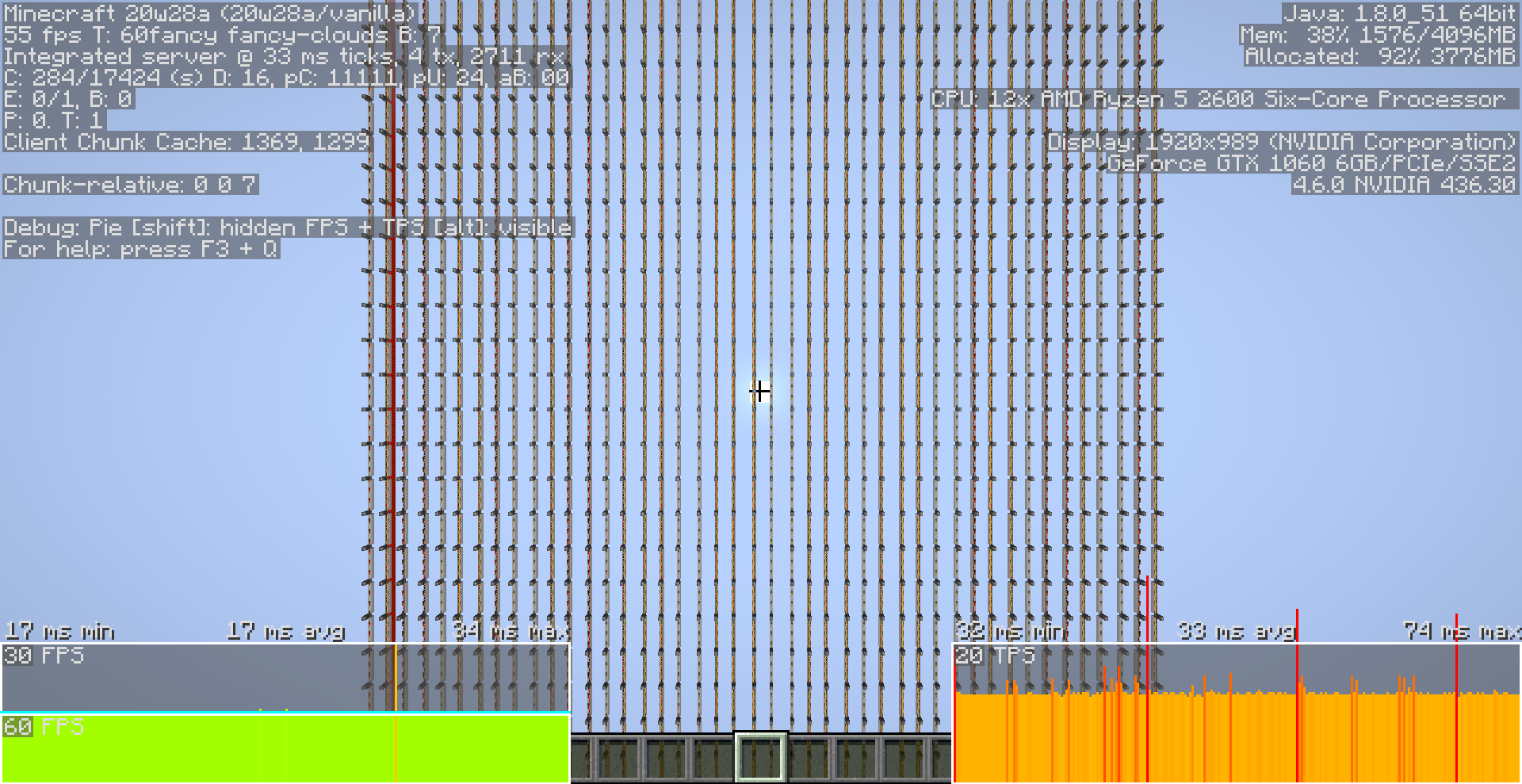
Powering and depowering rails that are on top of non-full cubes is 4 to 5 times laggier since 1.14 than 1.12.2 and below
"The primary bottleneck lies in shape comparison which is performed to determine whether the block beneath the rail is solid on top and can support it." - JellySquid
- 1.12.2 used a simple boolean check
- 1.13.X ¯_(ツ)_/¯
- 1.14-20w18a recalculates the hitbox of the block below the rail every time
- 20w19a uses a simple boolean check for full cubes which decreased lag massively
,but still recalculates the collision box of non-fullCubes every timeBelow are some testing results.
I have a void world with 10,000 rails atop top-slabs running on a 2gt observer clock
5000 rails update every gametick (half those turning on, half turning off)
16 chunk render distance, 2gb of ram for the JVMThe world ran at less than half an mspt when idle which was consistent across all versions.
Each test was done a few times to get stable results.
Version Client TPS MSPT Thumbnail 1.12.2 Vanilla 24.69 40.5 1.13.0 Vanilla 12.23 81.75 1.13.2 Vanilla >20 <50 1.14.4 Vanilla 5.55 180 1.15.2 Vanilla 5.37 186 1.15.2 Lithium 28.57 35 20w18a Vanilla 4.85 206 20w19a Vanilla 5.46 183 20w19a Lithium 30.3 33 20w28a Vanilla 30.3 33 Lithium heavily optimizes the shape comparison check:
- Simple full-cube check with early exit (which was added in 20w19a to decrease lag from rails only atop full cubes)
- Cache if the side of the block can support the rail (slabs)
World Download: Rail Slab Update Lag 1.12.zip
Powering and depowering rails that are on top of non-full cubes is 4 to 5 times laggier since 1.14 than 1.12.2 and below
"The primary bottleneck lies in shape comparison which is performed to determine whether the block beneath the rail is solid on top and can support it." - JellySquid
- 1.12.2 used a simple boolean check
- 1.13.X ¯_(ツ)_/¯
- 1.14-20w18a recalculates the hitbox of the block below the rail every time
- 20w19a-20w27a uses a simple boolean check for full cubes which decreased lag massively but still recalculates the collision box of non-fullCubes every time
- 20w28a+ Caches if the rail can stay atop the non-fullCube
Below are some testing results.
I have a void world with 10,000 rails atop top-slabs running on a 2gt observer clock
5000 rails update every gametick (half those turning on, half turning off)
16 chunk render distance, 2gb of ram for the JVMThe world ran at less than half an mspt when idle which was consistent across all versions.
Each test was done a few times to get stable results.
Version Client TPS MSPT Thumbnail 1.12.2 Vanilla 24.69 40.5 1.13.0 Vanilla 12.23 81.75 1.13.2 Vanilla >20 <50 1.14.4 Vanilla 5.55 180 1.15.2 Vanilla 5.37 186 1.15.2 Lithium 28.57 35 20w18a Vanilla 4.85 206 20w19a Vanilla 5.46 183 20w19a Lithium 30.3 33 20w28a Vanilla 30.3 33 Lithium heavily optimizes the shape comparison check:
- Simple full-cube check with early exit (which was added in 20w19a to decrease lag from rails only atop full cubes)
- Cache if the side of the block can support the rail (slabs)
World Download: Rail Slab Update Lag 1.12.zip
The bug
Comparators in compare mode can schedule tileticks when they shouldn't, creating unneeded lag from block updates and in some situations the comparator can be instant making for very confusing timings
To reproduce
- Place a comparator down in compare mode
- Power the side of the comparator
- Power the back of the comparator with a signal strength less than the side
→
→
This can be most easily seen when placing a Block Update Detector after the comparator
It will detect the block updates that the scheduled tiletick produces
Instant Comparator
Both lines have the same delay even tho the top line has 3ticks of delay and the bottom has 2ticks
This is becausewhen the first repeaters turn on
The comparator thinks it can turn on too (even tho it can't), so it schedules a tiletick on itself for the next tick
In the next tick, the side of the comparatorturnsoff and the comparator instantly turns on afterwards inthesametickCode analysis
In the comparator class, method
Vanilla code:private int calculateOutputSignal(Level level, BlockPos blockPos, BlockState blockState) { if (blockState.getValue(MODE) == ComparatorMode.SUBTRACT) { return Math.max(this.getInputSignal(level, blockPos, blockState) - this.getAlternateSignal(level, blockPos, blockState), 0); } return this.getInputSignal(level, blockPos, blockState); }The first if statement for subtract mode works perfectly fine
But the compare mode doesn't take the side input into account, leading to the comparator thinking it can turn on even tho the side input is overpowering the backFixed code:
private int calculateOutputSignal(Level level, BlockPos blockPos, BlockState blockState) { if (blockState.getValue(MODE) == ComparatorMode.SUBTRACT) { return Math.max(this.getInputSignal(level, blockPos, blockState) - this.getAlternateSignal(level, blockPos, blockState), 0); } return this.getInputSignal(level, blockPos, blockState) >= this.getAlternateSignal(level, blockPos, blockState) ? this.getInputSignal(level, blockPos, blockState) : 0; }Checking if the side input is greater than the back and returning 0
Optimized code:
private int calculateOutputSignal(Level level, BlockPos blockPos, BlockState blockState) { int i = this.getInputSignal(level, blockPos, blockState); if (i == 0) return 0; j = this.getAlternateSignal(level, blockPos, blockState); if (j > i) return 0; if (blockState.getValue(MODE) == ComparatorMode.SUBTRACT) { return i - j; } return j; }If the back input is 0, no need to check the side or mode state
Note
Th
is bug is not the cause nor affects scheduling a tiletick on a comparator by simply powering the back (without the side) with a 1tick pulse
As it is not a exception, but a rule on how comparators fundamentally workThe bug
Comparators in compare mode can schedule tileticks when they shouldn't, creating unneeded lag from block updates and in some situations the comparator can be instant making for very confusing timings
To reproduce
- Place a comparator down in compare mode
- Power the side of the comparator
- Power the back of the comparator with a signal strength less than the side
→
→
This can be most easily seen when placing a Block Update Detector after the comparator
It will detect the block updates that the scheduled tiletick produces
Instant Comparator
Due to this bug allowing comparators to schedule a tiletick seemly randomly, if in the right the comparator can appear instant, creating a very confusing time for the player as they try to find the timing issue
Both lines have the same delay even tho the top line has 3ticks of delay and the bottom has 2ticks
This is because when the first repeaters turn on
The comparator thinks it can turn on too (even tho it can't), so it schedules a tiletick on itself for the next tick
In the next tick, the side of the comparator turns off and the comparator instantly turns on afterwards in the same tick
Code analysis
In the comparator class, method
Vanilla code:private int calculateOutputSignal(Level level, BlockPos blockPos, BlockState blockState) { if (blockState.getValue(MODE) == ComparatorMode.SUBTRACT) { return Math.max(this.getInputSignal(level, blockPos, blockState) - this.getAlternateSignal(level, blockPos, blockState), 0); } return this.getInputSignal(level, blockPos, blockState); }The first if statement for subtract mode works perfectly fine
But the compare mode doesn't take the side input into account, leading to the comparator thinking it can turn on even tho the side input is overpowering the backFixed code:
private int calculateOutputSignal(Level level, BlockPos blockPos, BlockState blockState) { if (blockState.getValue(MODE) == ComparatorMode.SUBTRACT) { return Math.max(this.getInputSignal(level, blockPos, blockState) - this.getAlternateSignal(level, blockPos, blockState), 0); } return this.getInputSignal(level, blockPos, blockState) >= this.getAlternateSignal(level, blockPos, blockState) ? this.getInputSignal(level, blockPos, blockState) : 0; } Checking if the side input is greater than the back and returning 0Optimized code:
private int calculateOutputSignal(Level level, BlockPos blockPos, BlockState blockState) { int i = this.getInputSignal(level, blockPos, blockState); if (i == 0) return 0; j = this.getAlternateSignal(level, blockPos, blockState); if (j > i) return 0; if (blockState.getValue(MODE) == ComparatorMode.SUBTRACT) { return i - j; } return j; }If the back input is 0, no need to check the side or mode state
Note for technical players
This bug is not the cause nor affects scheduling a tiletick on a comparator by simply powering the back (without the side) with a 1tick pulse
As that is not a exception, but a rule on how comparators fundamentally workNor will this remove instant comparators
There are multiple ways of getting a comparator to schedule a tiletick
And you do not use this partiular technique
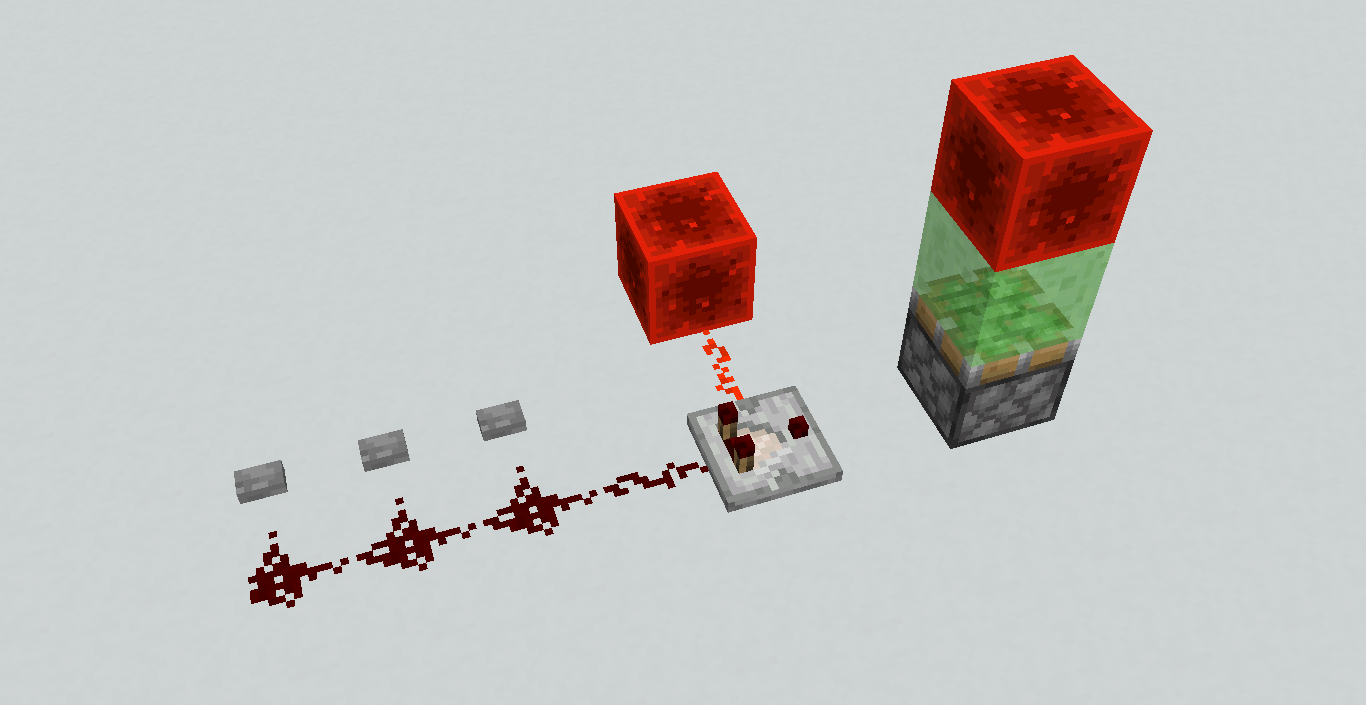

The bug
Comparators in compare mode can schedule tileticks when they shouldn't, creating unneeded lag from block updates and in some situations the comparator can be instant making for very confusing timings
To reproduce
- Place a comparator down in compare mode
- Power the side of the comparator
- Power the back of the comparator with a signal strength less than the side
→
→
This can be most easily seen when placing a Block Update Detector after the comparator
It will detect the block updates that the scheduled tiletick produces
Instant Comparator
Due to this bug allowing comparators to schedule a tiletick seemly randomly, if in the right the comparator can appear instant, creating a very confusing time for the player as they try to find the timing issue
Both lines have the same delay even tho the top line has 3ticks of delay and the bottom has 2ticks
This is because when the first repeaters turn on
The comparator thinks it can turn on too (even tho it can't), so it schedules a tiletick on itself for the next tick
In the next tick, the side of the comparator turns off and the comparator instantly turns on afterwards in the same tick
Code analysis
In the comparator class, method
Vanilla code:private int calculateOutputSignal(Level level, BlockPos blockPos, BlockState blockState) { if (blockState.getValue(MODE) == ComparatorMode.SUBTRACT) { return Math.max(this.getInputSignal(level, blockPos, blockState) - this.getAlternateSignal(level, blockPos, blockState), 0); } return this.getInputSignal(level, blockPos, blockState); }The first if statement for subtract mode works perfectly fine
But the compare mode doesn't take the side input into account, leading to the comparator thinking it can turn on even tho the side input is overpowering the backFixed code:
private int calculateOutputSignal(Level level, BlockPos blockPos, BlockState blockState) { if (blockState.getValue(MODE) == ComparatorMode.SUBTRACT) { return Math.max(this.getInputSignal(level, blockPos, blockState) - this.getAlternateSignal(level, blockPos, blockState), 0); } return this.getInputSignal(level, blockPos, blockState) >= this.getAlternateSignal(level, blockPos, blockState) ? this.getInputSignal(level, blockPos, blockState) : 0; } Checking if the side input is greater than the back and returning 0Optimized code:
private int calculateOutputSignal(Level level, BlockPos blockPos, BlockState blockState) { int i = this.getInputSignal(level, blockPos, blockState);if (i == 0)return 0;j = this.getAlternateSignal(level, blockPos, blockState);if (j > i)return 0;if (blockState.getValue(MODE) == ComparatorMode.SUBTRACT) {return i - j;}return j; }If the back input is 0, no need to check the side or mode state
Note for technical players
This bug is not the cause nor affects scheduling a tiletick on a comparator by simply powering the back (without the side) with a 1tick pulse
As that is not a exception, but a rule on how comparators fundamentally workNor will this remove instant comparators
There are multiple ways of getting a comparator to schedule a tiletick
And you do not use this partiular techniqueThe bug
Comparators in compare mode can schedule tileticks when they shouldn't, creating unneeded lag from block updates and in some situations the comparator can be instant making for very confusing timings
To reproduce
- Place a comparator down in compare mode
- Power the side of the comparator
- Power the back of the comparator with a signal strength less than the side
→
→
This can be most easily seen when placing a Block Update Detector after the comparator
It will detect the block updates that the scheduled tiletick produces
Instant Comparator
Due to this bug allowing comparators to schedule a tiletick seemly randomly, if in the right the comparator can appear instant, creating a very confusing time for the player as they try to find the timing issue
Both lines have the same delay even tho the top line has 3ticks of delay and the bottom has 2ticks
This is because when the first repeaters turn on
The comparator thinks it can turn on too (even tho it can't), so it schedules a tiletick on itself for the next tick
In the next tick, the side of the comparator turns off and the comparator instantly turns on afterwards in the same tick
Code analysis
Vanilla code:
private int calculateOutputSignal(Level level, BlockPos blockPos, BlockState blockState) { if (blockState.getValue(MODE) == ComparatorMode.SUBTRACT) { return Math.max(this.getInputSignal(level, blockPos, blockState) - this.getAlternateSignal(level, blockPos, blockState), 0); } return this.getInputSignal(level, blockPos, blockState); }The first if statement for subtract mode works perfectly fine
But the compare mode doesn't take the side input into account, leading to the comparator thinking it can turn on even tho the side input is overpowering the backFixed code:
private int calculateOutputSignal(Level level, BlockPos blockPos, BlockState blockState) { if (blockState.getValue(MODE) == ComparatorMode.SUBTRACT) { return Math.max(this.getInputSignal(level, blockPos, blockState) - this.getAlternateSignal(level, blockPos, blockState), 0); } return this.getInputSignal(level, blockPos, blockState) >= this.getAlternateSignal(level, blockPos, blockState) ? this.getInputSignal(level, blockPos, blockState) : 0; }Checking if the side input is greater than the back and returning 0
Optimized code:
private int calculateOutputSignal(Level level, BlockPos blockPos, BlockState blockState) { int i = this.getInputSignal(level, blockPos, blockState); if (i == 0) return 0; j = this.getAlternateSignal(level, blockPos, blockState); if (j > i) return 0; if (blockState.getValue(MODE) == ComparatorMode.SUBTRACT) { return i - j; } return j; }If the back input is 0, no need to check the side or mode state
If the side input is greater than the back, no need to check the mode stateNote for technical players
This bug is not the cause nor affects scheduling a tiletick on a comparator by simply powering the back (without the side) with a 1tick pulse
As that is not a exception, but a rule on how comparators fundamentally workNor will this remove instant comparators
There are multiple ways of getting a comparator to schedule a tiletick
And you do not use this partiular technique
The bug
Comparators in compare mode can schedule tileticks when they shouldn't, creating unneeded lag from block updates and in some situations the comparator can be instant making for very confusing timings
To reproduce
- Place a comparator down in compare mode
- Power the side of the comparator
- Power the back of the comparator with a signal strength less than the side
→
→
This can be most easily seen when placing a Block Update Detector after the comparator
It will detect the block updates that the scheduled tiletick produces
Instant Comparator
Due to this bug allowing comparators to schedule a tiletick seemly randomly, if in the right the comparator can appear instant, creating a very confusing time for the player as they try to find the timing issue
Both lines havethe samedelayeven tho the top line has3ticksof delayand the bottom has 2ticks
This is because when the first repeaters turn on
The comparator thinks it can turn on too (even tho it can't), so it schedules a tiletick on itself for the next tick
In the next tick, the side of the comparator turns off and the comparator instantly turns on afterwards in the same tick
Code analysis
Vanilla code:
private int calculateOutputSignal(Level level, BlockPos blockPos, BlockState blockState) { if (blockState.getValue(MODE) == ComparatorMode.SUBTRACT) { return Math.max(this.getInputSignal(level, blockPos, blockState) - this.getAlternateSignal(level, blockPos, blockState), 0); } return this.getInputSignal(level, blockPos, blockState); }The first if statement for subtract mode works perfectly fine
But the compare mode doesn't take the side input into account, leading to the comparator thinking it can turn on even tho the side input is overpowering the backFixed code:
private int calculateOutputSignal(Level level, BlockPos blockPos, BlockState blockState) { if (blockState.getValue(MODE) == ComparatorMode.SUBTRACT) { return Math.max(this.getInputSignal(level, blockPos, blockState) - this.getAlternateSignal(level, blockPos, blockState), 0); } return this.getInputSignal(level, blockPos, blockState) >= this.getAlternateSignal(level, blockPos, blockState) ? this.getInputSignal(level, blockPos, blockState) : 0; }Check
ingif the side input is greater than the back and returning0Optimized code:
private int calculateOutputSignal(Level level, BlockPos blockPos, BlockState blockState) { int i = this.getInputSignal(level, blockPos, blockState); if (i == 0) return 0; j = this.getAlternateSignal(level, blockPos, blockState); if (j > i) return 0; if (blockState.getValue(MODE) == ComparatorMode.SUBTRACT) { return i - j; } return j; }If the back input is 0, no need to check the side or mode state
If the side input is greater than the back, no need to check the mode stateNote for technical players
This bug is not the cause nor affects scheduling a tiletick on a comparator by simply powering the back (without the side) with a 1tick pulse
As that is not a exception, but a rule on how comparators fundamentally workNor will this remove instant comparators
There are multiple ways of getting a comparator to schedule a tiletick
And you do not use this partiular techniqueThe bug
Comparators in compare mode can schedule tileticks when they shouldn't, creating unneeded lag from block updates and in some situations the comparator can be instant making for very confusing timings.
To reproduce
- Place a comparator down in compare mode
- Power the side of the comparator
- Power the back of the comparator with a signal strength less than the side
→
→
This can be most easily seen when placing a Block Update Detector after the comparator
It will detect the block updates that the scheduled tiletick produces
Instant Comparator
Due to this bug allowing comparators to schedule a tiletick seemly randomly, if in the right circumstances the comparator can appear instant, creating a very confusing time for the player as they try to find the timing issue
In the below picture both comparators turn on at the same time even tho the top line has an extra 1tick of delay
This is because when the first repeaters turn on, the comparator thinks it can turn on too (even tho it can't), so it schedules a tiletick on itself for the next tick
In the next tick, the side of the comparator turns off and the comparator instantly turns on afterwards in the same tick
Code analysis
Vanilla code:
private int calculateOutputSignal(Level level, BlockPos blockPos, BlockState blockState) { if (blockState.getValue(MODE) == ComparatorMode.SUBTRACT) { return Math.max(this.getInputSignal(level, blockPos, blockState) - this.getAlternateSignal(level, blockPos, blockState), 0); } return this.getInputSignal(level, blockPos, blockState); }The first if statement for subtract mode works perfectly fine
But the compare mode doesn't take the side input into account, leading to the comparator thinking it can turn on even tho the side input is overpowering the backFixed code:
private int calculateOutputSignal(Level level, BlockPos blockPos, BlockState blockState) { if (blockState.getValue(MODE) == ComparatorMode.SUBTRACT) { return Math.max(this.getInputSignal(level, blockPos, blockState) - this.getAlternateSignal(level, blockPos, blockState), 0); } return this.getInputSignal(level, blockPos, blockState) >= this.getAlternateSignal(level, blockPos, blockState) ? this.getInputSignal(level, blockPos, blockState) : 0; }Check if the side input is greater than the back and return 0
Optimized code:
private int calculateOutputSignal(Level level, BlockPos blockPos, BlockState blockState) { int i = this.getInputSignal(level, blockPos, blockState); if (i == 0) return 0; j = this.getAlternateSignal(level, blockPos, blockState); if (j > i) return 0; if (blockState.getValue(MODE) == ComparatorMode.SUBTRACT) { return i - j; } return j; }If the back input is 0, no need to check the side or mode state and return 0
If the side input is greater than the back, no need to check the mode state and return 0Note for technical players
This bug is not the cause nor affects scheduling a tiletick on a comparator by simply powering the back (without the side) with a 1tick pulse
As that is not a exception, but a rule on how comparators fundamentally workNor will this remove instant comparators
There are multiple ways of getting a comparator to schedule a tiletick
And you do not use this partiular technique
If a client with a lower render distance (say 2chunks) connects to a server with a higher render distance (say 32chunks), the server will send the entire 32chunk render distance to the client. Even tho the client is only at 2chunks.
This causes an excessive amount of wasted bandwidth, cpu time and lag, then to only be discarded on the client.
People with slow internet connections will often Time out before all the chunks are sent to the client. Even if they are able to play fine once connected.
And can cause fps lag on lower end clientsThe client already sends its render distance to the server, so only server side changes need to be implemented
If a client with a lower render distance (say 2chunks) connects to a server with a higher render distance (say 32chunks), the server will send the entire 32chunk render distance to the client. Even tho the client is only at 2chunks.
This causes an excessive amount of wasted bandwidth, cpu time and lag, then to only be discarded on the client.
People with slower internet connections will often Time out before all the chunks are sent to the client. Even if they are able to play fine once connected.
Can cause fps lag on lower end clients
The client already sends its render distance to the server, so only server side changes need to be implemented
An optional feature to add, would be to limit the amount of chunk packets sent to the client based on the client's (and server's) max bandwidth/ping


RedCMD What prevents you from installing the new launcher? Have you reported a bug about that?

RedCMD What logic is that? Brewing stands are TEs. And if you're the RedCMD that I know, you know that as well.
![[Mod] violine1101](../../../data/avatars/users/92858.png)
According to RedCMD on Discord, the second observer makes the an extended single tick, which is why MC-109737 doesn't apply in that case (and as such that would be working as intended). The fact that MC-109737 happens if there's only a single tick is already covered in MC-109737, so I resolved this ticket as a duplicate of MC-109737.
For reference: https://discordapp.com/channels/647810384031645728/648660584677769217/696640718449541161
RedCMD thank you for the test world and benchmarks!

Bug not been fixed is confirmed for 1.12.2 and 1.11
For easier testing
World Download
Download, unzip and move world to .minecraft/saves
Open world and load one of the four patterns in the corner of the world
Move back to the centre of the world and restart Minecraft
Observe how the centre pattern is now different from the other patterns
Repeat loading in different patterns and restarting Minecraft
can confirm for 1.12.2, but with Quake-PRO FOV + Speed 2 + sprinting in survial
The bug is that placing a sign inside the middle of four cacti should break all cacti and not just the cactus that the sign was placed on.
This is due to the update order, at which the cactus that the sign is placed on is updated and checks to see if it should break.
It breaks, then updates the sign and it breaks.
Then the other three cacti are updated and check to see if they should break, but because the sign has already broken when they check, they see no sign and don't break.
This WAI. For the game to list sub chunks for mob spawning there needs to be a opaque block in that sub chunk or higher.
Opaque blocks at the top of a sub chunk do not count due to a bug
MC-131327)This bug is not due to pistons.
Tho its hard to test without them
Its due to block update order XYZ
So the X-piston checks for power and fires
Then the Y-piston checks for power and fires (which moves the block)
Then Z-piston checks for power (sees no power due to the block being moved) and doesn't do anything
If the block update order was changed from XYZ to XZY or YXZ there would be way less Directional stuff
This is caused via general pre1.13 lag or
The fact that pistons are non-transparent when fully retracted, which causes thousands of light updates which lag out the client and the server
So if this lag is caused by
MC-130858then this should be marked as resolvedI belive (tho have no idea) think that he's trying to say that anvils are able to replace redstone, instead of placing the anvil ontop or to the side of the dust.
(havn't tested)
change "fill ~20 ~200 ~-20 ~-20 ~200 ~20" to "/fill ~20 240 ~-20 ~-20 240 ~20"
and "/tp @a ~ ~205 ~" to "/tp @p ~ 250 ~"
If the stone platform is at y=200
and is 57 or more blocks across (square)
and all blocks under the platform is air
X=29 (Distance of Light spread from center) Y=200 (Height of platform)
Breaking the block in the middle will produce .5(X^2+1)Y+1 = 84200 (84k) skylight updates
X=15 (Sky Light level) Y=200 (Height of platform)
Replacing the block will produce Y((X^2+2)X^2/3)+X = 3405015 (3405k, 3.4million) skylight updates
Oh and redstone dust does NOT produce light updates (they cause block updates)
Repeaters used to in 1.5.2 but that got removed due to lag
Light updates are way way less laggy in 1.14 snapshots
Like way less laggy than you think
I tested in a void world
In 1.12.2 I ran the command /fill 50 255 50 -50 255 -50 stone
The server froze for 4minutes
In 1.14 (snapshot) I ran the command /fill 90 255 90 -90 255 -90 stone
Which is 3times more stone and it took less than a second to finish, tho the client froze for half a second (Like in 1.12.2)
Redstone lamps become daylight transparent when on (Defuse light)
Brianna You do realise that pistons were always transparent when extended AND retracted?
The bug is that they are now opaque on retraction - which will help with iron farms now
Has this issue been fixed yet?
Cause now we cant place rails, pressure plates, redstone related blocks and many other blocks on it now?
The fact that soul sand is dark and standing on it makes the sky go black, should stay
So WAI?
Is it still possible to power through pistons OR is it possible to power through block36 now?
(good old salty Methods)
If they were pushable then we could replace cauldrons with composters
Cauldrons only output signals 0-3, while composters can do 0-8 and can use hoppers to change the signal
Just as a heads up
Make sure not to break the feature of placing redstone ontop of transparent blocks when fixing this bug
This is due to the sudo randomness of redstone, not comparators
MC-81098
Soul sand was the special case, where it wasn't considered a solid block but also was
This was very useful, even for things other than shifting floors
Yes shifting floors were fixed, but only the designs at the current time and the fix was not future proof
Can confirm fixed in 1.14 for trapdoors/doors/fence gates
Confirmed Not been fixed for 1.14
The bug is caused by
MC-12211which has a possible fix in the commentsThe reason why this happens is very specific and hard to track down (in game)
I've known people that have built whole computers in MC with redstone, only to scrape it because this bug is causing major unknown timing issues
How it works/to reproduce
Put a comparator in subtract mode and place it in the 'bugged on state' via powering the back input and then the side input with the same signal strength.
Increase the signal strength of the back input or decrease the side.
Give the comparator a block update (via redstone, repeater, comparator, torch etc) 2gt (1redstone tick) before depowering the side input (unlocking)
If you set up a timing circuit to test the delay of the comparator, you will notice that its instant
If the comparator is not in the 'bugged on state', back input signal strength smaller than the sides or given a block update 2gt before being unlocked, the comparator will not be instant.
Can confirm for 1.14
the timings for the comparator is not 0.5ticks
every second comparator is instant
If the comparator is in the 'bugged on state' and recives a block update (from redstone, repeater. comparator, torch etc) it will schedule a tile tick on itself, even if it shouldn't (the block update came from the comparator behind it)
The repeater turns on, the comparator revices the tile tick after the repeater (but in the same tick) and turns on, making it appear instant
This bug can cause timings issues in redstone contraptions
Where the comparator thinks its on when its not, and can schedule tile ticks on itself when it shouldn't and can allow input signals to be instant
This 'instant' feature is not helpful as there are other ways to make it instant which do not affect normal gameplay and are 100% reliable
The comparator is only instant when its in the bugged on state, but after being instant it gets reset making the output seem random and unpredictable
Put the comparator in the bugged on state
Power the side input then the rear input with a signal strength less than the side
Give the comparator a block update (via another comparator, redstone dust, repeater etc)
1 redstone tick later, decrease the side signal strength to below that of the rear
The comparator then just instantly outputed the rear signal strength to the front
Observers only detect block state changes and powering or depowering doesn't change the state of a block
A normal block has no idea if its powered or not, unless it checks all the blocks around to see if a rep or dust is pointing into it
related to
MC-1133Sven
The 'random' redstone dust update order, does cause the dropper to be budded sometimes but not other times
Droppers and dispensers can be QC powered like pistons
I can confirm the erratic mouse input
In 1.12.2 and below when I connect to my pc remotely I'm able to mouse the around if I put the sensitively right down
but in 1.13.0+ the mouse moves around at hyper hyper speed and windows mouse keys no longer work aswell
The bug is that when a block (or piston, redstone lamp, trapdoor etc) checks to see if redstone is pointing towards it
It actually checks to see if the dust is pointing away from it AND if its not pointing to the left or right
(Theres a seperate check to see if the dust is a dot, rather than a line)
A simple fix that works 100% is...
Inside the BlockRedstoneWire.class
At the bottom of the method getWeakPower()
Just below
and above
add
(It fixes all except the slab tower, which is another bug)

This is no where related to
MC-108I can confirm this is a bug
and is easily fixable with a single if statement
though the bug is that it doesn't extend when it should and not that it extends when it shouldn't
This has nothing to do with QC
You can replace the 'other dust' with anything that redirects dust
button, lever, repeater, observer, redstone, comparator, torch etc
its due to how blocks test to see if the dust is pointing towards it
rather than testing if the dust is pointing towards it
it tests if the dust is pointing away from it AND is NOT pointing to the left OR right
This report and
MC-9405have nothing to do with BUD's, QC or block updatesThis bug actually breaks circuits more than it fixes them
The problem is that when a redstone component (piston, redstone lamp, trapdoor, repeater etc) checks to see if redstone is pointing towards it
It actually checks to see if the dust is pointing away from it AND if it is not pointing to the left or right
(There's a separate check to see if the dust is a dot, rather than a line)
It should also check if the dust is pointing towards the component
There is a few performance optimizations that can be done at the same time
Inside BlockRedstoneWire.class, getSignal()
Currently, it runs this code...
Here is my solution to the problem
This fix will also increase performance as it doesn't need to check if the dust can connect to the opposite side and it only checks the directions it could connect to as it needs them, rather than all at once and using wastefully
Below are different scenarios for a redstone lamp being powered or not powered by dust that has been redirected
The redstone dust is sitting on the gold block
A redstone lamp will be used to show where the dust is powering
Stone buttons will be used to redirect the dust
In some pictures, there is dust on top of the redstone lamp
Vanilla is on the left, fixed on the right
Check if the direction is facing downwards, if true return 0
Check if the power level of the dust equals 0, if true return 0
Check if the direction is facing upwards, if true return power level
Check if the dust can connect in the direction of the redstone component, if true return power level. (Vanilla doesn't have this check, so it returns 0)
Check if dust is pointing away from the redstone component AND NOT pointing to the left OR right, if true returns power level (Only vanilla has this check, I split this up to fix the bug and increase performance)
Check if the dust is connecting nowhere (dot) (Vanilla has this check, but my version has this check built into the next check)
Check if it can connect to the left OR right, if false return power level
else return 0
Some more pictures with vanilla on the left and fixed on the right




Notice how vanilla doesn't power the redstone lamp even though the dust is pointing towards it
And only if there is an isPowerSourceAt() on the other side of the lamp
Code using Mojang mappings
Yes but he is saying that
NO! java should NOT have random redstone
It is a terrible idea, directional is much better
and theres many different things that can be coded to reduce the directionalness
AMD != Slow
Old == slow
Currently AMD is faster and less power hungry for price vs intel
Optifine reduces the lag by a huge amount
from 0-1fps to a playable 30fps (with a render lag machine)
I was able to lag a strong server to less than 1tps with a lot of blinking redstone dust
But with the fix enabled I could run at a solid 20tps, even on my Chromebook!
Observers cant detect a bugged comp turning off or on
Can confirm this as a Blaze3D bug
If you are on a server, what is your ping?
MC-8645MC-9405MC-12643MC-12811MC-21689MC-25534MC-38757MC-44063MC-69764MC-76971MC-89855MC-89866MC-100326MC-108083MC-138049Can confirm fix works
I am thankful that it works now, as Im not able to install the newer launcher on my chromebook
Can confirm bug in 1.14.4 when disconnecting from a server, while the comparator was updating
When looking at the region file, I see the tileTick time for the observers were at a extremely high number
It must be when a tileTick is getting unloaded while its at 0ticks left, it must -1 off twice and underflow into the negatives (and because the variable isn't signed, it goes to max 2^31)
-1 before saving, then -1 again after loading maybe?
Somehow all my dead comps fixed themselves
Its the same bug that affects everything
Still happens in the latest 19w38b snapshot
The fix is super simple and doesn't break anything
I've spent many weeks rebuilding stuff, because of this bug
ActuallyAckchyually that is incorrectin java Beta 1.8.1
Redstone could go down glowstone
in java release 1.0
Glowstone was change to transparent and redstone could not be placed on top
in java release 1.2.1
Redstone could be placed on glowstone, but still could not go down
Can confirm it not working
Looting is based on if its a Player Kill
and killing it with a sword, bow, splash potion etc. Is a Player Kill
They are the same bug
It being horizontal or vertical doesn't matter
In the code, lava checks for water nearby then converts to cobblestone
But after checking and finding water
It then checks if the lava level is at or below level 5
If so, converts to cobblestone
The furthest (lowest) lava in the overworld is 6, which is not at or below 5, so it doesn't convert
Changing the value from 5 to 6 fixes this bug
Water does no checking of its own
There are a few fixes
1. Set mipmap levels to 0 (In game)
2. Set Anisotropic Filtering to above 0 (Optifine, In game, Laggy)
3. Turn Anisotropic Filtering Off (graphics card settings)
4. Turn Antialiasing Off (graphics card settings)
Opening a trapdoor should give a single block update in the direction of which the top face was facing
As long as its not too bright
it seems WAI
All those pics show 0tick 0ff pulses
This has nothing to do with redstone dust or pistons
Its to do with the fact that repeaters are faster than torches
And its possible to make 6.7Hz CPU's in minecraft
The output of this is indeed a 0tick pulse
The reason why you cant see it
is because the server skips sending the correct packets to the client
If you create a lot of network usage, you can see the 0tick pulse as a 1gt pulse (gametick)
Beds needed block entities in 1.12 because 16 colours * 4 directions = 64 block states > max 16
As of 1.13, there is no max block states and beds no longer need a block entity - which only causes lag currently
Having the bed a block entity just creates unneeded block lag (both server and client)
The amount of ticks for extension maxes at 2gt (the extra +1gt comes from b36 converting to a normal block is outisde of the piston phase)
Pistons having block entities causes unneeded lag, as loading and unloading block entities is very very laggy
Loading and unloading a block entity is very laggy
Having a few hundred comps in a chunk can cause massive lag spikes when loading/unloading that chunk
Is it still considered a bug?
0tick pulse - no
not being able to see it - sortof, it does turn on and off instantly, so it makes sense that you cant see it
I can confirm with high ping lag (280ms)
placing a block plays the placing block hand animation twice
I run Debian Linux on my chromebook
When ever changing render distance I get a massive freeze between a sec and 20sec (never a minute?)
But it doesn't always happen, but when it does, it always does it until I restart
Can anyone confirm that the freezing only happens when there is a large amount of block entities within render distance? (maybe only needs heaps when first joining the world and rest of time afterwards is laggy?)
I currently switch between different versions constantly 1.12.2 and 1.14.4 - both had the issue, tho not any more?
Maybe its because I run Carpet Client or Tweakeroo? - They have a fix for Block Entity Unloading/Loading lag fix
Forge has the BE fix too
Not able to reproduce this in latest snapshot 19w42a
But... If the player is over 2 blocks away and less than 5 blocks away, right clicking a mushroom plays the mushroom to cow animation (clientside), but does not convert the mushroom (client and server)
I uploaded a video showcasing the bug
Turning Particles off in video settings, doesn't turn block breaking particles off
There are 3 sets of block breaking particles, when there should only be 2
Can we have it so that we can eat cake in creative mode please?
When building with redstone in hexadecimal, cakes are way less laggy than Block Entities and having to switch to survival, put a hunger affect on and then eat the cake is really really slow
Most servers dont allow /effect or /setblock - So it has to be done manually
It's not intended behaviour
In bedrock edition the dust stays on, no matter what
Its still possible to do this
Just break the portal with a bedrock breaking trick
I would suspect that he's not using the same pack between version 1.8 to 1.14.4
The same pack wont even work, so it would have to be a different pack every single version
Dispensers can (or used to?) place armor on villagers
why doesn't it do it for other mobs?
This has nothing to do withMC-108The locational part of this bug is caused by MC-11193
The dropper being powered by the dust above is cause by
MC-108It seems to be a bug when dust depowering, it doesn't give a block update to the dropperORThe dropper isn't doing anything with the block update maybe when it hasn't fininshed its tile tick firstFixing
MC-108or MC-11193 would fix this issueI would say this report is a duplicate of MC-11193
affects 19w45a
Its not fixed in 19w45a


but the amount of lag has been reduced
related to MC-164108
related to
MC-163910MC-166565can confirm
also happens with repeaters
I wouldn't say being able to use air in repices is a bug. As you can't implement while in survival, or even ingame.
But the crash from crafting it, should be fixed
Spawning a bady pigmen normally (the old fashion way, of just spamming pigmen and hoping for a baby) does spawn them with a sword
But right clicking a pigmen does not spawn one with a sword
If any block file name has a capital in it, the texture becomes the black&pink texture
I can confirm this bug in latest snapshot pre-release: 1.15-pre1
In the video you can see that the output repeater is running slower than the clock
As Carro stated
It only switches off once every two clock cycles, while all other repeaters switch off once per cycle
Placing redstone dust on the gold block sends a block update to the repeater behind it and causes the repeater to schedule a tile tick on itself with the correct priorities
The class to be modified is DiodeBlock.java
Method is tick();
The last line of code in the method
Change HIGH to VERY_HIGH
It should be made consisdent with the priority in the checkTickOnNeighbor(); method
which sets the repeater's priority to VERY_HIGH
That video I just made was in 1.15 Pre-release 1
Because of the dust, it is both locational and directional
So make a clock and place repeaters on every single dust
At least 1 per side should be slower
RepeaterPriorityBug.mp4
Client isn't affected by randomTicks, so it runs fine. Which is why you can run around etc
The server hasn't stopped, but it is just taking a huge amount of time to process all those randomTicks
This is not a bug
As Violine said: if your computer cant handle it, dont set it to such a high value
Some people would call this a feature, as they are able to slow the game down easily with ingame comamnds
Still affects 1.15-pre2
relates to MC-161402
affectes 1.15-pre4
relates to MC-161402
affectes 1.15-pre4
affects 1.15-pre4
relates to:
MC-159164MC-147057MC-129275
MC-24009MC-15583MC-12518MC-11613
MC-11193
MC-11165
How can this be a duplicate or MC-11193? This doesn't even show a single piece of dust
This is duplicate of MC-161402
A possible fix to this bug is to revert the line
if (blockState3 == blockState) {}in the Level.java class, method setBlock() back to how it was in 1.12.2 (before 1.13) by deleting it
This checks if the current block (Unpowered Observer) is the same as the block to be set (Powered Observer), then send out the correct block updates
But because Observer_Powered != Observer_Unpowered, the updates are suppressed and the piston does not extend
Confirmed for 1.15-pre5
Affects minecarts (on and off rails), boats (in and out of water) and horses
Tho I do not bounce, but merely move towards the position of the rideable entity
Whether you move or not, is based on the position of the rideable entity from the bed
BedBug.mp4
Same exact issue happens with the distance a hostile mob is from the bed
If any zombie moves from the green emerald block to any red redstone block, the player will not be able to sleep and will receive the message "You may not rest now; there are monsters nearby"
Observers notifications already have the order -+ xzy
Tho block updates are still stuck on -+ xyz
This should be changed to make it more consistent with observers
related to
MC-167235related to
MC-167416Can confirm in 1.15-pre7
Still affects 1.15, both server and client-side
related to MC-164108
If the server is lagging it will cause artificially high ping lag
But also if the server is far away from the client, there will be high ping lag
The title should be changed to "Hand animation sometimes plays for a second time with high ping lag"
This bug will only occur when there is high ping lag
The server lagging will create artificial ping lag
In the video when you place the 2nd end crystal the server freezes for a few seconds as it respawns the dragon
fireworks are not rendered on top of the crossbow, but a completely different set of crossbow textures which have the firework texture on them already
The bug isn't high ping lag
Its the fact that the server tells the client to do something that it has already done
High ping lag only makes the bug visible
A laggy server can cause artificially high ping lag
Just cause your download is fast, doesn't mean your ping is low
Check your ping before you connect to the server to see if its high next time
If your ping is low enough the two hand animations will overlap each other and you will only see one
Again the Summary should be changed to something like "Hand animation plays for a second time (only visible with high ping lag)"
A laggy server doesn't cause the bug, only makes it visible
If I'm connected to a server (LAN in this case on a different PC), the ping is next to 0ms
Opening a chest is instant (and plays the hand animation once)
If I unplug my ethernet cable, right-click the chest, the hand animation plays once
I plug the cable back in, 2sec later (once the network has sorted itself out) the hand animation plays a second time and the chest GUI is opened
This happens with other things like placing and breaking blocks etc
While there was no internet, the client only ever plays the animation once, when I right-clicked
It never tried to perform the action over and over again
Can confirm in 1.15.1
Relates to:
MC-2255MC-8645MC-9405MC-12643MC-12811MC-21689MC-25534MC-44063MC-89855MC-89866MC-100326MC-131306MC-138049MC-144031MC-157865Piston not being powered through the head is WAI
But the dust not powering the piston from the side is the bug and is what causes all the other related bugs above
When a redstone component checks it dust is pointing towards it, it doesn't actually check if it's pointing towards it. It checks if the dust is pointing no-where (dot) or if it's not pointing to the sides (straight line).
A possible fix would be to add a line of code, that checks if the dust is pointing towards the piston.
But currently, the dust isn't actually even pointing towards the piston (as can be seen in the picture)

The redstone lamp is being powered, tho visually it looks like the dust isn't pointing towards it (the texture pack has nothing to do with this)
Even if the above single line fix is added
This is because the piston is not defined as an `isRedstoneConductor()`
Before checking if the dust can point upwards on top the piston, it checks if the piston is an `isRedstoneConductor()`, which pistons are not, so it fails
The check should be changed to `isFaceSturdy() || HOPPER` to be made consistent with `canSurvive()`
After the death animation has finished, the player is no longer loaded in the world
Chunks no longer load around the player and commands cannot target a no longer existing player
Nope
Fixing
MC-2255would only half fix this bugBut you need the entire fix activate to see any changes
that log says almost nothing
[15:29:51] [Render thread/INFO]: Setting user: ItsGoosie [15:29:58] [Render thread/INFO]: Backend library: LWJGL version 3.2.2 build 10 [15:30:02] [Render thread/INFO]: Narrator library for x64 successfully loaded [15:30:02] [Render thread/INFO]: Reloading ResourceManager: Default [15:30:25] [Render thread/INFO]: OpenAL initialized. [15:30:25] [Render thread/INFO]: Sound engine startedSo it crashes when starting the sound engine maybe?
if so, try reinstalling audio drivers
Tho that might not be the case, due to limited information
Solid blocks vs transparent blocks next the water will change its speed also
Can't Minecraft detect what OS it's on and change how it handles inputs?
Even if this is WAI, the hitbox is still wrong
as its only thinner on the sides but not the top
https://youtu.be/jtprx48ebks?t=551
Ingame workaround: User a power/activator rail instead of Redstone dust.
Place dust on top of the topmost sandstone block
Pistons can't move brewing stands
So this is WAI
Why can't there be a different water model for different types of blocks?
There are very few blocks that need a different model, main ones being stairs, slabs and trapdoors.
WaterLogged Calculator Display:
World showcasing what soulsand could do in 1.12
Soulsand 1_12.zip
Vanilla:
This seems WAI because there is a check specifically just for glowstone

(The check was merged with isFaceSturdy() in 1.13)
Other blocks like observers and pistons now have redstone visually running up the side too
Slabs don't have a solid face on the side so it doesn't show the vertical redstone
Visual Fix:
Change the direction redstone visually faces matching the logical direction

Code to change is in RedstoneWireBlock.java under getConnectingSide();
Currently, it checks if the block next to the dust is isFaceSturdy() OR Hopper
Then checks if the block is isCollisionShapeFullBlock() returns upwards if true else side if false
To change the visual, this should be changed to if isRedstoneConductor() connect Upwards
This is to be more consistent with isPowerSourceAt()
This has a side effect that redstone won't show visually on the side of non-isRedstoneConductor() blocks
Logical Fix:
Change the direction of dust logically to match vanilla visuals

Code to change is in RedstoneWireBlock.java under isPowerSourceAt();
Currently it checks if the block next to the dust is isRedstoneConductor() and the block above is not isRedstoneConductor() then calls shouldConnectTo()
The check for if the block to the side is isRedstoneConductor() should be changed to isFaceSturdy() OR Hopper
This is to be more consistent with getConnectingSide();
Duplicate of MC-136566
Duplicate of
MC-135834The randomness (locational) is caused by MC-11193
Similar to
MC-60995Can confirm in 20w12a
Subtitle directions are relative to the direction the player was before entering the bed rather than after
Relates to
MC-149081Also if the player is performing an action before going to bed
That action will still play afterwards
This includes but not limited to:
Hand animation if spam clicking bed while out of range
Jumping
Falling
Moving
Breaking a block
Placing a block
Golems can attack through over 1.5m solid thick walls
Here is a test between 1.15.2 Vanilla and 1.15.2 Fabric + Sodium


Vanilla's base ms is higher than Sodium's lag spikes
Sodium is still in heavy development and has not been released fully to the public yet
Fixing MC-11193 or
MC-108would fix this issueSo it’s a dupe of both
Fixed 20w18a
This is because the hopper minecart sees a container above it and reduces its check height for lag reasons
rail => hopper minecart => container => item
Replacing the container with any normal block allows the hopper minecart to pick up the item through the block
Can confirm that 20w19a performance is back up to 1.12 levels (maybe even slightly above?)
Vanilla 20w18a 5tps 197ms:

Vanilla 20w19a 20tps 50ms:

Relates to
MC-174568Relates to
MC-182868Upload a world download
But this theory is based on in-game timings and code analysis
E.g. it's not actually a theory, but fact
Isn’t that just general server lag?
Sure it’s not pillager pathfinding lag?
@5amm https://bugs.mojang.com/browse/MC-162253?focusedCommentId=702303&page=com.atlassian.jira.plugin.system.issuetabpanels%3Acomment-tabpanel#comment-702303
As long as the portal isn't destroyed
It actually looks pretty cool
had the error
Was caused by leaving the banned-players.json file empty
instead of just having [] inside
1.17.1 fabric
I cannot confirm.
sure