Error Number -9
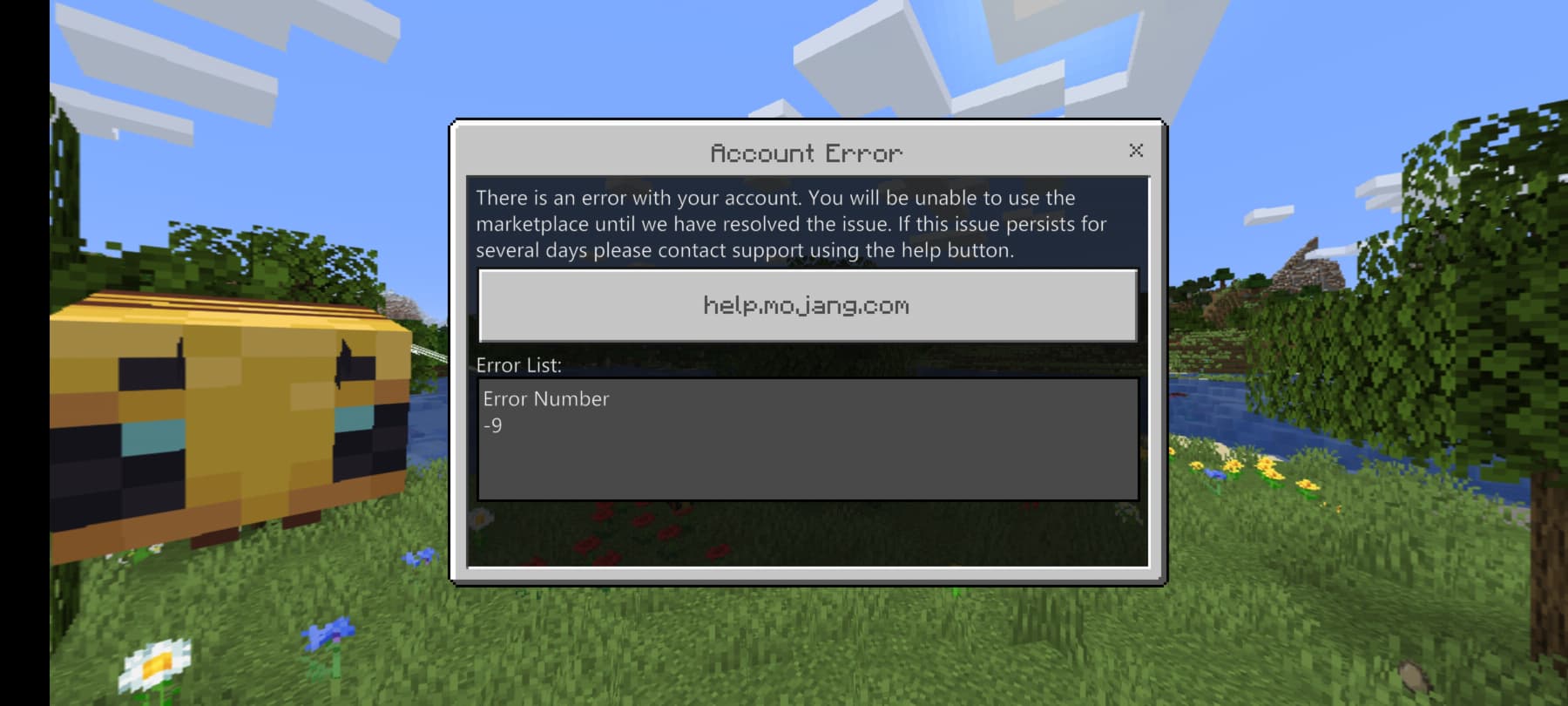
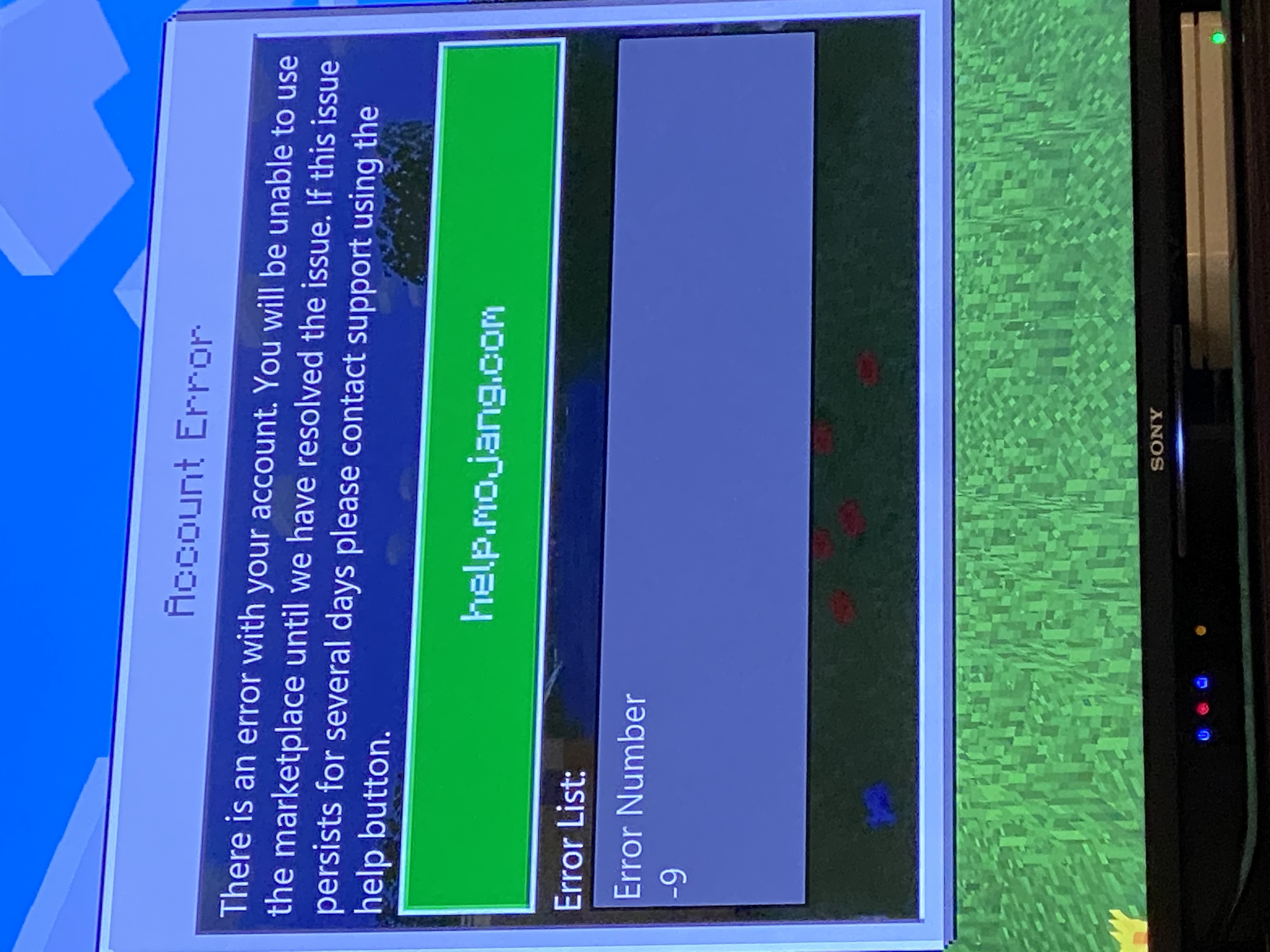
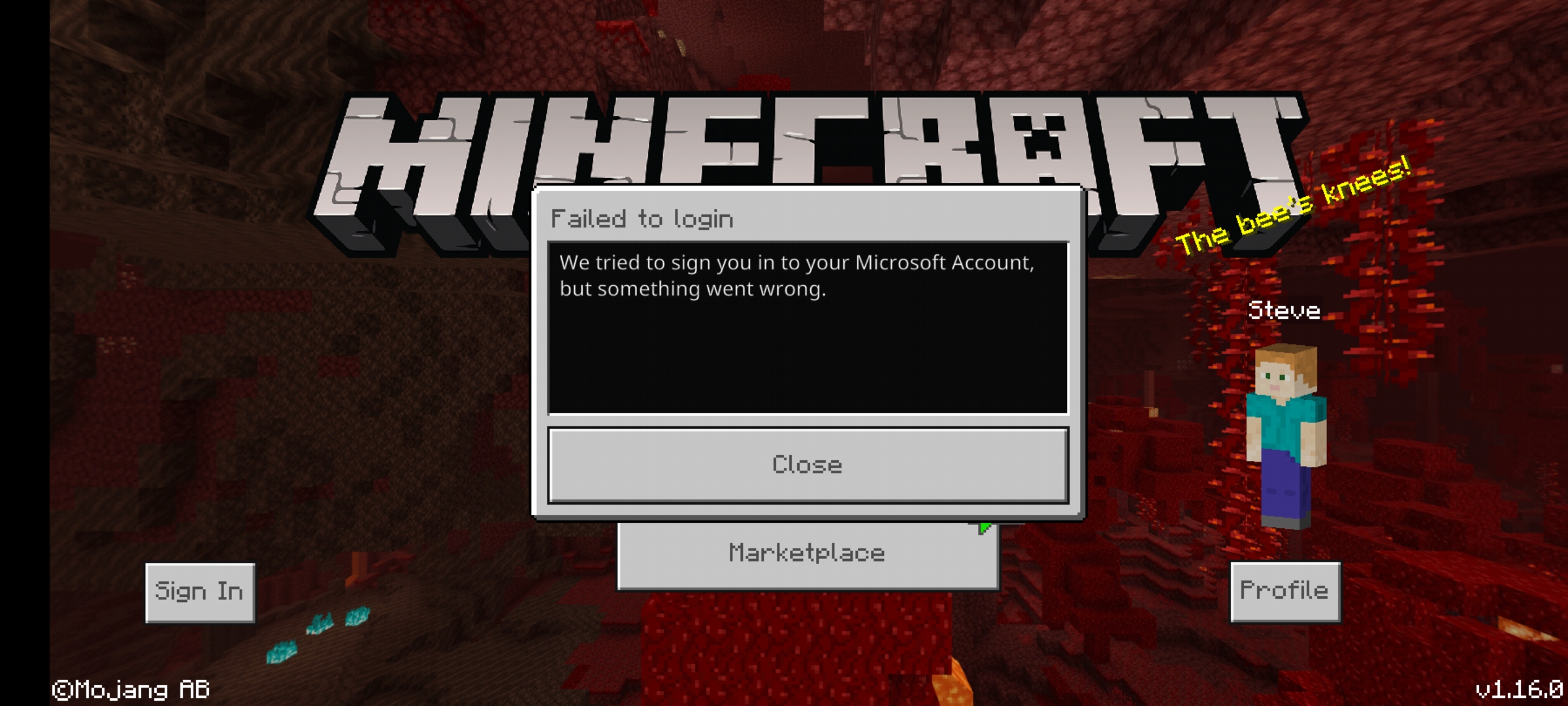
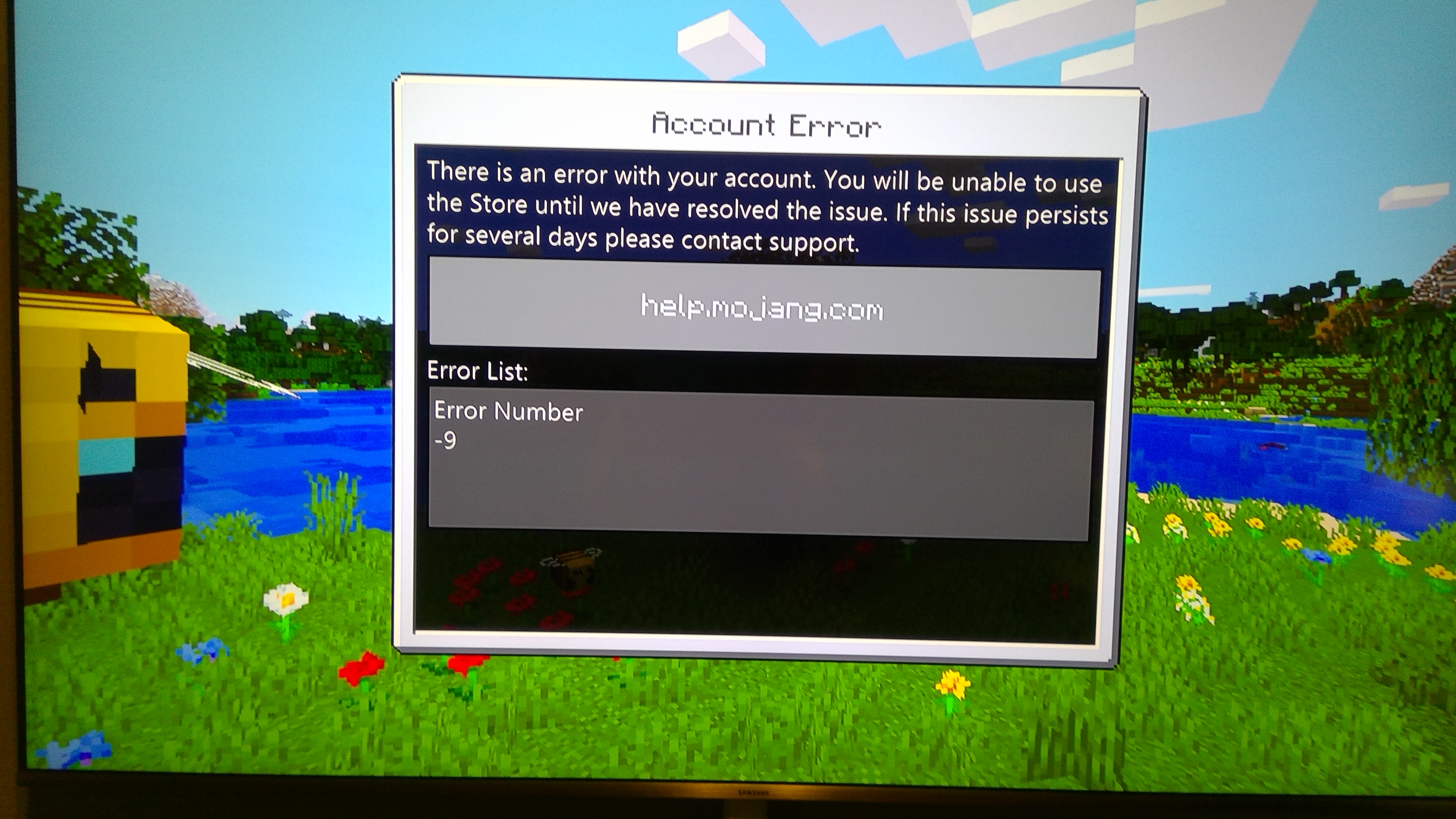
We have confirmed that a message stating "Account Error" with code "-9" sometimes displays inappropriately when you open Minecraft. Here are some workarounds you can try:
- Check your internet connection: fully close the Minecraft app, confirm that you are connected to the internet, and then re-launch Minecraft. (Since version 1.14.20, "Account Error -9" displays whenever you launch Minecraft while offline. The "account error" displays even on Minecraft installs that have never logged in to any account.)
- Check that the operating system on your device is updated.
- On PS4, do not use Remote Play. (Account Error -9" reportedly occurs when using Remote Play on PS4.)
- Sign out of your Microsoft/XBoxLive account on every device other than the one you are using to connect to Minecraft.
- Reset the password on your Microsoft/XboxLive account.
- Disable automatic updates for resource packs in the Minecraft Settings>Profile screen.
My son cannot play the game or the worlds he has bought. We get this error: There is an Error With your Account. You Will Be Unable To Use The Marketplace Until We Have Resolved This Issue. If This Issue Persists for several days Please Contact Support."
We cannot open minecraft on his ipad pro. I have changed my xbox password just to see if that helps, switched on and off again but don't want to delete app as worried about loosing progress to worlds. Please can you fix. Not sure of the version we are on.
Linked Issues
is cloned by1
is duplicated by208
 BDS-3833Cant open marketDuplicateBDS-3880Terrible account error always happensDuplicateBDS-4149-9DuplicateBDS-4150market problemDuplicateBDS-4151Account problemDuplicateBDS-4153I can't play multiplayer and I can't enter the server on the market.DuplicateBDS-4251Nr błędu -9DuplicateBDS-4259Minecraft Win10 Edition "Error number -9"?DuplicateBDS-4313Error 9DuplicateBDS-4536I can't access Marketplace and serversDuplicateBDS-4559Supposedly error with my mojang accountDuplicateBDS-4877Code -9DuplicateBDS-4951-9DuplicateBDS-4971Error code -9 DuplicateBDS-5429Switch account error -9DuplicateBDS-5579Erro numero 9DuplicateBDS-5758Error -9 e inició de sesión a mi cuenta DuplicateBDS-5820i cant load to my microsoft accountDuplicateBDS-5866account error -9Duplicate
 MC-178464Minecraft account -9DuplicateMC-180172Can't play with my friends, keeps telling me there is an issue with privacy settingsDuplicateMC-181927minecraft windows 10 impossible de se connecter au magasinDuplicateMC-182100UNABLE TO LOGIN ERROR CODE 9DuplicateMC-185261khenckel-error9Duplicate
 MCL-14314hata -9 koduDuplicate
 MCPE-62502Error codesDuplicateMCPE-62693I can't use the MarketplaceDuplicateMCPE-62980Account error number -9DuplicateMCPE-63235Problem with accountDuplicateMCPE-63253Issue with account connection DuplicateMCPE-63324account errorDuplicateMCPE-63727Account Error -9 Bug, Prevents use of Non-Manual Servers, Marketplace, and Realms DuplicateMCPE-63747Account error -9DuplicateMCPE-63759Marketplace error -9DuplicateMCPE-63817Texture pack lost during updatesDuplicateMCPE-63866I can’t open marketplace because there is an error in my accountDuplicateMCPE-64408Error -9DuplicateMCPE-64639Cannot sign into previously used Microsoft Account or transfer worlds to a new deviceDuplicateMCPE-65033Unable to use marketplace or realms because of account errorDuplicateMCPE-65133Error -9DuplicateMCPE-65595Error code -9 has been going on for more than a monthDuplicateMCPE-66444Не выполняется вход через XboxDuplicateMCPE-66505Marketplace, skins, and worlds won't load due to an error code [-9]DuplicateMCPE-66510account errorDuplicateMCPE-66579Minecraft Ninendo Switch account error -3 is now error -9 after 1.14.20 update, still no marketplace accessDuplicateMCPE-66662Cannot connect marketplace error -9DuplicateMCPE-66680I can't see server anymore DuplicateMCPE-66750Error -9DuplicateMCPE-66822I can login becouse of error -9DuplicateMCPE-66892My whole account got reset and all my hard work my mods and my maps are all gone and it said error -9DuplicateMCPE-66979Unable to join multiplayer.DuplicateMCPE-67033shop problemDuplicateMCPE-67061Account Error Code Number -9DuplicateMCPE-67103Marketplace loading error iOS DuplicateMCPE-67109When entering the account, error number 9 is issuedDuplicateMCPE-67144Error -9DuplicateMCPE-67239Error -9DuplicateMCPE-67281Why is my minecraft says account error if I buy my minecraft on play storeDuplicateMCPE-67300Error -9 / Error with your account / Marketplace blockedDuplicateMCPE-67415MCPE xbox login errorDuplicateMCPE-67770Error number -9 on ps4 ...error with my account DuplicateMCPE-67883Аккаунт Xbox LiveDuplicateMCPE-67904Can't log in to xbox liveDuplicateMCPE-67960How to fix error -9 ?DuplicateMCPE-68055Error on Marketplace on my Xbox Account they said -9DuplicateMCPE-68097Marketplace Error -9DuplicateMCPE-68238-9DuplicateMCPE-68322Error 9DuplicateMCPE-68504I try opening Minecraft Bedrock on my Switch but it says "error code -9."DuplicateMCPE-68547AyudaDuplicateMCPE-68601Marketplace Bug Error Code -9 DuplicateMCPE-68688It is stating there is an "Error -9" in my account . And now I can't access the marketplace until it's fixedDuplicateMCPE-68730Login gives off several error messagesDuplicateMCPE-68877Can't login to my Microsoft account DuplicateMCPE-68939I can't log in to my Microsoft account on Minecraft PE DuplicateMCPE-69048无法登录microsoft账户DuplicateMCPE-69069Account Error, Failed to loginDuplicateMCPE-69350Im not able to play Minecraft with my Microsoft Account DuplicateMCPE-69781Minecraft Windows 10 Edition "Error Number -9"DuplicateMCPE-69787Error Number -9 Help me pls ! DuplicateMCPE-70147does not load my account (error 9)DuplicateMCPE-70205-9DuplicateMCPE-70303Log in problemDuplicateMCPE-70402Can’t sign inDuplicateMCPE-70534there is an error code 9 showing on my screen saying i cannot log into minecraftDuplicateMCPE-70713Buenas tengo un problema que no me funcionan ninguna de mis cuentas DuplicateMCPE-70753Cuando me intento meter en Marketplace me aparece error y no me deja acceder.DuplicateMCPE-70814Error num-9DuplicateMCPE-70828I can't connect to xbox liveDuplicateMCPE-70972Ошибка со входом в учетную записьDuplicateMCPE-71115Unable to login and access mutliplayer featuresDuplicateMCPE-71223Market Place Error & Xbox Live Sign In Slow DuplicateMCPE-71696Marketplace error code 9DuplicateMCPE-71854-2 o -9DuplicateMCPE-72125Can't do anything due to error Number -9DuplicateMCPE-72288 account error -9DuplicateMCPE-72385Tengo el error -9 y no me deja usar el mercado y jugar en servidores pero aveces me deja usar bien mi cuenta pero no jugar con amigosDuplicateMCPE-72520Ошибка с входом в аккаунт МайкрософтDuplicateMCPE-72637“Account Error Number -9” Nintendo Switch version won't connect to Microsoft account/marketplace, game crashesDuplicateMCPE-73190Xbox liveDuplicateMCPE-73369Account Error number -9DuplicateMCPE-73426Error -9DuplicateMCPE-73591Nintendo switch. Minecraft. Account error number -9. Software closes in around 1 minute.DuplicateMCPE-73598erreur -9 DuplicateMCPE-73680Unable to connect to Marketplace even on strong connectionsDuplicateMCPE-73825Error -9DuplicateMCPE-73918My account is Error!DuplicateMCPE-74010When I play a minecraft game and I close my internet data Minecraft there is a problem with the account error code -9DuplicateMCPE-74097I am unable to log into my Minecraft PE accountDuplicateMCPE-74160Error 9DuplicateMCPE-74228Error 9 incluso con internetDuplicateMCPE-74237Account ErrorDuplicateMCPE-74658Error with logged accounts xboxDuplicateMCPE-74682Error Number -9DuplicateMCPE-74899Error -9DuplicateMCPE-74929"Error -9" thats the problemı cant see servers, ı cant join my friends server, ı cant use market.What can ı do please help , this error ruined my game.DuplicateMCPE-75069Inicio de sesión DuplicateMCPE-75249Error -9 en Minecraft AndroidDuplicateMCPE-75270Не могу войтиDuplicateMCPE-75528Error-9DuplicateMCPE-75601Marketplace error-9 I need helpDuplicateMCPE-75946Problem with accountDuplicateMCPE-76000Error -9DuplicateMCPE-76091Me indica error de iniciar sesion de xbox live y hace que no pueda jugar con mis amigosDuplicateMCPE-76330У меня баг вилезает ошибка номер 9DuplicateMCPE-76334I can't connect to the marketplaceDuplicateMCPE-76581Account error -9DuplicateMCPE-76662Hesap baglanma hatasiDuplicateMCPE-76731Account ErrorDuplicateMCPE-76826Account Error -9DuplicateMCPE-77063Error -9 MPEDuplicateMCPE-77175Error 9 - Minecraft Switch EditionDuplicateMCPE-77268Error number 9 DuplicateMCPE-77503Hesap baglanma sorunuDuplicateMCPE-77629error iinicio cuentaDuplicateMCPE-77727Error 9 on Minecraft PS4DuplicateMCPE-77745Error -9DuplicateMCPE-77821Error 9 on my switcHDuplicateMCPE-77830No me permite entrar a mi cuenta Microsoft DuplicateMCPE-77840Accont error error number -9DuplicateMCPE-77864Error message "-9" keeps popping up and wont let me log into my microsoft accountDuplicateMCPE-78123MCPE mobile data and crashesDuplicateMCPE-78536I am on a phone and for some time now I have this issue and I don't know how to fix itDuplicateMCPE-78543Error syncing Microsoft accountDuplicateMCPE-78550Account error number -9DuplicateMCPE-78652ERROR -9 No puedo jugar en mi teléfonoDuplicateMCPE-78699The Marketplace and previous purchases are not loading. The "Marketplace" button is greyed out and an error is shown (screenshot below)DuplicateMCPE-78731No me deja entrar al marketplace desde hace 3 semanas y tengo varios packs de texturas y skins compradosDuplicateMCPE-78786 market errorDuplicateMCPE-78793error de licencias numero 9 DuplicateMCPE-78803I can't log in to my Microsoft account + other related issuesDuplicateMCPE-78852MarketPlaceDuplicateMCPE-79253Cant sign in(error -9)DuplicateMCPE-79326Error 9DuplicateMCPE-79455Error Number 9DuplicateMCPE-79550Problems about account and character creatorDuplicateMCPE-79555Problème de connexionDuplicateMCPE-79777I found a bug about the marketplace DuplicateMCPE-79945Error-9 MCPEDuplicateMCPE-79952erreur -9 : pas possibilité d'utiliser le magasinDuplicateMCPE-80140nintendo switch error -9DuplicateMCPE-80164ERROR MARKETPLACE DuplicateMCPE-80254Minecraft wont allow me to enter market place or to play in realmsDuplicateMCPE-80322Unable to play Error -9DuplicateMCPE-80326Error -9??? DuplicateMCPE-80395I have an error in my account, I am not able to connect, a warning appeared that if this error continued for many days, I should seek help at help.mojang and that's what I did, but I haven't found any help yet.DuplicateMCPE-80431It sends me an error message and won't let me use the marketplace. (Error -9)DuplicateMCPE-80486Can't log in account. Can't play online.-9 error. Privacy settings.DuplicateMCPE-80502Error 9DuplicateMCPE-80536Error -9 keeps on popping when I start the game I can't play online or buy anything on marketplaceDuplicateMCPE-80756Account bugDuplicateMCPE-80844Error #9DuplicateMCPE-80849Can't sign inDuplicateMCPE-81502MCPE Marketplace Error -9DuplicateMCPE-81570failed to loginDuplicateMCPE-81571 failed to loginDuplicateMCPE-81621Error - 9 DuplicateMCPE-81747Erro -9DuplicateMCPE-81867Account error -9DuplicateMCPE-81982I cannot use my marketplace and by the way I am Ps4 and i didnt know my platformDuplicateMCPE-81983I cannot use my marketplace and by the way I am Ps4 and i didnt know my platformDuplicateMCPE-81986I can't login in minecraft with my account of microsoftDuplicateMCPE-82120Account Error in Android 10DuplicateMCPE-82499i cannot use any skinns join relms or chat with freinds DuplicateMCPE-82803Minecraft does not work.DuplicateMCPE-82831Account error with error number -9DuplicateMCPE-82868Can’t log inDuplicateMCPE-82983I tap marketplace then it says marketplace errorDuplicateMCPE-82995Error code -9 when trying to access the shop from initial menuDuplicateMCPE-83268Microsoft account errorDuplicateMCPE-83467SAMSUNG A70 ERROR -9DuplicateMCPE-83907Account ErrorDuplicateMCPE-83997Account error -9DuplicateMCPE-84084Unable to use marketplace because there is a problem with my account, it’s been occurring for 4 monthsDuplicateMCPE-84130Error Code -9DuplicateMCPE-84178Account error -9DuplicateMCPE-84179Account error -9DuplicateMCPE-84221I cant acess my market place (error -9) and i cant find a way to slove the problem on my switchDuplicateMCPE-84514 Error accessing marketplaceDuplicateMCPE-84554Error Log inDuplicate
 REALMS-3650Error 9. Can't sign in.DuplicateREALMS-3652Can't access realms or marketplace, error -9Duplicate
 WEB-2042Not connecting to serverDuplicateWEB-2068No entro en mi cuenta microsoftDuplicateWEB-2160Account ErrorDuplicateWEB-2274failed to loginDuplicateWEB-2280failed to start multiplayerDuplicateWEB-2440numéro d'erreur -9Duplicate
Attachments42







![[Mod] GoldenHelmet](../../../data/avatars/users/18951.svg)








Created Issue:
Error Number -9
My son cannot play the game or the worlds he has bought. We get this error: There is an Error With your Account. You Will Be Unable To Use The Marketplace Until We Have Resolved This Issue. If This Issue Persists for several days Please Contact Support."
We cannot open minecraft on his ipad pro. I have changed my xbox password just to see if that helps, switched on and off again but don't want to delete app as worried about loosing progress to worlds. Please can you fix. Not sure of the version we are on.
Linked Issues
is duplicated by4
TRASH-43217
![[Mojang] Mega_Spud (Jay Wells)](../../../data/avatars/users/92696.png)
![[Mod] OcelotOnesie](../../../data/avatars/users/43220.png)
is duplicated by
![[Mod] Urielsalis](../../../data/assets/gravatar/urielsalis.jpeg)
is duplicated by
NoteIf you are getting "Account Error -9" on Nintendo Switch for some user accounts and not others, please see
MCPE-66579.WorkaroundWe have confirmed that a message stating "Account Error" with code "-9" sometimes displays inappropriately when you open Minecraft.
- Since version 1.14.20, "Account Error -9" displays whenever you launch Minecraft while offline. The "account error" displays even on Minecraft installs that have never logged in to an account. Therefore, if you get this message, a first-step workaround would be to fully close the Minecraft app, confirm that you are connected to the internet, and then re-launch Minecraft.
- If you continue to get "Account Error -9" while connected to the internet, a second-step workaround that reportedly works for some users is to reset the password on your XboxLive account.
- If you continue to get "Account Error -9" after trying the above workarounds, we recommend you contact Mojang customer support, as there could be a genuine issue with your account.
My son cannot play the game or the worlds he has bought. We get this error: There is an Error With your Account. You Will Be Unable To Use The Marketplace Until We Have Resolved This Issue. If This Issue Persists for several days Please Contact Support."
We cannot open minecraft on his ipad pro. I have changed my xbox password just to see if that helps, switched on and off again but don't want to delete app as worried about loosing progress to worlds. Please can you fix. Not sure of the version we are on.
![[MCPE Mod] Celesian](../../../data/avatars/users/81635.png)
is duplicated by
is duplicated by
is duplicated by

is duplicated by
In my experience, “account error -9” simply means that you are not connected to internet, and there is nothing wrong with your account itself.
When you are offline you will not be able to access the marketplace, realms, or cross-platform multiplayer, as these require internet connection. Less understandably, character creator also barely functions. You cannot use skins that were purchased through the marketplace and your appearance defaults to steve or alex.
Unfortunately, Minecraft does not recognize when you connect to internet after the game is loaded. To clear the "account error -9" and regain access to online aspects of the game, you will need to close Minecraft, then connect your internet, then reopen Minecraft.
is duplicated by
pooshock.ru.url
is duplicated by
is duplicated by
is duplicated by
is duplicated by
is duplicated by
is duplicated by
is duplicated by
relates to
is duplicated by
is duplicated by
is duplicated by
is duplicated by
is duplicated by
is duplicated by
is duplicated by
is duplicated by
is duplicated by
is duplicated by
is duplicated by
is duplicated by
is duplicated by
is duplicated by
is duplicated by
is duplicated by
is duplicated by
is duplicated by
is duplicated by
![[Mod] Asteraoth](../../../data/avatars/users/92886.png)
is duplicated by
is duplicated by
is duplicated by
is duplicated by
is duplicated by
is duplicated by
is duplicated by
is duplicated by
is duplicated by
is duplicated by
is duplicated by
is duplicated by
is duplicated by
is duplicated by
is duplicated by
is duplicated by
is duplicated by
is duplicated by
NoteIf you are getting "Account Error -9" on Nintendo Switch for
some user accounts and not others, please seeMCPE-66579.WorkaroundWe have confirmed that a message stating "Account Error" with code "-9" sometimes displays inappropriately when you open Minecraft.
- Since version 1.14.20, "Account Error -9" displays whenever you launch Minecraft while offline. The "account error" displays even on Minecraft installs that have never logged in to an account. Therefore, if you get this message, a first-step workaround would be to fully close the Minecraft app, confirm that you are connected to the internet, and then re-launch Minecraft.
- If you continue to get "Account Error -9" while connected to the internet, a second-step workaround that reportedly works for some users is to reset the password on your XboxLive account.
- If you continue to get "Account Error -9" after trying the above workarounds, we recommend you contact Mojang customer support, as there could be a genuine issue with your account.
My son cannot play the game or the worlds he has bought. We get this error: There is an Error With your Account. You Will Be Unable To Use The Marketplace Until We Have Resolved This Issue. If This Issue Persists for several days Please Contact Support."
We cannot open minecraft on his ipad pro. I have changed my xbox password just to see if that helps, switched on and off again but don't want to delete app as worried about loosing progress to worlds. Please can you fix. Not sure of the version we are on.
NoteIf you are getting "Account Error -9" on Nintendo Switch for Nintendo child accounts, please see
MCPE-66579.WorkaroundWe have confirmed that a message stating "Account Error" with code "-9" sometimes displays inappropriately when you open Minecraft.
- Since version 1.14.20, "Account Error -9" displays whenever you launch Minecraft while offline. The "account error" displays even on Minecraft installs that have never logged in to an account. Therefore, if you get this message, a first-step workaround would be to fully close the Minecraft app, confirm that you are connected to the internet, and then re-launch Minecraft.
- If you continue to get "Account Error -9" while connected to the internet, a second-step workaround that reportedly works for some users is to reset the password on your XboxLive account.
- If you continue to get "Account Error -9" after trying the above workarounds, we recommend you contact Mojang customer support, as there could be a genuine issue with your account.
My son cannot play the game or the worlds he has bought. We get this error: There is an Error With your Account. You Will Be Unable To Use The Marketplace Until We Have Resolved This Issue. If This Issue Persists for several days Please Contact Support."
We cannot open minecraft on his ipad pro. I have changed my xbox password just to see if that helps, switched on and off again but don't want to delete app as worried about loosing progress to worlds. Please can you fix. Not sure of the version we are on.
is duplicated by
is duplicated by
is duplicated by
is duplicated by
is duplicated by
is duplicated by
is duplicated by
![[Mod] Greymagic27](../../../data/avatars/users/92875.png)
is duplicated by
is duplicated by

is duplicated by
is duplicated by
is duplicated by
is duplicated by
is duplicated by
is duplicated by
is duplicated by
is duplicated by
is duplicated by
is duplicated by
is duplicated by
![[Bot] Arisa](../../../data/avatars/users/43007.png)
is duplicated by
is duplicated by
is duplicated by
is duplicated by
NoteIf you are getting "Account Error -9" on Nintendo Switch for Nintendo child accounts, please see
MCPE-66579.WorkaroundWe have confirmed that a message stating "Account Error" with code "-9" sometimes displays inappropriately when you open Minecraft.
- Since version 1.14.20, "Account Error -9" displays whenever you launch Minecraft while offline. The "account error" displays even on Minecraft installs that have never logged in to an account. Therefore, if you get this message, a first-step workaround would be to fully close the Minecraft app, confirm that you are connected to the internet, and then re-launch Minecraft.
- If you continue to get "Account Error -9" while connected to the internet, a second-step workaround that reportedly works for some users is to reset the password on your XboxLive account.
- If you continue to get "Account Error -9" after trying the above workarounds, we recommend you
contact Mojang customer support, as there could be a genuine issue with your account.My son cannot play the game or the worlds he has bought. We get this error: There is an Error With your Account. You Will Be Unable To Use The Marketplace Until We Have Resolved This Issue. If This Issue Persists for several days Please Contact Support."
We cannot open minecraft on his ipad pro. I have changed my xbox password just to see if that helps, switched on and off again but don't want to delete app as worried about loosing progress to worlds. Please can you fix. Not sure of the version we are on.
NoteIf you are getting "Account Error -9" on Nintendo Switch for Nintendo.com child accounts, please see
MCPE-66579.WorkaroundWe have confirmed that a message stating "Account Error" with code "-9" sometimes displays inappropriately when you open Minecraft.
- Since version 1.14.20, "Account Error -9" displays whenever you launch Minecraft while offline. The "account error" displays even on Minecraft installs that have never logged in to any account. Therefore, if you get this message, a first-step workaround would be to fully close the Minecraft app, confirm that you are connected to the internet, and then re-launch Minecraft.
- If you continue to get "Account Error -9" while connected to the internet, a second-step workaround that reportedly works for some users is to reset the password on your XboxLive (a.k.a. Microsoft) account.
- You can also try disabling automatic updates for resource packs in the Minecraft Settings>Profile screen.
- If you continue to get "Account Error -9" after trying the above workarounds, we recommend you contact Mojang customer support, as there could be a genuine issue with your account.
My son cannot play the game or the worlds he has bought. We get this error: There is an Error With your Account. You Will Be Unable To Use The Marketplace Until We Have Resolved This Issue. If This Issue Persists for several days Please Contact Support."
We cannot open minecraft on his ipad pro. I have changed my xbox password just to see if that helps, switched on and off again but don't want to delete app as worried about loosing progress to worlds. Please can you fix. Not sure of the version we are on.
is duplicated by
is duplicated by
is duplicated by
is duplicated by
is duplicated by
is duplicated by
is duplicated by
is duplicated by
is duplicated by
is duplicated by
is duplicated by
is duplicated by
NoteIf you are getting "Account Error -9" on Nintendo Switch for Nintendo.com child accounts, please see
MCPE-66579.WorkaroundWe have confirmed that a message stating "Account Error" with code "-9" sometimes displays inappropriately when you open Minecraft.
- Since version 1.14.20, "Account Error -9" displays whenever you launch Minecraft while offline. The "account error" displays even on Minecraft installs that have never logged in to any account.
Therefore, if you get this message, a first-step workaround would be to fully close the Minecraft app, confirm that you are connected to the internet, and then re-launch Minecraft.If you continue to get "Account Error -9" while connected to the internet, a second-step workaround that reportedly works for some users is to reset the password on your XboxLive (a.k.a. Microsoft) account.You can also try disabling automatic updates for resource packsin the Minecraft Settings>Profile screen.- If you continue to get "Account Error -9" after trying the above workarounds, we recommend you contact Mojang customer support
, as there could be a genuine issue with your account.My son cannot play the game or the worlds he has bought. We get this error: There is an Error With your Account. You Will Be Unable To Use The Marketplace Until We Have Resolved This Issue. If This Issue Persists for several days Please Contact Support."
We cannot open minecraft on his ipad pro. I have changed my xbox password just to see if that helps, switched on and off again but don't want to delete app as worried about loosing progress to worlds. Please can you fix. Not sure of the version we are on.
NoteIf you are getting "Account Error -9" on Nintendo Switch for Nintendo.com child accounts, please see
MCPE-66579.WorkaroundWe have confirmed that a message stating "Account Error" with code "-9" sometimes displays inappropriately when you open Minecraft. Here are some workarounds you can try:
- Check your internet connection: fully close the Minecraft app, confirm that you are connected to the internet, and then re-launch Minecraft. (Since version 1.14.20, "Account Error -9" displays whenever you launch Minecraft while offline. The "account error" displays even on Minecraft installs that have never logged in to any account.)
- On PS4, do not use Remote Play. (Account Error -9" reportedly occurs when using Remote Play on PS4.)
- Sign out of your Microsoft/XBoxLive account on every device other than the one you are using to connect to Minecraft.
- Reset the password on your Microsoft/XboxLive account.
- Disable automatic updates for resource packs in the Minecraft Settings>Profile screen.
- If you continue to get "Account Error -9" after trying the above workarounds, we recommend you contact Mojang customer support, as there could be a genuine issue with your account.
My son cannot play the game or the worlds he has bought. We get this error: There is an Error With your Account. You Will Be Unable To Use The Marketplace Until We Have Resolved This Issue. If This Issue Persists for several days Please Contact Support."
We cannot open minecraft on his ipad pro. I have changed my xbox password just to see if that helps, switched on and off again but don't want to delete app as worried about loosing progress to worlds. Please can you fix. Not sure of the version we are on.
is duplicated by
is duplicated by
is duplicated by
![[Mod] violine1101](../../../data/avatars/users/92858.png)
is duplicated by
is duplicated by
is duplicated by
is duplicated by
is duplicated by
is duplicated by
is duplicated by
is duplicated by
is duplicated by
is duplicated by
is duplicated by
is duplicated by
is duplicated by
is duplicated by
NoteIf you are getting "Account Error -9" on Nintendo Switch for Nintendo.com child accounts, please see
MCPE-66579.WorkaroundWe have confirmed that a message stating "Account Error" with code "-9" sometimes displays inappropriately when you open Minecraft. Here are some workarounds you can try:
- Check your internet connection: fully close the Minecraft app, confirm that you are connected to the internet, and then re-launch Minecraft. (Since version 1.14.20, "Account Error -9" displays whenever you launch Minecraft while offline. The "account error" displays even on Minecraft installs that have never logged in to any account.)
- On PS4, do not use Remote Play. (Account Error -9" reportedly occurs when using Remote Play on PS4.)
- Sign out of your Microsoft/XBoxLive account on every device other than the one you are using to connect to Minecraft.
- Reset the password on your Microsoft/XboxLive account.
- Disable automatic updates for resource packs in the Minecraft Settings>Profile screen.
- If you continue to get "Account Error -9" after trying the above workarounds, we recommend you contact Mojang customer support, as there could be a genuine issue with your account.
My son cannot play the game or the worlds he has bought. We get this error: There is an Error With your Account. You Will Be Unable To Use The Marketplace Until We Have Resolved This Issue. If This Issue Persists for several days Please Contact Support."
We cannot open minecraft on his ipad pro. I have changed my xbox password just to see if that helps, switched on and off again but don't want to delete app as worried about loosing progress to worlds. Please can you fix. Not sure of the version we are on.
NoteFrom [Microsoft] Kelly Henckel in this comment:
Okay, thanks for the info everyone - it sounds like there is a different issue than connectivity. If you don't mind, could you start a private thread with your Gamertag or PSN (the account that you are trying to sign in to when you see the error) and
assign it to me?* If I don't respond within the next day, please ping me on this bug directly. I am on the engineering team and new to working with Jira, so I want to make sure that I don't miss your thread. Thanks in advance!* Rather than trying to assign your report, add the label "khenckel-error9"
WorkaroundWe have confirmed that a message stating "Account Error" with code "-9" sometimes displays inappropriately when you open Minecraft. Here are some workarounds you can try:
- Check your internet connection: fully close the Minecraft app, confirm that you are connected to the internet, and then re-launch Minecraft. (Since version 1.14.20, "Account Error -9" displays whenever you launch Minecraft while offline. The "account error" displays even on Minecraft installs that have never logged in to any account.)
- On PS4, do not use Remote Play. (Account Error -9" reportedly occurs when using Remote Play on PS4.)
- Sign out of your Microsoft/XBoxLive account on every device other than the one you are using to connect to Minecraft.
- Reset the password on your Microsoft/XboxLive account.
- Disable automatic updates for resource packs in the Minecraft Settings>Profile screen.
- If you continue to get "Account Error -9" after trying the above workarounds, follow the instructions in the note above.
My son cannot play the game or the worlds he has bought. We get this error: There is an Error With your Account. You Will Be Unable To Use The Marketplace Until We Have Resolved This Issue. If This Issue Persists for several days Please Contact Support."
We cannot open minecraft on his ipad pro. I have changed my xbox password just to see if that helps, switched on and off again but don't want to delete app as worried about loosing progress to worlds. Please can you fix. Not sure of the version we are on.
NoteFrom [Microsoft] Kelly Henckel in
this comment:Okay, thanks for the info everyone - it sounds like there is a different issue than connectivity. If you don't mind, could you start a private thread with your Gamertag or PSN (the account that you are trying to sign in to when you see the error) and
assign it to me?* If I don't respond within the next day, please ping me on this bug directly. I am on the engineering team and new to working with Jira, so I want to make sure that I don't miss your thread. Thanks in advance!* Rather than trying to assign your report, add the label "khenckel-error9"
WorkaroundWe have confirmed that a message stating "Account Error" with code "-9" sometimes displays inappropriately when you open Minecraft. Here are some workarounds you can try:
- Check your internet connection: fully close the Minecraft app, confirm that you are connected to the internet, and then re-launch Minecraft. (Since version 1.14.20, "Account Error -9" displays whenever you launch Minecraft while offline. The "account error" displays even on Minecraft installs that have never logged in to any account.)
- On PS4, do not use Remote Play. (Account Error -9" reportedly occurs when using Remote Play on PS4.)
- Sign out of your Microsoft/XBoxLive account on every device other than the one you are using to connect to Minecraft.
- Reset the password on your Microsoft/XboxLive account.
- Disable automatic updates for resource packs in the Minecraft Settings>Profile screen.
- If you continue to get "Account Error -9" after trying the above workarounds, follow the instructions in the note above.
My son cannot play the game or the worlds he has bought. We get this error: There is an Error With your Account. You Will Be Unable To Use The Marketplace Until We Have Resolved This Issue. If This Issue Persists for several days Please Contact Support."
We cannot open minecraft on his ipad pro. I have changed my xbox password just to see if that helps, switched on and off again but don't want to delete app as worried about loosing progress to worlds. Please can you fix. Not sure of the version we are on.
NoteFrom [Microsoft] Kelly Henckel in this comment:
Okay, thanks for the info everyone - it sounds like there is a different issue than connectivity. If you don't mind, could you start a private thread with your Gamertag or PSN (the account that you are trying to sign in to when you see the error) and
assign it to me?* If I don't respond within the next day, please ping me on this bug directly. I am on the engineering team and new to working with Jira, so I want to make sure that I don't miss your thread. Thanks in advance!* Rather than trying to assign your report, add the label "khenckel-error9"
WorkaroundWe have confirmed that a message stating "Account Error" with code "-9" sometimes displays inappropriately when you open Minecraft. Here are some workarounds you can try:
- Check your internet connection: fully close the Minecraft app, confirm that you are connected to the internet, and then re-launch Minecraft. (Since version 1.14.20, "Account Error -9" displays whenever you launch Minecraft while offline. The "account error" displays even on Minecraft installs that have never logged in to any account.)
- On PS4, do not use Remote Play. (Account Error -9" reportedly occurs when using Remote Play on PS4.)
- Sign out of your Microsoft/XBoxLive account on every device other than the one you are using to connect to Minecraft.
- Reset the password on your Microsoft/XboxLive account.
- Disable automatic updates for resource packs in the Minecraft Settings>Profile screen.
- If you continue to get "Account Error -9" after trying the above workarounds, follow the instructions in the note above.
My son cannot play the game or the worlds he has bought. We get this error: There is an Error With your Account. You Will Be Unable To Use The Marketplace Until We Have Resolved This Issue. If This Issue Persists for several days Please Contact Support."
We cannot open minecraft on his ipad pro. I have changed my xbox password just to see if that helps, switched on and off again but don't want to delete app as worried about loosing progress to worlds. Please can you fix. Not sure of the version we are on.
is duplicated by
relates to
is duplicated by
is duplicated by
is duplicated by
is duplicated by
is duplicated by
is duplicated by
is duplicated by
is duplicated by
is duplicated by
is duplicated by
is duplicated by
is duplicated by
is duplicated by
is duplicated by
is duplicated by
is duplicated by
is duplicated by
is duplicated by
is duplicated by
is duplicated by
is duplicated by
is duplicated by
is duplicated by
is duplicated by
is duplicated by
is duplicated by
is duplicated by
is duplicated by
is duplicated by
is duplicated by
is duplicated by
is duplicated by
is duplicated by
![[Mod] tryashtar](../../../data/avatars/users/41963.png)
is duplicated by
is duplicated by
is duplicated by
is duplicated by
is duplicated by
is duplicated by
is duplicated by
is duplicated by
is duplicated by
is duplicated by
is duplicated by
This report is tracking the specific Nintendo Switch account issue described below. If you are receiving Account Error -9 on other devices and/or with a Microsoft XboxLive account, please see MCPE-62421.
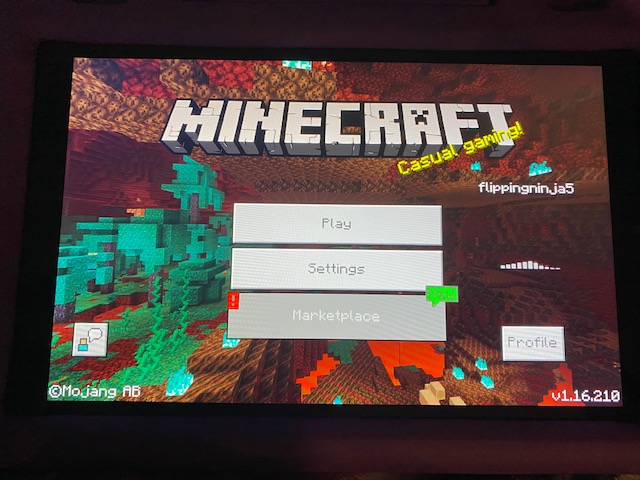
I have three profiles on my Nintendo switch. Mine is the main account with my own Nintendo account and then I have my two kids profiles with their own Nintendo accounts. Yesterday both kids profiles when trying to play Minecraft would show an error stating there is an issue with your account and will not be able to access the marketplace until it is fixed. The weird thing is that in my profile if I play Minecraft the marketplace works fine. There are no Microsoft accounts tied to any of the profiles so there should be no “account issues”?? Ive tried uninstalling the game, reinstalling and checking for corruption. The error ID number keeps changing as well everytime I close the game and start it again but the error number -3 is the same. Sorry if the version I chose isn’t correct...the Minecraft version I have is 1.13.1 build date 2019-11-09. Still the same after the newest update to 1.14. Come on Mojang!! Still getting this error! What’s funny is the bee update is working on all accounts but my kids profiles still have the error preventing marketplace from working!
1/21/20 My kids still cannot access the Marketplace, cannot access any of our skin/texture packs because of it and are still getting the same error on both of their profiles!
2/6/20 We just updated to version 1.14.20 and we still cannot access the marketplace!! We are now getting a -9 error instead of the -3. Why is it that on my profile, the marketplace works like it should and on my two kids profiles there is this lingering problem!??
3/4/30. Another month gone by and still no fix. Both my kids profiles are having the -9 error now since the last game update...really disappointing.
3/7/20. Now we are on Version 1.14.30 and still getting error -9 with no marketplace access...not good Mojang...
Thank you for your report!
We're actually already tracking this issue under MCPE-62421 so I've requested this report be resolved and linked as a duplicate.
If you would like to add a vote and any extra information to the main ticket it would be appreciated.
If you haven't already, you might like to make use of the search feature to see if the issue has already been mentioned.
Quick Links:
📓 Issue Guidelines – 💬 Community Support – 📧 Customer Support – 📖 Game Wiki
Thank you for your report!
We're actually already tracking this issue at MCPE-62421, so I resolved and linked this ticket as a duplicate.
If you would like to add a vote and any extra information to the main ticket it would be appreciated.
If you haven't already, you might like to make use of the search feature to see if the issue has already been mentioned.
Quick Links:
📓 Issue Guidelines – 💬 Community Support – 📧 Customer Support – 📖 Game Wiki
Thank you for your report!
We're actually already tracking this issue at MCPE-62421, so I resolved and linked this ticket as a duplicate.
If you would like to add a vote and any extra information to the main ticket it would be appreciated.
If you haven't already, you might like to make use of the search feature to see if the issue has already been mentioned.
Quick Links:
📓 Issue Guidelines – 💬 Community Support – 📧 Customer Support – 📖 Game Wiki
Thank you for your report!
We're actually already tracking this issue at MCPE-62421, so I resolved and linked this ticket as a duplicate.
If you would like to add a vote and any extra information to the main ticket it would be appreciated.
If you haven't already, you might like to make use of the search feature to see if the issue has already been mentioned.
Quick Links:
📓 Issue Guidelines – 💬 Community Support – 📧 Customer Support – 📖 Game Wiki
Thank you for your report!
We're actually already tracking this issue at MCPE-62421, so I resolved and linked this ticket as a duplicate.
If you would like to add a vote and any extra information to the main ticket it would be appreciated.
If you haven't already, you might like to make use of the search feature to see if the issue has already been mentioned.
Quick Links:
📓 Issue Guidelines – 💬 Community Support – 📧 Customer Support – 📖 Game Wiki
Thank you for your report!
We're already tracking this issue at MCPE-62421, so I will resolve and link this ticket as a duplicate.
Quick Links: 📓 Issue Guidelines – 💬 Community Support – 📧 Customer Support – 📖 Game Wiki
Thank you for your report!
We're already tracking this issue at MCPE-62421, so I will resolve and link this ticket as a duplicate.
Quick Links: 📓 Issue Guidelines – 💬 Community Support – 📧 Customer Support – 📖 Game Wiki
Thank you for your report!
We're already tracking this issue at MCPE-62421, so I will resolve and link this ticket as a duplicate.
Quick Links: 📓 Issue Guidelines – 💬 Community Support – 📧 Customer Support – 📖 Game Wiki
Thank you for your report!
We're already tracking this issue at MCPE-62421, so I will resolve and link this ticket as a duplicate.
Quick Links: 📓 Issue Guidelines – 💬 Community Support – 📧 Customer Support – 📖 Game Wiki
Thank you for your report!
We're already tracking this issue at MCPE-62421, so I will resolve and link this ticket as a duplicate.
Quick Links: 📓 Issue Guidelines – 💬 Community Support – 📧 Customer Support – 📖 Game Wiki
Thank you for your report!
We're actually already tracking this issue in MCPE-62421, so I've resolved and linked this ticket as a duplicate.
If you would like to add a vote and any extra information to the main ticket it would be appreciated.
Quick Links:
📓 Issue Guidelines – 💬 Community Support – 📧 Customer Support – 📖 Game Wiki
Thank you for your report!
We're actually already tracking this issue at MCPE-62421, so I resolved and linked this ticket as a duplicate.
If you would like to add a vote and any extra information to the main ticket it would be appreciated.
Quick Links:
📓 Issue Guidelines – 💬 Community Support – 📧 Customer Support – 📖 Game Wiki
Thank you for your report!
We're actually already tracking this issue under MCPE-62421 so I've requested this report be resolved and linked as a duplicate.
If you would like to add a vote and any extra information to the main ticket it would be appreciated.
If you haven't already, you might like to make use of the search feature to see if the issue has already been mentioned.
Quick Links:
📓 Issue Guidelines – 💬 Community Support – 📧 Customer Support – 📖 Game Wiki
Thank you for clarifying. We will be tracking problems with "Account Error -9" messages at MCPE-62421 going forward.
We now tracking issues with inappropriate "Account Error -9" messages at MCPE-62421. Please add any new information to that ticket.
Thank you for the detail provided in the report and follow-up comments. Going forward, we will be tracking issues with inappropriate "Account Error -9" messages at MCPE-62421. Please comment any new information on that report.
Unfortunately, I don't know what the error codes mean. Here is what I have gathered:
- From looking over
MCPE-57394it looks like some back-end issues with account error -3 were patched in version 1.14. - From my own experience, since version 1.14.20 account error -9 comes up whenever I open Minecraft with internet disconnected.
- Some users have resolved account error -9 by changing their account password (see
MCPE-62421) - One user resolved account error -9 by deleting his ClientID file (
MCPE-64215). - Some users report that both account error -3 (in the past) and -9 (now) came up when on a VPN connection.
- Some users report that account error -9 comes up on only one device out of several that all use the same XboxLive account.
So far, these facts seem to point to account error -9 indicating login failure, but it looks to me like the message is inappropriate in some cases, and that the cause of the login failure may be due to bugs in some cases. I would tentatively say the latter is the case for the specific Nintendo Switch problem that we are tracking in this report
I have a Switch myself and I will be trying to reproduce this error this week.
Thank you for your report!
We're actually already tracking this issue under MCPE-62421 so I've requested this report be resolved and linked as a duplicate.
If you would like to add a vote and any extra information to the main ticket it would be appreciated.
If you haven't already, you might like to make use of the search feature to see if the issue has already been mentioned.
Quick Links:
📓 Issue Guidelines – 💬 Community Support – 📧 Customer Support – 📖 Game Wiki
Does MCPE-62421 describe your issue?
Ok, I will resolve this ticket as a duplicate of MCPE-62421.
If you would like to add a vote and any extra information to the main ticket it would be appreciated.
Thank you for your report!
We're actually already tracking this issue at MCPE-62421, so I resolved and linked this ticket as a duplicate.
If you would like to add a vote and any extra information to the main ticket it would be appreciated.
If you haven't already, you might like to make use of the search feature to see if the issue has already been mentioned.
Quick Links:
📓 Issue Guidelines – 💬 Community Support – 📧 Customer Support – 📖 Game Wiki
Thank you for your report!
We're actually already tracking this issue under MCPE-62421 so I've requested this report be resolved and linked as a duplicate.
If you would like to add a vote and any extra information to the main ticket it would be appreciated.
If you haven't already, you might like to make use of the search feature to see if the issue has already been mentioned.
Quick Links:
📓 Issue Guidelines – 💬 Community Support – 📧 Customer Support – 📖 Game Wiki
Thank you for your report!
We're actually already tracking this issue under MCPE-62421.
If you would like to add a vote and any extra information to the main ticket it would be appreciated.
If you haven't already, you might like to make use of the search feature to see if the issue has already been mentioned.
Quick Links:
📓 Issue Guidelines – 💬 Community Support – 📧 Customer Support – 📖 BDS Wiki – 📖 FAQs
Thank you for your report!
We're actually already tracking this issue at MCPE-62421, so I resolved and linked this ticket as a duplicate.
If you would like to add a vote and any extra information to the main ticket it would be appreciated.
If you haven't already, you might like to make use of the search feature to see if the issue has already been mentioned.
Quick Links:
📓 Issue Guidelines – 💬 Community Support – 📧 Customer Support – 📖 Game Wiki
Thank you for your report!
We're tracking this issue as MCPE-62421 so I've requested this report be resolved and linked as a duplicate.
If you would like to add a vote and any new information to the main ticket it would be appreciated.
Please search before creating a new ticket to see if your issue has already been reported.
Quick Links:
Issue Guidelines – Community Support – Customer Support – Game Wiki
Thank you for your report!
We're actually already tracking this issue under MCPE-62421 so I've requested this report be resolved and linked as a duplicate.
If you would like to add a vote and any extra information to the main ticket it would be appreciated.
If you haven't already, you might like to make use of the search feature to see if the issue has already been mentioned.
Quick Links:
📓 Issue Guidelines – 💬 Community Support – 📧 Customer Support – 📖 Game Wiki
Thank you for your report!
We're actually already tracking this issue at MCPE-62421, so I resolved and linked this ticket as a duplicate.
If you would like to add a vote and any extra information to the main ticket it would be appreciated.
If you haven't already, you might like to make use of the search feature to see if the issue has already been mentioned.
Quick Links:
📓 Issue Guidelines – 💬 Community Support – 📧 Customer Support – 📖 Game Wiki
Thank you for your report!
We're actually already tracking this issue at MCPE-62421, so I resolved and linked this ticket as a duplicate.
If you would like to add a vote and any extra information to the main ticket it would be appreciated.
If you haven't already, you might like to make use of the search feature to see if the issue has already been mentioned.
Quick Links:
📓 Issue Guidelines – 💬 Community Support – 📧 Customer Support – 📖 Game Wiki
Thank you for your report!
We're actually already tracking this issue under MCPE-62421.
If you would like to add a vote and any extra information to the main ticket it would be appreciated.
If you haven't already, you might like to make use of the search feature to see if the issue has already been mentioned.
Quick Links:
📓 Issue Guidelines – 💬 Community Support – 📧 Customer Support – 📖 BDS Wiki – 📖 FAQs
@Marissa Walker I am pursuing this ticket based on the original reporter's description that Acccount Error -9 occurs only on his children's accounts and not his own account, all of which are Nintendo accounts and not Microsoft XboxLive accounts. Looking back at your comments, I'm not sure that this fits your situation. You have stated that "multiple people throughout multiple platforms have reported this issue," and also that after clearing save data you were able to "log in to microsoft." These statements suggest that your Account Error -9 relates to logging in on an XboxLive account. We are tracking that at MCPE-62421.
In the meantime, I am going to have this report linked as a duplicate of MCPE-62421.
Thank you for your report!
We're actually already tracking this issue at MCPE-62421, so I resolved and linked this ticket as a duplicate.
If you would like to add a vote and any extra information to the main ticket it would be appreciated.
If you haven't already, you might like to make use of the search feature to see if the issue has already been mentioned.
Quick Links:
📓 Issue Guidelines – 💬 Community Support – 📧 Customer Support – 📖 Game Wiki
Thank you for your report!
We're actually already tracking this issue at MCPE-62421, so I resolved and linked this ticket as a duplicate.
If you would like to add a vote and any extra information to the main ticket it would be appreciated.
If you haven't already, you might like to make use of the search feature to see if the issue has already been mentioned.
Quick Links:
📓 Issue Guidelines – 💬 Community Support – 📧 Customer Support – 📖 Game Wiki
Thank you for your report!
We're actually already tracking this issue at MCPE-62421, so I resolved and linked this ticket as a duplicate.
If you would like to add a vote and any extra information to the main ticket it would be appreciated.
If you haven't already, you might like to make use of the search feature to see if the issue has already been mentioned.
Quick Links:
📓 Issue Guidelines – 💬 Community Support – 📧 Customer Support – 📖 Game Wiki
Thank you for your report!
We're actually already tracking this issue at MCPE-62421, so I resolved and linked this ticket as a duplicate.
If you would like to add a vote and any extra information to the main ticket it would be appreciated.
If you haven't already, you might like to make use of the search feature to see if the issue has already been mentioned.
Quick Links:
📓 Issue Guidelines – 💬 Community Support – 📧 Customer Support – 📖 Game Wiki
@Julian ricciutti when you say that you are logging into the same account on your phone, that indicates that you are not experiencing the problem described in this report, which is about Nintendo child accounts. We are tracking other issues with account error -9 at MCPE-62421. These may turn out to have the same cause (at which point the tickets would be linked), but at this time we are still investigating the issue with Nintendo child accounts separately.
Thank you for your report!
We're actually already tracking this issue in MCPE-62421, so I've resolved and linked this ticket as a duplicate.
If you would like to add a vote and any extra information to the main ticket it would be appreciated.
If you haven't already, you might like to make use of the search feature to see if the issue has already been mentioned.
Quick Links:
📓 Issue Guidelines – 💬 Community Support – 📧 Customer Support – 📖 Game Wiki
Hi Shanti,
Thank you for your report, unfortunately though it isn't valid.
Your bug report has been raised in the Bedrock Dedicated Server section. Based off the detail you have provided it appears to relate to the Minecraft Bedrock game. For future reports please make sure the "Project" field reflects the correct product.
Regarding your issue though, there are pre-existing reports that you can up-vote rather than creating a new one. MCPE-62421.
Regarding the account settings, this usually occurs because you have a "child" account, unfortunately as this is a bug report platform we aren't able to help you here. You may be able to contact Xbox for support, alternatively our amazing community in the Community Supoprt Discord may be able to help if the situation is more one of you not understanding what needs changing.
All the best, I hope you get your problem sorted.
Ionic
Quick Links:
📓 Issue Guidelines – 💬 Community Support – 📧 Customer Support – 📖 BDS Wiki – 📖 FAQs
Thank you for your report!
We're actually already tracking this issue at MCPE-62421, so I resolved and linked this ticket as a duplicate.
If you would like to add a vote and any extra information to the main ticket it would be appreciated.
If you haven't already, you might like to make use of the search feature to see if the issue has already been mentioned.
Quick Links:
📓 Issue Guidelines – 💬 Community Support – 📧 Customer Support – 📖 Game Wiki
Thank you for your report!
We're actually already tracking this issue at MCPE-62421, so I will resolve and link this ticket as a duplicate.
If you would like to add a vote and any extra information to the main ticket it would be appreciated.
Please note that bug reports are only accepted in English.
If you haven't already, you might like to make use of the search feature to see if the issue has already been mentioned.
Quick Links:
📓 Issue Guidelines – 💬 Community Support – 📧 Customer Support – 📖 Game Wiki
Thank you for your report!
We're actually already tracking this issue under MCPE-62421 so I've requested this report be resolved and linked as a duplicate.
If you would like to add a vote and any extra information to the main ticket it would be appreciated.
Please don't forget to use the search feature before submitting a bug to see if it has already been reported. The less time we spend linking duplicates means more time testing and confirming the bugs.
Quick Links:
📓 Issue Guidelines – 💬 Community Support Discord – 📧 Mojang Customer Support – 📖 Game Wiki
Thank you for your report!
We're actually already tracking this issue at MCPE-62421, so I will resolve and link this ticket as a duplicate.
If you would like to add a vote and any extra information to the main ticket it would be appreciated.
If you haven't already, you might like to make use of the search feature to see if the issue has already been mentioned.
Quick Links:
📓 Issue Guidelines – 💬 Community Support – 📧 Customer Support – 📖 Game Wiki
Thank you for your report!
We're actually already tracking this issue at MCPE-62421, so I will resolve and link this ticket as a duplicate.
If you would like to add a vote and any extra information to the main ticket it would be appreciated.
If you haven't already, you might like to make use of the search feature to see if the issue has already been mentioned.
Quick Links:
📓 Issue Guidelines – 💬 Community Support – 📧 Customer Support – 📖 Game Wiki
Thank you for your report!
We're actually already tracking this issue at MCPE-62421, so I will resolve and link this ticket as a duplicate.
If you would like to add a vote and any extra information to the main ticket it would be appreciated.
If you haven't already, you might like to make use of the search feature to see if the issue has already been mentioned.
Please note that we only accept bug reports in English.
Quick Links:
📓 Issue Guidelines – 💬 Community Support – 📧 Customer Support – 📖 Game Wiki
Thank you for your report!
We're actually already tracking this issue at MCPE-62421, so I will resolve and link this ticket as a duplicate.
If you would like to add a vote and any extra information to the main ticket it would be appreciated.
If you haven't already, you might like to make use of the search feature to see if the issue has already been mentioned.
Please note that we only accept bug reports in English.
Quick Links:
📓 Issue Guidelines – 💬 Community Support – 📧 Customer Support – 📖 Game Wiki
Thank you for your report!
We're actually already tracking this issue in MCPE-62421, so I've resolved and linked this ticket as a duplicate.
If you would like to add a vote and any extra information to the main ticket it would be appreciated.
If you haven't already, you might like to make use of the search feature to see if the issue has already been mentioned.
Quick Links:
📓 Issue Guidelines – 💬 Community Support – 📧 Customer Support – 📖 Game Wiki
Thank you for your report!
We're actually already tracking this issue under MCPE-62421 so I've requested this report be resolved and linked as a duplicate.
If you would like to add a vote and any extra information to the main ticket it would be appreciated.
Please don't forget to use the search feature before submitting a bug to see if it has already been reported. The less time we spend linking duplicates means more time testing and confirming the bugs.
Quick Links:
📓 Issue Guidelines – 💬 Community Support Discord – 📧 Mojang Customer Support – 📖 Game Wiki
Thank you for your report!
We're actually already tracking this issue in MCPE-62421, so I've resolved and linked this ticket as a duplicate.
If you would like to add a vote and any extra information to the main ticket it would be appreciated.
If you haven't already, you might like to make use of the search feature to see if the issue has already been mentioned.
Quick Links:
📓 Issue Guidelines – 💬 Community Support – 📧 Customer Support – 📖 Game Wiki
Thank you for your report!
We're actually already tracking this issue at MCPE-62421, so I will resolve and link this ticket as a duplicate.
If you would like to add a vote and any extra information to the main ticket it would be appreciated.
If you haven't already, you might like to make use of the search feature to see if the issue has already been mentioned.
Quick Links:
📓 Issue Guidelines – 💬 Community Support – 📧 Customer Support – 📖 Game Wiki
Thank you for your report!
We're actually already tracking this issue at MCPE-62421, so I will resolve and link this ticket as a duplicate.
If you would like to add a vote and any extra information to the main ticket it would be appreciated.
If you haven't already, you might like to make use of the search feature to see if the issue has already been mentioned.
Quick Links:
📓 Issue Guidelines – 💬 Community Support – 📧 Customer Support – 📖 Game Wiki
Thank you for your report!
We're actually already tracking this issue at MCPE-62421, so I will resolve and link this ticket as a duplicate.
If you would like to add a vote and any extra information to the main ticket it would be appreciated.
If you haven't already, you might like to make use of the search feature to see if the issue has already been mentioned.
Quick Links:
📓 Issue Guidelines – 💬 Community Support – 📧 Customer Support – 📖 Game Wiki
Thank you for your report!
We're actually already tracking this issue at MCPE-62421, so I will resolve and link this ticket as a duplicate.
If you would like to add a vote and any extra information to the main ticket it would be appreciated.
If you haven't already, you might like to make use of the search feature to see if the issue has already been mentioned.
Quick Links:
📓 Issue Guidelines – 💬 Community Support – 📧 Customer Support – 📖 Game Wiki
Thank you for your report!
We're actually already tracking this issue under MCPE-62421 so I've requested this report be resolved and linked as a duplicate.
If you would like to add a vote and any extra information to the main ticket it would be appreciated.
Please note, you have also raised this report in the Bedrock Dedicated Server project when it actually relates to the Minecraft Bedrock game - which may also explain why you didn't find it when searching.
For issues with the Minecraft Bedrock game, please head over to the Minecraft Bedrock codebase project and make sure the Project field reflects that when logging a report.
Quick Links:
📓 Issue Guidelines – 💬 Community Support Discord – 📧 Mojang Customer Support – 📖 BDS Wiki – 📖 FAQs
Thank you for your report!
We're actually already tracking this issue at MCPE-62421, so I will resolve and link this ticket as a duplicate.
If you would like to add a vote and any extra information to the main ticket it would be appreciated.
If you haven't already, you might like to make use of the search feature to see if the issue has already been mentioned.
Quick Links:
📓 Issue Guidelines – 💬 Community Support – 📧 Customer Support – 📖 Game Wiki
Thank you for your report!
We're actually already tracking this issue under MCPE-62421 so I've requested this report be resolved and linked as a duplicate.
If you would like to add a vote and any extra information to the main ticket it would be appreciated.
Please don't forget to use the search feature before submitting a bug to see if it has already been reported. The less time we spend linking duplicates means more time testing and confirming the bugs. Also, bug reports must be submitted in English only.
Quick Links:
📓 Issue Guidelines – 💬 Community Support Discord – 📧 Mojang Customer Support – 📖 Game Wiki
Thank you for your report!
We're actually already tracking this issue at MCPE-62421, so I will resolve and link this ticket as a duplicate.
If you would like to add a vote and any extra information to the main ticket it would be appreciated.
If you haven't already, you might like to make use of the search feature to see if the issue has already been mentioned.
Quick Links:
📓 Issue Guidelines – 💬 Community Support – 📧 Customer Support – 📖 Game Wiki
Thank you for your report!
We're actually already tracking this issue at MCPE-62421, so I will resolve and link this ticket as a duplicate.
If you would like to add a vote and any extra information to the main ticket it would be appreciated.
If you haven't already, you might like to make use of the search feature to see if the issue has already been mentioned.
Quick Links:
📓 Issue Guidelines – 💬 Community Support – 📧 Customer Support – 📖 Game Wiki
Thank you for your report!
We're actually already tracking this issue at MCPE-62421, so I will resolve and link this ticket as a duplicate.
If you would like to add a vote and any extra information to the main ticket it would be appreciated.
If you haven't already, you might like to make use of the search feature to see if the issue has already been mentioned.
Quick Links:
📓 Issue Guidelines – 💬 Community Support – 📧 Customer Support – 📖 Game Wiki
Thank you for your report!
We're actually already tracking this issue in MCPE-62421, so I've resolved and linked this ticket as a duplicate.
If you would like to add a vote and any extra information to the main ticket it would be appreciated.
If you haven't already, you might like to make use of the search feature to see if the issue has already been mentioned.
Quick Links:
📓 Issue Guidelines – 💬 Community Support – 📧 Customer Support – 📖 Game Wiki
Thank you for your report!
We're actually already tracking this issue under MCPE-62421 so I've requested this report be resolved and linked as a duplicate.
If you would like to add a vote and any extra information to the main ticket it would be appreciated.
Please don't forget to use the search feature before submitting a bug to see if it has already been reported. The less time we spend linking duplicates means more time testing and confirming the bugs.
Quick Links:
📓 Issue Guidelines – 💬 Community Support Discord – 📧 Mojang Customer Support – 📖 Game Wiki
Thank you for your report!
We're actually already tracking this issue under MCPE-62421 so I've requested this report be resolved and linked as a duplicate.
If you would like to add a vote and any extra information to the main ticket it would be appreciated.
Please don't forget to use the search feature before submitting a bug to see if it has already been reported. The less time we spend linking duplicates means more time testing and confirming the bugs.
Quick Links:
📓 Issue Guidelines – 💬 Community Support Discord – 📧 Mojang Customer Support – 📖 Game Wiki
Thank you for your report!
We're actually already tracking this issue under MCPE-62421 so I've requested this report be resolved and linked as a duplicate.
If you would like to add a vote and any extra information to the main ticket it would be appreciated.
Please don't forget to use the search feature before submitting a bug to see if it has already been reported. The less time we spend linking duplicates means more time testing and confirming the bugs.
Quick Links:
📓 Issue Guidelines – 💬 Community Support Discord – 📧 Mojang Customer Support – 📖 Game Wiki
Thank you for your report!
We're actually already tracking this issue at MCPE-62421, so I will resolve and link this ticket as a duplicate.
If you would like to add a vote and any extra information to the main ticket it would be appreciated.
If you haven't already, you might like to make use of the search feature to see if the issue has already been mentioned.
Quick Links:
📓 Issue Guidelines – 💬 Community Support – 📧 Customer Support – 📖 Game Wiki
Thank you for your report!
We're actually already tracking this issue at MCPE-62421, so I will resolve and link this ticket as a duplicate.
If you would like to add a vote and any extra information to the main ticket it would be appreciated.
If you haven't already, you might like to make use of the search feature to see if the issue has already been mentioned.
Quick Links:
📓 Issue Guidelines – 💬 Community Support – 📧 Customer Support – 📖 Game Wiki
Thank you for your report!
We're actually already tracking this issue at MCPE-62421, so I will resolve and link this ticket as a duplicate.
If you would like to add a vote and any extra information to the main ticket it would be appreciated.
If you haven't already, you might like to make use of the search feature to see if the issue has already been mentioned.
Quick Links:
📓 Issue Guidelines – 💬 Community Support – 📧 Customer Support – 📖 Game Wiki
@Soros Gyorgy please read the note in the description.
@Marissa Walker XBoxLive is Microsoft’s game-related account service. It is not specific to XBox consoles. A Microsoft account is an XBoxLive account, it’s the same account whether you log into it on a gaming console, in Windows 10, or the XBox Live phone app. Since you are not using a Nintendo account with Minecraft on your Switch, you should follow the general Account Error -9 ticket at MCPE-62421.
Thank you for your report!
We're actually already tracking this issue at MCPE-62421, so I will resolve and link this ticket as a duplicate.
If you would like to add a vote and any extra information to the main ticket it would be appreciated.
If you haven't already, you might like to make use of the search feature to see if the issue has already been mentioned.
Quick Links:
📓 Issue Guidelines – 💬 Community Support – 📧 Customer Support – 📖 Game Wiki
Thank you for your report!
We're actually already tracking this issue in MCPE-62421, so I've resolved and linked this ticket as a duplicate.
If you would like to add a vote and any extra information to the main ticket it would be appreciated.
If you haven't already, you might like to make use of the search feature to see if the issue has already been mentioned.
Quick Links:
📓 Issue Guidelines – 💬 Community Support – 📧 Customer Support – 📖 Game Wiki
Thank you for your report!
We're actually already tracking this issue at MCPE-62421, so I will resolve and link this ticket as a duplicate.
If you would like to add a vote and any extra information to the main ticket it would be appreciated.
If you haven't already, you might like to make use of the search feature to see if the issue has already been mentioned.
Quick Links:
📓 Issue Guidelines – 💬 Community Support – 📧 Customer Support – 📖 Game Wiki
Thank you for your report!
We're actually already tracking this issue at MCPE-62421, so I will resolve and link this ticket as a duplicate.
If you would like to add a vote and any extra information to the main ticket it would be appreciated.
If you haven't already, you might like to make use of the search feature to see if the issue has already been mentioned.
Quick Links:
📓 Issue Guidelines – 💬 Community Support – 📧 Customer Support – 📖 Game Wiki
Thank you for your report!
We're actually already tracking this issue at MCPE-62421, so I will resolve and link this ticket as a duplicate.
If you would like to add a vote and any extra information to the main ticket it would be appreciated.
If you haven't already, you might like to make use of the search feature to see if the issue has already been mentioned.
Quick Links:
📓 Issue Guidelines – 💬 Community Support – 📧 Customer Support – 📖 Game Wiki
Thank you for your report!
We're actually already tracking this issue in MCPE-62421, so I've requested this be resolved and linked as a duplicate.
If you would like to add a vote and any extra information to the main ticket it would be appreciated.
If you haven't already, you might like to make use of the search feature to see if the issue has already been mentioned.
Quick Links:
📓 Issue Guidelines – 💬 Community Support – 📧 Customer Support – 📖 Game Wiki
Duplicate for MCPE-62421
Thank you for your report!
We're actually already tracking this issue in MCPE-62421, so I've resolved and linked this ticket as a duplicate.
If you would like to add a vote and any extra information to the main ticket it would be appreciated.
If you haven't already, you might like to make use of the search feature to see if the issue has already been mentioned.
Quick Links:
📓 Issue Guidelines – 💬 Community Support – 📧 Customer Support – 📖 Game Wiki
Thank you for your report!
We're actually already tracking this issue at MCPE-62421, so I will resolve and link this ticket as a duplicate.
If you would like to add a vote and any extra information to the main ticket it would be appreciated.
If you haven't already, you might like to make use of the search feature to see if the issue has already been mentioned.
Quick Links:
📓 Issue Guidelines – 💬 Community Support – 📧 Customer Support – 📖 Game Wiki
Thank you for your report!
We're actually already tracking this issue at MCPE-62421.
If you would like to add a vote and any extra information to the main ticket it would be appreciated.
Quick Links:
📓 Issue Guidelines – 💬 Community Support – 📧 Customer Support – 📖 Game Wiki
Thank you for your report!
We're actually already tracking this issue at MCPE-62421, so I will resolve and link this ticket as a duplicate.
If you would like to add a vote and any extra information to the main ticket it would be appreciated.
If you haven't already, you might like to make use of the search feature to see if the issue has already been mentioned.
Quick Links:
📓 Issue Guidelines – 💬 Community Support – 📧 Customer Support – 📖 Game Wiki
No I am not increasing with you because my account works perfectly on other devices and where android 10 does not work so please review this problem again not only me but all users who have android 10 MCPE-62421. Yes, i just pay for this game for to play with friend. This is not a problem for our phone and it is a minecraft problem!
Thank you for your report!
We're actually already tracking this issue at MCPE-62421.
If you would like to add a vote and any extra information to the main ticket it would be appreciated.
Please don't forget to use the search feature before logging a bug report to see if the bug has already been mentioned. The less time the volunteers spend linking duplicates the more time we can spend confirming and updating bugs.
Quick Links:
📓 Issue Guidelines – 💬 Community Support – 📧 Customer Support – 📖 BDS Wiki – 📖 FAQs
Thank you for your report!
We're actually already tracking this issue at MCPE-62421, so I will resolve and link this ticket as a duplicate.
If you would like to add a vote and any extra information to the main ticket it would be appreciated.
If you haven't already, you might like to make use of the search feature to see if the issue has already been mentioned.
Quick Links:
📓 Issue Guidelines – 💬 Community Support – 📧 Customer Support – 📖 Game Wiki
Thank you for your report!
We're actually already tracking this issue at MCPE-62421.
If you would like to add a vote and any extra information to the main ticket it would be appreciated.
Please don't forget to use the search feature before logging a bug report to see if the bug has already been mentioned. The less time the volunteers spend linking duplicates the more time we can spend confirming and updating bugs.
Quick Links:
📓 Issue Guidelines – 💬 Community Support – 📧 Customer Support – 📖 BDS Wiki – 📖 FAQs
Thank you for your report!
We're actually already tracking this issue in MCPE-62421, so I've resolved and linked this ticket as a duplicate.
If you would like to add a vote and any extra information to the main ticket it would be appreciated.
If you haven't already, you might like to make use of the search feature to see if the issue has already been mentioned.
Quick Links:
📓 Issue Guidelines – 💬 Community Support – 📧 Customer Support – ✍️ Feedback and Suggestions – 📖 Game Wiki
Thank you for your report!
We're actually already tracking this issue at MCPE-62421, so I will resolve and link this ticket as a duplicate.
If you would like to add a vote and any extra information to the main ticket it would be appreciated.
If you haven't already, you might like to make use of the search feature to see if the issue has already been mentioned.
Quick Links:
📓 Issue Guidelines – 💬 Community Support – 📧 Customer Support – 📖 Game Wiki
Thank you for your report!
We're actually already tracking this issue at MCPE-62421, so I will resolve and link this ticket as a duplicate.
If you would like to add a vote and any extra information to the main ticket it would be appreciated.
If you haven't already, you might like to make use of the search feature to see if the issue has already been mentioned.
Quick Links:
📓 Issue Guidelines – 💬 Community Support – 📧 Customer Support – 📖 Game Wiki
Thank you for your report!
We're actually already tracking this issue at MCPE-62421, so I will resolve and link this ticket as a duplicate.
If you would like to add a vote and any extra information to the main ticket it would be appreciated.
If you haven't already, you might like to make use of the search feature to see if the issue has already been mentioned.
Quick Links:
📓 Issue Guidelines – 💬 Community Support – 📧 Customer Support – 📖 Game Wiki
Thank you for your report!
We're actually already tracking this issue at MCPE-62421.
If you would like to add a vote and any extra information to the main ticket it would be appreciated.
Please don't forget to use the search feature before logging a bug report to see if the bug has already been mentioned. The less time the volunteers spend linking duplicates the more time we can spend confirming and updating bugs.
Quick Links:
📓 Issue Guidelines – 💬 Community Support – 📧 Customer Support – 📖 Game Wiki
Thank you for your report!
We're actually already tracking this issue at MCPE-62421, so I will resolve and link this ticket as a duplicate.
If you would like to add a vote and any extra information to the main ticket it would be appreciated.
If you haven't already, you might like to make use of the search feature to see if the issue has already been mentioned.
Quick Links:
📓 Issue Guidelines – 💬 Community Support – 📧 Customer Support – 📖 Game Wiki
Thank you for your report!
We're actually already tracking this issue at MCPE-62421, so I will resolve and link this ticket as a duplicate.
If you would like to add a vote and any extra information to the main ticket it would be appreciated.
If you haven't already, you might like to make use of the search feature to see if the issue has already been mentioned.
Quick Links:
📓 Issue Guidelines – 💬 Community Support – 📧 Customer Support – ✍️ Feedback and Suggestions – 📖 Game Wiki
Thank you for your report!
We're actually already tracking this issue at MCPE-62421.
If you would like to add a vote and any extra information to the main ticket it would be appreciated.
Please don't forget to use the search feature before logging a bug report to see if the bug has already been mentioned. The less time the volunteers spend linking duplicates the more time we can spend confirming and updating bugs.
Quick Links:
📓 Issue Guidelines – 💬 Community Support – 📧 Customer Support – 📖 Game Wiki
Thank you for your report!
We're actually already tracking this issue at MCPE-62421, so I will resolve and link this ticket as a duplicate.
If you would like to add a vote and any extra information to the main ticket it would be appreciated.
If you haven't already, you might like to make use of the search feature to see if the issue has already been mentioned.
Quick Links:
📓 Issue Guidelines – 💬 Community Support – 📧 Customer Support – ✍️ Feedback and Suggestions – 📖 Game Wiki
Thank you for your report!
We're actually already tracking this issue at MCPE-62421, so I will resolve and link this ticket as a duplicate.
If you would like to add a vote and any extra information to the main ticket it would be appreciated.
If you haven't already, you might like to make use of the search feature to see if the issue has already been mentioned.
Quick Links:
📓 Issue Guidelines – 💬 Community Support – 📧 Customer Support – ✍️ Feedback and Suggestions – 📖 Game Wiki
Thank you for your report!
We're actually already tracking this issue at MCPE-62421.
If you would like to add a vote and any extra information to the main ticket it would be appreciated.
Please don't forget to use the search feature before logging a bug report to see if the bug has already been mentioned. The less time the volunteers spend linking duplicates the more time we can spend confirming and updating bugs.
Quick Links:
📓 Issue Guidelines – 💬 Community Support – 📧 Customer Support – 📖 Game Wiki
Thank you for your report!
We're actually already tracking this issue at MCPE-62421.
If you would like to add a vote and any extra information to the main ticket it would be appreciated.
Please don't forget to use the search feature before logging a bug report to see if the bug has already been mentioned. The less time the volunteers spend linking duplicates the more time we can spend confirming and updating bugs.
Quick Links:
📓 Issue Guidelines – 💬 Community Support – 📧 Customer Support – 📖 Game Wiki
Thank you for your report!
We're actually already tracking this issue in MCPE-62421, so I've resolved and linked this ticket as a duplicate.
If you would like to add a vote and any extra information to the main ticket it would be appreciated.
If you haven't already, you might like to make use of the search feature to see if the issue has already been mentioned.
Quick Links:
📓 Issue Guidelines – 💬 Community Support – 📧 Customer Support – ✍️ Feedback and Suggestions – 📖 Game Wiki
Thank you for your report!
We're tracking this issue as MCPE-62421, so this ticket is being resolved and linked as a duplicate.
If you would like to add a vote and any extra information to the main ticket it would be appreciated.
If you haven't already, you might like to make use of the search feature to see if the issue has already been reported.
Quick Links:
📓 Issue Guidelines – 💬 Community Support – 📧 Customer Support – ✍️ Feedback and Suggestions – 📖 Game Wiki
Thank you for your report!
We're tracking this issue as MCPE-62421, so this ticket is being resolved and linked as a duplicate.
If you would like to add a vote and any extra information to the main ticket it would be appreciated.
If you haven't already, you might like to make use of the search feature to see if the issue has already been reported.
Quick Links:
📓 Issue Guidelines – 💬 Community Support – 📧 Customer Support – ✍️ Feedback and Suggestions – 📖 Game Wiki
Thank you for your report!
We're actually already tracking this issue at MCPE-62421, so I will resolve and link this ticket as a duplicate.
If you would like to add a vote and any extra information to the main ticket it would be appreciated.
If you haven't already, you might like to make use of the search feature to see if the issue has already been mentioned.
Quick Links:
📓 Issue Guidelines – 💬 Community Support – 📧 Customer Support – ✍️ Feedback and Suggestions – 📖 Game Wiki
Thank you for your report!
We're actually already tracking this issue at MCPE-62421, so I will resolve and link this ticket as a duplicate.
If you would like to add a vote and any extra information to the main ticket it would be appreciated.
If you haven't already, you might like to make use of the search feature to see if the issue has already been mentioned.
Quick Links:
📓 Issue Guidelines – 💬 Community Support – 📧 Customer Support – ✍️ Feedback and Suggestions – 📖 Game Wiki
Thank you for your report!
We're actually already tracking this issue at MCPE-62421, so I will resolve and link this ticket as a duplicate.
If you would like to add a vote and any extra information to the main ticket it would be appreciated.
If you haven't already, you might like to make use of the search feature to see if the issue has already been mentioned.
Quick Links:
📓 Issue Guidelines – 💬 Community Support – 📧 Customer Support – ✍️ Feedback and Suggestions – 📖 Game Wiki
We're tracking this issue as MCPE-62421, so this ticket is being resolved and linked as a duplicate.
If you would like to add a vote and any extra information to the main ticket it would be appreciated.
If you aren't already, please don't forget to use the search feature, the less time volunteers spend linking duplicates the more time we have to update new reports.
Voting on an existing report has a greater impact on getting the bugs most important to you fixed!
Quick Links:
📓 Issue Guidelines – 💬 Community Support – 📧 Customer Support – ✍️ Feedback and Suggestions – 📖 Game Wiki
We're tracking this issue as MCPE-62421, so this ticket is being resolved and linked as a duplicate.
If you would like to add a vote and any extra information to the main ticket it would be appreciated.
If you aren't already, please don't forget to use the search feature, the less time volunteers spend linking duplicates the more time we have to update new reports.
Voting on an existing report has a greater impact on getting the bugs most important to you fixed!
Quick Links:
📓 Issue Guidelines – 💬 Community Support – 📧 Customer Support – ✍️ Feedback and Suggestions – 📖 Game Wiki
Thank you for your report!
We're tracking this issue as MCPE-62421, so this ticket is being resolved and linked as a duplicate.
If you would like to add a vote and any extra information to the main ticket it would be appreciated.
If you haven't already, you might like to make use of the search feature to see if the issue has already been reported.
Quick Links:
📓 Issue Guidelines – 💬 Community Support – 📧 Customer Support – ✍️ Feedback and Suggestions – 📖 Game Wiki
Thank you for your report!
We're actually already tracking this issue at MCPE-62421, so I will resolve and link this ticket as a duplicate.
If you would like to add a vote and any extra information to the main ticket it would be appreciated.
If you haven't already, you might like to make use of the search feature to see if the issue has already been mentioned.
Quick Links:
📓 Issue Guidelines – 💬 Community Support – 📧 Customer Support – ✍️ Feedback and Suggestions – 📖 Game Wiki
Thank you for your report!
We're actually already tracking this issue at MCPE-62421, so I will resolve and link this ticket as a duplicate.
If you would like to add a vote and any extra information to the main ticket it would be appreciated.
If you haven't already, you might like to make use of the search feature to see if the issue has already been mentioned.
Quick Links:
📓 Issue Guidelines – 💬 Community Support – 📧 Customer Support – ✍️ Feedback and Suggestions – 📖 Game Wiki
Thank you for your report!
We're actually already tracking this issue at MCPE-62421, so I will resolve and link this ticket as a duplicate.
If you would like to add a vote and any extra information to the main ticket it would be appreciated.
If you haven't already, you might like to make use of the search feature to see if the issue has already been mentioned.
Quick Links:
📓 Issue Guidelines – 💬 Community Support – 📧 Customer Support – ✍️ Feedback and Suggestions – 📖 Game Wiki
Thank you for your report!
We're actually already tracking this issue in MCPE-62421, so I resolved and linked this ticket as a duplicate.
If you would like to add a vote and any extra information to the main ticket it would be appreciated.
If you haven't already, you might like to make use of the search feature in the future to see if the issue has already been reported.
Also please note that you reported this issue to the wrong project (Java Edition instead of Bedrock Edition).
Quick Links:
📓 Issue Guidelines – 💬 Community Support – 📧 Customer Support – ✍️ Feedback and Suggestions – 📖 Game Wiki
We're tracking this issue as MCPE-62421, so this ticket is being resolved and linked as a duplicate.
If you would like to add a vote and any extra information to the main ticket it would be appreciated.
If you aren't already, please don't forget to use the search feature, the less time volunteers spend linking duplicates the more time we have to update new reports.
Voting on an existing report has a greater impact on getting the bugs most important to you fixed!
Quick Links:
📓 Issue Guidelines – 💬 Community Support – 📧 Customer Support – ✍️ Feedback and Suggestions – 📖 Game Wiki
We're tracking this issue as MCPE-62421, so this ticket is being resolved and linked as a duplicate.
If you would like to add a vote and any extra information to the main ticket it would be appreciated.
If you aren't already, please don't forget to use the search feature, the less time volunteers spend linking duplicates the more time we have to update new reports.
Voting on an existing report has a greater impact on getting the bugs most important to you fixed!
Quick Links:
📓 Issue Guidelines – 💬 Community Support – 📧 Customer Support – ✍️ Feedback and Suggestions – 📖 Game Wiki
Thank you for your report!
We're actually already tracking this issue in MCPE-62421, so I resolved and linked this ticket as a duplicate.
If you would like to add a vote and any extra information to the main ticket it would be appreciated.
If you haven't already, you might like to make use of the search feature in the future to see if the issue has already been reported.
Quick Links:
📓 Issue Guidelines – 💬 Community Support – 📧 Customer Support – ✍️ Feedback and Suggestions – 📖 Game Wiki
Thank you for your report!
We're actually already tracking this issue at MCPE-62421, so I will resolve and link this ticket as a duplicate.
If you would like to add a vote and any extra information to the main ticket it would be appreciated.
If you haven't already, you might like to make use of the search feature to see if the issue has already been mentioned.
Quick Links:
📓 Issue Guidelines – 💬 Community Support – 📧 Customer Support – ✍️ Feedback and Suggestions – 📖 Game Wiki
We're tracking this issue as MCPE-62421, so this ticket is being resolved and linked as a duplicate.
Please note though, you have raised this report under the wrong project, this project is for the Bedrock Dedicated Server software only. For bug reports related to Minecraft Bedrock please head over to the Minecraft (Bedrock codebase) project.
If you aren't already, please don't forget to use the search feature, the less time volunteers spend linking duplicates the more time we have to update new reports.
Voting on an existing report has a greater impact on getting the bugs most important to you fixed!
Quick Links:
📓 Issue Guidelines – 💬 Community Support – 📧 Customer Support – ✍️ Feedback and Suggestions – 📖 BDS Wiki – 📖 FAQs
Thank you for your report!
We're tracking this issue as MCPE-62421, so this ticket is being resolved and linked as a duplicate.
If you would like to add a vote and any extra information to the main ticket it would be appreciated.
If you haven't already, you might like to make use of the search feature to see if the issue has already been reported.
Quick Links:
📓 Issue Guidelines – 💬 Community Support – 📧 Customer Support – ✍️ Feedback and Suggestions – 📖 Game Wiki
Thank you for your report!
We're actually already tracking this issue at MCPE-62421, so I will resolve and link this ticket as a duplicate.
If you would like to add a vote and any extra information to the main ticket it would be appreciated.
If you haven't already, you might like to make use of the search feature to see if the issue has already been mentioned.
Quick Links:
📓 Issue Guidelines – 💬 Community Support – 📧 Customer Support – ✍️ Feedback and Suggestions – 📖 Game Wiki
Thank you for your report!
We're actually already tracking this issue at MCPE-62421, so I will resolve and link this ticket as a duplicate.
If you would like to add a vote and any extra information to the main ticket it would be appreciated.
Quick Links:
📓 Issue Guidelines – 💬 Community Support – 📧 Customer Support – ✍️ Feedback and Suggestions – 📖 Game Wiki
Thank you for your report!
We're actually already tracking this issue at MCPE-62421, so I will resolve and link this ticket as a duplicate.
If you would like to add a vote and any extra information to the main ticket it would be appreciated.
If you haven't already, you might like to make use of the search feature to see if the issue has already been mentioned.
Quick Links:
📓 Issue Guidelines – 💬 Community Support – 📧 Customer Support – ✍️ Feedback and Suggestions – 📖 Game Wiki
![[Microsoft] Kelly Henckel](../../../data/avatars/users/46876.png)
We currently think that error -9 is due to not having a stable internet connection while attempting to sign in. We have better error handling for this rolling out with the summer update. Could you check your wifi or cell coverage connection and see if that resolves it?
Latest updates to error -9: MCPE-62421
Thank you for your report!
We're actually already tracking this issue at MCPE-62421, so I will resolve and link this ticket as a duplicate.
If you would like to add a vote and any extra information to the main ticket it would be appreciated.
If you haven't already, you might like to make use of the search feature to see if the issue has already been mentioned.
Quick Links:
📓 Issue Guidelines – 💬 Community Support – 📧 Customer Support – ✍️ Feedback and Suggestions – 📖 Game Wiki
Duplicate of MCPE-62421
This could be related to the Account Error -9 issue (MCPE-62421), since that error appears to mean that Minecraft has failed to authenticate the user at startup.
PS4's PC Remote Play seems to trigger the error -9, at least for some users, and that could explain the comment cited from the BDS report above, that the affected player was connecting from a PS4.
Thank you for your report!
We're tracking this issue as MCPE-62421, so this ticket is being resolved and linked as a duplicate.
If you would like to add a vote and any extra information to the main ticket it would be appreciated.
If you haven't already, you might like to make use of the search feature to see if the issue has already been reported.
Quick Links:
📓 Issue Guidelines – 💬 Community Support – 📧 Customer Support – ✍️ Feedback and Suggestions – 📖 Game Wiki
We're tracking this issue as MCPE-62421, so this ticket is being resolved and linked as a duplicate.
If you would like to add a vote and any extra information to the main ticket it would be appreciated.
If you aren't already, please don't forget to use the search feature, the less time volunteers spend linking duplicates the more time we have to update new reports.
Voting on an existing report has a greater impact on getting the bugs most important to you fixed!
Quick Links:
📓 Issue Guidelines – 💬 Community Support – 📧 Customer Support – ✍️ Feedback and Suggestions – 📖 Game Wiki
A microsoft engineer is now looking into sign-in related issues and has posted instructions at MCPE-62421 to create a private report with the label "khenckel-error9" if you are continuing to receive Account Error -9 while on a good internet connection.
Since we have not found reliable steps to reproduce the error on the Nintendo Switch with Nintento child accounts, I am going to have this ticket resolved as a duplicate of MCPE-62421, Please see the new note and updated workarounds at the top of that ticket.
Thank you for your report!
We're actually already tracking this issue at MCPE-62421, so I will resolve and link this ticket as a duplicate.
If you would like to add a vote and any extra information to the main ticket it would be appreciated.
If you haven't already, you might like to make use of the search feature to see if the issue has already been mentioned.
Quick Links:
📓 Issue Guidelines – 💬 Community Support – 📧 Customer Support – ✍️ Feedback and Suggestions – 📖 Game Wiki
Thank you for your report!
We're actually already tracking this issue at MCPE-62421, so I will resolve and link this ticket as a duplicate.
If you would like to add a vote and any extra information to the main ticket it would be appreciated.
If you haven't already, you might like to make use of the search feature to see if the issue has already been mentioned.
Quick Links:
📓 Issue Guidelines – 💬 Community Support – 📧 Customer Support – ✍️ Feedback and Suggestions – 📖 Game Wiki
Thank you for your report!
We're actually already tracking this issue at MCPE-62421, so I will resolve and link this ticket as a duplicate.
If you would like to add a vote and any extra information to the main ticket it would be appreciated.
If you haven't already, you might like to make use of the search feature to see if the issue has already been mentioned.
Quick Links:
📓 Issue Guidelines – 💬 Community Support – 📧 Customer Support – ✍️ Feedback and Suggestions – 📖 Game Wiki
Thank you for your report!
However, this issue is Invalid. If the error you're receiving is a -9 error please head to MCPE-62421.
Otherwise, this is related to a different project. Use one of the links below to go to the correct project.
– Minecraft: Java Edition — Windows, Mac, and Linux
– Minecraft Launcher — Bugs about the Minecraft Launcher specifically
– Minecraft: Bedrock Edition — Gear VR, iOS, Android, Windows 10 (from the Windows store), Xbox One, Windows 10 Mobile, Fire TV, Nintendo Switch, and PS4
– Minecraft Earth — AR Compatible Devices
– Minecraft Dungeons — Action-adventure title set in the Minecraft universe
Please don't forget to search for an existing issue matching yours in the appropriate project before raising a new one.
Quick Links:
📓 Issue Guidelines – 💬 Community Support – 📧 Customer Support – ✍️ Feedback and Suggestions – 📖 BDS Wiki – 📖 FAQs
We're tracking this issue as MCPE-62421, so this ticket is being resolved and linked as a duplicate.
If you would like to add a vote and any extra information to the main ticket it would be appreciated.
If you aren't already, please don't forget to use the search feature, the less time volunteers spend linking duplicates the more time we have to update new reports.
Voting on an existing report has a greater impact on getting the bugs most important to you fixed!
Quick Links:
📓 Issue Guidelines – 💬 Community Support – 📧 Customer Support – ✍️ Feedback and Suggestions – 📖 Game Wiki
Thank you for your report!
We're actually already tracking this issue at MCPE-62421, so I will resolve and link this ticket as a duplicate.
If you would like to add a vote and any extra information to the main ticket it would be appreciated.
If you haven't already, you might like to make use of the search feature to see if the issue has already been mentioned.
Quick Links:
📓 Issue Guidelines – 💬 Community Support – 📧 Customer Support – ✍️ Feedback and Suggestions – 📖 Game Wiki
Thank you for your report!
We're actually already tracking this issue at MCPE-62421, so I will resolve and link this ticket as a duplicate.
If you would like to add a vote and any extra information to the main ticket it would be appreciated.
If you haven't already, you might like to make use of the search feature to see if the issue has already been mentioned.
Quick Links:
📓 Issue Guidelines – 💬 Community Support – 📧 Customer Support – ✍️ Feedback and Suggestions – 📖 Game Wiki
We're tracking this issue as MCPE-62421, so this ticket is being resolved and linked as a duplicate.
If you would like to add a vote and any extra information to the main ticket it would be appreciated.
If you aren't already, please don't forget to use the search feature, the less time volunteers spend linking duplicates the more time we have to update new reports.
Voting on an existing report has a greater impact on getting the bugs most important to you fixed!
Quick Links:
📓 Issue Guidelines – 💬 Community Support – 📧 Customer Support – ✍️ Feedback and Suggestions – 📖 Game Wiki
Thank you for your report!
We're actually already tracking this issue at MCPE-62421, so I will resolve and link this ticket as a duplicate.
If you would like to add a vote and any extra information to the main ticket it would be appreciated.
If you haven't already, you might like to make use of the search feature to see if the issue has already been mentioned.
Quick Links:
📓 Issue Guidelines – 💬 Community Support – 📧 Customer Support – ✍️ Feedback and Suggestions – 📖 Game Wiki
Thank you for your report!
We're actually already tracking this issue at MCPE-62421, so I will resolve and link this ticket as a duplicate.
If you would like to add a vote and any extra information to the main ticket it would be appreciated.
Quick Links:
📓 Issue Guidelines – 💬 Community Support – 📧 Customer Support – ✍️ Feedback and Suggestions – 📖 Game Wiki
Thank you for your report!
We're tracking this issue as MCPE-62421, so this ticket is being resolved and linked as a duplicate.
If you would like to add a vote and any extra information to the main ticket it would be appreciated.
If you haven't already, you might like to make use of the search feature to see if the issue has already been reported.
Quick Links:
📓 Issue Guidelines – 💬 Community Support – 📧 Customer Support – ✍️ Feedback and Suggestions – 📖 Game Wiki
Thank you for your report!
We're tracking this issue as MCPE-62421, so this ticket is being resolved and linked as a duplicate.
If you would like to add a vote and any extra information to the main ticket it would be appreciated.
If you haven't already, you might like to make use of the search feature to see if the issue has already been reported.
Quick Links:
📓 Issue Guidelines – 💬 Community Support – 📧 Customer Support – ✍️ Feedback and Suggestions – 📖 Game Wiki
Thank you for your report!
We're actually already tracking this issue at MCPE-62421, so I will resolve and link this ticket as a duplicate.
If you would like to add a vote and any extra information to the main ticket it would be appreciated.
Quick Links:
📓 Issue Guidelines – 💬 Community Support – 📧 Customer Support – ✍️ Feedback and Suggestions – 📖 Game Wiki
Thank you for your report!
We're actually already tracking this issue at MCPE-62421, so I will resolve and link this ticket as a duplicate.
If you would like to add a vote and any extra information to the main ticket it would be appreciated.
If you haven't already, you might like to make use of the search feature to see if the issue has already been mentioned.
Quick Links:
📓 Issue Guidelines – 💬 Community Support – 📧 Customer Support – ✍️ Feedback and Suggestions – 📖 Game Wiki
We're tracking this issue as MCPE-62421, so this ticket is being resolved and linked as a duplicate.
If you would like to add a vote and any extra information to the main ticket it would be appreciated.
If you aren't already, please don't forget to use the search feature, the less time volunteers spend linking duplicates the more time we have to update new reports.
Voting on an existing report has a greater impact on getting the bugs most important to you fixed!
Quick Links:
📓 Issue Guidelines – 💬 Community Support – 📧 Customer Support – ✍️ Feedback and Suggestions – 📖 Game Wiki
Thank you for your report!
We're actually already tracking this issue at MCPE-62421, so I will resolve and link this ticket as a duplicate.
If you would like to add a vote and any extra information to the main ticket it would be appreciated.
If you haven't already, you might like to make use of the search feature to see if the issue has already been mentioned.
Quick Links:
📓 Issue Guidelines – 💬 Community Support – 📧 Customer Support – ✍️ Feedback and Suggestions – 📖 Game Wiki
Thank you for your report!
We're actually already tracking this issue at MCPE-62421, so I will resolve and link this ticket as a duplicate.
If you would like to add a vote and any extra information to the main ticket it would be appreciated.
If you haven't already, you might like to make use of the search feature to see if the issue has already been mentioned.
Quick Links:
📓 Issue Guidelines – 💬 Community Support – 📧 Customer Support – ✍️ Feedback and Suggestions – 📖 Game Wiki
Thank you for your report!
We're actually already tracking this issue at MCPE-62421, so I will resolve and link this ticket as a duplicate.
If you would like to add a vote and any extra information to the main ticket it would be appreciated.
Quick Links:
📓 Issue Guidelines – 💬 Community Support – 📧 Customer Support – ✍️ Feedback and Suggestions – 📖 Game Wiki
Thank you for your report!
We're actually already tracking this issue at MCPE-62421, so I will resolve and link this ticket as a duplicate.
If you would like to add a vote and any extra information to the main ticket it would be appreciated.
If you haven't already, you might like to make use of the search feature to see if the issue has already been mentioned.
Quick Links:
📓 Issue Guidelines – 💬 Community Support – 📧 Customer Support – ✍️ Feedback and Suggestions – 📖 Game Wiki
Thank you for your report!
We're actually already tracking this issue at MCPE-62421, so I will resolve and link this ticket as a duplicate.
If you would like to add a vote and any extra information to the main ticket it would be appreciated.
If you haven't already, you might like to make use of the search feature to see if the issue has already been mentioned.
Quick Links:
📓 Issue Guidelines – 💬 Community Support – 📧 Customer Support – ✍️ Feedback and Suggestions – 📖 Game Wiki
We're tracking this issue as MCPE-62421, so this ticket is being resolved and linked as a duplicate.
If you would like to add a vote and any extra information to the main ticket it would be appreciated.
If you aren't already, please don't forget to use the search feature, the less time volunteers spend linking duplicates the more time we have to update new reports.
Voting on an existing report has a greater impact on getting the bugs most important to you fixed!
Quick Links:
📓 Issue Guidelines – 💬 Community Support – 📧 Customer Support – ✍️ Feedback and Suggestions – 📖 Game Wiki

This issue is already REPORTED, this is tracking in MCPE-62421
Thank you for the report, however, this is duplicate of the bug MCPE-62421. Please go to the main bug to vote or add information.
We're tracking this issue as MCPE-62421, so this ticket is being resolved and linked as a duplicate.
If you would like to add a vote and any extra information to the main ticket it would be appreciated.
If you aren't already, please don't forget to use the search feature, the less time volunteers spend linking duplicates the more time we have to update new reports.
Voting on an existing report has a greater impact on getting the bugs most important to you fixed!
Quick Links:
📓 Issue Guidelines – 💬 Community Support – 📧 Customer Support – ✍️ Feedback and Suggestions – 📖 Game Wiki
We're tracking this issue as MCPE-62421, so this ticket is being resolved and linked as a duplicate.
If you would like to add a vote and any extra information to the main ticket it would be appreciated.
If you aren't already, please don't forget to use the search feature, the less time volunteers spend linking duplicates the more time we have to update new reports.
Voting on an existing report has a greater impact on getting the bugs most important to you fixed!
Quick Links:
📓 Issue Guidelines – 💬 Community Support – 📧 Customer Support – ✍️ Feedback and Suggestions – 📖 Game Wiki
We're tracking this issue as MCPE-62421, so this ticket is being resolved and linked as a duplicate.
If you would like to add a vote and any extra information to the main ticket it would be appreciated.
If you aren't already, please don't forget to use the search feature, the less time volunteers spend linking duplicates the more time we have to update new reports.
Voting on an existing report has a greater impact on getting the bugs most important to you fixed!
Quick Links:
📓 Issue Guidelines – 💬 Community Support – 📧 Customer Support – ✍️ Feedback and Suggestions – 📖 Game Wiki
Thank you for your report!
We're actually already tracking this issue at MCPE-62421, so I will resolve and link this ticket as a duplicate.
If you would like to add a vote and any extra information to the main ticket it would be appreciated.
If you haven't already, you might like to make use of the search feature to see if the issue has already been mentioned.
Quick Links:
📓 Issue Guidelines – 💬 Community Support – 📧 Customer Support – ✍️ Feedback and Suggestions – 📖 Game Wiki
Thank you for your report!
We're actually already tracking this issue at MCPE-62421, so I will resolve and link this ticket as a duplicate.
If you would like to add a vote and any extra information to the main ticket it would be appreciated.
If you haven't already, you might like to make use of the search feature to see if the issue has already been mentioned.
Quick Links:
📓 Issue Guidelines – 💬 Community Support – 📧 Customer Support – ✍️ Feedback and Suggestions – 📖 Game Wiki
Thank you for your report!
We're actually already tracking this issue at MCPE-62421, so I will resolve and link this ticket as a duplicate.
If you would like to add a vote and any extra information to the main ticket it would be appreciated.
If you haven't already, you might like to make use of the search feature to see if the issue has already been mentioned.
Quick Links:
📓 Issue Guidelines – 💬 Community Support – 📧 Customer Support – ✍️ Feedback and Suggestions – 📖 Game Wiki
Thank you for your report!
We're actually already tracking this issue at MCPE-62421, so I will resolve and link this ticket as a duplicate.
If you would like to add a vote and any extra information to the main ticket it would be appreciated.
If you haven't already, you might like to make use of the search feature to see if the issue has already been mentioned.
Quick Links:
📓 Issue Guidelines – 💬 Community Support – 📧 Customer Support – ✍️ Feedback and Suggestions – 📖 Game Wiki
Thank you for your report!
We're actually already tracking this issue at MCPE-62421, so I will resolve and link this ticket as a duplicate.
If you would like to add a vote and any extra information to the main ticket it would be appreciated.
If you haven't already, you might like to make use of the search feature to see if the issue has already been mentioned.
Quick Links:
📓 Issue Guidelines – 💬 Community Support – 📧 Customer Support – ✍️ Feedback and Suggestions – 📖 Game Wiki
Thank you for your report!
We're actually already tracking this issue at MCPE-62421, so I will resolve and link this ticket as a duplicate.
If you would like to add a vote and any extra information to the main ticket it would be appreciated.
If you haven't already, you might like to make use of the search feature to see if the issue has already been mentioned.
Quick Links:
📓 Issue Guidelines – 💬 Community Support – 📧 Customer Support – ✍️ Feedback and Suggestions – 📖 Game Wiki
We're tracking this issue as MCPE-62421, so this ticket is being resolved and linked as a duplicate.
Please note though, you have raised this report under the wrong project, this project is for the Bedrock Dedicated Server software only. For bug reports related to Minecraft Bedrock please head over to the Minecraft (Bedrock codebase) project.
If you aren't already, please don't forget to use the search feature, the less time volunteers spend linking duplicates the more time we have to update new reports.
Voting on an existing report has a greater impact on getting the bugs most important to you fixed!
Quick Links:
📓 Issue Guidelines – 💬 Community Support – 📧 Customer Support – ✍️ Feedback and Suggestions – 📖 BDS Wiki – 📖 FAQs
We're tracking this issue as MCPE-62421, so this ticket is being resolved and linked as a duplicate.
If you would like to add a vote and any extra information to the main ticket it would be appreciated.
If you aren't already, please don't forget to use the search feature, the less time volunteers spend linking duplicates the more time we have to update new reports.
Voting on an existing report has a greater impact on getting the bugs most important to you fixed!
Quick Links:
📓 Issue Guidelines – 💬 Community Support – 📧 Customer Support – ✍️ Feedback and Suggestions – 📖 Game Wiki
Thank you for your report!
We're actually already tracking this issue at MCPE-62421, so I will resolve and link this ticket as a duplicate.
If you would like to add a vote and any extra information to the main ticket it would be appreciated.
If you haven't already, you might like to make use of the search feature to see if the issue has already been mentioned.
Quick Links:
📓 Issue Guidelines – 💬 Community Support – 📧 Customer Support – ✍️ Feedback and Suggestions – 📖 Game Wiki
We're tracking this issue as MCPE-62421, so this ticket is being resolved and linked as a duplicate.
If you would like to add a vote and any extra information to the main ticket it would be appreciated.
If you aren't already, please don't forget to use the search feature, the less time volunteers spend linking duplicates the more time we have to update new reports.
Voting on an existing report has a greater impact on getting the bugs most important to you fixed!
Quick Links:
📓 Issue Guidelines – 💬 Community Support – 📧 Customer Support – ✍️ Feedback and Suggestions – 📖 Game Wiki
Thank you for your report!
We're actually already tracking this issue at MCPE-62421, so I will resolve and link this ticket as a duplicate.
If you would like to add a vote and any extra information to the main ticket it would be appreciated.
If you haven't already, you might like to make use of the search feature to see if the issue has already been mentioned.
Quick Links:
📓 Issue Guidelines – 💬 Community Support – 📧 Customer Support – ✍️ Feedback and Suggestions – 📖 Game Wiki
Thank you for your report!
We're actually already tracking this issue at MCPE-62421, so I will resolve and link this ticket as a duplicate.
If you would like to add a vote and any extra information to the main ticket it would be appreciated.
If you haven't already, you might like to make use of the search feature to see if the issue has already been mentioned.
Quick Links:
📓 Issue Guidelines – 💬 Community Support – 📧 Customer Support – ✍️ Feedback and Suggestions – 📖 Game Wiki
We're tracking this issue as MCPE-62421, so this ticket is being resolved and linked as a duplicate.
If you would like to add a vote and any extra information to the main ticket it would be appreciated.
If you aren't already, please don't forget to use the search feature, the less time volunteers spend linking duplicates the more time we have to update new reports.
Voting on an existing report has a greater impact on getting the bugs most important to you fixed!
Quick Links:
📓 Issue Guidelines – 💬 Community Support – 📧 Customer Support – ✍️ Feedback and Suggestions – 📖 Game Wiki
Thank you for your report!
We're actually already tracking this issue at MCPE-62421, so I will resolve and link this ticket as a duplicate.
If you would like to add a vote and any extra information to the main ticket it would be appreciated.
If you haven't already, you might like to make use of the search feature to see if the issue has already been mentioned.
Quick Links:
📓 Issue Guidelines – 💬 Community Support – 📧 Customer Support – ✍️ Feedback and Suggestions – 📖 Game Wiki

Thank you for your report!
We're tracking this issue in MCPE-62421, so this ticket is being resolved and linked as a duplicate.
If you would like to add a vote and any extra information to the main ticket it would be appreciated.
If you haven't already, you might like to make use of the search feature to see if the issue has already been mentioned.
Quick Links:
📓 Issue Guidelines – 💬 Community Support – 📧 Customer Support – ✍️ Feedback and Suggestions – 📖 Game Wiki
Thank you for your report!
We're tracking this issue in MCPE-62421, so this ticket is being resolved and linked as a duplicate.
If you would like to add a vote and any extra information to the main ticket it would be appreciated.
If you haven't already, you might like to make use of the search feature to see if the issue has already been mentioned.
Quick Links:
📓 Issue Guidelines – 💬 Community Support – 📧 Customer Support – ✍️ Feedback and Suggestions – 📖 Game Wiki
– I am a bot. This action was performed automagically! Please report any issues in Discord or Reddit
![[Mod] Jarl-Penguin](../../../data/avatars/users/92849.png)
Thank you for your report!
We're tracking this issue in MCPE-62421, so this ticket is being resolved and linked as a duplicate.
If you would like to add a vote and any extra information to the main ticket it would be appreciated.
If you haven't already, you might like to make use of the search feature to see if the issue has already been mentioned.
Quick Links:
📓 Issue Guidelines – 💬 Community Support – 📧 Customer Support – ✍️ Feedback and Suggestions – 📖 Game Wiki
We're tracking this issue as MCPE-62421, so this ticket is being resolved and linked as a duplicate.
If you would like to add a vote and any extra information to the main ticket it would be appreciated.
If you aren't already, please don't forget to use the search feature, the less time volunteers spend linking duplicates the more time we have to update new reports.
Voting on an existing report has a greater impact on getting the bugs most important to you fixed!
Quick Links:
📓 Issue Guidelines – 💬 Community Support – 📧 Customer Support – ✍️ Feedback and Suggestions – 📖 Game Wiki
@khenckel-error9
I followed all workaround steps in issue MCPE-62421 and still have the issue and cannot play minecraft anymore. Always get the error message -9. Please help asap. Thanks a lot.
Thank you for your report!
We're actually already tracking this issue at MCPE-62421, so I will resolve and link this ticket as a duplicate.
If you would like to add a vote and any extra information to the main ticket it would be appreciated.
If you haven't already, you might like to make use of the search feature to see if the issue has already been mentioned.
Quick Links:
📓 Issue Guidelines – 💬 Community Support – 📧 Customer Support – ✍️ Feedback and Suggestions – 📖 Game Wiki
Thank you for your report!
We're actually already tracking this issue at MCPE-62421, so I will resolve and link this ticket as a duplicate.
If you would like to add a vote and any extra information to the main ticket it would be appreciated.
If you haven't already, you might like to make use of the search feature to see if the issue has already been mentioned.
Quick Links:
📓 Issue Guidelines – 💬 Community Support – 📧 Customer Support – ✍️ Feedback and Suggestions – 📖 Game Wiki
Thank you for your report!
We're tracking this issue in MCPE-62421, so this ticket is being resolved and linked as a duplicate.
If you would like to add a vote and any extra information to the main ticket it would be appreciated.
If you haven't already, you might like to make use of the search feature to see if the issue has already been mentioned.
Quick Links:
📓 Issue Guidelines – 💬 Community Support – 📧 Customer Support – ✍️ Feedback and Suggestions – 📖 BDS Wiki – 📖 FAQs
– I am a bot. This action was performed automagically! Please report any issues in Discord or Reddit
Thank you for your report!
We're tracking this issue in MCPE-62421, so this ticket is being resolved and linked as a duplicate.
If you would like to add a vote and any extra information to the main ticket it would be appreciated.
If you haven't already, you might like to make use of the search feature to see if the issue has already been mentioned.
Quick Links:
📓 Issue Guidelines – 💬 Community Support – 📧 Customer Support – ✍️ Feedback and Suggestions – 📖 Game Wiki
– I am a bot. This action was performed automagically! Please report any issues in Discord or Reddit
We're tracking this issue as MCPE-62421, so this ticket is being resolved and linked as a duplicate.
If you would like to add a vote and any extra information to the main ticket it would be appreciated.
If you aren't already, please don't forget to use the search feature, the less time volunteers spend linking duplicates the more time we have to update new reports.
Voting on an existing report has a greater impact on getting the bugs most important to you fixed!
Quick Links:
📓 Issue Guidelines – 💬 Community Support – 📧 Customer Support – ✍️ Feedback and Suggestions – 📖 Game Wiki
Thank you for your report!
We're actually already tracking this issue at MCPE-62421, so I will resolve and link this ticket as a duplicate.
If you would like to add a vote and any extra information to the main ticket it would be appreciated.
If you haven't already, you might like to make use of the search feature to see if the issue has already been mentioned.
Quick Links:
📓 Issue Guidelines – 💬 Community Support – 📧 Customer Support – ✍️ Feedback and Suggestions – 📖 Game Wiki
Thank you for your report!
We're actually already tracking this issue at MCPE-62421, so I will resolve and link this ticket as a duplicate.
If you would like to add a vote and any extra information to the main ticket it would be appreciated.
If you haven't already, you might like to make use of the search feature to see if the issue has already been mentioned.
Quick Links:
📓 Issue Guidelines – 💬 Community Support – 📧 Customer Support – ✍️ Feedback and Suggestions – 📖 Game Wiki
We're tracking this issue as MCPE-62421, so this ticket is being resolved and linked as a duplicate.
If you would like to add a vote and any extra information to the main ticket it would be appreciated.
If you aren't already, please don't forget to use the search feature, the less time volunteers spend linking duplicates the more time we have to update new reports.
Voting on an existing report has a greater impact on getting the bugs most important to you fixed!
Quick Links:
📓 Issue Guidelines – 💬 Community Support – 📧 Customer Support – ✍️ Feedback and Suggestions – 📖 Game Wiki
We're tracking this issue as MCPE-62421, so this ticket is being resolved and linked as a duplicate.
If you would like to add a vote and any extra information to the main ticket it would be appreciated.
If you aren't already, please don't forget to use the search feature, the less time volunteers spend linking duplicates the more time we have to update new reports.
Voting on an existing report has a greater impact on getting the bugs most important to you fixed!
Quick Links:
📓 Issue Guidelines – 💬 Community Support – 📧 Customer Support – ✍️ Feedback and Suggestions – 📖 Game Wiki
Thank you for your report!
We're tracking this issue in MCPE-62421, so this ticket is being resolved and linked as a duplicate.
If you would like to add a vote and any extra information to the main ticket it would be appreciated.
If you haven't already, you might like to make use of the search feature to see if the issue has already been mentioned.
Quick Links:
📓 Issue Guidelines – 💬 Community Support – 📧 Customer Support – ✍️ Feedback and Suggestions – 📖 Game Wiki
Duplicate of MCPE-62421
Thank you for your report!
We're actually already tracking this issue at MCPE-62421, so I will resolve and link this ticket as a duplicate.
If you would like to add a vote and any extra information to the main ticket it would be appreciated.
If you haven't already, you might like to make use of the search feature to see if the issue has already been mentioned.
Quick Links:
📓 Issue Guidelines – 💬 Community Support – 📧 Customer Support – ✍️ Feedback and Suggestions – 📖 Game Wiki
Thank you for your report!
We're tracking this issue in MCPE-62421, so this ticket is being resolved and linked as a duplicate.
If you would like to add a vote and any extra information to the main ticket it would be appreciated.
If you haven't already, you might like to make use of the search feature to see if the issue has already been mentioned.
Quick Links:
📓 Issue Guidelines – 💬 Community Support – 📧 Customer Support – ✍️ Feedback and Suggestions – 📖 Game Wiki
Thank you for your report!
We're actually already tracking this issue at MCPE-62421, so I will resolve and link this ticket as a duplicate.
If you would like to add a vote and any extra information to the main ticket it would be appreciated.
If you haven't already, you might like to make use of the search feature to see if the issue has already been mentioned.
Quick Links:
📓 Issue Guidelines – 💬 Community Support – 📧 Customer Support – ✍️ Feedback and Suggestions – 📖 Game Wiki
Thank you for your report!
We're actually already tracking this issue at MCPE-62421, so I will resolve and link this ticket as a duplicate.
If you would like to add a vote and any extra information to the main ticket it would be appreciated.
If you haven't already, you might like to make use of the search feature to see if the issue has already been mentioned.
Quick Links:
📓 Issue Guidelines – 💬 Community Support – 📧 Customer Support – ✍️ Feedback and Suggestions – 📖 Game Wiki
Thank you for your report!
We're actually already tracking this issue at MCPE-62421, so I will resolve and link this ticket as a duplicate.
If you would like to add a vote and any extra information to the main ticket it would be appreciated.
If you haven't already, you might like to make use of the search feature to see if the issue has already been mentioned.
Quick Links:
📓 Issue Guidelines – 💬 Community Support – 📧 Customer Support – ✍️ Feedback and Suggestions – 📖 Game Wiki
Thank you for your report!
We're tracking this issue in MCPE-62421, so this ticket is being resolved and linked as a duplicate.
If you would like to add a vote and any extra information to the main ticket it would be appreciated.
If you haven't already, you might like to make use of the search feature to see if the issue has already been mentioned.
Quick Links:
📓 Issue Guidelines – 💬 Community Support – 📧 Customer Support – ✍️ Feedback and Suggestions – 📖 Game Wiki
Thank you for your report!
We're tracking this issue in MCPE-62421, so this ticket is being resolved and linked as a duplicate.
If you would like to add a vote and any extra information to the main ticket it would be appreciated.
If you haven't already, you might like to make use of the search feature to see if the issue has already been mentioned.
Quick Links:
📓 Issue Guidelines – 💬 Community Support – 📧 Customer Support – ✍️ Feedback and Suggestions – 📖 Game Wiki
Thank you for your report!
We're tracking this issue in MCPE-62421, so this ticket is being resolved and linked as a duplicate.
If you would like to add a vote and any extra information to the main ticket it would be appreciated.
If you haven't already, you might like to make use of the search feature to see if the issue has already been mentioned.
Quick Links:
📓 Issue Guidelines – 💬 Community Support – 📧 Customer Support – ✍️ Feedback and Suggestions – 📖 Game Wiki
We're tracking this issue as MCPE-62421, so this ticket is being resolved and linked as a duplicate.
If you would like to add a vote and any extra information to the main ticket it would be appreciated.
If you aren't already, please don't forget to use the search feature, the less time volunteers spend linking duplicates the more time we have to update new reports.
Voting on an existing report has a greater impact on getting the bugs most important to you fixed!
Quick Links:
📓 Issue Guidelines – 💬 Community Support – 📧 Customer Support – ✍️ Feedback and Suggestions – 📖 Game Wiki
Duplicate for MCPE-62421
Thank you for your report!
We're actually already tracking this issue at MCPE-62421, so I will resolve and link this ticket as a duplicate.
If you would like to add a vote and any extra information to the main ticket it would be appreciated.
If you haven't already, you might like to make use of the search feature to see if the issue has already been mentioned.
Quick Links:
📓 Issue Guidelines – 💬 Community Support – 📧 Customer Support – ✍️ Feedback and Suggestions – 📖 Game Wiki
Thank you for your report!
We're actually already tracking this issue at MCPE-62421, so I will resolve and link this ticket as a duplicate.
If you would like to add a vote and any extra information to the main ticket it would be appreciated.
If you haven't already, you might like to make use of the search feature to see if the issue has already been mentioned.
Quick Links:
📓 Issue Guidelines – 💬 Community Support – 📧 Customer Support – ✍️ Feedback and Suggestions – 📖 Game Wiki

Duplicate of MCPE-62421
Duplicates MCPE-62421
Duplicates MCPE-62421
Thank you for your report!
We're actually already tracking this issue at MCPE-62421, so I will resolve and link this ticket as a duplicate.
If you would like to add a vote and any extra information to the main ticket it would be appreciated.
If you haven't already, you might like to make use of the search feature to see if the issue has already been mentioned.
Quick Links:
📓 Issue Guidelines – 💬 Community Support – 📧 Customer Support – ✍️ Feedback and Suggestions – 📖 Game Wiki
Thank you for your report!
We're actually already tracking this issue at MCPE-62421, so I will resolve and link this ticket as a duplicate.
If you would like to add a vote and any extra information to the main ticket it would be appreciated.
If you haven't already, you might like to make use of the search feature to see if the issue has already been mentioned.
Quick Links:
📓 Issue Guidelines – 💬 Community Support – 📧 Customer Support – ✍️ Feedback and Suggestions – 📖 Game Wiki
We're tracking this issue as MCPE-62421, so this ticket is being resolved and linked as a duplicate.
If you would like to add a vote and any extra information to the main ticket it would be appreciated.
If you aren't already, please don't forget to use the search feature, the less time volunteers spend linking duplicates the more time we have to update new reports.
Voting on an existing report has a greater impact on getting the bugs most important to you fixed!
Quick Links:
📓 Issue Guidelines – 💬 Community Support – 📧 Customer Support – ✍️ Feedback and Suggestions – 📖 Game Wiki
Thank you for your report!
We're actually already tracking this issue at MCPE-62421, so I will resolve and link this ticket as a duplicate.
If you would like to add a vote and any extra information to the main ticket it would be appreciated.
If you haven't already, you might like to make use of the search feature to see if the issue has already been mentioned.
Quick Links:
📓 Issue Guidelines – 💬 Community Support – 📧 Customer Support – ✍️ Feedback and Suggestions – 📖 Game Wiki
Thank you for your report!
We're actually already tracking this issue at MCPE-62421, so I will resolve and link this ticket as a duplicate.
If you would like to add a vote and any extra information to the main ticket it would be appreciated.
If you haven't already, you might like to make use of the search feature to see if the issue has already been mentioned.
Quick Links:
📓 Issue Guidelines – 💬 Community Support – 📧 Customer Support – ✍️ Feedback and Suggestions – 📖 Game Wiki
Thank you for your report!
However, this issue has been closed as Invalid.
As this may be an issue with your account or billing, you will need to contact Mojang Customer Support directly.
Quick Links:
📓 Issue Guidelines – 💬 Mojang Support – 📧 Suggestions – 📖 Minecraft Wiki
This is also happening with my kids Minecraft on the Nintendo Switch, it is only occuring with accounts linked to switch online accounts.
How do I fix the error 9 ? My son cannot access his marketplace and things we have purchased
Lots of people still having this issue. I contacted minecraft support but had no reply. Please can you suggest what we need to do. Thanks.
I opened another error report in this topic since this one is resolved. I also clicked on the link above and filed an error there. https://help.minecraft.net/hc/en-us/requests/new
Maybe you all can do the same?
Hi Sarah, I contacted minecraft support ages ago when I raised this but they have not got back to me at all. What I have read is that you should not delete the minecraft game and reinstall as that looses all the worlds. I did use a backup and managed to get it working but then it happened again two days later. Been waiting for minecraft to come back to me since the support person here "resolved' the case. Be good to hear if you have better luck than me. We still have the problem.
I cannot get on my realm or any worlds I have created . I play on an IPad or IPhone.....I hope someone is addressing this problem. It says there is a problem and to contact Mojang— which sent me here.
The way I fixed it was going online to Minecraft and Microsoft and resetting my password. That fixed it for us.
I reopened this as it seems to be caused by not having a internet connection
Information compiled from duplicate and similar reports:
MCPE-63727)MCPE-62980)MCPE-64215)I think these facts point to account error -9 sometimes being generated due to a bug in the way Minecraft saves and/or loads the local login profile.
iPad Pro 12.9” Gen 1 on iPadOS 13.4 with Minecraft 1.14.30.
Holy crap... you guys finally listened to the community! Thank you so much for actually finally counting this as a bug. I told y’all months ago that it should be classified as such and finally y’all listened. I really hope the many reposts of bugs and angry players were worth it though.
I am still waiting for Mojang Support to get back to me regarding this issue, (it’s been 4 weeks btw since I emailed them. So the fact for all this time you guys refused to call this a bug and directed people to email a support team that dosen’t reply for 4 months and going is the most shocking thing I've ever seen from any game studio of a game I've played.)
I have had this happen to me twice now. I have attached a high quality screenshot of the error message that I received last time I had it. I have not gotten this bug in nearly 2 months so far but if I do again I will be sure to get a high quality full length screen recording of it to show the error message snd the extent of what happens when the game is loaded and this error happens. That way hopefully this issue can be resolved faster as I’m sure this issue is not an easy one to fix.
We ended up deleting whole thing and loosing the worlds. Reinstalling. But, I believe it will happen again.
These are the things we tried without any joy of solving.
I have uploaded a video of me receiving Account Error -9 after turning off internet on an iPhone that has never logged into an account in Minecraft.
No account Account Error -9.mp4
FYI MCPE-36190 lists a number of connection workarounds related to XBoxLive accounts. Can anyone getting account error -9 while online try those and report back on whether they help?
Note: I was dealing with the #9 error and also crashing when I was logged in since the Bee update. Finally yesterday, I toggled a setting for automatic updates from the market in my profile and then I was able to login and access realms and the markets as usual. I am playing on android. Hope that helps someone.
@Chris Faulkner did you turn auto-updates on, or off, to get rid of the error message?
https://m.youtube.com/watch?v=4e8DiGfhIYs
So I managed to record a full video of the bug occurring and detailing many of the issues it causes regarding accounts, skins, and marketplace.
For more information, I do use a XBox Live account in game. According to @GoldenHelmet, this can occur even with a device that has never been linked to an account. Proving beyond any doubt that this is not an account issue in any way shape or form. (What I said from the start...)
I was going to test wether disabling auto-updates would fix it as @Chris Faulkner said worked, but sadly I got blocked by
MCPE-29021. What is the longest lasting, ultra critical bug in Minecraft that the devs have refused to address. So I can not properly test this bug for now due to it as the game dosen’t boot without wi-fi and you need to not have (in some aspect) wi-fi for this error to pop-up.Edit: Holy crap ive spent years searching for a fix and finally as of last month it was discovered! Thanks to @Frank for finding the exact file related to the issue caused by
MCPE-29021I have now found a way to test if auto-updates is in fact a factor as I can boot the game without wi-fi.The answer is, no. I still got Error -9 even with auto-updates off. So sadly that’s not the direct cause of this issue. Hopefully that cause can be found. As a sidenote. The fact that deleting all XBox Live data from the game still causes this bug just even more slams down the fact this has absolutely nothing to do with it. I’m still dumbfounded y’all refused to consider this a bug for so long even with all this staggering proof. Hopefully with my video and as time and testing goes on we can find the root cause of this issue and it can be addressed.
Ich kann mich auch weiterhin nicht mit meinem Konto anmelden.
Has a solution been found for this error?
I have Error-9 on Minecraft Pocket Edition, SMA705F, Android 10. I am unable to login to xbox accounts, use the marketplace, or play in servers.
*Also i have tried both workarounds, and neither worked.
Same here
This has been going on since latest android update.
I've resat my phone to factory defaults and changed my password without luck
I Have tried Mojang support - but they don't answer
I also have this problem I have a Samsung Galaxy A70 android 10 in me it says "Error number -9" I can't log in to minecraft PE Minecraft PE accounts I see this extended problem solve it!
Same here Samsung Galaxy A70 Android 10, signing in takes too long so you click cancel get error -9 camt load marketplace or realms, did get onto my realm briefly but my packs wouldn't load
i have the same issue on Windows 10
I did not have this problem at all on my account and on others now when I install a full minecraft write me Error number -9 and also you cannot use the market. I want to assure you that this is a problem in my phone or in my account. I had a Samsung Galaxy a70 9 android and then everything was fine and now I have 10 androids. And this problem is not only me but the owners of 10 androids have kindly fixed it!
I have the same problem on Galaxy A71 Android 10! As I see it this problem occurs mainly on some Samsung devices with Android 10
I have same problem in Samsung Galaxy A70 Android10,my version is 1.14.60
Seems to be a A70 Series Android 10 problem, wonder if it affects A70 on Android 9 or any other samsung on OneUI 2.0 Android 10, it must be something network related, maybe how minecraft calls the network
I have the same issue when will you solve this? And I also have this problem in my ps4 minecraft account.
My friend and i cant play together just because of this stupid error, cant join account and none of multiplayer things or market working
_, mostly people says it happens on Samsung 70s phones, my friend has 70 too, its been almost 2 week and we cant enjoy while staying under quarantine its so annoying, yes its not too much for a game! But its a mobile game and we paid for it, its like mojang dont care other platforms rather than pc, we are like orphans trying to say something, and the support email is for nothing its just responds back with automated messages and no one cares the comment in playstore, there are many people having this problem, you guys can say "hey relax soon will be solved! We are working on it" but nothing just same things over and over we tried other ways to ask help and they just say change the settings or so, its not about account its something to do with phones, we tried soft reset and hard reset on phone too, we can join normally and play with another devices, but we are not richy guys that have many devices to forvet that, nope that was the only way we had fun with playing minecraft, i love minecraft! Please solve this.Yes, i just pay for this game for to play with friend. This is not a problem for our phone and it is a minecraft problem!
Seguro no se si hay de habla hispana pero a mi tambien me sucede en el Samsung con Android 10 y antes con Android 9 no me sucedia, esto es un error del juego ya que yo e reseteado el celular y no se soluciono y solo veo que den solución de duplicado en vez de leerlo bien y decirnos algo. Estamos en cuarentena y queremos jugar con amigos y por este error no podemos es injutos
I am also unable to log into my account regardless of what I do. I tried uninstalling and reinstalling the game. I tried clearing the game data on my phone. I tried different internet connections. I tried updating my account settings. I tried different accounts. Nothing worked. These are the characteristics of my issues:
This bug existed in 1.14.30, 1.14.60, and in all of the 1.16 betas. It is important to note the same issues are accompanied with a pop up saying "Error -9". It's also important to note that they only started appearing after my phone updated to Android 10. I am also using a Samsung Galaxy A70.
I've been waiting for this issue to be fixed for months now, and it hasn't been fixed. I have to say I'm pretty disappointed in Mojang's handling of such a critical bug.
I am on an A70/Android 10 also and have the same issues as Jon and many others. The bug started somewhat randomly in 1.14.30 for me and has persisted. I have contacted support and heard nothing for over a week and a half. It's really frustrating that I can't access my account as I'd really love to be able to join my friends but can't.
A wild suggestion here, if anyone would like to try it:A comment on an old bug report on login issues mentions mentions a file with a strange name. You could try deleting the file, or renaming it to what would seem to be the correct spelling. Make a backup copy first.Edit: just realized the workaround I linked to here from
MCPE-20548is exactly the same as the workaround Amphy2k mentioned above fromMCPE-29021. And, unfortunately, it does not resolve the Account Error -9 message. Also, it appears to be device specific, because I cannot find the suspect file in Windows 10.not signed in thats why
Can confirm this happens on Samsung Galaxy A70 after upgrading to Android 10 on both 1.14.30 and 1.14.60 versions.
I can't log in on both my Xbox Live accounts on Android 10.
Windows 10 & Xbox work fine for both accounts.
PS4. All updated, game, System Software.
Can’t log in with Error -9 being the issue. Will try the suggestions listed above tomorrow. Post will be edited as I go along
I always appear offline on PSN. May this be the reason why this happens?
So apparently the issue fixed itself (???)
When I launched the game it just magically started working. All character creator skins aren’t loading in of course
Don’t wanna jinx it though
*UPDATE 4/26* I JINXED IT! The error has returned indeed
Is it because I’m on pc remote play
Ok yes it is. I dunno why I have troubles logging in through pc remote play, I therefore count myself out of this issue
As we see this problem is quite widespread. On iPhones, it was decided by deleting some file. There is no such solution on Android (Samsung Galaxy) devices. Today, when I went into the game, the market did not load. But my friends who are online, I saw them playing, something was not there before, but unfortunately I can't play it. But now there is progress. Dear Mojang developers, please solve this problem! I can log in to my xbox account with this problem. At the moment, all versions of minecraft have this problem.colored text
I have been seeing this error for a long time on my Samsung Galaxy Tab S2 and I finally saw this page, but when it said to try to reset you password for Xbox Live, but I do not have and Xbox live account and it is not happening because of WiFi. I would like to know if there is any way to fix this problem without an Xbox Live account.
Since many users are report that Account Error -9 has started after upgrading to Android 10, I wonder if the new privacy features in Android 10 could be blocking Minecraft's account authentication process?
Re: getting the error with no XBoxLive account - when you do not use an account you are still able to access the marketplace and character creator and download free items (and possibly purchase items in some way–that I don't know) to your local device. So, I would guess that the "account error" may result from Minecraft being unable to verify your ownership of content, even if the "account" is just your local device id.
If anyone would like to experiment with adjusting privacy settings on their device to see if resolves Account Error -9 and report back, that could be helpful.
What privacy settings?
I've tried granting all available permissions to both Minecraft and the Xbox app to no avail. I'll have another look tomorrow and in the developer options. I feel like this bug might also be linked to some multiplayer issues I was having where it would tell me that my account was set up incorrectly or didn't have permission to join friends' worlds, play realms or servers (despite having changed all my account settings to allow this)
In reply to GoldenHelmet's comment
On the Samsung Galaxy A70, and probably other A devices it's not possible to access the marketplace even with no Xbox Live Account, character creator content is also unavailable. Both receive the -9 error message.
In reply to GoldenHelmet's comment
I looked into the permissions of the application and everything is fine. When I go to Minecraft, nothing happens at first and when I want to look at the servers an error occurs.
I'm on a A70 as many others here.
Are anyone else experiencing problems in other apps? I have a returning problem with more than one app that uses oauth for sign in.
I don't know I Minecraft uses oauth, but it could be connected.
I too am using a A70, I noticed the issue after my device updated to the latest android operating system.
I can access my account on other devices but not my main one. Very frustrating.
I just found a YouTube video showing that Account Error -9 occurs on PS4 when using Remote Play:
https://youtu.be/NtfmKe1bOKg
The guy who made the video speculates that in many cases the error comes from being logged in to multiple devices at once.
With the Android 10 update, could it be that XBoxLive thinks you are still signed in on an Android 9 phone, so it won't authenticate your Android 10 device?
I never used it on android 9 only android 10, I get marketplace error regardless of whether or not I'm signed in, but I notice the sign in takes a long time, sometimes loading takes a while, seems it's a connection issue, I'm gonna guess and say the PS4 Marketplace error -9 is completely unrelated to the Android 10 issue, since they can actually get signed in and access the services
I have signed out of everything thing is linked to my Microsoft account, linked my A70 phone with my Microsoft account, uninstalled and reinstalled Minecraft, tried all the work arounds and still not been able to fix the issue.
Does anyone have any more ideas?
If it’s on iPad I get this error when I delete xbl stoage so I can play offline if ur on iPad Pro go onto files and find the minecraft folder then delete xbl stoage and try to sign in maybe that might work
It is very annoying, I just bought a new cell phone and it presents the same error, when you enter without the Internet it loads you normally, but when you activate it, it makes you play the game and you re-enter your account error continues to appear, I do not know if it is the version android, or that the system is working backwards, correct it please, it's ok that they are updating including new things, but make it compatible with those of android 10 or with most cell phones
To not to see this make sure you have you wi-fi/mobile data on. If it still continues, there is a problem about the store. If it's not, contact Minecraft Customer Service
We practically all turned in support but did not answer! I wrote about this issue a month ago and have not received an answer yet!
Hi everyone, I'm so sorry that this issue is impacting you! Our team currently thinks that this is due to not having a stable internet connection while signing in. We have enabled better error handling for this with the summer update. For anyone currently experiencing this issue, could you check that you have good wifi or cell coverage?
I have perfect WiFi coverage. And there are no problems with internet connection. I have a problem with the minecraft program itself, please. Everyone vote who has such a problem, the more votes there are, the sooner the problem will be solved.
Hi! I have perfect WiFi coverage too, and i have the same problem! Please fix this
I think mojang hate Galaxy's devices. Specially the Galaxy A70
I've tried multiple WiFi networks as well as data. Both stable connections but to no avail. Have also tried a VPN.
Michal, Sam, and Vicente, are you all seeing the error -9? Does it appear when signing in? Is this a recent issue or has this been ongoing for a while?
My wifi is excellent, no connection issues. Tried it on a cellular network but the same issue.
I've been having this error near on a month now, I've seen error 0 once or twice and the one time I did manage to sign in my account wasn't allowing multiplayer despite all my settings allowing it.
Why wont mojang just accept the app is broken, everyone has an internet connection that's great, doesnt make a difference being signed in or out, bug has been there last 4 updates, initially reported January 5 month later still unresolved, customer service is shocking, no replies, or unrelated replies no one giving a satisfying solution I've been trying to get my money back over a month now sort it out or give refunds for non functioning products
Kelly this error is now not displayed when logging into the application. It will be displayed in a few minutes if you go to the servers department, the servers load and then there is a problem. In order for me to log in to my account, I need to completely reinstall my Minecraft. The problem I had after updating the Android version after April 2. When I logged in to my account there is a download of the account (eternity) I go into the game and I am in the account the market does not load there is an error. Friends I don't see online.
Just did a speedtest and I have 65 Mbps down / 19 Mbps up. I understand why Microsoft thinks this is due to internet connection issues, since this was the case on many Apple products. However this version of the bug on Samsung Galaxy A models has nothing to do with internet, and is caused by updating to Android 10 from android 9 somehow
I'm seeing the error whenever trying to sign in, or often spontaneously when exiting a world (I assume this is the app attempting to automatically sign in). The only way I've been able to sign in at any point was about 2 weeks ago by uninstalling and reinstalling the app, but even then it felt like I was 'superficially' signed in (if you know what I mean, I know it's not the greatest explanation). This was also when I had the aforementioned multiplayer issues. Said multiplayer issues caused me to try signing out and in again, except that once I signed out I was unable to sign back in (whether with my current account or a new one). I've also tried granting all available permissions to the Minecraft and Xbox live apps but unfortunately this didn't help. As others have said it seems to be an issue with the new Android OS (10) and also possibly specifically galaxy A70?
Kelly, I bought the game 3 days ago. It is not a problem with my account, because the error comes out before logging in
I tried restoring my cell phone, and it doesn't work either
Why? If it's not account related you don't need that info, what you need to do is get a samsung A70 running android 10, try signing in and see the issue for yourself, or don't sign in, it doesn't make a difference
I have created a private tracker but I think someone on the Jira side of things needs to assign you.
MCPE-75881I just fixed this problem on Galaxy A70 by just reinstalling the game although when I logged in I got a message with something like "We tried to log you in but something went wrong" but I don't see any issues at least for now.
Edit: Ok, spoke too soon - I relaunched the app and I got logged off and I am getting now error -9
I was just about to say it partially works sometimes after a reinstall, cant access marketplace but you can play realms until it kicks you
This happens to me, I've tried reinstalling the games 3 times and each time it let's me access my Realm but when I exit the game and then load it up, it says my settings are not allowing me to play realms.
I have samsung A70, after i updated my phone this issue persisted error code9 and no marketplace.
Tryed to reinstall game abot 30x times, clear cache, change ms and xbox password didnt help.
One time i could see my realm server and did get to point when my relm is loading but then somthing went wrong of how my account is set up.
Please help.
I can confirm that minecraft doesn't work on Galaxy A70. It DID work before I updated android from 9 to 10 so that seems to have broken the game. Online functionality is completely dead, the game doesn't even realize there is no internet.
PLEASE FIX THIS ERROR
This issue is going to take weeks/months to fix, please don't post comments like this.
I didn't spend $ 7 to have errors
They've had months to fix it, issue was created in January, customer service doesnt reply I've been trying to get refunded for weeks under my rights of a faulty product and they dont reply
Does anyone know of any international entity to make a collective claim?
Please limit comments to new information that could help in understanding or fixing the bug. Discussion should be taken elsewhere.
Feedback Site
Minecraft Discord
Mojira Bug Tracker Discord
Community Support Discord
If you give me details I can pull logs from my phone, to try debug the issue
@[Microsoft] Kelly Henckel
Thank you for looking into this. I'm not sure if you've had the chance to read all of the old comments or look at the duplicate reports, so I wanted to try to brief you.
The "Account Error -9" message seems to have started (or become vastly more prevalent) with Minecraft Bedrock version 1.14.20, which released at the end of January. It occurs on every platform. We've identified a few specific circumstances that seem to trigger it:
Please bear in mind, however, that many cases do not fall under the above.
There seem to be at least 3 different ways that it manifests:
Here is some further relevant info:
MCPE-66579).Thank you for your work on this. I think you have sumerised the main issue well, I look for to gearing the solutions for the Galaxy A70 users.
Thank now I know why I have this problem because I only use Remote Play because my HDMI Die in my Ps4 so Thank you <; .
Hi Kelly, I started the one thread about the -3 error going to a -9 error. if i am still having issues in my Nintendo switch, I create a new private thread..but when I do, I do not see the field to add a label? For me, we have no Microsoft accounts tied to the switch. My Nintendo account was the first to be created and then I created my two kids Nintendo accounts. Everything was working fine up until Dec last year, after a game update I believe, then just my kids accounts started getting the -3 error. This continued into following game updates where the error migrated over to the -9 error that it is now. Currently running minecraft version 1.14.60. When the kids load minecraft, after the Mojang loading screen where the background of minecraft begins they are immediately prompted with the dialogue box displaying the error -9 explaining an error with the account. Sorry if I’m repeating myself, but I wanted to make sure I set up the new ticket properly and that the info gets to you. Thank you.
@Kirt B you should be able to add the label after you create the ticket, by either clicking where it says “none” in the label field, or clicking the Update Issue button at the top.
I've the same issue. Not able to login since the Android 10 update. Samsung Galaxy A70.
My nephew was having an issue with accessing the servers on Minecraft. This was the error message that appeared, "Error Number -9".
I tried a series of steps that included the following:
Hopefully these steps work for you!
Tanner here, I've had the same problem but on my Nintendo Switch. Made my own ticket, but I've tried the Workaround steps above and stick no luck. So here's my ping!
Since I updated my Samsung A80 yesterday I've had the same. Rebooted, uninstalled, deleted cache, logged out and in (which took me to delete the cache to be able to log back in). I want get on the store, cant get on my realm.. please help.
Just downloaded Minecraft onto a Pixel 3a Emulator Android 10 SDK API 29, logged in using the same account I use on my A70, logged in straight away no pseudo login.
So it has to be something within the Samsung customised android OS, looking through the logcat when com.mojang.minecraftpe is running theres a lot of requests for network and phone capabilities, is it by any chance dual sim devices
It seems like the new Android update is one cause of this issue; unsure of any fixes available currently, apart from avoiding to update to Android 10.
Me too
None of these fixes work, I've paid for a realm for half a month that I cant use.. this is a bad joke.
The comments are not for discussion or complaining. Only to add extra information or info on reproduction steps. If you want to discuss something you can do it over in our discord https://discord.gg/rpCyfKV
Remember that mods and helpers here are volunteers, so we dont have any information on your accounts. Please be civil when communicating in the tracker
Mojang is aware of the issue and a developer is looking at it. As the note says, create a private ticket (security level: private) with your gametag, linking to this ticket and make sure to add the label on the top(we can add it for you if you forget)
Affecting 1.16.0.61
I started a private thread and used what Kelly posted for a label...a few days ago...hope to see a response soon I guess.
This link should tell you why your Microsoft account has been locked: https://support.microsoft.com/en-au/help/13956/microsoft-account-locked
This Kelly hecknell asked us to create our tickets 2 weeks ago, and hasn't responded since, not on private threads or on this one. Is he/she even working as Microsoft? How are we supposed to help like this?
@Joshua Plews thank you for the link, however, it is clearly not relevant to many of the cases of error -9 described here, which are triggered by certain hardware and/or OS setups. It could be relevant to a few cases, but I’m not sure why you think so. Most people reporting this error are not having Microsoft account/login issues with other software.
Chainsoff, they're just not helping at all, 3 updates later issue still not fixed, customer support doesn't reply, trying to get a refund under my rights for none working product not fit for purpose, google asked me to report the app, still nothing. Microsoft couldn't care less, to them this is a small portion of their user base, and then when we discuss this they come in and are like keep comments related to the issue, which we are because this is the only place you get half decent responses
I have the same issue.
Can you request refund? And how?
Do you people need any crashlogs? I could provide these just not sure how to get them. Also, does K-Henckel wants us to create empty tickets with just the gamertg? It's been a very long time with absolutely zero progress. Is this person even trying to solve anything?
Also, how are the mods and helpers "volunteers"?? minecraft is 1.4 billion net worth yet they cant afford a proper support team and rely on volunteers?
@Tomasz Jankowski: Minecraft logs crashes automatically, but if your's is crashing in a way where you think it's not ever connecting to send the crash report, then you're welcome to attach it to this ticket or your private ticket if you know how to do that.
I hope you realize we can't speak for Mojang's business model. Please keep comments focused on information that might help in understanding the bug.
I started a private thread as instructed but have not received a response from Kelly.
How do you private thread from android
Is there any way to fix this? I’ve had the game on my switch for less than 12 hours and now I can’t play it at all. What a waste of $40.
Hi Samsung Galaxy A70 Andorid 10.0 Users get the same problem. We're constantly getting the -9 error. sometimes Midrosoft Account also gives error. There are photos below. 1.60 MCPE ERROR CODE -9 I'm sorry my english is not good. I live in Turkey.workarounds
don't work.
I think samsung galaxy A70 Android 10.0 is having problems with the minecraft and the phone version not the Microsoft account because I have tried using a alt acc and then I tried borrowing my friends account and still did not work then I asked my friend to try signing in to my account and it worked,his phone's different
Attention. Just found a solution to the problem on the A70. I went to Settings> Software Update> Download and Installation> updated the phone software (05/23/20), after the update I went to Minecraft, the Fix window popped up, and everything started working. Good luck, greetings from Ukraine) Please write down if I could help you.
Same issue i have samsung galaxy A71
Same problem with my A70 but I went to the download and install setting and I have not seen any (5/23/20) update. Minecraft still broken.
Yes, same problem. I have A71
Same problem here, i have Samsung A71
Same issue on Nintendo Switch across two Xbox live accounts now. Last time my account was disabled when I tried to log in on switch. Corrected the blocked account onbon xbox.com by having to enter my phone number and getting a texted code. Went back to switch and now get the error-9 issue on a account. Again for two accounts now. Did not spend $ on this switch game and pay for Nintendo online subscription to play online with my kids only to get this error that Microsoft does not seem interested in fixing! Very frustrating!!!!
Same problem too, i have Samsung Galaxy A71
I also have "error number -9" in Samsung galaxy A71 (Android 10).
I've tried on my old device Samsung galaxy A7 2017 (Android 8) with same account, everything is normal there is no "error number -9" and no bugs.
I hope this info can help.
Is it weird because I still have this issue and my device is Samsung Galaxy A71????.... Please fix this soon. I use the same account on Windows 10 and it works fine.
Last thing I tried is, I use my other Microsoft account on my android device, and still didn't work
I don't have a galaxy A71, my smartphone is the galaxy A9 2018 and there is the same problem as a few days ago. "Error -9", I tried to solve it in all ways, but nothing works.
Tengo el Samsung A70 y me aparece ese error y ahí decía que ustedes lo hiban a arreglar y nunca me lo arreglaban me llamo en microsoft Ruzzix16307 la versión es 1.16.0.63 use todo lo posible areglenmelo
@Maksim after updating what is your One UI version now?
huge fps drop when going to villages
My phone is samsung galaxy A71
Can we rename the issue to "unable to buy minecoins?" I guess only then Mojang will consider this issue existing. So far, our saviour K Heckells' input has been removed so we literally took 1 step back in 3 months. Well done developers.
Please let me throw more money at cosmetics and servers I might play some time in the future. Fix the ******* PE
Please limit comments to new information that might help in understanding the issue.
The bug tracker is not a support system where you are going to get an individualized response. The note directing to [Microsoft] Kelly Henckel's request for private tickets marked for her was taken down because she has enough information now to work on the problem.
I had the part where it says “You need to authenticate to Microsoft services.” But I didn’t have erorr -9.
My phone is also a Samsung Galaxy A71
Hello!
I had the same problem on my Galaxy A70. Today I have read some of your comments and as mentioned by @Maksim a software update is available (I am from Mexico and the update has recently appeared). I have installed the update and Minecraft works without problems! Stay tuned for your software updates, I guess it will take a little bit depending on the country.
Greetings from Mexico!
(@Kuramaky, I have One UI version 2.0)
Software update solve the problem? maybe Mojang has reported this problem to Samsung. I'm a Galaxy A71 user, unfortunately there hasn't been an update for my device yet, I hope Mojang will quickly resolve this problem
(@Sarah Fajardo Thank you, I also have One UI 2.0, i think this version has a bug that needs fixing with Mojang and Samsung direct contact?)
Mcpe 1.14.60.5 I had a bug wherein I join servers is good but when I quit mcpe and join back in servers it says unable to connect to world, pls help
@SarahFajardo thank you so much! I have been in quarantine for three months without it working and now I can play again, I'm so happy. I have my Galaxy A71 set to auto update software but I checked and there was an update available 😁 Good luck finding solutions everyone xxx
Restricted wifi can be the problem
@Joanna Harrison how??? I did the same thing, i updated the software,but when i sign in it said "Sorry, something went wrong. give it another try, or try on xbox.com
No software update on my country where do you come from?
@kurt @kuramaky I'm from Britain. I swear I tried everything I could think of but the software update just magically fixed it. The only thing I can think of is to contact Samsung, that would have been my next option.
My son has a Nintendo Switch and the same issue. Wie tried all workarounds above as well as updating the software without success. Please help!
We have two kids. Each has their own profile. One has the problem and the other does not. They can switch between them with no problem so it is not the internet. They are on Nintendo Switch. I will try disabling the updates and deleting/reinstalling. We already deleted and reinstalled as our first attempt to fix it.
I've had this issue on Windows 10 over the last several weeks. It appeared with my account as well as a child account on the same computer, at the same time. I don't get this error on my account on an old iPad. Before the initial occurrence, iirc Minecraft loaded up without any GUI (was just spinning the title screen background); the error 9 showed up after quitting and reopening. Internet connection is fine (plugged in directly to router) and I can access third party hosted servers fine too. I tried reinstalling Minecraft through the Microsoft Store but this did not help.
I can temporarily achieve a normal login if I first log out of the Xbox account using the Xbox Console Companion, then launch Minecraft, then login to Xbox account through the sign-in button that shows up on the lower left of the Minecraft title screen. This allows for a normal login / marketplace access / loading skins properly until Minecraft is closed; the issue appears on the next opening (sometimes, or possibly always with hangs or resource loading failures on launch).
i am on nintendo switch, done everything i can do, even re-establishing my connection with my account, and no dice. i have even removed and re-entered the game card. can mojang provide an update? this has been going on for a week on my end.
I think it's an issue with Android/ iOS devices because PC Beta works perfectly fine
Switch user here and the thing started for me yesterday, out of the blue. It is definitely related to something with the Microsoft Account (or the data saved there). I can use other Switch profiles that don’t have MS accounts and it works fine. I can go back to my profile and quickly “Sign-out” at start-up to avoid the game crashing. However, once I sign back in it instantly crashes. The -9 error has now changed to -0. I’ve tried all of the solutions noted above. Interestingly, I can still play on an old iPhone when logging on with MS Account.
I updated my samsung galaxy A71 software awhile ago, now i can play minecraft no more error
You right, finally i got software update too and my Minecraft run normal. Thank you All..! Thank you Mojang..!
Kuramaky - what software version did you phone up date to? My Galaxy A70 was updated in Feb.@kuramaky
My son is having exactly the same issue on his Nintendo Switch. We've tried all the workarounds above apart from disabling automatic updates for resource packs in the Minecraft Settings>Profile screen as he can't actually get that far before it crashes.
Neli Gibbs - is still the same as the previous version of Android 10 One UI 2.0, maybe the difference is the version number
Everyone who received the software. When did it happen, in what country and on what phone? I'm in the Czech Republic Samsung galaxy a70 software has not yet arrived😔
Error con samsung A71 desde que lo compre e intente entrar tengo ese problema, ya intente de todo, funciona la cuenta en otros celulares menos en el mio, lo malo que tenia dinero en esa cuenta
Having the same error on MCPE on my LGV20 Android 8.0. Not just a Samsung issue clearly. I can enter the marketplace, but the main problem is trying to enter my realm. I usually get "unable to connect to realms" or similar error messages on my worlds page.
My son has been having the same issue on Nintendo Switch since Thursday. We submitted a ticket to Mojang but haven't received any response. We've tried contact Microsoft/Xbox as well as Nintendo. We've scoured this board and other boards and tried every reset, setting change, etc. suggested with no success. So far, the issue is completely isolated to his MS/Xbox account on the Switch. Logging out quickly of account (before crash) or using another Switch profile (no MS/Xbox account) allows the game to run just fine. Logging in to MS/Xbox account on an old iPhone and he play just fine. This is super-frustrating because can't seem to get help anywhere for days.
@Doug Easterly @Caroline Dacumos @bailey veasey @jillw Looks like we're all having the same issue with Nintendo Switch. Have any of you had success with a solution, or heard from Mojang. I haven't seen any info frm @[Microsoft]Kelly Henckel on this topic in several weeks...
Hi Jensen, we haven't found a resolution yet. He can play Minecraft on the Switch as long as it isn't online, but as soon as he goes online the software just crashes. We haven't been able to turn off automatic updates for resource packs as suggested in the possible fixes as we can't get to his profile settings before it crashes. He did buy some skins recently from the marketplace so I wonder if that is what is causing the problems. We haven't tried deleting and reinstalling Minecraft yet as we don't want to lose the items he's bought in the Marketplace and I'm not certain they will be saved as he's not logged in to a Minecraft account.
When I got the -9 Issue.
I click the X button it still working everything is running correctly.
i think i got a fix in the issue. I search for an available updates then there is one then I installed the updates then the error -9 was gone i was able to use marketplace now, hope it works for you. I am using Samsung A71 as well Thaanks
Igual descargué minecraft earth y también no inicia sesión, al parecer solo tengo problemas estos dos juegos, exijo solución
Jillw the same happen to me but all my stuff I bought from the marketplace got transferred to my altar account
If Kelly Henckel is still in here, I am still waiting for a response on the Nintendo switch minecraft account error affecting my kids accounts. Thank you.
@Kirt B and others on Nintendo Switch--have you checked to make sure your firmware is up to date? There was an update about a month ago (version 10.0) that vastly improved another Switch issue (
MCPE-62708). It's worth a check.I do not think it was Kelly Henckel's intention to personally respond to everyone, as that is not what the bug tracker is designed for. I think she asked for private tickets to help collect and organize information. They are still working on the error -9 problem. The most recent beta that released today (1.16.0.67) was focused on connectivity issues so hopefully they are close to sorting this one out too.
Windows 10 (version 2004) is affected, However, my Samsung Galaxy S10e (running Android 10) is unaffected.
Hi Folks,
Here are our last actions as NINTENDO SWITCH Users
1. Reconnect the profile with the associated nintendo account
Result : Failed Error -9 persists
All profiles differences investigation in order to find any pattern
a. Some are not linked to a nintendo account
b.one account show an error 3
c. We discover that some profiles are not fully synchronized related to Cloud backup. We previously tried a fix which suggested that automatic backup was in cause. This may have misled us and messed up the status of synchronisation
2. Related to action above 2.c. we let the cloud update finish after turning the option for automatic backup. Then we quitted Minecraft and forced a reboot
Result : Failed - Error -9 persists
3. Reset nintendo account password
Result : Failed Error -9 persists
Note : Not tried to delete client ID file as we have no clue how to use a CLI on this device nor which is the underlying OS
More info : We are not using VPN nor Xbox
As it seems to be linked to the account in cause and some suggest that it is linked to parent account. This may be a good lead because my son account was initially set as the main one one this device. I can barely remember I requalified the account trying not to lose my little one games progression. We were not using Minecraft at the time.
I hope this helps. While the issue is not that urgent for us, feel free to reach out to us for some more details.
Stephane.
Dear Microsoft company. I received a software update and the problem is gone now on my samsung galaxy a70 everything works perfectly. Thank you for this time, goodbye.
After updating to A715FXXU2ATE8 this error was fixed!
Beta 1.16.0.67
@Michael Vorobets what software version to your Galaxy A70 up date to? I'm still on this version.
This version has improved compatibility with third-party programs
The issue now seems to be resolved for us with the Nintendo Switch. Minecraft just suddenly started working one day - I don't think we did anything specific to fix it. If this means the bug is fixed thank you.
I am experiencing the -9 account error code with my daughter's profile on the Nintendo Switch. Her profile is the only one out of four that is getting this error.
>We're on Switch firmware v10.0.4
>Minecraft software v1.14.60, using a digital download of the game (no cartridge)
>None of the accounts use Microsoft/Xbox accounts to login, we are playing strictly through Nintendo Switch profiles (we are not using Realms or any kind of online play)
>My daughter's [under 13] Switch account was added to my husband's user account and his account is not getting the error when he logs into Minecraft
>The error occurs with the Switch's Parental Controls on or off
This has been happening for several months and we are hoping to find a solution soon.
Mojang has announced that 1.16 will release this coming Tuesday, and they've made some back-end account and login related changes in the last 2 beta versions. Please comment back on this ticket if you continue to experience the Account Error -9 after updating to release version 1.16 on Tuesday.
On my daughter's Switch lite I was also getting the -9 error and unable to view the marketplace. What I noticed is that the Date and Time for the console was set on Manual and after I selected to sync through internet, the error -9 went away. But this solution is separate from another issue I'm having where I have lost all Minecoin and purchased Texture packs. All solutions I have tried have not worked for this separate issue.
Just updated to 1.16 and still couldn't sign in. Here is the error screen. I'm running android galaxy A70.
I am also getting the error still after months of having it. Using a Samsung Galaxy A71. I've tried everything to get this to work and nothing has helped. Here are the errors I get today with the new update. The same errors happen with Minecraft Earth too.

La actualización soluciono el problema de software android SAMSUNG A 71
Having the same issue as Will Harding with sign in on 1.16.0 on an iPad.
Have updated the behavior on
MCPE-78342To reply to @Jorge Isaid Lopez Rodrigues, I'm on the latest version of Android, the security patch, and Minecraft. Nothing is fixed.
@GoldenHelmot - the new update seems to have fixed everything for the Switch. Thanks for the communication.
The error -9 is gone...but my two kids profiles on the Nintendo switch cannot access the marketplace..when I try to access it on my kids profiles it tries connecting then after a little bit it displays unable to connect, maybe check your internet connection? On my profile the access to the marketplace works just fine like always.
Had a Samsung update last night for my A70 and it's fixed the issue. All sign in issues have been fixed.
Here is the update...
I can also confirm what @Neil Gibbs said that the Samsung update last night fixed Minecraft for my Samsung Galaxy A71.
I have the same problem with Samsung Galaxy A9 (2018) !
Tried logging into Minecraft from three other devices and it worked fine there.
Maybe Samsung will fix it with an update, Maybe not.
My son no longer has the error but when he tries to edit his skins, there are no special clothing such as the sweaters, gloves, etc.
He cannot select the new emotes.
We have have resolved this ticket as "Fixed" based on 3 factors:
We understand that some users are continuing to have the same or similar problems with logging in, using the character creator and marketplace, and joining multiplayer games, that you had before 1.16. Mojang is continuing to work on these issues. What the bug tracker team would like you to do at this point is to try to find or create tickets that describe your specific issues, and add your vote and any additional information to them. This will help to clarify the problems.
You may also find some help with connection issues on our Community Support Discord.
Updating the firmware on Samsung Galaxy A9 (2018) solved the problem for me
This error just started appearing on my switch but under my daughters account and not mine. How do I fix this, as I haven’t change any setting a from before and she was able to join in my realm before and had access to the marketplace. Clearly this is not fixed, I have tried all of your troubleshoot techniques and they gave me more of a headache than this game is worth.
My son and daughter also started having this issue on their profiles on our Nintendo Switch. My profile does not come up with this error. I can't find any fixes. PLEASE HELP!!!
My friend started having this issue on pc too, hope it get's fixed this is not a resolved issue
Hi, I started having this problem out of the blue, please help :C
me too. I tried to login for the first time on a new laptop and i got this error. help please.
My son has also been experiencing this same issue on his Kindle Fire Kids HD10 for several weeks even while connected to wifi. I have attached several screenshots for reference and also tried all of the "Workaround" steps noted above without success.