 carpet0928
- carpet0928
- carpet0928
- America/New_York
- Yes
- No
 MC-134556
![[Mojang] Cory Scheviak](../../../data/avatars/users/92893.png)
 Low
Low![[Mojang] Matthew Gatland](../../../data/avatars/users/43046.png) MC-106812
MC-106812![[Mojang] Brandon Pearce](../../../data/avatars/users/40932.png)

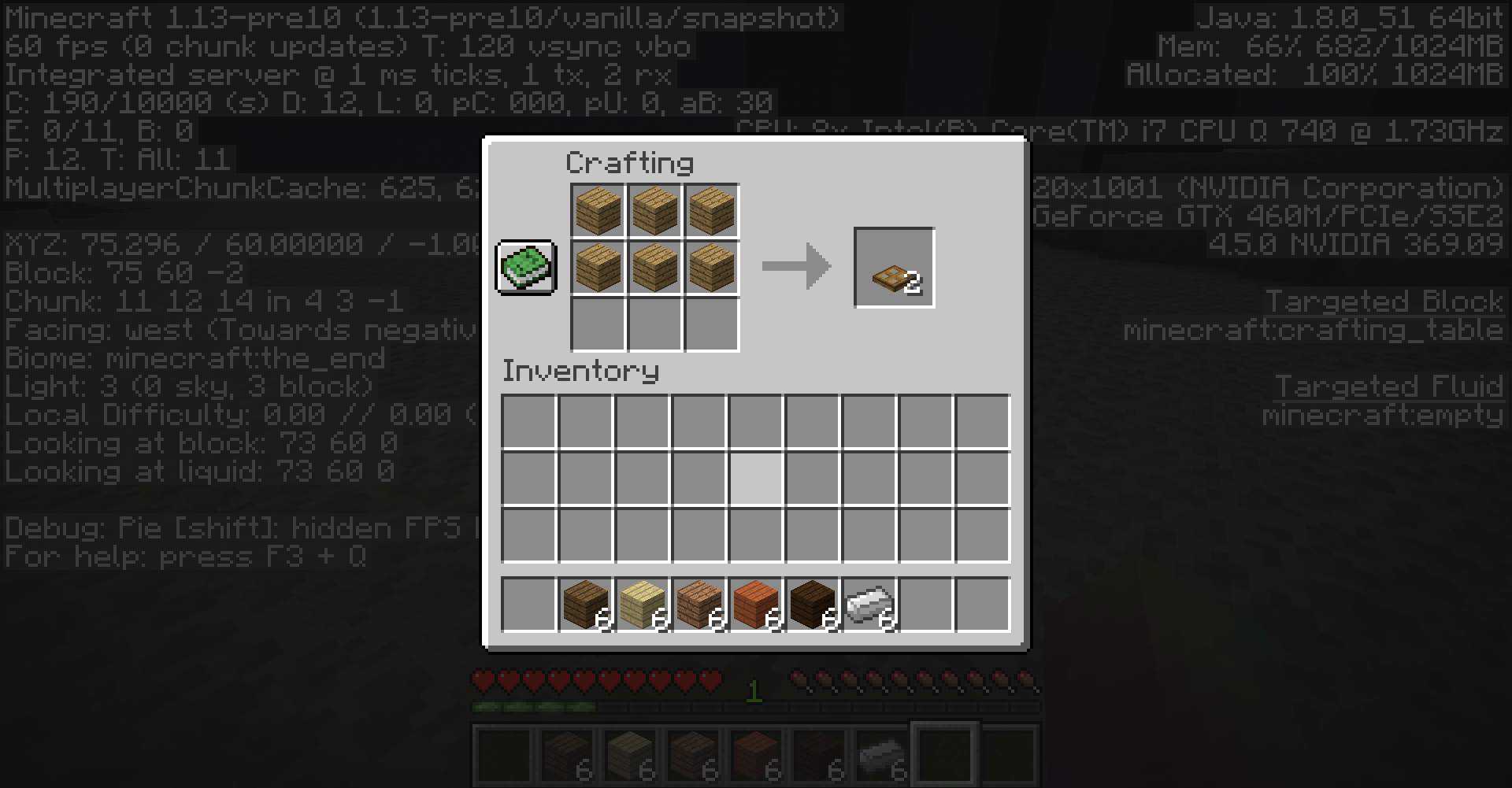
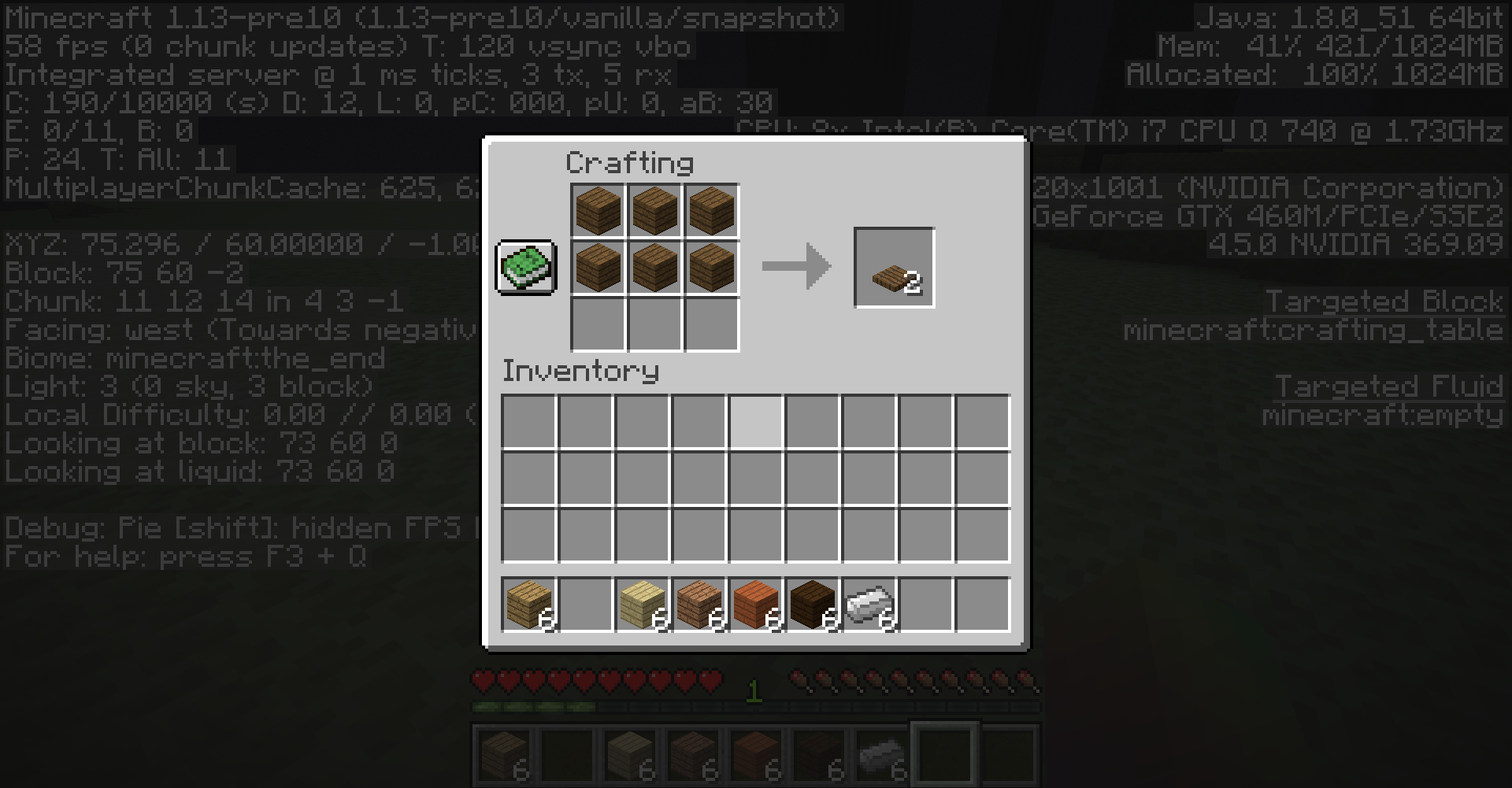


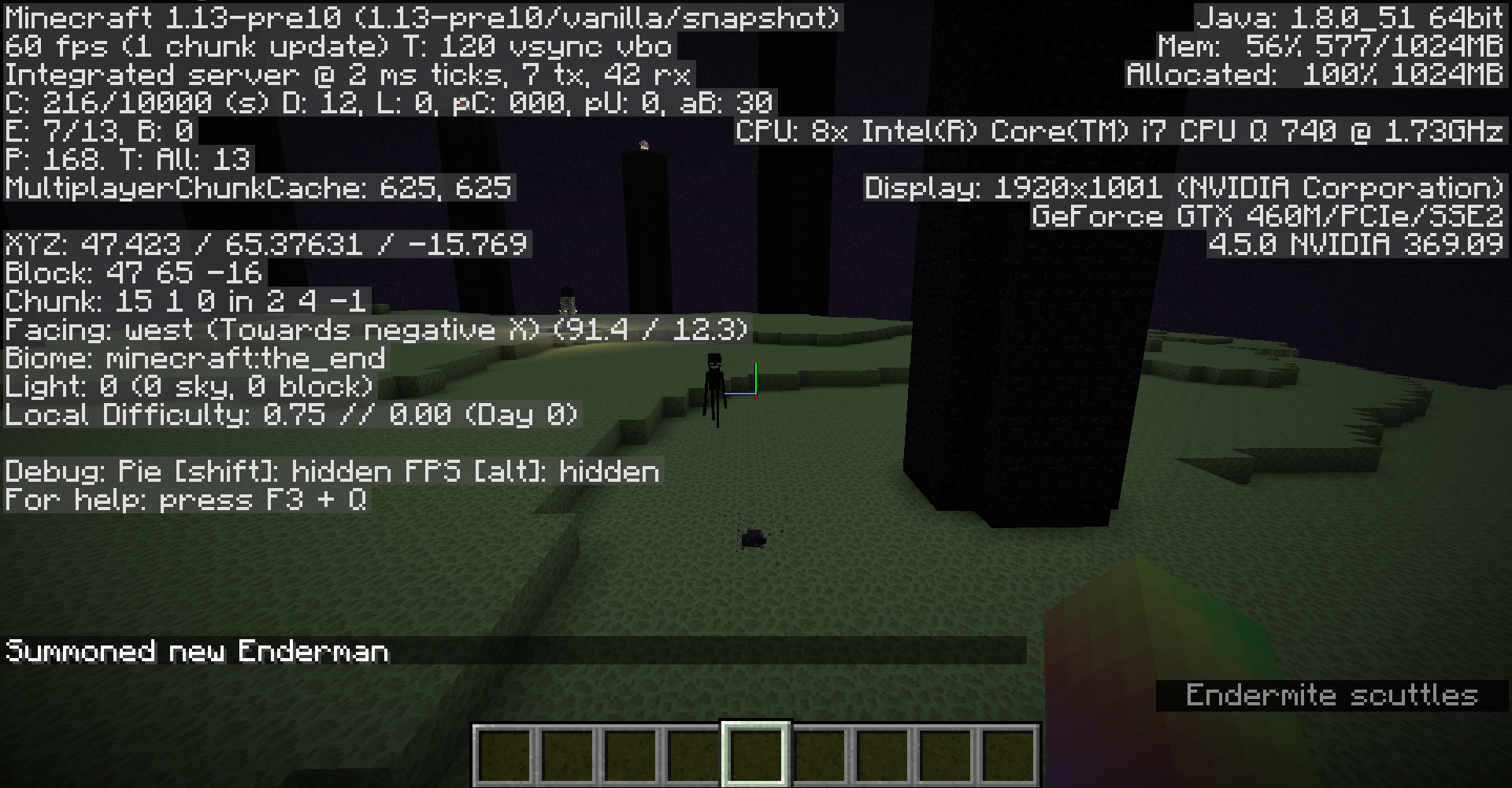


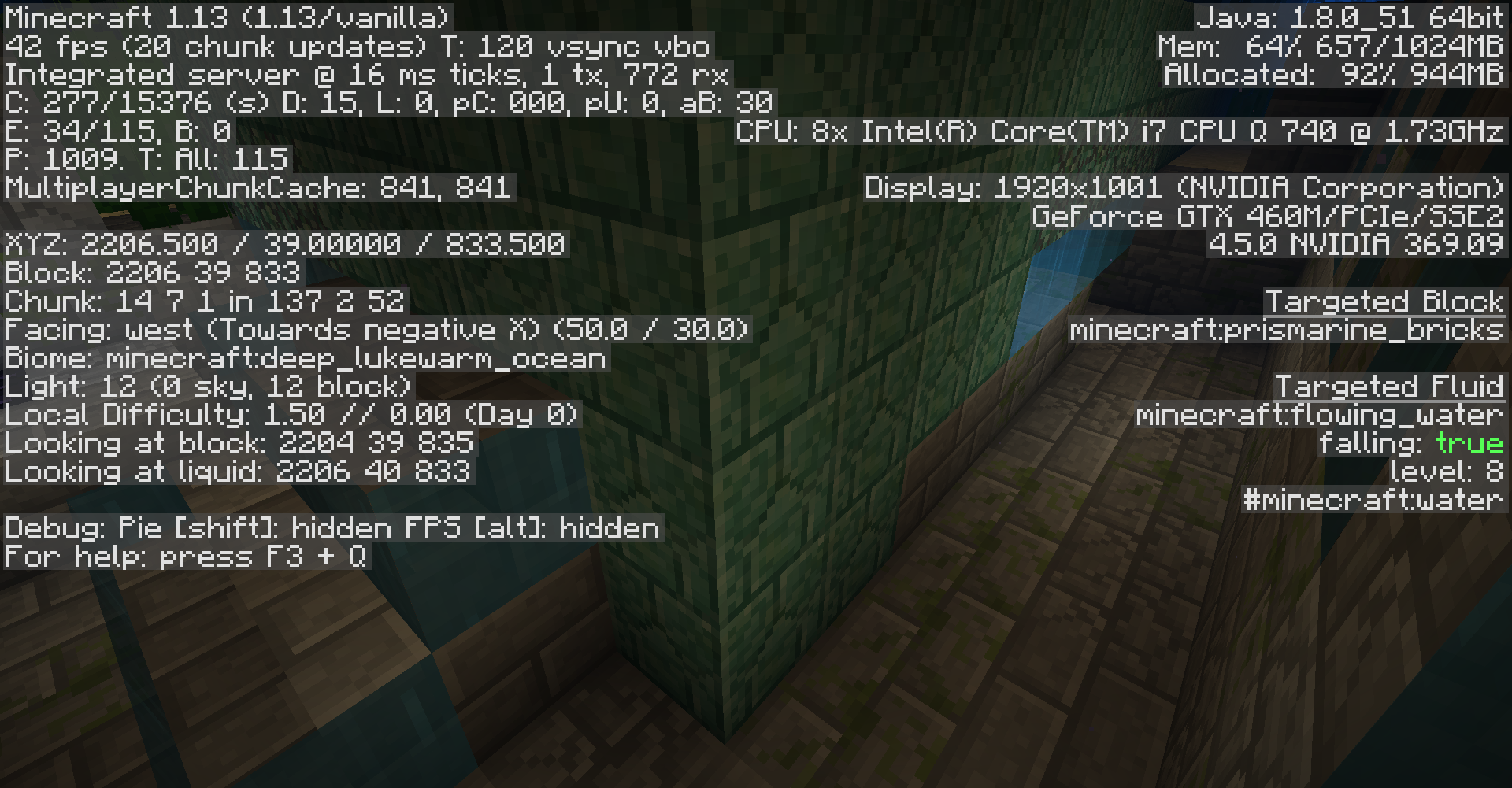


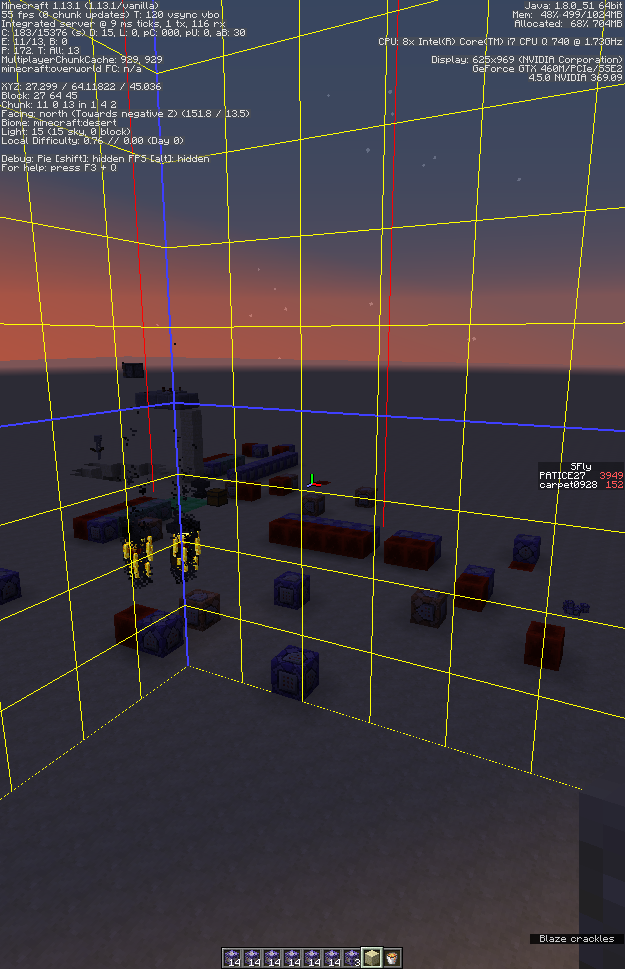
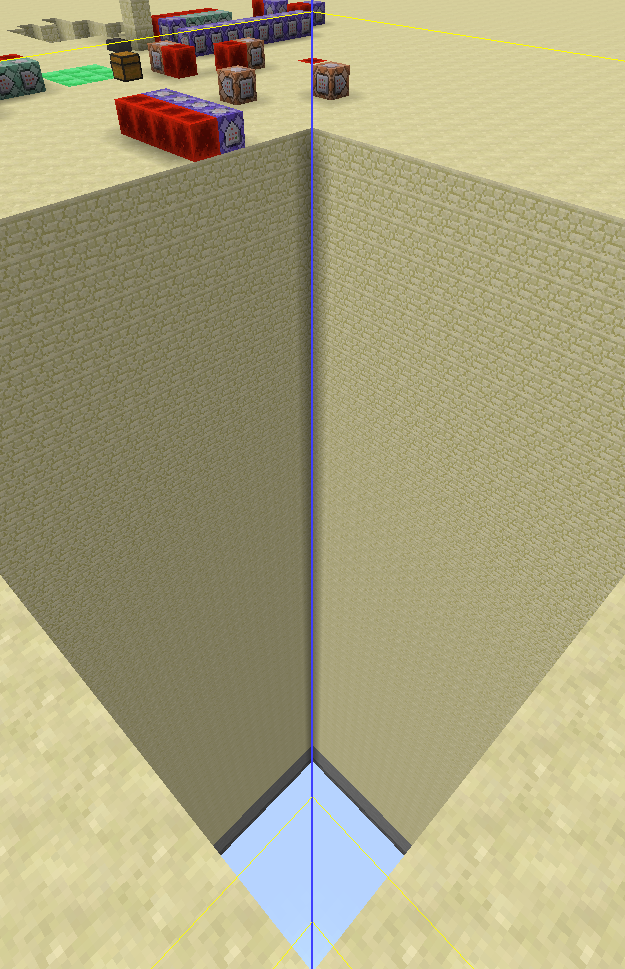


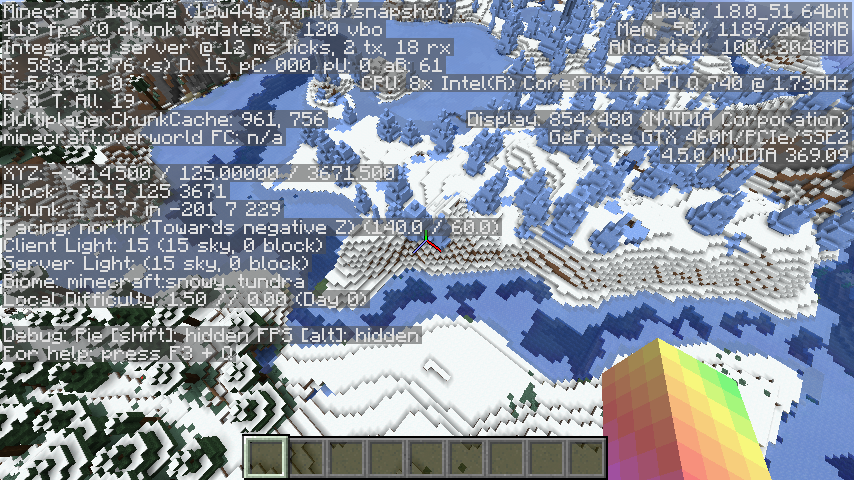
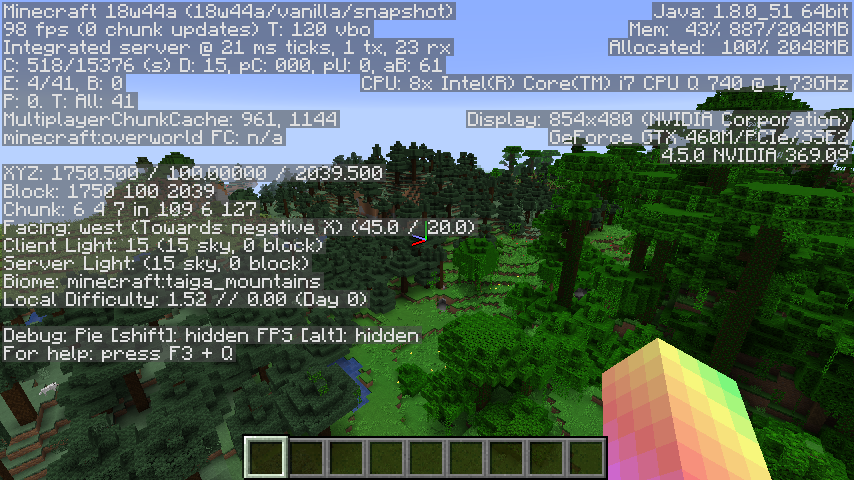

Attached is the datapack I have used to reproduce this issue. I can comment and tell you about it if needed, or if I become the reporter of this ticket I could update the description myself.
MC-56693.zip
Seems to be fixed in 1.13-pre10.
Doesn't seem to be a duplicate of
MC-122441either. I am not using malformed blockstates; if I was, then the preset string would be56*minecraft:stone:;minecraft:the_voidbut I reproduced this issue using
4*minecraft:bedrock;56*minecraft:stone;minecraft:the_void
So, still convinced it duplicates
MC-122441?
According to
MC-131241(and your reddit post), this can also happen with strongholds (although the bedrock codebase - the reddit post describes the issue happening on the Nintendo Switch - is a different project, this project is only for the Java Edition of Minecraft). Reports are usually not considered duplicates of issues that were created later (with a few exceptions), but I am unsure whether the issue should be resolved toMC-131241or this report. The mods can probably make a good decision.
Can confirm.
The bug
When the player throws a trident enchanted with riptide at an enderman, it will not teleport and take damage. Doing the same with an unenchanted trident appears to cause a successful hit, but the enderman teleports away and is not damaged (MC-109147)
What I expected to happen was:
The enderman would teleport away and not take damage.
What actually happened was:
The enderman does not teleport away and takes damage.
How to reproduce
- Download the attached datapack
(Make sure cheats are enabled, doesn't work if run from a command block)
- Throw the trident enchanted with riptide at the enderman (you should have received one from the function)
->
The enderman doesn't teleport and takes damage
The bug
When the player throws a trident enchanted with riptide at an enderman, it will not teleport and take damage. Doing the same with an unenchanted trident appears to cause a successful hit, but the enderman teleports away and is not damaged (MC-109147)
What I expected to happen was:
The enderman would teleport away and not take damage.
What actually happened was:
The enderman does not teleport away and takes damage.
How to reproduce
- Download the attached datapack (a guide to that can be found here
(Make sure cheats are enabled, doesn't work if run from a command block)
- Throw the trident enchanted with riptide at the enderman (you should have received one from the function)
->
The bug
When the player throws a trident enchanted with riptide at an enderman, it will not teleport and take damage. Doing the same with an unenchanted trident appears to cause a successful hit, but the enderman teleports away and is not damaged (MC-109147)
What I expected to happen was:
The enderman would teleport away and not take damage.
What actually happened was:
The enderman does not teleport away and takes damage.
How to reproduce
- Download the attached datapack (a guide
to that can be found here(Make sure cheats are enabled, doesn't work if run from a command block)
- Throw the trident enchanted with riptide at the enderman (you should have received one from the function)
->
The bug
When the player throws a trident enchanted with riptide at an enderman, it will not teleport and take damage. Doing the same with an unenchanted trident appears to cause a successful hit, but the enderman teleports away and is not damaged (MC-109147)
What I expected to happen was:
The enderman would teleport away and not take damage.
What actually happened was:
The enderman does not teleport away and takes damage.
How to reproduce
- Download the attached datapack (a guide on how to do that can be found here)
(Make sure cheats are enabled, doesn't work if run from a command block)
- Throw the trident enchanted with riptide at the enderman (you should have received one from the function)
->
The bug
When the player throws a trident enchanted with riptide at an enderman, it will not teleport and take damage. Doing the same with an unenchanted trident appears to cause a successful hit, but the enderman teleports away and is not damaged (MC-109147)
What I expected to happen was:
The enderman would teleport away and not take damage.
What actually happened was:
The enderman does not teleport away and takes damage.
How to reproduce
- Download the attached datapack (a guide on how to do that can be found here)
(Make sure cheats are enabled, doesn't work if run from a command block)
- Throw the trident enchanted with riptide at the enderman
(you should have received one from the function)->
The bug
When the player throws a trident enchanted with riptide at an enderman, it will not teleport and take damage. Doing the same with an unenchanted trident appears to cause a successful hit, but the enderman teleports away and is not damaged (MC-109147)
What I expected to happen was:
The enderman would teleport away and not take damage.
What actually happened was:
The enderman does not teleport away and takes damage.
How to reproduce
- Download and install the attached datapack (a guide on how to do that can be found here)
- Run the following command from your chat input (make sure cheats are enabled, doesn't work if run from a command block)
/function mc-134556:mc-134556
- You will receive a trident enchanted with riptide and it will start to rain. An enderman will spawn nearby with a roof to protect it from the rain.
- Throw the trident enchanted with riptide at the enderman.
->
The bug
When the player throws a trident enchanted with riptide at an enderman, it will not teleport and take damage. Doing the same with an unenchanted trident appears to cause a successful hit, but the enderman teleports away and is not damaged (MC-109147)
What I expected to happen was:
The enderman would teleport away and not take damage.
What actually happened was:
The enderman does not teleport away and takes damage.
How to reproduce
- Download and install the attached datapack (a guide on how to do that can be found here)
- Run the following command from your chat input (make sure cheats are enabled, doesn't work if run from a command block)
/function mc-134556:mc-134556
- You will receive a trident enchanted with riptide and it will start to rain. An enderman will spawn nearby with a roof to protect it from the rain.
- Throw the trident enchanted with riptide at the enderman.
->
The bug
When the player throws a trident enchanted with riptide at an enderman, it will not teleport and take damage. Doing the same with an unenchanted trident appears to cause a successful hit, but the enderman teleports away and is not damaged (MC-109147)
What I expected to happen was:
The enderman would teleport away and not take damage.
What actually happened was:
The enderman does not teleport away and takes damage.
How to reproduce
- Download and install the attached datapack (a guide on how to do that can be found here)
- Run the following command from your chat input (make sure cheats are enabled, doesn't work if run from a command block)
/function mc-134556:mc-134556
- You will receive a trident enchanted with riptide and it will start to rain. An enderman will spawn nearby with a roof to protect it from the rain.
- Throw the trident enchanted with riptide at the enderman.
→
The bug
When the player throws a trident enchanted with riptide at an enderman, it will not teleport and take damage. Doing the same with an unenchanted trident appears to cause a successful hit, but the enderman teleports away and is not damaged (MC-109147)
What I expected to happen was:
The enderman would teleport away and not take damage.
What actually happened was:
The enderman does not teleport away and takes damage.
How to reproduce
- Download and install the attached datapack (a guide on how to do that can be found here)
- Run the following command from your chat input (make sure cheats are enabled, doesn't work if run from a command block)
/function mc-134556:mc-134556
- You will receive a trident enchanted with riptide and it will start to rain. An enderman will spawn nearby with a roof to protect it from the rain.
- Throw the trident enchanted with riptide at the enderman.
→
The bug
When the player throws a trident enchanted with riptide at an enderman, it will not teleport and take damage. Doing the same with an unenchanted trident appears to cause a successful hit, but the enderman teleports away and is not damaged (MC-109147)
What I expected to happen was:
The enderman would teleport away and not take damage.
What actually happened was:
The enderman does not teleport away and takes damage.
How to reproduce
- Download and install the attached datapack (a guide on how to do that can be found here)
- Run the following command from your chat input (make sure cheats are enabled, doesn't work if run from a command block)
/function mc-134556:mc-134556
- You will receive a trident enchanted with riptide and it will start to rain. An enderman will spawn nearby with a roof to protect it from the rain.
- Throw the trident enchanted with riptide at the enderman.
→
The bug
When the player throws a trident enchanted with riptide at an enderman, it will not teleport and take damage. Doing the same with an unenchanted trident appears to cause a successful hit, but the enderman teleports away and is not damaged (MC-109147)
What I expected to happen was:
The enderman would teleport away and not take damage.
What actually happened was:
The enderman does not teleport away and takes damage.
How to reproduce
- Download and install the attached datapack
(a guide on how to do that can be foundhere)- Run the following command from your chat input (make sure cheats are enabled, doesn't work if run from a command block)
/function mc-134556:mc-134556
- You will receive a trident enchanted with riptide and it will start to rain. An enderman will spawn nearby with a roof to protect it from the rain.
- Throw the trident enchanted with riptide at the enderman.
→
The bug
When the player throws a trident enchanted with riptide at an enderman, it will not teleport and take damage. Doing the same with an unenchanted trident appears to cause a successful hit, but the enderman teleports away and is not damaged (MC-109147)
What I expected to happen was:
The enderman would teleport away and not take damage.
What actually happened was:
The enderman does not teleport away and takes damage.
How to reproduce
- Download and install the attached datapack datapack_MC-134556.zip
(a guide on how to do that can be found here)
- Run the following command from your chat input (make sure cheats are enabled, doesn't work if run from a command block)
/function mc-134556:mc-134556- You will receive a trident enchanted with riptide and it will start to rain. An enderman will spawn nearby with a roof to protect it from the rain.
- Throw the trident enchanted with riptide at the enderman.
→
May also relate to
MC-94421.
Deduced that dealing damage to an enderman with a thrown riptide trident is a separate issue and created
MC-134556.
Can confirm for major release 1.13.
Can confirm for 18w30a.
Can confirm for 18w30b.
Endermentrying to kill me when looked at in daylightEndermen will become hostile toward a player in daylight if looked at
The bug
Endermen will be provoked by a player that looks at them, even during the day.
What I expected to happen was:
The enderman would remain neutral as it did in previous versions.
What actually happened was:
The enderman became aggressive.
How to reproduce
- Find an enderman (either through natural spawn or /summon enderman)
- Wait for it to become daytime (or use /time set noon)
- Look at it (make sure you are in either survival or adventure mode and at most 64 blocks away)
->
The bug
Endermen will be provoked by a player that looks at them, even during the day.
What I expected to happen was:
The enderman would remain neutral as it did in previous versions.
What actually happened was:
The enderman became aggressive.
How to reproduce
- Find an enderman (either through natural spawn or /summon enderman)
- Wait for it to become daytime (or use /time set noon)
- Look at it (make sure you are in either survival or adventure mode and at most 64 blocks away)
->
The bug
Endermen will be provoked by a player that looks at them, even during the day.
What I expected to happen was:
The enderman would remain neutral as it did in previous versions.
What actually happened was:
The enderman became aggressive.
How to reproduce
- Find an enderman (either through natural spawn or /summon enderman)
- Wait for it to become daytime (or use /time set noon)
- Look at it (make sure you are in either survival or adventure mode and at most 64 blocks away)
→
Endermenwillbecome hostile toward a playerin daylight if looked atEndermen become hostile toward a player when looked at during the day
At first I didn't realize I got the ticket! Thank you so much [Mod] Michael Wobst for my new present, it means so much
Is this fixed for multiplayer? Like do I need to download a new jar for multiplayer or is this client side?
This issue was not resolved as "fixed", it was resolved as "awaiting response". [Mod] Neko and others are unsure whether this is still an issue. Please check if newly generated worlds in multiplayer will generate end cities which can be found normally in singleplayer, and respond with the appropriate information.
With the fix of
MC-122579,[Mojang] Grum (Erik Broes) decided to fix it by making wall banners use the same translation strings as standing banners, rather than just adding the missing strings.This will cause confusion as there's no distinction between the strings.
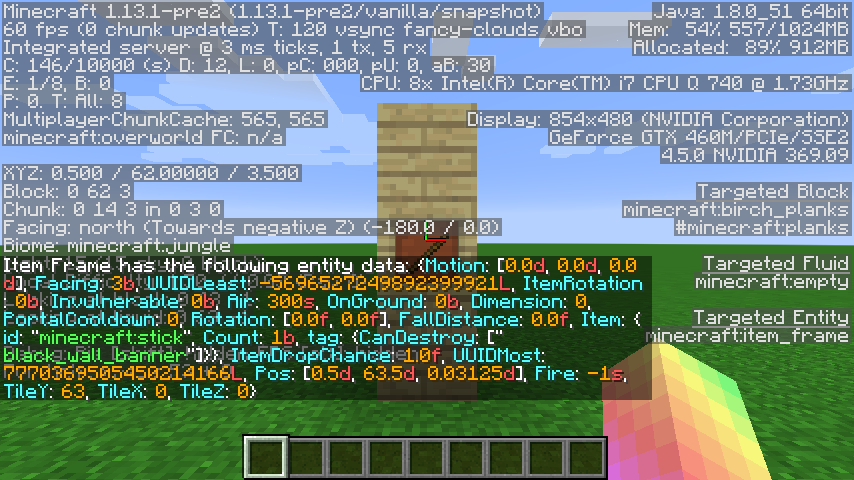
"Can Destroy Blackbanner" destroys a black wall banner
"Can Destroy Blackbanner" cannot destroy black wall bannerOn top of that, it's inconsistent with skulls
/heads, signs and torches.
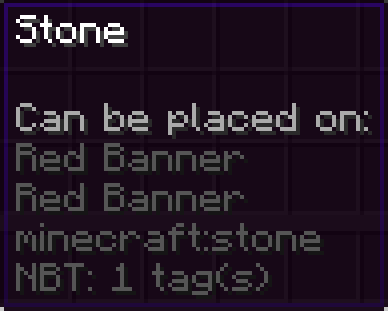
Even though signs, skulls/heads and torches specifically say Wall Sign, PlayerWall Head, Wall Torch, etc.Wall Banners do not.See screenshot.
Command used:/give @pstone{CanPlaceOn:["red_wall_banner","red_banner"]}The bug
Wall banners use the same translation strings as their corresponding standing banners, rather than just using their own. This bug was caused by the fix of
MC-122579.This will cause confusion as there's no distinction between the strings.
"Can Destroy Black Banner" destroys a black wall banner
"Can Destroy Black Banner" cannot destroy black wall bannerOn top of that, it's inconsistent with skulls, heads, signs and torches.
Even though signs, skulls, heads and torches specifically say Wall Sign, Player/Skeleton/Wither Skeleton/Zombie/Creeper/Dragon Wall Head/Skull, and Wall Torch respectively, Wall Banners do not.Command used:
/give @s stone{CanPlaceOn:["red_wall_banner","red_banner"]}

The bug
Wall banners use the same translation strings as their corresponding standing banners, rather than just using their own. This bug was caused by the fix of
MC-122579.This will cause confusion as there's no distinction between the strings.
"Can Destroy Black Banner" destroys a black wall banner
"CanDestroyBlack Banner"cannot destroyblack wall bannerOn top of that, it's inconsistent with skulls, heads, signs and torches.
Even though signs, skulls, heads and torches specifically say Wall Sign, Player/Skeleton/Wither Skeleton/Zombie/Creeper/Dragon Wall Head/Skull, and Wall Torch respectively, Wall Banners do not.
Command used:/give @s stone{CanPlaceOn:["red_wall_banner","red_banner"]}
The bug
Wall banners use the same translation strings as their corresponding standing banners, rather than just using their own. This bug was caused by the fix of
MC-122579.This will cause confusion as there's no distinction between the strings.
/give @s stick{CanDestroy:["black_banner"]}
"Can Break Black Banner" cannot break black wall banners/give @s stick{CanDestroy:["black_wall_banner"]}
"Can Break Black Banner" breaks black wall banners**On top of that, it's inconsistent with skulls, heads, signs and torches.
Even though signs, skulls, heads and torches specifically say Wall Sign, Player/Skeleton/Wither Skeleton/Zombie/Creeper/Dragon Wall Head/Skull, and Wall Torch respectively, Wall Banners do not.Command used:
/give @s stone{CanPlaceOn:["red_wall_banner","red_banner"]}
The bug
Wall banners use the same translation strings as their corresponding standing banners, rather than just using their own. This bug was caused by the fix of
MC-122579.This will cause confusion as there's no distinction between the strings.
/give @s stick{CanDestroy:["black_banner"]}
"Can Break Black Banner" cannot break black wall banners/give @s stick{CanDestroy:["black_wall_banner"]}
"Can Break Black Banner" breaks black wall banners**On top of that, it's inconsistent with skulls, heads, signs and torches.
Even though signs, skulls, heads and torches specifically say Wall Sign, Player/Skeleton/Wither Skeleton/Zombie/Creeper/Dragon Wall Head/Skull, and Wall Torch respectively, Wall Banners do not.Command used:
/give @s stone{CanPlaceOn:["red_wall_banner","red_banner"]}
The bug
Wall banners use the same translation strings as their corresponding standing banners
, rather than just using their own. This bug was caused by the fix ofMC-122579.This will cause confusion as there's no distinction between the strings.
/give @s stick{CanDestroy:["black_banner"]}
"Can Break Black Banner" cannot break black wall banners/give @s stick{CanDestroy:["black_wall_banner"]}
"Can Break Black Banner" breaks black wall banners
**On top of that, it's inconsistent with skulls, heads, signs and torches.
Even though signs, skulls, heads and torches specifically say Wall Sign, Player/Skeleton/Wither Skeleton/Zombie/Creeper/Dragon Wall Head/Skull, and Wall Torch respectively, Wall Banners do not.Command used:
/give @s stone{CanPlaceOn:["red_wall_banner","red_banner"]}
The bug
Wall banners use the same translation strings as their corresponding standing banners (block.minecraft.COLOR_banner), rather than just using their own. This bug was caused by the fix of
MC-122579.This will cause confusion as there's no distinction between the strings.
/give @s stick{CanDestroy:["black_banner"]}
"Can Break Black Banner" cannot break black wall banners/give @s stick{CanDestroy:["black_wall_banner"]}
"Can Break Black Banner" breaks black wall bannersOn top of that, it's inconsistent with skulls, heads, signs and torches.
Even though signs, skulls, heads and torches specifically say Wall Sign, Player/Skeleton/Wither Skeleton/Zombie/Creeper/Dragon Wall Head/Skull, and Wall Torch respectively, Wall Banners do not.Command used:
/give @s stone{CanPlaceOn:["red_wall_banner","red_banner"]}
The bug
Wall banners use the same translation strings as their corresponding standing banners (block.minecraft.COLOR_banner), rather than just using their own. This bug was caused by the fix of
MC-122579.This will cause confusion as there's no distinction between the strings.
/give @s stick{CanDestroy:["black_banner"]}
"Can Break Black Banner" cannot break black wall banners/give @s stick{CanDestroy:["black_wall_banner"]}
"Can Break Black Banner" breaks black wall bannersOn top of that, it's inconsistent with skulls, heads, signs and torches.
Even though signs, skulls, heads andtorches specifically sayWall Sign, Player/Skeleton/Wither Skeleton/Zombie/Creeper/Dragon Wall Head/Skull, and Wall Torch respectively, Wall Bannersdonot.Command used:
/give @s stone{CanPlaceOn:["red_wall_banner","red_banner"]}
The bug
Wall banners use the same translation strings as their corresponding standing banners (block.minecraft.COLOR_banner), rather than just using their own. This bug was caused by the fix of
MC-122579.This will cause confusion as there's no distinction between the strings.
/give @s stick{CanDestroy:["black_banner"]}
"Can Break Black Banner" cannot break black wall banners/give @s stick{CanDestroy:["black_wall_banner"]}
"Can Break Black Banner" breaks black wall bannersOn top of that, it's inconsistent with skulls, heads, signs and (redstone) torches.
Even though signs, skulls, heads and (redstone) torches are named Oak/Spruce/Birch/Jungle/Acacia/Dark Oak Wall Sign, Player/Skeleton/Wither Skeleton/Zombie/Creeper/Dragon Wall Head/Skull, and (Redstone) Wall Torch respectively, Wall Banners are not.How to reproduce
- Use the below command for a demonstration
/give @s stone{CanPlaceOn:["red_wall_banner","red_banner"]}- Result:
Snow Golems don't take damage from a splash water bottle
... and when standing inside a filled cauldron.Keep in mind - the issues reported by me
MC-106812andMC-106813report the same except for blazes and endermen.Anyway, please fix this bug, would be glad because it just isn't realistic right now.
Fix:
(Based off of Minecraft 1.11, MCP 9.35)net.minecraft.entity.projectile.EntityPotion.func_190544_c(EntityLivingBase p_190544_0_)private static boolean func_190544_c(EntityLivingBase p_190544_0_) { //added " || p_190544_0_ instanceof EntitySnowman" return p_190544_0_ instanceof EntityEnderman || p_190544_0_ instanceof EntityBlaze || p_190544_0_ instanceof EntitySnowman; }The bug
Snow Golems don't take damage from splash and lingering water bottles. This is inconsistent with Enderman and Blazes, which do take damage from splash and lingering water bottles, and, like snow golems, are damaged by rain and water.
Suggested fix
(Based off of Minecraft 1.11, MCP 9.35)
net.minecraft.entity.projectile.EntityPotion.func_190544_c(EntityLivingBase p_190544_0_)private static boolean func_190544_c(EntityLivingBase p_190544_0_) { //added " || p_190544_0_ instanceof EntitySnowman" return p_190544_0_ instanceof EntityEnderman || p_190544_0_ instanceof EntityBlaze || p_190544_0_ instanceof EntitySnowman; }
The bug
Snow Golems don't take damage from splash and lingering water bottles. This is inconsistent with Enderman and Blazes, which do take damage from splash and lingering water bottles, and, like snow golems, are damaged by rain and water.
Suggested fix
(Based off of Minecraft 1.11, MCP 9.35)
net.minecraft.entity.projectile.EntityPotion.func_190544_c(EntityLivingBase p_190544_0_)private static boolean func_190544_c(EntityLivingBase p_190544_0_) { //added " || p_190544_0_ instanceof EntitySnowman" return p_190544_0_ instanceof EntityEnderman || p_190544_0_ instanceof EntityBlaze || p_190544_0_ instanceof EntitySnowman; }
Can confirm in 1.13 for both splash and lingering water bottles.
Can confirm in 18w32a for both splash and lingering water bottles.
Can confirm for 1.13.1.
Windows 10
SnowGolemsdon't takedamagefromsplash/lingering water bottlesSnow golems aren't damaged by splash or lingering water bottles
The bug
Snow
Golems don't take damage from splash and lingering water bottles. This is inconsistent withEnderman andBlazes, which do take damage from splash and lingering water bottles, and, like snow golems, are damaged by rain and water.Suggested fix
(Based off of Minecraft 1.11, MCP 9.35)
net.minecraft.entity.projectile.EntityPotion.func_190544_c(EntityLivingBase p_190544_0_)private static boolean func_190544_c(EntityLivingBase p_190544_0_) { //added " || p_190544_0_ instanceof EntitySnowman" return p_190544_0_ instanceof EntityEnderman || p_190544_0_ instanceof EntityBlaze || p_190544_0_ instanceof EntitySnowman; }The bug
Snow golems don't take damage from splash and lingering water bottles. This is inconsistent with endermen and blazes, which do take damage from splash and lingering water bottles, and, like snow golems, are damaged by rain and water.
Suggested fix
(Based off of Minecraft 1.11, MCP 9.35)
net.minecraft.entity.projectile.EntityPotion.func_190544_c(EntityLivingBase p_190544_0_)private static boolean func_190544_c(EntityLivingBase p_190544_0_) { //added " || p_190544_0_ instanceof EntitySnowman" return p_190544_0_ instanceof EntityEnderman || p_190544_0_ instanceof EntityBlaze || p_190544_0_ instanceof EntitySnowman; }
Endermen and Blazes don't take damage from
the following (basically water) splash and lingering potions:
- Awkward Splash Potion
- Mundane Splash Potion
- Thick Splash Potion
- Splash Uncraftable Potion
- Awkward Lingering Potion
- Mundane Lingering Potion
- Thick Lingering Potion
- Lingering Uncraftable Potion
Lingering Water BottleFixed in 1.11-PRE1The bug
Endermen and Blazes don't take damage from several splash potions that likely should damage them, seeing how similar they are to water. A list of affected potions can be found below.
Potion Resolution Fix Version/s Lingering Water Bottle Fixed 1.11-pre1 Mundane Splash Potion Unresolved Thick Splash Potion Unresolved Awkward Splash Potion Unresolved Splash Uncraftable Potion Unresolved Mundane Lingering Potion Unresolved Thick Lingering Potion Unresolved Awkward Lingering Potion Unresolved Lingering Uncraftable Potion Unresolved
The bug
Endermen and Blazes don't take damage from several splash potions that likely should damage them, seeing how similar they are to water. A list of affected potions can be found below.
Potion Resolution Fix Version/s Lingering Water Bottle Fixed 1.11-pre1 Mundane Splash Potion Unresolved Thick Splash Potion Unresolved Awkward Splash Potion Unresolved Splash Uncraftable Potion Unresolved Mundane Lingering Potion Unresolved Thick Lingering Potion Unresolved Awkward Lingering Potion Unresolved Lingering Uncraftable Potion Unresolved What I expected to happen was:
Endermen and blazes wouldn't be damaged by these potions, since they are variants of splash and lingering water bottles.
What actually happened was:
Endermen and blazes took damage.
How to reproduce
- Download and install the attached datapack (a guide on how to do that can be found here)
- Run the following command from your chat input (make sure cheats are enabled, doesn't work if run from a command block)
/function mc-106812:mc-106812- You should receive the affected potions, and an enderman and blaze will spawn in front of you.
- Throw the potions at the enderman and blaze.
→
Can confirm in 1.13 for all listed potions.
Can confirm in 18w32a for all listed potions.
Can confirm for 1.13.1.
The bug
Endermen and Blazes don't take damage from several splash potions that likely should damage them, s
eeing how similar they areto water. A list of affected potions can be found below.
Potion Resolution Fix Version/s Lingering Water Bottle Fixed 1.11-pre1 Mundane Splash Potion Unresolved Thick Splash Potion Unresolved Awkward Splash Potion Unresolved Splash Uncraftable Potion Unresolved Mundane Lingering Potion Unresolved Thick Lingering Potion Unresolved Awkward Lingering Potion Unresolved Lingering Uncraftable Potion Unresolved What I expected to happen was:
Endermen and blazes wouldn't be damaged by these potions, since they are variants of splash and lingering water bottles.
What actually happened was:
Endermen and blazes took damage.
How to reproduce
- Download and install the attached datapack (a guide on how to do that can be found here)
- Run the following command from your chat input (make sure cheats are enabled, doesn't work if run from a command block)
/function mc-106812:mc-106812- You should receive the affected potions, and an enderman and blaze will spawn in front of you.
- Throw the potions at the enderman and blaze.
→The bug
Endermen and Blazes don't take damage from several splash potions that likely should damage them, since they are similar to water. A list of affected potions can be found below.
Potion Resolution Fix Version/s Lingering Water Bottle Fixed 1.11-pre1 Mundane Splash Potion Unresolved Thick Splash Potion Unresolved Awkward Splash Potion Unresolved Splash Uncraftable Potion Unresolved Mundane Lingering Potion Unresolved Thick Lingering Potion Unresolved Awkward Lingering Potion Unresolved Lingering Uncraftable Potion Unresolved What I expected to happen was:
Endermen and blazes wouldn't be damaged by these potions, since they are variants of splash and lingering water bottles.
What actually happened was:
Endermen and blazes took damage.
How to reproduce
- Download and install the attached datapack datapack_MC-106812.zip
- Run the following command from your chat input (make sure cheats are enabled, doesn't work if run from a command block)
/function mc-106812:mc-106812- You should receive the affected potions, and an enderman and blaze will spawn in front of you.
- Throw the potions at the enderman and blaze.
→
The bug
Endermen and Blazes don't take damage from several splash potions that likely should damage them, since they are similar to water. A list of affected potions can be found below.
Potion Resolution Fix Version/s Lingering Water Bottle Fixed 1.11-pre1Mundane Splash Potion Unresolved Thick Splash Potion Unresolved Awkward Splash Potion Unresolved Splash Uncraftable Potion Unresolved Mundane Lingering Potion Unresolved Thick Lingering Potion Unresolved Awkward Lingering Potion Unresolved Lingering Uncraftable Potion Unresolved What I expected to happen was:
Endermen and blazes wouldn't be damaged by these potions, since they are variants of splash and lingering water bottles.
What actually happened was:
Endermen and blazes took damage.
How to reproduce
- Download and install the attached datapack datapack_MC-106812.zip
- Run the following command from your chat input (make sure cheats are enabled, doesn't work if run from a command block)
/function mc-106812:mc-106812- You should receive the affected potions, and an enderman and blaze will spawn in front of you.
- Throw the potions at the enderman and blaze.
→The bug
Endermen and Blazes don't take damage from several splash potions that likely should damage them, since they are similar to water. A list of affected potions can be found below.
Potion Resolution Fix Version/s Lingering Water Bottle Fixed 1.11-pre1 Mundane Splash Potion Unresolved Thick Splash Potion Unresolved Awkward Splash Potion Unresolved Splash Uncraftable Potion Unresolved Mundane Lingering Potion Unresolved Thick Lingering Potion Unresolved Awkward Lingering Potion Unresolved Lingering Uncraftable Potion Unresolved What I expected to happen was:
Endermen and blazes wouldn't be damaged by these potions, since they are variants of splash and lingering water bottles.
What actually happened was:
Endermen and blazes took damage.
How to reproduce
- Download and install the attached datapack datapack_MC-106812.zip
- Run the following command from your chat input (make sure cheats are enabled, doesn't work if run from a command block)
/function mc-106812:mc-106812- You should receive the affected potions, and an enderman and blaze will spawn in front of you.
- Throw the potions at the enderman and blaze.
→
Endermen andBlazesdon'ttakedamagefromseveral[basically water] throwable potionsEndermen and blazes aren't damaged by several throwable potions which are similar to water bottles
The bug
Endermen and
Blazes don't take damage from several splash potions that likely should damage them, since they are similar to water. A list of affected potions can be found below.
Potion Resolution Fix Version/s Lingering Water Bottle Fixed 1.11-pre1 Mundane Splash Potion Unresolved Thick Splash Potion Unresolved Awkward Splash Potion Unresolved Splash Uncraftable Potion Unresolved Mundane Lingering Potion Unresolved Thick Lingering Potion Unresolved Awkward Lingering Potion Unresolved Lingering Uncraftable Potion Unresolved What I expected to happen was:
Endermen and blazes wouldn't be damaged by these potions, since they are variants of splash and lingering water bottles.
What actually happened was:
Endermen and blazes took damage.
How to reproduce
- Download and install the attached datapack datapack_MC-106812.zip
- Run the following command from your chat input (make sure cheats are enabled, doesn't work if run from a command block)
/function mc-106812:mc-106812- You should receive the affected potions, and an enderman and blaze will spawn in front of you.
- Throw the potions at the enderman and blaze.
→The bug
Endermen and blazes don't take damage from several splash potions that likely should damage them, since they are similar to water. A list of affected potions can be found below.
Potion Resolution Fix Version/s Lingering Water Bottle Fixed 1.11-pre1 Mundane Splash Potion Unresolved Thick Splash Potion Unresolved Awkward Splash Potion Unresolved Splash Uncraftable Potion Unresolved Mundane Lingering Potion Unresolved Thick Lingering Potion Unresolved Awkward Lingering Potion Unresolved Lingering Uncraftable Potion Unresolved What I expected to happen was:
Endermen and blazes wouldn't be damaged by these potions, since they are variants of splash and lingering water bottles.
What actually happened was:
Endermen and blazes took damage.
How to reproduce
- Download and install the attached datapack datapack_MC-106812.zip
- Run the following command from your chat input (make sure cheats are enabled, doesn't work if run from a command block)
/function mc-106812:mc-106812- You should receive the affected potions, and an enderman and blaze will spawn in front of you.
- Throw the potions at the enderman and blaze.
→

This bug is NOT fixed, no matter what carpet0928 says. Drowned still have difficulty getting out of bodies of water.

carpet0928, please create a new ticket with a reference to this.
carpet0928, that would be not so easy. I have pretty much wild horses in different biomes and locations. I have one horse that is mine and i can kill it, but if i have to go and kill all wild horses, that would be pretty troublesome. And also there can be other problems. I saw same bug and the log was almost same, but it was "ZombieEntity". So it would be better if world optimizer or some tool just remove bugged entity or swap it with "clean" one
![[Mod] Asteraoth](../../../data/avatars/users/92886.png)
The environment is suppose to contain PC details only. Also, thanks carpet0928 for trying to help. 
carpet0928, can you provide a video so I can reproduce? I'm probably not timing this right...

@carpet0928, from my understanding, if the actual world folder is a symbolic link then the link itself will be backed up rather than the contents of the world. Therefore the backup is useless.

carpet0928,
Please don't use helper messages like that, especially since you do not have the ability to link issues together.
![[Mod] Michael Wobst](../../../data/avatars/users/37868.png)
carpet0928, can you please stop necroposting.
![[Mod] Sonicwave](../../../data/avatars/users/94627.png)
carpet0928: Those seem to be more related to MC-129546, I've added them to that report.
carpet0928, you have been told several times not to use any staff/mod/helper messages. Consider this a last warning.
Can confirm for 1.13-pre10.
Can confirm for 1.13-pre10.
Attached is the datapack I have used to reproduce this issue. It contains a function that, when run, summons several pigmen riding a pufferfish and sets the executor's gamemode to survival mode (although this issue can also be reproduced in adventure mode). The pufferfish withers away (it was summoned with the wither effect) and the pigmen begin attacking the player.
Just a friendly suggestion. Be aware of where you are describing your issue - your description fits in the "description" part of the ticket, while "environment" contains information about the operating system (e.g. computer) you are using. Hope this helps!
Can confirm for 1.13-pre10.
Reproduced by creating a superflat world with seed 1 and superflat preset
The village is at coordinates 80.5 64.0 64.5
No, I'm sorry. I'm not a helper or moderator. You can update the ticket yourself, though.
For future reference:
The only people who can update a ticket are the owner of the ticket, any helpers, and any moderators. Daniele, you own this ticket, so that means the only people who can edit it are you, helpers, and moderators. Anyone can comment on this issue, though.
Oh, yes, since I pointed it out, a helper or moderator should come by soon and fix the problem.
Can confirm for 1.13-pre10.
Whether the endermites are targeted by an enderman is determined by the presence of the PlayerSpawned tag on the endermite.
Endermites created by
or
/summon endermite ~ ~ ~ {PlayerSpawned:0}are not targeted by endermen;
those summoned by throwing ender pearls or
/summon endermite ~ ~ ~ {PlayerSpawned:1}are targeted.
Cannot confirm (in 1.13-pre10) for any trapdoors, see screenshots.
Cannot confirm in 1.13-pre10, see attached screenshot.
Cannot confirm in 1.13-pre10. The seed and coordinates are in my attached screenshot. The world was freshly created in 1.13-pre10.
For future reference:
Water only fills naturally generated areas at or under y=62 in a default world. Some rivers generate over y=62, and thus parts of them or maybe even the entire river may be found dried up. However, at or under y=62, the river is "flooded" as expected. Hope this helps!
CJ Burkey: Endermites are attacked by endermen if they have the PlayerSpawned tag set to 1. If endermen do not attack endermites spawned by ender pearls, that means that PlayerSpawned is 0, and that is a bug.
The command I used was
/summon endermite ~ ~ ~ {PlayerSpawned:1}Can confirm for 1.13-pre10.
Can confirm for 1.13-pre10.
Attached is the datapack I have used to reproduce this issue. The datapack contains a function that summons a pack of zombie pigmen riding a pufferfish. The pufferfish eventually dies and the zombie pigmen attack the player (
MC-69032). The zombie pigman have primed TNT on their heads which will eventually explode, leaving no drops but occasionally some experience orbs. Each time I reproduced I punched some of the pigmen before the TNT exploded.Did some further testing and confirmed not fixed for 1.13-pre10. It seems as though drowned can get out of 1-block-deep water with ease, but they cannot get out of bodies of water deeper than that.
Attached the structure file used to reproduce. Put it in your <worldsave> folder (you may need to unzip the folder first, but do not change the file directory), load your world (it should update automatically if you are already in), place a structure block with
/setblock ~ ~ ~ structure_block{mode:"LOAD",name:"minecraft:mc-132739",showboundingbox:1}Give it some redstone power, and structure loaded!
Can confirm for 1.13-pre10.
Cannot confirm. The attached .zip file contains a structure used for testing this issue. Download it and put it into your <worldsave> folder (you may need to unzip it first, but do not change the file directory). Load the world. Set a structure block (make sure cheats are enabled) with
/setblock ~ ~ ~ structure_block{mode:"LOAD",name:"minecraft:mc-133915",showboundingbox:1}Give it redstone power, and the structure will load. For me, putting soul sand and magma blocks in the holes worked as expected.
Soul sand and magma blocks will not create bubble columns in flowing water, but will in water source blocks as expected.
Please provide a seed and coordinates.
Can confirm for major release 1.13.
Can confirm for major release 1.13.
Can confirm for major release 1.13. I'm very sorry for assuming this was fixed earlier.
Can confirm for major release 1.13.
Can confirm for major release 1.13.
Can confirm for major release 1.13.
Can confirm for major release 1.13.
Attached is the datapack I used to reproduce this issue. It builds the contraption for you, but for some reason, it always gets placed south of the player, regardless of the direction the player is facing. The only function you need to run yourself is
the others will run on their own shortly after.
I'm not 100% sure but this bug may still be present in 1.13. Recently I was creating a custom superflat preset, and at one point when I clicked "Done", the game crashed. I analyzed the crash report and immediately thought of this issue when I saw this:
Crash report:
Hope this helps!
Still present in 1.13.
Kumasasa done, the new issue is
MC-134261. Thanks for your help!Marcono1234, your report only describes this as an ocean monument overwriting a stronghold, but
MC-133903says that an ocean monument can overwrite parts of any structure. I know reports are usually not considered duplicates of reports that were reported later, and I am unsure whether this issue should be resolved toMC-133903or this ticket. The mods will probably figure it out (although you are a mod yourself, so you could also make the decision).Anyway, can confirm for 1.13.
Cannot confirm for 1.13.
Created a surface mountains buffet world using the given seed, flew for ~100000 blocks, and llamas seemed to be spawning normally, none of them suffocating inside blocks. I know "luck" is half the battle, but I think it's expected to see a llama suffocating inside a block within 100000 blocks of the mountain biome.
Again, cannot confirm for 1.13. I don't want to assume this is fixed, though.
Can confirm for major release 1.13.
Explorer maps are sold by cartographers as part of their tier 4 trades. Before selling the explorer maps, the cartographer will offer an emerald for a certain amount of paper (as seen in your video). When you close and reopen the interface, the cartographer can now offer an emerald for a compass. Once that trade is completed, it will then offer an empty map for 7-11 emeralds. The next trades the cartographer unlocks are the trades for the explorer maps.
If you have any questions concerning trading, take a look at this web page and see if it answers your question. Hope this helps!
This issue might relate to/duplicate
MC-124123.roitel, consider using a tool that might be capable of deleting the corrupted chunk. If you want to kill the horse, do so before upgrading the world to 1.13. As of 1.11, the horse's entity id is now minecraft:horse, making it more difficult to target in a 1.13 world. Additionally, /kill only kills entities in loaded chunks.
Nope, the bug report only remains, unfortunately.
When my player dies, the server outputs "carpet0928 moved wrongly!" Attached latest.log.
May you be able to attach the affected datapack or latest.log? That may help us diagnose your issue.
This issue can actually be diagnosed, title says it all.
Blake Swisher, in the future, describe the issue you're having in the description, it won't get immediately closed by the bots as "incomplete", and sometimes it helps us analyze your issue further. Hope this helps!
Can confirm for 18w30a.
Could the command in the description potentially be changed to something like
I went to -408 93 -1468 but it took me a while to actually find the pressure plate table.
Can confirm for 18w30a.
Can confirm in 18w30a for both given structures.
Can confirm for 18w30a.
Can confirm with a newly created world in 18w30a. The crash does not happen until the player returns to the Overworld. Attached affected world.
Can confirm for 18w30a.
Interesting... my game did not crash in the Nether, but after the TNT explosion, the dropped item entities appeared to "glitch out" and teleport upwards sometimes. I went through the portal afterward and the game crashed.
I was in creative mode.
Can confirm for 18w30b.
Cannot confirm. The skeleton burns in daylight as expected.
It's possible that your skeleton (just barely) got under a tree to protect it from daylight.
Can confirm for 18w30b.
Can confirm in 18w30b for both given structures.
At first glance, this may look like a duplicate of MC-31100. However, please take the following into consideration before closing this:
/setblock ~ ~ ~1 repeating_command_block{auto:1,Command:"say Success!"}would cause the command block to start running the command on its own.
If the mods decide to close this as duplicate anyway please give me a detailed reason why - it may sound like I'm asking for a lot, but it would mean so much to me. Thanks!
Would it duplicate
MC-134816as well?Not a duplicate of
MC-127031. That report is about naturally-generated fish despawning, this report seems to be about no fish or dolphins being able to spawn naturally.Jon1337, they remained neutral in versions 1.8 and prior. If you look at the report history, you can see I actually deleted that info, but I can re-add it if it helps
I cannot be sorry enough - I am unsure whether I misread your comment or something, but you have my deepest apologies for whatever misunderstandings I have caused. I do my best to try and help others, but I notice that sometimes what I say comes out wrong. Again, my deepest apologies for my words, and I promise I will be more careful about this in the future.
Can confirm for 18w32a.
Again requesting update of the command in the description to
which spawns you inside a building where you can clearly see the pressure plate table.
The given coordinates teleport you outside the building and it takes longer to find a table.
Is this a dupe of
WEB-1101?Can confirm in 18w32a for both given structures.
Requesting the addition of a new label to this report, either world-generation or structure-generation, whichever makes more sense.
Unable to reproduce in 18w32a. Fixed?
Can confirm for 18w32a.
Can confirm for 18w32a.
Still present in 18w32a for both the elytra and riptide trident.
Can confirm in 18w32a for both the monument and stronghold.
Can confirm for 18w32a.
Needs updating, the village at the given seed and coordinates -4819 80 -4828 no longer has a butcher house as of 18w32a. If anyone can reproduce in the current version please provide a new seed and coordiantes.
Does this issue belong on the Minecraft Launcher Project?
Attached an updated crash report [^(18w32a biomes) crash-2018-08-11_07.24.46-client.txt]for the "malformed biome ids" section of this report.
I think I get it! What Matteo is saying is that spam-clicking the right mouse allows the player to place blocks faster than they would if they held the right mouse down (provided the right mouse is the key set in the options to place blocks).
Can confirm for 18w32a.
Can confirm for 1.13.1-pre1.
If a moderator would like to make me the new reporter of this ticket I will keep it updated accordingly.
Can confirm for 1.13.1-pre2.
Can confirm for 1.13.1-pre2.
Can confirm for 1.13.1-pre2.
Can confirm for 1.13.1-pre2.
Can confirm for 1.13.1-pre2.
Can confirm for 1.13.1-pre2.
Can confirm for 1.13.1-pre2.
Can confirm for 1.13.1-pre2.
Can confirm for 1.13.1-pre2.
Can confirm for 1.13.1-pre2.
Can confirm for 1.13.1-pre2.
Can confirm for 1.13.1.
Can confirm for 1.13.1.
Can confirm for 1.13.1.
Can confirm for 1.13.1.
Can confirm for 1.13.1.
Can confirm for 1.13.1.
Can confirm for 1.13.1.
Can confirm for 1.13.1.
Can confirm for 1.13.1.
Can confirm for 1.13.1.
Can confirm for 1.13.1.
Can confirm for 1.13.1.
Still unable to reproduce for 1.13.1, llamas seem to be spawning normally. If anyone can reproduce this issue please respond.
Can confirm for 1.13.1.
Thank you [Helper] Lord_Quadrato for update
Can confirm. This issue relates to
MC-93892and clonesMC-86905.Can confirm. This issue relates to
MC-96198.This issue relates to
MC-136358and MC-127322.Cannot confirm, I've found it only takes about 20 seconds for a zombie to burn. Not sure if this will help, but could you attach your world? It's found in .minecraft/saves.
Can confirm, but blazes also emit particles with NoAI set to 1, so this might be intended. I don't have a source in case anyone asks.
The bug about phantoms being pushed around with NoAI is
MC-126124. Hope this helps!The world should be located in .minecraft/saves/<WORLDNAME>. Sorry for the late response.
Cannot confirm, the desert well generated normally. I created the world in 1.13 and upgraded it straight to 1.13.1. I did not load the chunk with said desert well until after upgrading.
That's not it. It should be a folder with a similar name that you named the world with. I find it interesting, though, that you uploaded the servers.dat - if it's a multiplayer server that you are not the owner of, then you don't have access to it, and you might have to contact the owner.
If it's your own world then it should be in that location. I'm surprised you're unable to find it.
This issue may not be exclusive to your world at all (I'm sorry for the confusion if that's the case), but I am simply unable to reproduce this. This issue might be caused by a different issue that we're both unaware of.
Cannot confirm. Making a backup of a customized world does not crash the game.
This may be specific to certain worlds, however - could you also attach the backup found in minecraft/backups?Thanks for the update - sorry about that.
Can confirm for 1.13.1 for boats, unable to reproduce for max. speed spectator flying and elytra (boosted with fireworks).
Does the fix described in
MC-12949fix your issue?Can confirm.
What do you mean? The bat isn't going to hang onto the ceiling forever.
Were you attacking from a distance? Zombie pigmen only attack a player that is within 35 blocks of them.
This is likely because they now create a bubble column in the water.
Thank you for your report!
However, we will need you to give seed and coordinates.
We do not have enough information to find the cause of this issue.
Please provide the seed and coordinates where this issue takes place so we can try to reproduce the issue.
This issue may be temporarily resolved as Awaiting Response. Once the necessary information is delivered, the issue will be reopened automatically.
Quick Links:
📓 Issue Guidelines – 💬 Community Support – 📧 Customer Support – 📖 Game Wiki
Seems to be fixed as of 1.13.1 (possibly earlier).
Thank you for your report!
However, this issue is a Duplicate of MC-125007.
If you have additional information, please add it to that report.
Please search before reporting, as it's likely that one exists already.
Quick Links:
📓 Issue Guidelines – 💬 Community Support – 📧 Customer Support – 📖 Game Wiki
Strange... also unable to reproduce with given seed and coordinates, and I wasn't able to find kelp anywhere else in the nether either.
Can confirm for 1.13.1.
Are you sure that you're getting crash reports? What you appear to have attached is actually an hs_err_pid (Java Runtime Error) file. The crash reports should be located in .minecraft\crash-reports.
Thank you for your report!
However, this issue is Invalid.
This is a technical support issue; this site is for bug reports only. We do not have the resources to provide you with technical support.
Please contact the community support, linked below.
Quick Links:
📓 Issue Guidelines – 💬 Community Support – 📧 Customer Support – 📖 Game Wiki
Can confirm.
It's because you accidentally put
in the Affected Version(s) list.
Don't mark future versions as affected, you can't have tested them already
Can confirm, but it's likely because a player in creative mode can "reach" farther than they can in survival (and adventure).
Cannot confirm. The boat keeps up with the player as expected.
Can confirm.
Cannot confirm. Invulnerable arrows stay alive in flowing water and bubble columns (Although so do arrows that are not invulnerable).
On a side note, no need to report bugs in other languages; the common language used on this bug tracker is English.
It would make a valid report, but make sure to search whether it's already been reported. Your two other reports have already been closed as duplicates.
Are you sure? That looks like a Java Runtime Error to me. This is an example of a crash report.
---- Minecraft Crash Report ---- // Who set us up the TNT?Time: 9/3/18 3:18 PM Description: Manually triggered debug crashjava.lang.Throwable at cfp.b(SourceFile:533) at cfs.m(SourceFile:1325) at cfs.c(SourceFile:821) at cfs.a(SourceFile:395) at net.minecraft.client.main.Main.main(SourceFile:144) A detailed walkthrough of the error, its code path and all known details is as follows: ----------------------------------------------------------------------------------------- Head -- Thread: Client thread Stacktrace: at cfp.b(SourceFile:533)-- Affected level -- Details: Level name: MpServer All players: 1 total; [cti['carpet0928'/106, l='MpServer', x=83.60, y=73.00, z=167.11]] Chunk stats: MultiplayerChunkCache: 961, 961 Level seed: 0 Level generator: ID 01 - flat, ver 0. Features enabled: false Level generator options: {} Level spawn location: World: (80,64,112), Chunk: (at 0,4,0 in 5,7; contains blocks 80,0,112 to 95,255,127), Region: (0,0; contains chunks 0,0 to 31,31, blocks 0,0,0 to 511,255,511) Level time: 13831357 game time, 48966000 day time Level dimension: 0 Level storage version: 0x00000 - Unknown? Level weather: Rain time: 0 (now: false), thunder time: 0 (now: false) Level game mode: Game mode: creative (ID 1). Hardcore: false. Cheats: false Forced entities: 58 total; [akp['Horse'/1, l='MpServer', x=8.53, y=64.00, z=109.85], anv['Zombie'/1153, l='MpServer', x=161.50, y=36.00, z=183.50], ajs['Cow'/2, l='MpServer', x=4.84, y=64.00, z=118.83], ams['Creeper'/1154, l='MpServer', x=158.50, y=36.00, z=189.50], ams['Creeper'/1155, l='MpServer', x=153.50, y=36.00, z=189.50], ajq['Chicken'/4, l='MpServer', x=26.34, y=64.00, z=137.10], aml['Egg'/5, l='MpServer', x=25.23, y=64.00, z=132.33], ams['Creeper'/6, l='MpServer', x=23.50, y=49.00, z=193.50], akp['Horse'/7, l='MpServer', x=43.14, y=64.00, z=191.72], anv['Zombie'/8, l='MpServer', x=56.70, y=85.00, z=162.50], akp['Horse'/9, l='MpServer', x=59.04, y=64.00, z=197.12], ams['Creeper'/13, l='MpServer', x=79.16, y=64.00, z=182.55], ams['Creeper'/15, l='MpServer', x=83.48, y=59.00, z=140.82], anv['Zombie'/17, l='MpServer', x=110.50, y=98.00, z=159.50], ams['Creeper'/18, l='MpServer', x=108.50, y=94.00, z=163.50], anv['Zombie'/20, l='MpServer', x=103.46, y=98.00, z=164.79], anv['Zombie'/22, l='MpServer', x=102.50, y=34.00, z=245.50], ajl['Bat'/23, l='MpServer', x=108.49, y=35.10, z=245.75], ajz['Pig'/24, l='MpServer', x=102.23, y=64.00, z=243.46], ajq['Chicken'/28, l='MpServer', x=115.11, y=64.00, z=166.24], anv['Zombie'/29, l='MpServer', x=115.50, y=31.00, z=242.50], anv['Zombie'/30, l='MpServer', x=115.50, y=31.00, z=244.50], anm['Skeleton'/798, l='MpServer', x=148.50, y=34.00, z=241.50], anm['Skeleton'/799, l='MpServer', x=146.50, y=34.00, z=241.50], anv['Zombie'/32, l='MpServer', x=117.50, y=31.00, z=246.18], anm['Skeleton'/33, l='MpServer', x=127.50, y=38.00, z=241.50], ams['Creeper'/38, l='MpServer', x=123.50, y=38.00, z=242.50], anv['Zombie'/42, l='MpServer', x=143.50, y=37.00, z=219.50], ajl['Bat'/426, l='MpServer', x=81.52, y=13.11, z=237.69], ajl['Bat'/43, l='MpServer', x=149.20, y=37.00, z=218.33], anv['Zombie'/44, l='MpServer', x=143.50, y=31.00, z=238.50], anv['Zombie'/45, l='MpServer', x=143.50, y=34.00, z=237.50], anm['Skeleton'/46, l='MpServer', x=144.08, y=32.00, z=229.47], ams['Creeper'/47, l='MpServer', x=143.50, y=32.00, z=234.17], anm['Skeleton'/48, l='MpServer', x=137.50, y=35.00, z=239.50], anv['Zombie'/51, l='MpServer', x=143.50, y=28.00, z=242.50], ajl['Bat'/442, l='MpServer', x=140.75, y=34.11, z=237.56], anm['Skeleton'/59, l='MpServer', x=139.51, y=34.00, z=246.60], anm['Skeleton'/60, l='MpServer', x=137.50, y=35.00, z=243.50], anm['Skeleton'/61, l='MpServer', x=137.50, y=35.00, z=241.50], akp['Horse'/65, l='MpServer', x=145.82, y=64.00, z=154.16], ams['Creeper'/68, l='MpServer', x=152.48, y=36.00, z=175.68], anv['Zombie'/70, l='MpServer', x=158.50, y=37.00, z=219.50], anv['Zombie'/72, l='MpServer', x=144.50, y=31.00, z=238.50], anv['Zombie'/77, l='MpServer', x=150.56, y=33.00, z=241.81], ajl['Bat'/78, l='MpServer', x=152.36, y=34.10, z=244.55], anp['Spider'/87, l='MpServer', x=160.70, y=38.10, z=190.70], anm['Skeleton'/89, l='MpServer', x=160.50, y=37.00, z=213.50], anm['Skeleton'/217, l='MpServer', x=125.50, y=38.00, z=241.50], ams['Creeper'/90, l='MpServer', x=162.50, y=37.00, z=215.50], anm['Skeleton'/218, l='MpServer', x=121.50, y=38.00, z=244.50], ams['Creeper'/219, l='MpServer', x=123.50, y=38.00, z=245.50], ams['Creeper'/221, l='MpServer', x=125.50, y=38.00, z=243.50], anv['Zombie'/95, l='MpServer', x=163.30, y=37.00, z=212.30], ajl['Bat'/98, l='MpServer', x=161.75, y=33.10, z=236.35], cti['carpet0928'/106, l='MpServer', x=83.60, y=73.00, z=167.11], anm['Skeleton'/634, l='MpServer', x=43.50, y=46.00, z=170.50], anv['Zombie'/1151, l='MpServer', x=160.50, y=36.00, z=186.50]] Retry entities: 0 total; [] Server brand: vanilla Server type: Integrated singleplayer server Stacktrace: at crf.a(SourceFile:418) at cfs.b(SourceFile:1815) at cfs.a(SourceFile:403) at net.minecraft.client.main.Main.main(SourceFile:144)-- System Details -- Details: Minecraft Version: 1.13.1 Operating System: Windows 10 (amd64) version 10.0 Java Version: 1.8.0_51, Oracle Corporation Java VM Version: Java HotSpot(TM) 64-Bit Server VM (mixed mode), Oracle Corporation Memory: 557480856 bytes (531 MB) / 1023410176 bytes (976 MB) up to 1073741824 bytes (1024 MB) JVM Flags: 9 total; -XX:HeapDumpPath=MojangTricksIntelDriversForPerformance_javaw.exe_minecraft.exe.heapdump -Xss1M -Xmx1G -XX:+UnlockExperimentalVMOptions -XX:+UseG1GC -XX:G1NewSizePercent=20 -XX:G1ReservePercent=20 -XX:MaxGCPauseMillis=50 -XX:G1HeapRegionSize=16M Launched Version: 1.13.1 LWJGL: 3.1.6 build 14 OpenGL: GeForce GTX 460M/PCIe/SSE2 GL version 4.5.0 NVIDIA 369.09, NVIDIA Corporation GL Caps: Using GL 1.3 multitexturing. Using GL 1.3 texture combiners. Using framebuffer objects because OpenGL 3.0 is supported and separate blending is supported. Shaders are available because OpenGL 2.1 is supported. VBOs are available because OpenGL 1.5 is supported. Using VBOs: Yes Is Modded: Probably not. Jar signature remains and client brand is untouched. Type: Client (map_client.txt) Resource Packs: vanilla Current Language: English (US) Profiler Position: N/A (disabled) CPU: 8x Intel(R) Core(TM) i7 CPU Q 740 @ 1.73GHzAre you able to attach a video?
Unfortunately I don't know what could be causing it. It is possible that you are getting these errors from trying to load the game and are mistakenly referring to them as crash reports.
[Mod] Urielsalis was asking earlier whether you could attach your world, and if you could that would be helpful to us. The world save file should be located in .minecraft/saves.
Okay - so how I'm understanding it is that this issue isn't specific to world loading but in fact trying to reinstall the game. This issue isn't specific to the game, so it isn't making crash reports. You should be getting the hs_err_pid files instead.
I'm not sure if we have the resources on the bug tracker to help you with this, so you should contact the community support, linked below.
Quick Links:
📓 Issue Guidelines – 💬 Community Support – 📧 Customer Support – 📖 Game Wiki
The ghosting with slime blocks issue is reported as
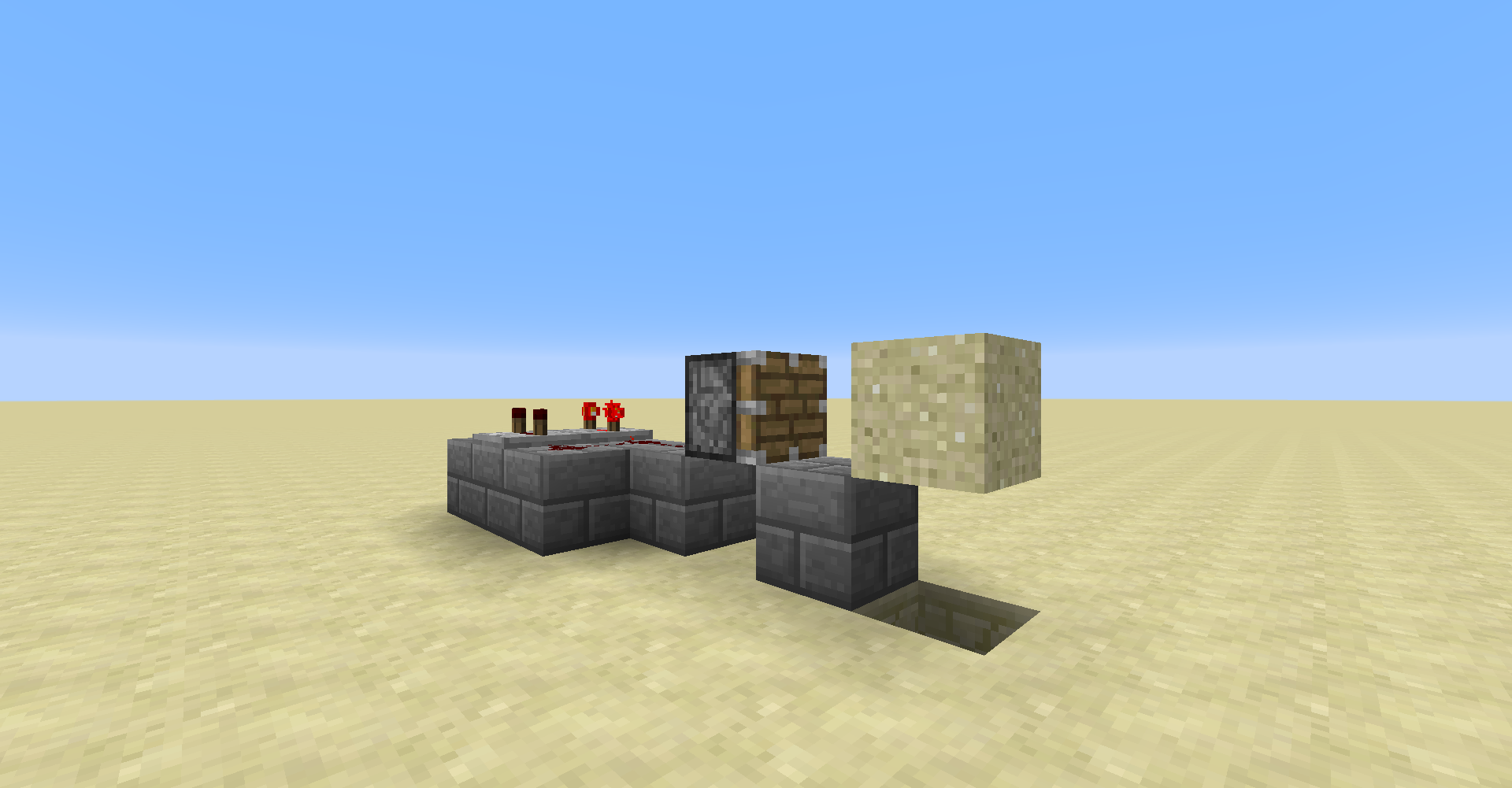
MC-54026.Is this a good setup?
Delay of 2, 3, or 4?
Can confirm, I think that I've gotten it to work!
In fact, I've relogged and the ghost block disappeared as you've said it would. Will try again...
Alright, when I got the ghost block to pop back up, I tried to place stone on it, but the stone simply replaced the "block of sand".
So I guess that's it! I truly can confirm this bug.
I truly appreciate how kind people can be on this bug tracker, it means so much. It's not every time that you get to go out of your way just to make someone's day, so those opportunities are so valued. Thank you all for your great effort, keep up the good work!
[Mod] Asteraoth, I don't think I have any software capable of recording Minecraft gameplay.
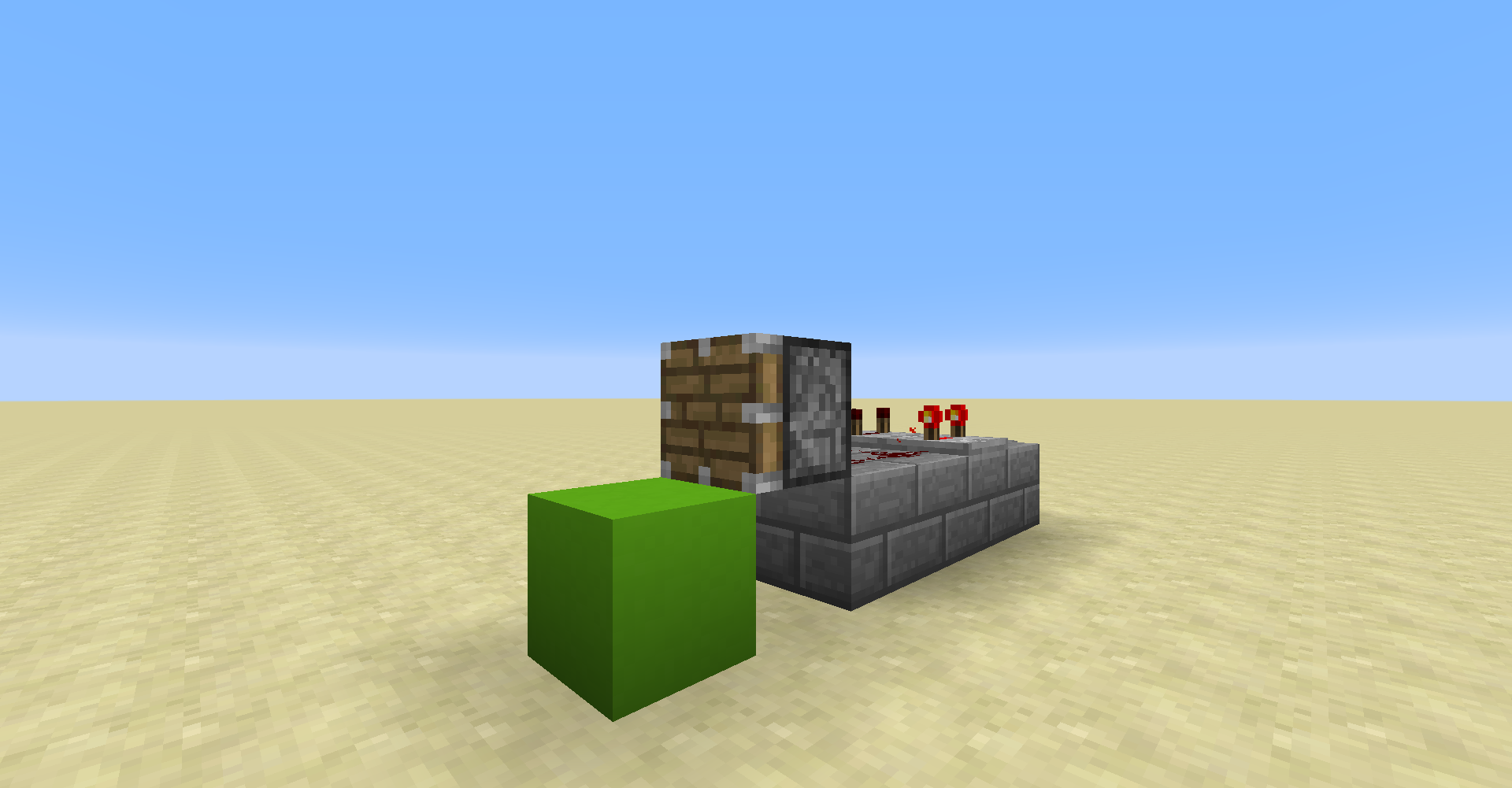
Click on the lime block.
Thank you for your report!
However, this issue is a Duplicate of
MC-131286.It has been linked to this report. If you have additional information, please add it to the duplicated report.
Please search before reporting, as it's likely that one exists already.
Quick Links:
📓 Issue Guidelines – 💬 Community Support – 📧 Customer Support – 📖 Game Wiki
Are you able to attach a video?
Are you able to reproduce this on a regular Minecraft world? If not this issue probably needs to be moved to the Realms project.
Looks like a feature request. Teleporting and jumping are not the same thing.
Thanks for the clarification! I understand now.
Thank you for your report!
However, this issue is a Duplicate of
MCL-5546.It has been linked to this report. If you have additional information, please add it to the duplicated report.
Please search before reporting, as it's likely that one exists already.
Quick Links:
📓 Issue Guidelines – 💬 Community Support – 📧 Customer Support – 📖 Game Wiki
Can confirm. This issue clones
MC-1565.Cannot confirm. After trading with villagers I can right click anything else fine.
Likely still present in 1.13.1, but seed -9068686719535872623 no longer demonstrates this issue. If anyone can reproduce in the current version please provide a new seed and coordinates.
Can confirm, but for snow layers it only happens with eight layers.
Can confirm only for type=bottom slabs, but it appears as though it's only happening on the side of either the server or the client - the ignited TNT then "glitches" back up and appears to destroy the platform it was ignited on.
I'm having trouble understanding this issue. Can somebody please clarify these for me?
What exactly do you mean by "a symbolic link"? Can you provide a screenshot?
What exactly did you expect to happen? What happened instead precisely?
Relates to MC-132473? I thought I remembered seeing a report that already describes this but I'm unable to find anything.
It seems as though fish don't change their y-coordinate when swimming in water that is one block deep. They will start doing so, however, (with the exception of pufferfish) if the water is two blocks deep or more. I've seen cod, salmon, and tropical fish are capable of breaching the water in this instance, so it does seem plausible.
Cannot confirm. The doFireTick gamerule prevents fires from spreading in the Nether and the End as expected.
Can confirm.
Did you leave the world and return while the mansion was generating? If so this might be
MC-96998. If not this might be the return ofMC-130324.It seems as though
MC-136226was marked as fixed for 1.13.1-pre2, so this behavior shouldn't be present in the full release. There are two possible situations this report can fall under:1) This report is resolved as duplicate and the other report is reopened.
2) This issue is marked as cloning the other issue.
In the meantime, do you have a world that demonstrates this bug? If so please zip and attach it to this ticket (or upload to a file sharing service and link it here). The world save folders are found in .minecraft/saves.
Thank you for your report!
However, we will need you to attach the world save.
We do not have enough information to find the cause of this issue.
Please zip and attach the world save file found in .minecraft/saves here.
If the file is too big to attach, please upload the world to a file sharing service and link it to this report.
This issue may be temporarily resolved as Awaiting Response. Once the requested information is delivered, the issue will be reopened automatically.
Quick Links:
📓 Issue Guidelines – 💬 Community Support – 📧 Customer Support – 📖 Game Wiki
You can make a comment that can be seen only by other users on the bug tracker, but that's about as secure as you can get. The comment won't be seen by users that aren't logged in. Click the lock and arrow next to "Viewable by All Users" and click on "Users" under "Project Roles".
Just to make sure what exactly should I be observing? What are some ways I can reproduce this issue? Anything helps.
Also your world save folder looks completely fine, I haven't found anything personal included in it.
I have the world open right now.
I've taken a look at a log file while having the world open and it keeps outputting
The pile of repeating command blocks? Yes.
Log files and Gzip archives are found in .minecraft/logs. latest.log is just a simple .txt file so you should be able to read it easily with an application like Notepad.
I have seen that the pile of repeating command blocks will appear after a relog.
I've completely cleaned out the chunk on my end and that seems to have fixed the issue. The chunk isn't resetting and the pile of repeating command blocks are all gone. Of course that doesn't mean everything's gone on your end, though.
I'm unable to confirm the issue about the chests and beds disappearing, but that's probably just because it's caused by the chunk that keeps resetting.
It looks like the game was trying to save too much data to a chunk and failed. I've removed everything that existed in that chunk and it isn't happening anymore.
By "cleaned" I meant literally removing every block in the chunk.
However, I think that just removing the command blocks is enough to fix it.
If you save the structures using structure blocks and/or save some of the commands as functions you should be able to remove the command blocks from the chunk and still have access to them via .nbt and .mcfunction files.
Thank you for your report!
However, this issue is a Duplicate of
MC-315.It has been linked to this report. If you have additional information, please add it to the duplicated report.
Please search before reporting, as it's likely that one exists already.
Quick Links:
📓 Issue Guidelines – 💬 Community Support – 📧 Customer Support – 📖 Game Wiki
I don't seem to be able to reproduce in 1.13.1; instead of sinking through the floor, the boat glitches above the water flow repeatedly.
I've taken a closer look at the environment, and it says that while it can happen in vanilla 1.12.2, that version is outdated, and it only makes clear that it happens in 1.13.1 with mods. Am I still missing something?
BDS-56?Duplicate of your own report. In the future, please move the details in the environment tab into the description instead of creating an entirely new report. I suggest this be resolved as a duplicate of
MC-136987since [Bot] Arisa erroneously closed this as "Awaiting Response".This issue relates to MC-132944.
This issue relates to
MC-134969.Cannot confirm. The skeleton does not become hostile toward the spider while suffocating.
Can confirm.
I've saved the structure that I've used to reproduce to a datapack (datapack_MC-136709.zip ) in case anyone has trouble trying to reproduce this issue in the future.
Is this
MC-12949?Thank you for your report!
However, this issue is Invalid.
You have posted a feature request or a suggestion. This site is for bug reports only. For suggestions, please visit Minecraft Suggestions on Reddit.
Quick Links:
📓 Issue Guidelines – 💬 Community Support – 📧 Customer Support – 📖 Game Wiki
Please attach the crash report found in .minecraft/crash-reports.
With the introduction of subtitles for some of the aquatic mobs in 1.13.1, there's a few more subtitles that are inconsistent (obviously unrelated to iron trapdoors). Some mobs unintentionally received unique subtitles for events that most other mobs share subtitles for. Below is a (likely uncomplete) list of some affected mobs and their subtitles.
This looks like
MCPE-36673, but that issue is marked as fixed for both the latest beta build and full release.This issue relates to
MC-130584.This issue relates to
BDS-111.Still present in 1.13.1.
Still present in 1.13.1.
Still present in 1.13.1; it seems as though the wither skeleton does recognize the player, but is unable to actually reach it.
Still present in 1.13.1.
Still present in 1.13.1.
Still present in 1.13.1.
Still present in 1.13.1.