Freezes and crashes when playing on Switch
Crashes such as these are logged automatically, and will be looked into further by the development team.
Should you find a specific crash that can be reproduced 100% of the time following the exact same steps every time, please make sure to create a new ticket for it.
A workaround for freezes and crashes that was suggested by other players is as follows:
1. Play the game with the console docked.
2. Go to Settings -> TV Settings -> Set resolution to 720p.
3. When opening the game, log out of the Microsoft account and log in back.
4. Check if the game can now be played without issues.
Additional user-provided suggestion is putting the console into sleep mode for a few seconds whenever it freezes.
When playing normally, the game just freezes and crashes. I've had this happen in Soggy Swamp and Creepy Crypt. It's getting very annoying and I wish I could just play the game.
Linked Issues
is duplicated by59
 MCD-3170Game freezes randomly when playedDuplicateMCD-3976Cannot make it through Dingy Jungle without a game crashDuplicateMCD-4097Game crashing during online game as hostDuplicateMCD-4176Dungeons Unplayable: Constant Crashing on Nintendo SwitchDuplicateMCD-4190CrashDuplicateMCD-4194DLC Island Realms Jungle Levels CrashDuplicateMCD-4216Game crashing without option to send to Mojang DuplicateMCD-4546Lagging on Nintendo SwitchDuplicateMCD-4595Arch Illager boss crash Nintendo SwitchDuplicateMCD-4635game freezing DuplicateMCD-4646Crashed twice on Switch since Halloween eventDuplicateMCD-4660Since Halloween update the Switch game continually crashes vs almost never before the update DuplicateMCD-4772gameplay crashing randomly during levelsDuplicateMCD-4799Nintendo Switch Performance IssuesDuplicateMCD-4830Freeze during game play - workaround: put Switch to sleep & wakeup using power buttonDuplicateMCD-4858Crashing on switch againDuplicateMCD-4876Online FreezeDuplicateMCD-4882Game freeze/ crashesDuplicateMCD-4883Game freeze/ crashesDuplicateMCD-4904Level difficulty DuplicateMCD-4911Game Crashes when in fighting with mobsDuplicateMCD-4916The game freezes and crashes on several levels, specifically the Hero Pass and Howling PeaksDuplicateMCD-4918Minecraft Dungeons freezes when playingDuplicateMCD-4945Crashing on switch DuplicateMCD-4965A lot of crashes in Minecraft Dungeons on Nintendo SwitchDuplicateMCD-4984In multiplayer mode, game stops mid-dungeon almost every timeDuplicateMCD-5063Minecraft dungeon freezes frequently during online play. DuplicateMCD-5134Multiple crashes daily on Nintendo SwitchDuplicateMCD-5918Freezes when playing with two switches on same WiFi DuplicateMCD-6018[Switch] Crashing on missionsDuplicateMCD-6289Games crashes too much in multiplayer and i literally dont know whyDuplicateMCD-6309Game Freezing and LaggingDuplicateMCD-6317Game FreezesDuplicateMCD-6397Intermittent crashes on SwitchDuplicateMCD-6410crah while play a missionDuplicateMCD-6458Game FreezesDuplicateMCD-6523Frequent CrashingDuplicateMCD-6529Crash/Freezin on SwitchDuplicateMCD-6535Game locks up on Nintendo SwitchDuplicateMCD-6577Game is unplayable, crashes/freezes non stopDuplicateMCD-6598Switch version still crashing, not resolved at allDuplicateMCD-6636game crashingDuplicateMCD-6735Game crashes in local co-opDuplicateMCD-6739game freeze when i play solo or play cross play DuplicateMCD-6741Complete freeze while playing switchDuplicateMCD-6777Minecraft dungeons still crashing despite the bug thought to be resolvedDuplicateMCD-6780Game freezing multiple times per dayDuplicateMCD-6814Game freezes midplay in Nintendo Switch VersionDuplicateMCD-6846Crashes online and offline or freezesDuplicateMCD-6857Game freezes on Stronghold DuplicateMCD-6951The Game freezes sometimesDuplicateMCD-6966Crashing on Nintendo Switch version 1.12.0.0DuplicateMCD-6973Crashing repeatedly during dungeonsDuplicateMCD-7094Game crashes when too many Endermites and Silverfish get on screen… Game sometimes freezes when going through a door in the End…DuplicateMCD-7282Nintendo Switch: Local Coop, game suddenly freeze in missionDuplicateMCD-7376Game Freezes after a whileDuplicateMCD-7380Nintendo Switch: Game freeze or crash in (online) missionsDuplicateMCD-7413randomly crashing on towerDuplicateMCD-7514Bug with Automatic Reporting of Random Freezes and Crashes on SwitchDuplicate
relates to1
Attachments10


Created Issue:
Freezing and Crashing when playing
When playing normally, the game just freezes and crashes. I've had this happen in Soggy Swamp and Creepy Crypt. It's getting very annoying and I wish I could just play the game.
![[Mod] SPGoding](../../../data/avatars/users/44622.png)
FreezingandCrashingwhen playingFreezes and crashes when playing on Switch
![[Mod] violine1101](../../../data/avatars/users/92858.png)
is duplicated by
![[Bot] Arisa](../../../data/avatars/users/43007.png)
is duplicated by
![[MCPE Mod] Celesian](../../../data/avatars/users/81635.png)
is duplicated by
is duplicated by
![[MCQA] Bartłomiej Słodkowski](../../../data/avatars/users/18941.svg)
![[Mod] OcelotOnesie](../../../data/avatars/users/43220.png)
is duplicated by
is duplicated by
is duplicated by
![[Helper] gaspoweredpick](../../../data/avatars/users/80904.png)
is duplicated by
is duplicated by
relates to
is duplicated by
is duplicated by
is duplicated by
is duplicated by
is duplicated by
is duplicated by
is duplicated by
relates to
relates to
NoteCrashes such as these are logged automatically, and will be looked into further by the development team.
Should you find a specific crash that can be reproduced 100% of the time following the exact same steps every time, please make sure to create a new ticket for it.
When playing normally, the game just freezes and crashes. I've had this happen in Soggy Swamp and Creepy Crypt. It's getting very annoying and I wish I could just play the game.
is duplicated by
NoteCrashes such as these are logged automatically, and will be looked into further by the development team.
Should you find a specific crash that can be reproduced 100% of the time following the exact same steps every time, please make sure to create a new ticket for it.
A workaround for freezes and crashes that was suggested by other players is as follows:
1. Play the game with the console docked.
2. Go to Settings -> TV Settings -> Set resolution to 720p.
3. When opening the game, log out of the Microsoft account and log in back.
4. Check if the game can now be played without issues.Additional user-provided suggestion is putting the console into sleep mode for a few seconds whenever it freezes.
When playing normally, the game just freezes and crashes. I've had this happen in Soggy Swamp and Creepy Crypt. It's getting very annoying and I wish I could just play the game.
is duplicated by
is duplicated by
is duplicated by
MCD-6074
is duplicated by
is duplicated by
is duplicated by
is duplicated by
is duplicated by
is duplicated by
is duplicated by
is duplicated by
is duplicated by
is duplicated by
is duplicated by
is duplicated by
is duplicated by
is duplicated by
is duplicated by
is duplicated by
is duplicated by
is duplicated by
is duplicated by
is duplicated by
is duplicated by
is duplicated by
is duplicated by
is duplicated by
is duplicated by
is duplicated by
is duplicated by
Thank you for your report!
We're tracking this issue in MCD-1354, so this ticket is being resolved and linked as a duplicate.
If you would like to add a vote and any extra information to the main ticket it would be appreciated.
If you haven't already, you might like to make use of the search feature to see if the issue has already been mentioned.
Quick Links:
📓 Issue Guidelines – 💬 Community Support – 📧 Customer Support – ✍️ Feedback and Suggestions – 📖 Game Wiki – 📖 FAQs
Thank you for your report!
We're tracking this issue in MCD-1354, so this ticket is being resolved and linked as a duplicate.
If you would like to add a vote and any extra information to the main ticket it would be appreciated.
If you haven't already, you might like to make use of the search feature to see if the issue has already been mentioned.
Quick Links:
📓 Issue Guidelines – 💬 Community Support – 📧 Customer Support – ✍️ Feedback and Suggestions – 📖 Game Wiki – 📖 FAQs
Thank you for your report!
We're tracking this issue in MCD-1354, so this ticket is being resolved and linked as a duplicate.
If you would like to add a vote and any extra information to the main ticket it would be appreciated.
If you haven't already, you might like to make use of the search feature to see if the issue has already been mentioned.
Quick Links:
📓 Issue Guidelines – 💬 Community Support – 📧 Customer Support – ✍️ Feedback and Suggestions – 📖 Game Wiki – 📖 FAQs
Thank you for your report!
We're tracking this issue in MCD-1354, so this ticket is being resolved and linked as a duplicate.
If you would like to add a vote and any extra information to the main ticket it would be appreciated.
If you haven't already, you might like to make use of the search feature to see if the issue has already been mentioned.
Quick Links:
📓 Issue Guidelines – 💬 Community Support – 📧 Customer Support – ✍️ Feedback and Suggestions – 📖 Game Wiki – 📖 FAQs
Thank you for your report!
We're tracking this issue in MCD-1354, so this ticket is being resolved and linked as a duplicate.
If you would like to add a vote and any extra information to the main ticket it would be appreciated.
If you haven't already, you might like to make use of the search feature to see if the issue has already been mentioned.
Quick Links:
📓 Issue Guidelines – 💬 Community Support – 📧 Customer Support – ✍️ Feedback and Suggestions – 📖 Game Wiki – 📖 FAQs
Ah sorry, I didn't notice the platform. There's no such button on Switch. I will resolve this as a duplicate of MCD-1354.
Thank you for your report!
We're tracking this issue in MCD-1354, so this ticket is being resolved and linked as a duplicate.
If you would like to add a vote and any extra information to the main ticket it would be appreciated.
If you haven't already, you might like to make use of the search feature to see if the issue has already been mentioned.
Quick Links:
📓 Issue Guidelines – 💬 Community Support – 📧 Customer Support – ✍️ Feedback and Suggestions – 📖 Game Wiki – 📖 FAQs
– I am a bot. This action was performed automagically! Please report any issues in Discord or Reddit

Thank you for your report!
We're tracking this issue in MCD-1354, so this ticket is being resolved and linked as a duplicate.
If you would like to add a vote and any extra information to the main ticket it would be appreciated.
If you haven't already, you might like to make use of the search feature to see if the issue has already been mentioned.
Quick Links:
📓 Bug Tracker Guidelines – 💬 Community Support – 📧 Mojang Support
📓 Project Summary – ✍️ Feedback and Suggestions – 📖 Game Wiki – 📖 FAQs
– I am a bot. This action was performed automatically! Please report any issues on Discord or Reddit
Thank you for your report!
We're tracking this issue in MCD-1354, so this ticket is being resolved and linked as a duplicate.
If you would like to add a vote and any extra information to the main ticket it would be appreciated.
If you haven't already, you might like to make use of the search feature to see if the issue has already been mentioned.
Quick Links:
📓 Bug Tracker Guidelines – 💬 Community Support – 📧 Mojang Support
📓 Project Summary – ✍️ Feedback and Suggestions – 📖 Game Wiki – 📖 FAQs
– I am a bot. This action was performed automatically! Please report any issues on Discord or Reddit
Thank you for your report!
We're tracking this issue in MCD-1354, so this ticket is being resolved and linked as a duplicate.
If you would like to add a vote and any extra information to the main ticket it would be appreciated.
If you haven't already, you might like to make use of the search feature to see if the issue has already been mentioned.
Quick Links:
📓 Bug Tracker Guidelines – 💬 Community Support – 📧 Mojang Support
📓 Project Summary – ✍️ Feedback and Suggestions – 📖 Game Wiki – 📖 FAQs
– I am a bot. This action was performed automatically! Please report any issues on Discord or Reddit
Thank you for your report!
We're tracking this issue in MCD-1354, so this ticket is being resolved and linked as a duplicate.
If you would like to add a vote and any extra information to the main ticket it would be appreciated.
If you haven't already, you might like to make use of the search feature to see if the issue has already been mentioned.
Quick Links:
📓 Bug Tracker Guidelines – 💬 Community Support – 📧 Mojang Support
📓 Project Summary – ✍️ Feedback and Suggestions – 📖 Game Wiki – 📖 FAQs
– I am a bot. This action was performed automatically! Please report any issues on Discord or Reddit
Thank you for your report!
We're tracking this issue in MCD-1354, so this ticket is being resolved and linked as a duplicate.
If you would like to add a vote and any extra information to the main ticket it would be appreciated.
If you haven't already, you might like to make use of the search feature to see if the issue has already been mentioned.
Quick Links:
📓 Bug Tracker Guidelines – 💬 Community Support – 📧 Mojang Support
📓 Project Summary – ✍️ Feedback and Suggestions – 📖 Game Wiki – 📖 FAQs
– I am a bot. This action was performed automatically! Please report any issues on Discord or Reddit
Thank you for your report!
We're tracking this issue in MCD-1354, so this ticket is being resolved and linked as a duplicate.
If you would like to add a vote and any extra information to the main ticket it would be appreciated.
If you haven't already, you might like to make use of the search feature to see if the issue has already been mentioned.
Quick Links:
📓 Bug Tracker Guidelines – 💬 Community Support – 📧 Mojang Support
📓 Project Summary – ✍️ Feedback and Suggestions – 📖 Game Wiki – 📖 FAQs
– I am a bot. This action was performed automatically! Please report any issues on Discord or Reddit
Thank you for your report!
We're tracking this issue in MCD-1354, so this ticket is being resolved and linked as a duplicate.
If you would like to add a vote and any extra information to the main ticket it would be appreciated.
If you haven't already, you might like to make use of the search feature to see if the issue has already been mentioned.
Quick Links:
📓 Bug Tracker Guidelines – 💬 Community Support – 📧 Mojang Support
📓 Project Summary – ✍️ Feedback and Suggestions – 📖 Game Wiki – 📖 FAQs
– I am a bot. This action was performed automatically! Please report any issues on Discord or Reddit
Thank you for your report!
We're tracking this issue in MCD-1354, so this ticket is being resolved and linked as a duplicate.
If you would like to add a vote and any extra information to the main ticket it would be appreciated.
If you haven't already, you might like to make use of the search feature to see if the issue has already been mentioned.
Quick Links:
📓 Bug Tracker Guidelines – 💬 Community Support – 📧 Mojang Support
📓 Project Summary – ✍️ Feedback and Suggestions – 📖 Game Wiki – 📖 FAQs
– I am a bot. This action was performed automatically! Please report any issues on Discord or Reddit
This is likely a duplicate of MCD-1354
Thank you for your report!
We're tracking this issue in MCD-1354, so this ticket is being resolved and linked as a duplicate.
If you would like to add a vote and any extra information to the main ticket it would be appreciated.
If you haven't already, you might like to make use of the search feature to see if the issue has already been mentioned.
Quick Links:
📓 Bug Tracker Guidelines – 💬 Community Support – 📧 Mojang Support
📓 Project Summary – ✍️ Feedback and Suggestions – 📖 Game Wiki – 📖 FAQs
Is your issue similar to MCD-1354? If it is, please go vote and comment on that issue.
Is your issue similar to MCD-1354? If so, please go vote and comment on that issue.
Is your issue similar to MCD-1354? If so, please vote and comment on that issue.
Related - MCD-1354
This issue is similar to MCD-1354
Does MCD-1354 describe your issue? If so, please vote and add information to that ticket.
Thank you for your report!
We're tracking this issue in MCD-1354, so this ticket is being resolved and linked as a duplicate.
If you would like to add a vote and any extra information to the main ticket it would be appreciated.
If you haven't already, you might like to make use of the search feature to see if the issue has already been mentioned.
Quick Links:
📓 Bug Tracker Guidelines – 💬 Community Support – 📧 Mojang Support
📓 Project Summary – ✍️ Feedback and Suggestions – 📖 Game Wiki – 📖 FAQs
Thank you for your report!
We're tracking this issue in MCD-1354, so this ticket is being resolved and linked as a duplicate.
If you would like to add a vote and any extra information to the main ticket it would be appreciated.
If you haven't already, you might like to make use of the search feature to see if the issue has already been mentioned.
Quick Links:
📓 Bug Tracker Guidelines – 💬 Community Support – 📧 Mojang Support
📓 Project Summary – ✍️ Feedback and Suggestions – 📖 Game Wiki – 📖 FAQs
Thank you for your report!
We're tracking this issue in MCD-1354, so this ticket is being resolved and linked as a duplicate.
If you would like to add a vote and any extra information to the main ticket it would be appreciated.
If you haven't already, you might like to make use of the search feature to see if the issue has already been mentioned.
Quick Links:
📓 Bug Tracker Guidelines – 💬 Minecraft Discord – 📧 Mojang Support
📓 Project Summary – ✍️ Feedback and Suggestions – 📖 Game Wiki – 📖 FAQs
Thank you for your report!
We're tracking this issue in MCD-1354, so this ticket is being resolved and linked as a duplicate.
If you would like to add a vote and any extra information to the main ticket it would be appreciated.
If you haven't already, you might like to make use of the search feature to see if the issue has already been mentioned.
Quick Links:
📓 Bug Tracker Guidelines – 💬 Minecraft Discord – 📧 Mojang Support
📓 Project Summary – ✍️ Feedback and Suggestions – 📖 Game Wiki – 📖 FAQs
Thank you for your report!
We're tracking this issue in MCD-1354, so this ticket is being resolved and linked as a duplicate.
If you would like to add a vote and any extra information to the main ticket it would be appreciated.
If you haven't already, you might like to make use of the search feature to see if the issue has already been mentioned.
Quick Links:
📓 Bug Tracker Guidelines – 💬 Minecraft Discord – 📧 Mojang Support
📓 Project Summary – ✍️ Feedback and Suggestions – 📖 Game Wiki – 📖 FAQs
Thank you for your report!
We're tracking this issue in MCD-1354, so this ticket is being resolved and linked as a duplicate.
If you would like to add a vote and any extra information to the main ticket it would be appreciated.
If you haven't already, you might like to make use of the search feature to see if the issue has already been mentioned.
Quick Links:
📓 Bug Tracker Guidelines – 💬 Minecraft Discord – 📧 Mojang Support
📓 Project Summary – ✍️ Feedback and Suggestions – 📖 Game Wiki – 📖 FAQs
Thank you for your report!
We're tracking this issue in MCD-1354, so this ticket is being resolved and linked as a duplicate.
If you would like to add a vote and any extra information to the main ticket it would be appreciated.
If you haven't already, you might like to make use of the search feature to see if the issue has already been mentioned.
Quick Links:
📓 Bug Tracker Guidelines – 💬 Minecraft Discord – 📧 Mojang Support
📓 Project Summary – ✍️ Feedback and Suggestions – 📖 Game Wiki – 📖 FAQs
Thank you for your report!
We're tracking this issue in MCD-1354, so this ticket is being resolved and linked as a duplicate.
If you would like to add a vote and any extra information to the main ticket it would be appreciated.
If you haven't already, you might like to make use of the search feature to see if the issue has already been mentioned.
Quick Links:
📓 Bug Tracker Guidelines – 💬 Minecraft Discord – 📧 Mojang Support
📓 Project Summary – ✍️ Feedback and Suggestions – 📖 Game Wiki – 📖 FAQs
Thank you for your report!
We're tracking this issue in MCD-1354, so this ticket is being resolved and linked as a duplicate.
If you would like to add a vote and any extra information to the main ticket it would be appreciated.
If you haven't already, you might like to make use of the search feature to see if the issue has already been mentioned.
Quick Links:
📓 Bug Tracker Guidelines – 💬 Minecraft Discord – 📧 Mojang Support
📓 Project Summary – ✍️ Feedback and Suggestions – 📖 Game Wiki – 📖 FAQs

It seems like the freeze problem occurs more often when we enter the inventory screen during gameplay and make a change that causes a Save to occur.
We saw our first game crash yesterday, not just a recoverable freeze.
Yes, this is likely a duplicate of MCD-1354.
Thank you for your report!
We're tracking this issue in MCD-1354, so this ticket is being resolved and linked as a duplicate.
If you would like to add a vote and any extra information to the main ticket it would be appreciated.
If you haven't already, you might like to make use of the search feature to see if the issue has already been mentioned.
Quick Links:
📓 Bug Tracker Guidelines – 💬 Minecraft Discord – 📧 Mojang Support
📓 Project Summary – ✍️ Feedback and Suggestions – 📖 Game Wiki – 📖 FAQs
Thank you for your report!
However, this issue has been temporarily closed as Awaiting Response.
Do the suggestions included in MCD-1354 help you resolve your issue?
This ticket will automatically reopen when you reply.
Thank you for your report!
We're tracking this issue in MCD-1354, so this ticket is being resolved and linked as a duplicate.
If you would like to add a vote and any extra information to the main ticket, it would be appreciated.
If you haven't already, you might like to make use of the search feature to see if the issue has already been mentioned.
Quick Links:
📓 Bug Tracker Guidelines – 💬 Minecraft Discord – 📧 Mojang Support
📓 Project Summary – ✍️ Feedback and Suggestions – 📖 Game Wiki – 📖 FAQs
Thank you very much for the answer!
We're tracking this issue in MCD-1354, so this ticket is being resolved and linked as a duplicate.
If you would like to add a vote and any extra information to the main ticket, it would be appreciated.
Quick Links:
📓 Bug Tracker Guidelines – 💬 Minecraft Discord – 📧 Mojang Support
📓 Project Summary – ✍️ Feedback and Suggestions – 📖 Game Wiki – 📖 FAQs
I can also confirm that we're seeing a definite increase in the game completely freezing while playing. We play in local co-op (between 2 and 4 players) and I would estimate that between 10-20% of the time, the game will freeze (screen stops updating and game becomes completely unresponsive), causing us to have to close the game.
Honestly, this problem has been going on for quite some time and, up until recently, we've usually been able to recover the game by exiting the game, shutting off the Switch, then starting the Switch back up and re-entering the game (i.e., not closing the game). This process is described on this reddit post and was also mentioned in MCD-1354. However, since the latest update, this no longer seems to work, and we are forced to close the game and restart.
There doesn't seem to be any consistency to the freezes either. We've seen it freeze during large battles where there is a lot of action on the screen, and we've had it freeze while we were literally exiting the level (i.e., while we were clicking the button to exit). We've seen it freeze on many different levels, as well as different number of players (2-4). We almost exclusively play local co-op, so I am unable to comment on whether single player or online play is affected.
We're tracking this issue in MCD-1354, so this ticket is being resolved and linked as a duplicate. If you would like to add a vote and any extra information to the main ticket, it would be appreciated.
Crashes such as these are logged automatically, and will be looked into further by the development team. Should you find a specific crash that can be reproduced 100% of the time following the exact same steps every time, please make sure to create a new ticket for it.
Quick Links:
📓 Bug Tracker Guidelines – 💬 Minecraft Discord – 📧 Mojang Support
📓 Project Summary – ✍️ Feedback and Suggestions – 📖 Game Wiki – 📖 FAQs
Thank you for your report!
We're tracking this issue in MCD-1354, so this ticket is being resolved and linked as a duplicate.
If you would like to add a vote and any extra information to the main ticket, it would be appreciated.
If you haven't already, you might like to make use of the search feature to see if the issue has already been mentioned.
Quick Links:
📓 Bug Tracker Guidelines – 💬 Minecraft Discord – 📧 Mojang Support
📓 Project Summary – ✍️ Feedback and Suggestions – 📖 Game Wiki – 📖 FAQs
Thank you for your report!
We're tracking this issue in MCD-1354, so this ticket is being resolved and linked as a duplicate.
If you would like to add a vote and any extra information to the main ticket it would be appreciated.
If you haven't already, you might like to make use of the search feature to see if the issue has already been mentioned.
Quick Links:
📓 Bug Tracker Guidelines – 💬 Community Support – 📧 Mojang Support
📓 Project Summary – ✍️ Feedback and Suggestions – 📖 Game Wiki – 📖 FAQs
– I am a bot. This action was performed automatically! The ticket was resolved by one of our moderators, and I left this message to give more information to you.
Thank you for your report!
We're tracking this issue in MCD-1354, so this ticket is being resolved and linked as a duplicate.
If you would like to add a vote and any extra information to the main ticket it would be appreciated.
If you haven't already, you might like to make use of the search feature to see if the issue has already been mentioned.
Quick Links:
📓 Bug Tracker Guidelines – 💬 Community Support – 📧 Mojang Support
📓 Project Summary – ✍️ Feedback and Suggestions – 📖 Game Wiki – 📖 FAQs
– I am a bot. This action was performed automatically! The ticket was resolved by one of our moderators, and I left this message to give more information to you.
Thank you for your report!
We're tracking this issue in MCD-1354, so this ticket is being resolved and linked as a duplicate.
If you would like to add a vote and any extra information to the main ticket, it would be appreciated.
If you haven't already, you might like to make use of the search feature to see if the issue has already been mentioned.
Quick Links:
📓 Bug Tracker Guidelines – 💬 Minecraft Discord – 📧 Mojang Support
📓 Project Summary – ✍️ Feedback and Suggestions – 📖 Game Wiki – 📖 FAQs
Thank you for your report!
We're tracking this issue in MCD-1354, so this ticket is being resolved and linked as a duplicate.
If you would like to add a vote and any extra information to the main ticket, it would be appreciated.
If you haven't already, you might like to make use of the search feature to see if the issue has already been mentioned.
Quick Links:
📓 Bug Tracker Guidelines – 💬 Minecraft Discord – 📧 Mojang Support
📓 Project Summary – ✍️ Feedback and Suggestions – 📖 Game Wiki – 📖 FAQs
Thank you for your report!
We're tracking this issue in MCD-1354, so this ticket is being resolved and linked as a duplicate.
If you would like to add a vote and any extra information to the main ticket, it would be appreciated.
If you haven't already, you might like to make use of the search feature to see if the issue has already been mentioned.
Quick Links:
📓 Bug Tracker Guidelines – 💬 Minecraft Discord – 📧 Mojang Support
📓 Project Summary – ✍️ Feedback and Suggestions – 📖 Game Wiki – 📖 FAQs
Thank you for your report!
We're tracking this issue in MCD-1354, so this ticket is being resolved and linked as a duplicate.
If you would like to add a vote and any extra information to the main ticket it would be appreciated.
If you haven't already, you might like to make use of the search feature to see if the issue has already been mentioned.
Quick Links:
📓 Bug Tracker Guidelines – 💬 Community Support – 📧 Mojang Support
📓 Project Summary – ✍️ Feedback and Suggestions – 📖 Game Wiki – 📖 FAQs
– I am a bot. This action was performed automatically! The ticket was resolved by one of our moderators, and I left this message to give more information to you.
Thank you for your report!
We're tracking this issue in MCD-1354, so this ticket is being resolved and linked as a duplicate.
If you would like to add a vote and any extra information to the main ticket it would be appreciated.
If you haven't already, you might like to make use of the search feature to see if the issue has already been mentioned.
Quick Links:
📓 Bug Tracker Guidelines – 💬 Community Support – 📧 Mojang Support
📓 Project Summary – ✍️ Feedback and Suggestions – 📖 Game Wiki – 📖 FAQs
– I am a bot. This action was performed automatically! The ticket was resolved by one of our moderators, and I left this message to give more information to you.
Thank you for your report!
We're tracking this issue in MCD-1354, so this ticket is being resolved and linked as a duplicate.
If you would like to add a vote and any extra information to the main ticket, it would be appreciated.
If you haven't already, you might like to make use of the search feature to see if the issue has already been mentioned.
Quick Links:
📓 Bug Tracker Guidelines – 💬 Minecraft Discord – 📧 Mojang Support
📓 Project Summary – ✍️ Feedback and Suggestions – 📖 Game Wiki – 📖 FAQs
Thank you for your report!
Crashes such as these are logged automatically, and will be looked into further by the development team.
We're tracking this issue in MCD-1354, so this ticket is being resolved and linked as a duplicate. If you would like to add a vote and any extra information to the main ticket, it would be appreciated.
Please remember that you can contact Mojang Support if you are interested in a refund.
Quick Links:
📓 Bug Tracker Guidelines – 💬 Minecraft Discord – 📧 Mojang Support
📓 Project Summary – ✍️ Feedback and Suggestions – 📖 Game Wiki – 📖 FAQs
Thank you for your report!
We're tracking this issue in MCD-1354, so this ticket is being resolved and linked as a duplicate.
If you would like to add a vote and any extra information to the main ticket it would be appreciated.
If you haven't already, you might like to make use of the search feature to see if the issue has already been mentioned.
Quick Links:
📓 Bug Tracker Guidelines – 💬 Community Support – 📧 Mojang Support
📓 Project Summary – ✍️ Feedback and Suggestions – 📖 Game Wiki – 📖 FAQs
– I am a bot. This action was performed automatically! The ticket was resolved by one of our moderators, and I left this message to give more information to you.
Thank you for your report!
We're tracking this issue in MCD-1354, so this ticket is being resolved and linked as a duplicate.
That ticket has already been resolved as invalid. Please take a look at the parent ticket (MCD-1354) and see if an explanation is provided there in the description of the ticket or in the comments for why this issue is invalid.
If you haven't already, you might like to make use of the search feature to see if the issue has already been mentioned.
Quick Links:
📓 Bug Tracker Guidelines – 💬 Community Support – 📧 Mojang Support
📓 Project Summary – ✍️ Feedback and Suggestions – 📖 Game Wiki – 📖 FAQs
– I am a bot. This action was performed automatically! The ticket was resolved by one of our moderators, and I left this message to give more information to you.
Thank you for your report!
We're tracking this issue in MCD-1354, so this ticket is being resolved and linked as a duplicate.
That ticket has already been resolved as invalid. Please take a look at the parent ticket (MCD-1354) and see if an explanation is provided there in the description of the ticket or in the comments for why this issue is invalid.
If you haven't already, you might like to make use of the search feature to see if the issue has already been mentioned.
Quick Links:
📓 Bug Tracker Guidelines – 💬 Community Support – 📧 Mojang Support
📓 Project Summary – ✍️ Feedback and Suggestions – 📖 Game Wiki – 📖 FAQs
– I am a bot. This action was performed automatically! The ticket was resolved by one of our moderators, and I left this message to give more information to you.
Thank you for your report!
We're tracking this issue in MCD-1354, so this ticket is being resolved and linked as a duplicate.
If you would like to add a vote and any extra information to the main ticket, it would be appreciated.
If you haven't already, you might like to make use of the search feature to see if the issue has already been mentioned.
Quick Links:
📓 Bug Tracker Guidelines – 💬 Minecraft Discord – 📧 Mojang Support
📓 Project Summary – ✍️ Feedback and Suggestions – 📖 Game Wiki – 📖 FAQs
Thank you for your report!
We're tracking this issue in MCD-1354, so this ticket is being resolved and linked as a duplicate.
That ticket has already been resolved as invalid. Please take a look at the parent ticket (MCD-1354) and see if an explanation is provided there in the description of the ticket or in the comments for why this issue is invalid.
If you haven't already, you might like to make use of the search feature to see if the issue has already been mentioned.
Quick Links:
📓 Bug Tracker Guidelines – 💬 Community Support – 📧 Mojang Support
📓 Project Summary – ✍️ Feedback and Suggestions – 📖 Game Wiki – 📖 FAQs
– I am a bot. This action was performed automatically! The ticket was resolved by one of our moderators, and I left this message to give more information to you.
Thank you for your report!
We're tracking this issue in MCD-1354, so this ticket is being resolved and linked as a duplicate.
That ticket has already been resolved as invalid. Please take a look at the parent ticket (MCD-1354) and see if an explanation is provided there in the description of the ticket or in the comments for why this issue is invalid.
If you haven't already, you might like to make use of the search feature to see if the issue has already been mentioned.
Quick Links:
📓 Bug Tracker Guidelines – 💬 Community Support – 📧 Mojang Support
📓 Project Summary – ✍️ Feedback and Suggestions – 📖 Game Wiki – 📖 FAQs
– I am a bot. This action was performed automatically! The ticket was resolved by one of our moderators, and I left this message to give more information to you.
Thank you for your report!
We're tracking this issue in MCD-1354, so this ticket is being resolved and linked as a duplicate.
That ticket has already been resolved as invalid. Please take a look at the parent ticket (MCD-1354) and see if an explanation is provided there in the description of the ticket or in the comments for why this issue is invalid.
If you haven't already, you might like to make use of the search feature to see if the issue has already been mentioned.
Quick Links:
📓 Bug Tracker Guidelines – 💬 Community Support – 📧 Mojang Support
📓 Project Summary – ✍️ Feedback and Suggestions – 📖 Game Wiki – 📖 FAQs
– I am a bot. This action was performed automatically! The ticket was resolved by one of our moderators, and I left this message to give more information to you.
Thank you for your report!
We're tracking this issue in MCD-1354, so this ticket is being resolved and linked as a duplicate.
That ticket has already been resolved as invalid. Please take a look at the parent ticket (MCD-1354) and see if an explanation is provided there in the description of the ticket or in the comments for why this issue is invalid.
If you haven't already, you might like to make use of the search feature to see if the issue has already been mentioned.
Quick Links:
📓 Bug Tracker Guidelines – 💬 Community Support – 📧 Mojang Support
📓 Project Summary – ✍️ Feedback and Suggestions – 📖 Game Wiki – 📖 FAQs
– I am a bot. This action was performed automatically! The ticket was resolved by one of our moderators, and I left this message to give more information to you.
Thank you for your report!
We're tracking this issue in MCD-1354, so this ticket is being resolved and linked as a duplicate.
That ticket has already been resolved as invalid. Please take a look at the parent ticket (MCD-1354) and see if an explanation is provided there in the description of the ticket or in the comments for why this issue is invalid.
If you haven't already, you might like to make use of the search feature to see if the issue has already been mentioned.
Quick Links:
📓 Bug Tracker Guidelines – 💬 Community Support – 📧 Mojang Support
📓 Project Summary – ✍️ Feedback and Suggestions – 📖 Game Wiki – 📖 FAQs
– I am a bot. This action was performed automatically! The ticket was resolved by one of our moderators, and I left this message to give more information to you.
Thank you for your report!
We're tracking this issue in MCD-1354, so this ticket is being resolved and linked as a duplicate.
If you would like to add a vote and any extra information to the main ticket, it would be appreciated.
If you haven't already, you might like to make use of the search feature to see if the issue has already been mentioned.
Quick Links:
📓 Bug Tracker Guidelines – 💬 Minecraft Discord – 📧 Mojang Support
📓 Project Summary – ✍️ Feedback and Suggestions – 📖 Game Wiki – 📖 FAQs
Thank you for your report!
We're tracking this issue in MCD-1354, so this ticket is being resolved and linked as a duplicate.
If you would like to add a vote and any extra information to the main ticket, it would be appreciated.
If you haven't already, you might like to make use of the search feature to see if the issue has already been mentioned.
Quick Links:
📓 Bug Tracker Guidelines – 💬 Minecraft Discord – 📧 Mojang Support
📓 Project Summary – ✍️ Feedback and Suggestions – 📖 Game Wiki – 📖 FAQs
Thank you for your report!
We're tracking this issue in MCD-1354, so this ticket is being resolved and linked as a duplicate.
That ticket has already been resolved as invalid. Please take a look at the parent ticket (MCD-1354) and see if an explanation is provided there in the description of the ticket or in the comments for why this issue is invalid.
If you haven't already, you might like to make use of the search feature to see if the issue has already been mentioned.
Quick Links:
📓 Bug Tracker Guidelines – 💬 Community Support – 📧 Mojang Support
📓 Project Summary – ✍️ Feedback and Suggestions – 📖 Game Wiki – 📖 FAQs
– I am a bot. This action was performed automatically! The ticket was resolved by one of our moderators, and I left this message to give more information to you.
Thank you for your report!
We're tracking this issue in MCD-1354, so this ticket is being resolved and linked as a duplicate.
That ticket has already been resolved as invalid. Please take a look at the parent ticket (MCD-1354) and see if an explanation is provided there in the description of the ticket or in the comments for why this issue is invalid.
If you haven't already, you might like to make use of the search feature to see if the issue has already been mentioned.
Quick Links:
📓 Bug Tracker Guidelines – 💬 Community Support – 📧 Mojang Support
📓 Project Summary – ✍️ Feedback and Suggestions – 📖 Game Wiki – 📖 FAQs
– I am a bot. This action was performed automatically! The ticket was resolved by one of our moderators, and I left this message to give more information to you.
Thank you for your report!
We're tracking this issue in MCD-1354, so this ticket is being resolved and linked as a duplicate.
That ticket has already been resolved as invalid. Please take a look at the parent ticket (MCD-1354) and see if an explanation is provided there in the description of the ticket or in the comments for why this issue is invalid.
If you haven't already, you might like to make use of the search feature to see if the issue has already been mentioned.
Quick Links:
📓 Bug Tracker Guidelines – 💬 Community Support – 📧 Mojang Support
📓 Project Summary – ✍️ Feedback and Suggestions – 📖 Game Wiki – 📖 FAQs
– I am a bot. This action was performed automatically! The ticket was resolved by one of our moderators, and I left this message to give more information to you.
Same Problem like MCD-1354 or MCD-7282.
I don´t know why there are solved
When I play online with my brother, this occurs after 30-40 minutes without the "workaround ".
With 720p it occurs approximately 1-2 times a day.
Mostly at the Tower after level 25.
Today 4 times in one multiplayer map (Antient).
My brother have an first gen Switch
I´m a second gen.
Game is currently unplayable on the switch either it crashes, freezes or the loot is broken.
I'm seriously considering giving it back because after several searches I have to assume that nobody is interested in fixing it (ther are more than 50 Jira Task for it).
The problems seem to have existed for months.
Unfortunately, I wasn't aware of that beforehand
Thank you for your report!
We're tracking this issue in MCD-1354, so this ticket is being resolved and linked as a duplicate.
That ticket has already been resolved as invalid. Please take a look at the parent ticket (MCD-1354) and see if an explanation is provided there in the description of the ticket or in the comments for why this issue is invalid.
If you haven't already, you might like to make use of the search feature to see if the issue has already been mentioned.
Quick Links:
📓 Bug Tracker Guidelines – 💬 Community Support – 📧 Mojang Support
📓 Project Summary – ✍️ Feedback and Suggestions – 📖 Game Wiki – 📖 FAQs
– I am a bot. This action was performed automatically! The ticket was resolved by one of our moderators, and I left this message to give more information to you.
Thank you for your report!
We're tracking this issue in MCD-1354, so this ticket is being resolved and linked as a duplicate.
That ticket has already been resolved as invalid. Please take a look at the parent ticket (MCD-1354) and see if an explanation is provided there in the description of the ticket or in the comments for why this issue is invalid.
If you haven't already, you might like to make use of the search feature to see if the issue has already been mentioned.
Quick Links:
📓 Bug Tracker Guidelines – 💬 Community Support – 📧 Mojang Support
📓 Project Summary – ✍️ Feedback and Suggestions – 📖 Game Wiki – 📖 FAQs
– I am a bot. This action was performed automatically! The ticket was resolved by one of our moderators, and I left this message to give more information to you.
Thank you for your report!
We're tracking this issue in MCD-1354, so this ticket is being resolved and linked as a duplicate.
That ticket has already been resolved as invalid. Please take a look at the parent ticket (MCD-1354) and see if an explanation is provided there in the description of the ticket or in the comments for why this issue is invalid.
If you haven't already, you might like to make use of the search feature to see if the issue has already been mentioned.
Quick Links:
📓 Bug Tracker Guidelines – 💬 Community Support – 📧 Mojang Support
📓 Project Summary – ✍️ Feedback and Suggestions – 📖 Game Wiki – 📖 FAQs
– I am a bot. This action was performed automatically! The ticket was resolved by one of our moderators, and I left this message to give more information to you.
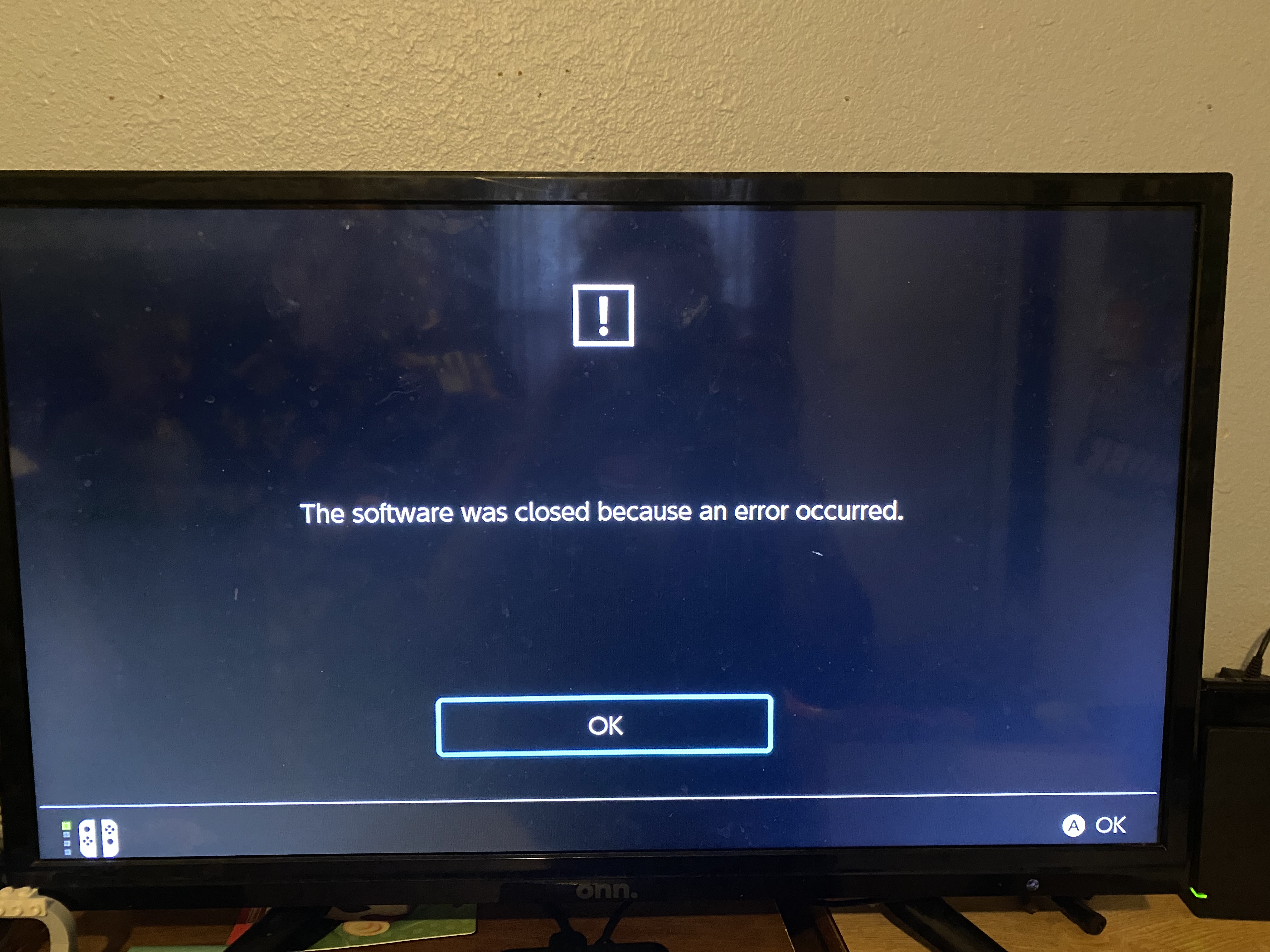
There are some forms of crashes on the Nintendo Switch version of the game, such as those reported by MCD-1354, where the game freezes/locks-up and remains frozen until closed. The game does not crash or close on its own for this type of crash/freeze either, and must be closed manually. Because the game must be closed manually for this type of crash, the system does not report or tell the user that "The software was closed because an error occurred." Because of this, it is possible that the Nintendo Switch version of the game does not automatically report or log a crash for this form of crash or freeze, since the system never registers that a crash has occurred.
Thank you for your report!
We're tracking this issue in MCD-1354, so this ticket is being resolved and linked as a duplicate.
If you would like to add a vote and any extra information to the main ticket it would be appreciated.
If you haven't already, you might like to make use of the search feature to see if the issue has already been mentioned.
Quick Links:
📓 Bug Tracker Guidelines – 💬 Community Support – 📧 Mojang Support
📓 Project Summary – ✍️ Feedback and Suggestions – 📖 Game Wiki – 📖 FAQs
– I am a bot. This action was performed automatically! The ticket was resolved by one of our moderators, and I left this message to give more information to you.
I have to agree with HashTagCThor. The game doesn't release a crash report if it freezes in the way described in MCD-1354. Either the crash must be fixed or some other workaround to have the game release the reason why it freezed must be implemented to improve user experience on the switch version.
I'm also having this issue, first time happened in the Redstone Mines. I managed to get a screenshot while video was freezed (the Switch was responding).
The background music was still going, video was frozen and I heard some of the mob SFX, though they weren't moving (in the background).
After 10 or so seconds, the game jumped a little forward in time, not for the total duration of the freeze but maybe half a second worth of game.
If it helps, I also have been playing in docked mode.
same issue
I was going to post that the issue went away when I docked the Switch (it crashed at the end of the level tho).
It doesn't seem to happen to me in offline mode. @Wesley have you noticed if it's worse while playing in online mode?
Still having the freezing and crashing issue on Xbox one when trying to complete the soggy swamp mission in online mode.
This happens to both my partner and me, regardless of map. The majority of levels we try to play together can't be completed because one or the other of us hard crashes and loses our progress in online mode.
This happens to me constantly. Game is currently unplayable on Switch due to crashing and losing progress. Seems random. This is when undocked and in online mode. Model HAC-001(-01).
Same model number for me, also undocked in online mode.
I was hoping that the September update would fix the crashing problems on the Switch, but I think it's worse now than it was before. Whenever we play in Online mode with each of us on our own Switch, you can pretty much guarantee that the game will glitch or crash at least once each evening. Yesterday we were trying to do the daily trial in the jungle and within 30 minutes the game kicked us out three separate times. It's so frustrating because while you keep whatever gear you have picked up, you loose all your souls and sometimes your arrows - if you can manage to get back in.
We have both checked for corrupted data and found none. We have downloaded the game again. Please - you do updates to fix things in regular Minecraft, fix the bugs in Dungeons too.
Thank you for your report!
However, this issue has been temporarily closed as Awaiting Response.
Is this still an issue in the latest version? If yes, then what is the repro rate (how many times did it happen over the course of how many playthroughs)?
This ticket will automatically reopen when you reply.
We both updated to the Halloween version yesterday. By the time we gave up frustrated with the freezing we had been kicked out three times. It's especially annoying in the new trials since they are harder and twice we were more than halfway through before the game froze up on us.
I'm sorry, but I don't think the problem is fixed.
This has been happening in local 2 player since updating it on Monday, the screen is just freezing, I'm just playing normal levels co op on the same screen
+1 to general instability, freezes, and crashes with nondescript error messages occurring on the Switch. Seems to be a level-agnostic problem. I play primarily on co-op.
Checking for corrupted data yields no issues.
I have the exact same issues with all 3 Switches. I have tried playing “local” and “online” with my kids or and it’s beyond frustrating that it freezes/crashes when we are in any level. We’ve tried playing separate “offline” and the same thing happens constantly. We’ve tried docking them to see if that resolves it, it does not. We’ve checked for corrupt data-none. The last few days it has crashed on us 3-5 times per session and we have to start all over. I hope there is a resolve soon as this has gone on since we’ve purchased them. I keep thinking “the next update will fix it”, but it never does.
I wonder if this is even being looked at? It was fine before the Halloween update
This bug has happened so many times after the Halloween update. I play multiplayers in offline mode only on Switch.
Two days ago, I noticed the local data is not sync'ed with cloud data and I sync'ed them. (In Manage Software section of Switch)
There are no more freezes in two days. Give it a try~
I bought this game a week ago and having random freezes and crashes every time I play. I normally play offline co-op mode with my kids.
I had previously only had issues with frame rate drops and full brick crashes when playing local coop in docked mode. However this week in particular those issues have breached across into solo play in handheld mode which is incredibly disappointing.
It seems like Mojang haven't tested the game at all before switch release and still have the balls to ask for more money for the new dlc even after paying full price for the hero edition.
Not impressed, I spend more time playing a free game on my switch that has much higher system demands and runs smoother. Rhymes with Schwarframe.
I am so frustrated. I’m a grandma who because of COVID hasn’t seen her grandkids in a year. I got a switch and bought the Minecraft Dungeons Hero Edition and got my grandkids the software for their PS systems so we can play together. My system freezes every time I play. Very upsetting.
If the game only freezes, not crashes entirely, you can turn the system off using the sleep button or quick settings, then go back into the game fine. This issue still needs to be addressed, however.
EDIT: It's confirmed! FINALLY!
Thanks Kat. I’ve done that but it is very annoying.
+1, same issue happening randomly and frequently (up to 3 times for 3 hours play).
Playing in docked mode, multi-player.
Two complete freeze ups on switch just happened with me and my girlfriend.
I'm on PC, she's on switch
The first lockup on her switch was when she hosted the game in the first jungle awakens map, the second lockup on her switch was when I hosted in Cacti Canyon.
This is really disheartening. I've been playing the game for a few days and talked my girlfriend into getting it on switch so we can play together. It's so disappointing to pay $30 dollars for the hero edition only to have the game completely freeze up after investing 20+ minutes into a level for full clear. We can't even enjoy the game without the fear of the game crashing again, wasting our time, so now we just rush through the content.
Please fix this! If there's any more information you need please let me know.
Im on switch, it freezes
Can confirm it affects the latest update. Mostly appears when there is a lot of screen action, explosions and many mobs. But we also encounter it situations when there is really nothing going on. Soggy Swamp caused the most for us, it was almost reproducable.
Edit: can also confirm that the workaround with going into sleep by holding the home button fixes this in some cases.
I am unable to play the game. Crashes 3-6 times a day. Towards the end of the level.
Same issue. I’m using the switch playing online with my boyfriend and it crashes every single game towards the end. I’ve emailed help and am now just waiting for it to be fixed. Really sucks because a lot of time and effort is wasted. It seems to happen a lot more on longer missions but now it’s freezing when I’m in my inventory as well. I’ve logged out of my account and powered off my switch which doesn’t help. Whether I’m hosting or not I freeze and then have to leave the game. Same thing for my boyfriend.
turn off the console then turn it back on and reopen the game and it will unfreeze
I’ve signed out of my Microsoft account and closed everything and shut down my switch but it doesn’t fix the issue of the continuous crashing and freezing
Crashes seemingly every other dungeon when playing co-op. We are fully shutting down the console between each dungeon and it still crashes. It more generally happens when there is a lot of action and mobs on screen but as others have pointed out it also happens when things are quiet. Very frustating to lose progress when this happens
I was told to vote on this issue and give information instead of having a new one opened, so here I go:
Since some time already the game crashes when I reach a level-up and at the same time something explodes (Creeper, TNT, Fuze Shot, etc).
Of course you could blame reaching a certain point of the game where there's a lot of action on the screen but I also experience the same problem after I created a brand new character, with only one mob on screen that died due to Fuze Shot and the following level-up froze my game completely yet again.
Even though MCD features saving the found equipment and diamonds at least when the game crashes, it's really frustrating to lose level progress, and these problems don't get less on Apocalypse difficulty.
Nevertheless for anyone that "is lucky" and their game only freezes: do NOT exit or quit the game out of frustration, instead put the Switch to sleep mode, then wake it up and unlock it and voila, (after you reconnect controllers) it works again.
Minecraft Dungeons (offline co-op, not online play) crashes multiple times a day on the switch. Agree with previous poster it's as frequent as every other dungeon, sometimes in a row. We have two switches and the physical game cartridge and we've tested it and it crashes constantly on both consoles. Noticed it crashes most often for me when there is a lot of movement on the screen (i.e. when there are too many souls flying on the screen or especially when scrolling down through the inventory quickly or the harvester is used/explosions/ or when there are a lot of mobs and movement (mob spawners).
I've reset the cache, checked for corrupted data, nothing seems to help.
There are two types of crashes:
Type 1) where it just freezes the screen and putting it into sleep mode helps
Type 2) Screen goes gray and Error code 2306-0332
Running Switch software version 11.0.1
Minecraft Dungeon (Hero ed.) version 1.16.201
Console within 10 ft of wireless router. Also tried running an ethernet cord to rule that out - still crashes.
Crashes whether its docked or undocked
Purchased a second MCD Cartridge, no difference in crashes on either switch
I also always shut the game off afterwards (since I saw someone shared that tip) but it doesn't seem to have lessened the crashing at all IMO.
Thank you for your report!
Crashes such as these are logged automatically, and will be looked into further by the development team.
Should you find a specific crash that can be reproduced 100% of the time following the exact same steps every time, please make sure to create a new ticket for it.
If you need help or support, you might like to follow a link below.
Quick Links:
📓 Issue Guidelines – 💬 Mojang Support – 📧 Suggestions – 📖 Minecraft Wiki
This issue isn't resolved, people playing minecraft dungeon on the switch have been complaining about the same issue since last year – where is the fix or the update patch for it? A game shouldn't consistently crash numerous times when people are playing it. Why are nintendo switch users getting shafted on this?
You know how I know it isn't resolved? I try to play what I can everyday (daily trials are impossible - especially the ones with extra souls or mob spawners) the only thing I can play is soggy cave or arch haven because IT FREEZES Constantly....How about trying to address this issue for once instead of lazily sweeping it under the rug by writing "resolved" and not doing a single thing about it??
Users really shouldn't have to consider using different platforms because of the crashing issue on the nintendo switch. Other more graphically intense games play perfectly fine on the nintendo switch...
How can this be resolved? I try to play it maybe once a week and get so frustrated that I have to quit.
THERE IS STILL A PROBLEM THAT STARTED WITH THE FIRST SPECIAL EVENTS. Before that it would crash occasionally. After that update, the crashes are enough to ruin gameplay.
It's not resolved or invalid. It happens every time I try to play it with my son (2 local co-op) and there area too many monsters / objects in screen. This is why I wont be buying any more DLCs until this is resolved. We just end up enraged about the freezes and loosing our time
Just to add a few comments, since this is finally getting hot:
iswas the most commented/voted bug for the Switch and since I experienced this bug/limitation myself I can clearly say that it is not fully 'resolved'.Thanks to the devs (really!) for kinda working on this and looking at this bug. But not everyone here is a developer, so expecting a 100% reproducible instruction-set seems overkill and I feel like enough players signed up here to tell you that there is indeed an issue. Special Thanks to the guy who provided the workaround; that really worked 99% of the time.
Edit: Also thanks to @Arden, you have been like a static heartbeat to this bug with all your edits and I appreciate all the details you've given.
I found a random thread on Reddit where they suggested to put the switch into sleep mode and then subsequently turning it back on/reconnecting.
This approach actaully just worked for me!
https://www.reddit.com/r/MinecraftDungeons/comments/k0d53g/switch_crash_fix/?utm_medium=android_app&utm_source=share
Thank you for your patience everyone. Just a reminder that this is a bug tracker and not a forum for discussion or feedback.
We have "resolved" this ticket for now, as there are no specific steps, and having a catch-all bug report is not particularly effective in tracking relevant information regarding the issue. It also tends to attract a lot of extra comments which can detract from the purpose of the bug tracker. (More information about the meaning of a bug ticket resolution can be found at our Bug Tracker FAQ help page.)
However, we are still working on addressing crashing issues, some of which are logged automatically. You may wish to help with this further by enabling error reporting on your device, as mentioned on the Nintendo support website: https://en-americas-support.nintendo.com/app/answers/detail/a_id/27667/~/how-to-opt-in-or-opt-out-of-sending-game-error-information
Additionally, if you have found a specific crashing problem that can be reproduced consistently at a certain point during gameplay, we might be able to have this tracked in its own ticket as long as the steps to reproduce the issue are included (please search before creating a new report).
While we understand your frustration at certain game feature or mechanics not always working as you would like or expect, please remember that there is not always a simple fix that will resolve the issue immediately. Please be assured we are actively looking into a solution though, and we really appreciate your patience on the matter.
For further discussion and community feedback please visit one of the following links:
Quick Links:
📓 Issue Guidelines – 💬 Mojang Support – 📧 Suggestions – 📖 Minecraft Wiki
This problem is happening again. I cannot even finish some of the missions as the game freezes and the only solution is to close it out. VERY FRUSTRATING. Really pissing me off. When you spend money on something, you expect it to work. When it doesn’t work, you can start paying me back.
I can also confirm that we're seeing a definite increase in the game completely freezing while playing. We play in local co-op (between 2 and 4 players) and I would estimate that between 10-20% of the time, the game will freeze (screen stops updating and game becomes completely unresponsive), causing us to have to close the game.
Honestly, this problem has been going on for quite some time and, up until recently, we've usually been able to recover the game by exiting the game, shutting off the Switch, then starting the Switch back up and re-entering the game (i.e., not closing the game). However, since the latest update, this no longer seems to work, and we are forced to close the game and restart.
There doesn't seem to be any consistency to the freezes either. We've seen it freeze during large battles where there is a lot of action on the screen, and we've had it freeze while we were literally exiting the level (i.e., while we were clicking the button to exit). We've seen it freeze on many different levels, as well as different number of players (2-4). We almost exclusively play local co-op, so I am unable to comment on whether single player or online play is affected.
I also posted this comment in
MCD-6018since that issue was recently opened and this one appears to be marked as Resolved. However, I thought it might be useful to post here as well just to bring visibility to the issue.Hi, I would like to note that something that may cause this bug is playing multiplayer and having a firework rocket hit a miniboss. This is how it happened to me.
I am experiencing exactly the same problem.
I have the latest version of the game on my switch and every now and then there is a freeze that forces me to force quit the game.
Really annoying since I am not able to finish the quest
@Wes Beckwith may have something there regarding the fireworks arrows. We play 3 player and one player always uses fireworks arrows. Within a minute of starting our last game session, we accidentally went into the sub-screen once (not inventory), then went right into battle with a lot of mobs. Right away, the first exploding fireworks arrow caused the game to freeze (not crash). Since then, we played one game without fireworks arrows and it didn't freeze. I know that's not a great correlation of success or failure, but maybe, just maybe inventory/sub-screen and/or using fireworks arrows have something to do with it. All along since our first freeze, we've been avoiding all inventory/sub-screen access during games and the freeze rate seems significantly lower with that behavior.
Confirming
Happens randomly in local co-op. Picture freezes. Can hear sound. Game needs restart. No corrupted data.
Extremely frustrating
Why It's saying resolved, Now it even stops with single local gameplay, and the sleep mode trick doesn't work. I have to restart the game whenever it freezes.
this needs to be reopened because crashing reports of this are still being considered duplicates of this despite this being deemed invalid, and it clearly is a valid problem that is still happening!
I also want to comment on this bug. We have had the game freeze up on both co-op and solo, various missions, just walking around or fighting mobs. The 1.10.4 update came out 9/1/2021 and it happened twice in the same mission run. Reason it happened twice is the game that freezes we put the Switch in sleep mode, come out of sleep mode, go back to the game and it unfreezes. I've seen this workaround not work also.
This issue continues to happen on our switch when playing alone or co-op local. I'm unclear why you've marked this as resolved-invalid when clearly it's not resolved nor invalid. It actually seems to get worse on the hard content and almost always towards the last 1/5th of the level. As a programmer myself it feels like some sort of memory leak related to graphics, if we enter an area with lots of mobs, and/or graphic effects (Fireworks Arrow) you'll start to see it stutter and lag. Yesterday when this started we put the switch to sleep on the main menu, waited a bit, and woke it back up. This seemed to remove the stutter/lag and we were able to complete the level without a hang.
Resolving this ticket feels very "hand-wavy" to me, I've been a fan of Mojang for years, and as an engineer myself I'm surprised you would consider this resolved. These issues may not be ending in a full crash report to you, the console locks up, and we were previously just "closing" the game, I highly doubt you're getting as many automated reports as users are experiencing actual issues in the wild.
Can you give the community a set of steps that would make certain you get crash dump/reports when these freezes happen? Is there a debug sequence or something we can do to help here? Or to see the status of the game's memory, threads, or other aspects that could help the dev team run this to the ground?
This is absolutely ridiculous now. Clearly the game isn’t optimised for the switch, it runs like a pig. But now.. the crashes make it unplayable. We have played 4 levels this evening and we have only been able to complete one. All of the others crashed, requiring us to force close the application. The game is completely unplayable. I have recommended this to several of my friends, in good faith. They have bought the game and now cannot play it due to the same issue. I have purchased DLC’s that I now cannot play. If you aren’t going to fix this issue, how do I request a refund? You have done something to the game that causes it to crash and if you aren’t going to fix it, I’d like my money back.
This also happens on the camp zone, when you add a new player. This is a lame, as I bought this game in order to play coop with my kid and he just hates this game as he losses all his progress
Still totally unplayable. The kids don't want to play anymore, we just start all over again each time... Played 30 minutes yesterday, 2 crashed, 2 freezing... It's ridiculous. No way this game should even be sold on the Switch...
Joining all comments. Is really sad that this CRITICAL ERROR is put as resolved. THIS is a terrible problem that should be FIXED. You cant play the game without freezing or crashing.
IS NOT A FIX that resolved this issue, downgrading the resolution of th SYSTEM. IS A VERY POOR WORKAROUND.
Please re-open this ticket, it's not fixed. Can't finish the cow-level because of freezes. And no freezes are not "logged automatically", that's just ridiculous. You develop and test on Windows and then just SHIP IT on Switch. Thanks.
There are 49 other linked issues. Your response to this issue tells me that you have probably poorly ported it, it isnt optimised for Switch and you arent willing to rebuild. This is exactly the same response I got last time. You cant just merge an issue with another ticket, state that that ticket is being responded to because you are recieving logs... and then not fix the issue. You are offering no progress reports, no explanation as to what you think is causing the issue. You are just ignoring it. Meanwhile, we cannot play. How do I request a refund?
The game frequently crashes while playing... (3-4 people playing on the same switch). It seems to mostly happen when there are several entities/actions happening at the same time.
This means that it usually crashes right when we get towards the end of the level when lots of mobs are attacking. We can't reproduce it "100% of the time". it seems like the Switch doesn't have the CPU to run the game.
You should stress-test your game on a Switch (maybe download a bunch of other games to take up memory too). And then get 4 people playing one of the later levels with lots of mobs. Do it a few times and you will experience it.
Then find your memory-leaks or inefficient code and either optimize the game so it can run better on the Switch, or start advertising that it only works with 1-2 players on a single system.
This has been happening for several months. Last time i didn't comment when i saw "these crashes are logged and looked at by the development team" i assumed it meant they would fix it soon.. now I'm mad and letting you know.
After several months my son asked me to play the game again. It has some nice new features, but unfortunately the crashes keep appearing. And mostly in the old levels (first world) as we need to gather some items to open the new levels.
As stated before, the crash appears near the end of the level. Some can be passed by putting the console un sleep mode but others don't. It's really a waste of time to try to play the game with this bug.
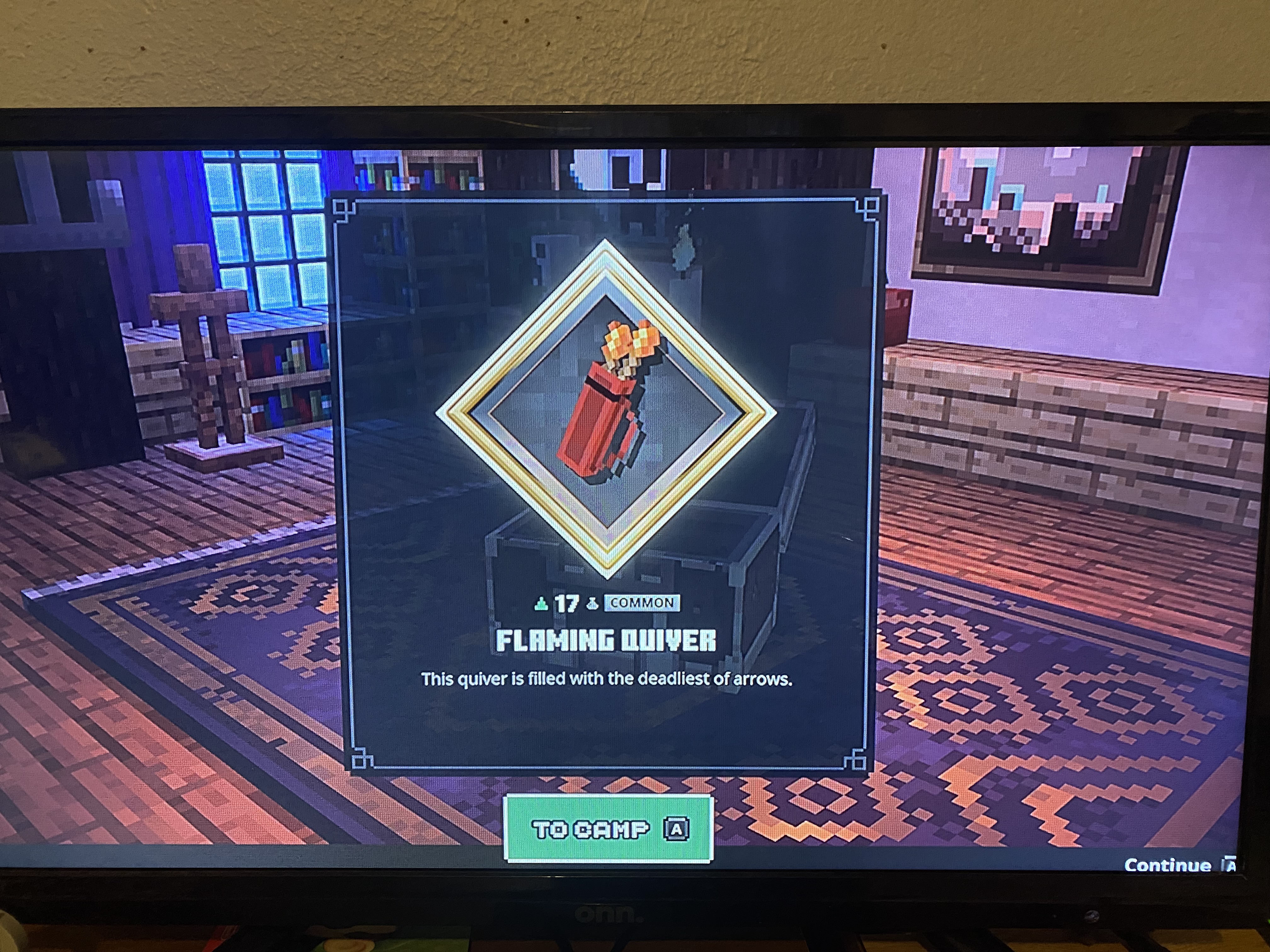
My main hero character cannot launch to the Camp before the game crashes. At launch a loot box is opened and as soon as "confirm" is selected the game immediately crashes, no freeze or delay just straight to game crash. All alternate characters launch to camp just fine. Switch OS up to date and Minecraft Dungeons 1.13.1.0
Why is this ticket closed? Is there an open ticket that has replaced it? Please link.
Once a month, every month this year my 4 person family has tried to play this game. We can't finish a level without the game freezing or crashing. We get almost to the end of a level, all chests and secrets found but when its time for the boss: crash!! EVERY TIME. Then we turn it off, send the kids to bed and hope that maybe it will be fixed next month. This time I got online to investigate only to find that every ticket related to this persistent problem is closed?? Please explain.
We play on the very lowest resolution available and this doesn't help at all. My kids don't even want to play anymore because we never make any progress. Just crash crash crash.
The bug still be reproduced in v 1.15.1.0,
MCD-7282Nintendo Switch: Local Coop, game suddenly freeze in mission - Jira (mojang.com)Why it is "Resolved" ?
Same Problem.
When I play online with my brother, this occurs after 30-40 minutes without the "workaround ".
With 720p it occurs approximately 1-2 times a day.
Mostly at the Tower after level 25. Today 4 times in one multiplayer map.
My brothe rhave an first gen Switch and I´m a second gen.
Game is currently unplayable on the switch either it crashes, freezes or the loot is broken.
I'm seriously considering giving it back because after several searches I have to assume that nobody is interested in fixing it.
The problems seem to have existed for months.
Unfortunately, I wasn't aware of that beforehand
My son has the 2nd gen Nintendo Switch. When he completed Nether Fortress mission and opened the chest, an error appears saying, "The software was closed because an error occurred". The game then crashes and closes out the software, taking him back to the Home Screen for the Switch system. We have tried the above troubleshoots and nothing works. This is his favorite game and we are rather upset that he can no longer pay it no matter what we do. PLEASE fix this!C386519D-015B-4EDA-AC60-2F285DE0B38F.heic
please stop resolving reports as duplicates if they have a specific way to reproduce them and don't happen randomly