 Douglas F Correa
- DeeFeeCee
- deefeecee
- America/New_York
- Yes
- No
 MCPE-55279MCPE-55290
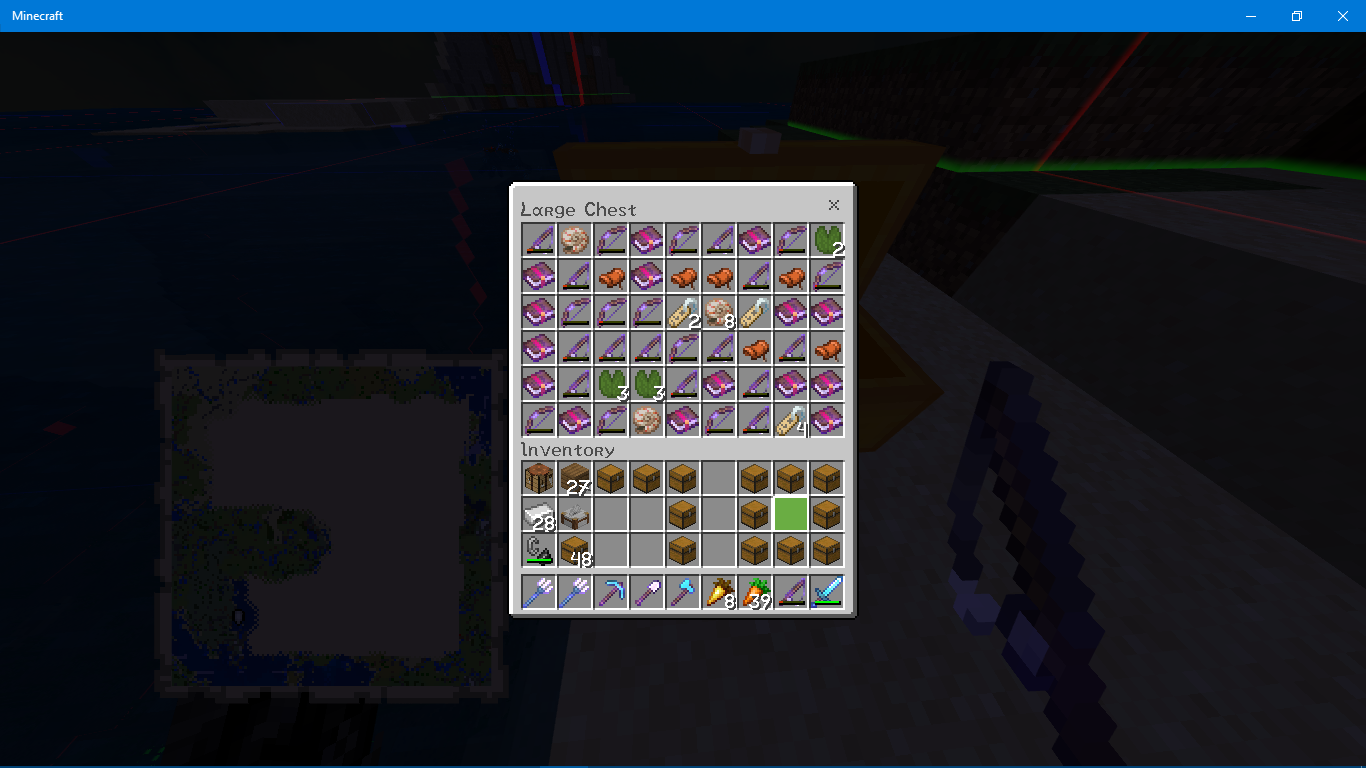
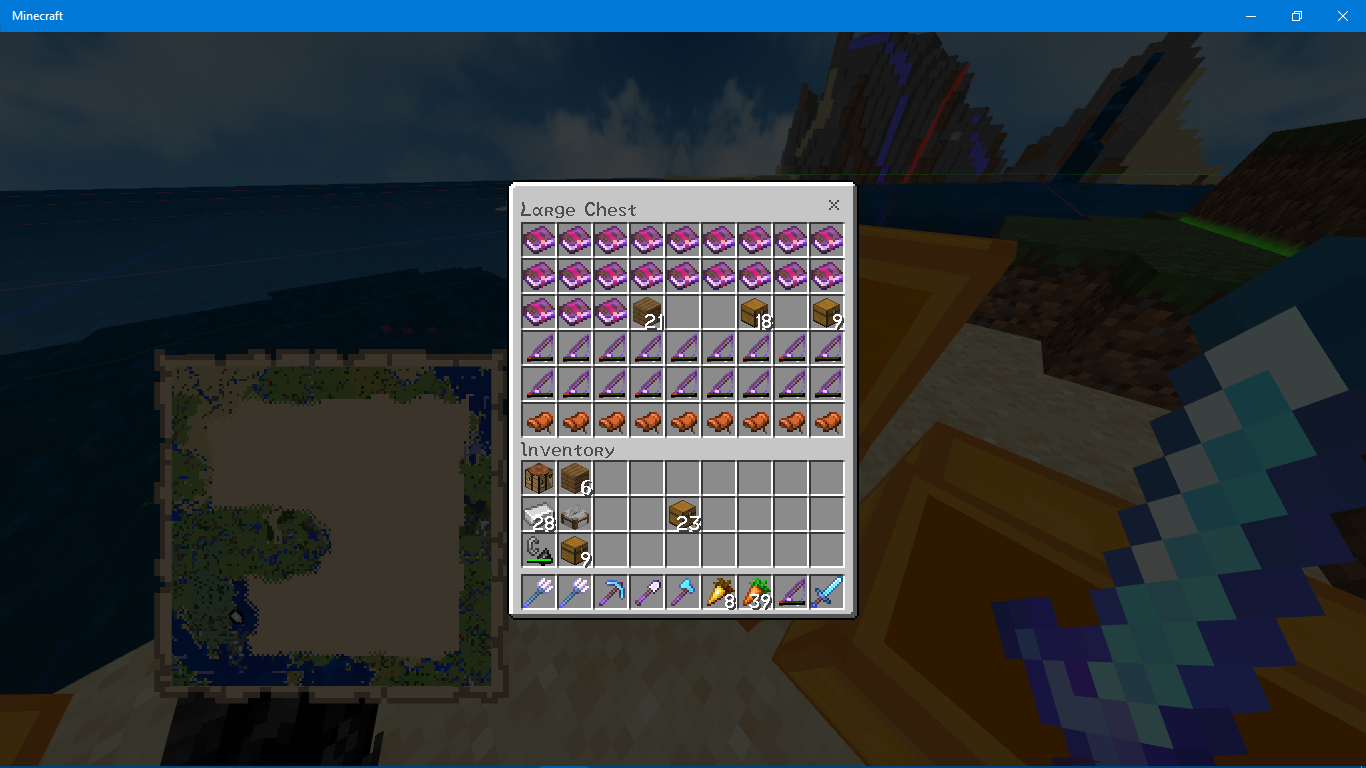

















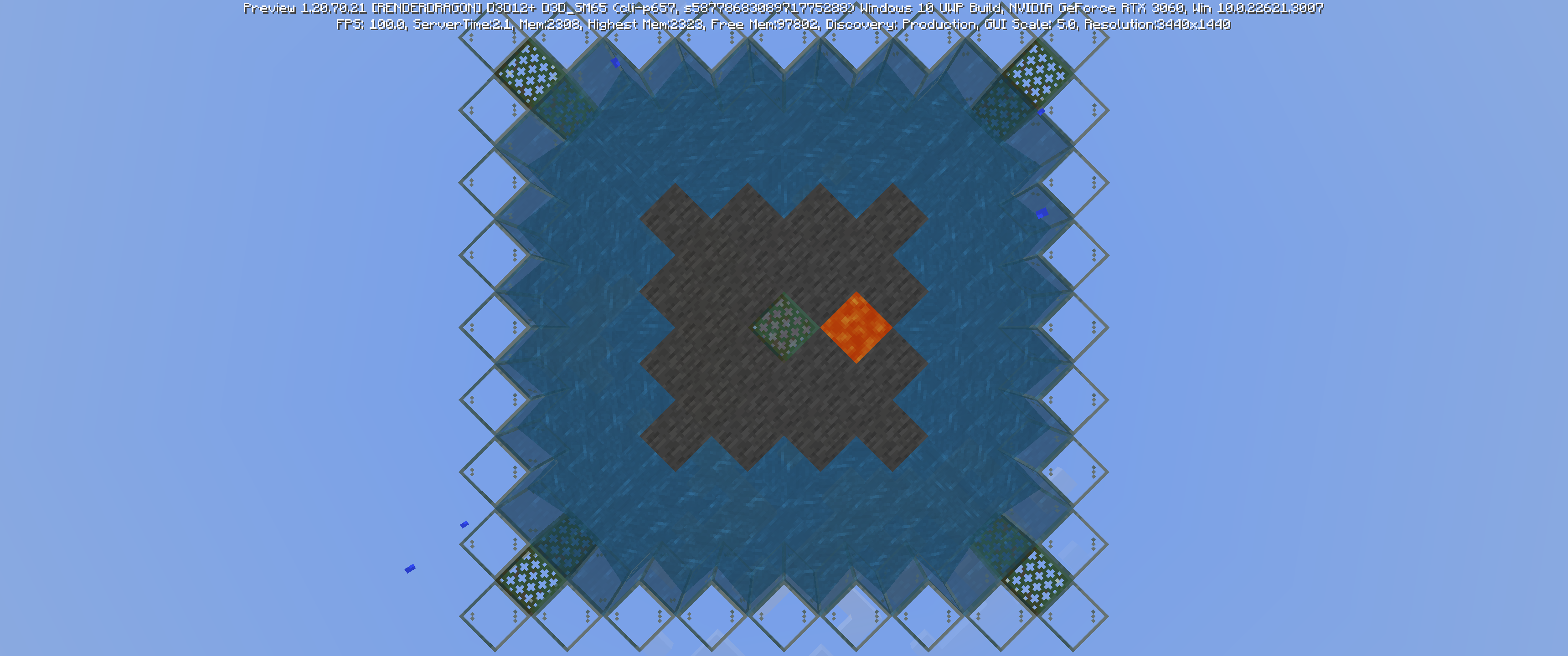
Using any enchanted or nonenchanted fishing rod no longer produces any fish or "garbage" items; enchanted fishing rods, enchanted bows, enchanted books, nautilus shells, nametags, lily pads, & saddles are the only obtainable items.
This was tested in a beach biome & cold ocean, I believe.
Using any enchanted or nonenchanted fishing rod no longer produces any fish or "garbage" items; enchanted fishing rods, enchanted bows, enchanted books, nautilus shells, nametags, lily pads, pufferfish & saddles are the only obtainable items.
This was tested in a beach biome & cold ocean, I believe.
Using any enchanted or nonenchanted fishing rod no longer produces any fish or "garbage" items; enchanted fishing rods, enchanted bows, enchanted books, nautilus shells, nametags, lily pads, pufferfish & saddles are the only obtainable items.
This was tested in a beach biome & cold ocean, I believe.
Using any enchanted or nonenchanted fishing rod no longer produces any fish or "garbage" items; enchanted fishing rods, enchanted bows, enchanted books, nautilus shells, nametags, lily pads, pufferfish, & saddles are the only obtainable items.
As visible in my screenshots, 21% of the loot was books, 18% fishing rods,
This was tested in a beach biome & cold ocean, I believe.
Using any enchanted or nonenchanted fishing rod no longer produces any fish or "garbage" items; enchanted fishing rods, enchanted bows, enchanted books, nautilus shells, nametags, lily pads, pufferfish, & saddles are the only obtainable items.
As visible in my screenshots, 21% of the loot was books, 18% fishing rods, 15% bows, 14% nautilus shells, 14% lily pads,
This was tested in a beach biome & cold ocean, I believe.
Using any enchanted or nonenchanted fishing rod no longer produces any fish or "garbage" items; enchanted fishing rods, enchanted bows, enchanted books, nautilus shells, nametags, lily pads, pufferfish, & saddles are the only obtainable items.
As visible in my screenshots, 21% of the loot was books, 18% fishing rods, 15% bows, 14% nautilus shells, 14% lily pads,
This was tested in a beach biome & cold ocean, I believe.
Using any enchanted or nonenchanted fishing rod no longer produces any fish or "garbage" items; enchanted fishing rods, enchanted bows, enchanted books, nautilus shells, nametags, lily pads,
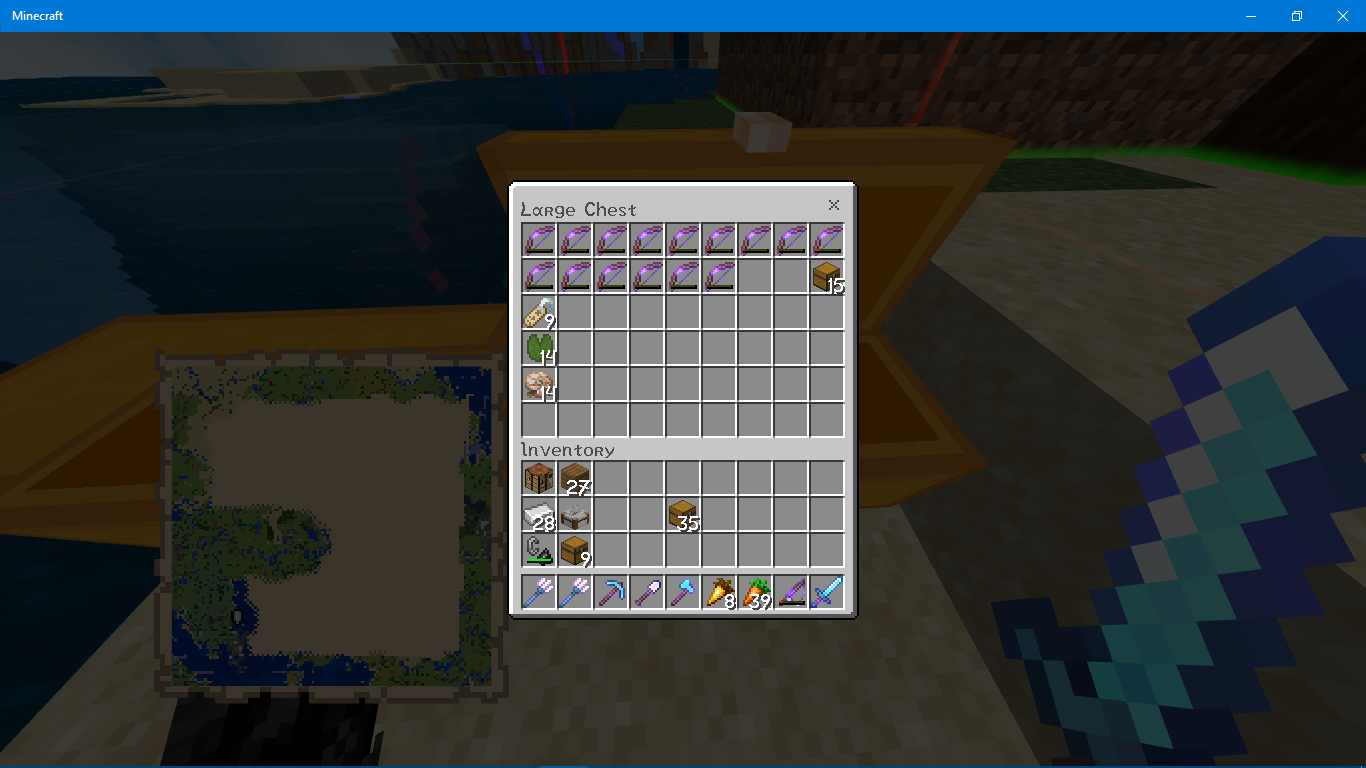
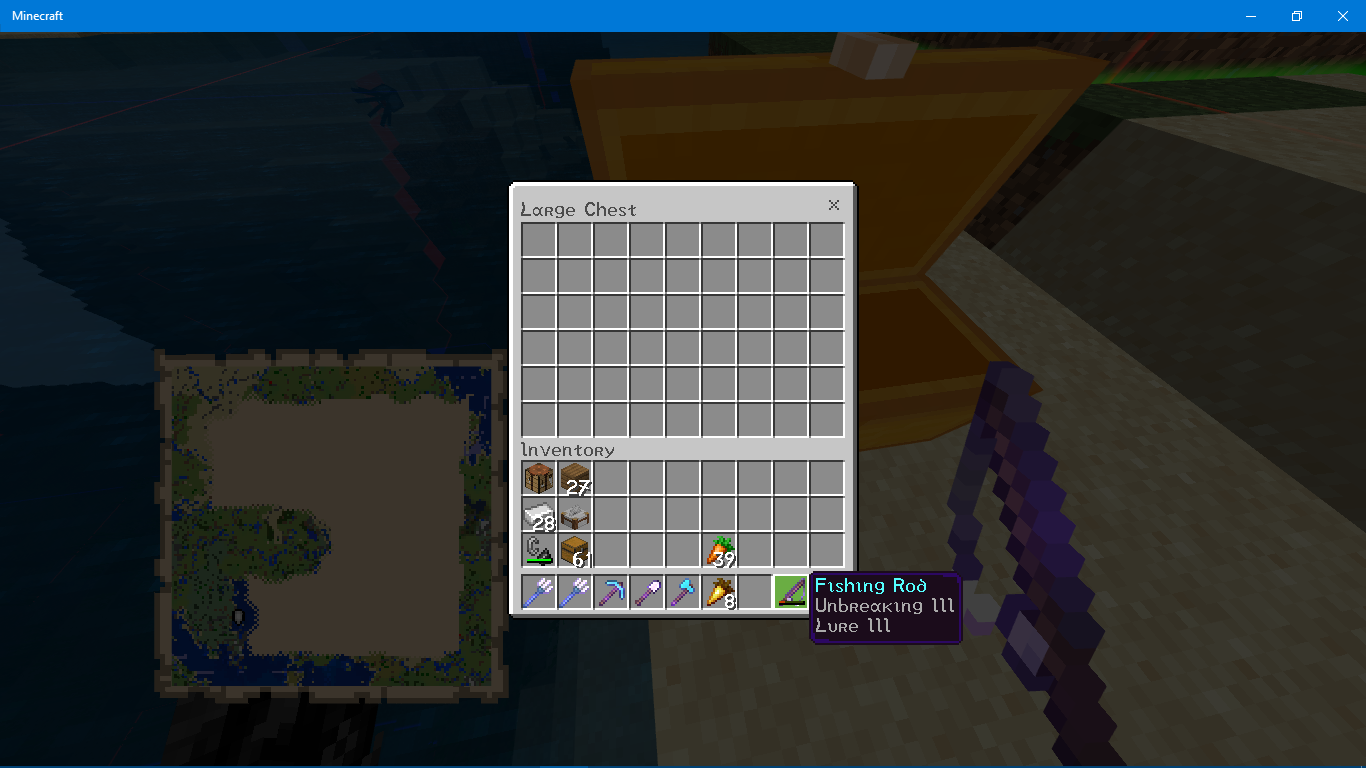
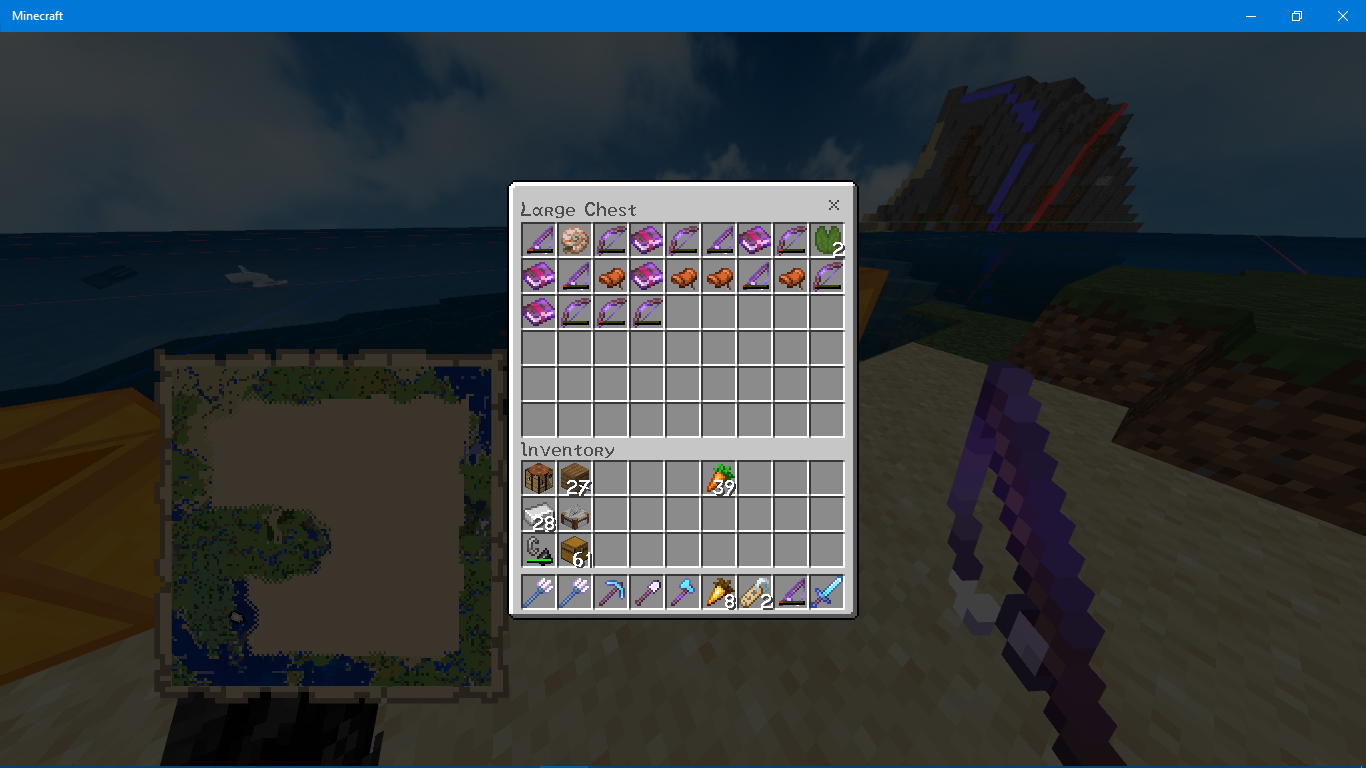
pufferfish, & saddles are the only obtainable items.I've done a 100-run test using a fishing rod with Unbreaking III & Lure III (no Luck of the Sea) & here are the results: 21% of the loot was books, 18% fishing rods, 15% bows, 14% nautilus shells, 14% lily pads, 9% saddles, & 9% nametags. I recalled that the pufferfish I have was obtained by directly killing them in a warm ocean.
I've also tested with unenchanted fishing rods, but doing a 100-run trial would take a long time. Suffice it to say fish are still unattainable that way.
This was tested in a beach biome & cold ocean, I believe.
Using any enchanted or nonenchanted fishing rod no longer produces any fish or "garbage" items; enchanted fishing rods, enchanted bows, enchanted books, nautilus shells, nametags, lily pads,
pufferfish, & saddles are the only obtainable items.I've done a 100-run test using a fishing rod with Unbreaking III & Lure III (no Luck of the Sea) & here are the results: 21% of the loot was books, 18% fishing rods, 15% bows, 14% nautilus shells, 14% lily pads, 9% saddles, & 9% nametags. I recalled that the pufferfish I have was obtained by directly killing them in a warm ocean.
I've also tested with unenchanted fishing rods, but doing a 100-run trial would take a long time. Suffice it to say fish are still unattainable that way.
This was tested in a beach biome & cold ocean, I believe.
Using any enchanted or nonenchanted fishing rod no longer produces any fish or "garbage" items; enchanted fishing rods, enchanted bows, enchanted books, nautilus shells, nametags, lily pads,
pufferfish, & saddles are the only obtainable items.I've done a 100-run test using a fishing rod with Unbreaking III & Lure III (no Luck of the Sea) & here are the results: 21% of the loot was books, 18% fishing rods, 15% bows, 14% nautilus shells, 14% lily pads, 9% saddles, & 9% nametags. I recalled that the pufferfish I have was obtained by directly killing them in a warm ocean.
I've also tested with unenchanted fishing rods, but doing a 100-run trial would take a long time. Suffice it to say fish are still unattainable that way.
This was tested in a beach biome & cold ocean, I believe.
The screenshots display the following, in order: fishing rod enchantments, 25 runs, 50 runs, 70 runs, & 100 runs (chest filled up before I could get to 75), & the items organized by type in the last two screenshots. If fore whatever reason the screenshots aren't in that order, refer to the file name, i.e. Screenshot (6-14).png.
{Resolved} Fishing no longer produces fish
{Resolved}Fishing no longer produces fish[Resolved] Fishing no longer produces fish
As mentioned in
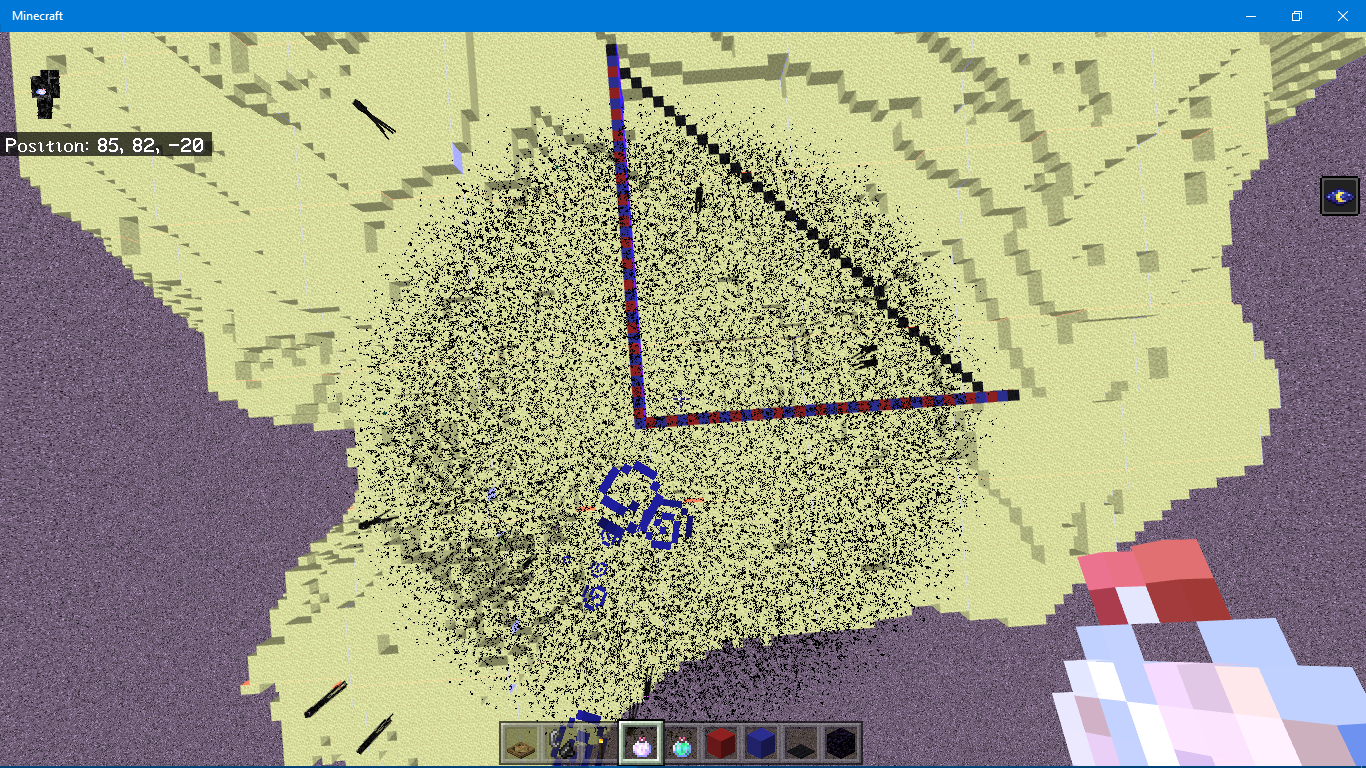
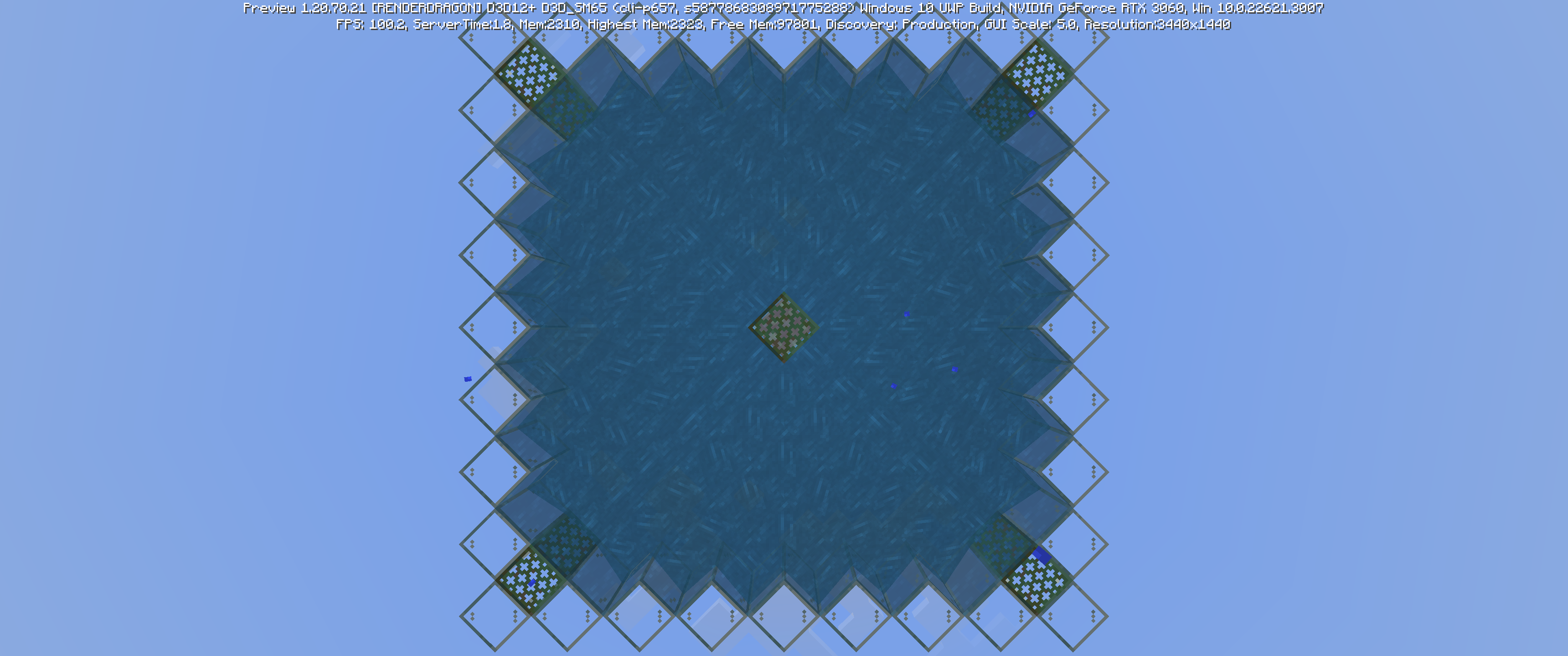
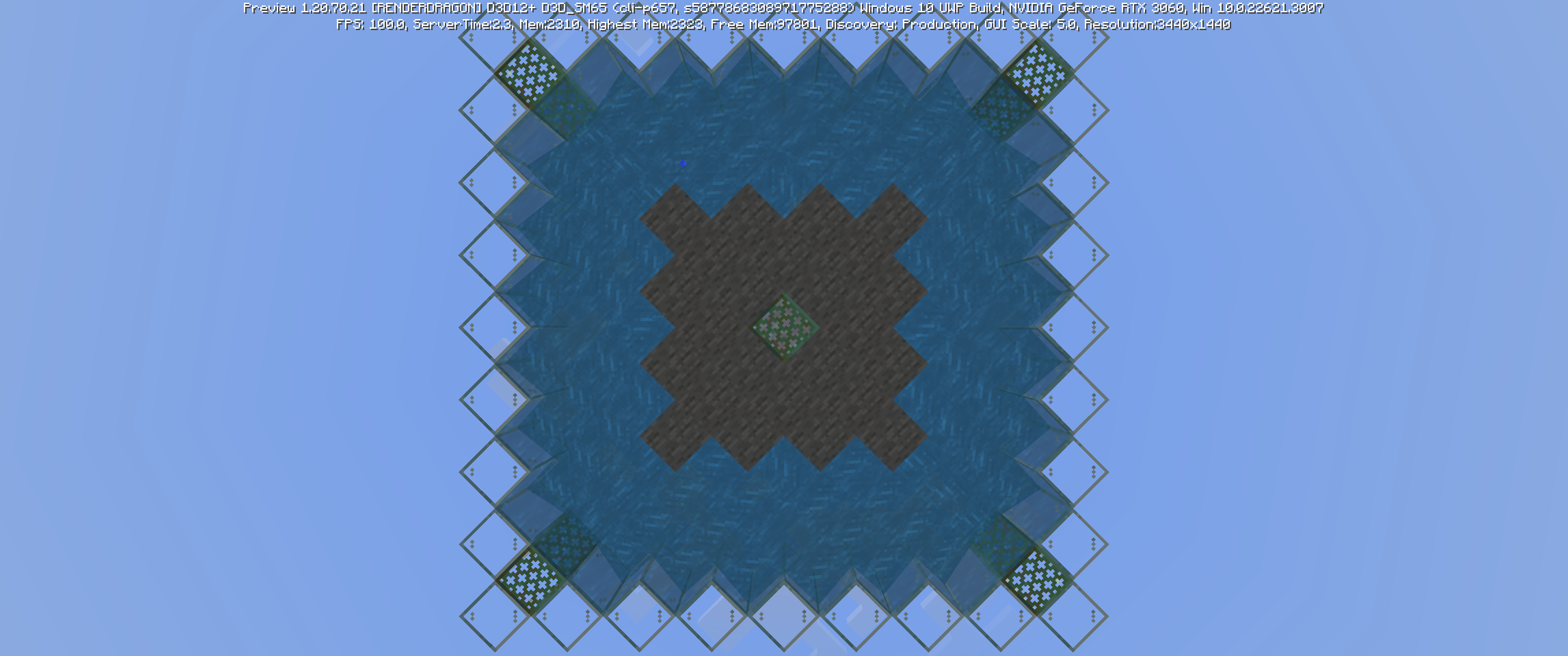
MCPE-55786, lingering potions have black particle effects, regardless of potion type. Unlike in MCPE-66626, MCPE-55032, & MCPE-54979, my PC was just barely able to cope with the massive number of particles being rendered; leaving into higher subchunks (Y-axis) alleviated the tremendous lag. Returning before the effect has finished results in the same intense lag.I noticed that the radius of the lingering potion (a health II potion in the end) was 30 blocks. This results in 900π blocks being covered by the effect, or 2827 blocks. That's a lot of particles, and yes, the math checks out. This appears to be 10 times the intended radius, which likely means someone coding the lingering effect added an extra zero. This may also resolve the reason for the above-mentioned tickets, excluding
MCPE-55786, which appears to have only 2-3 times the intended radius, avoiding a crash.As mentioned in
MCPE-55786, lingering potions have black particle effects, regardless of potion type. Unlike in MCPE-66626, MCPE-55032, &MCPE-54979, my PC was just barely able to cope with the massive number of particles being rendered; leaving into higher subchunks (Y-axis) alleviated the tremendous lag. Returning before the effect has finished results in the same intense lag.I noticed that the radius of the lingering potion (a health II potion in the end) was 30 blocks*. This results in 900π blocks being covered by the effect, or 2827 blocks. That's a lot of particles, and yes, the math checks out. This appears to be 10 times the intended radius, which likely means someone coding the lingering effect added an extra zero. This may also resolve the reason for the above-mentioned tickets, excluding
MCPE-55786, which appears to have only 2-3 times the intended radius, avoiding a crash.*As seen in the screenshots, the radius seems to vary from 20
As mentioned in
MCPE-55786, lingering potions have black particle effects, regardless of potion type. Unlike in MCPE-66626, MCPE-55032, &MCPE-54979, my PC was just barely able to cope with the massive number of particles being rendered; leaving into higher subchunks (Y-axis) alleviated the tremendous lag. Returning before the effect has finished results in the same intense lag.I noticed that the radius of the lingering potion (a health II potion in the end) was 30 blocks*. This results in 900π blocks being covered by the effect, or 2827 blocks. That's a lot of particles, and yes, the math checks out. This appears to be 10 times the intended radius, which likely means someone coding the lingering effect added an extra zero. This may also resolve the reason for the above-mentioned tickets, excluding
MCPE-55786, which appears to have only 2-3 times the intended radius, avoiding a crash.*As seen in the screenshots, the radius seems to vary from 20
As mentioned in
MCPE-55786, lingering potions have black particle effects, regardless of potion type. Unlike in MCPE-66626, MCPE-55032, &MCPE-54979, my PC was just barely able to cope with the massive number of particles being rendered; leaving into higher subchunks (Y-axis) alleviated the tremendous lag. Returning before the effect has finished results in the same intense lag.I noticed that the radius of the lingering potion (a health II potion in the end) was 30 blocks*. This results in 900π blocks being covered by the effect, or 2827 blocks. That's a lot of particles, and yes, the math checks out. This appears to be 10 times the intended radius, which likely means someone coding the lingering effect added an extra zero. This may also resolve the reason for the above-mentioned tickets, excluding
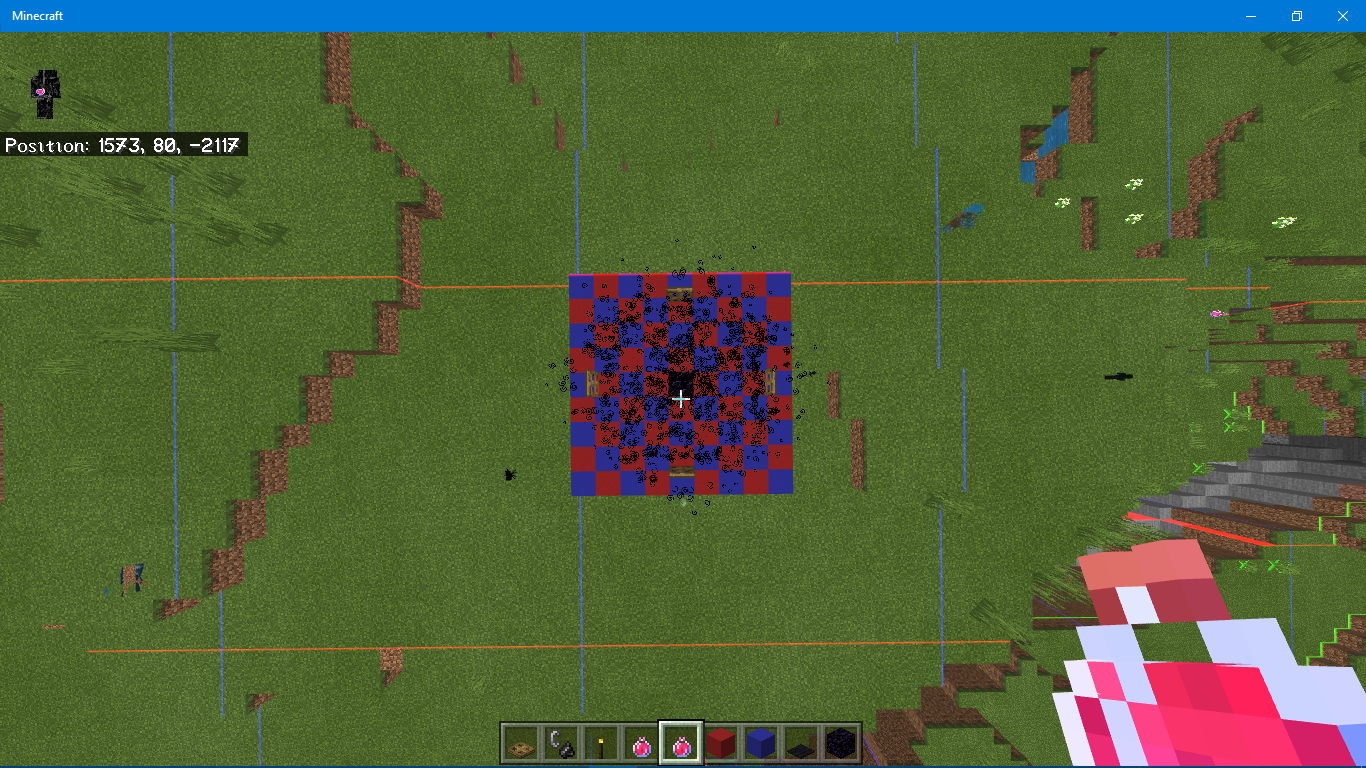
MCPE-55786, which appears to have only 2-3 times the intended radius, avoiding a crash.*As seen in the screenshots, the radius seems to vary from 20–30 blocks, depending on distance. From the player's perspective, they escape the effect's are moving 30 blocks from the center. In the overworld & nether, potions seem to have the normal area (but still black).
[Resolved] Lingering Potion extends with a radius of 30 blocks
When mounting a
horse (at least, skeleton horses), the player & horse will face south rather than the direction either entities are facing. This appears related toMCPE-54715&MCPE-54756, however this occurs specifically when initially mounting.
Didn't test if affected other rideable mobs or entities.
When mounting a mob or minecart, the player & horse will face south rather than the direction either entities are facing. This appears related to
MCPE-54715, however this occurs specifically when initially mounting.
Didn't test if affected other rideable mobs or entities.
When mounting a mob or minecart, the player
& horsewill face south rather than the direction either entities are facing. This appears related toMCPE-54715, however this occurs specifically when initially mounting.
Didn't test if affected other rideable mobs or entities.When mounting a mob or minecart, the player will face south (+Z) rather than the direction either entities are facing. This appears related to
MCPE-54715, however this occurs specifically when initially mounting.Affects minecarts, horses, skeleton horses, pigs, llamas,
Mountinghorseorients player view southMounting entities orients player view south
When mounting a mob or minecart, the player will face south (+Z) rather than the direction either entities are facing. This appears related to
MCPE-54715, however this occurs specifically when initially mounting.Affects minecarts, horses, skeleton horses, pigs, llamas, donkeys, & mules; doesn't affect boats.
Mounting rideable entities orients player view south
Mounting rideable entities reorients player view south
It is impossible to make terracotta blocks "point" in certain directions. As an example, when placing white glazed terracotta to create the "sunflower" pattern, there is no way to make the bottom left corner finish the pattern. Player angle & block selected don't grant this particular orientation. There are other orientations that are unachievable. Unknown if affects previously placed glazed terracotta blocks.
In other words, placing glazed terracotta to make patterns is annoying impossible.
[Cannot Reproduce] Glazed terracotta blocks refuse to assume certain orientations
The new vines become useless when mined with a silk touch tool. Picking up a "silk touch" nether vine makes all the other vines of the same type in the inventory unplaceable–they can be "placed", but will not reduce the amount in the player's hand nor remain once logged out. The problem is worked around by picking up a non-silk touch vine.
Mods: Feel free to reword this if it doesn't make a lot of sense. I'll be on later to correct this.
[[Link to Video||https://youtube.com/video/1eCcDSO-MDA/] https://youtube.com/video/1eCcDSO-MDA/ []|https://youtube.com/video/1eCcDSO-MDA/]
The new vines become useless when mined with a silk touch tool. Picking up a "silk touch" nether vine makes all the other vines of the same type in the inventory unplaceable–they can be "placed", but will not reduce the amount in the player's hand nor remain once logged out. The problem is worked around by picking up a non-silk touch vine.
Mods: Feel free to reword this if it doesn't make a lot of sense. I'll be on later to correct this.
[[Link to Video||https://youtube.com/video/1eCcDSO-MDA/] https://youtube.com/video/1eCcDSO-MDA/
[]|https://youtube.com/video/1eCcDSO-MDA/]The new vines become useless when mined with a silk touch tool. Picking up a "silk touch" nether vine makes all the other vines of the same type in the inventory unplaceable–they can be "placed", but will not reduce the amount in the player's hand nor remain once logged out. The problem is worked around by picking up a non-silk touch vine.
Mods: Feel free to reword this if it doesn't make a lot of sense. I'll be on later to correct this.
[Duplicate] Weeping & Twisting Vines
[Duplicate] Using Flint & Steel or Firecharge on Fire Uses Up Item
[Duplicate} Using Flint & Steel or Firecharge on Fire Uses Up Item
[Duplicate}Using Flint & Steel or Firecharge on Fire Uses Up Item[Duplicate] Using Flint & Steel or Firecharge on Fire Uses Up Item
Slowness IV is craftable in potion, splash, lingering, & arrow form, as well as being acquired using /give @s potion 1 42 , but is not obtainable from within the creative inventory; all forms are completely absent.
Update: This was fixed in either '63 or '64.
[Resolved] Slowness IV Does Not Appear in Creative Inventory
Raid captains, found in pillager patrols, should impart the Bad Omen effect when killed by the player. However, if the captain is killed by shooting the player & taking damage via the thorns armor enchantment, the player does not receive any effect.
Resolved at some point during or before 1.18.31.
[Resolved] Armor stands & armor behave strangely
[Duplicate] Raid spawning occurs underground
[Duplicate] Wandering Trader Spawning Strange
[Invalid] Random Crashing
[Duplicate] Nonexistent End Portal
[Request] Noteblocks Don't Make Sound when Under Transparent Blocks
[Resolved] Naming a Rabbit Toast does not Change its Texture
[WAI] Potion of Decay is Uncraftable
[Duplicate] Certain items flash when shift-clicking within inventory
The broken elytra has the normal elytra texture when in an item frame. This may affect only single player, but I'm not sure.
To reproduce, compare an elytra from the creative inventory with an elytra with 431 durability damage. Then place them into separate item frames.
This has been in affect since pre-1.14, AFAIK.
image-2020-10-24-15-30-26-479.png
In adding a splash.json, I found quickly that typing too many words makes the text exponentially harder to read. Despite a full-size monitor, the only thing I can do to improve legibility is to change UI size to -1 (which itself seems odd…) after toiling over some code lines I found in the main menu .json (had the word "art" in the title) for a few hours, I discovered that there is no way to increase the size of the splash text. There's a "size" parameter & some other parameter with nonintuitive values (e.g, 87%, 20, 27%x, ordered randomly), but they only seem to affect the splash's position on the screen (despite already having that defined earlier in the .json as "top-right" or something similar).
The only work around I've found is separating the words by a break by adding a character via hex code manipulation; simply typing "enter" results in an entirely unexpected ô character, which makes no sense. This may have to do with the encoding of the file, but nonetheless seems like bad code. To make matters a little more annoying, adding this break leaves the text left-aligned rather than centrally justified, making the splash asymmetrical.It's great that the splashes are tweaked in position to match the user's platform, but there seems to be redundant & unintuitive parameters that end up making the main menu a mess to modify. The Minecraft logo is easy enough to change (make the "size" a bigger number), but the splashes depend on a splash generator function & it looks really bad when I try to change the code. I hope the splash implementation & other features become more user-friendly for addon creators to improve the overall qualify of the game (such as correcting the hotbar being off-center).
Perhaps later I'll clear up this report & make it more concise (including the relevant .jsons & workaround).
In adding a splash.json, I found quickly that typing too many words makes the text exponentially harder to read. Despite a full-size monitor, the only thing I can do to improve legibility is to change UI size to -1 (which itself seems odd…) after toiling over some code lines I found in the main menu .json (had the word "art" in the title) for a few hours, I discovered that there is no way to increase the size of the splash text. There's a "size" parameter & some other parameter with nonintuitive values (e.g, 87%, 20, 27%x, ordered randomly), but they only seem to affect the splash's position on the screen (despite already having that defined earlier in the .json as "top-right" or something similar).
It's great that the splashes are tweaked in position to match the user's platform, but there seems to be redundant & unintuitive parameters that end up making the main menu a mess to modify. The Minecraft logo is easy enough to change (make the "size" a bigger number), but the splashes depend on a splash generator function & it looks really bad when I try to change the code. I hope the splash implementation & other features become more user-friendly for addon creators to improve the overall qualify of the game (such as correcting the hotbar being off-center).
Perhaps later I'll clear up this report & make it more concise (including the relevant .jsons & workaround).
Noteblocks don't always act as the intended instrument when on top of a certain block.
As an example, all wooden trapdoors under a noteblock make the contrabass sound, but instead of making the iron xylophone (vibraphone) sound, the iron trapdoor is unrecoginzed by the noteblock & so defaults to the harp instrument.
Block Expected Instrument 1.1 4.60 InstrumentIron Trapdoor Fe xylo. harp Iron Bars Fe xylo. harp Coal Block bass drum? harp Carpet guitar harp Scaffolding contrabass/didgeridoo harp Ice, Blue Ice hat/click harp Melon contrabass/didgeridoo harp Anvil Fe xylo. harp Cauldron Fe xylo. harp Redstone Lamp E. piano harp Gold pressure plate bells harp Iron pressure plate Fe xylo. harp Bell bells harp Signs, Banners harp bass Hopper Fe xylo. kick
I have suggestions for whichblocksshould have a sound, but I don't know whereto suggest that.Noteblocks don't always act as the intended instrument when on top of a certain block.
As an example, all wooden trapdoors under a noteblock make the contrabass sound, but instead of making the iron xylophone (vibraphone) sound, the iron trapdoor is unrecoginzed by the noteblock & so defaults to the harp instrument.
Block Expected Instrument 1.16.40 Instrument Iron Trapdoor Fe xylo. harp Iron Bars Fe xylo. harp Coal Block bass drum? harp Carpet guitar harp Scaffolding contrabass/didgeridoo harp Ice, Blue Ice hat/click harp Melon contrabass/didgeridoo harp Anvil Fe xylo. harp Cauldron Fe xylo. harp Redstone Lamp E. piano harp Gold pressure plate bells harp Iron pressure plate Fe xylo. harp Bell bells harp Signs, Banners harp bass Hopper Fe xylo. kick The wooden/stone/blackstone pressure plates make the proper sound, as do their respective buttons, so many of these other transparent blocks should as well.
Noteblocks don't always act as the intended instrument when on top of a certain block.
As an example, all wooden trapdoors under a noteblock make the contrabass sound, but instead of making the iron xylophone (vibraphone) sound, the iron trapdoor is unrecoginzed by the noteblock & so defaults to the harp instrument.
Block Expected Instrument 1.16. 40 InstrumentIron Trapdoor Fe xylo. harp Iron Bars Fe xylo. harp Coal Block bass drum? harp Carpet guitar harp Scaffolding contrabass /didgeridooharp Ice, Blue Ice hat/click harp Melon contrabass/didgeridoo harp Anvil Fe xylo. harp Cauldron Fe xylo. harp Redstone Lamp E. piano harp Gold pressure plate bells harp Iron pressure plate Fe xylo. harp Bell bells harp Signs, Banners harp bass Hopper Fe xylo. kickThe wooden/stone/blackstone pressure plates make the proper sound, as do their respective buttons, so many of these other transparent blocks should as well.
Noteblocks don't always act as the intended instrument when on top of a certain block.
As an example, all wooden trapdoors under a noteblock make the contrabass sound, but instead of making the iron xylophone (vibraphone) sound, the iron trapdoor is unrecoginzed by the noteblock & so defaults to the harp instrument.
Block Expected Instrument 1.16.200 Instrument Iron Trapdoor Fe xylo. harp Iron Bars Fe xylo. harp Coal Block bass drum? harp Carpet guitar harp Scaffolding contrabass harp Ice, Blue Ice hat/click harp Melon contrabass/didgeridoo harp Anvil Fe xylo. harp Cauldron Fe xylo. harp Redstone Lamp E. piano harp Gold pressure plate bells harp Iron pressure plate Fe xylo. harp Bell bells harp Signs, Banners harp bass Hopper Fe xylo. harp The wooden/stone/blackstone pressure plates make the proper sound, as do their respective buttons, so many of these other transparent blocks should as well.
All of these issues still apply to 1.16.40.
Noteblocks don't always act as the intended instrument when on top of a certain block.
As an example, all wooden trapdoors under a noteblock make the contrabass sound, but instead of making the iron xylophone (vibraphone) sound, the iron trapdoor is unrecoginzed by the noteblock & so defaults to the harp instrument.
Block Expected Instrument 1.1 6.200InstrumentIron Trapdoor Fe xylo. harp Iron Bars Fe xylo. harp Coal Block bass drum? harp Carpet guitar harp Scaffolding contrabass harp Ice, Blue Ice hat/click harp Melon contrabass/didgeridoo harp Anvil Fe xylo. harp Cauldron Fe xylo. harp Redstone Lamp E. piano harp Gold pressure plate bells harp Iron pressure plate Fe xylo. harp Bell bells harp Signs, Banners harp bass Hopper Fe xylo. harp The wooden/stone/blackstone pressure plates make the proper sound, as do their respective buttons, so many of these other transparent blocks should as well.
Noteblocks don't always act as the intended instrument when on top of a certain block.
As an example, all wooden trapdoors under a noteblock make the contrabass sound, but instead of making the iron xylophone (vibraphone) sound, the iron trapdoor is unrecoginzed by the noteblock & so defaults to the harp instrument.
Block Expected Instrument 1.17.2 Instrument Iron Trapdoor Fe xylo. harp Iron Bars Fe xylo. harp Coal Block bass drum? harp Carpet guitar harp Scaffolding contrabass harp Ice, Blue Ice hat/click harp Melon contrabass/didgeridoo harp Anvil Fe xylo. harp Cauldron Fe xylo. harp Redstone Lamp E. piano harp Gold pressure plate bells harp Iron pressure plate Fe xylo. harp Bell bells harp Signs, Banners harp bass Hopper Fe xylo. harp The wooden/stone/blackstone pressure plates make the proper sound, as do their respective buttons, so many of these other transparent blocks should as well.
[Invalid] Resource Packs unable to add additional Game Tips
[Duplicate] Sounds, etc. are delayed
[Resolved] Dolphins sometimes direct the player to nonexistent treasure
[Resolved] Dolphins Derp Dance
[Resolved] Creative inventory sometimes becomes unresponsive
As in
MC-145068, this bug prevents the use of carved pumpkins or jack o' lanterns for the didgeridoo instrument.On a separate note, I thought real-life didgeridoos are made of bamboo, yet bamboo & scaffolding, like the pumpkin variants in 1.14.60, create the default harp sound.
[Resolved] Farmer villagers always pick up food items before the player
[WAI] Campfire particle effects inconsistent
Beds in the Nether/End & Respawn Anchors in the Overwold explode & destroy blocks despite settings to prevent world griefing being off. I have Fire Spreads, TNT Explodes, & Mob Griefing all off, yet the dimension-specific blocks still disappear, destroy surrounding blocks, & set fire to its surroundings. TNT Explodes should disable these, or there should be a separate setting for these blocks.
This issue seems to be resolved by an additional setting in an upcoming beta.
Throwing atrident while in anetherportal destroys the tridentBeing in the "Throwing a Trident" Phase while entering a portal destroys the trident upon teleportation
When in the "about to throw trident" animation, teleporting to the nether (&
probablyback) removes the trident from the player's inventory & effectively erases it from the world.
This was confirmed by searching for all trident entities in the world; the
enchantedtrident no longer existed.When in the "about to throw trident" animation, teleporting to the nether (& back) removes the trident from the player's inventory & effectively erases it from the world.
This was confirmed by searching for all trident entities in the world; the trident no longer existed. Unsure if this affects end portals & gateways.
When in the "about to throw trident" animation, teleporting to
the nether (& back)removes the trident from the player's inventory & effectively erases it from the world.
This was confirmed by searching for all trident entities in the world; the trident no longer existed.
Unsure if this affects end portals & gateways.When in the "about to throw trident" animation, teleporting to another dimension removes the trident from the player's inventory & effectively erases it from the world.
This was confirmed by searching for all thrown_trident entities in the world; the trident no longer existed. This does not affect gateways or enderpearl teleportation, as long as the teleportation is within the same dimension.
When in the "about to throw trident" animation, teleporting to another dimension removes the trident from the player's inventory & effectively erases it from the world.
This was confirmed by searching for all thrown_trident entities in the world; the trident no longer existed. This does not affect gateways or enderpearl teleportation, as long as the teleportation is within the same dimension.
To reproduce, simply step into a portal while aiming your trident & it will disappear.
Creating a mob with an inventory (e.g. horse) but removing any slots (e.g. saddle & horse armor) prevents the player from viewing the mob's inventory, which makes sense. However, after attempting to view the mob's inventory, the player cannot view their own inventory, including viewing chests & other mobs' inventories.
Workaround: Exit & return to game.
Creating a mob with an inventory (e.g. horse) but removing any slots (e.g. saddle & horse armor) prevents the player from viewing the mob's inventory, which makes sense. However, after attempting to view the mob's inventory, the player cannot view their own inventory, including
viewing chests & other mobs' inventories.Workaround: Exit & return to game.
Creating a mob with an inventory (e.g. horse) but removing any slots (e.g. saddle & horse armor) prevents the player from viewing the mob's inventory, which makes sense. However, after attempting to view the mob's inventory, the player cannot view their own inventory, including accessing chests & other mobs' inventories.
Workaround: Exit & return to game.
Creating a mob with an inventory (e.g. horse) but removing any slots (e.g. saddle & horse armor) prevents the player from viewing the mob's inventory, which makes sense. However, after attempting to view the mob's inventory, the player cannot view their own inventory, including accessing chests & other mobs' inventories.
Workaround: Exit & return to game.
Creating a mob with an inventory (e.g. horse) but removing any slots (e.g. saddle & horse armor) prevents the player from viewing the mob's inventory, which makes sense. However, after attempting to view the mob's inventory, the player cannot view their own inventory, including accessing chests & other mobs' inventories.
Workarounds: Exit & return to game. Add "dummy" slot like saddle, horse armor, or carpet to access mob's chest.
Creating a mob with an inventory (e.g. horse) but removing any slots (e.g. saddle & horse armor) prevents the player from viewing the mob's inventory, which makes sense. However, after attempting to view the mob's inventory, the player cannot view their own inventory, including accessing chests & other mobs' inventories.
Workarounds: Exit & return to game. Add "dummy" slot like saddle, horse armor, or carpet to access mob's chest.
Creating a mob with an inventory (e.g. horse) but removing any slots (e.g. saddle & horse armor) prevents the player from viewing the mob's inventory, which makes sense. However, after attempting to view the mob's inventory, the player cannot view their own inventory, including accessing chests & other mobs' inventories.
Steps to Reproduce:
{ "value": 3 }
1. Create addon
2. Add a mob (i.e. horse, llama)
3. Copy horse.json from behavior pack
4. Add "minecraft:is_chested": {} to tamed version of mob
5. Add into component_groups: "minecraft:inventory": { "inventory_size": 9, "container_type": "horse", "additional_slots_per_strength": 3 } (or replace numbers with your choice)
6. Add the following to component_groups: *"minecraft:strength_3": { "minecraft:strength_3": { "minecraft:strength":}* (or replace with the 2nd number of choice) I'm unsure if this step is necessary, but I included it because it exists in the llama's code
7. Add to event "minecraft:entity_spawned" the following component group: "minecraft:strength_3" (or 2nd number)
8. Lastly, remove "minecraft:equippable" from tamed version if present.Observed Results:
Mob's inventory fails to appear & player is unable to see the inventory at any capacity.Expected Results:
A: Equippable slots are not shown, only "chest" slots
B: No inventory is shown, but player is still able to see their own inventory & interact with chests, other mobs' inventories, etc.Workarounds:
Player: Exit & return to game.
Developer: Add "dummy" slot like saddle, horse armor, or carpet to access mob's chest. This solution still involves proper implementation of saddle/armor/carpet code just to be able to access mob's inventory.
Creating a mob with an inventory (e.g. horse) but removing any slots (e.g. saddle & horse armor) prevents the player from viewing the mob's inventory, which makes sense. However, after attempting to view the mob's inventory, the player cannot view their own inventory, including accessing chests & other mobs' inventories.
Steps to Reproduce:
{ "value": 3 }
1. Create addon
2. Add a mob (i.e. horse, llama)
3. Copy horse.json from behavior pack
4. Add "minecraft:is_chested": {} to tamed version of mob
5. Add into component_groups: "minecraft:inventory": { "inventory_size": 9, "container_type": "horse", "additional_slots_per_strength": 3 } (or replace numbers with your choice)
6. Add the following to component_groups: *"minecraft:strength_3": { "minecraft:strength_3": { "minecraft:strength":
}* (or replace with the 2nd number of choice) I'm unsure if this step is necessary, but I included it because it exists in the llama's code
7. Add to event "minecraft:entity_spawned" the following component group: "minecraft:strength_3" (or 2nd number)
8. Lastly, remove "minecraft:equippable" from tamed version if present.Observed Results:
Mob's inventory fails to appear & player is unable to see the inventory at any capacity.Expected Results:
A: Equippable slots are not shown, only "chest" slots
B: No inventory is shown, but player is still able to see their own inventory & interact with chests, other mobs' inventories, etc.Workarounds:
Player: Exit & return to game.
Developer: Add "dummy" slot like saddle, horse armor, or carpet to access mob's chest. This solution still involves proper implementation of saddle/armor/carpet code just to be able to access mob's inventory.Creating a mob with an inventory (e.g. horse) but removing any slots from "minecraft:equippable" (e.g. saddle & horse armor) prevents the player from viewing the mob's inventory, which makes sense. However, after attempting to view the mob's inventory, the player cannot view their own inventory, including accessing chests & other mobs' inventories.
Steps to Reproduce:
{ "value": 3 }
1. Create addon
2. Add a mob (i.e. horse, llama)
3. Copy horse.json from behavior pack
4. Add "minecraft:is_chested": {} to tamed version of mob
5. Add into component_groups: "minecraft:inventory": { "inventory_size": 9, "container_type": "horse", "additional_slots_per_strength": 3 } (or replace numbers with your choice)
6. Add the following to component_groups: *"minecraft:strength_3": { "minecraft:strength_3": { "minecraft:strength":}* (or replace with the 2nd number of choice) I'm unsure if this step is necessary, but I included it because it exists in the llama's code
7. Add to event "minecraft:entity_spawned" the following component group: "minecraft:strength_3" (or 2nd number)
8. Lastly, remove "minecraft:equippable" from tamed version if present.Observed Results:
Mob's inventory fails to appear & player is unable to see the inventory at any capacity.Expected Results:
A: Equippable slots are not shown, only "chest" slots
B: No inventory is shown, but player is still able to see their own inventory & interact with chests, other mobs' inventories, etc.Workarounds:
Player: Exit & return to game.
Developer: Add "dummy" slot like saddle, horse armor, or carpet to access mob's chest. This solution still involves proper implementation of saddle/armor/carpet code just to be able to access mob's inventory. OR remove equippable properties, leaving a bare "minecraft:equippable": {} in the tamed mob's component_group, despite no item being actually equippable by the mob.
Creating a mob with an inventory (e.g. horse) but removing any slots from "minecraft:equippable" (e.g. saddle & horse armor) prevents the player from viewing the mob's inventory, which makes sense. However, after attempting to view the mob's inventory, the player cannot view their own inventory, including accessing chests & other mobs' inventories.
Steps to Reproduce:
{ "value": 3 }
1. Create addon
2. Add a mob (i.e. horse, llama)
3a. Copy horse.json from behavior pack
4a. Add "minecraft:is_chested": {} to tamed version of mob
5a. Add into component_groups: "minecraft:inventory": { "inventory_size": 9, "container_type": "horse", "additional_slots_per_strength": 3 } (or replace numbers with your choice)
6a. Add the following to component_groups: *"minecraft:strength_3": { "minecraft:strength_3": { "minecraft:strength":}* (or replace with the 2nd number of choice) I'm unsure if this step is necessary, but I included it because it exists in the llama's code
7a. Add to event "minecraft:entity_spawned" the following component group: "minecraft:strength_3" (or 2nd number)
8a. Lastly, remove "minecraft:equippable" from tamed version if present.3b. Replace behavior code with below json & change ex:mob to the proper namespace & name used in the rest of the addon.
Observed Results:
Mob's inventory fails to appear & player is unable to see the inventory at any capacity.Expected Results:
A: Equippable slots are not shown, only "chest" slots
B: No inventory is shown, but player is still able to see their own inventory & interact with chests, other mobs' inventories, etc.Workarounds:
Player: Exit & return to game.
Developer: Add "dummy" slot like saddle, horse armor, or carpet to access mob's chest. This solution still involves proper implementation of saddle/armor/carpet code just to be able to access mob's inventory. OR remove equippable properties, leaving a bare "minecraft:equippable": {} in the tamed mob's component_group, despite no item being actually equippable by the mob.
Creating a mob with an inventory (e.g. horse) but removing any slots from "minecraft:equippable" (e.g. saddle & horse armor) prevents the player from viewing the mob's inventory, which makes sense. However, after attempting to view the mob's inventory, the player cannot view their own inventory, including accessing chests & other mobs' inventories.
Steps to Reproduce:
{ "value": 3 }
1. Create addon
2. Add a mob (i.e. horse, llama)
3a. Copy horse.json from behavior pack
4a. Add "minecraft:is_chested": {} to tamed version of mob
5a. Add into component_groups: "minecraft:inventory": { "inventory_size": 9, "container_type": "horse", "additional_slots_per_strength": 3 } (or replace numbers with your choice)
6a. Add the following to component_groups: *"minecraft:strength_3": { "minecraft:strength_3": { "minecraft:strength":
}*(or replace with the 2nd number of choice) I'm unsure if this step is necessary, but I included it because it exists in the llama's code
7a. Add to event "minecraft:entity_spawned" the following component group: "minecraft:strength_3" (or 2nd number)
8a. Lastly, remove "minecraft:equippable" from tamed version if present.3b. Replace behavior code with below json & change ex:mob to the proper namespace & name used in the rest of the addon.
Observed Results:
Mob's inventory fails to appear & player is unable to see the inventory at any capacity.Expected Results:
A: Equippable slots are not shown, only "chest" slots
B: No inventory is shown, but player is still able to see their own inventory & interact with chests, other mobs' inventories, etc.Workarounds:
Player: Exit & return to game.
Developer: Add "dummy" slot like saddle, horse armor, or carpet to access mob's chest. This solution still involves proper implementation of saddle/armor/carpet code just to be able to access mob's inventory. OR remove equippable properties, leaving a bare "minecraft:equippable": {} in the tamed mob's component_group, despite no item being actually equippable by the mob.Creating a mob with an inventory (e.g. horse) but removing any slots from "minecraft:equippable" (e.g. saddle & horse armor) prevents the player from viewing the mob's inventory, which makes sense. However, after attempting to view the mob's inventory, the player cannot view their own inventory, including accessing chests & other mobs' inventories.
Steps to Reproduce:
1. Create addon
2. Add a mob (i.e. horse, llama)
3a. Copy horse.json from behavior pack
4a. Add "minecraft:is_chested": {} to tamed version of mob
5a. Add into component_groups: "minecraft:inventory": { "inventory_size": 9, "container_type": "horse", "additional_slots_per_strength": 3 } (or replace numbers with your choice)
6a. Add the following to component_groups: "minecraft:strength_3": { "minecraft:strength_3": { "minecraft:strength":{ "value": 3 }} (or replace with the 2nd number of choice) I'm unsure if this step is necessary, but I included it because it exists in the llama's code
7a. Add to event "minecraft:entity_spawned" the following component group: "minecraft:strength_3" (or 2nd number)
8a. Lastly, remove "minecraft:equippable" from tamed version if present.3b. Replace behavior code with below json & change ex:mob to the proper namespace & name used in the rest of the addon.
Observed Results:
Mob's inventory fails to appear & player is unable to see the inventory at any capacity.Expected Results:
A: Equippable slots are not shown, only "chest" slots
B: No inventory is shown, but player is still able to see their own inventory & interact with chests, other mobs' inventories, etc.Workarounds:
Player: Exit & return to game.
Developer: Add "dummy" slot like saddle, horse armor, or carpet to access mob's chest. This solution still involves proper implementation of saddle/armor/carpet code just to be able to access mob's inventory. OR remove equippable properties, leaving a bare "minecraft:equippable": {} in the tamed mob's component_group, despite no item being actually equippable by the mob.
Creating a mob with an inventory (e.g. horse) but removing any slots from "minecraft:equippable" (e.g. saddle & horse armor) prevents the player from viewing the mob's inventory, which makes sense. However, after attempting to view the mob's inventory, the player cannot view their own inventory, including accessing chests & other mobs' inventories.
Steps to Reproduce:
1. Create addon
2. Add a mob (i.e. horse, llama)
3a. Copy horse.json from behavior pack
4a. Add "minecraft:is_chested": {} to tamed version of mob
5a. Add into component_groups: "minecraft:inventory": { "inventory_size": 9, "container_type": "horse", "additional_slots_per_strength": 3 } (or replace numbers with your choice)
6a. Add the following to component_groups: "minecraft:strength_3": { "minecraft:strength_3": { "minecraft:strength":{ "value": 3 }} (or replace with the 2nd number of choice) I'm unsure if this step is necessary, but I included it because it exists in the llama's code
7a. Add to event "minecraft:entity_spawned" the following component group: "minecraft:strength_3" (or 2nd number)
8a. Lastly, remove "minecraft:equippable" from tamed version if present.3b. Replace behavior code with below json & change ex:mob to the proper namespace & name used in the rest of the addon.
Observed Results:
Mob's inventory fails to appear & player is unable to see their own inventory at any capacity.Expected Results:
A: Equippable slots are not shown, only "chest" slots
B: No inventory is shown, but player is still able to see their own inventory & interact with chests, other mobs' inventories, etc.Workarounds:
Player: Exit & return to game.
Developer: Add "dummy" slot like saddle, horse armor, or carpet to access mob's chest. This solution still involves proper implementation of saddle/armor/carpet code just to be able to access mob's inventory. OR remove equippable properties, leaving a bare "minecraft:equippable": {} in the tamed mob's component_group, despite no item being actually equippable by the mob.
Steps to Reproduce:
Place sea pickles
Waterlog with a bucket of waterExpected results:
Sea pickles emit light and gain the little squiggle on topActual Results:
Sea pickles remain "dead" and do not emit light*Steps to Reproduce:*Place sea pickles
Waterlog with a bucket of waterExpected results:
Sea pickles emit light and gain the little squiggle on topActual Results:
Sea pickles remain "dead" and do not emit light
*Steps to Reproduce:
*Place sea pickles
Waterlog with a bucket of waterExpected results:
Sea pickles emit light and gain the little squiggle on topActual Results:
Sea pickles remain "dead" and do not emit lightSteps to Reproduce:
Place sea pickles
Waterlog with a bucket of waterExpected results:
Sea pickles emit light and gain the little squiggle on topActual Results:
Sea pickles remain "dead" and do not emit light
After placing copper in the end
and overworld, I noticed that it oxidized. When I placed copper in the nether, however, the copper did not oxidized.I spread the copper out in all dimensions & increased the tick speed to run the tests.
After both testing & looking at the code, the only potions that can generate in witch huts' cauldron are:
healing - 25%
poison - 25%
swiftness - 15%
slowness - 10%
weakness - 10%
water breathing - 10%
fire resistance - 5%It makes most sense for all the witch's throwable potions to be obtainable in their swamp huts, but harming is not present.
At some point, potions of decay were also removed from swamp hut generation; it is unknown if this was intentional or if harming was an unintentional part of the intentional removal of decay.
After both testing & looking at the code, the only potions that can generate in witch huts' cauldron are:
healing - 25%
poison - 25%
swiftness - 15%
slowness - 10%
weakness - 10%
water breathing - 10%
fire resistance - 5%It makes most sense for all the witch's throwable potions to be obtainable in their swamp huts, but harming is not present.
Sugar cane can generate completely underground & by flowing water in the Caves & Cliffs experimental generation.
Blobs of dirt, stones, deepslate, & gravel can end at chunk borders in one direction. It's unclear if this is seed-specific; I attempted this in another world & it did not occur at the same coordinates as in the image here (~1
400,,832). Note that from the other direction, blobs do cross over the border. Image was taken using Amulet by clearing all stone:0. The specific seed I used is unknown.Blobs of dirt, stones, deepslate, & gravel can end at chunk borders in one direction. It's unclear if this is seed-specific; I attempted this in another world & it did not occur at the same coordinates as in the image here (~1500,,832). Note that from the other direction, blobs do cross over the border. Image was taken using Amulet by clearing all stone:0. The specific seed I used is unknown.
This bug appears to be fixed as of 1.18.1
Affects 1.19.22
Water doesn't flow when waterlogged blocks broken1
Using shears on bee nests or hives does not reduce the durability of the shears.
Video showcasing bug: https://www.youtube.com/watch?v=61ZvBG7-2fU
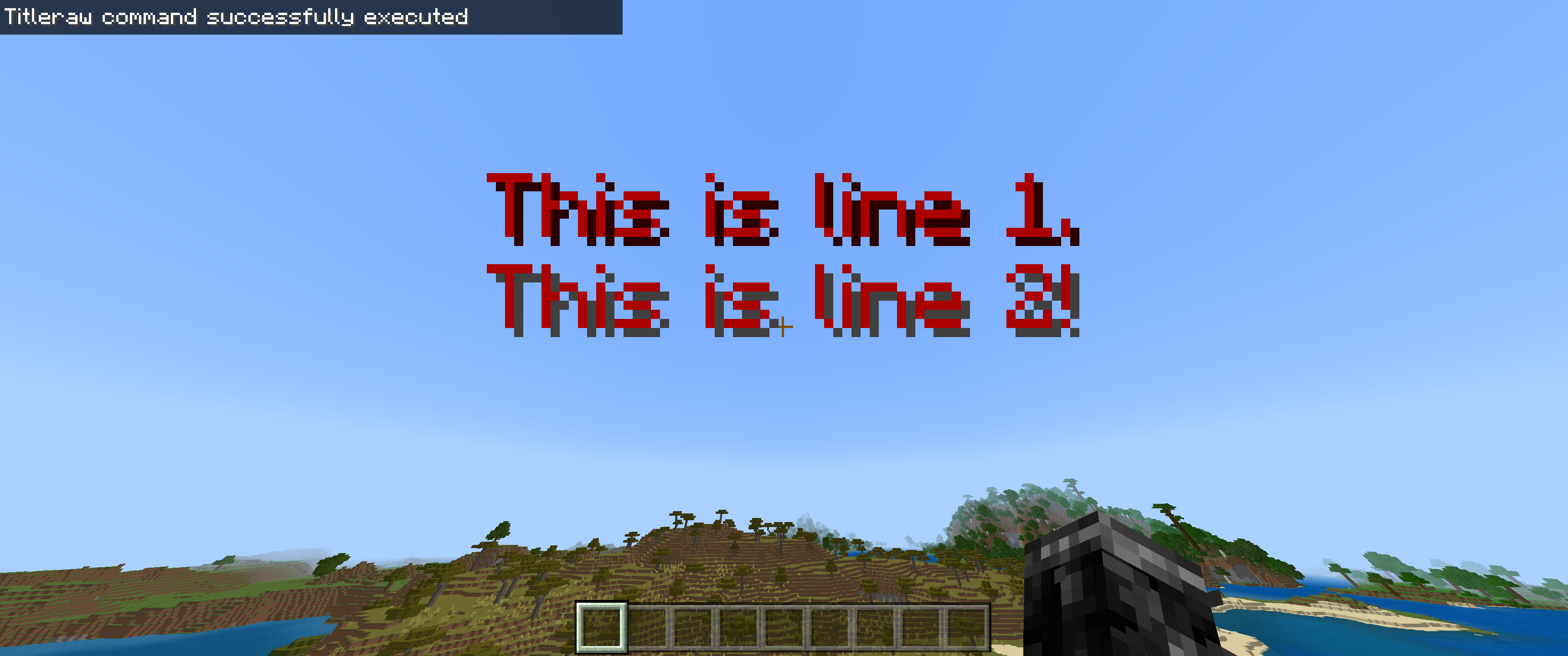
Creating a title with the new line character & formatted colors causes the text shadows to appear incorrectly for subsequent lines.
To reproduce this bug, create a file en_US.lang in your resource pack & create the translation key:
title.test.sampletext=§4This is line 1.%1This is line 2!Add the resource pack to a world & run this command:
{"translate":"title.test.sampletext","with":["\n"]}
/titleraw @a title {"rawtext":[]}
Instead of the text shadow being consistent between these two lines, they appear differently. This affects map creators. There is probably an easier way to reproduce this issue, but this is how I encountered the bug.
For context, the translation string before the new line character has a shadow color of#2A0000, appropriate for the chosen §4 color code. After the new line, the game chooses #404040, which is the default shadow for uncolored text.The reason this bug is significant is because title text does not wrap around. Its size is set & translation strings that work with English may be too long in other languages. A new line is necessary to fit more words. The 8 short words in the example string don't fit on a 1080p monitor with GUI scale 0 without a break. Marketplace content should work the same for all devices with default settings without text being hard to read.
Creating a title with the new line character & formatted colors causes the text shadows to appear incorrectly for subsequent lines.
To reproduce this bug, create a file en_US.lang in your resource pack & create the translation key:
title.test.sampletext=§4This is line 1.%1This is line 2!Add the resource pack to a world & run this command:
{"translate":"title.test.sampletext","with":["\n"]}
*/titleraw @a title {"rawtext":[]}*
Instead of the text shadow being consistent between these two lines, they appear differently. This affects map creators. There is probably an easier way to reproduce this issue, but this is how I encountered the bug.
For context, the translation string before the new line character has a shadow color of #2A0000, appropriate for the chosen §4 color code. After the new line, the game chooses #404040, which is the default shadow for uncolored text.The reason this bug is significant is because title text does not wrap around. Its size is set & translation strings that work with English may be too long in other languages. A new line is necessary to fit more words. The 8 short words in the example string don't fit on a 1080p monitor with GUI scale 0 without a break. Marketplace content should work the same for all devices with default settings without text being hard to read.
I found a workaround: Explicitly redefining the color of subsequent new lines, such as in the example below, allows the game to correctly color the text's shadows.
title.game.moreneeded=§4This line is red.%1§4This one is too!
Creating a title with the new line character & formatted colors causes the text shadows to appear incorrectly for subsequent lines.
To reproduce this bug, create a file en_US.lang in your resource pack & create the translation key:
title.test.sampletext=§4This is line 1.%1This is line 2!Add the resource pack to a world & run this command:
{"translate":"title.test.sampletext","with":["\n"]}
*/titleraw @a title {"rawtext":[]}
*Instead of the text shadow being consistent between these two lines, they appear differently. This affects map creators. There is probably an easier way to reproduce this issue, but this is how I encountered the bug.
For context, the translation string before the new line character has a shadow color of #2A0000, appropriate for the chosen §4 color code. After the new line, the game chooses #404040, which is the default shadow for uncolored text.The reason this bug is significant is because title text does not wrap around. Its size is set & translation strings that work with English may be too long in other languages. A new line is necessary to fit more words. The 8 short words in the example string don't fit on a 1080p monitor with GUI scale 0 without a break. Marketplace content should work the same for all devices with default settings without text being hard to read.
I found a workaround: Explicitly redefining the color of subsequent new lines, such as in the example below, allows the game to correctly color the text's shadows.
title.game.moreneeded=§4This line is red.%1§4This one is too!Creating a title with the new line character & formatted colors causes the text shadows to appear incorrectly for subsequent lines.
To reproduce this bug, create a file en_US.lang in your resource pack & create the translation key:
title.test.sampletext=§4This is line 1.%1This is line 2!Add the resource pack to a world & run this command:
{"translate":"title.test.sampletext","with":["\n"]}
_/titleraw @a title {"rawtext":[]}_
Instead of the text shadow being consistent between these two lines, they appear differently. This affects map creators. There is probably an easier way to reproduce this issue, but this is how I encountered the bug.
For context, the translation string before the new line character has a shadow color of #2A0000, appropriate for the chosen §4 color code. After the new line, the game chooses #404040, which is the default shadow for uncolored text.The reason this bug is significant is because title text does not wrap around. Its size is set & translation strings that work with English may be too long in other languages. A new line is necessary to fit more words. The 8 short words in the example string don't fit on a 1080p monitor with GUI scale 0 without a break. Marketplace content should work the same for all devices with default settings without text being hard to read.
I found a workaround: Explicitly redefining the color of subsequent new lines, such as in the example below, allows the game to correctly color the text's shadows.
title.game.moreneeded=§4This line is red.%1§4This one is too!
Creating a title with the new line character & formatted colors causes the text shadows to appear incorrectly for subsequent lines.
To reproduce this bug, create a file en_US.lang in your resource pack & create the translation key:
title.test.sampletext=§4This is line 1.%1This is line 2!Add the resource pack to a world & run this command:
{"translate":"title.test.sampletext","with":["\n"]}
_/titleraw @a title {"rawtext":[]}_
Instead of the text shadow being consistent between these two lines, they appear differently. This affects map creators. There is probably an easier way to reproduce this issue, but this is how I encountered the bug.
For context, the translation string before the new line character has a shadow color of #2A0000, appropriate for the chosen §4 color code. After the new line, the game chooses #404040, which is the default shadow for uncolored text.The reason this bug is significant is because title text does not wrap around. Its size is set & translation strings that work with English may be too long in other languages. A new line is necessary to fit more words. The 8 short words in the example string don't fit on a 1080p monitor with GUI scale 0 without a break. Marketplace content should work the same for all devices with default settings without text being hard to read.
I found a workaround: Explicitly redefining the color of subsequent new lines, such as in the example below, allows the game to correctly color the text's shadows.
title.game.moreneeded=§4This line is red.%1§4This one is too!Creating a title with the new line character & formatted colors causes the text shadows to appear incorrectly for subsequent lines.
To reproduce this bug, create a file en_US.lang in your resource pack & create the translation key:
title.test.sampletext=§4This is line 1.%1This is line 2!Add the resource pack to a world & run this command:
/titleraw @a title {"rawtext":[{"translate":"title.test.sampletext","with":["\n"]}]}Instead of the text shadow being consistent between these two lines, they appear differently. This affects map creators. There is probably an easier way to reproduce this issue, but this is how I encountered the bug.
For context, the translation string before the new line character has a shadow color of #2A0000, appropriate for the chosen §4 color code. After the new line, the game chooses #404040, which is the default shadow for uncolored text.The reason this bug is significant is because title text does not wrap around. Its size is set & translation strings that work with English may be too long in other languages. A new line is necessary to fit more words. The 8 short words in the example string don't fit on a 1080p monitor with GUI scale 0 without a break. Marketplace content should work the same for all devices with default settings without text being hard to read.
I found a workaround: Explicitly redefining the color of subsequent new lines, such as in the example below, allows the game to correctly color the text's shadows.
title.game.moreneeded=§4This line is red.%1§4This one is too!
Creating a title with the new line character & formatted colors causes the text shadows to appear incorrectly for subsequent lines.
To reproduce this bug, create a file en_US.lang in your resource pack & create the translation key:
title.test.sampletext=§4This is line 1.%1This is line 2!Add the resource pack to a world & run this command:
/titleraw @a title {"rawtext":[{"translate":"title.test.sampletext","with":["\n"]}]}Instead of the text shadow being consistent between these two lines, they appear differently. This affects map creators. There is probably an easier way to reproduce this issue, but this is how I encountered the bug.
For context, the translation string before the new line character has a shadow color of #2A0000, appropriate for the chosen §4 color code. After the new line, the game chooses #404040, which is the default shadow for uncolored text.The reason this bug is significant is because title text does not wrap around. Its size is set & translation strings that work with English may be too long in other languages. A new line is necessary to fit more words. The 8 short words in the example string don't fit on a 1080p monitor with GUI scale 0 without a break. Marketplace content should work the same for all devices with default settings without text being hard to read.
I found a workaround: Explicitly redefining the color of subsequent new lines, such as in the example below, allows the game to correctly color the text's shadows.
title.game.moreneeded=§4This line is red.%1§4This one is too!Creating a title with the new line character & formatted colors causes the text shadows to appear incorrectly for subsequent lines.
To reproduce this bug, create a file en_US.lang in your resource pack & create the translation key:
title.test.sampletext=§4This is line 1.%1This is line 2!Add the resource pack to a world & run this command:
/titleraw @a title {"rawtext":[{"translate":"title.test.sampletext","with":["\n"]}]}Instead of the text shadow being consistent between these two lines, they appear differently. This affects map creators. There is probably an easier way to reproduce this issue, but this is how I encountered the bug.
For context, the translation string before the new line character has a shadow color of #2A0000, appropriate for the chosen §4 color code. After the new line, the game chooses #404040, which is the default shadow for uncolored text.The reason this bug is significant is because title text does not wrap around. Its size is set & translation strings that work with English may be too long in other languages. A new line is necessary to fit more words. The 8 short words in the example string don't fit on a 1080p monitor with GUI scale 0 without a break. Marketplace content should work the same for all devices with default settings without text being hard to read.
I found a workaround: Explicitly redefining the color of subsequent new lines, such as in the example below, allows the game to correctly color the text's shadows.
title.test.sampletext=§4This line is red.%1§4This one is too!

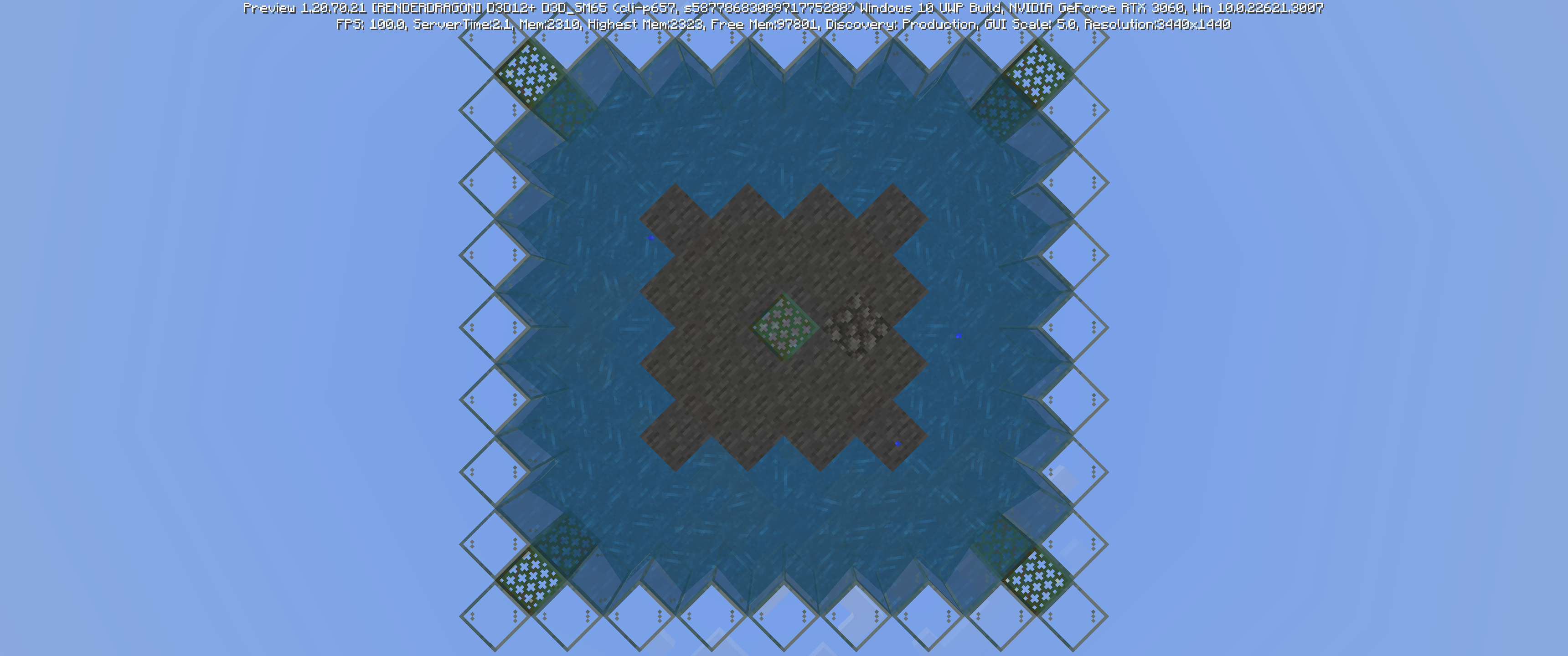
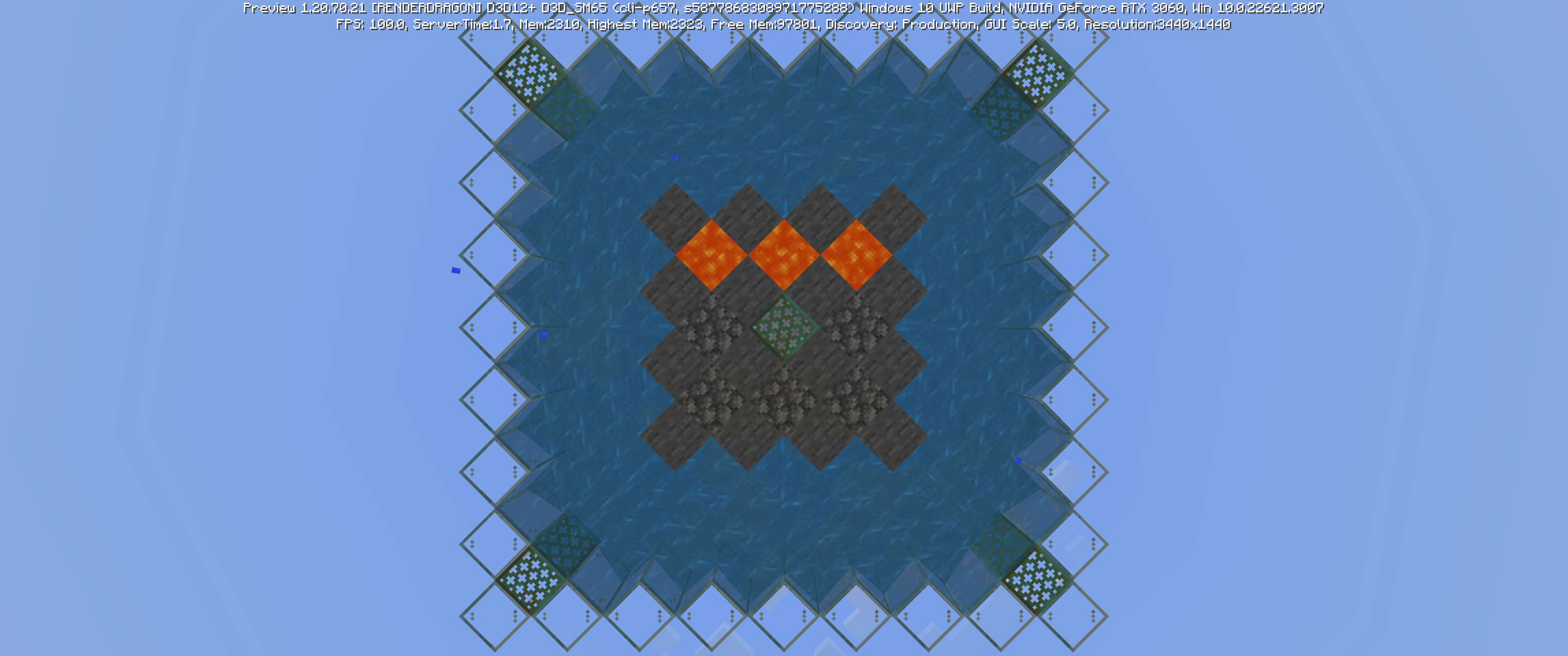
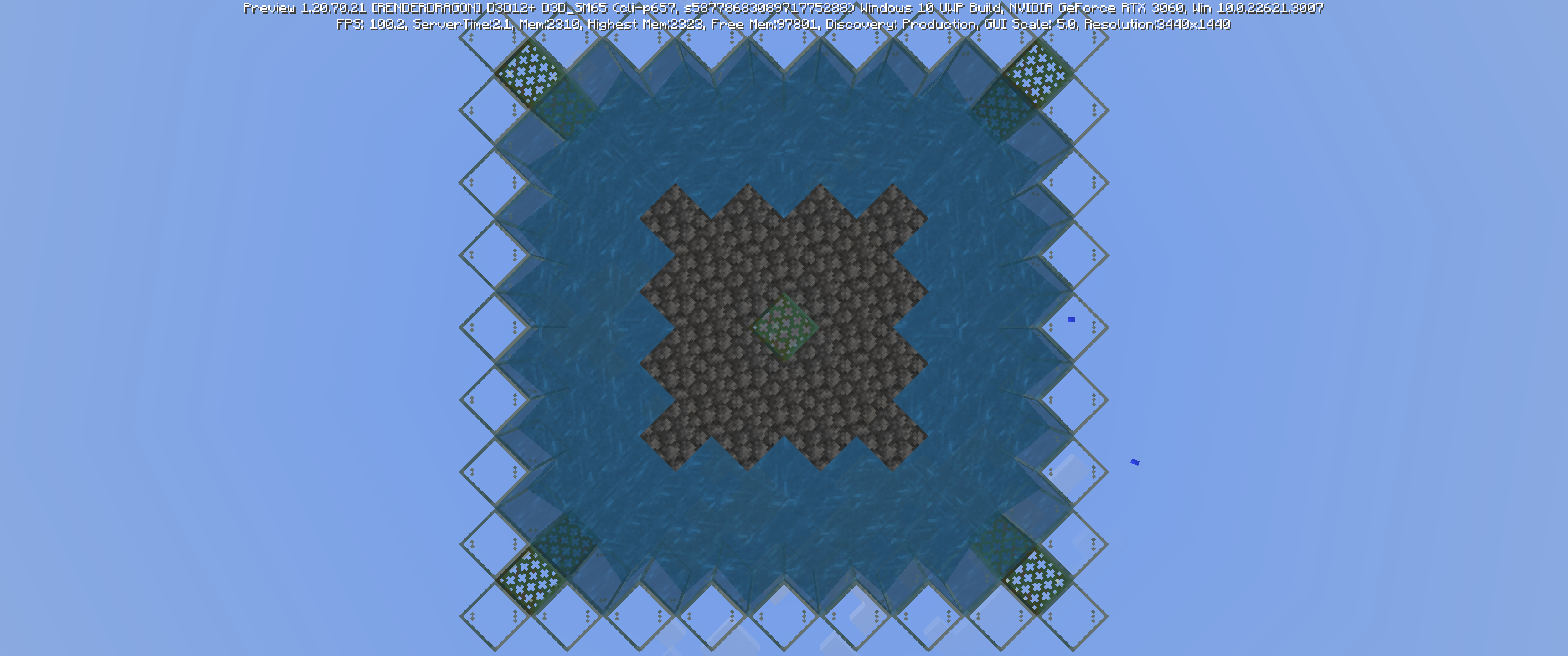
Duplicate of
MCPE-79821

@DAMON LIGHTFOOT Douglas F Correa Is totally right. I have coded an addon myself and that takes hours let alone. Imagine the time it takes to make a change to SEVERAL platforms. Yeah, it takes a long time.

Douglas F Correa, I just tested in 1.16.100 and the issue is still there, though it's worth noting that it only occurs when smooth lighting is enabled (and is most clearly visible when brightness is set to 0). I've updated the issue description to mention this.
1.16.101 appears to be a Switch + mobile-only hotfix with no bugfixes related to lighting, so I'm guessing the bug isn't actually fixed in that version. If it does still appear to be fixed with smooth lighting enabled and brightness set to 0 (and make sure it's in a dark room or at night), let me know.

@ OP does MCPE-104820 describe your issue?
Douglas F Correa MCPE-104820 is your issue
![[Mod] EVGENSYPERPRO](../../../data/avatars/users/92853.png)
you found a slightly different bug. This is a generation bug (and quite rare). And the author of the report seems to have a bug MCPE-123316. You have a reed floating in the air, and in the report stands on the water.
I will create a new report to report this issue)
![[Mod] GoldenHelmet](../../../data/avatars/users/18951.svg)
Douglas F Correa: please stop adding extra labels to all of your reports. It is not helpful and just adds noise.
The main labels that bug tracker staff and/or Mojang actually use are vanilla-parity, java-parity (for issues that are not valid as parity differences alone), and awaiting-confirmation. These labels help to classify and generate lists of reports based on criteria that are not typically stated in the summary or description. Labels that merely state what the report is about are redundant because you can already search for reports by keyword.
Douglas F Correa: Thank you, but confirming that a bug doesn't affect you (or no longer affects you) is not helpful. Bugs often affect some people and not others. We therefore rely on players to tell us when a bug exists, but on Mojang to tell us when it's fixed.

How say Douglas F Correa swithing-on UAC at least on first lvl fix this problem.
Hi, Auldrick. I added pufferfish to the list. I've tried this with an unenchanted fishing rod, one with just mending//unbreaking, lure III, you name it. I'll do 100 runs with a lure III (no luck of the sea) & post the image here.
Yes, enchanted bows are in the fishing loot table.
This is completely vanilla with resource packs. I've earned achievements in this world, even today. This world originally came from a corrupt file, but the chunks themselves are 1.12+ generated, with all other features working as expected (aside from bugs).
Actually, let me try something...
Ah, OK. When I was recovering the world files, I changed my "luck" value to 800. I guess that value doesn't change in gameplay. I set it to 0 & I'm getting pufferfish, cod, & salmon. I might do another 100 trials with a Luck of the Sea-enchanted fishing rod to see the difference.
I had no idea the luck value made any difference in gameplay! I thought it was a residual feature that never got implemented.
Yeah, I did a little over 100 runs & got leather, boots, 25 pufferfish, a bowl, a bone, cod & salmon, & everything I already mentioned except for bows. I had no idea you could fish water bottles!
This might be a long shot, but this bug might be related to https://bugs.mojang.com/browse/MCPE-55290
You mean your game crashes. The character thing is known & is (hopefully) getting fixed soon.
I don't know Italian, but I do know Microsoft Translator. Have you tried changing your controller settings in Minecraft? Try Settings > Controller & scroll down to the bottom & hit "Default Settings". I'm not sure if this will translate to exactly the correct Italian words, but the concept should be the same.
It's best that you separate the bugs into separate bug reports. The 1st bug is well-known by now, so you don't need to worry about that. Blaze are able to spawn with high light levels (up to 11), so you'll probably need more glowstone. Make a separate report if that still doesn't fix the issue.
As for the jumping thing, are you next to non-solid blocks when that happens? Do you have autojump on? I'm asking so that the mods know a little more about the nature of the bug, assuming others haven't already posted it.
*instant, instantly
That's very strange! I wonder why the game does that. Are those newly generated chunks, or have you already been there?
Translation to English:
When you stack up, you sometimes bug in the block below or next to it. This happens when you wear Elytra (my experience). But if you also fly fast with the Elytra against something, you can sometimes fly through the block.
I noticed this bug when I was playing with two friends on an MCPE world with a laptop (win 10 edition).
Have you updated from the App Store? Does this happen to newly created worlds as well?
Have you tried resetting your keybinds? (Settings > Keyboard & Mouse > scroll all the way down & click Default Settings)
So, what you're saying is you can see the sign through the glass, but you can't read what's written on the sign?
I just went into creative to check multiple villages; all fine. Are you sure there are no chests? When it comes to the desert temple, that is weird. Are you playing on Realms?
Edit: Anything special about this world? Do other worlds have the same issue?
Tienes hacer un reporte en Ingles.
You have to post the issue in English for the mods to be able to read it.
Fear not! There is a way to get around the bell bug: Break another bell. When the two items stack, they work perfectly fine.
Does this happen in survival & creative?
Hi, David! I've been working on a font for a resource pack & have been using default8.png to change the appearance. Unfortunately, when any character outside the image set is introduced, everything defaults to Mojangles & there is no customization present. Do you happen to know which characters belong in the final columns of row 2, & the last column of rows 8 & 16? (A pentagon is present in (8,16), but it doesn't appear to be linked to any characters I'm aware of, such as Greek delta (Δ)...)
More importantly, do you know where the .ttf belongs in the vanilla pack//a resource pack? Perhaps creating a new font would be better than using the image file.
I think the game also doesn't load when out of focus. I checked task manager & nothing seems out of the ordinary.
What do you mean?
Weird!
Sorry about that! I usually do check for duplicates… whoops. Upvoted!
Confirmed in Win10 up to 1.13.1. I haven't had any issues since 1.14 was released because it hasn't been out long enough, but I'll be checking!
Hi, Jay! I believe my client was offline while the game crashed. Are these events logged when the device reconnects to the internet?
What do you mean "from behind"?
Have you tried on different worlds?
Not a bug—feature.
Do you use the same account each time?
This is also seen, to varying levels of certainty, in
MCPE-62351,MCPE-61955, etc.You're still on 1.13?
Can this issue be closed now?
Confirmed on Windows 10 as well.
@bugsbugsbugs This is actually novel to the 1.15 & 1.16 betas.
(Unless you mean it's related in that the same code is what's wrong with it).
This is duplicated by
MCPE-69442(1.15 RTX) &MCPE-76708.Thanks to my Resource Viewing World which I shamelessly mention I will release soon, I was able to see every block in the game. This does not affect ender crystals, conduits, enchanting table, or the end portal/gateway.
This does affect every other animated block except for those with distinct state changes, viz. blocks that change state due to user input
This was already posted in
MCPE-76180.Is this problem still occurring for you?
Affects 1.16.0.61
@bugsbugsbugs So, this is intended behavior?
Ah, I see. Maybe this would better be reported as a feature request than a bug?
Can you attack a picture of your skin & the language shown?
@De1iciousKebab There are only air blocks between the bookshelves & the enchanting table. Also, 15 is the amount to get to level 30.
@DavidGamer565 Has removing & replacing the enchanting table helped at all? Also, are you playing with or without experimental features?
@rodrigout2311 Translation: After some time, the ender dragon's health bar disappeared. Upon killing the dragon, I received no experience. Has this bug been reported before?
Have you tested this in creative or as an experiment to see if this has to do with being too far away, chunk borders, or other variables?
To add to this, the durability bars differ between items in an inventory/chest & being picked up within the inventory–2 items of similar durability may be appear mutually more durable than the other, depending on which durability bar you use to compare the 2.
1) Do these remain after logging out & back in?
2) Does this happen with any other block?
3) Were there any thing you did before placing them that may have caused them to bug out?
@Jose+Cabrera @SoloEspero @sparkzlee What seeds have y'all used for the worlds with this issue?
@Blobs2 I believe ghasts will attack non-players if they are attacked (e.g. snow golem).
Currently affects cave spiders as of 1.16.0.61. Spiders rotate onto their back, which seems intended.
As part of a broader solution, I think this should apply to cartography tables, string, smithing table, & the crafting table. Piston, observer, & stair placement should be improved. Chains should go be able to go sideways.
Please change the "affects versions" to the 1.15 beta.
Which music discs have you tried?
I've tested all in 1.16.0.61 & they all work in the overworld.
Try applying the resource pack to the world itself. I'm going to look for bugs that may have the same cause as this.
I see. Does this happen in other worlds or other areas of this same world?
Did you craft the bookshelves recently?
This is a duplicate of your previous bug report,
MCPE-79041.No bug has been reported yet. I'll do that soon... try making a new world with your global resources changed to any resource pack that isn't vanilla-looking. Without changing the new world's resources, do the textures appear?
@srnatthan Yep.
WAI
This works as intended (WAI).
I've tried with & without experimental mode with gold ore & nether gold ore. Everything worked as expected. I tested with wooden planks (easiest to get in creative) in a normal furnace.
Have you tried pressing F1?
Looks like a resource pack model error.
Can you send a screenshot?
In a new chunk, I deleted all blocks except the ores & replaced bedrock with glass. In a 80*80 region, I found 121 diamond ore from y=2 to y=15. Between y=10 & y=13 (what you'd see if you stood at y=11), I found 28 diamond ores. This is 23% of the ore in 28% of the possible spawning layers, which is within the range of error for just a 25-chunk region. This was tested in an extreme hills biome, but I've no idea if emerald ore generation would affect the rates at all. (31% was between 2-5 (partially in bedrock), 33% was between 6-9 (partially in lava), & 12% was between 14-15.)
Conclusion: You should be able to find diamond. Make sure you're just above the lava layer with a water bucket & try mining perpendicular to your main tunnel.
I believe this is fixed in 1.16.
Note: The even numbers for the stone data (viz 2, 4, 6) are the polished versions of granite, etc.
Huh. It's been like this for so long that I didn't even realize it was a bug!
This is a good thing to add to the code, The same thing occurs with blank-named items in the inventory.
This doesn't seem to be the case in 1.16 betas.
Does not occur on Win10. However, some items do flash white or another texture briefly.
Is this bug still a thing?
Slowmo: https://youtu.be/NaUmClMMBOo
1.16.0.67
This won't affect undead mobs, I think.
I believe this affects the betas up to 1.16.0.67.
1.16.0.67?
That is a very good point!
If I understand correctly, you're saying blocks moved by a piston are unable to be moved again after 2 gt 50% of the time?
This also occurs with my custom resource pack.
What needs to be updated? The code tells MC to read from icons.png (or whatever file it is) from (x,y) with a size w•z. This functionality does not work. It has always worked before. The reason vanilla looks fine is because it uses individual files for each effect, which makes the pack size needlessly large.
This is easily fixed with resource packs.
@Damon Lightfoot That's unfair to say. There are 1000s of bugs to deal with, & most of them don't have a 2-minute fix. This bug is also difficult to come across, making patching more difficult.
@Flavia Those items are lost forever. Also, please stick to English in the bug reports.
@MemoGoodNameYes Yes.
"Enter" is now an accepted "character". Will check other .json thing later (maybe)... This is partially resolved.
This bug continues to affect up to 1.16.40.
Continues to affect 1.16.40.
Affects 1.16.40 Win10 edition.
Can you add 1.16.40 to the affected versions list?
Resolved
Fixed in 1.16.100?
Has this been fixed yet?
Is this still happening?
Has this been resolved yet?
Mojang changed the way pitch works in the sound definitions file. Do you have an active resource pack in the world?
I'd like to add that this bug occurs with all tools, including weapons. To reproduce, craft a sword & attempt to hit a golem or other mob. They will not take damage. Hit again & they will.
Please include specific information such as the info in the
MCPE-106742report & my comment to make searching for this bug easier & to close that as a copy. Viz, include text stating that using an item (that has been crafted) for the first time does not work.Thanks.
Copy of
MCPE-71243Reported in
MCPE-71243WAI, copy of previous report
Already reported in
MCPE-71243Duplicate of
MCPE-71243Is it possible for you to get a screenshot on your device & send it instead of taking a picture of it?
Add issue: damage sound delay (& possibly inability to "MLG bucket" or place hay bale to prevent/reduce fall damage)
My guess is WAI.
Duplicate of
MCPE-78259Duplicate of
MCPE-78259Confirmed for 1.16.101
Confirmed for 1.16.101 in creative
All splash potions have the spirally particle, none of them have the star (1.16.101).
Any response from the Java devs?
Good questions.
On one hand, you're rowing with 2 hands, so you shouldn't be holding anything. On the other, you're able to attack & interact while rowing, so not including the item in your hand would be confusing. I believe either there should be a game mechanic change or this should be marked as WAI.
Is this WAI? Should this be a feature request?
Confirmed for release 1.16.101. Solution is simple fix in vanilla resource file.
Fixed as of 1.16.101 by rendering stairs as transparent.
WAI?
Is this report still valid? Can anyone reproduce this still?
I believe this is inconsistent across devices—I cannot sprint sideways or backwards on iOS.
So, is this fixed?
Can anyone reproduce?
Confirmed for 1.16.101.
This bug is somehow simultaneously reported as MCPE-25228 & MCPE-17595. If 70 blocks is the entity render limit, perhaps a bug report should be opened stating that beacon beams should not be considered entities in terms of how they're rendered.
Is this considered WAI or will it be paired with Java?
Rested in 1.16.101. Large spruce works as intended (I guess? turns coarse dirt into podzol), coarse dirt does not appear to be changed, but podzol does get converted to dirt for non-large spruce saplings that get bonemealed.
Is this report now invalid?
This is fixed, right? Cannot test ATM due to separate iOS-specific MCPE bug.
For anyone who failed to achieve this, can you try shearing sheep of each color? Ideally, the achievement is granted when you have at any point had each of the 16 wool colors in your inventory, not necessarily at the same time. I wonder how the game "knows" you've achieved this, though.
Game is hardly playable wearing a pumpkin at max FOV.
Affects 1.16.101 (Thanks gamingbro6191)
Tested in 1.16.100. Issue persists. Shulker box can open into top slab in any orientation, but cannot open into bottom slab in any orientation.
Added images from MCBE 1.16.100 & MCJE 20w48a.
To reword what I think @77Tigers said: the "branch" chunk is loaded & then the "trunk" chunk is loaded. If the tree isn't present to generate, the branches don't cross the chunk border. But then the trunk is generated with branches that were supposed to hang over pregenerated chunks, which cannot happen (yet?).
To simplify, imagine chunk 0 is the trunk chunk & chunk 1 is the branch chunk. Chunk 1 is loaded first & because there is no tree populated in that chunk, no tree generates. Chunk 0 is then generated & the game is told that some branches need to be in chunk 1. Unfortunately, chunk 1 has already been generated & the result is a spliced tree.
Affects 1.16.100. Appears to be caused by game turning the texture 180 degrees when the minecart is 45 degrees on a curved rail. Its behavior on the NE curved rail (pointing south & west) is particularly jittery, flipping from 1 orientation to the other when entering the corner & flipping back when exiting.
This is in Java Edition. There is no red sandstone-only the terracotta. I believe this report to be invalid, as it is a feature request as opposed to Java-parity.
Affects 1.16.100. Confirmed boats being pushable with boats in 20w48a.
Does this only occur with resource packs that use terrain-atlas.tga format? I don't know if perhaps the vanilla pack on Samsung Galaxy Tab 4 (Android 5) uses that still as opposed to distinct files used in Win10 & other platforms?
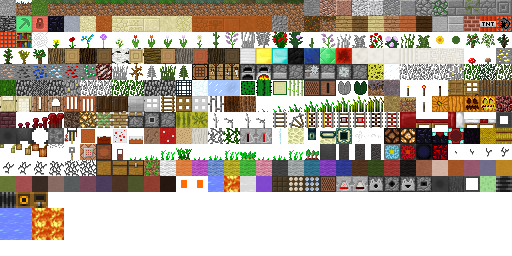
As seen in this image, @Dr.Awesome4333's observations seem to match this image, with each texture being replaced with the one 2 above (I got this image from this wiki page which is vertically flipped, so I guess technically the textures are replaced by the ones 2 below?). As you can see, the torch is replaced by the quartz pillar. the vines (grey) are replaced with iron bars; & as you can see from one of the other images, water & lava link to potato crops.
It's noteworthy that there have been 14 distinct versions of terrain-atlas.tga in MCPE alpha. & some of the gameplay images appear to display textures offset by more than 2 vertically, & some seem offset horizontally as well.
Modern screenshots should help reduce the uncertainty with this issue.
Affects 1.16.100.
Same thing with JE.
Related to MC-172213?Affects 1.16.100.
Affects release 1.16.100.
Duplicate of MCPE-72446.
Still affects 1.16.100.
Same as/related to MCPE-72446. I suggest consolidating both under the older report as the effect is the exact same.
Affects 1.16.101 iOS devices.
Affects 1.16.100 (black screen) & 20w48a (albeit with an actual texture)
Affects 1.16.100. Player range was tested as being ~180 degrees horizontally.
Appears to be fixed in 1.16.100; ocelots & cats make distinct sounds.
Affects 1.16.100. Appears to affect snowy tundra, snowy mountains. & frozen river. Ice spikes. snowy taiga, & snowy taiga hills are fine.
Affects 1.16.100.
That has nothing to do with this bug report. Please only contribute relevant information per the bug report. Look up if the problem you're having is already reported here or consult the proper support. @nightkiller95
Can you add a video/screenshots to show what the layout of the command blocks looks like?
This is in parity with Java. It's also how most redstone components function; pistons & sticky pistons are the only consumers I'm aware of that redirect redstone. The only other components that redirect redstone are producers such as levers, repeaters, target blocks, etc.
Affects 1.16.210.
Affects 1.16.210. Just checked on Java & although it exhibits similar behavior, it is still possible to flicker it with a 2 redstone tick clock. On Bedrock, the fastest clock that flickers the redstone lantern is a 3-RT clock.
This is a result of randomization in piston & other redstone firing.
Affects 1.16.210.
Affects 1.16.210.
Affects 1.16.210.
Affects 1.16.210.
Affects 1.16.210.
This appears to have been fixed.
Still affects to this day. & this won't be fixed?
Affects 1.17.2
Affects 1.17.2
This bug still exists.
Affects cave vines as well in 1.17.2.
Related issue: As shown in
MCPE-130241, the size of the powder snow block appears to grow as you get farther away until suddenly vanishing.Affects 1.17.2
Affects 1.17.2
Still affects 1.17.2
Continues to exist.
Affects 1.17.2
Affects 1.17.2
Note that the opposite side of the water is also unrendered.
Tested with player-generated bee nests (planting (birch) tree by flower), & they always face east as well.
Affects 1.17.2
Affects 1.17.2
Fixed blocks:
hopper: top, pointed down
composter: down
slabs: appropriate faces
iron bars
Yet to be fixed:
daylight sensor: bottom
monster spawner
leaves: just top?
chests: just bottom?
enchantment table: bottom
cauldron: bottom
brewing stand
trapdoors (on appropriate faces of appropriate orientations)
flower pot?
stonecutter: bottom
end portal (frame): bottom
anvil: top
grindstone
(soul) campfire: bottom
lectern: bottom & top?
end rod: top & bottom, not side*
composter: ready?
chorus flower: top
dripstone
(dead) chorus flower
glass pane
*the lightning rod does allows placing on all sides (including the "skinny side", which does not make sense)
Affects 1.17.2
Affects 1.17.2
Affects 1.17.2
Affects 1.17.2
This bug was never resolved or has been reintroduced. As of 1.17.2, this still occurs.
I looked around for structures in the seed "sugar" but only came across two instances of note. The images are labeled sugar 1 & sugar 2.
Minor form in full release version (seed: sugar):

Affects 1.17.2
This continues to occasionally occur in 1.17.2
Affects 1.17.2
Any update?
I may have additional information for this bug. Using LukasPAH's Java Debug Screen addon, I've determined that the game considers blocks above the player when determining if they are underground. This doesn't apply specifically for the case in the end, but related bug reports were all resolved as duplicates. This list includes blocks that, when stood under, give the player the is_underground "tag", but should not:
water
lava
leaves
web
ice
anvil
brewing stand
beacon
In addition, there are some blocks that should place the player underground, but currently don't:
(moss) carpet
lectern
powder snow
end portal (frame)
composter
enchanting table
shulker box
pistons
stairs
daylight sensor
stonecutter
This hopefully explains why (in the overwold), walking under a tree or swimming underwater causes cave sounds to play.
Affects 1.17.2
Affects 1.17.2
Affects 1.17.2
Affects 1.17.2
Affects 1.17.2
Confirmed for 1.17.10. The problematic code is in trading\economy_trades\farmer_trades.json in line 224ish:
{ "min": 0, "max": 5 }"item": "minecraft:suspicious_stew:0",
There is a randomizer underneath, but here you can see the data value is already set to 0, which is the value for night vision. The correct code should be:
"item": "minecraft:suspicious_stew",
"quantity": 1,
"functions": [
{
"function": "random_aux_value",
"values":
}
]
Where 0 is night vision, 1 is jump boost, 2 is weakness, 3 is blindness, 4 is poison, & 5 is saturation (from dandelion). This seems in parity with Java as the other data values (saturation from blue orchid, fire resistance, regeneration, & wither) don't appear in Java trades.
TLDR: Change the line "item": "minecraft:suspicious_stew:0", to "item": "minecraft:suspicious_stew", in farmer_trades.json.
Affects 1.17.10.
Also appears to affect all riders (in boat, minecart, horse, llama, donkey, mule, & probably jockeys as well), mob or player.
Affects 1.17.10
The generation matches the shattered savanna biome & is intentional.
This is due to how Bedrock renders flowers, crops, cobwebs, & the like.