 user33
- Den28Rus
- den28rus
- Asia/Chita
- Yes
- No
 MC-67946
![[Mojang] Chi Wong](../../../data/avatars/users/18941.svg)


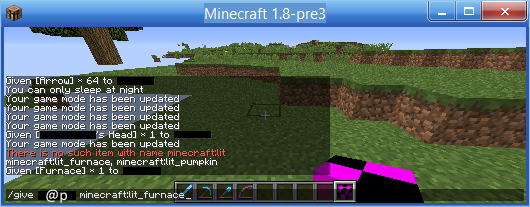


Still 14w10c
Video in the studio! hardly noticeable bugSorry, I'm bad in English.
Still 14w10c
Hardly noticeable bugSorry, I'm bad in English.
bandicam 2014-08-18 16-33-46-151.avi
Windows 8.1 64bit Ver:1; Java Version: 1.8.0_11 64bit
Windows 8.1 64bit Ver:1;
Java Version: 1.8.0_11 64bit
invisible all banners, some skulls and ender chests.
Sorry. I am bad in Englishюinvisible all banners, some skulls and ender chests.
Sorry. I am bad in English.
Steps to Reproduce:
1. Drop any item/block.
2.can not be explained
3. Exit to menu
4. Re-enter the world.
5. Already 2 stacks!
I am bad in English.Steps to Reproduce:
1. Drop any item/block.
2. Open pause menu before the capture of a moment the item
3. Exit to main menu.
4. Re-enter the world.
5. Already 2 stacks.
I am bad in English.
Workbenches andfurnaces do not burnWorkbenches and signs do not burn
Darkertexture of cracks on the sides with the option turned off, "Smooth Lighting"
Ocelots can not be tamed in creative mode, if it is very close to you.
What I expected to happen was...:
Ocelot tamed.What actually happened was...:
Near ocelot appear hearts, nothing more happens.Steps to reproduce:
1. Go to creative mode.
2. Spawn or find ocelot.
3. Try to tame ocelot.
FallingSand becomes invisible, if it is near the edge of the world
FallingSand becomes invisible, if it is near the edge of the world.


When I use the carrot on a stick while riding on a pig, the pig does not go anywhere, and the durability of a carrot on a stick is not wasted. When I click the right mouse button while driving on a pig durability of carrot on a stick is greatly reduced.
When I use the carrot on a stick while riding on a pig, the pig does not go anywhere, and the durability of a carrot on a stick is not wasted. When I click the right mouse button while driving on a pig durability of carrot on a stick is greatly reduced visually.
When I use the carrot on a stick while riding on a pig, the pig does not go anywhere, and the durability of a carrot on a stick is not wasted. When I click the right mouse button while driving on a pig durability of carrot on a stick is greatly reduced visual
ly.


Duplicate MC-84789
Wolves are not visually begging, if the player holds in his hand bone. However, wolves begging, if a player is holding the meat.
Steps to Reproduce:
1. Spawn or find a wolf.
2. Hold the bone, standing next to a wolf.
The particles of the explosion are displayed when switched off particles. (minimal)
What I expected to happen was...:
After the explosion of TNT particles will not.What actually happened was...:
After the explosion, the particles do not disappear.Steps to reproduce:
1. Set the particles to a minimum.
2. Ignite TNT.
3. profitThe particles of the explosion are displayed when switched off particles. (minimal)
For clarity, in the screenshot, I set torches.
What I expected to happen was...:
After the explosion of TNT particles will not.What actually happened was...:
After the explosion, the particles do not disappear.Steps to reproduce:
1. Set the particles to a minimum.
2. Ignite TNT.
3. profit
The smoke particles of the explosion are displayed when switched off particles. (minimal)
The particles of the explosion are displayed when switched off particles. (minimal)
For clarity, in the screenshot, I set torches.
What I expected to happen was...:
After the explosion of TNT particles will not.What actually happened was...:
After the explosion, the particles do not disappear.Steps to reproduce:
1. Set the particles to a minimum.
2. Ignite TNT.
3. profit

The particles of the explosion are displayed when switched off particles. (minimal)
For clarity, in the screenshot, I set torches.
What I expected to happen was...:
After the explosion of TNT particles will not.What actually happened was...:
After the explosion, the particles do not disappear.Steps to reproduce:
1.Set the particles to a minimum.
2. Ignite TNT.What I expected to happen was...:
After the explosion of TNT particles will not.What actually happened was...:
After the explosion, the particles do not disappear.Steps to reproduce:
Set the parameter of the particles to a minimum.
2. Ignite TNT.
What I expected to happen was...:
After the explosion of TNT particles will not.What actually happened was...:
After the explosion, the particles do not disappear.Steps to reproduce:
Set the parameter of the particles to a minimum.
2. Ignite TNT.What I expected to happen was...:
After the explosion of TNT particles will not.What actually happened was...:
After the explosion, the particles do not disappear.Steps to reproduce:
- Set the parameter of the particles to a minimum.
- Ignite TNT.
The smoke particles of the explosion are displayed when switched off particles.(minimal)The smoke particles of the explosion/mob get killed are displayed when switched off particles (minimal)
The smoke particles of the explosion/mob get killedare displayed when switched off particles (minimal)
The smoke particles of the explosion are displayed whenswitched off particles (minimal)The smoke particles of the explosion are displayed when particles are set to minimal
The smoke particles of the explosion are displayed whenparticlesareset to minimalThe smoke particles of the explosion are displayed when Particles option is set to minimal
What I expected to happen was...:
After the explosion of TNT particles will not.What actually happened was...:
After the explosion, the particlesdo not disappear.Steps to reproduce:
- Set the
parameter of the particlestoa minimum.- Ignite TNT
.What I expected to happen was...:
After the explosion of TNT its particles will not appear.What actually happened was...:
After the explosion, the particles appear and the game lags (on slow computers).Steps to reproduce:
- Set the Particles option to "Minimum"
- Ignite TNT


Boat paddles inyourinventory look the same (all oak), but on the ground look of the respective type of boat.
![[Mod] Torabi](../../../data/assets/gravatar/torabi.png)
Looks like something may have been missed, even though most cases were fixed. Reproduced using the seed and coordinates provided by user33, though it appears that it only happens to that one particular torch in the whole village. It's not on a chunk boundary, and the other "lamppost" structures have all their torches, so I can't even guess at the cause.


user33 Which entities cannot be seen on the edge of the screen?
Could you please specify the entity type?
user33 Thanks for getting back }=)
For entities it is definitely fixed, except some related issues like large block models or if it's at Y=63.
Haven't heard about a player-problem yet, but if it happens again and is reproducable, please do tell }=)

Server brand: Funtime....
Invalid for you user33 as the server is modded.

![[Mod] violine1101](../../../data/avatars/users/92858.png)
user33, can you create a new report for that please? This report hasn't been touched since five years.
![[Mod] Michael Wobst](../../../data/avatars/users/37868.png)
user33 this ticket is yours now.
user33, ticket is yours now.

Can confirm. This is a lag issue - chunks don't load, entities freeze, and other things that are affected by TPS do not respond at all.
Saving and quitting the world while in this state makes the game stay on the 'Saving world' screen for much longer than expected. In fact, I had to close (crash) the game using Task Manager because it wasn't responding (Alt+F4 didn't work).
Additionally, MSPT lag messages were spammed to the log:
[Server thread/WARN]: Can't keep up! Is the server overloaded? Running 2527ms or 50 ticks behind
Interestingly, running the command user33 provided in a Superflat world with no structures does not cause this issue - it instantly gives back an error message, which is what should happen in a normal world:
Could not find a structure of type "#minecraft:on_woodland_explorer_maps" nearby
Unconfirmed in 1.8-pre3
Environment:
Windows 8.1 64-bit, Java 1.8.0_11 64-bit
default resourcepack
Not confirmed in 1.8 pre3
Try /testfor @a[x=89,y=76,z=133,r=5]
stand on these coordinates. Also enter this command in the command block.
Strangely, I have everything working. --Robot Google Translator
In 14w33a, in 14w34d, in 1.8-pre3 and 1.8.
This bug is rare.
I throw the bottle charmed particles are displayed in one place, and throw the bottle a little enchanted elsewhere. Sorry, I do not well versed in English, I'm from Russia, and I use translators from the Internet.
Can confirm in 15w51b
Duplicate
MC-88179Confirmed in 15w51b
Confirmed for 15w51b
Attached coordinates.
Confirmed for 16w02a
Confirmed for 16w03a
Attached screenshots
Confirmed for 16w03a
Cannot reproduce.
Confirmed in 16w04a
Dupe
MC-93619Confirmed for 16w04a
Confirmed. It re-appear in my inventory after restarting the world or after pressing 'Q'. I can attach the proof. https://www.youtube.com/watch?v=_ZH9_jgh0xc
Can not reproduce in 16w05a
Confirmed for 16w05b
Cannot reproduce in 16w06a
Confirmed for 16w06a
Confirmed for 16w06a
Cannot reproduce in 16w06a
Duplicate
MC-96583Fixed in 16w06a
Still in 16w07a
Cannot reproduce.
Confirmed for 16w07a
Chicken looking at me, when I hold the seeds. 16w07a
cannot reproduce in 16w07a
Still in 16w07b
I think screenshots of this ticket and
MC-97251differ.Confirmed for 1.9-pre2.
Сannot reproduce for 1.9-pre2 in Singleplayer
Cannot reproduce.
Confirmed for 1.9-pre2 on moody brightness.
Can reproduce.
Confirmed for 1.9-pre3 with Survival mode.
I can reproduce this.
Confirmed for 1.9-pre4
Confirmed for 1.9-pre4
Confirmed for Minecraft 1.9
Confirmed for Minecraft 1.9
Confirmed not fixed for 1.9
With the player on the server. But it happened only once, so I can't attach the proof.
Confirmed for 16w15b.But the crash does not occur in 16w15a.
Fixed in 16w15b, now you return to 29999999 coordinate when reaching 30000010 and don't fall through the textures. The boat sometimes is destroyed in the sticks and wooden planks. The player or mobs no longer become invisible when the boundaries of the world.
Confirmed for 16w15b.
Confirmed for 1.9.3-pre1
Confirmed for 1.9.4
confirmed for 16w20a
Can confirm
dupe of
MC-89928Confirmed for 16w38a
Confirmed for 16w38a
Confirmed for 16w39a
Confirmed for 16w39c
Confirmed for 16w39c
Confirmed for 1.11, does not occur with a fishing rod
This bug in 17w06a appears if you load the saved empty toolbar and do not fill it. Eliminated if a toolbar fill something and then removed again (sorry for the spelling mistakes, if any)
I noticed that this error only occurs if the last toolbar was empty (that is, you need to load twice as a blank toolbar)
Confirmed for 17w06a
Confirmed for 16w07a
I noticed that when I take a flower from a flower pot, there is no animation in the hotbar, but when I take the item from the armor stand, there is animation in the hotbar.
Fixed (tested in 17w06a), now the arrow drops as an item (in Survival mode).
Confirmed for 17w06a
Confirmed for 17w06a
Confirmed for 17w06a
This bug appeared again in 17w14a. To reproduce this bug, restart the world and scroll through the empty hotbar. After a while this bug will disappear.
Confirmed for 17w14a
Can confirm
Confirmed for 17w14a
Confirmed for 17w14a
Confirmed for 17w14a
Confirmed for 17w14a
Confirmed for 17w14a
Confirmed for 17w14a
Still in 17w14a. Checked by ExplosionRadius: 50
Confirmed for 17w15a
Can confirm
Can confirm
I think this should help:
Can confirm
Can confirm
Confirmed for 17w15a
Confirmed for 17w15a.
Also crosshair does not appear on Ender crystals and painting.
Confirmed for 17w15a
Confirmed for 17w15a
Confirmed for 17w15a
Confirmed for 17w15a
Confirmed for 17w15a
still in 17w15a
Confirmed for 17w15a
Confirmed for 17w16b
Confirmed for 17w16b
Can confirm
Confirmed for 17w16b
Confirmed for 17w16b
Still an issue in 17w16b
Confirmed for 17w16b
Still an issue in 17w17a
Confirmed for 17w17a
Confirmed for 17w17a
Confirmed for 17w17a
Confirmed for 17w17a
Confirmed for 17w17a
Confirmde for 17w17a
Confirmed for 17w17a
Confirmed for 17w17a
Confirmed ofr 17w17a
Confirmed for 17w17a
Confirmed for 17w17a
Confirmed for 17w17a
Confirmed for 17w17b
Confirmed for 17w17b.
Can confirm in multiplayer.
Its will return 'Player '@p [c=2]' not found'.
Confirmed for 17w17b
Confirmed for 17w17b
Confirmed for 17w17b
Confirmed for 17w17b.
Confirmed for 17w17b
Confirmed for 17w17b
Confirmed for 17w17b
Confirmed for 17w17b
Confirmed for 17w17b
Confirmed for 17w17b
Confirmed for 17w17b
Confirmed for 17w17b
Confirmed for 17w17b
Still in 17w17b
Confirmed for 17w17b
Confirmed for 17w17b
Confirmed for 17w17b
Confirmed for 17w17b
Confirmed for 17w17b
Confirmed for 17w17b
Cannot reproduce in 17w17a+
Can confirm for 17w17b
Confirmed for 17w17b
Confirmed for 17w17b
Confirmed for 17w17b
Confirmed for 17w17b
Confirmed for 17w17b
Can confirm for 17w17b
Confirmed for 17w17b
Cannot reproduce in 17w17b & 1.11.2
Confirmed for 17w17b
Confirmed for 17w17b
Confirmed for 17w17b. Note: the message is not shown only to the person who entered this command, other players can see this message.
Confirmed for 17w17a & 17w17b
Confirmed for 17w17b
Confirmed for 17w18a
Confirmed for 17w18a
Confirmed for 17w17b & 17w18a
Confirmed for 17w18a
Confirmed for 17w18a
relates to
MC-115070confirmed for 17w18b
Confirmed for 17w18b
Also affects the players in the creative mode in multiplayer
Confirmed for 17w18b
Still with trapdoors in 17w18b
Please tell us the coordinates of where the problem occurs.
Perhaps a duplicate of
MC-93810Confirmed for 17w18b
Confirmed for 17w18b
Confirmed for 17w18b
Confirmed for 17w18b
Confirmed for 17w18b
Confirmed for 17w18b
Confirmed for 17w18b
Confirmed for 17w18b
Confirmed for 17w18b
Cannot reproduce in 17w18b
Confirmed for 1.12-pre1
Confirmed for 1.12-pre2
Confirmed for 1.12-pre2
Confirmed for 1.12-pre2
Confirmed for 1.12-pre2
Confirmed for 1.12-pre2
Confirmed for 1.12-pre2
Confirmed for 1.12-pre2
Confirmed for 1.12-pre2
Confirmed for 1.12-pre2
Confirmed for 1.12-pre3
Confirmed for 1.12-pre4
Confirmed for 1.12-pre4
Confirmed for 1.12-pre4
Confirmed for 1.12-pre4
Confirmed for 1.12-pre4
Confirmed for 1.12-pre5
Confirmed for 1.12-pre5
Confirmed for 1.12-pre5
Confirmed for 1.12-pre5 with /gamerule reducedDebugInfo true
Confirmed for 1.12-pre5