Chunks can occasionally be misplaced upon loading a world
If you have encountered this issue and your world is broken, you need to restore it from a backup, if you have one.
If you do not have a backup, you will need to repair the world manually. You can do that with mcaselector for example, a tool for managing and deleting chunks in a Minecraft world. It is also capable of swapping chunks, which you can use in order to fix worlds that have been corrupted by this bug. Please note that this tool is not supported by Mojang or the moderator team in any way.
We recommend making a backup of your world before trying to repair it manually, in case things go wrong even more.
The bug
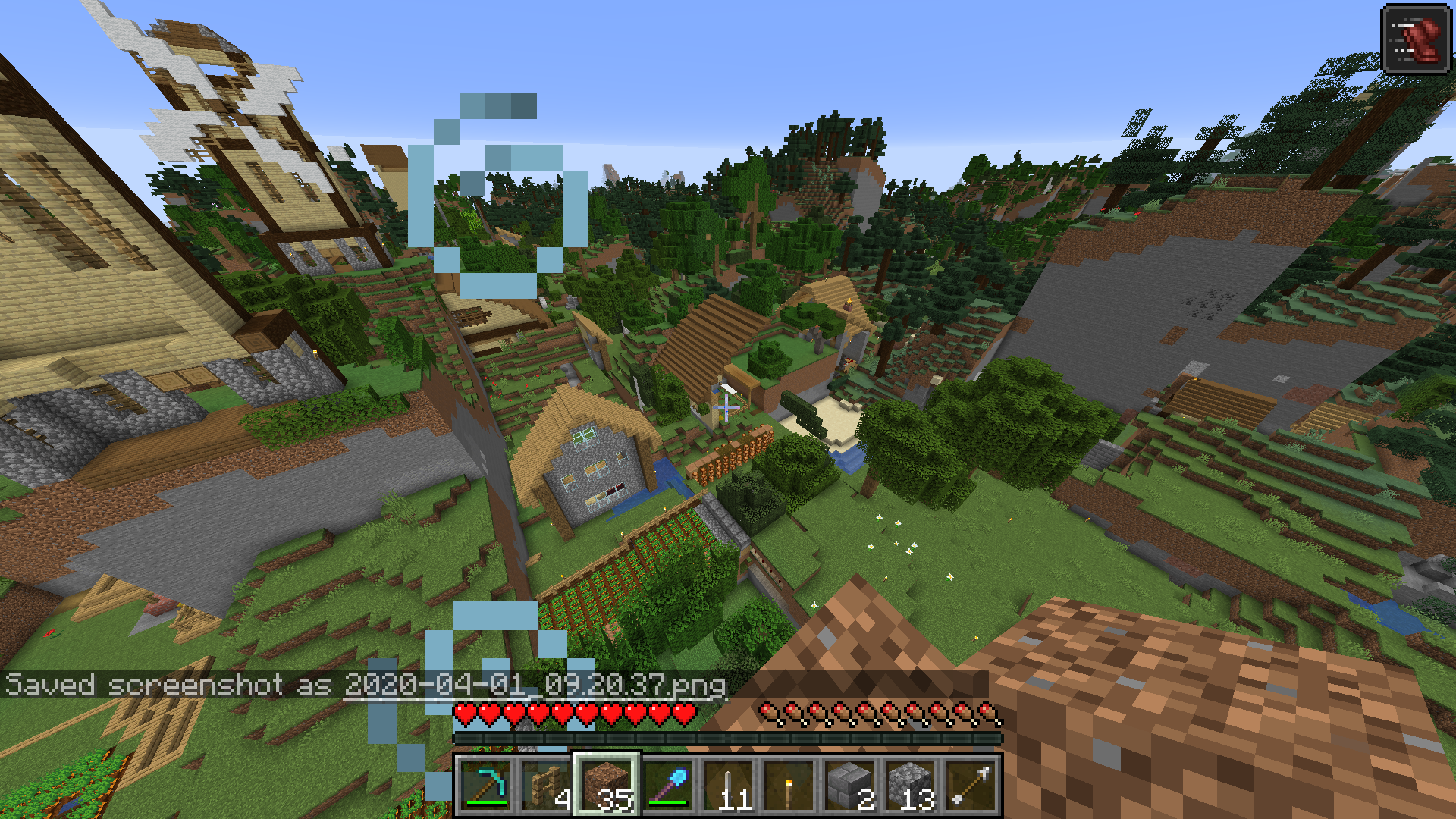
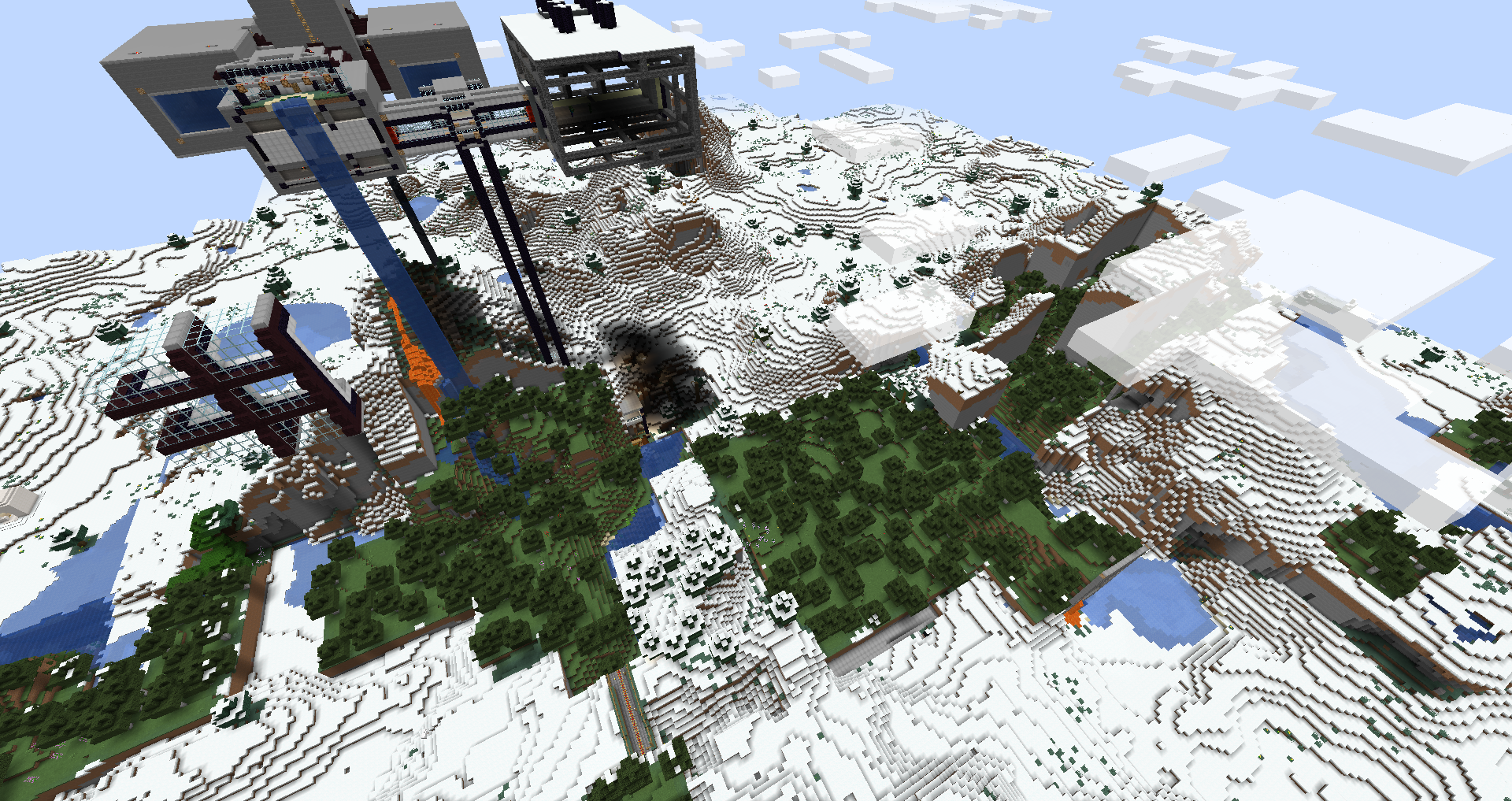
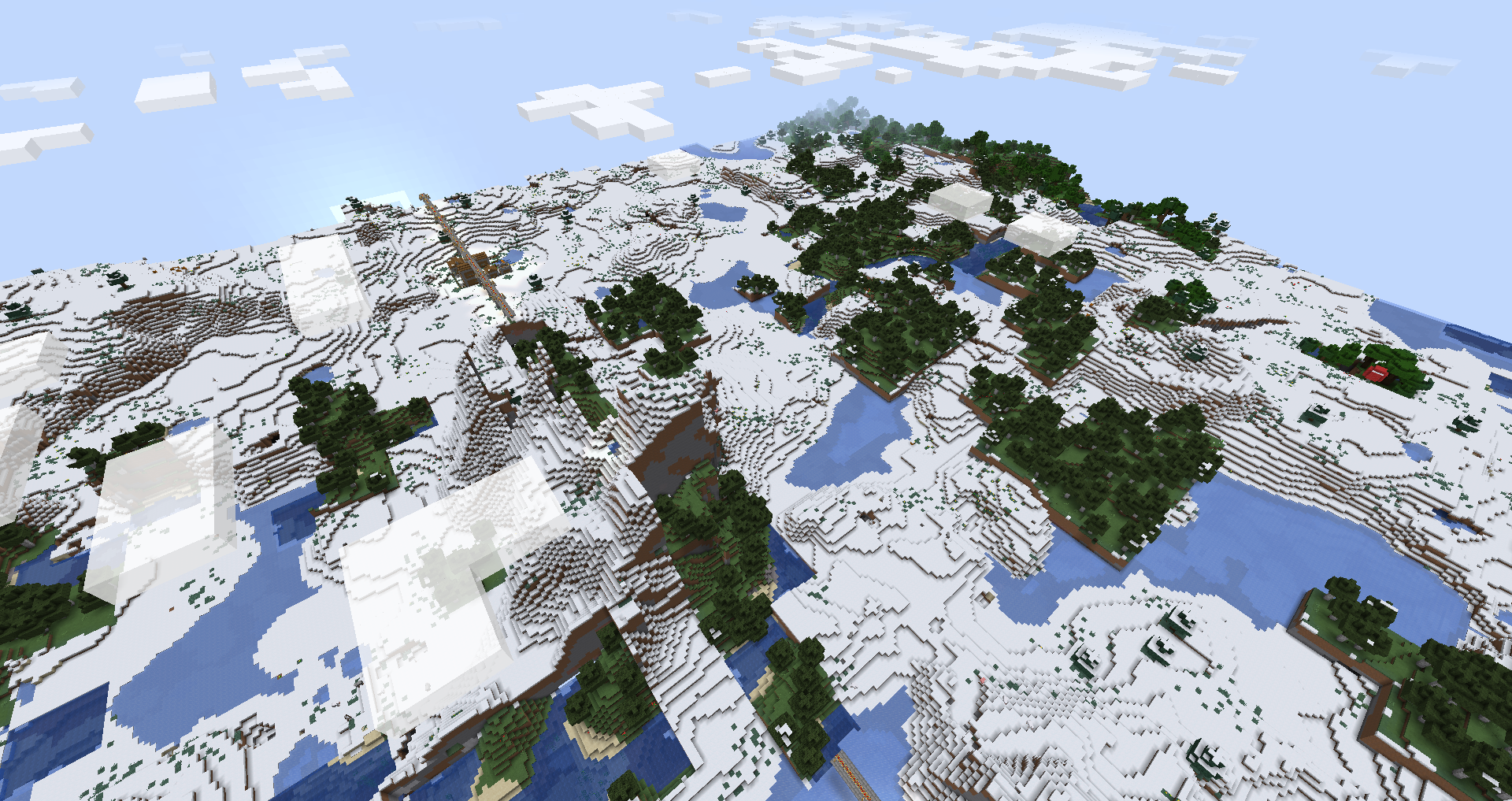
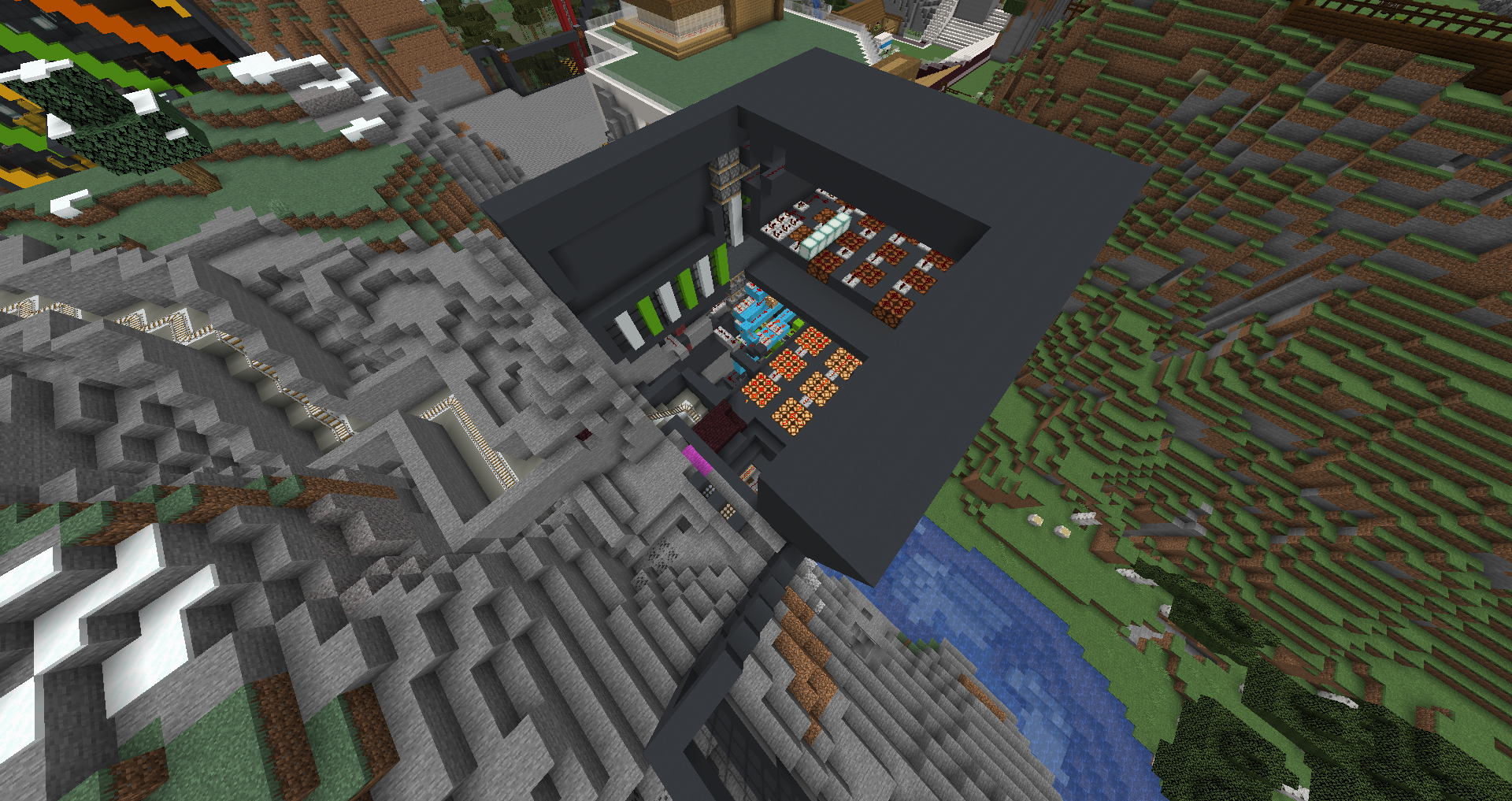
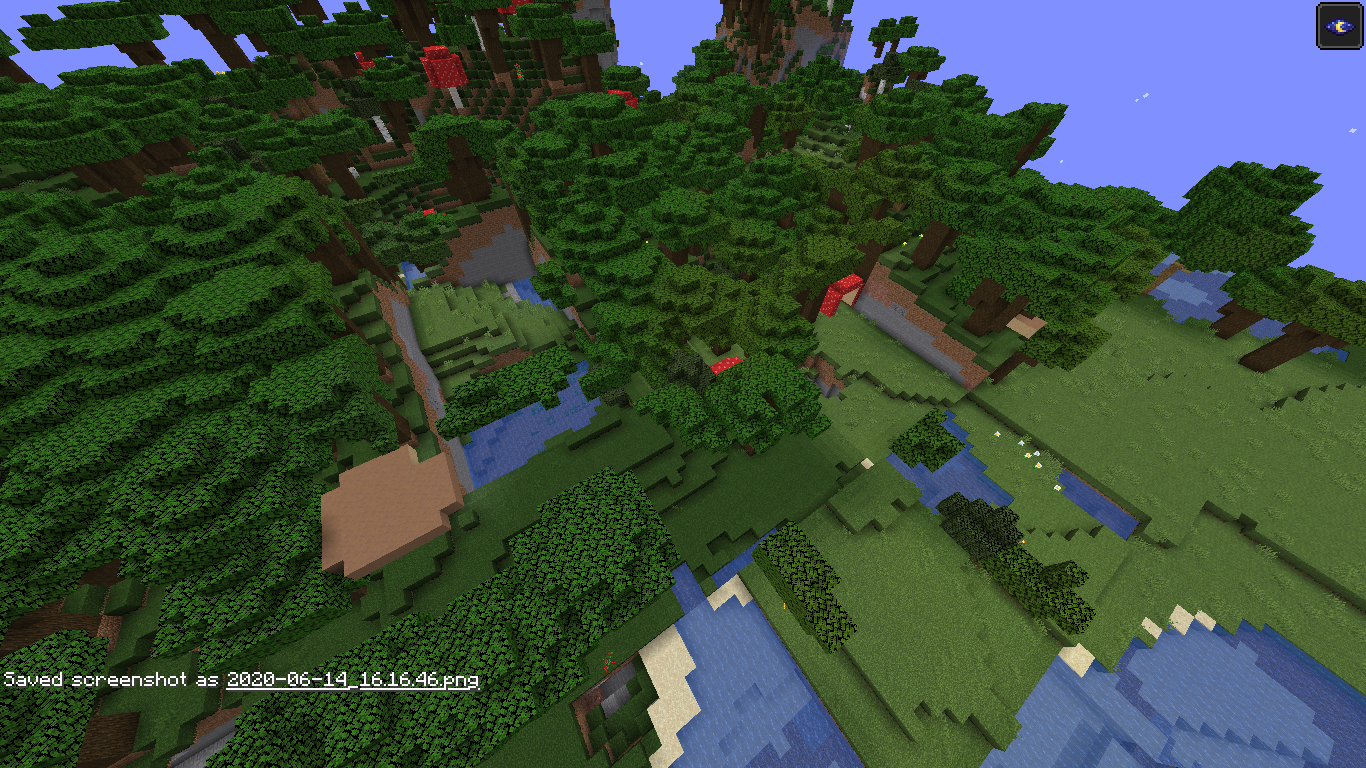
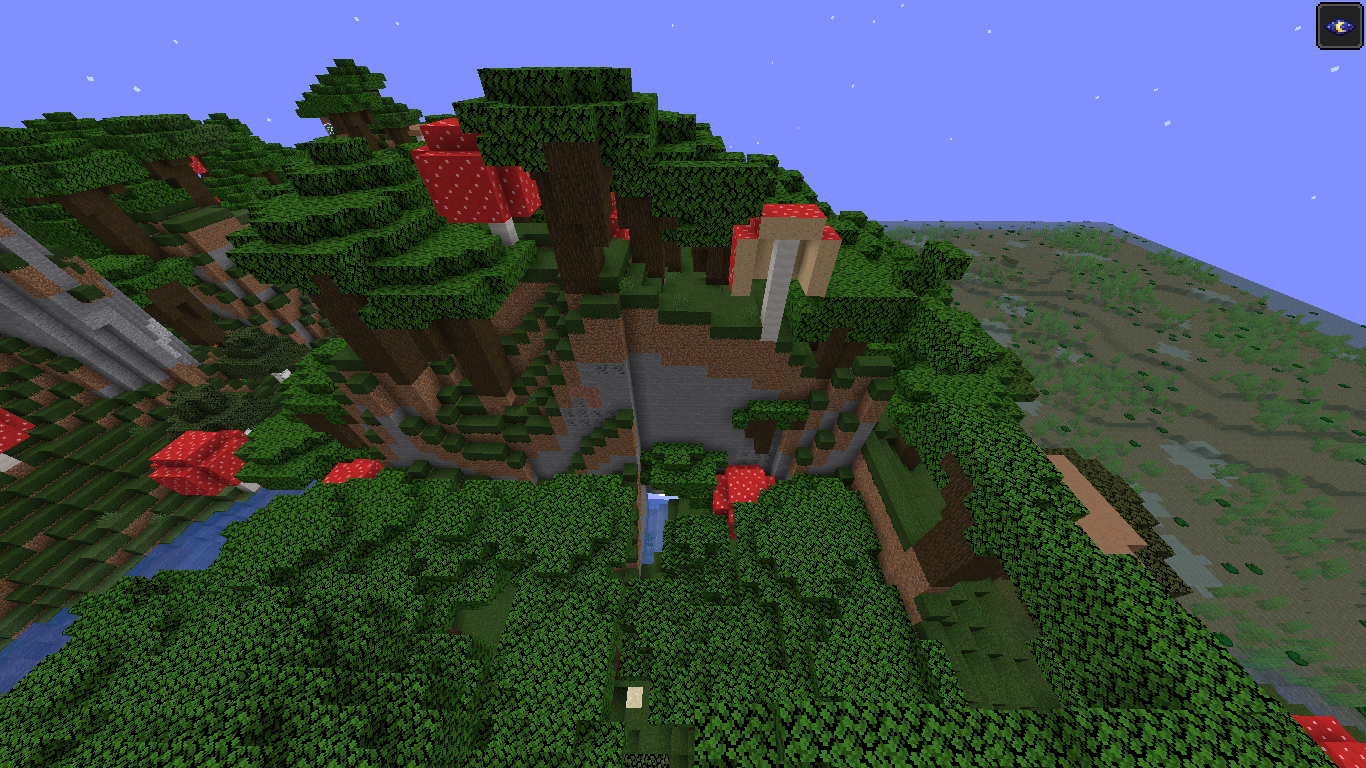
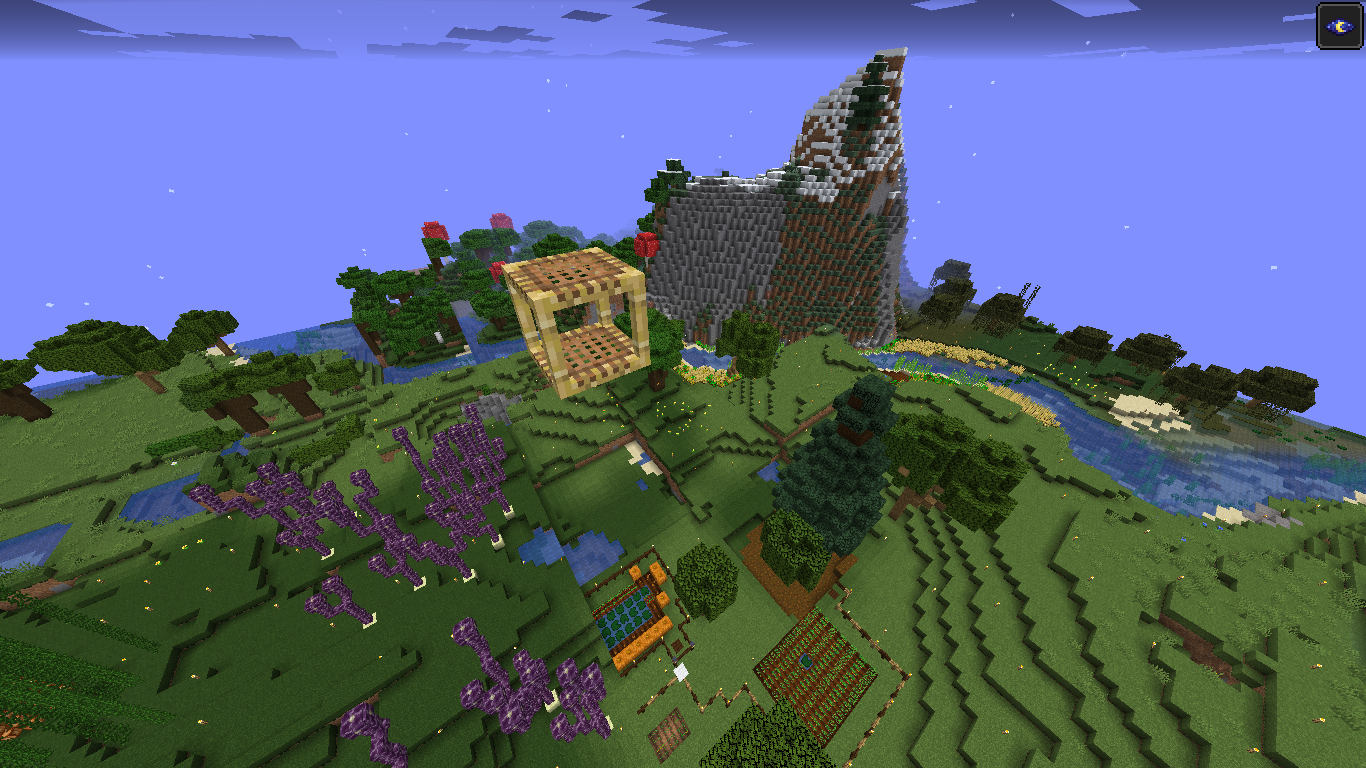
Despite MC-150202 being marked as fixed, sometimes chunks still seem to be corrupted in the 1.15 snapshots. More details can be found in the attachments, as well as in the duplicates of this ticket.
Original description
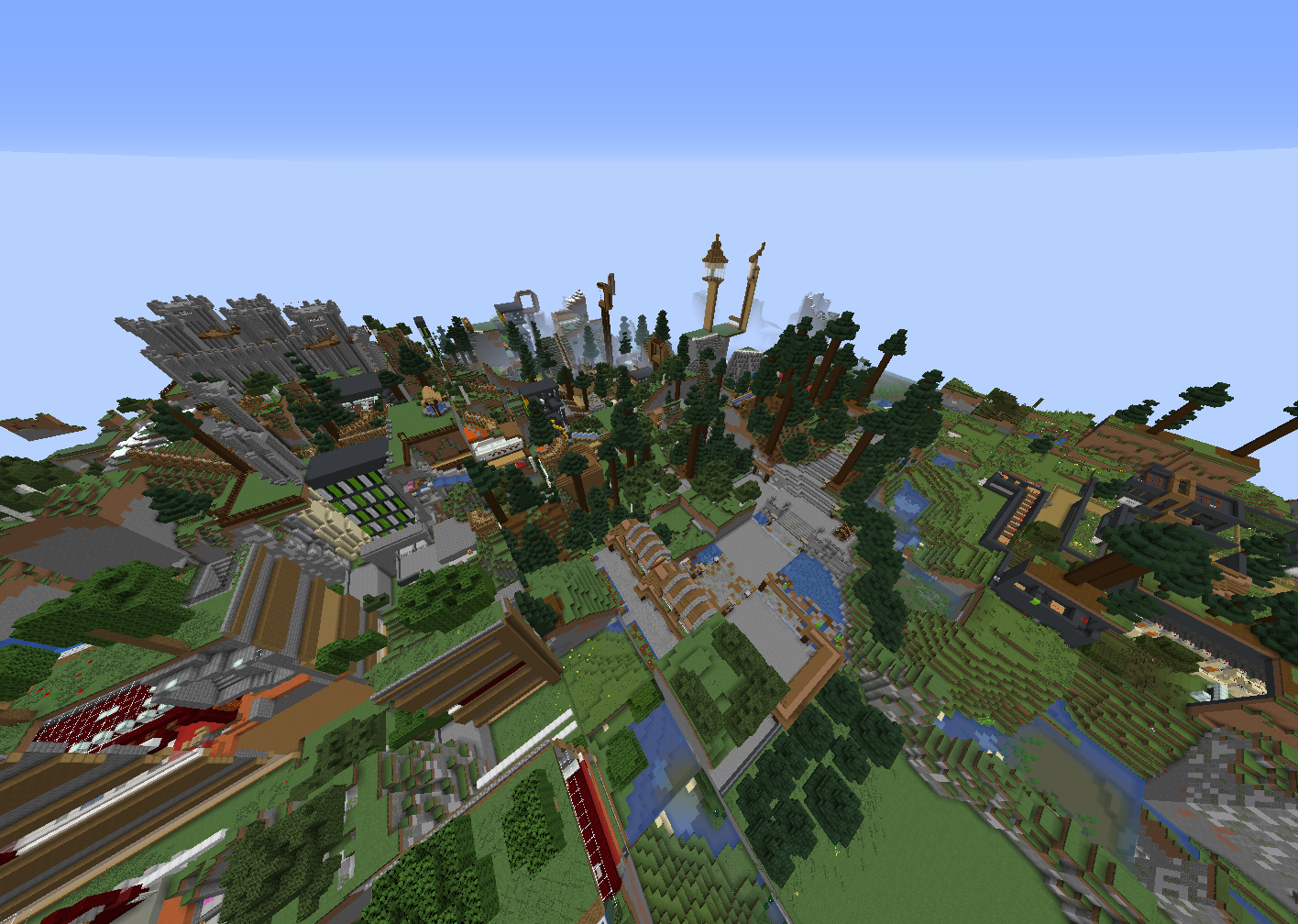
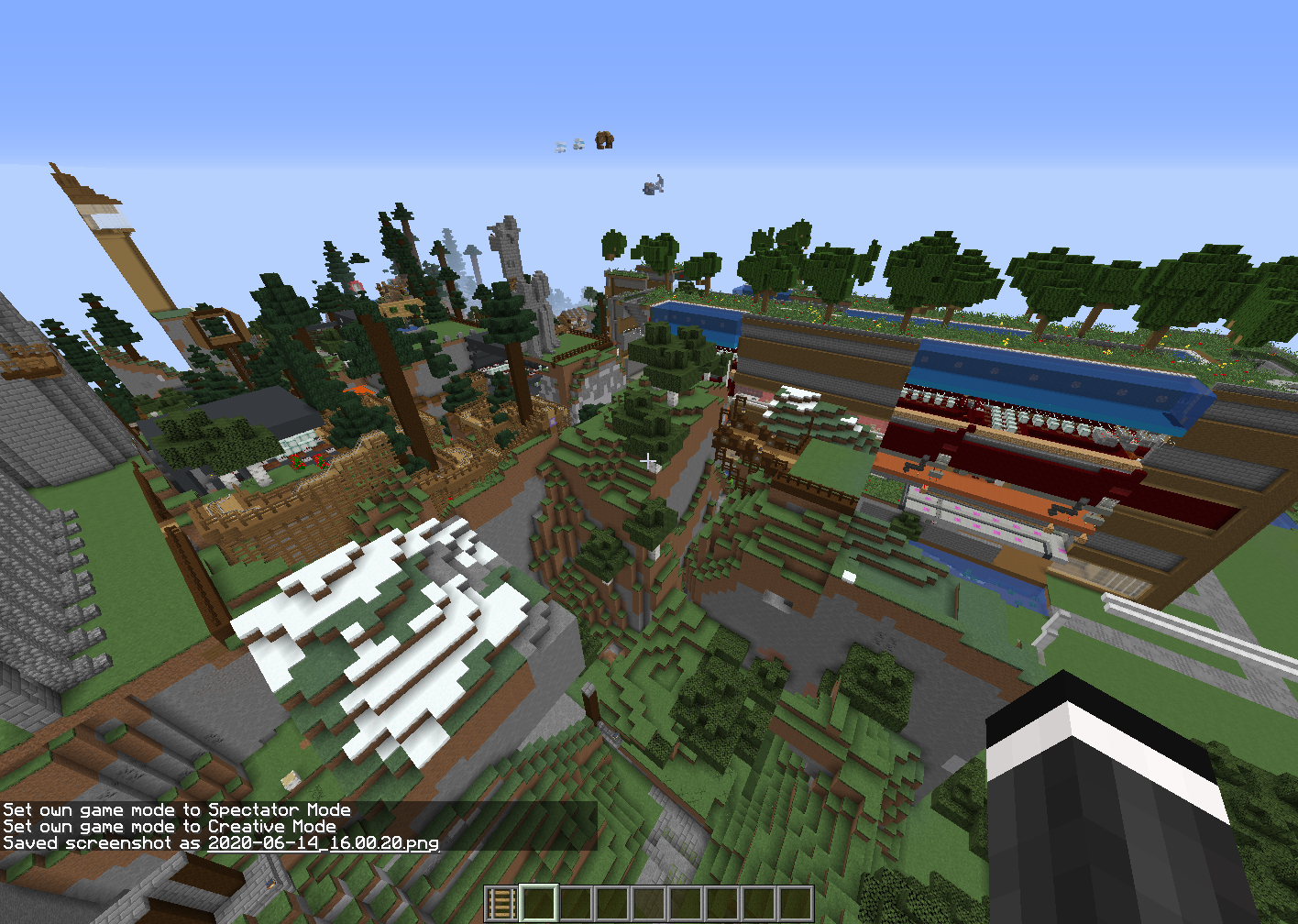
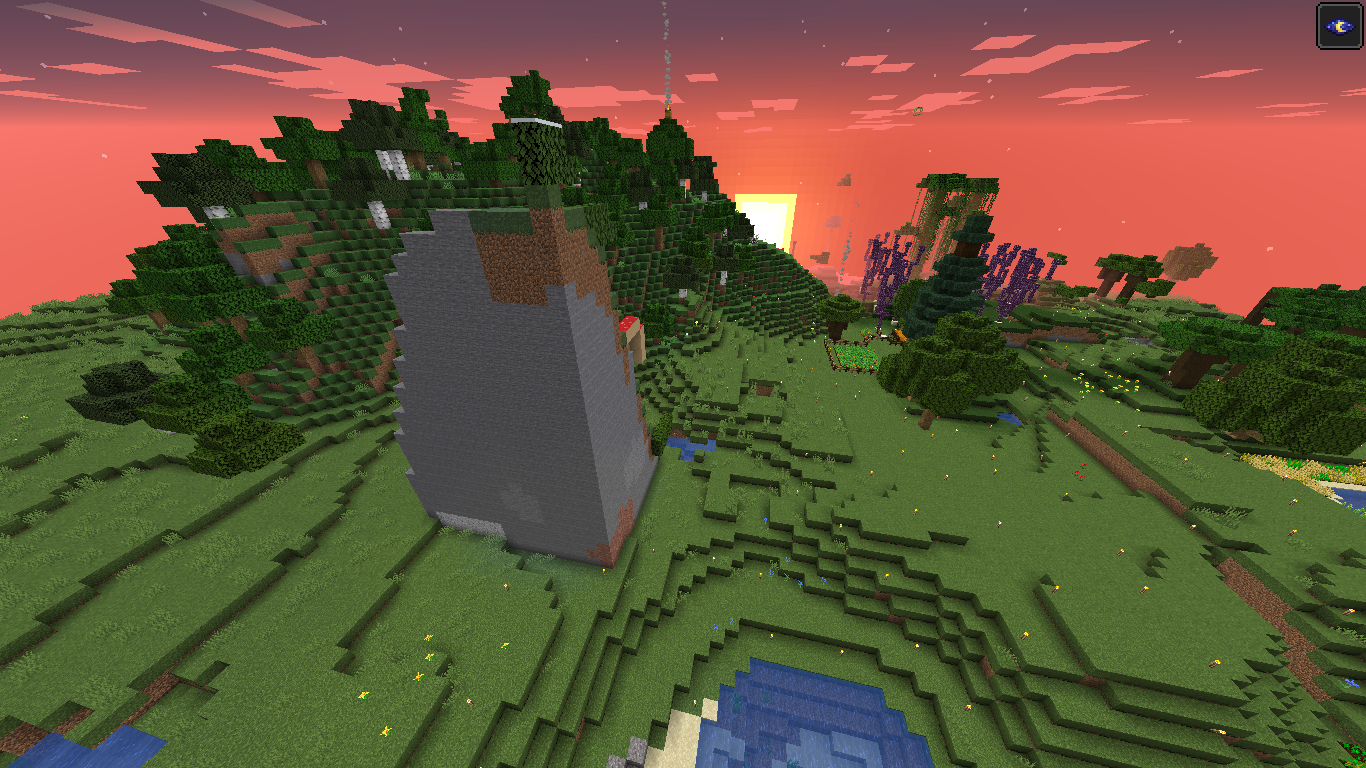
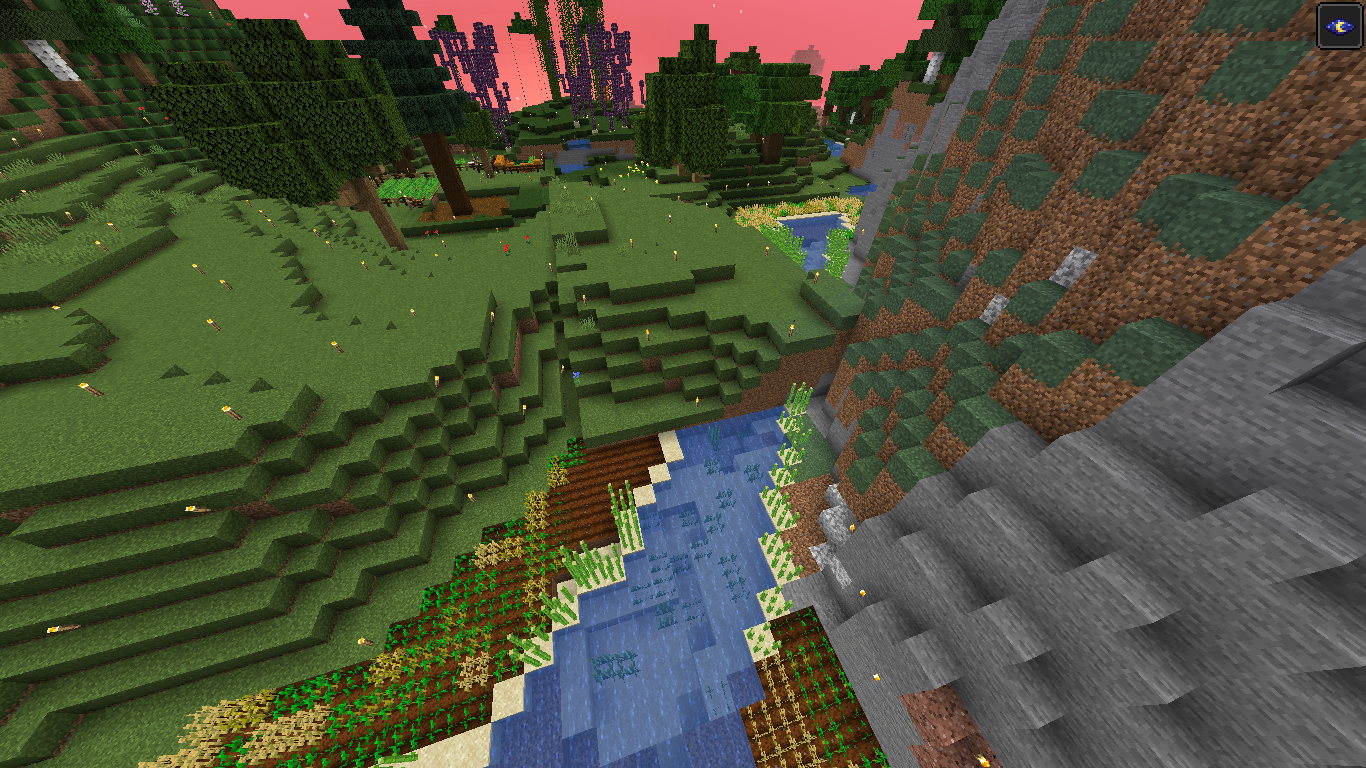
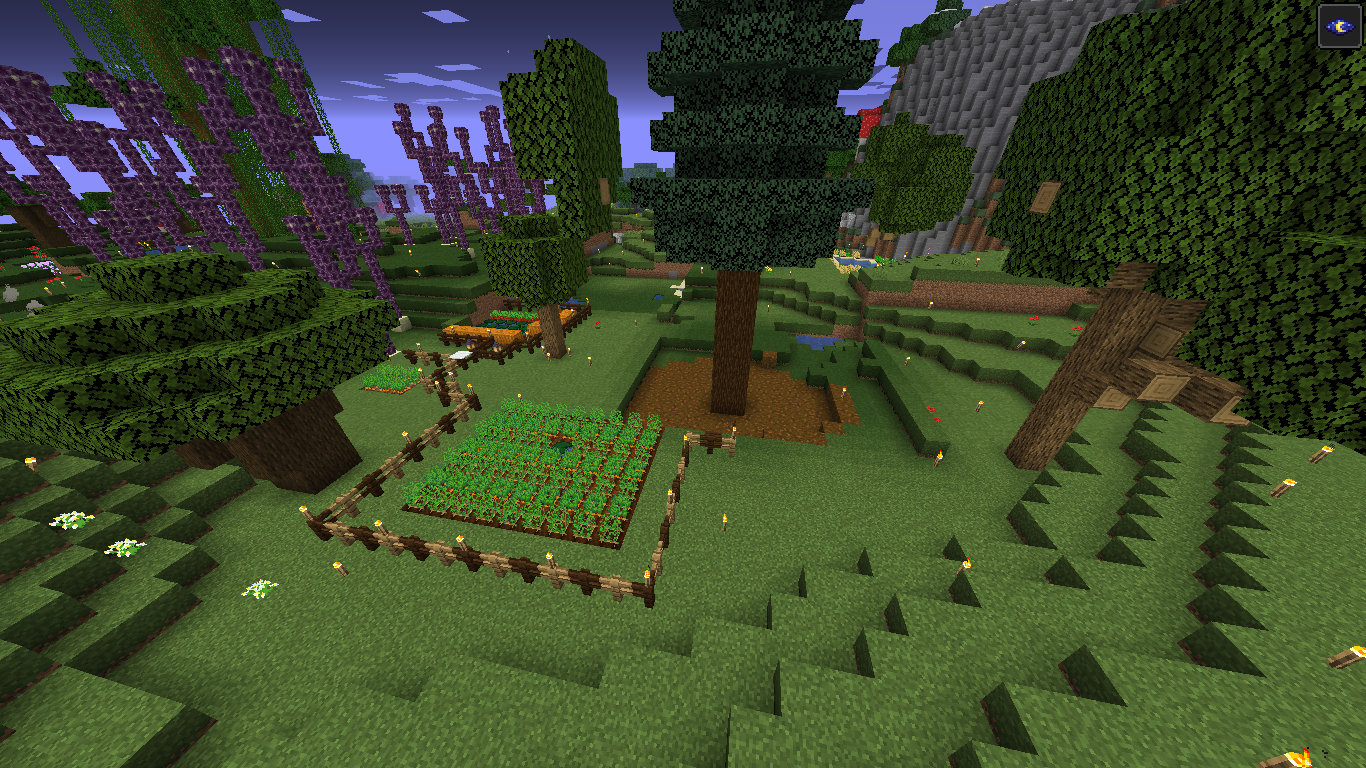
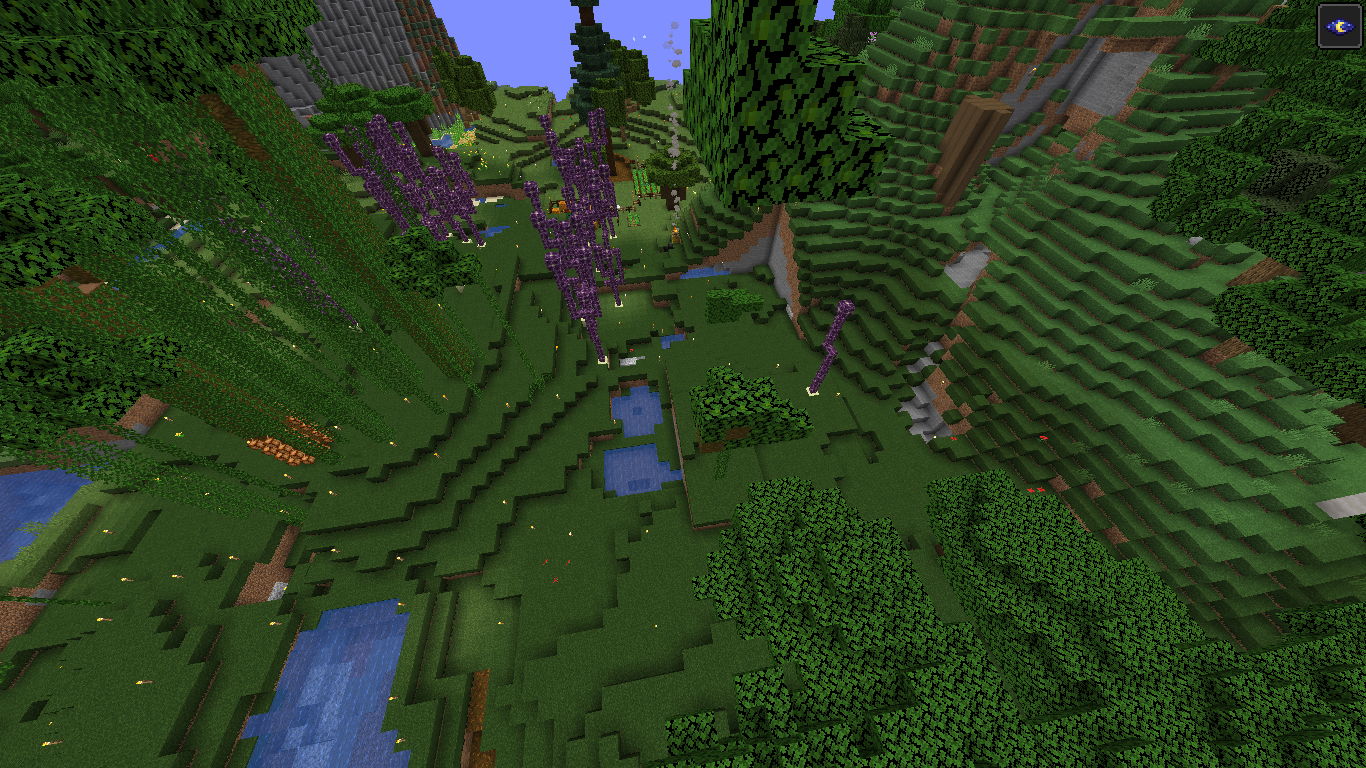
I don't know how this happened but when i joined my world all the chunks were jumbled up, thankfully i have a backup but still this shouldnt happen.
Linked Issues
 Important
clones2
is duplicated by192
 MC-162489Chunks misplacedDuplicateMC-162944game breaking chunk loading issueDuplicateMC-162980Builds from past 3 weeks disappeared when 19w40a downloadedDuplicateMC-163437problem with blocks levelsDuplicateMC-163477Chunks switched placesDuplicateMC-164323Disappearing chunksDuplicateMC-164390When I log onto my world the next day it takes forever to load and then is very laggy, when i look around everything is screwed up and on half of my house is there and everything is split apart and weird.DuplicateMC-164466Chunks movedDuplicateMC-165822Appearance of randomized chunks instead of those of my village and duplication of already existing chunks on my personal serverDuplicateMC-1671811.15 PRE 5 world messingDuplicateMC-167365 chunk loading errors reloading 1.15 pre release DuplicateMC-167545Chunk shufflingDuplicateMC-167681Like someone scrambled up a puzzleDuplicateMC-167764Chunks moved to different locations when chunks were saved [1.15]DuplicateMC-167968Chunks of land misplacedDuplicateMC-168045the chunks are being misplacedDuplicateMC-1682691.15 chunk glitchDuplicateMC-168857The world get wonkey and loaded chunks get moved around. DuplicateMC-168873Źle z renderowany światDuplicateMC-169287When I saved and exited my world, the next time I logged in again on that world all of the chunks of the were disordered and was not in the correct chunks.DuplicateMC-169327Puzzle worldDuplicateMC-169437My base turned to stoneDuplicateMC-169446My World Was corrupted and i would like to fix itDuplicateMC-169526World is Scrambled. Chuncks misplaced.DuplicateMC-169527My building have suddenly splitDuplicateMC-169595Void World Checkerboard Corruption While OfflineDuplicateMC-169623World Chunks Rearranged DuplicateMC-169662World/Realm completely warped & mixed around by quadrants around area we made home, house split in 4 across fields!DuplicateMC-169752My world's terrain has cloned itselfDuplicateMC-169884Please help my NetherDuplicateMC-170087World freezed and when I reloaded it some places were paste beside them, blocks have been removedDuplicateMC-170145When i start my World all my constructivos are out of placeDuplicateMC-170221Corrupted ChunksDuplicateMC-170321Environmental glitchDuplicateMC-170600Chunk BugDuplicateMC-171058Chunk behing regeneratedDuplicateMC-171347Chunks loading in random placesDuplicateMC-171711Parts Of The World Have MovedDuplicateMC-171714World is corruptedDuplicateMC-171846Chunks Being "Mixed up" When Re-joining Singleplayer WorldDuplicateMC-1724831.15.2 seed generating destroyed my builds.DuplicateMC-172714Mountains spawned in my worldDuplicateMC-172839Chunk IssueDuplicateMC-172867I have a HUGE problem.DuplicateMC-172912moved buildings how to restoreDuplicateMC-172920Chunks are STILL loading incorectlyDuplicateMC-173031Chunk ErrorDuplicateMC-173080Chunks... Unassemble.DuplicateMC-173150Single-player world loading incorrectly. Put together like a bad jigsaw puzzle.DuplicateMC-173482logging in glitchDuplicateMC-173575Chunk BugDuplicateMC-173948Changed land structureDuplicateMC-174297Verschiebung in MapDuplicateMC-174461Erasure of my worldDuplicateMC-174671Misplaced Chunks!?DuplicateMC-174949The Chunks MovedDuplicateMC-175579biome collided with another in checkerboard pattern DuplicateMC-175594chunk corruptionDuplicateMC-176002After update of laptop, all named animals were lost and chunks of land are movedDuplicateMC-176080When I launched into my world everything was cut and moved aroundDuplicateMC-176103Nether HUGE BUGDuplicateMC-176429my house got split into multiple areasDuplicateMC-176647House and farm disappeared after suffocating in wall DuplicateMC-176677Hello.I was building Granny in my creative wolrd .Then I left a connect to my world a nother day.When I joined my world everything was bad generated.Parts of the house were scattered all over the world.Please help me:Thank you.DuplicateMC-176680structures on my world have split into multuple areasDuplicateMC-176875My base was filled with stone. The majority of the world remained unchanged. It did not go back to a later save, just parts of the world were reset. DuplicateMC-176946Chunks rearranged randomly, including in baseDuplicateMC-176949My Worlds getting deletedDuplicateMC-177100los chunks del mundo al que estaba jugando se han descolocado.DuplicateMC-177340crash game, load up slow with block spawning in diffent locationDuplicateMC-177554Giant Chunks of Minecraft House and Village are GONEDuplicateMC-177743Corrupted world?DuplicateMC-178030Chunk issue?DuplicateMC-178145Chunks are swapped DuplicateMC-178208Nether chunks resetting in 1.15.2DuplicateMC-178278My World loaded with pieces missingDuplicateMC-178523World is scrambledDuplicateMC-178645My World CrashedDuplicateMC-178700map do not load properly after pc fallen outDuplicateMC-178719Huge pieces disappearedDuplicateMC-178749Changed my whole world in MinecraftDuplicateMC-178759chunk errorDuplicateMC-178765Misplaced chunks in my survival worldDuplicateMC-178872Generated chunks switching places randomly in 1.15.2DuplicateMC-179253Chunks miss aligning DuplicateMC-179362world split upDuplicateMC-179456Chunks mixing upDuplicateMC-179622Chunk duplication / corruptionDuplicateMC-179710Additional blocks that have 'exploded' the footprint on my structuresDuplicateMC-179748Houses and spawners and all my land changed and shifted placesDuplicateMC-180414creative mode world map became a messDuplicateMC-180596chunks get displaced after loading a worldDuplicateMC-180706Broken chunkDuplicateMC-180909Minecraft Junks CorruptingDuplicateMC-180920when I loaded up my world my house was replaced with terrain and everything is gone, what happened DuplicateMC-181044fix the worldDuplicateMC-181056chunk corraptionDuplicateMC-181295My entire world moved around and everything is cut in halfDuplicateMC-181319I find my world or parts of it lost when I re-enter my computer. DuplicateMC-181845My world got a lot more, square...DuplicateMC-182017My world completely ruined DuplicateMC-182150my world brokeDuplicateMC-182203World resetDuplicateMC-182323Chunks Improper LocationDuplicateMC-182572Destroyed wordDuplicateMC-182599whenever i loaded in it would crash and ruin the chunk generationDuplicateMC-182714Chunks Being Randomly JumbledDuplicateMC-182736my worldDuplicateMC-183028Sudden crash, entire line of chunks loading incorrectly on restartDuplicateMC-183045Builds aren't together like they wereDuplicateMC-183145Entire block areas dislocated onto other areas on the map, destroying what was beforeDuplicateMC-183302Problems after launcher update - Problemas apos atualização do launcherDuplicateMC-183582regenerating chunks and regenerating netherDuplicateMC-183611my world glitchedDuplicateMC-183632Chunk errorDuplicateMC-183684Incorrectly Loaded ChunksDuplicateMC-183823Mundo corrompidoDuplicateMC-183985My Minecraft Survival World Has Gone Back To A Save File From 3 Days Ago, Chunks are all Messed Up.DuplicateMC-184041Bug de chunk movidoInvalidMC-184328I logged on to my survival world and it is messed up DuplicateMC-184372Returned to one of my worlds today, and there are massive chunks missing, including hours of work of structures and items.DuplicateMC-184391Single Player Welt Gebäude zerteilt und verschobenDuplicateMC-184395My Minecraft Java world experienced a glitch where the chunks randomly rearranged themselves.DuplicateMC-184403The diffrent chuncks have beed moved aroundDuplicateMC-184435Java world has become bugged; need to recoverDuplicateMC-184528Crash, when logging back chunks have shifted.DuplicateMC-185216Teil eines Chunks wird bei Spielabsturz zerstörtDuplicateMC-185217World Generation IssuesDuplicateMC-185688Chunks loaded in different placesDuplicateMC-185827Minecraft World Ruined (chucks loaded differently)DuplicateMC-185831Son's creative game has corruptedDuplicateMC-185850World CorruptionDuplicateMC-185892I dont even know???DuplicateMC-185895Broken worldDuplicateMC-185900Out of order chunk loading / corruptionDuplicateMC-186036severe chunk loss and errorsDuplicateMC-186666everything is movedDuplicateMC-186693chuncks not loaded correctlyDuplicateMC-186968My world is brokenDuplicateMC-187081My whole entire survival world is ruined from a glitch DuplicateMC-187657chunks of our world were "relocated"DuplicateMC-187752 All broken map / BugDuplicateMC-187929Chunks moved after game crash due to PC losing powerDuplicateMC-188323my world gliched BIG timeDuplicateMC-188398minecraft blocks position changes:(DuplicateMC-188458Mountains have a flat edge so no pointing out bits, holes in the floor destroying lots of things.DuplicateMC-188983WOrld Crash Caused chunk splicingDuplicateMC-189272My world resetDuplicateMC-189333Large world corruptionDuplicateMC-189338Large amount of blocks dissapered in townDuplicateMC-189401My Minecraft world's blocks moving from one place to anotherDuplicateMC-189519Chunk generation errorDuplicateMC-189999Messed up worldDuplicateMC-190192Help Required- Mine craft world configured a different wayDuplicateMC-190338Chunk error while loading a Superflat worldDuplicateMC-190569server chunks not in placeDuplicateMC-191386Loading world in 1.16 destroys existing structuresDuplicateMC-191834Chunk ErrorsDuplicateMC-191919Game randomly mixed chunks upDuplicateMC-192488Chunks destroyed, except for structureDuplicateMC-193655This is a very dangerous bug for builders that has been going on for years now that griefs terrain in singleplayer worldsDuplicateMC-194680Minecraft world loading error DuplicateMC-195771Chunk Generation Bug On Version 1.16.1DuplicateMC-196728Chunks have been misplaced and moved at random to different locations.DuplicateMC-197045block ErrorDuplicateMC-199272End realm chunks get scrambled after leaving and entering end gateway multiple timesDuplicateMC-200096Chunks bug in 1.16.3DuplicateMC-202010World chunks randomly placed in survival - 1.15.2DuplicateMC-202763ChunkDuplicateMC-203025seed chackedDuplicateMC-203498Server Seed mixed in with seed 0DuplicateMC-210589World played in 1.16 Snapshots replaced by some kind of chunk errorDuplicateMC-216158Chunks all switched following game crashDuplicateMC-219119The chunks loaded wrong.DuplicateMC-221436 missing chunks (partial)DuplicateMC-222111Weird Nether Biome GlitchDuplicateMC-233590Chunks scramble when power goes out.DuplicateMC-236913My House Splited in Four PartsDuplicateMC-243784Some chunks loading incorrectly after game shut down from empty laptop battery.Duplicate
 MCL-13070disparition de la map à chaque nouvelle mise à jourDuplicateMCL-13405Chunk bugs... Like a big chunk bugDuplicateMCL-13884Every thing is different after logging back in.DuplicateMCL-13983world messed upDuplicateMCL-14298Messed up single player worldDuplicateMCL-14353Chunk errorDuplicateMCL-14393corropcion de chuncsDuplicate
 REALMS-2740Chunks Big Mess upDuplicateREALMS-3190chunk bugDuplicateREALMS-3353House DestroyedDuplicateREALMS-3841Chunks missing and/or misplaced on realms Duplicate
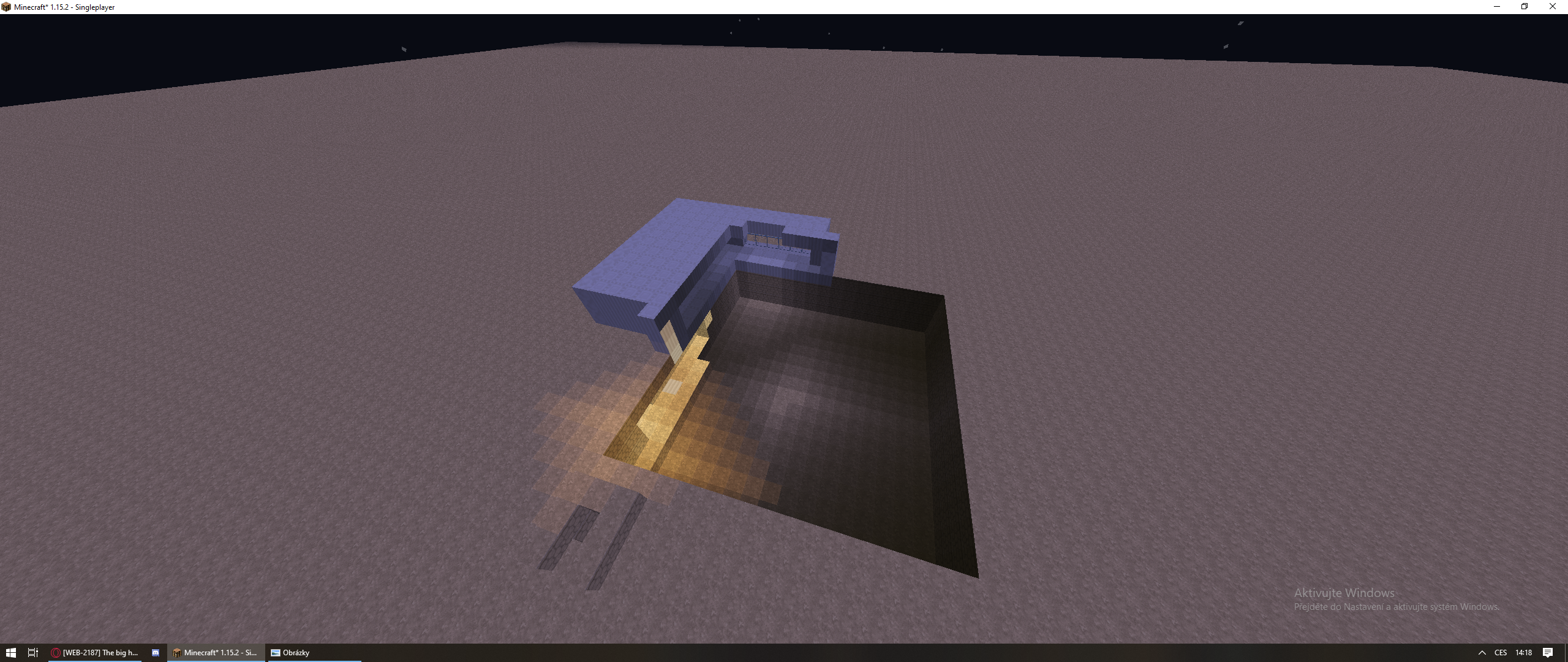
 WEB-1744A mountain was in my farm and my farm was in my house and half my stuff is gone.DuplicateWEB-2187The big hole in my house ErrorDuplicate
relates to6
MC-169433Worlds are "deleted" when shutting down the computer without saving the world LowMC-168632Written chunks not multiple of 4096 bytesPlausibleMC-150202Chunks sometimes are dislocated / copied to another locationFixedMC-169927Chunks messed up.Awaiting ResponseMC-181522Chunks that haven't been explored since 1.13 are resettingFixedMC-2548A chunk with previously generated data was cleared, all the blocks and data within vanishAwaiting Response
Attachments30















Created Issue:
Jumbled up chunks
I don't know how this happened but when i joined my world all the chunks were jumbled up, thankfully i have a backup but still this shouldnt happen.
Environment
Java
Attachments1
![[Mod] violine1101](../../../data/avatars/users/92858.png)
I don't know how this happened but when i joined my world all the chunks were jumbled up, thankfully i have a backup but still this shouldnt happen.
![[Bot] Arisa](../../../data/assets/gravatar/mustek2.png)
Java
Jumbled up chunksChunk corruption in 1.15
relates to
The bug
Despite
MC-150202being marked as fixed, sometimes chunks still seem to be corrupted in the 1.15 snapshots.Original description
I don't know how this happened but when i joined my world all the chunks were jumbled up, thankfully i have a backup but still this shouldnt happen.
The bug
Despite
MC-150202being marked as fixed, sometimes chunks still seem to be corrupted in the 1.15 snapshots. More details can be found in the attachments, as well as in the duplicates of this ticket.Original description
I don't know how this happened but when i joined my world all the chunks were jumbled up, thankfully i have a backup but still this shouldnt happen.
is duplicated by
MC-161412
is duplicated by
![[Mojang] Adrian Östergård](../../../data/assets/gravatar/nighter.jpeg)
 Very Important
![[Mod] Michael Wobst](../../../data/avatars/users/37868.png)
is duplicated by
is duplicated by
is duplicated by
is duplicated by
is duplicated by
is duplicated by
is duplicated by
is duplicated by
![[Mod] Pokechu22](../../../data/avatars/users/92931.png)
is duplicated by
is duplicated by
![[Mod] CubeTheThird](../../../data/assets/gravatar/cubethethird.jpeg)
is duplicated by
is duplicated by
is duplicated by
![[Mod] tryashtar](../../../data/avatars/users/41963.png)
is duplicated by
is duplicated by
is duplicated by
is duplicated by
![[Mod] NeunEinser](../../../data/avatars/users/39263.png)
relates to
is duplicated by
is duplicated by
is duplicated by
is duplicated by
is duplicated by
relates to
is duplicated by
is duplicated by
is duplicated by
is duplicated by
is duplicated by
is duplicated by
is duplicated by
is duplicated by
is duplicated by
is duplicated by
is duplicated by
is duplicated by
is duplicated by
is duplicated by
is duplicated by
is duplicated by
is duplicated by
is duplicated by
is duplicated by
is duplicated by
is duplicated by
is duplicated by
is duplicated by
is duplicated by
is duplicated by
is duplicated by
is duplicated by
is duplicated by
clones
is duplicated by
is duplicated by
is duplicated by
is duplicated by
is duplicated by
is duplicated by
is duplicated by
is duplicated by
![[Mod] Riley Park](../../../data/avatars/users/81743.png)
is duplicated by
is duplicated by
is duplicated by
is duplicated by

is duplicated by
is duplicated by
![[Mod] OcelotOnesie](../../../data/avatars/users/43220.png)
is duplicated by
is duplicated by
is duplicated by
is duplicated by

is duplicated by
is duplicated by
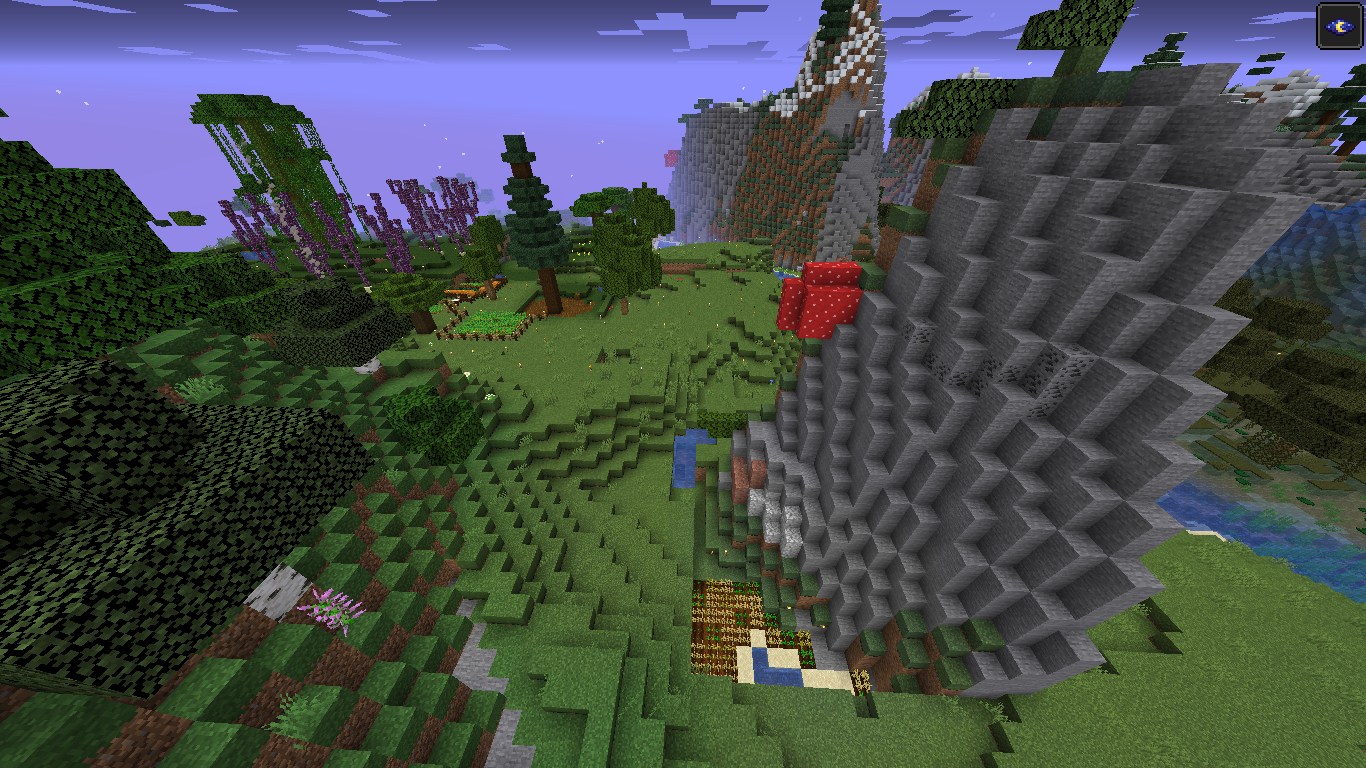
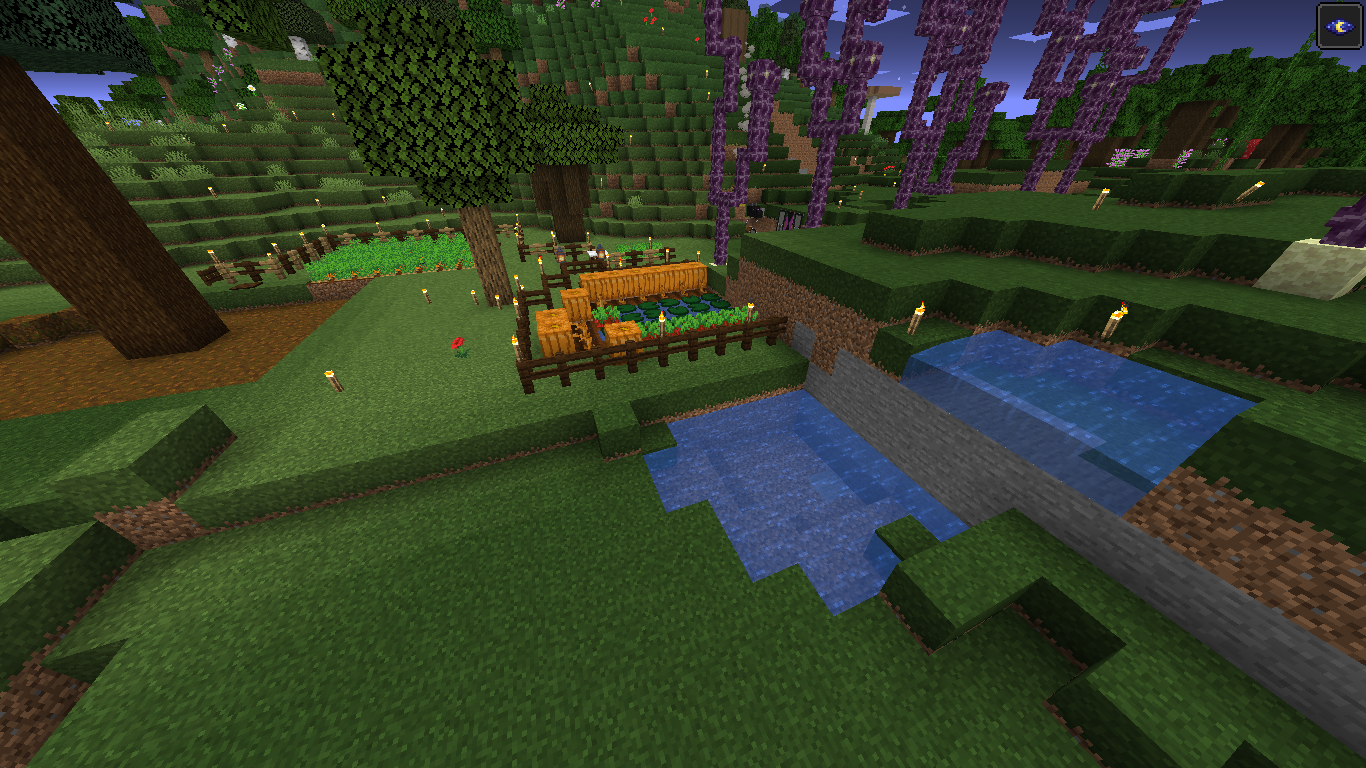
This happened to me as well. All the chunks within a certain radius appear to have been shuffled together. Is there a way that I can fix this? Like manually rearrange the chunks back into the places they were in? Like a puzzle
.
is duplicated by
It’s possible this is caused by a lack of RAM, as it doesn’t seem to happen when our world is hosted on a bigger machine
is duplicated by
is duplicated by
is duplicated by
![[Mod] Greymagic27](../../../data/avatars/users/92875.png)
is duplicated by
PLEASE HELP ME MOJANG MY WORLD IS BROKEN.png
is duplicated by
![[Mod] Neko](../../../data/avatars/users/92901.png)
is duplicated by
is duplicated by
![[Bot] Arisa](../../../data/avatars/users/43007.png)
is duplicated by
is duplicated by
is duplicated by
is duplicated by
is duplicated by
![[Mod] Asteraoth](../../../data/avatars/users/92886.png)
is duplicated by
is duplicated by
is duplicated by
is duplicated by
is duplicated by
is duplicated by
is duplicated by
is duplicated by
is duplicated by
is duplicated by
is duplicated by
is duplicated by
is duplicated by
is duplicated by
is duplicated by
is duplicated by
is duplicated by
is duplicated by
is duplicated by
is duplicated by
is duplicated by
is duplicated by
is duplicated by
is duplicated by
is duplicated by
relates to
is duplicated by
is duplicated by
is duplicated by
is duplicated by
Chunk corruption in 1.15/1.16 Snapshots
Chunk corruption in 1.15/1.16 SnapshotsChunk corruption in 1.15 & 1.16 Snapshots
is duplicated by
is duplicated by
is duplicated by
is duplicated by
is duplicated by
is duplicated by
is duplicated by
is duplicated by
is duplicated by
is duplicated by
is duplicated by
is duplicated by
is duplicated by
is duplicated by
is duplicated by
is duplicated by
is duplicated by
is duplicated by
is duplicated by
is duplicated by
is duplicated by
is duplicated by
is duplicated by
is duplicated by
is duplicated by
is duplicated by

is duplicated by
is duplicated by
is duplicated by





is duplicated by
relates to
is duplicated by
is duplicated by
The bug
Despite
MC-150202being marked as fixed, sometimes chunks still seem to be corrupted in the 1.15 snapshots. More details can be found in the attachments, as well as in the duplicates of this ticket.Original description
I don't know how this happened but when i joined my world all the chunks were jumbled up, thankfully i have a backup but still this shouldnt happen.
The bug
Despite
MC-150202being marked as fixed, sometimes chunks still seem to be corrupted in the 1.15 snapshots. More details can be found in the attachments, as well as in the duplicates of this ticket.Original description
I don't know how this happened but when i joined my world all the chunks were jumbled up, thankfully i have a backup but still this shouldnt happen.
Moderator NoteIf you have encountered this issue and your world is broken, you need to restore it from a backup, if you have one.
If you do not have a backup, you will need to repair the world manually. You can do that with mcaselector for example, a tool for managing and deleting chunks in a Minecraft world. It is also capable of swapping chunks, which you can use in order to fix worlds that have been corrupted by this bug. Please note that this tool is not supported by Mojang or the moderator team in any way.
We recommend making a backup of your world before trying to repair it manually, in case things go wrong even more.
The bug
Despite
MC-150202being marked as fixed, sometimes chunks still seem to be corrupted in the 1.15 snapshots. More details can be found in the attachments, as well as in the duplicates of this ticket.Original description
I don't know how this happened but when i joined my world all the chunks were jumbled up, thankfully i have a backup but still this shouldnt happen.
is duplicated by
is duplicated by
is duplicated by
This ticket has been merged into MC-161823.
This ticket has been merged into MC-161823.
This ticket has been merged into MC-161823.
This ticket has been merged into MC-161823.
This ticket has been merged into MC-161823.
This ticket has been merged into MC-161823.
This ticket has been merged into MC-161823.
This ticket has been merged into MC-161823.
This ticket has been merged into MC-161823.
If you're able to reproduce this issue in 1.15 (or the 1.15 snapshots), please leave a comment in MC-161823.
Ok, thanks. We have a collection ticket about chunk corruption issues in 1.15 here: MC-161823. I've resolved your ticket as a duplicate of that one.
Thanks! We're tracking corruption issues like this in a single ticket (MC-161823), so your ticket has been resolved as a duplicate. Your information will be very valuable.

After exiting my Realms world and downloading the latest backup, some region files were not filled with zeros to make their size a multiple of 4096 bytes. I noticed "holes" in the world in the map tool Minutor (probably can't handle such sizes), then redownloaded the world to make sure it wasn't just a tool issue (Realms had done another backup when shutting the world down after my logoff) and the issue was gone and the region files were now filled with zeros at the end. I did not enter the world again in between the 2 downloads. And Minutor didn't cause the issue as it only read the world.
I don't know what the difference between both backups was and why the issue happened with one and not the other. I also don't know if it can be permanent until said region is revisited inworld and what MC will do then. There has been MC-158988 where chunks got regenerated, which has been fixed luckily. Maybe I downloaded the backup too fast, before the region files were filled with zeros during the save process (all other data was exactly the same, only the trailing zeros were missing).
The issue has happened before, but only on border chunks, which I didn't take too seriously, and not in 1.14.4, only since 1.15.1 (we haven't played in 1.15). Today was the first time I explored a new area to find bees. I travelled through the nether to near the border of the explored area and ran around a little. One of the chunk "holes" was in the newly explored area, one was near the portal, and at least two in the border chunks, also nearby.
After seeing that the holes were gone in the newest download, I checked the faulty download in single-player to see whether the chunk would be regenerated (I had built something there). It was all still there, so the chunk was not regenerated. From a map comparison, it also seems as if all other chunks are still the same, so no chunks were overwritten either (as MC-158988 could have caused). So no real harm done, but still worrying how it could happen. If it's a timing issue during save, it could potentially be related to the chunk swapping issues some users are experiencing, e.g. MC-161823, or cause other problems as well.
Since I play on Realms, I can't provide any server logs. I could provide the world (before the issue, the faulty world, and the fixed one) or region files, but it's only a bunch of missing zeros, so maybe not very interesting. The faulty region file was 8.078.240 bytes, the fixed one 8.081.408 (multiple of 4096).
Hi! This is a known issue (see MC-161823). However, we need YOUR help in order to be able to fix this problem for good.
More specifically, we need the game logs from both before and after the chunks in that world got corrupted. You can find them in .minecraft/logs. If possible, please attach or link to a backup of the world before the corruption as well.
Edit: Also, please note that we can only really work with world saves if they are zipped. The way you have attached the world to this ticket, it cannot be opened or reconstructed into a regular world save folder.
![[Mod] SPGoding](../../../data/avatars/users/44622.png)
Thank you for your report!
However, this issue is a Duplicate of MC-161823.
If you would like to add a vote and any extra information (like the game log both before and after the corruption) to the main ticket it would be appreciated.
If you haven't already, you might like to make use of the search feature to see if the issue has already been mentioned.
Quick Links:
📓 Issue Guidelines – 💬 Community Support – 📧 Customer Support – 📖 Game Wiki
Thank you for your report!
However, this issue is a Duplicate of MC-161823.
If you would like to add a vote and any extra information to the main ticket it would be appreciated.
If you haven't already, you might like to make use of the search feature to see if the issue has already been mentioned.
Quick Links:
📓 Issue Guidelines – 💬 Community Support – 📧 Customer Support – 📖 Game Wiki
Thank you for your report!
We're actually already tracking this issue in MC-161823, so I resolved and linked this ticket as a duplicate.
If you would like to add a vote and any extra information to the main ticket it would be appreciated.
If you haven't already, you might like to make use of the search feature in the future to see if the issue has already been reported.
Quick Links:
📓 Issue Guidelines – 💬 Community Support – 📧 Customer Support – 📖 Game Wiki
Thank you for your report!
We're actually already tracking this issue in MC-161823, so I resolved and linked this ticket as a duplicate.
If you would like to add a vote and any extra information to the main ticket it would be appreciated.
If you haven't already, you might like to make use of the search feature in the future to see if the issue has already been reported.
Quick Links:
📓 Issue Guidelines – 💬 Community Support – 📧 Customer Support – 📖 Game Wiki
Thank you for your report!
However, this issue is a Duplicate of MC-161823.
If you would like to add a vote and any extra information to the main ticket it would be appreciated.
If you haven't already, you might like to make use of the search feature to see if the issue has already been mentioned.
Quick Links:
📓 Issue Guidelines – 💬 Community Support – 📧 Customer Support – 📖 Game Wiki
Thank you for your report!
However, this issue is a Duplicate of MC-161823.
If you would like to add a vote and any extra information to the main ticket it would be appreciated.
If you haven't already, you might like to make use of the search feature to see if the issue has already been mentioned.
Quick Links:
📓 Issue Guidelines – 💬 Community Support – 📧 Customer Support – 📖 Game Wiki
Please add any information you have to MC-161823
Thank you for your report!
We're actually already tracking this issue in MC-161823, so I resolved and linked this ticket as a duplicate.
If you would like to add a vote and any extra information to the main ticket it would be appreciated.
If you haven't already, you might like to make use of the search feature in the future to see if the issue has already been reported.
Quick Links:
📓 Issue Guidelines – 💬 Community Support – 📧 Customer Support – 📖 Game Wiki
Sounds like a dupe of MC-161823
Thank you for your report!
We're actually already tracking this issue in MC-161823, so I resolved and linked this ticket as a duplicate.
If you would like to add a vote and any extra information to the main ticket it would be appreciated.
If you haven't already, you might like to make use of the search feature in the future to see if the issue has already been reported.
Quick Links:
📓 Issue Guidelines – 💬 Community Support – 📧 Customer Support – 📖 Game Wiki
I believe your issue is MC-161823 then.
Thank you for your report!
We're actually already tracking this issue in MC-161823, so I resolved and linked this ticket as a duplicate.
If you would like to add a vote and any extra information to the main ticket it would be appreciated.
If you haven't already, you might like to make use of the search feature in the future to see if the issue has already been reported.
Quick Links:
📓 Issue Guidelines – 💬 Community Support – 📧 Customer Support – 📖 Game Wiki
Thank you for your report!
We're actually already tracking this issue in MC-161823, so I resolved and linked this ticket as a duplicate.
If you would like to add a vote and any extra information to the main ticket it would be appreciated.
If you haven't already, you might like to make use of the search feature in the future to see if the issue has already been reported.
Quick Links:
📓 Issue Guidelines – 💬 Community Support – 📧 Customer Support – 📖 Game Wiki
Thank you for your report!
We're actually already tracking this issue in MC-161823, so I resolved and linked this ticket as a duplicate.
If you would like to add a vote and any extra information to the main ticket it would be appreciated.
If you haven't already, you might like to make use of the search feature in the future to see if the issue has already been reported.
Quick Links:
📓 Issue Guidelines – 💬 Community Support – 📧 Customer Support – 📖 Game Wiki
Thank you for your report!
We're actually already tracking this issue in MC-161823, so I resolved and linked this ticket as a duplicate.
If you would like to add a vote and any extra information to the main ticket it would be appreciated.
If you haven't already, you might like to make use of the search feature in the future to see if the issue has already been reported.
Quick Links:
📓 Issue Guidelines – 💬 Community Support – 📧 Customer Support – 📖 Game Wiki
Thank you for your report!
We're actually already tracking this issue in MC-161823, so I resolved and linked this ticket as a duplicate.
If you would like to add a vote and any extra information to the main ticket it would be appreciated.
If you haven't already, you might like to make use of the search feature in the future to see if the issue has already been reported.
Quick Links:
📓 Issue Guidelines – 💬 Community Support – 📧 Customer Support – 📖 Game Wiki
Duplicate of MC-161823.
Duplicate of MC-161823.

Thank you for your report!
We're actually already tracking this issue in MC-161823, so I resolved and linked this ticket as a duplicate.
If you would like to add a vote and any extra information to the main ticket it would be appreciated.
If you haven't already, you might like to make use of the search feature in the future to see if the issue has already been reported.
Quick Links:
📓 Issue Guidelines – 💬 Community Support – 📧 Customer Support – 📖 Game Wiki
Thank you for your report!
We're actually already tracking this issue in MC-161823, so I resolved and linked this ticket as a duplicate.
If you would like to add a vote and any extra information to the main ticket it would be appreciated.
If you haven't already, you might like to make use of the search feature in the future to see if the issue has already been reported.
Quick Links:
📓 Issue Guidelines – 💬 Community Support – 📧 Customer Support – 📖 Game Wiki
![[Helper] Misode](../../../data/avatars/users/93314.png)
I believe MC-161823 describes your issue. Please leave a comment there if you have more information to add.
Thank you for your report!
However, this issue is a Duplicate of MC-161823.
If you would like to add a vote and any extra information to the main ticket it would be appreciated.
If you haven't already, you might like to make use of the search feature to see if the issue has already been mentioned.
Quick Links:
📓 Issue Guidelines – 💬 Community Support – 📧 Customer Support – 📖 Game Wiki
Thank you for your report!
We're actually already tracking this issue in MC-161823, so I resolved and linked this ticket as a duplicate.
If you would like to add a vote and any extra information to the main ticket it would be appreciated.
If you haven't already, you might like to make use of the search feature in the future to see if the issue has already been reported.
Quick Links:
📓 Issue Guidelines – 💬 Community Support – 📧 Customer Support – 📖 Game Wiki
Duplicate of MC-161823.
I'm unable to view your attachments.
Does MC-161823 describe your issue though?

Thank you for your report!
We're actually already tracking this issue in MC-161823, so I resolved and linked this ticket as a duplicate.
If you would like to add a vote and any extra information to the main ticket it would be appreciated.
If you haven't already, you might like to make use of the search feature in the future to see if the issue has already been reported.
Quick Links:
📓 Issue Guidelines – 💬 Community Support – 📧 Customer Support – 📖 Game Wiki
This looks like MC-161823 to me.
Thank you for your report!
We're actually already tracking this issue in MC-161823, so I resolved and linked this ticket as a duplicate.
If you would like to add a vote and any extra information to the main ticket it would be appreciated.
If you haven't already, you might like to make use of the search feature in the future to see if the issue has already been reported.
Quick Links:
📓 Issue Guidelines – 💬 Community Support – 📧 Customer Support – 📖 Game Wiki
Thank you for your report!
We're actually already tracking this issue in MC-161823, so I've resolved and linked this ticket as a duplicate.
If you would like to add a vote and any extra information to the main ticket it would be appreciated.
If you haven't already, you might like to make use of the search feature to see if the issue has already been mentioned.
Quick Links:
📓 Issue Guidelines – 💬 Community Support – 📧 Customer Support – 📖 Game Wiki
Thank you for your report!
We're actually already tracking this issue in MC-161823, so I resolved and linked this ticket as a duplicate.
If you would like to add a vote and any extra information to the main ticket it would be appreciated.
If you haven't already, you might like to make use of the search feature in the future to see if the issue has already been reported.
Quick Links:
📓 Issue Guidelines – 💬 Community Support – 📧 Customer Support – 📖 Game Wiki
Thank you for your report!
We're actually already tracking this issue in MC-161823, so I resolved and linked this ticket as a duplicate.
If you would like to add a vote and any extra information to the main ticket it would be appreciated.
If you haven't already, you might like to make use of the search feature in the future to see if the issue has already been reported.
Quick Links:
📓 Issue Guidelines – 💬 Community Support – 📧 Customer Support – 📖 Game Wiki
Thank you for your report!
We're actually already tracking this issue in MC-161823, so I resolved and linked this ticket as a duplicate.
If you would like to add a vote and any extra information to the main ticket it would be appreciated.
If you haven't already, you might like to make use of the search feature in the future to see if the issue has already been reported.
Quick Links:
📓 Issue Guidelines – 💬 Community Support – 📧 Customer Support – 📖 Game Wiki
Thank you for your report!
We're actually already tracking this issue in MC-161823, so I resolved and linked this ticket as a duplicate.
If you would like to add a vote and any extra information to the main ticket it would be appreciated.
If you haven't already, you might like to make use of the search feature in the future to see if the issue has already been reported.
Quick Links:
📓 Issue Guidelines – 💬 Community Support – 📧 Customer Support – 📖 Game Wiki
Thank you for your report!
We're actually already tracking this issue in MC-161823, so I resolved and linked this ticket as a duplicate.
If you would like to add a vote and any extra information to the main ticket it would be appreciated.
If you haven't already, you might like to make use of the search feature in the future to see if the issue has already been reported.
Quick Links:
📓 Issue Guidelines – 💬 Community Support – 📧 Customer Support – 📖 Game Wiki
Thank you for your report!
We're actually already tracking this issue in MC-161823, so I resolved and linked this ticket as a duplicate.
If you would like to add a vote and any extra information to the main ticket it would be appreciated.
If you haven't already, you might like to make use of the search feature in the future to see if the issue has already been reported.
Quick Links:
📓 Issue Guidelines – 💬 Community Support – 📧 Customer Support – 📖 Game Wiki
Thank you for your report!
We're actually already tracking this issue in MC-161823, so I resolved and linked this ticket as a duplicate.
If you would like to add a vote and any extra information to the main ticket it would be appreciated.
If you haven't already, you might like to make use of the search feature in the future to see if the issue has already been reported.
Quick Links:
📓 Issue Guidelines – 💬 Community Support – 📧 Customer Support – 📖 Game Wiki
Thank you for your report!
We're actually already tracking this issue in MC-161823, so I resolved and linked this ticket as a duplicate.
If you would like to add a vote and any extra information to the main ticket it would be appreciated.
If you haven't already, you might like to make use of the search feature in the future to see if the issue has already been reported.
Quick Links:
📓 Issue Guidelines – 💬 Community Support – 📧 Customer Support – 📖 Game Wiki
Does MC-161823 describe your issue?
Thank you for your report!
We're actually already tracking this issue in MC-161823, so I've resolved and linked this ticket as a duplicate.
If you would like to add a vote and any extra information to the main ticket it would be appreciated.
If you haven't already, you might like to make use of the search feature to see if the issue has already been mentioned.
Quick Links:
📓 Issue Guidelines – 💬 Community Support – 📧 Customer Support – 📖 Game Wiki

Duplicate of MC-161823 - please search in the future.
Hopefully you've made a back-up for your world.
Actually, it sort of is a bug, duplicate of the issue below or its related ones (and that one also has one potential semi-fix for it in the comments):
https://bugs.mojang.com/browse/MC-169433
Basically, the save functionality has not been designed to work in a fully crash-safe way etc. and/or its recovery from the crash results is sub-par (see MC-161823 comments).
Thank you for your report!
We're actually already tracking this issue in MC-161823, so I've resolved and linked this ticket as a duplicate.
If you would like to add a vote and any extra information to the main ticket it would be appreciated.
If you haven't already, you might like to make use of the search feature to see if the issue has already been mentioned.
Quick Links:
📓 Issue Guidelines – 💬 Community Support – 📧 Customer Support – 📖 Game Wiki
Thank you for your report!
We're actually already tracking this issue in MC-161823, so I've resolved and linked this ticket as a duplicate.
If you would like to add a vote and any extra information to the main ticket it would be appreciated.
If you haven't already, you might like to make use of the search feature to see if the issue has already been mentioned.
Quick Links:
📓 Issue Guidelines – 💬 Community Support – 📧 Customer Support – 📖 Game Wiki
Thank you for your report!
We're actually already tracking this issue in MC-161823, so I've resolved and linked this ticket as a duplicate.
If you would like to add a vote and any extra information to the main ticket it would be appreciated.
If you haven't already, you might like to make use of the search feature to see if the issue has already been mentioned.
Quick Links:
📓 Issue Guidelines – 💬 Community Support – 📧 Customer Support – 📖 Game Wiki
Thank you for your report!
We're actually already tracking this issue in MC-161823, so I've resolved and linked this ticket as a duplicate.
If you would like to add a vote and any extra information to the main ticket it would be appreciated.
If you haven't already, you might like to make use of the search feature to see if the issue has already been mentioned.
Quick Links:
📓 Issue Guidelines – 💬 Community Support – 📧 Customer Support – 📖 Game Wiki
Thank you for your report!
We're actually already tracking this issue in MC-161823, so I've resolved and linked this ticket as a duplicate.
If you would like to add a vote and any extra information to the main ticket it would be appreciated.
If you haven't already, you might like to make use of the search feature to see if the issue has already been mentioned.
Quick Links:
📓 Issue Guidelines – 💬 Community Support – 📧 Customer Support – 📖 Game Wiki
Thank you for your report!
We're actually already tracking this issue in MC-161823, so I've resolved and linked this ticket as a duplicate.
If you would like to add a vote and any extra information to the main ticket it would be appreciated.
If you haven't already, you might like to make use of the search feature to see if the issue has already been mentioned.
Quick Links:
📓 Issue Guidelines – 💬 Community Support – 📧 Customer Support – 📖 Game Wiki
Thank you for your report!
We're actually already tracking this issue in MC-161823, so I've resolved and linked this ticket as a duplicate.
If you would like to add a vote and any extra information to the main ticket it would be appreciated.
If you haven't already, you might like to make use of the search feature to see if the issue has already been mentioned.
Quick Links:
📓 Issue Guidelines – 💬 Community Support – 📧 Customer Support – 📖 Game Wiki
Thank you for your report!
We're actually already tracking this issue in MC-161823, so I've resolved and linked this ticket as a duplicate.
If you would like to add a vote and any extra information to the main ticket it would be appreciated.
If you haven't already, you might like to make use of the search feature to see if the issue has already been mentioned.
Quick Links:
📓 Issue Guidelines – 💬 Community Support – 📧 Customer Support – 📖 Game Wiki
Thank you for your report!
We're actually already tracking this issue in MC-161823, so I've resolved and linked this ticket as a duplicate.
If you would like to add a vote and any extra information to the main ticket it would be appreciated.
If you haven't already, you might like to make use of the search feature to see if the issue has already been mentioned.
Quick Links:
📓 Issue Guidelines – 💬 Community Support – 📧 Customer Support – 📖 Game Wiki
Thank you for your report!
We're actually already tracking this issue in MC-161823, so I've resolved and linked this ticket as a duplicate.
If you would like to add a vote and any extra information to the main ticket it would be appreciated.
If you haven't already, you might like to make use of the search feature to see if the issue has already been mentioned.
Quick Links:
📓 Issue Guidelines – 💬 Community Support – 📧 Customer Support – 📖 Game Wiki
Thank you for your report!
We're actually already tracking this issue in MC-161823, so I resolved and linked this ticket as a duplicate.
If you would like to add a vote and any extra information to the main ticket it would be appreciated.
If you haven't already, you might like to make use of the search feature in the future to see if the issue has already been reported.
Quick Links:
📓 Issue Guidelines – 💬 Community Support – 📧 Customer Support – ✍️ Feedback and Suggestions – 📖 Game Wiki
Thank you for your report!
We're actually already tracking this issue in MC-161823, so I resolved and linked this ticket as a duplicate.
If you would like to add a vote and any extra information to the main ticket it would be appreciated.
If you haven't already, you might like to make use of the search feature in the future to see if the issue has already been reported.
Quick Links:
📓 Issue Guidelines – 💬 Community Support – 📧 Customer Support – ✍️ Feedback and Suggestions – 📖 Game Wiki
See MC-161823
Thank you for your report!
We're actually already tracking this issue in MC-161823, so I've resolved and linked this ticket as a duplicate.
If you would like to add a vote and any extra information to the main ticket it would be appreciated.
If you haven't already, you might like to make use of the search feature to see if the issue has already been mentioned.
Quick Links:
📓 Issue Guidelines – 💬 Community Support – 📧 Customer Support – ✍️ Feedback and Suggestions – 📖 Game Wiki
Thank you for your report!
We're actually already tracking this issue in MC-161823, so I resolved and linked this ticket as a duplicate.
If you would like to add a vote and any extra information to the main ticket it would be appreciated.
If you haven't already, you might like to make use of the search feature in the future to see if the issue has already been reported.
Quick Links:
📓 Issue Guidelines – 💬 Community Support – 📧 Customer Support – ✍️ Feedback and Suggestions – 📖 Game Wiki
Thank you for your report!
We're actually already tracking this issue in MC-161823, so I resolved and linked this ticket as a duplicate.
If you would like to add a vote and any extra information to the main ticket it would be appreciated.
If you haven't already, you might like to make use of the search feature in the future to see if the issue has already been reported.
Quick Links:
📓 Issue Guidelines – 💬 Community Support – 📧 Customer Support – ✍️ Feedback and Suggestions – 📖 Game Wiki
Thank you for your report!
We're actually already tracking this issue in MC-161823, so I resolved and linked this ticket as a duplicate.
If you would like to add a vote and any extra information to the main ticket it would be appreciated.
If you haven't already, you might like to make use of the search feature in the future to see if the issue has already been reported.
Quick Links:
📓 Issue Guidelines – 💬 Community Support – 📧 Customer Support – ✍️ Feedback and Suggestions – 📖 Game Wiki
Does MC-161823 describe your issue?
Thank you for your report!
We're tracking this issue as MC-161823, so this ticket is being resolved and linked as a duplicate.
If you would like to add a vote and any extra information to the main ticket it would be appreciated.
If you haven't already, you might like to make use of the search feature to see if the issue has already been reported.
Quick Links:
📓 Issue Guidelines – 💬 Community Support – 📧 Customer Support – ✍️ Feedback and Suggestions – 📖 Game Wiki
See MC-161823. And sadly we can't restore it unless you have backups of your world.
Thank you for your report!
We're actually already tracking this issue in MC-161823, so I resolved and linked this ticket as a duplicate.
If you would like to add a vote and any extra information to the main ticket it would be appreciated.
If you haven't already, you might like to make use of the search feature in the future to see if the issue has already been reported.
Quick Links:
📓 Issue Guidelines – 💬 Community Support – 📧 Customer Support – ✍️ Feedback and Suggestions – 📖 Game Wiki
Thank you for your report!
We're actually already tracking this issue in MC-161823, so I resolved and linked this ticket as a duplicate.
If you would like to add a vote and any extra information to the main ticket it would be appreciated.
If you haven't already, you might like to make use of the search feature in the future to see if the issue has already been reported.
Quick Links:
📓 Issue Guidelines – 💬 Community Support – 📧 Customer Support – ✍️ Feedback and Suggestions – 📖 Game Wiki
Thank you for your report!
We're actually already tracking this issue in MC-161823, so I resolved and linked this ticket as a duplicate.
If you would like to add a vote and any extra information to the main ticket it would be appreciated.
If you haven't already, you might like to make use of the search feature in the future to see if the issue has already been reported.
Quick Links:
📓 Issue Guidelines – 💬 Community Support – 📧 Customer Support – ✍️ Feedback and Suggestions – 📖 Game Wiki
There's a new ticket for 1.15: MC-161823
Duplicate of MC-161823
Thank you for your report!
We're actually already tracking this issue in MC-161823, so I resolved and linked this ticket as a duplicate.
If you would like to add a vote and any extra information to the main ticket it would be appreciated.
If you haven't already, you might like to make use of the search feature in the future to see if the issue has already been reported.
Quick Links:
📓 Issue Guidelines – 💬 Community Support – 📧 Customer Support – ✍️ Feedback and Suggestions – 📖 Game Wiki
Thank you for your report!
We're actually already tracking this issue in MC-161823, so I resolved and linked this ticket as a duplicate.
If you would like to add a vote and any extra information to the main ticket it would be appreciated.
If you haven't already, you might like to make use of the search feature in the future to see if the issue has already been reported.
Quick Links:
📓 Issue Guidelines – 💬 Community Support – 📧 Customer Support – ✍️ Feedback and Suggestions – 📖 Game Wiki
Thank you for your report!
We're actually already tracking this issue in MC-161823, so I resolved and linked this ticket as a duplicate.
If you would like to add a vote and any extra information to the main ticket it would be appreciated.
If you haven't already, you might like to make use of the search feature in the future to see if the issue has already been reported.
Quick Links:
📓 Issue Guidelines – 💬 Community Support – 📧 Customer Support – ✍️ Feedback and Suggestions – 📖 Game Wiki
Thank you for your report!
We're actually already tracking this issue in MC-161823, so I resolved and linked this ticket as a duplicate.
If you would like to add a vote and any extra information to the main ticket it would be appreciated.
If you haven't already, you might like to make use of the search feature in the future to see if the issue has already been reported.
Quick Links:
📓 Issue Guidelines – 💬 Community Support – 📧 Customer Support – ✍️ Feedback and Suggestions – 📖 Game Wiki
Thank you for your report!
We're actually already tracking this issue in MC-161823, so I resolved and linked this ticket as a duplicate.
If you would like to add a vote and any extra information to the main ticket it would be appreciated.
If you haven't already, you might like to make use of the search feature in the future to see if the issue has already been reported.
Quick Links:
📓 Issue Guidelines – 💬 Community Support – 📧 Customer Support – ✍️ Feedback and Suggestions – 📖 Game Wiki
Thank you for your report!
We're tracking this issue as MC-161823, so this ticket is being resolved and linked as a duplicate.
If you would like to add a vote and any extra information to the main ticket it would be appreciated.
If you haven't already, you might like to make use of the search feature to see if the issue has already been reported.
Quick Links:
📓 Issue Guidelines – 💬 Community Support – 📧 Customer Support – ✍️ Feedback and Suggestions – 📖 Game Wiki
Sounds like a dupe of MC-161823.
Thank you for your report!
We're actually already tracking this issue in MC-161823, so I resolved and linked this ticket as a duplicate.
If you would like to add a vote and any extra information to the main ticket it would be appreciated.
If you haven't already, you might like to make use of the search feature in the future to see if the issue has already been reported.
Quick Links:
📓 Issue Guidelines – 💬 Community Support – 📧 Customer Support – ✍️ Feedback and Suggestions – 📖 Game Wiki
Does MC-161823 describe your issue?
Thank you for your report!
We're actually already tracking this issue in MC-161823, so I resolved and linked this ticket as a duplicate.
If you would like to add a vote and any extra information to the main ticket it would be appreciated.
If you haven't already, you might like to make use of the search feature in the future to see if the issue has already been reported.
Quick Links:
📓 Issue Guidelines – 💬 Community Support – 📧 Customer Support – ✍️ Feedback and Suggestions – 📖 Game Wiki
Thank you for your report!
We're actually already tracking this issue in MC-161823, so I resolved and linked this ticket as a duplicate.
If you would like to add a vote and any extra information to the main ticket it would be appreciated.
If you haven't already, you might like to make use of the search feature in the future to see if the issue has already been reported.
Quick Links:
📓 Issue Guidelines – 💬 Community Support – 📧 Customer Support – ✍️ Feedback and Suggestions – 📖 Game Wiki
Thank you for your report!
We're tracking this issue as MC-161823, so this ticket is being resolved and linked as a duplicate.
That ticket has already been resolved as Fixed. The fix will arrive in the next version or is already included in an available version of the game, you can check the Fix Version/s field in that ticket to learn more.
If you haven't already, you might like to make use of the search feature to see if the issue has already been reported.
Quick Links:
📓 Issue Guidelines – 💬 Community Support – 📧 Customer Support – ✍️ Feedback and Suggestions – 📖 Game Wiki
Thank you for your report!
We're actually already tracking this issue in MC-161823, so I resolved and linked this ticket as a duplicate.
If you would like to add a vote and any extra information to the main ticket it would be appreciated.
If you haven't already, you might like to make use of the search feature in the future to see if the issue has already been reported.
Quick Links:
📓 Issue Guidelines – 💬 Community Support – 📧 Customer Support – ✍️ Feedback and Suggestions – 📖 Game Wiki
Thank you for your report!
We're actually already tracking this issue in MC-161823, so I resolved and linked this ticket as a duplicate.
If you would like to add a vote and any extra information to the main ticket it would be appreciated.
If you haven't already, you might like to make use of the search feature in the future to see if the issue has already been reported.
Quick Links:
📓 Issue Guidelines – 💬 Community Support – 📧 Customer Support – ✍️ Feedback and Suggestions – 📖 Game Wiki
Thank you for your report!
We're actually already tracking this issue in MC-161823, so I resolved and linked this ticket as a duplicate.
If you would like to add a vote and any extra information to the main ticket it would be appreciated.
If you haven't already, you might like to make use of the search feature in the future to see if the issue has already been reported.
Quick Links:
📓 Issue Guidelines – 💬 Community Support – 📧 Customer Support – ✍️ Feedback and Suggestions – 📖 Game Wiki
Thank you for your report!
We're actually already tracking this issue in MC-161823, so I resolved and linked this ticket as a duplicate.
If you would like to add a vote and any extra information to the main ticket it would be appreciated.
If you haven't already, you might like to make use of the search feature in the future to see if the issue has already been reported.
Quick Links:
📓 Issue Guidelines – 💬 Community Support – 📧 Customer Support – ✍️ Feedback and Suggestions – 📖 Game Wiki
Duplicate of MC-161823
Thank you for your report!
However, this issue is a Duplicate of MC-161823.
Please use the search function in the future to prevent duplicate reports.
Quick Links:
📓 Issue Guidelines – 💬 Community Support – 📧 Customer Support – 📖 Game Wiki
Thank you for your report!
However, this issue is a Duplicate of MC-161823.
Please use the search function in the future to prevent duplicate reports.
Quick Links:
📓 Issue Guidelines – 💬 Community Support – 📧 Customer Support – 📖 Game Wiki
Thank you for your report!
However, this issue is a Duplicate of MC-161823.
Please use the search function in the future to prevent duplicate reports.
Quick Links:
📓 Issue Guidelines – 💬 Community Support – 📧 Customer Support – ✍️ Feedback and Suggestions – 📖 Game Wiki
Thank you for your report!
However, this issue is a Duplicate of MC-161823.
Please use the search function in the future to prevent duplicate reports.
Quick Links:
📓 Issue Guidelines – 💬 Community Support – 📧 Customer Support – ✍️ Feedback and Suggestions – 📖 Game Wiki
Thank you for your report!
However, this issue is a Duplicate of MC-161823.
Please use the search function in the future to prevent duplicate reports.
Quick Links:
📓 Issue Guidelines – 💬 Community Support – 📧 Customer Support – ✍️ Feedback and Suggestions – 📖 Game Wiki
Thank you for your report!
However, this issue is a Duplicate of MC-161823.
Please use the search function in the future to prevent duplicate reports.
Quick Links:
📓 Issue Guidelines – 💬 Community Support – 📧 Customer Support – ✍️ Feedback and Suggestions – 📖 Game Wiki
Thank you for your report!
However, this issue is a Duplicate of MC-161823.
Please use the search function in the future to prevent duplicate reports.
Quick Links:
📓 Issue Guidelines – 💬 Community Support – 📧 Customer Support – ✍️ Feedback and Suggestions – 📖 Game Wiki
Thank you for your report!
However, this issue is a Duplicate of MC-161823.
Please use the search function in the future to prevent duplicate reports.
Quick Links:
📓 Issue Guidelines – 💬 Community Support – 📧 Customer Support – ✍️ Feedback and Suggestions – 📖 Game Wiki
Thank you for your report!
However, this issue is a Duplicate of MC-161823.
Please use the search function in the future to prevent duplicate reports.
Quick Links:
📓 Issue Guidelines – 💬 Community Support – 📧 Customer Support – ✍️ Feedback and Suggestions – 📖 Game Wiki
Thank you for your report!
We're tracking this issue in MC-161823, so this ticket is being resolved and linked as a duplicate.
If you would like to add a vote and any extra information to the main ticket it would be appreciated.
If you haven't already, you might like to make use of the search feature to see if the issue has already been mentioned.
Quick Links:
📓 Issue Guidelines – 💬 Community Support – 📧 Customer Support – ✍️ Feedback and Suggestions – 📖 Game Wiki
– I am a bot. This action was performed automagically! Please report any issues in Discord or Reddit
Thank you for your report!
However, this issue is a Duplicate of MC-161823.
Please use the search function in the future to prevent duplicate reports.
Quick Links:
📓 Issue Guidelines – 💬 Community Support – 📧 Customer Support – ✍️ Feedback and Suggestions – 📖 Game Wiki
Duplicate of MC-161823 - however, please note that any kind of mod use like the one you are describing can produce this issue, so please make sure to back up your world the next time before installing mods.
Quick Links:
📓 Issue Guidelines – 💬 Community Support – 📧 Customer Support – ✍️ Feedback and Suggestions – 📖 Game Wiki
Thank you for your report!
However, this issue is a Duplicate of MC-161823.
Please use the search function in the future to prevent duplicate reports.
Quick Links:
📓 Issue Guidelines – 💬 Community Support – 📧 Customer Support – ✍️ Feedback and Suggestions – 📖 Game Wiki
Thank you for your report!
However, this issue is a Duplicate of MC-161823.
Please use the search function in the future to prevent duplicate reports.
Quick Links:
📓 Issue Guidelines – 💬 Community Support – 📧 Customer Support – ✍️ Feedback and Suggestions – 📖 Game Wiki
Thank you for your report!
We're tracking this issue in MC-161823, so this ticket is being resolved and linked as a duplicate.
If you would like to add a vote and any extra information to the main ticket it would be appreciated.
If you haven't already, you might like to make use of the search feature in the future to see if the issue has already been reported.
Quick Links:
📓 Issue Guidelines – 💬 Community Support – 📧 Customer Support – ✍️ Feedback and Suggestions – 📖 Game Wiki
Thank you for your report!
However, we are already tracking this issue, and this report is a Duplicate of MC-161823.
Please use the search function in the future to prevent duplicate reports.
Quick Links:
📓 Issue Guidelines – 💬 Community Support – 📧 Customer Support – ✍️ Feedback and Suggestions – 📖 Game Wiki
Thank you for your report!
However, we are already tracking this issue, and this report is a Duplicate of MC-161823.
Please use the search function in the future to prevent duplicate reports.
Quick Links:
📓 Issue Guidelines – 💬 Community Support – 📧 Customer Support – ✍️ Feedback and Suggestions – 📖 Game Wiki
Thank you for your report!
However, we are already tracking this issue, and this report is a Duplicate of MC-161823.
Please use the search function in the future to prevent duplicate reports.
Quick Links:
📓 Issue Guidelines – 💬 Community Support – 📧 Customer Support – ✍️ Feedback and Suggestions – 📖 Game Wiki
Thank you for your report!
However, we are already tracking this issue, and this report is a Duplicate of MC-161823.
Please use the search function in the future to prevent duplicate reports.
Quick Links:
📓 Issue Guidelines – 💬 Community Support – 📧 Customer Support – ✍️ Feedback and Suggestions – 📖 Game Wiki
Thank you for your report!
However, we are already tracking this issue, and this report is a Duplicate of MC-161823.
Please use the search function in the future to prevent duplicate reports.
Quick Links:
📓 Issue Guidelines – 💬 Community Support – 📧 Customer Support – ✍️ Feedback and Suggestions – 📖 Game Wiki
Thank you for your report!
However, we are already tracking this issue, and this report is a Duplicate of MC-161823.
Please use the search function in the future to prevent duplicate reports.
Quick Links:
📓 Issue Guidelines – 💬 Community Support – 📧 Customer Support – ✍️ Feedback and Suggestions – 📖 Game Wiki
Thank you for your report!
However, we are already tracking this issue, and this report is a Duplicate of MC-161823.
Please use the search function in the future to prevent duplicate reports.
Quick Links:
📓 Issue Guidelines – 💬 Community Support – 📧 Customer Support – ✍️ Feedback and Suggestions – 📖 Game Wiki
Thank you for your report!
However, we are already tracking this issue, and this report is a Duplicate of MC-161823.
Please use the search function in the future to prevent duplicate reports.
Quick Links:
📓 Issue Guidelines – 💬 Community Support – 📧 Customer Support – ✍️ Feedback and Suggestions – 📖 Game Wiki
Thank you for your report!
However, we are already tracking this issue, and this report is a Duplicate of MC-161823.
Please use the search function in the future to prevent duplicate reports.
Quick Links:
📓 Issue Guidelines – 💬 Community Support – 📧 Customer Support – ✍️ Feedback and Suggestions – 📖 Game Wiki
Thank you for your report!
However, we are already tracking this issue, and this report is a Duplicate of MC-161823.
Please use the search function in the future to prevent duplicate reports.
Quick Links:
📓 Issue Guidelines – 💬 Community Support – 📧 Customer Support – ✍️ Feedback and Suggestions – 📖 Game Wiki
Thank you for your report!
However, we are already tracking this issue, and this report is a Duplicate of MC-161823.
Please use the search function in the future to prevent duplicate reports.
Quick Links:
📓 Issue Guidelines – 💬 Community Support – 📧 Customer Support – ✍️ Feedback and Suggestions – 📖 Game Wiki
Thank you for your report!
We're tracking this issue in MC-161823, so this ticket is being resolved and linked as a duplicate.
If you would like to add a vote and any extra information to the main ticket it would be appreciated.
If you haven't already, you might like to make use of the search feature to see if the issue has already been mentioned.
Quick Links:
📓 Issue Guidelines – 💬 Community Support – 📧 Customer Support – ✍️ Feedback and Suggestions – 📖 Game Wiki
Thank you for your report!
However, we are already tracking this issue, and this report is a Duplicate of MC-161823, which is a report that has not been resolved yet.
If you want, you can upvote the parent ticket, and enable watching to receive any updates about it - if you believe you have any information that may be important for this issue, please leave a comment on the parent. Please also use the search function in the future to prevent duplicate reports.
Quick Links:
📓 Issue Guidelines – 🛠 Community Support – 📧 Customer Support – ✍️ Feedback and Suggestions – 📖 Game Wiki
💬 Mojira Subreddit – 💬 Mojira Discord
Thank you for your report!
We're tracking this issue in MC-161823, so this ticket is being resolved and linked as a duplicate.
If you would like to add a vote and any extra information to the main ticket it would be appreciated.
If you haven't already, you might like to make use of the search feature in the future to see if the issue has already been reported.
Quick Links:
📓 Issue Guidelines – 💬 Community Support – 📧 Customer Support – ✍️ Feedback and Suggestions – 📖 Game Wiki
Thank you for your report!
However, we are already tracking this issue, and this report is a Duplicate of MC-161823, which is a report that has not been resolved yet.
If you want, you can upvote the parent ticket, and enable watching to receive any updates about it - if you believe you have any information that may be important for this issue, please leave a comment on the parent. Please also use the search function in the future to prevent duplicate reports.
Quick Links:
📓 Issue Guidelines – 🛠 Community Support – 📧 Customer Support – ✍️ Feedback and Suggestions – 📖 Game Wiki
💬 Mojira Subreddit – 💬 Mojira Discord
Thank you for your report!
We're tracking this issue in MC-161823, so this ticket is being resolved and linked as a duplicate.
If you would like to add a vote and any extra information to the main ticket it would be appreciated.
If you haven't already, you might like to make use of the search feature to see if the issue has already been mentioned.
Quick Links:
📓 Issue Guidelines – 💬 Community Support – 📧 Customer Support – ✍️ Feedback and Suggestions – 📖 Game Wiki
– I am a bot. This action was performed automagically! Please report any issues in Discord or Reddit
Thank you for your report!
We're tracking this issue in MC-161823, so this ticket is being resolved and linked as a duplicate.
If you would like to add a vote and any extra information to the main ticket it would be appreciated.
If you haven't already, you might like to make use of the search feature to see if the issue has already been mentioned.
Quick Links:
📓 Issue Guidelines – 💬 Community Support – 📧 Customer Support – ✍️ Feedback and Suggestions – 📖 Game Wiki
– I am a bot. This action was performed automagically! Please report any issues in Discord or Reddit
Thank you for your report!
We're tracking this issue in MC-161823, so this ticket is being resolved and linked as a duplicate.
If you would like to add a vote and any extra information to the main ticket it would be appreciated.
If you haven't already, you might like to make use of the search feature to see if the issue has already been mentioned.
Quick Links:
📓 Issue Guidelines – 💬 Community Support – 📧 Customer Support – ✍️ Feedback and Suggestions – 📖 Game Wiki
Thank you for your report!
However, we are already tracking this issue, and this report is a Duplicate of MC-161823, which is a report that has not been resolved yet.
If you want, you can upvote the parent ticket, and enable watching to receive any updates about it - if you believe you have any information that may be important for this issue, please leave a comment on the parent. Please also use the search function in the future to prevent duplicate reports.
Quick Links:
📓 Issue Guidelines – 🛠 Community Support – 📧 Customer Support – ✍️ Feedback and Suggestions – 📖 Game Wiki
💬 Mojira Subreddit – 💬 Mojira Discord
Thank you for your report!
We're tracking this issue in MC-161823, so this ticket is being resolved and linked as a duplicate.
If you would like to add a vote and any extra information to the main ticket it would be appreciated.
If you haven't already, you might like to make use of the search feature to see if the issue has already been mentioned.
Quick Links:
📓 Issue Guidelines – 💬 Community Support – 📧 Customer Support – ✍️ Feedback and Suggestions – 📖 Game Wiki
– I am a bot. This action was performed automagically! Please report any issues in Discord or Reddit
Are you sure that wasn't MC-161823?

Thank you for your report!
We're tracking this issue in MC-161823, so this ticket is being resolved and linked as a duplicate.
If you would like to add a vote and any extra information to the main ticket it would be appreciated.
If you haven't already, you might like to make use of the search feature in the future to see if the issue has already been reported.
Quick Links:
📓 Issue Guidelines – 💬 Community Support – 📧 Customer Support – ✍️ Feedback and Suggestions – 📖 Game Wiki
Thank you for your report!
We're tracking this issue in MC-161823, so this ticket is being resolved and linked as a duplicate.
If you would like to add a vote and any extra information to the main ticket it would be appreciated.
If you haven't already, you might like to make use of the search feature to see if the issue has already been mentioned.
Quick Links:
📓 Issue Guidelines – 💬 Community Support – 📧 Customer Support – ✍️ Feedback and Suggestions – 📖 Game Wiki
Thank you for your report!
We're tracking this issue in MC-161823, so this ticket is being resolved and linked as a duplicate.
If you would like to add a vote and any extra information to the main ticket it would be appreciated.
If you haven't already, you might like to make use of the search feature in the future to see if the issue has already been reported.
Quick Links:
📓 Issue Guidelines – 💬 Community Support – 📧 Customer Support – ✍️ Feedback and Suggestions – 📖 Game Wiki
Thank you for your report!
We're tracking this issue in MC-161823, so this ticket is being resolved and linked as a duplicate.
If you would like to add a vote and any extra information to the main ticket it would be appreciated.
If you haven't already, you might like to make use of the search feature in the future to see if the issue has already been reported.
Quick Links:
📓 Issue Guidelines – 💬 Community Support – 📧 Customer Support – ✍️ Feedback and Suggestions – 📖 Game Wiki
Thank you for your report!
However, we are already tracking this issue, and this report is a Duplicate of MC-161823, which is a report that has not been resolved yet.
If you want, you can upvote the parent ticket, and enable watching to receive any updates about it - if you believe you have any information that may be important for this issue, please leave a comment on the parent. Please also use the search function in the future to prevent duplicate reports.
Quick Links:
📓 Issue Guidelines – 🛠 Community Support – 📧 Customer Support – ✍️ Feedback and Suggestions – 📖 Game Wiki
💬 Mojira Subreddit – 💬 Mojira Discord
Thank you for your report!
However, we are already tracking this issue, and this report is a Duplicate of either MC-315 or MC-161823, which is a report that has not been resolved yet.
If you want, you can upvote the parent ticket, and enable watching to receive any updates about it - if you believe you have any information that may be important for this issue, please leave a comment on the parent. Please also use the search function in the future to prevent duplicate reports.
Quick Links:
📓 Issue Guidelines – 🛠 Community Support – 📧 Customer Support – ✍️ Feedback and Suggestions – 📖 Game Wiki
💬 Mojira Subreddit – 💬 Mojira Discord
Duplicate of MC-161823
The current version is 1.16.1, 1.15.2 is outdated. Duplicate of MC-161823
This does duplicate MC-161823, however, in your case, this is most likely caused by the heavy mods you were using.
Thank you for your report!
We're tracking this issue in MC-161823, so this ticket is being resolved and linked as a duplicate.
If you would like to add a vote and any extra information to the main ticket it would be appreciated.
If you haven't already, you might like to make use of the search feature to see if the issue has already been mentioned.
Quick Links:
📓 Issue Guidelines – 💬 Community Support – 📧 Customer Support – ✍️ Feedback and Suggestions – 📖 Game Wiki
Thank you for your report!
However, we are already tracking this issue, and this report is a Duplicate of MC-161823, which is a report that has not been resolved yet.
If you want, you can upvote the parent ticket, and enable watching to receive any updates about it - if you believe you have any information that may be important for this issue, please leave a comment on the parent. Please also use the search function in the future to prevent duplicate reports.
Quick Links:
📓 Issue Guidelines – 🛠 Community Support – 📧 Customer Support – ✍️ Feedback and Suggestions – 📖 Game Wiki
💬 Mojira Subreddit – 💬 Mojira Discord
Does MC-161823 describe your issue?


While this report is a duplicate of MC-161823, your case is likely to have been caused by heavy game modifications.
Thank you for your report!
However, this issue is Invalid.
This is related to a different project. Use one of the links below to go to the correct project.
– Minecraft: Java Edition — Windows, Mac, and Linux
– Minecraft Launcher — Bugs about the Minecraft Launcher specifically
– Minecraft: Bedrock Edition — Gear VR, iOS, Android, Windows 10 (from the Windows store), Xbox One, Windows 10 Mobile, Fire TV, Nintendo Switch, and PS4
– Minecraft Earth — AR Compatible Devices
– Minecraft Dungeons — Action-adventure title set in the Minecraft universe
Please don't forget to search for an existing issue matching yours in the appropriate project before raising a new one. It looks like the issue you're having has already been reported at MC-161823.
Quick Links:
📓 Issue Guidelines – 💬 Community Support – 📧 Customer Support – ✍️ Feedback and Suggestions – 📖 Game Wiki
![[Mojang] Cory Scheviak](../../../data/avatars/users/92893.png)
I have done some investigation, and this looks like your world save has been corrupted a bit, unfortunately. Potentially due to this bug: MC-161823
The actual workstation the villager thinks is there is one block next to the bed, away from the tree. I'll see what I can do, but my hands might be tied until we fix the corruption bug on this one, unfortunately. If you want a quick fix for your villager, just place a bed to the left and one block closer to where the villager is and that should fix it for that villager
Thank you for your report!
However, we are already tracking this issue, and this report is a Duplicate of MC-161823, which is a report that has not been resolved yet.
If you want, you can upvote the parent ticket, and enable watching to receive any updates about it - if you believe you have any information that may be important for this issue, please leave a comment on the parent. Please also use the search function in the future to prevent duplicate reports.
Quick Links:
📓 Issue Guidelines – 🛠 Community Support – 📧 Customer Support – ✍️ Feedback and Suggestions – 📖 Game Wiki
💬 Mojira Subreddit – 💬 Mojira Discord
Hi there!
This looks like a duplicate of MC-161823. There is a note on that ticket that may help you out.
Thank you for your report!
However, we are already tracking this issue, and this report is a Duplicate of MC-161823, which is a report that has not been resolved yet.
If you want, you can upvote the parent ticket, and enable watching to receive any updates about it - if you believe you have any information that may be important for this issue, please leave a comment on the parent. Please also use the search function in the future to prevent duplicate reports.
Quick Links:
📓 Issue Guidelines – 🛠 Community Support – 📧 Customer Support – ✍️ Feedback and Suggestions – 📖 Game Wiki
💬 Mojira Subreddit – 💬 Mojira Discord
Thank you for your report!
We're tracking this issue in MC-161823, so this ticket is being resolved and linked as a duplicate.
If you would like to add a vote and any extra information to the main ticket it would be appreciated.
If you haven't already, you might like to make use of the search feature to see if the issue has already been mentioned.
Quick Links:
📓 Issue Guidelines – 💬 Community Support – 📧 Mojang Support – ✍️ Feedback and Suggestions – 📖 Game Wiki
Thank you for your report!
We're tracking this issue in MC-161823, so this ticket is being resolved and linked as a duplicate.
If you would like to add a vote and any extra information to the main ticket it would be appreciated.
If you haven't already, you might like to make use of the search feature to see if the issue has already been mentioned.
Quick Links:
📓 Issue Guidelines – 💬 Community Support – 📧 Mojang Support – ✍️ Feedback and Suggestions – 📖 Game Wiki – 📖 FAQs
– I am a bot. This action was performed automatically! Please report any issues in Discord or Reddit
Hello!
Adding on to what [Mod] Anthony Cicinelli said, this looks to be a duplicate of MC-161823. Although in the future, make sure you only report bugs tested in the latest version.
Thank you for your report!
However, we are already tracking this issue, and this report is a Duplicate of MC-161823, which is a report that has not been resolved yet.
If you want, you can upvote the parent ticket, and enable watching to receive any updates about it - if you believe you have any information that may be important for this issue, please leave a comment on the parent. Please also use the search function in the future to prevent duplicate reports.
Quick Links:
📓 Issue Guidelines – 🛠 Community Support – 📧 Customer Support – ✍️ Feedback and Suggestions – 📖 Game Wiki
💬 Mojira Subreddit – 💬 Mojira Discord
Likely a dupe of MC-161823.
Thank you for your report!
We're tracking this issue in MC-161823, so this ticket is being resolved and linked as a duplicate.
If you would like to add a vote and any extra information to the main ticket it would be appreciated.
If you haven't already, you might like to make use of the search feature to see if the issue has already been mentioned.
Quick Links:
📓 Bug Tracker Guidelines – 💬 Community Support – 📧 Mojang Support
📓 Project Summary – ✍️ Feedback and Suggestions – 📖 Game Wiki
Thank you for your report!
We're tracking this issue in MC-161823, so this ticket is being resolved and linked as a duplicate.
If you would like to add a vote and any extra information to the main ticket it would be appreciated.
If you haven't already, you might like to make use of the search feature to see if the issue has already been mentioned.
Quick Links:
📓 Bug Tracker Guidelines – 💬 Community Support – 📧 Mojang Support
📓 Project Summary – ✍️ Feedback and Suggestions – 📖 Game Wiki
Unfortunately there is nothing you can do beside loading the world from a backup if you have one or try to fix it manually (you will find steps on how to do that in 161823). Duplicate of MC-161823
Seems like MC-161823.
Maybe MC-161823
![[Mod] Avoma](../../../data/avatars/users/86198.png)
Duplicate of MC-161823.
Duplicate of MC-161823
![[Mod] ampolive](../../../data/avatars/users/18949.svg)
Duplicate of MC-161823.
This ticket is likely a duplicate of MC-161823.
Thank you for your report!
We're tracking this issue in MC-161823, so this ticket is being resolved and linked as a duplicate.
If you would like to add a vote and any extra information to the main ticket it would be appreciated.
If you haven't already, you might like to make use of the search feature to see if the issue has already been mentioned.
Quick Links:
📓 Bug Tracker Guidelines – 💬 Community Support – 📧 Mojang Support
📓 Project Summary – ✍️ Feedback and Suggestions – 📖 Game Wiki
– I am a bot. This action was performed automatically! The ticket was resolved by one of our moderators, and I left this message to give more information to you.
Duplicate of MC-161823.
Thank you for your report!
We're tracking this issue in MC-161823, so this ticket is being resolved and linked as a duplicate.
If you would like to add a vote and any extra information to the main ticket it would be appreciated.
If you haven't already, you might like to make use of the search feature to see if the issue has already been mentioned.
Quick Links:
📓 Bug Tracker Guidelines – 💬 Community Support – 📧 Mojang Support
📓 Project Summary – ✍️ Feedback and Suggestions – 📖 Game Wiki
– I am a bot. This action was performed automatically! The ticket was resolved by one of our moderators, and I left this message to give more information to you.

Duplicates MC-161823
Thank you for your report!
We're tracking this issue in MC-161823, so this ticket is being resolved and linked as a duplicate.
If you would like to add a vote and any extra information to the main ticket it would be appreciated.
If you haven't already, you might like to make use of the search feature to see if the issue has already been mentioned.
Quick Links:
📓 Bug Tracker Guidelines – 💬 Community Support – 📧 Mojang Support
📓 Project Summary – ✍️ Feedback and Suggestions – 📖 Game Wiki
– I am a bot. This action was performed automatically! The ticket was resolved by one of our moderators, and I left this message to give more information to you.
May duplicate MC-161823
Please check if MC-161823 describes your issue.

Does MC-161823 describe your issue?

does MC-161823 describe your issue?
does MC-161823 describe your issue?
please note that this site is not for help
also does MC-161823 describe your issue?
Reply to @peashooter:
Well, it's kinda describe the issue, but not entirely. General feature of the 2 bug report is about chunk being corrupted when joining the world. But the difference is that while MC-161823 happens randomly, this report happens "when it has blocks outside of the currently allowed dimension height/size". So this report is just related to MC-161823 and not entirely a dupe of it.
Can you please attach the game logs from when the chunks started to be in the incorrect place? You can find all game files in .minecraft/logs.
Thanks, that's worth a lot! Can you attach the previous log as well?
This is now the collection ticket for all kinds of chunk corruption issues in 1.15 going forward, as it's very difficult to nail down the exact cause, and even more so if you're not a developer.
Example world file could be helpful
1.15 should be delayed until this is fixed.
It should not, as 1.14.4 has an even more severe chunk dislocation issue. Also, we really need more info if this should be fixed. Game logs from both before and after the corruption would be very appreciated.
It affect 1.15 Release
Affects 1.15.1. My hard work is gone
Affects 1.15.1 My render distance was at 32 chunks and I went to spawn. Came back (in one session) and some chunks that were unloaded were glitched.
I get i my logs the following corruption:
[10:03:30] [Server thread/INFO]: Preparing start region for dimension minecraft:overworld
[10:03:30] [Server thread/ERROR]: Chunk file at [16, -15] is in the wrong location; relocating. (Expected [16, -15], got [16, -10])
[10:03:30] [Server thread/ERROR]: Chunk file at [15, -16] is in the wrong location; relocating. (Expected [15, -16], got [15, -7])
[10:03:30] [Server thread/ERROR]: Chunk file at [16, -16] is in the wrong location; relocating. (Expected [16, -16], got [16, -15])
[10:03:30] [Server thread/ERROR]: Chunk file at [17, -16] is in the wrong location; relocating. (Expected [17, -16], got [17, -14])
[10:03:30] [Server thread/ERROR]: Chunk file at [15, -15] is in the wrong location; relocating. (Expected [15, -15], got [15, -14])
[10:03:30] [Server thread/ERROR]: Chunk file at [17, -15] is in the wrong location; relocating. (Expected [17, -15], got [17, -12])
[10:03:30] [Server thread/ERROR]: Chunk file at [15, -14] is in the wrong location; relocating. (Expected [15, -14], got [6, -3])
[10:03:30] [Server thread/ERROR]: Chunk file at [17, -14] is in the wrong location; relocating. (Expected [17, -14], got [17, -10])
[10:03:30] [Server thread/ERROR]: Chunk file at [15, -17] is in the wrong location; relocating. (Expected [15, -17], got [0, -6])
[10:03:30] [Server thread/ERROR]: Chunk file at [16, -17] is in the wrong location; relocating. (Expected [16, -17], got [12, -5])
[10:03:30] [Server thread/ERROR]: Chunk file at [17, -17] is in the wrong location; relocating. (Expected [17, -17], got [1, -4])
[10:03:30] [Server thread/ERROR]: Chunk file at [18, -17] is in the wrong location; relocating. (Expected [18, -17], got [18, -15])
[10:03:30] [Server thread/ERROR]: Chunk file at [14, -16] is in the wrong location; relocating. (Expected [14, -16], got [14, -11])
[10:03:30] [Server thread/ERROR]: Chunk file at [18, -16] is in the wrong location; relocating. (Expected [18, -16], got [18, -14])
[10:03:30] [Server thread/ERROR]: Chunk file at [14, -15] is in the wrong location; relocating. (Expected [14, -15], got [14, -12])
[10:03:30] [Server thread/ERROR]: Chunk file at [18, -15] is in the wrong location; relocating. (Expected [18, -15], got [18, -13])
[10:03:30] [Server thread/ERROR]: Chunk file at [18, -14] is in the wrong location; relocating. (Expected [18, -14], got [18, -9])
[10:03:30] [Server thread/ERROR]: Chunk file at [18, -13] is in the wrong location; relocating. (Expected [18, -13], got [18, -8])
[10:03:30] [Server thread/ERROR]: Chunk file at [14, -5] is in the wrong location; relocating. (Expected [14, -5], got [17, -17])
[10:03:30] [Server thread/WARN]: Found invalid structure reference [ Mineshaft @ [19, -16] ] for chunk [14, -5].
[10:03:30] [Server thread/ERROR]: Chunk file at [13, -6] is in the wrong location; relocating. (Expected [13, -6], got [15, -6])
[10:03:30] [Server thread/ERROR]: Chunk file at [14, -6] is in the wrong location; relocating. (Expected [14, -6], got [16, -20])
[10:03:30] [Server thread/WARN]: Found invalid structure reference [ Mineshaft @ [19, -16] ] for chunk [14, -6].
[10:03:30] [Server thread/ERROR]: Chunk file at [15, -6] is in the wrong location; relocating. (Expected [15, -6], got [16, -21])
[10:03:30] [Server thread/WARN]: Found invalid structure reference [ Mineshaft @ [19, -16] ] for chunk [15, -6].
[10:03:30] [Server thread/ERROR]: Chunk file at [15, -5] is in the wrong location; relocating. (Expected [15, -5], got [17, -20])
[10:03:30] [Server thread/WARN]: Found invalid structure reference [ Mineshaft @ [19, -16] ] for chunk [15, -5].
[10:03:30] [Server thread/ERROR]: Chunk file at [13, -7] is in the wrong location; relocating. (Expected [13, -7], got [15, -21])
[10:03:30] [Server thread/ERROR]: Chunk file at [14, -7] is in the wrong location; relocating. (Expected [14, -7], got [15, -12])
[10:03:30] [Server thread/ERROR]: Chunk file at [15, -7] is in the wrong location; relocating. (Expected [15, -7], got [10, -22])
[10:03:30] [Server thread/ERROR]: Chunk file at [12, -6] is in the wrong location; relocating. (Expected [12, -6], got [17, -13])
[10:03:30] [Server thread/WARN]: Found invalid structure reference [ Mineshaft @ [19, -16] ] for chunk [12, -6].
[10:03:30] [Server thread/ERROR]: Chunk file at [16, -6] is in the wrong location; relocating. (Expected [16, -6], got [10, -23])
[10:03:30] [Server thread/ERROR]: Chunk file at [12, -5] is in the wrong location; relocating. (Expected [12, -5], got [14, -5])
[10:03:31] [Server thread/ERROR]: Chunk file at [13, -3] is in the wrong location; relocating. (Expected [13, -3], got [1, -2])
[10:03:31] [Server thread/ERROR]: Chunk file at [14, -3] is in the wrong location; relocating. (Expected [14, -3], got [9, -26])
[10:03:31] [Server thread/ERROR]: Chunk file at [0, -20] is in the wrong location; relocating. (Expected [0, -20], got [0, -11])
[10:03:31] [Server thread/ERROR]: Chunk file at [1, -20] is in the wrong location; relocating. (Expected [1, -20], got [6, -7])
[10:03:31] [Server thread/WARN]: Found invalid structure reference [ Mineshaft @ [10, -10] ] for chunk [1, -20].
[10:03:31] [Server thread/ERROR]: Chunk file at [1, -18] is in the wrong location; relocating. (Expected [1, -18], got [10, -21])
[10:03:31] [Server thread/ERROR]: Chunk file at [2, -18] is in the wrong location; relocating. (Expected [2, -18], got [5, -8])
[10:03:31] [Server thread/ERROR]: Chunk file at [-1, -19] is in the wrong location; relocating. (Expected [-1, -19], got [-1, -8])
[10:03:31] [Server thread/ERROR]: Chunk file at [-1, -18] is in the wrong location; relocating. (Expected [-1, -18], got [-1, -5])
[10:03:31] [Server thread/ERROR]: Chunk file at [3, -18] is in the wrong location; relocating. (Expected [3, -18], got [3, -14])
[10:03:31] [Server thread/ERROR]: Chunk file at [12, -19] is in the wrong location; relocating. (Expected [12, -19], got [13, -17])
[10:03:31] [Server thread/ERROR]: Chunk file at [11, -20] is in the wrong location; relocating. (Expected [11, -20], got [16, -11])
[10:03:31] [Server thread/WARN]: Found invalid structure reference [ Village @ [15, -11] ] for chunk [11, -20].
[10:03:31] [Server thread/WARN]: Found invalid structure reference [ Mineshaft @ [20, -9] ] for chunk [11, -20].
[10:03:31] [Server thread/ERROR]: Chunk file at [13, -20] is in the wrong location; relocating. (Expected [13, -20], got [14, -9])
[10:03:31] [Server thread/WARN]: Found invalid structure reference [ Village @ [15, -11] ] for chunk [13, -20].
[10:03:31] [Server thread/ERROR]: Chunk file at [13, -19] is in the wrong location; relocating. (Expected [13, -19], got [13, -16])
[10:03:31] [Server thread/WARN]: Found invalid structure reference [ Mineshaft @ [10, -10] ] for chunk [13, -19].
[10:03:31] [Server thread/ERROR]: Chunk file at [12, -18] is in the wrong location; relocating. (Expected [12, -18], got [12, -14])
[10:03:31] [Server thread/ERROR]: Chunk file at [10, -21] is in the wrong location; relocating. (Expected [10, -21], got [8, -7])
[10:03:31] [Server thread/WARN]: Found invalid structure reference [ Mineshaft @ [10, -10] ] for chunk [10, -21].
[10:03:31] [Server thread/ERROR]: Chunk file at [14, -21] is in the wrong location; relocating. (Expected [14, -21], got [15, -20])
[10:03:31] [Server thread/ERROR]: Chunk file at [10, -19] is in the wrong location; relocating. (Expected [10, -19], got [11, -20])
I have experienced the same problem on my server.
Somehow the order of the chunks in the region file gets mixed up. In the chunk itself the correct position is still stored until the chunks are loaded. Then minecraft goes like you are standing in the men's toilet queue and even though you tell me that you are a woman you have to be a man because you are standing in the men's toilet queue.
So minecraft says chunk your data is wrong you actually belong there although the chunk is actually right.
But i have no idea what happens to the chunk actually at that position in the file.
Anyone who has experienced this chunk corruption should post a world save in a zip file along with the logs. Region files that are not affected can be omitted to keep the size down. It's usually only one region file that is affected.
The basic structure of an MCA region file is a header in cluster 0 that points to the chunk data and indicates its length, another header in cluster 1 that stores the time of last modification, and then the chunk data from cluster 2 onwards. A cluster is 4096 bytes.
When writing the chunk data, the headers and data must both be written. These are separate file I/O operations and this is where problems can occur if it is not done correctly. The wrong way to write the data is to write the headers and then the data. If the data is not written (eg: a crash), the headers point to the wrong location and the data can be lost if the headers are changed. The correct way to handle this is to write the data first (to an unallocated place in the region file) and then update the headers. If there is a crash here, the headers will still be pointing to the old data.
For this particular issue, another problem may be the cause. Each chunk in a region file stores its global chunk coordinates as xPos and zPos. If the headers are pointing to the wrong chunk, the coordinates in the chunk are much more likely to be correct. It is possible that the chunk's coordinates are being ignored and the game is attempting to fix them by assuming that the headers are correct.
What the game should do if it detects misplaced chunks is kick all players, close the world, mark it as needing repair, and not allow players to enter the world again until the game has repaired the problem as best it can. Repairing the problem would be done in a similar way to how players can Optimise a world, and it can be done for any world. Repairing requires the game to inspect every region file for correctness, and if it finds an incorrect region file (any header doesn't point to the correct chunks) it goes through every cluster of the region file to find the actual chunks and then rebuilds the headers as best it can. If it cannot find a chunk for any reason, it can either search the Backups folder for older copies of the world, search a player-specified location for backups, or delete the chunk and make the game regenerate it. The locations of backups for a world can be stored as a JSON file in the world save and can include player-created backups. External tools like Region Fixer can already do this.
I had this isusue too it apears when swiching worlds. lets say u generate world a and swich in no time to world b.
then b world gets corupted.
If you wait before swiching worlds, nothing bad happens.
Happened to me too, we lost a Community base due to this bug and some server members lost valuable items.
We even had a newcomer that suddenly came in and saw the destruction.
I will ask the server owner to put the world zip file in there, not sure if it will work or change anything, no harm in trying.
This just happened to me, the affected region is r.6.-1, here is the world file: world.zip
I also made a thread with more info on the issue, not sure if I should link these here but I will anyway
https://www.spigotmc.org/threads/region-file-gets-corrupted-when-added-to-the-server.417990/
Are your sure you have enough diskspace?
Can someone check if this bug occurs in 20w08a ???
Can someone help me? My world is having the same issues and I'm getting no help even though I'm posting about this everywhere. I have put a lot of effort into this world, how am I supposed to fix it?
I'm having this issue as well. There was a power failure, but the game wasn't running at that time. So I bet (but am not 100% convinced) it's unrelated. We did not have a backup which I'm kicking myself for. I've narrowed it down to one region file. I found the log, both are uploaded here:
ForMajong.zip
Affecting me too. I am new-ish to Minecraft and unfortunately don't have any backups. Have they released any possible fixes?
There is a fix to it, but with a minor inconvenience. If you have the seed of the world, you can create a copy of the world, try to find certain chunks, and then replace the broken chunks with the old ones there previously. Unfortunately, this will make it so any thing created after world generation will be gone. Blocks, mobs, chest, everything. If you are playing on a server, it could be a server problem, just like the problems in 2b2t, though that is near impossible. It is mostly just caused by low or faulty storage.
This issue only seems to happen when Minecraft closes unexpectedly due to the system shutting down (i.e., power outage). I don't think I've seen a report where this wasn't the case. Correct me if I'm wrong.
It also seems to happen when you load one world, exit it and load the next world immediately after, without waiting (jokubas' comments), probably while the first world is still being saved or internal data structures not cleared yet. Also when players logged into the same world twice at the same time, at least once via singleplayer, e.g.
MC-173080.So, if I understand correctly, there is no way to recover the chunks to their previous state (builds included)? My inventory is completely gone, the village I created is decimated, my castle is now in five different places, and I just defeated the dragon yesterday and no longer have the dragon egg or shulker boxes.
Not a funny April Fool's joke. At. All.
Has there been any progress on fixing this issue?
20w14a introduced some tweaks to chunk saving which should hopfully cause this issue to happen less often:
https://www.minecraft.net/en-us/article/minecraft-snapshot-20w14a
puedo hacer algo para restaurar mi mundo si no tengo backup¿?
@jacob gomez sanchez, you can speak only English
Translation of Jacob Gomez-Sanchez's comment: Can I do something to restore my world if I don't have a backup?
@jacob gomez sanchez
No. You can't, unless you like to play with the puzzle.
Opening the files in synchronous mode may cut down on the number of times this issue happens, but it won't fix the problem where the chunks are being shuffled.
From the sample log provided by Rens Haakman:
[10:03:30] [Server thread/ERROR]: Chunk file at [16, -15] is in the wrong location; relocating. (Expected [16, -15], got [16, -10])
Here, Minecraft has found the chunk pointed to by the headers is not correct. Although it's not clear what's happening here, I think Minecraft is attempting to fix the problem by changing the chunk data to match the headers. If this is what it is doing, this is wrong. Very wrong. There is no reason to suspect that properly-saved chunk data will suddenly become incorrect while the headers are correct. There is every reason to suspect that the headers have simply ended up pointing to the wrong location. This means the correct chunk data could be lost somewhere in the file, and it is important to find it before it get stomped.
It turns out that the headers in an MCA file are redundant. The data parts of the region file contain everything except the timestamp of last modification (though the chunk data contains a modification timestamp in game time). The headers only exist to show where the chunk data is, how big it is and when it was last modified. The chunk data starts with the exact length of the data, and the chunk data itself includes the coordinates of the chunk. The headers could in theory be rebuilt using nothing but the chunk data.
The first eight bytes of chunk data for each chunk are 4 bytes for the length (in big endian format), the encoding (usually 02 hex), and if the encoding is 02 then the next three bytes are a ZLib header (always 78 9C ED hex). It should be possible to scan each chunk, and if the scan finds the magic number "02789CED" starting 4 bytes from the start then it could mark this as a possible starting location for a Zlib chunk. These possibilities can then be opened, decompressed and scanned and if no exceptions are thrown or other errors found such as NBT errors then it's a viable chunk. The newest chunk candidates in each location (duplicate chunks are fairly common in region files) can be written into the headers as the chunks.
Other encoding formats are possible. Handle these accordingly.
This kind of deep scan won't find every single lost chunk, but it would do a good job. (A caveat: if chunks are "deleted" using external tools they may remain in the file and would be resurrected.) It is easier, however, if people remembered to back up their worlds periodically.
Yes, the exact same error occurred with me, it's really annoying.
MC-178145I hope for both of us that the error will be fixed soon.
This happened to me to when i forgot to save my world
Can confirm increasing RAM does NOTHING, we switched our server from 2GB to 12GB and corruption still happened
But guys, how do you fix it
In the same boat, well I was until a bunch of chunks threw me out and destroyed my World...no solution yet?
@Daan Kuster The only way to fix it is by having a backup of the world or region file. If you have no backup you could try to reposition chunks manually but it is very likely that many chunks are completely missing(overwritten) in the region file. Here is an image of my world xD: https://prnt.sc/s49j2b
Happened to me as well. Hopefully the issue gets resolved soon
Just happened to me today. Lost about 30 hours of builds No power outages either. I have two zips of the same world, one old backup that is not corrupted as well as the current one which was corrupted. How can I upload them?
In my world chuncks didn't just delete but they got relocated to other chunks nearby destroying most of my buildings everything just looks ugly. when i try to fix it using region fixer or something it doesnt work. It simply doesnt see the relocated chunks as corrupted and therefore I can't fix it. please fix this problem or make something that can return the chunks to the right place.
This bug scares me, I don't want to play the game with this happening being a posibility!
Take backups regularily, and you can just restore from a backup.
For the record, this issue seems to be more common if your volume is already quite full, Minecraft unexpectedly shuts down (i.e. power outage), or if you run multiple instances of Minecraft at once. If you do neither, you'll probably be fine. Still, take backups (that should always be done anyway, if you care about your world).
And as was already said, there were some changes in the 1.16 snapshots that mitigate this issue at least by no longer writing the save files asynchronously, among other things.
I believe I'm getting the same bug. I've restored the affected regions from an older version repeatedly, and every time it loads, it just does the same thing, with the same chunks being corrupted/removed. This particular area is old, from when I first created the world (back when Large Biomes were first introduced) and I haven't changed it much over the years, so it's possible that it's targeting older chunks. But then, it's more difficult to notice on newer ones that match up with the newer terrain generation. I've uploaded a couple screenshots of my corrupted area.
Additionally, I have tried the 1.16 snapshots and encounter the same issue.
This has just started to happen to me. In about 5 minutes about 10 -20 chunks suddenly appeared incorrect, making random outcrops of mountain, destroying buildings, some buildings being reproduced in bits in other areas, almost like chunks are being randomly copied and pasted in other areas. How do I stop this and put everything back to how it was?
I'm not sure if this is related, but we've had disappearing block in 1.15.2 (see attachment)
That doesn't seem to be chunk corruption. My guess is that it was caused by fire; there's the lava lake nearby; perhaps some of the tall grass caught fire and it went up the side of the building. Or else it might have been struck by lightning.
I just confirmed that my issue has been fixed with the release of 20w21a. Looks like it was caused by
MC-181522. Restoring a backup or copying the affected regions from a backed up save successfully restored the corrupted chunks, and they seem to be staying that way.If i haven't back up the world, can I still get the original back?
'Fraid not, friend. Always back up your worlds.
how do you back up your world?
In newer versions of Minecraft, you can easily create a backup by selecting your world in the singleplayer screen, clicking on "Edit world" and selecting "Make Backup". Then a backup is automatically created in .minecraft/backups, which you can also open by clicking "Open Backups Folder" in the same screen.
the same happend to my world
I didn't back up because I didn't know about that option. How to restore?
You can't restore a backup if you didn't make a backup...
Can anyone reproduce this on a world that has never seen any kind of modification usage (any kind of modification, this especially includes Optifine), or even potentially a third party program (such as NBTExplorer or MCEdit)? The lack of reports we have so far received for 1.16 either indicates that this was fixed, or that this was caused by third party programs or tools not yet available for 1.16.
This happened to me twice on a server once on 20w21a (vanilla server with fabric and carpet mod) and once on 1.16pre1 (vanilla server jar).
That's by definition a non-vanilla server.
responding to - [mod]violine1101In newer versions of Minecraft, you can easily create a backup by selecting your world in the singleplayer screen, clicking on "Edit world" and selecting "Make Backup". Then a backup is automatically created in .minecraft/backups, which you can also open by clicking "Open Backups Folder" in the same screen.
Hi I did this but how do I then revert back to the back up? I tried double clicking the zip folder, and it opened it but no idea what to click on next??
Copy the file inside of it into your .minecraft/saves folder.
Edit: I've also heard that mcaselector, a tool for managing and deleting chunks in a Minecraft world is also capable of swapping chunks in order to fix worlds affected by this. I've not tested this myself, and don't take this as an official recommendation, but here's a link to the tool: https://github.com/Querz/mcaselector
I am aware and as pointed out I also experienced this bug on a more recent version of Minecraft on a Vanilla server. Will report if it happens again on 1.16-pre3 or later I hope it has been resolved.
Replying to - 'Copy the file inside of it into your .minecraft/saves folder.'
Err which file?
Wouldn't it make more sense and be a lot easier if the backup was automatically accessible via the games UI. Or better yet just be able to save whenever you want, a rather basic function that pretty much every other game in the world seems able to do.
Also how do I officially reply to a comment? like above they've linked to the comment, but I cannot seem to find any option to do that.
here's mine! its gone!!!
@sam craig: DO NOT do that ever again, you just uploaded over 200 files which all had to be deleted one by one - please instead provide a .zip folder hosted on a third party host if you want to provide your world.
Hello there.







 ]
]
This issue just happened to me last night! I've just attached the logs and some screenshots I've taken. [See files: [^latest.log] [^2020-06-14-3.log] [^2020-06-14-2.log] [^2020-06-14-1.log]
The very first one was taken by accident, but it serves to show the chunk that disappeared; in one of the others you can see a floating scaffolding block, which was attached to a scaffolding tower that I'd build, all the way to world height, but I couldn't find that piece of terrain anywhere now.
Except from that, all the other errors seems to be the chunks relocated with one another.
Your can clearly see in the log "[^2020-06-14-2.log]" pieces like:
[01:46:59] [Server thread/INFO]: Preparing start region for dimension minecraft:overworld
[01:47:01] [Server thread/ERROR]: Chunk file at [-7, -6] is in the wrong location; relocating. (Expected [-7, -6], got [-6, -7])
[01:47:01] [Server thread/ERROR]: Chunk file at [-6, -6] is in the wrong location; relocating. (Expected [-6, -6], got [-2, -6])
[01:47:01] [Server thread/WARN]: Found invalid structure reference [ Mineshaft @ [4, -6] ] for chunk [-6, -6].
But I couldn't find anything relating to memory leakage or such.
I should point out that that log is after the error happened, which seems to have taken place before and cause the computer to crash, and that log is the immediate login after.
Hope it helps.
soNin_MC
I have this problem too
I think its from the launcher
MC-188398is there any command for changing the chunks position?
Confirmed in 1.16 Release Candidate 1.
I see someone has put a solution at the top, but I before I risk trying that, I am still waiting for someone to explain to me how I restore a backup world...
Can anyone reproduce this on 1.16 using absolutely no mods on a world that has not been opened using any mods or third party tools?
Got confirmation of this happening in worlds that were not opened with any mods or using any external tools.
replying to [Mod] Galaxy_2Alex - "Can anyone reproduce this on 1.16 using absolutely no mods on a world that has not been opened using any mods or third party tools?"
Yes mine is mod free and 1.16 and I think lots others on this thread have said theirs is aswell
I reproduced this bug on Snapshot 20w22a. where a layer of water generated at y=59 under a floating village.
We are having the same issue on our 1.15.2 Spigot Server. The world is relatively old and we also encountered the problems in an older version a time ago. (It was one of those unstable ones... dunno, 1.13 or 1.14?). The last time we restored a backup.
But now the problem is there again. One chunk gets replaced by another one. We found it by chance, so we got no clue what triggered it (We changed a good many biomes tho... maybe that is some issue? Strangely the chunk error is in a whole different area, where we didn't change anything.
The thing is, I wouldn't mind to restore one or two chunks. But to me, it looks like it is spreading. (It also did the last time it happened: First only a few chunks were corrupted, but they became more and more. And putting the chunk from a backup in the broken ones place didn't help much; soon after it swapped again.) So this time, we found one broken chunk and replaced it. And now I found another one... I will load a backup again.
I really thought this one got fixed with 1.15.2... It is quite annoying, because last backup is a few weeks old. And very often you don't find the broken chunk immediately...
I am kind of afraid of corrupted worlds... (I can't provide any log i fear, since i don't know when it happened)
The first time I decided to look this up, we just lost our 3rd base due to chunk corruption.
First our Main base where everybody comes together, then followed the Community base where new people spawn in, then I noticed a lot more chunk corruption at a place where nobody has build yet, which I took screenshots from and posted in here, not that they'll add to what already is here and right now today, last but not least the Igloo a friend build where I personally live nearby had a single chunk corrupted which broke apart a long rail road system around 8000x3000, it is replaced with gravel & water.
We play on a server completely vanilla, absolutely no mods, no third party tools, no datapacks, just vanilla, we don't even have Automatic farms to get us infinite resources.
I am out of words as we may have to restart our world from scratch, square one.
The kids and other family members who play on it are going to be devastated
Since I am posting this might as well try to inform on a pattern that I noticed, it seems to happen more often and more quickly after each other, as if more corruptions seem to appear in a faster pace and it always seems to appear after a crash.
25 January 2020 - Main base corrupted.
5 June 2020 - Community base corrupted.
30 June 2020 - From the screenshots. (Kirsi's exploration)
11 July 2020 - Igloo (Igloo's storage unit) + Rail road.
I don't know if this information is valuable, I just felt like sharing it, who knows it could be of any use to find out a solution or how it works.
Can confirm this happened to worlds hosted on Realms in 1.15.2, haven't seen it in the month since then but may still affect Realms worlds
We've just started our new world (Vanilla last the last), currently settling down, and in about 2-3 days, we got our first corruption in our new world.
Having corruption in a world, size over 3 GB, annoying but understandable, this is brand new started up 2 days ago.
Leaving a screenshot above.
hey Marilyn
from your screenshots, it doesn't look like "misplaced" chunks, but instead, chunks generated using a different seed.
but since you say "2 days ago" that isn't a thing that should happen (no update since then)
I will say that I've been experiencing Chunk misplacement issues since 1.15. So far, there's been a total of 10 chunks that are randomly swapped in my Multiplayer world. I also experienced a ton of lighting bugs on my world where a bunch of dark rectangles are in the world. The world has been converted from 1.15 to 1.16


I have experienced this issue almost as long as I have played minecraft. I started in 1.6.4 and I think those worlds are gone now but, i have some worlds from very early 1.7.2 that had horrid chunk glitch issues as they updated. The center of the castle in my avatar pic was regenerated to original chunk. I have also noticed some odd chunk overrides where the natural chunk is replaced by a weird ass biome. For instance, there is a single jungle biome that almost killed me in one of my 1.7 based survival worlds when i was walking in extreme hills. There is also some odd chunk borders in some areas where it looks like one stlye of chunk stopped generating and a new style of world generation began. there is a definate MASSIVE ring around certian arras of my 1.7 worlds where the chunks just decided to start making new biomes.
@smaugthegreat108 Minecraft 1.8 change how minecraft generates chunks, so all worlds behind that if upgraded will change biomes and generate ugly borders. Your comment has nothing to do with this bug.
This did happen to me actually about a month ago. This is most likely a bug.
Thanks Sherlock
how do we reproduce this?
To reproduce, I got a blue screen of death with the stop code of ATTEMPTED_EXECUTE_OF_NOEXECUTE_MEMORY which I got while running a server and playing Minecraft at the same time. Has happened twice now.
this bug is caused by corrupted worlds
basing on
MC-216158, still happens on 1.16.5I get this issue whenever i try to upload my world from 1.15.2 to 1.16-1.16.5. I have never encountered this bug in 1.15.2 for some reason.
still happens in 21w05b
it just happens to my world
Is this still an issue?
Not for me anymore
Still seems to occur in the release of 1.18, i have a server world all the way from 1.12.2 and converted it to 1.18, all in steps with each version in between. Loaded some old chunks that havent been loaded since the world was taken from the server and they seem to generate completely new terrain overwriting old terrain, including buildings. Its such a shame that this is happening, considering i have been using it as my personal main world ever since and every chunk within 15k had been pre-rendered for the server before that.
That's a different issue then. This one is not related to upgrading and also not about regenerating chunks, but instead about them swapping positions.
Can you link open cases fitting the description of my bug? Would appreciate it, thanks.
I actually can't find any. Report it, attach the world (preferably a backup from before the issue happened) and maybe a moderator will find a duplicate or it is actually a so far unknown issue, which is even better.
For pre-1.12 chunks failing to load,
MC-239962is probably best bet.So far it seems to be mostly caused by WorldEdit.
My easiest solution to this fix is ignore the chunk error and instead make a backup of the world every time we log out and overwrite the 3 previous backups when we log out of the world the next time and if it sees an error log output during loading the world then warn them to go back to the previous version to load this world and after that load the backup but if that backup also gives a chunk error output load the previous one and warn them to switch to previous version after that and if that also fails then the world will load on its own and with chunk error